
Community listing page, reviews here may not be monitored by the author.
Survival Tweaks

No reviews yet
This datapack adds new mechanics and adjustments to improve gameplay in your single-player or multiplayer Minecraft world.
Community voices
Reviews
No reviews yet. Be the first to review this project!
Get it on
Available Platforms
Compatibility
Supported Environments
Runs entirely on the server. Also works in singleplayer.
About
Project Details
For authors
Embed Badge
If you're the author of this project, you can embed a live badge anywhere that supports HTML or Markdown. It updates automatically whenever ratings change.
Use HTML for any page that supports it, or Markdown for README files and Markdown-based descriptions.
Identifiers
Platform IDs
Resources
External Links
About
Description
Survival Tweaks
A quality-of-life datapack for vanilla survival, built for playing with friends without losing the feel of the game. No mods, no plugins — just native Minecraft commands and functions. Every feature switches on or off independently, and any player can do it themselves from an in-game menu, no operator permissions needed.
✨ Features
| Feature | What it does | |
|---|---|---|
| 🪦 | Graves + compass | Die and your gear stays safe in a mannequin and minecart with a chest next to a compass pointing straight to it. Nothing is lost for good. |
| 📊 | Status HUD | World day and coordinates always visible, plus a live countdown to the next nightfall or dawn. Health, hunger, and saturation are optional — each player chooses. |
| 😴 | Multiplayer sleep | Half the server asleep is enough to skip the night, with a live bossbar showing who's asleep. |
| 📍 | Personal waypoints | 5 slots per player, compass on request, particle markers when you're nearby. Stepping through a Nether portal auto-saves a waypoint on the side you came from, too. |
| ⚠️ | Durability, hunger & inventory alerts | A one-time warning, no chat spam, before your gear breaks, your hunger runs out, or your inventory fills up. |
| 🔦 | Dynamic lights | A torch, lantern, or glowstone in hand lights up the ground as you walk, no placing required — stays lit underwater too. |
| 💡 | Gameplay tips | A random tip in chat every 10 minutes, drawn from a pool of 130+. |
| 📡 | Mob radar | Nearby hostile, passive, and neutral mobs show up as icons on your locator bar — 86 mobs across three ranges (48/32/40 blocks), each category with its own on/off switch alongside the main one. |
| 🧭 | Biome Explorer | A title pops up the first time you set foot in each biome, with a live counter you can check anytime from the menu — plus a full list of what you're still missing. |
Every important action has its own sound, so you're never relying on chat alone to know something happened.
🌍 Compatibility
| Minecraft version | What works |
|---|---|
| 1.21 – 1.21.5 | Everything except Mob radar |
| 1.21.6 – 26.3 | Everything, including Mob radar |
Mob radar is the one feature with a higher floor — it needs vanilla's locator bar, added in the 1.21.6 "Chase the Skies" drop. Below that, every other feature works exactly as described; the radar row simply doesn't show up in the menu.
📦 Installation
- Drop the
cpqolfolder intoworld/datapacks/. - Run
/reload. - Open the menu anytime with
/trigger cpqol_menu set 1, or tap the button in the welcome message.
🎨 Custom icons — Capupack
Pair this with Capupack, a companion resource pack that swaps the mob radar's default dots for custom icons automatically — no extra setup needed beyond installing it alongside this datapack.
Screenshots
Gallery
-
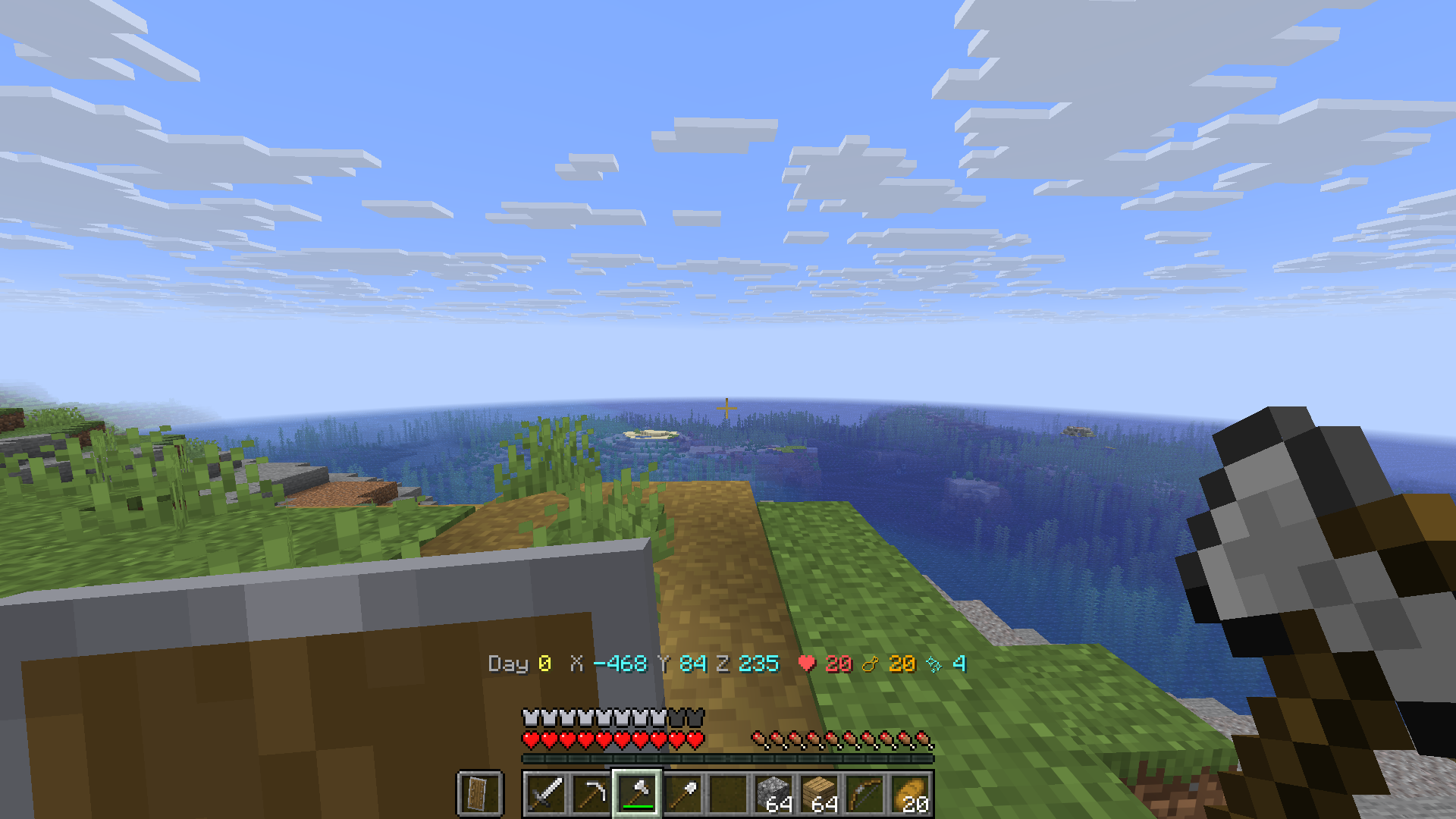 Stats Hud
 -
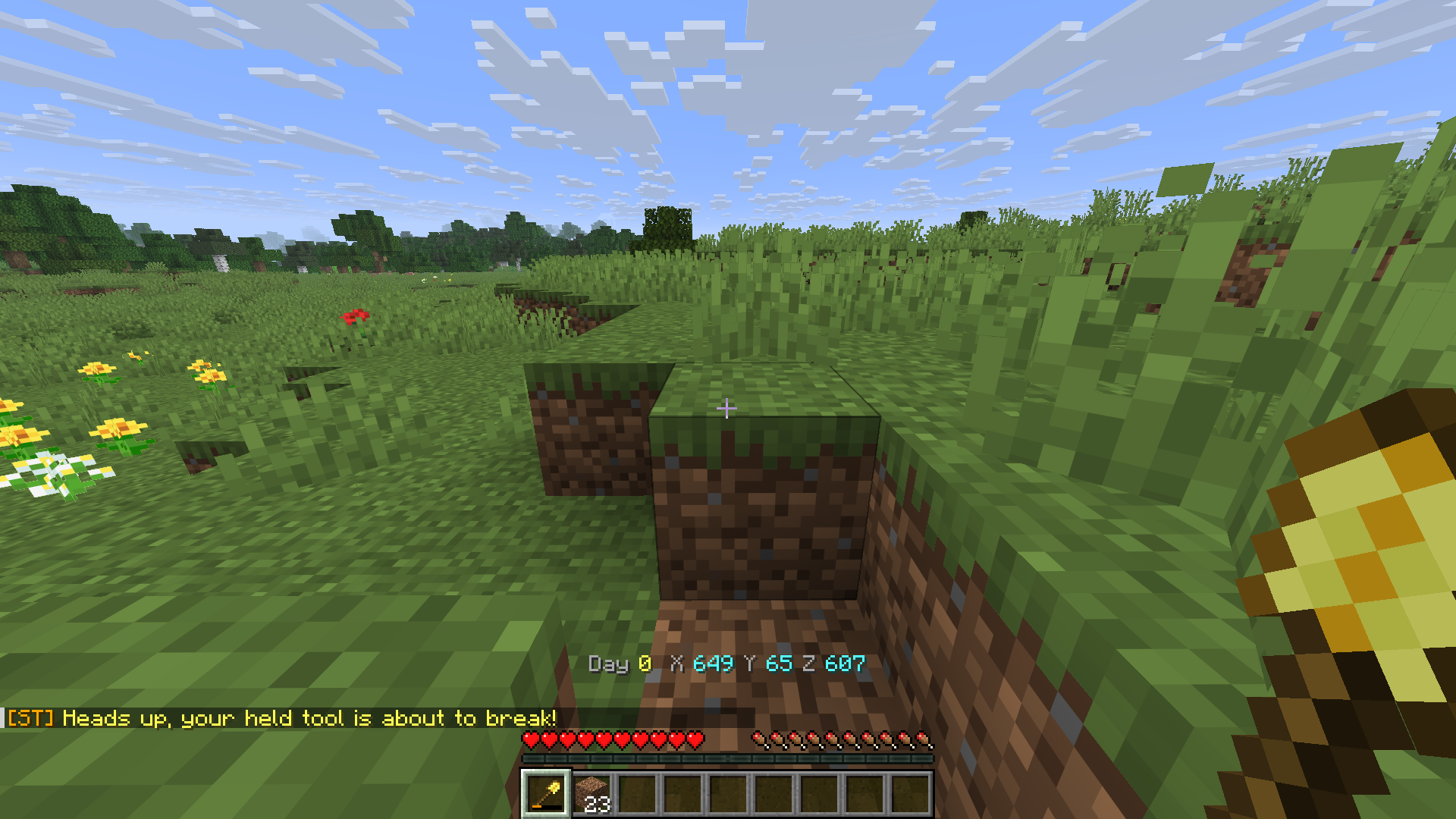 Alerts
 -
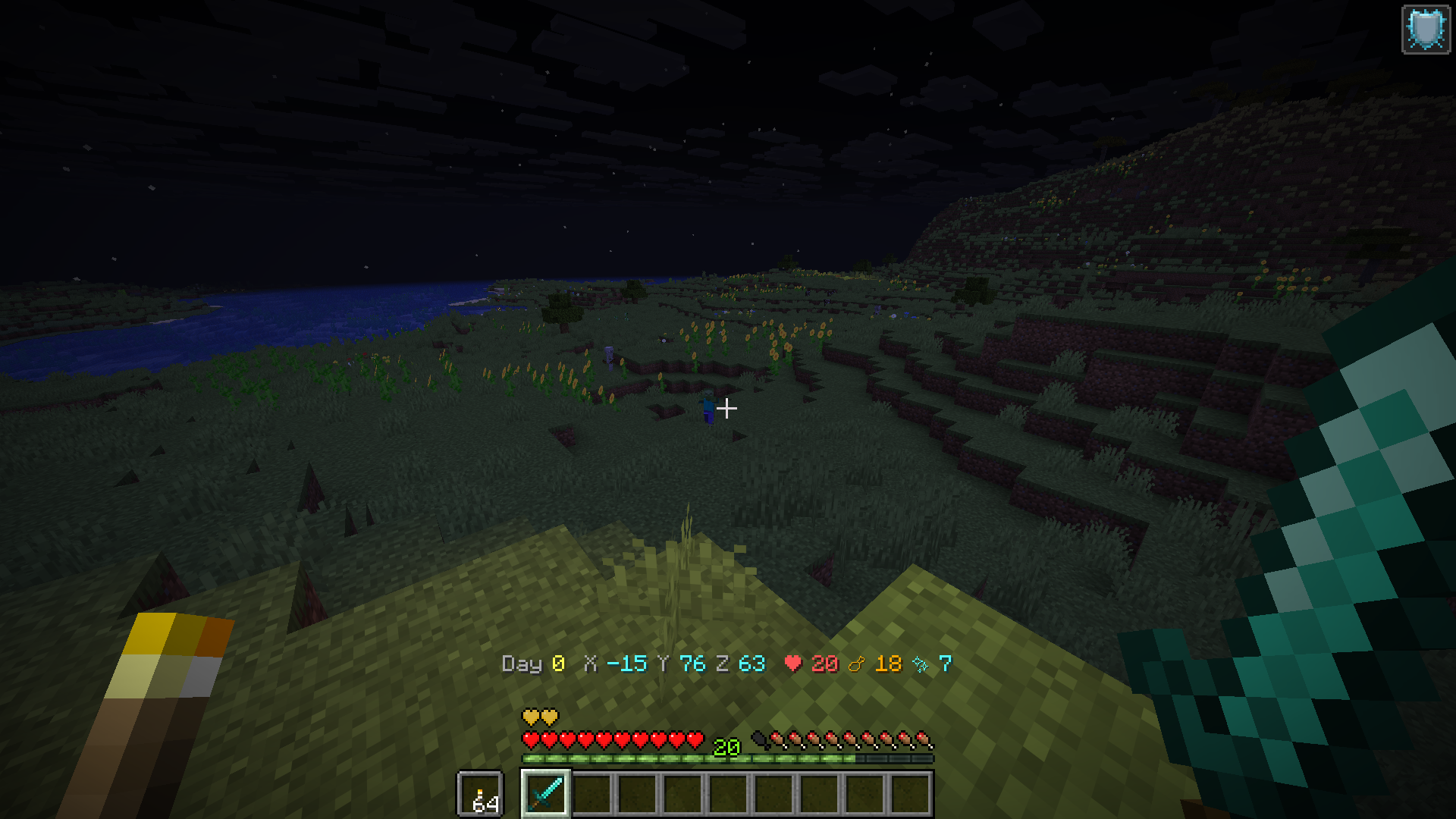 Dynamic lights
 -
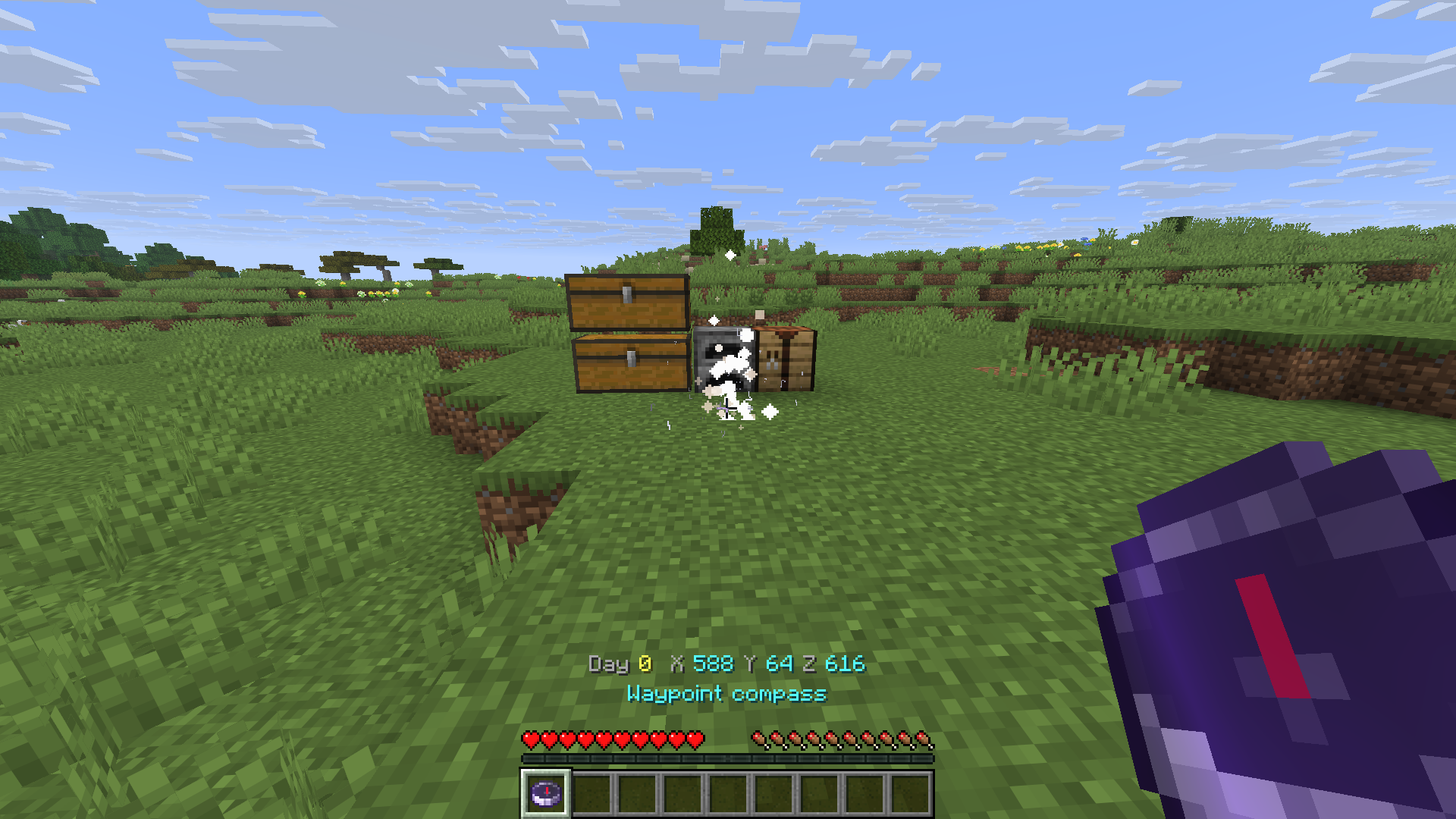 Waypoint
 -
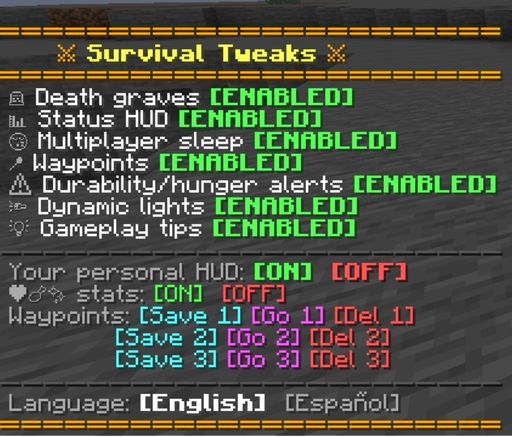 Datapack menu
 -
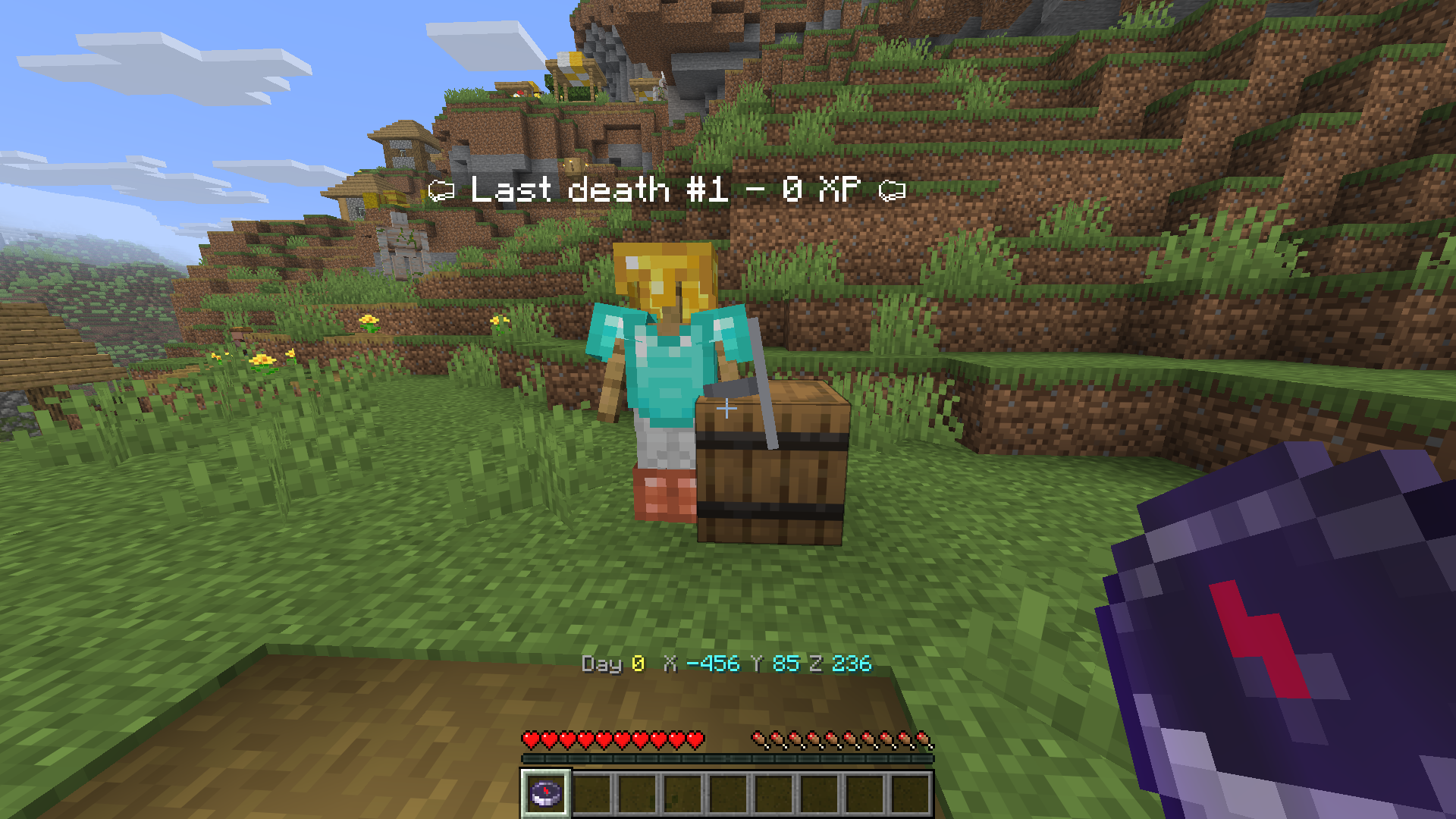 Your Grave
 -
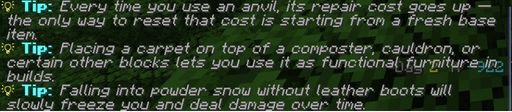 Tips
Tips
Versions
Files
Relations
Project Relations
More like this
Similar Mods
Suggestions use data such as tags, dependencies, dependents, descriptions, titles, and more to rank how much they overlap with this mod.
- More protective and fun mods
- Delta Edition Tweaks
- Let Me Tweak It
- Survival Tweaks
- Fire's Survival Tweaks
- Simple Survival Tweaks
- Alien Survival Tweaks
- Nova's Survival Tweaks (Discontinued)
- Lockpicking & Survival Tweaks
- Human Survival – Realistic Items & Survival Tweaks
- Aikoyori Tweaks
- Survival Friendly
On ModDex
Community snapshot
By the numbers
Statistics

Want to reach Minecraft players?
We're looking for a server hosting partner to feature here and other parts of the site. Interested? Send us a message!
Get in touchGet it on
Available Platforms
On ModDex
Community snapshot
By the numbers
Statistics
Resources