

Community listing page, reviews here may not be monitored by the author.
Survival Time

No reviews yet
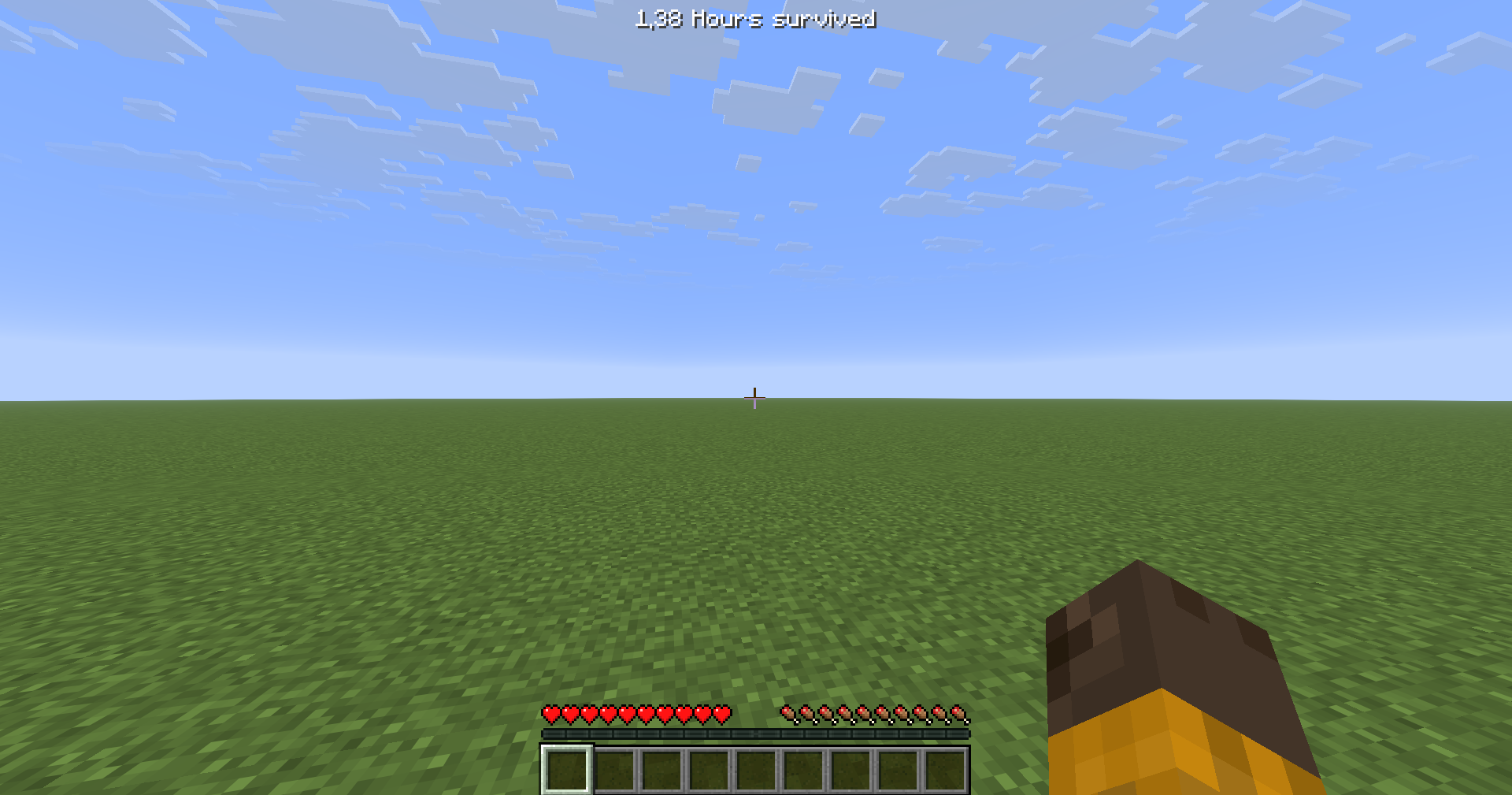
Keep track of your survival progress! Survival Time displays exactly how long you've survived since your last death — always in sync with Minecraft's built-in statistics.
Community voices
Reviews
No reviews yet. Be the first to review this project!
Get it on
Available Platforms
Compatibility
Supported Environments
Runs entirely on the client. Works on vanilla servers.
About
Project Details
For authors
Embed Badge
If you're the author of this project, you can embed a live badge anywhere that supports HTML or Markdown. It updates automatically whenever ratings change.
Use HTML for any page that supports it, or Markdown for README files and Markdown-based descriptions.
Identifiers
Platform IDs
About
Description




Keep track of your survival progress! Survival Time displays exactly how long you've survived since your last death — always in sync with Minecraft's built-in statistics.
✨ Features
⏱️ Dual Time Formats
- Real Time — Decimal real-world units that scale automatically (Seconds → Minutes → Hours → Days → Months → Years)
- Minecraft Days — Decimal in-game units that scale automatically (Hours → Days → Months → Years)
- All values are shown with two decimal places (e.g.
1.50 Hours,2.75 Days)
💀 Death Animation
- When you die, the time you survived counts down to zero on screen
- The display fades out automatically — no need to dismiss it
🎨 Customizable Display
- 6 Screen Positions — Top Left, Top Right, Bottom Left, Bottom Right, Action Bar, Center Top
- Fine Position Adjustments — X and Y offset controls for pixel-perfect placement
- Clean HUD Integration — Minimal design that blends with your game
⚙️ Easy Configuration
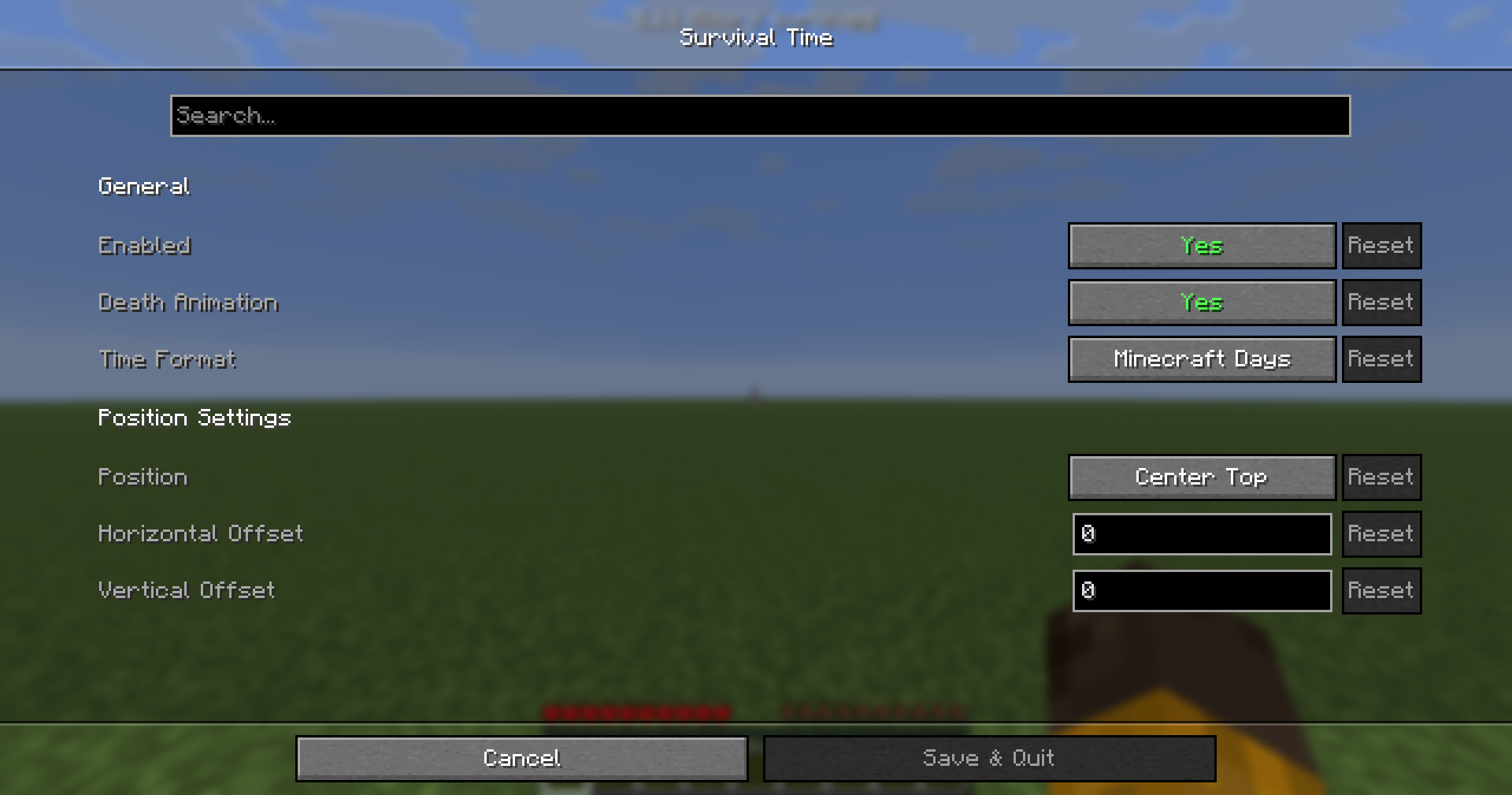
- In-Game Settings — Full ModMenu integration with Cloth Config
- Instant Updates — Changes apply immediately
- Auto-Save — Your preferences are remembered between sessions
🚀 Installation
- Install Fabric Loader
- Install Fabric API
- Download Survival Time
- Place the
.jarfile in your.minecraft/mods/folder
🎮 How to Use
- Access all settings in-game via ModMenu
- Click on Survival Time
- Adjust:
- Enabled — Toggle the HUD on or off
- Death Animation — Toggle the countdown animation on death
- Time Format — Switch between Real Time and Minecraft Days
- Position — Choose from 6 preset screen locations
- X / Y Offsets — Fine-tune the exact position
- Changes apply instantly and save automatically
💡 Tips
- The timer only displays while you are alive
- The timer pauses when the game is paused
- Works seamlessly alongside other HUD mods
🔧 Technical Details
- Client-side only — No server installation required
- Requirements:
- Minecraft 1.21.11
- Fabric Loader 0.18.2+
- Fabric API
- Optional: ModMenu + Cloth Config for in-game configuration
- Lightweight: Minimal performance impact — a single HUD callback registered at startup
🤝 Compatibility
- No server installation required — client-side only
- Works with most HUD and interface mods
- Compatible with death counter and statistics mods
- No conflicts with resource packs
🐛 Reporting Issues
Found a bug or have a suggestion? Open an issue
Please include:
- Minecraft version
- Mod version
- Other installed mods
- Steps to reproduce the issue
🙏 Credits
- Astralis — Development
- FabricMC — Modloader foundation
📜 License
Licensed under the MIT License. See LICENSE for details.
"Every second counts in survival mode."
Screenshots
Gallery
Versions
Files
Relations
Project Relations
More like this
Similar Mods
Suggestions use data such as tags, dependencies, dependents, descriptions, titles, and more to rank how much they overlap with this mod.
On ModDex
Community snapshot
By the numbers
Statistics

Want to reach Minecraft players?
We're looking for a server hosting partner to feature here and other parts of the site. Interested? Send us a message!
Get in touchGet it on
Available Platforms
On ModDex
Community snapshot
By the numbers