Community listing page, reviews here may not be monitored by the author.
Swap and Stack

No reviews yet
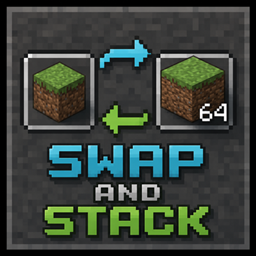
Now you can move items from your main hand to your off-hand by pressing [F] instead of swapping them.

Community voices
Reviews
No reviews yet. Be the first to review this project!
Get it on
Available Platforms
About
Project Details
For authors
Embed Badge
If you're the author of this project, you can embed a live badge anywhere that supports HTML or Markdown. It updates automatically whenever ratings change.
Use HTML for any page that supports it, or Markdown for README files and Markdown-based descriptions.
Identifiers
Platform IDs
Resources
External Links
About
Description
Swap and Stack
In vanilla Minecraft, pressing F always swaps the items in your main hand and off-hand — even when both hands hold the exact same item. If you're holding 20 torches in one hand and 30 in the other, hitting F just flips which hand has which stack instead of combining them into one.
Swap and Stack fixes this.
When both hands hold the same item (same enchantments, same NBT/components), pressing F now merges the stacks together, up to the item's max stack size — just like dragging one stack onto another in your inventory. If the items are different, F still works exactly like vanilla: a normal swap.
Want the old behavior back for a moment? Hold Shift while pressing F to force a normal vanilla swap, even if both hands hold the same item.
How it works
- Same item, fits in one stack → both stacks combine into the off-hand.
- Same item, doesn't fully fit → off-hand fills up to max stack size, the rest stays in the main hand.
- Off-hand already full, nothing to merge → falls back to a normal swap, so pressing F never feels like it did nothing.
- Different items, or an empty hand → works exactly like vanilla Minecraft, no changes.
- Holding Shift → always does a normal vanilla swap, regardless of what's in your hands.
No new items are created — this only rearranges what you're already holding.
Notes
- No config needed, no new keybinds. Uses the same F key you already use.
- Doesn't affect items that can't stack (tools, weapons, armor) — those still swap normally.
Compatibility
Doesn't touch inventory GUIs, item registries, or other mods' items — it only changes what happens when the vanilla hand-swap action fires. Should be compatible with virtually everything.
Screenshots
Gallery
Versions
Files
Relations
Project Relations
More like this
Similar Mods
Suggestions use data such as tags, dependencies, dependents, descriptions, titles, and more to rank how much they overlap with this mod.
On ModDex
Community snapshot
By the numbers
Statistics
 (opens in a new tab)
Get it on
Available Platforms
On ModDex
Community snapshot
By the numbers
Statistics
Resources