
Community listing page, reviews here may not be monitored by the author.
TabManager

No reviews yet
TabManager gives you total control over your creative inventory by restructuring tabs, changing icons, and filtering items with Regex and Glob support. Easily manage, export, and switch between multiple configurations through an intuitive in-game GUI.
Community voices
Reviews
No reviews yet. Be the first to review this project!
Get it on
Available Platforms
Compatibility
Supported Environments
Runs entirely on the client. Works on vanilla servers.
About
Project Details
For authors
Embed Badge
If you're the author of this project, you can embed a live badge anywhere that supports HTML or Markdown. It updates automatically whenever ratings change.
Use HTML for any page that supports it, or Markdown for README files and Markdown-based descriptions.
Identifiers
Platform IDs
About
Description
TabManager
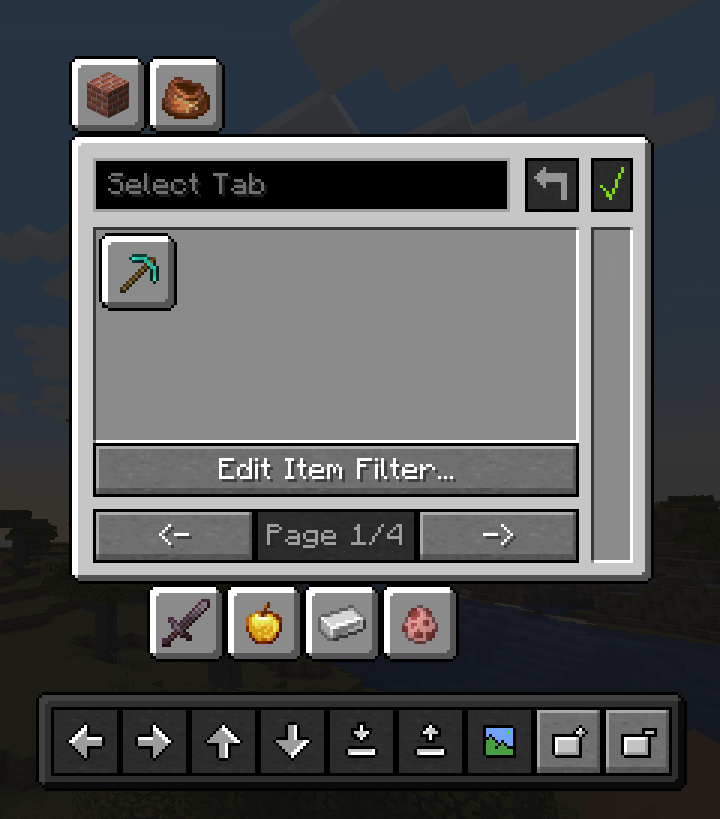
TabManager gives you total control over your creative inventory to organise it however you want with a simple and easy-to-understand GUI. Don't need a specific tab? Hide it! Want the tab on a separate page? Move it! Unhappy with items cluttering your tab? Simply get them out of your way!
In short, TabManager gives you control of the following things:
- reorganise your creative inventory by moving and hiding icons
- add pages to your creative inventory
- customise the icons of the tabs
- filter out items from tabs with either glob or regex
- save multiple different configurations of your creative inventory
- load saved configurations on the fly
Dependencies
The mod requires OwoLib to function, which wraps vanilla GUI widgets from Minecraft and provides additional functionality for mod developers. The dependency is licensed under the MIT License and therefore freely available.
Installation
- Make sure you have Minecraft and Fabric Loader installed.
- Download the latest version of Tab Manager from the releases page
- Place the downloaded .jar file into your
modsfolder located in your Minecraft directory. - Download OwoLib for the matching version: Modrinth or CurseForge or GitHub
- Place the OwoLib .jar file into your
modsfolder as well. - Launch Minecraft with the Fabric profile.
How to use
There is a basic documentation on the GitHub Page that should give you a good idea of how to work with this mod. The parts you mainly want to focus on is the item filter and the tray as those two might be a little complex.
License & Attribution
This project is licensed under the LGPL-3.0 License.
For Developers (Code Usage)
If you use parts of this project (code, logic, or assets) in your own mod, please include the following in your README or "About" section:
TabManager by SnackBag Studios (https://studios.snackbag.net/)
- Original Source: https://github.com/snackbag/TabManager/
- Original Author: Tobiazsh (https://github.com/tobiazsh)
- Licensed under: LGPL-3.0
Portions of this mod use code from TabManager.
For Modpack Creators
You are free to include this mod in any modpack! While not strictly required by the license to list every mod on your main page, we appreciate a link back to our project:
TabManager by SnackBag Studios ([Modrinth/GitHub Link])
Disclaimer
This project actually belongs to SnackBag Studios, although I have currently taken control of it on my Modrinth profile while the owner is setting up the organisation. I am the original author and developer of the project. TabManager may move to SnackBag Studios in the future.
Screenshots
Gallery
-
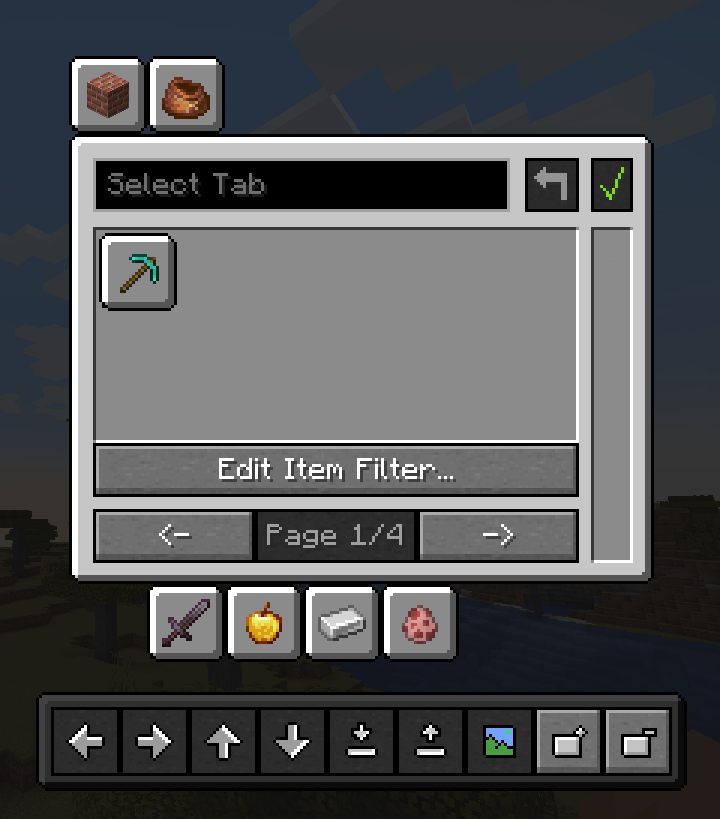 TabManager's Main Interface The image display the main interface of TabManager, where you can hide and move tabs, edit their icons, edit their names and add entirely new pages to the creative inventory.
Versions
Files
Relations
Project Relations
More like this
Similar Mods
Suggestions use data such as tags, dependencies, dependents, descriptions, titles, and more to rank how much they overlap with this mod.
On ModDex
Community snapshot
By the numbers
Statistics

Want to reach Minecraft players?
We're looking for a server hosting partner to feature here and other parts of the site. Interested? Send us a message!
Get in touchGet it on
Available Platforms
On ModDex
Community snapshot
By the numbers