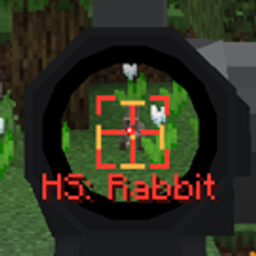
Community listing page, reviews here may not be monitored by the author.
Tacz:Assist

No reviews yet
Trajectory prediction and convenient feature for tacz mod
Community voices
Reviews
No reviews yet. Be the first to review this project!
Get it on
Available Platforms
About
Project Details
For authors
Embed Badge
If you're the author of this project, you can embed a live badge anywhere that supports HTML or Markdown. It updates automatically whenever ratings change.
Use HTML for any page that supports it, or Markdown for README files and Markdown-based descriptions.
Identifiers
Platform IDs
Resources
External Links
About
Description
TaCZ Assist
TaCZ Assist is a client-side ballistic prediction HUD mod for TaCZ.
It displays the predicted trajectory, time to impact, predicted target, ADS progress, and time remaining until the weapon can fire again. It does not control the player's view, input, or firing behavior.
Supported Versions
- Minecraft 1.21.1
- NeoForge 21.1.238
- Java 21
- TaCZ for Minecraft 1.21.1 NeoForge: 1.1.5-r1 through 1.1.8-hotfix-r6
- Latest verified TaCZ version: 1.1.8-hotfix-r6
TaCZ itself is not bundled with this mod and must be installed separately.
Client-Side Only
TaCZ Assist only needs to be installed on the client. Do not install TaCZ Assist on the server.
The mod does not register custom network communication or send its own data to the server. It also does not provide automatic aiming, automatic firing, camera control, synthetic input, or recoil control.
Features
Ballistic and Hit Prediction
- Predicts the center-line trajectory of the currently held TaCZ weapon
- Displays the predicted result—entity, block, or miss—in the top-right HUD
- Displays the predicted time to impact in seconds
- Accounts for water drag when predicting underwater trajectories
- Estimates target movement from its current velocity
Center Crosshair Indicator
When an entity hit is predicted, a small indicator is displayed near the center crosshair.
- Red: predicted player hit
- Orange: predicted mob hit
- Red with outer corner marks and an
HSlabel: predicted headshot
ADS Lead Marker
While aiming down sights, TaCZ Assist selects the visible player or mob closest in angle to the crosshair and displays an amber lead marker for its predicted movement.
The marker is only shown when the predicted trajectory can reach that target without hitting a block first.
Weapon Status HUD
While holding a TaCZ weapon, the top-right HUD displays:
- ADS completion percentage and progress bar
- Remaining firing cooldown
- Firing readiness and readiness progress bar
- Predicted hit target
- Predicted time to impact
How to Use
- Install the supported versions of Minecraft, NeoForge, and TaCZ.
- Place the TaCZ Assist JAR in your instance's
modsfolder. - Launch the game and hold a TaCZ weapon to display the HUD.
- Aim down sights to display a lead marker when a valid target and trajectory are available.
- Press
Ito toggle the TaCZ Assist HUD.
Key Binding
- Default key:
I - Action: Toggle the TaCZ Assist HUD
- Location: Options → Controls → Key Binds → TaCZ Assist
If the default key conflicts with another mod, it can be changed from Minecraft's Key Binds screen.
Important Notes
- All displayed results are client-side predictions and do not guarantee a hit.
- Random weapon spread, network latency, server-side hit detection, and sudden target movement can cause the actual result to differ from the prediction.
- Lead prediction assumes that the target continues moving at its current velocity.
- TaCZ 1.1.5 releases do not expose the newer global bullet-speed setting, so prediction uses that release line's original 1.0x behavior.
- TaCZ versions older than 1.1.8 do not expose charged-shot state. Charge information therefore falls back to inactive, while the other HUD and ballistic prediction features remain available.
- Although TaCZ Assist is informational only, some servers may prohibit trajectory prediction or lead-marker HUDs. Always check the rules of each multiplayer server and disable the HUD when required.
- Versions of Minecraft, NeoForge, or TaCZ outside the listed compatibility range are not supported.
Screenshots
Gallery
-
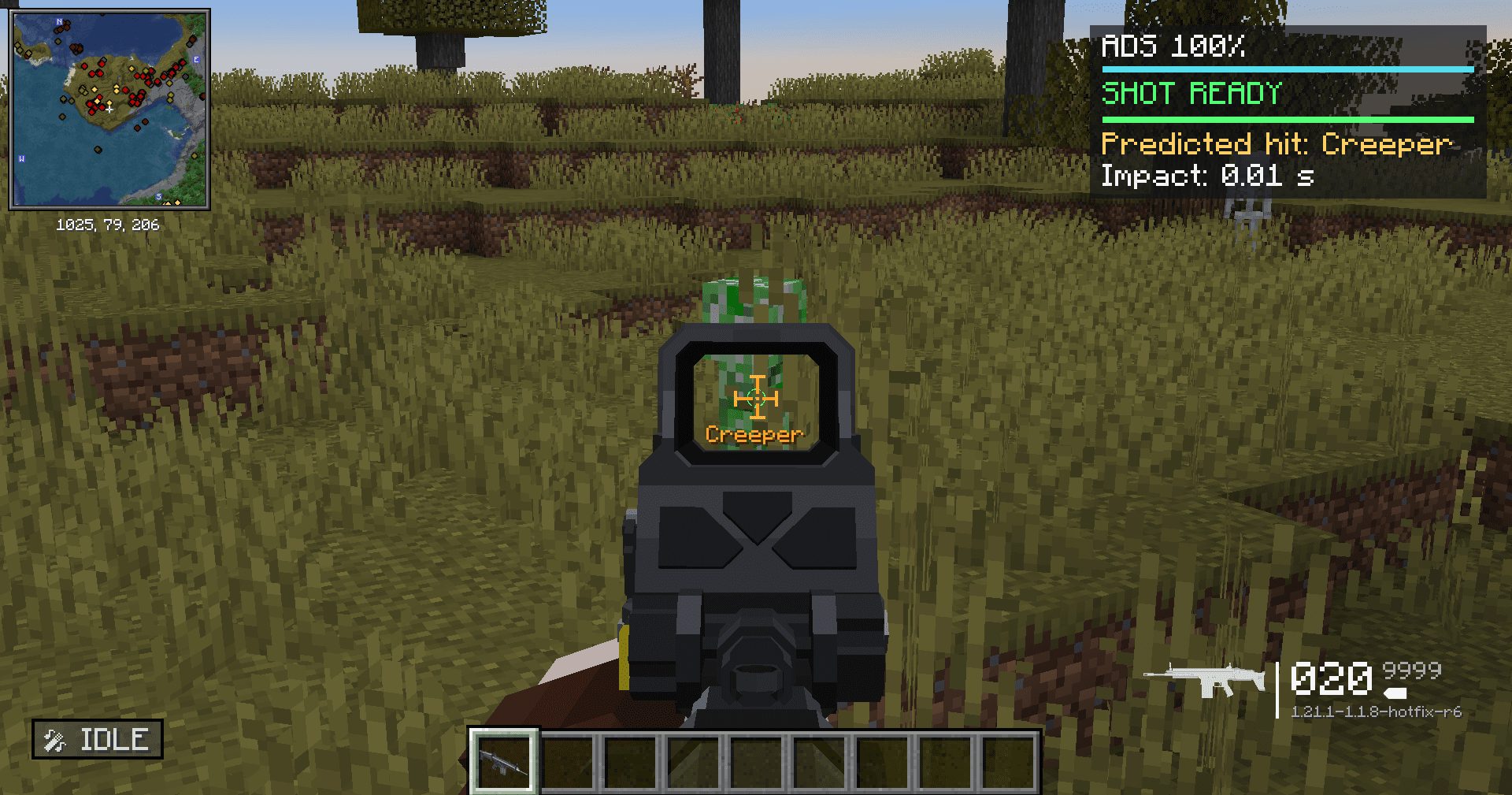 ADS shooting 2026-08-15_13.55.01.png
 -
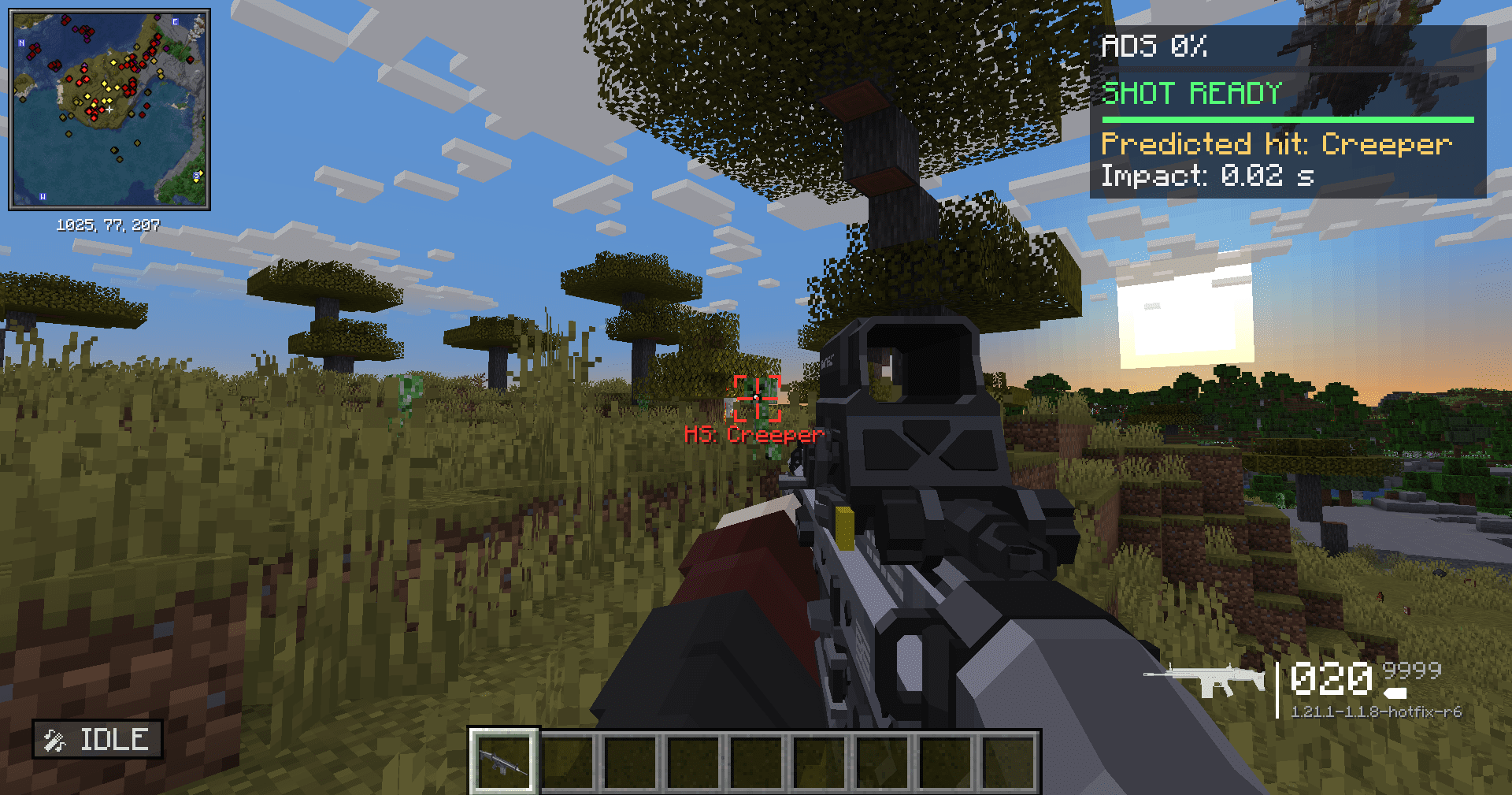 hip shooting 2026-08-15_13.54.08.png
 -
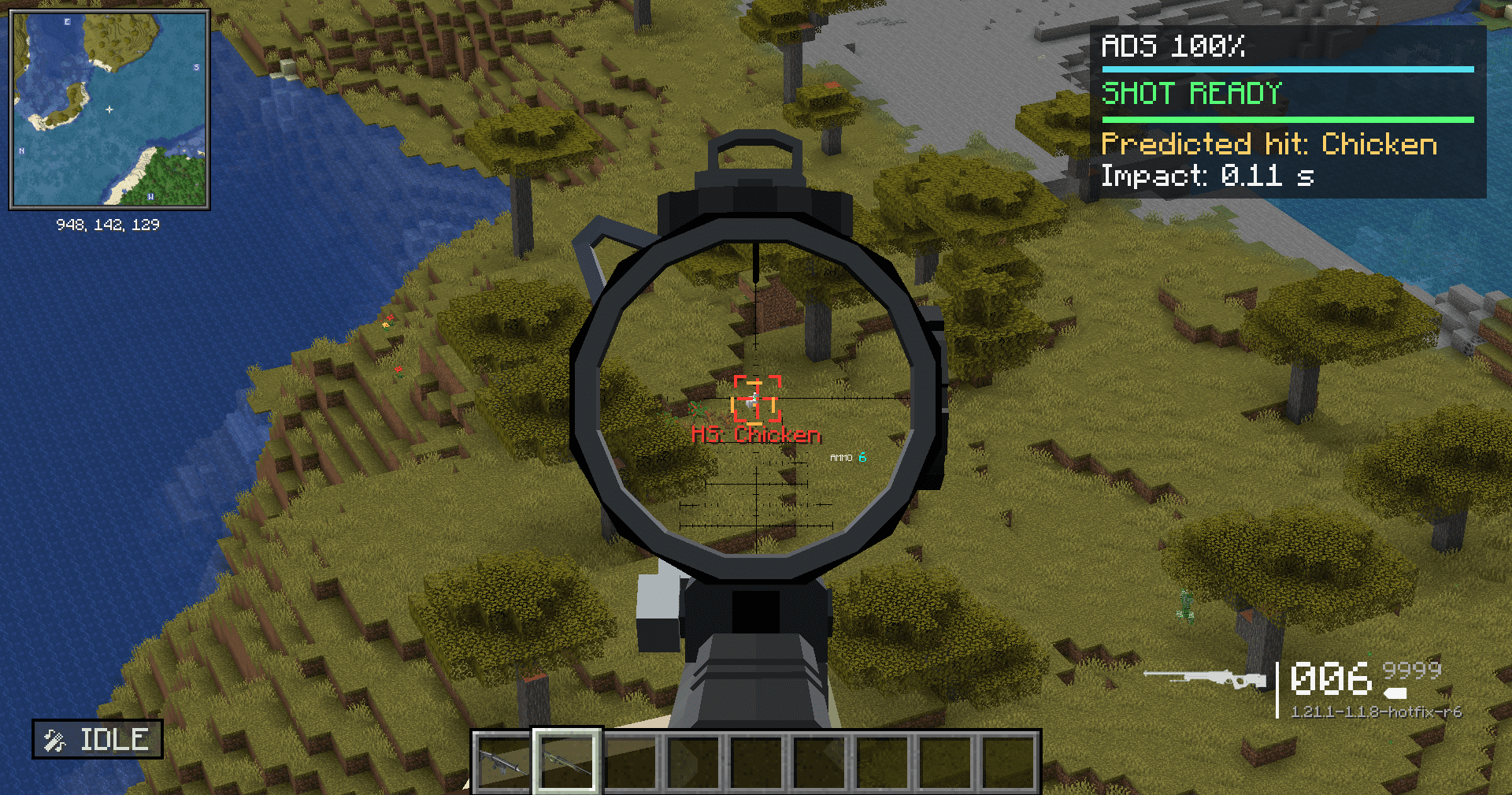 Precise aiming 2026-08-15_13.55.50.png
Versions
Files
Relations
Project Relations
More like this
Similar Mods
Suggestions use data such as tags, dependencies, dependents, descriptions, titles, and more to rank how much they overlap with this mod.
On ModDex
Community snapshot
By the numbers
Statistics
Want to reach Minecraft players?
We're looking for a server hosting partner to feature here and other parts of the site. Interested? Send us a message!
Get in touchGet it on
Available Platforms
On ModDex
Community snapshot
By the numbers
Statistics
Resources