Community listing page, reviews here may not be monitored by the author.

Community voices
Reviews
No reviews yet. Be the first to review this project!
Get it on
Available Platforms
About
Project Details
For authors
Embed Badge
If you're the author of this project, you can embed a live badge anywhere that supports HTML or Markdown. It updates automatically whenever ratings change.
Use HTML for any page that supports it, or Markdown for README files and Markdown-based descriptions.
Identifiers
Platform IDs
Resources
External Links
About
Description
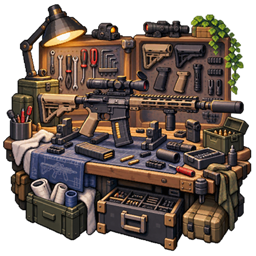
TACZ Workshop provides in-game tools for adjusting installed TACZ content and managing gunsmith-workbench recipes. Pack authors can tune weapon data, control available entries, build recipes with NBT-bearing results, and choose which workbenches offer them.
Installation and access Component Requirement Minecraft This source targets 1.20.1 Forge 47.4.2 or newer KineticCore 26.9.20 or newer; required Timeless and Classics Zero (TACZ) Required Sophisticated Backpacks / Sophisticated Core Optional backpack compatibility LR Tactical content Needed for the corresponding melee, throwable, and consumable data categories Install the mod and required dependencies on both client and server for multiplayer use. Press F6 to open KineticCore's configuration center, then open TACZ Workshop's data manager or recipe manager. F6 is the default shared configuration key.
The editors read and modify server data. Opening server snapshots and submitting modifications require permission level 2. A local preview is not proof that a server change has been accepted.
Browse and tune content data The data manager searches by display name, item ID, or data ID and separates active, modified, and disabled entries. Modified entries are marked so they can be found again among the original gun-pack content.
Category Examples of editable data when present Guns Damage, RPM, magazine capacity, projectile speed/gravity, headshot multiplier, spread, reload and handling timings Attachments Their existing numeric, text, and boolean data fields Ammunition Existing ammo data such as stack size and related properties LR Tactical melee Attack damage/multipliers, cooldowns, durability costs, movement, and hitbox properties LR Tactical throwables Throw speed, fuse/lifetime, bouncing, explosions, stun, and cloud properties LR Tactical consumables Use time, food/healing values, effects, cooldowns, and durability costs Fields are derived from the selected entry's data. The detail screen supports property search and displays data paths, helping distinguish similarly named fields. Available properties depend on the installed content; this tool edits existing definitions rather than supplying new models, textures, or animations.
For guns, attachment-type controls can allow or block supported attachment categories, such as scopes, muzzles, stocks, grips, lasers, and extended magazines.
Disable hides an entry from the corresponding content index after the change is applied. Restore reverses the disabled state. Reset clears the Workshop override and restores the original pack data; it is different from simply enabling an edited entry again.
Save data as a batch Open an entry and change the required fields. Return to the list and edit other entries as needed. Detail edits are staged in the client editing session. Use Save All in the data manager to submit the staged changes together. Wait for server validation, file writing, and the reload result before testing the content. The batch flow keeps pending edits distinct from saved server data. It also checks whether another reload is already pending. Reset and disabled-state changes participate in the same staged workflow.
Create gunsmith-workbench recipes The recipe editor supports gun, attachment, ammo, normal-item, and available LR Tactical melee/throwable/consumable outputs. Choose a real output item, its count, a recipe ID, and optional group and note.
Add item or item-tag inputs with separate required counts. Give a concrete item input a partial-NBT condition; tag inputs do not directly carry NBT conditions. Set extra output NBT for customized results. For gun outputs, configure loaded ammunition and preinstalled attachments. Validate attachment types and result types against the selected content. Copy a recipe to start a new recipe ID, edit an existing record, or remove it. Disable a custom recipe while retaining its saved definition for later reuse. Recipe searches include recipe ID, result ID, type, and note. The manager distinguishes original recipes, Workshop-created recipes, and removed recipes.
Workbench routing and original recipes The workbench selector lists available gunsmith workbenches by name and ID. Toggle the workbenches where a recipe may appear and be crafted. Recipes using native routing follow their original workbench rules.
Editing an original recipe saves a Workshop replacement and places the original in the removed set. This preserves a way to restore the original recipe instead of requiring changes to the original gun-pack archive. Use the recipe manager's restore action when you want the original back.
Recipe saves apply immediately: after server validation, the recipe store is updated and the runtime recipe/routing state is synchronized. This is separate from the data manager's staged Save All workflow.
Validation and compatibility Recipe validation checks IDs, material/result structure, counts, result types, and NBT. A preflight pass also isolates malformed TACZ recipe candidates before recipe deserialization and records the affected recipe IDs and reasons for diagnosis. This does not guarantee that every third-party gun pack is compatible.
With Sophisticated Backpacks installed, the compatibility layer includes ammunition held in supported inventory backpacks in TACZ reload checks, consumption, and ammo display. The optional integration is more than an editor item picker; it affects ammunition availability during play.
Storage and pack distribution File Purpose config/kineticcore/taczdata.json Content-data overrides and disabled states config/kineticcore/taczrecipes.json Workshop recipes and original-recipe removal state Corresponding .json.bak files Backup copies maintained by the stores when applicable These are instance-level configuration files. Keep the original TACZ/LR Tactical packs installed: the overrides refer to their content IDs. Distribute the matching content packs and Workshop configuration together when reproducing a setup.
If a save fails, inspect the server message/log and check IDs, material counts, NBT, and whether the referenced content is loaded. If a recipe is missing from a bench, also check its enabled state, original/replacement status, and workbench selection.
Implementation references: data kinds, staged edits, recipe store, and server validation and saving.
License: LGPLv3. Dependencies: mods.toml.
Screenshots
Gallery
Versions
Files
Relations
Project Relations
More like this
Similar Mods
Suggestions use data such as tags, dependencies, dependents, descriptions, titles, and more to rank how much they overlap with this mod.
On ModDex
Community snapshot
By the numbers
Statistics
Want to reach Minecraft players?
We're looking for a server hosting partner to feature here and other parts of the site. Interested? Send us a message!
Get in touchGet it on
Available Platforms
On ModDex
Community snapshot
By the numbers
Statistics
Resources