
Community listing page, reviews here may not be monitored by the author.
Tail Text Preview


No reviews yet
A client-side mod that provides a convenient graphical user interface (GUI) for real-time preview of Minecraft text formatting, including colors, styles, and gradients.
Community voices
Reviews
No reviews yet. Be the first to review this project!
Get it on
Available Platforms
Compatibility
Supported Environments
Runs entirely on the client. Works on vanilla servers.
About
Project Details
For authors
Embed Badge
If you're the author of this project, you can embed a live badge anywhere that supports HTML or Markdown. It updates automatically whenever ratings change.
Use HTML for any page that supports it, or Markdown for README files and Markdown-based descriptions.
Identifiers
Platform IDs
About
Description
Tail Text Preview — Real-time Minecraft Text Formatting
Мод полностью поддерживает русский язык! Подробнее на русском
Tail Text Preview is a client-side Minecraft mod that provides a convenient GUI for creating and previewing formatted text in real time.
Instead of manually guessing color codes and formatting styles, you can type your text, apply colors or styles, preview the result, and copy the generated formatting code for use in commands, signs, books, or other supported text fields.
Key Features
Live Preview
Preview formatted Minecraft text in real time as you edit.Quick Formatting & Styles
Apply standard Minecraft colors and formatting styles (bold, italic, underline, strikethrough, obfuscated) through a simple visual interface.Advanced Template Manager (Sidebar)
Organize and manage your drafts easily:- Folders & Categories: Group templates into expandable/collapsible folders. Templates without a folder sit cleanly at the root level.
- Drag & Drop: Reorder templates, move them between folders, or drag folders to sort them.
- Dynamic Resizing: Drag the sidebar border to adjust its width.
- Status Indicators: Text colors indicate when a template has unsaved changes (orange) or is saved (green).
- Marquee Effect: Long template or folder names automatically scroll for readability.
Interactive Tooltips & Shortcuts
Hover over elements for quick hotkey and usage hints. Can be toggled on/off in the Settings menu.One-Click Copy & Restore
Copy formatted text with a single click. Right-click a template to discard unsaved edits and restore its saved state.Undo and Redo
UseCtrl+ZandCtrl+Yto undo or redo text changes, andCtrl+Sto save template edits instantly.
Who is this for?
Tail Text Preview is useful for:
- Server administrators creating announcements, ranks, messages, or commands
- Map makers designing books, signs, titles, and custom text
- Datapack or command creators working with formatted Minecraft text
- Players looking for a simple way to prepare styled chat messages
Client-Side Only
Tail Text Preview is a client-side mod. It does not need to be installed on the server.
Note: Whether formatted text works in a specific place still depends on Minecraft limitations, server permissions, plugins, or the text field where the output is used.
Requirements
- Loader: Fabric Loader
- Dependencies: Fabric API
- Java: 17 or newer
Tail Text Preview — Real-time Minecraft Text Formatting
Мод полностью поддерживает русский язык! Подробнее на русском
Tail Text Preview is a client-side Minecraft mod that provides a convenient GUI for creating and previewing formatted text in real time.
Instead of manually guessing color codes and formatting styles, you can type your text, apply colors or styles, preview the result, and copy the generated formatting code for use in commands, signs, books, or other supported text fields.
Key Features
-
Live Preview
Preview formatted Minecraft text in real time as you edit. -
Quick Formatting & Styles
Apply standard Minecraft colors and formatting styles (bold, italic, underline, strikethrough, obfuscated) through a simple visual interface. -
Advanced Template Manager (Sidebar)
Organize and manage your drafts easily:- Folders & Categories: Group templates into expandable/collapsible folders. Templates without a folder sit cleanly at the root level.
- Drag & Drop: Reorder templates, move them between folders, or drag folders to sort them.
- Dynamic Resizing: Drag the sidebar border to adjust its width.
- Status Indicators: Text colors indicate when a template has unsaved changes (orange) or is saved (green).
- Marquee Effect: Long template or folder names automatically scroll for readability.
-
Interactive Tooltips & Shortcuts
Hover over elements for quick hotkey and usage hints. Can be toggled on/off in the Settings menu. -
One-Click Copy & Restore
Copy formatted text with a single click. Right-click a template to discard unsaved edits and restore its saved state. -
Undo and Redo
UseCtrl+ZandCtrl+Yto undo or redo text changes, andCtrl+Sto save template edits instantly.
Who is this for?
Tail Text Preview is useful for:
- Server administrators creating announcements, ranks, messages, or commands
- Map makers designing books, signs, titles, and custom text
- Datapack or command creators working with formatted Minecraft text
- Players looking for a simple way to prepare styled chat messages
Client-Side Only
Tail Text Preview is a client-side mod. It does not need to be installed on the server.
Note: Whether formatted text works in a specific place still depends on Minecraft limitations, server permissions, plugins, or the text field where the output is used.
Requirements
- Loader: Fabric Loader
- Dependencies: Fabric API
- Java: 17 or newer
Screenshots
Gallery
-
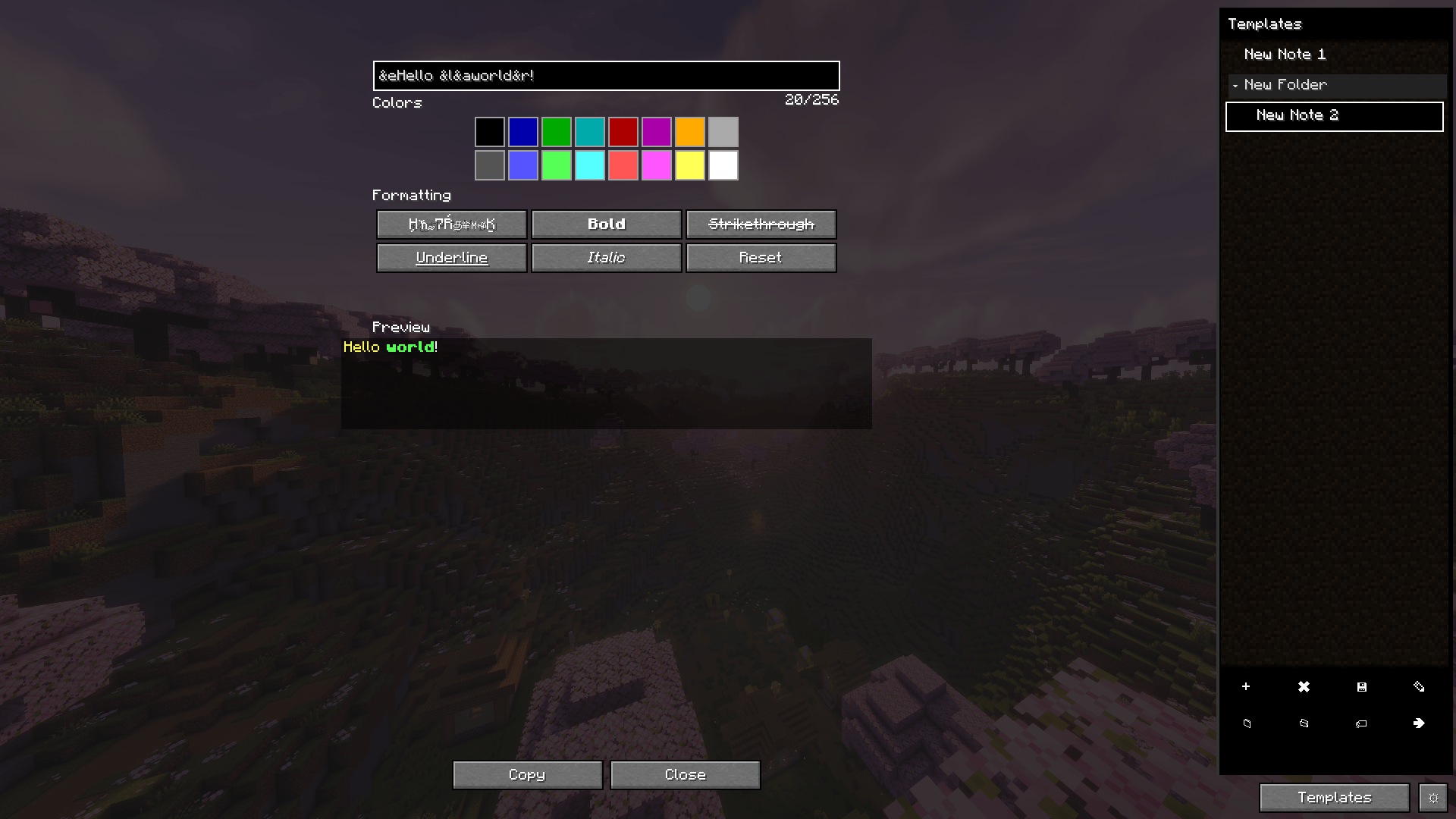 Main menu with an example of work
 -
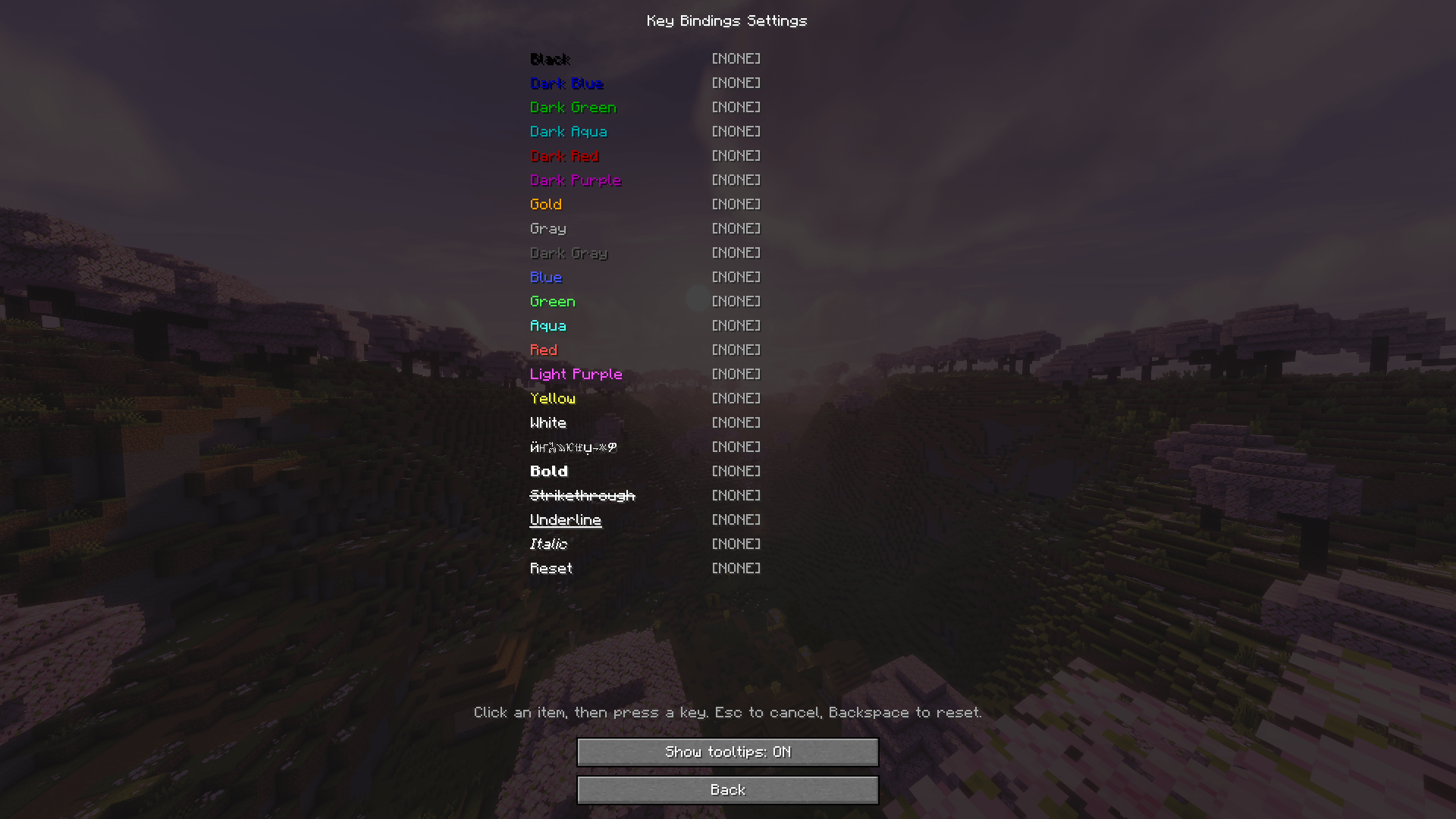 Settings menu
 -
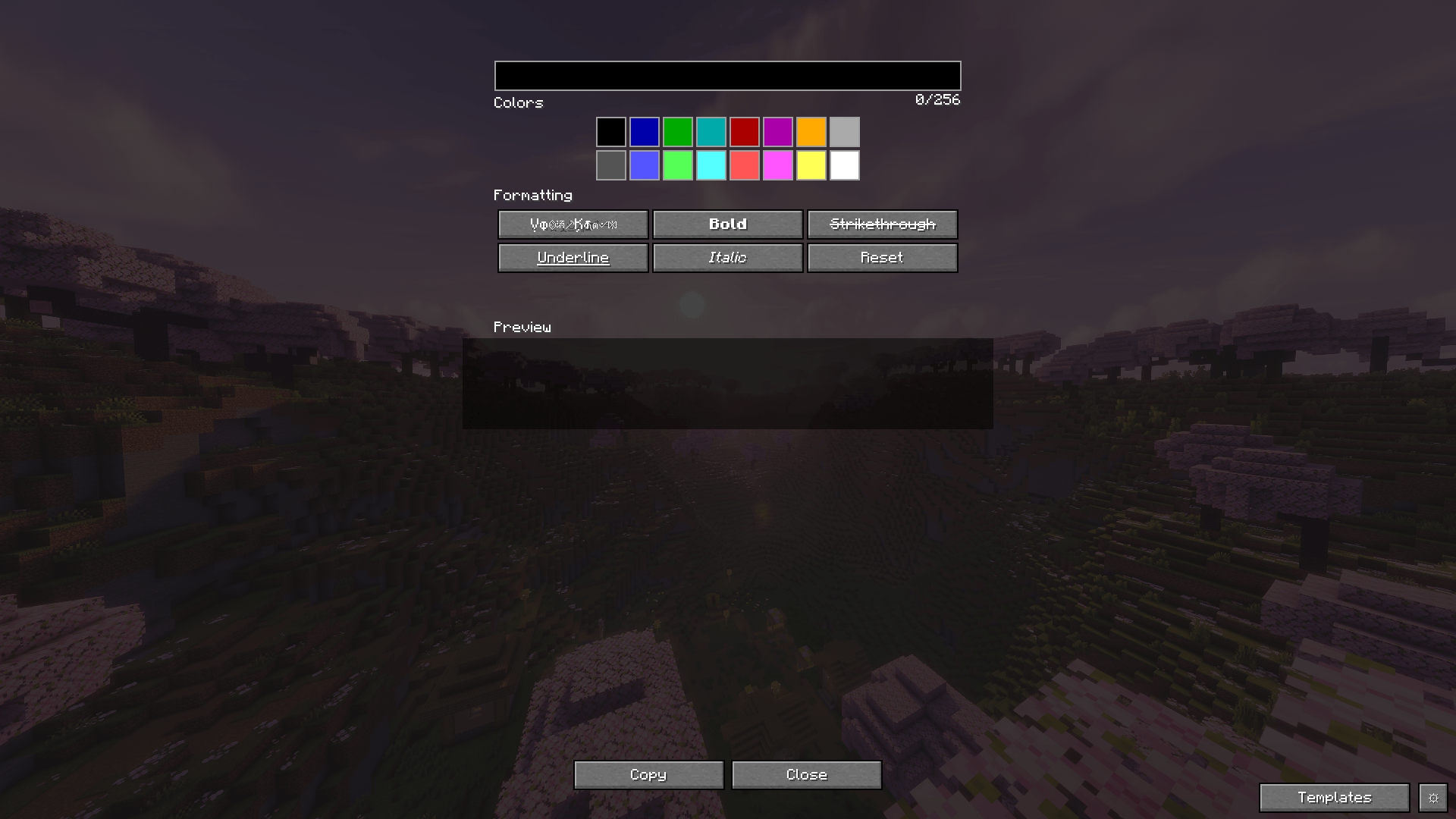 Main menu
-
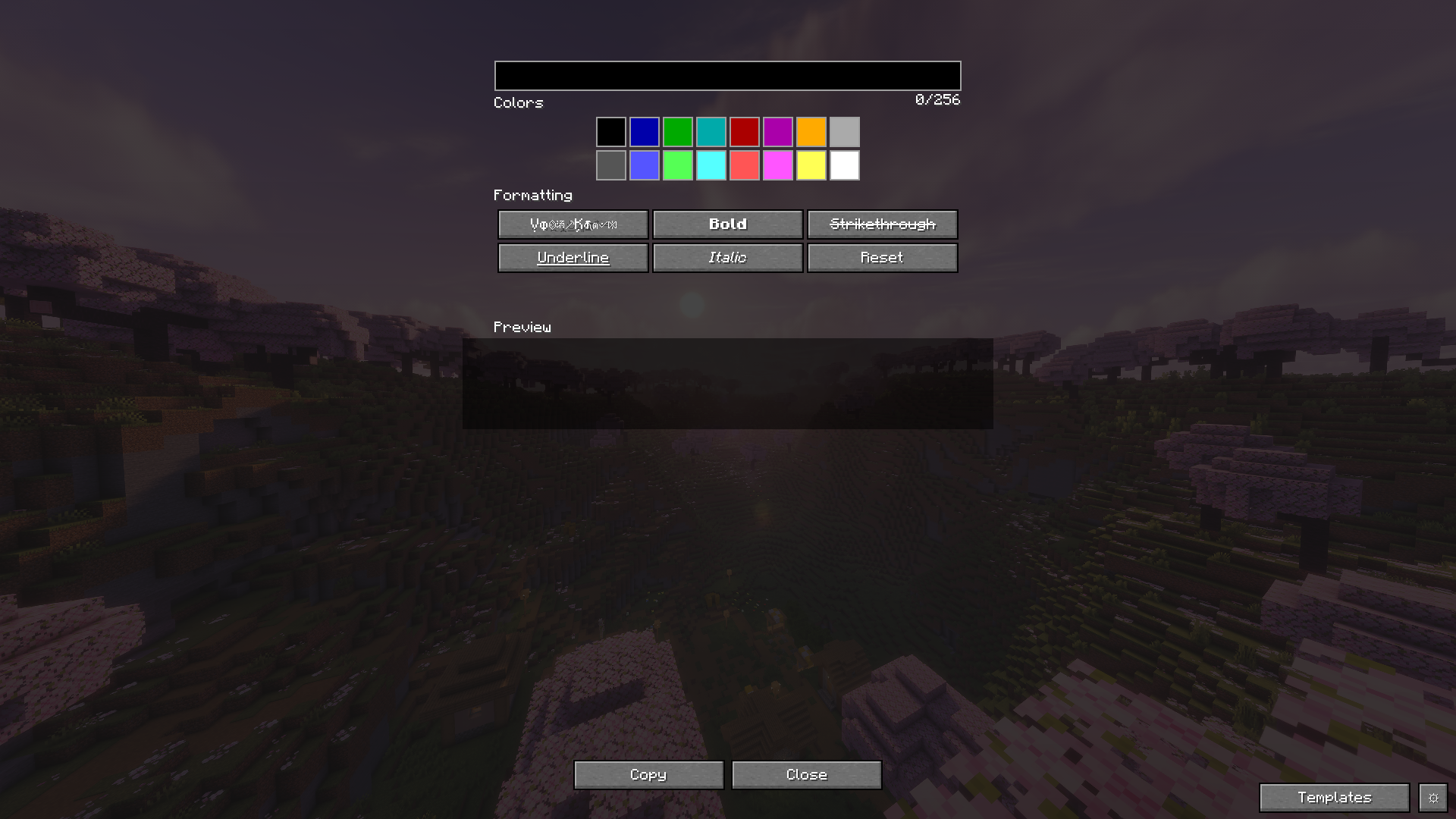 Main menu
 -
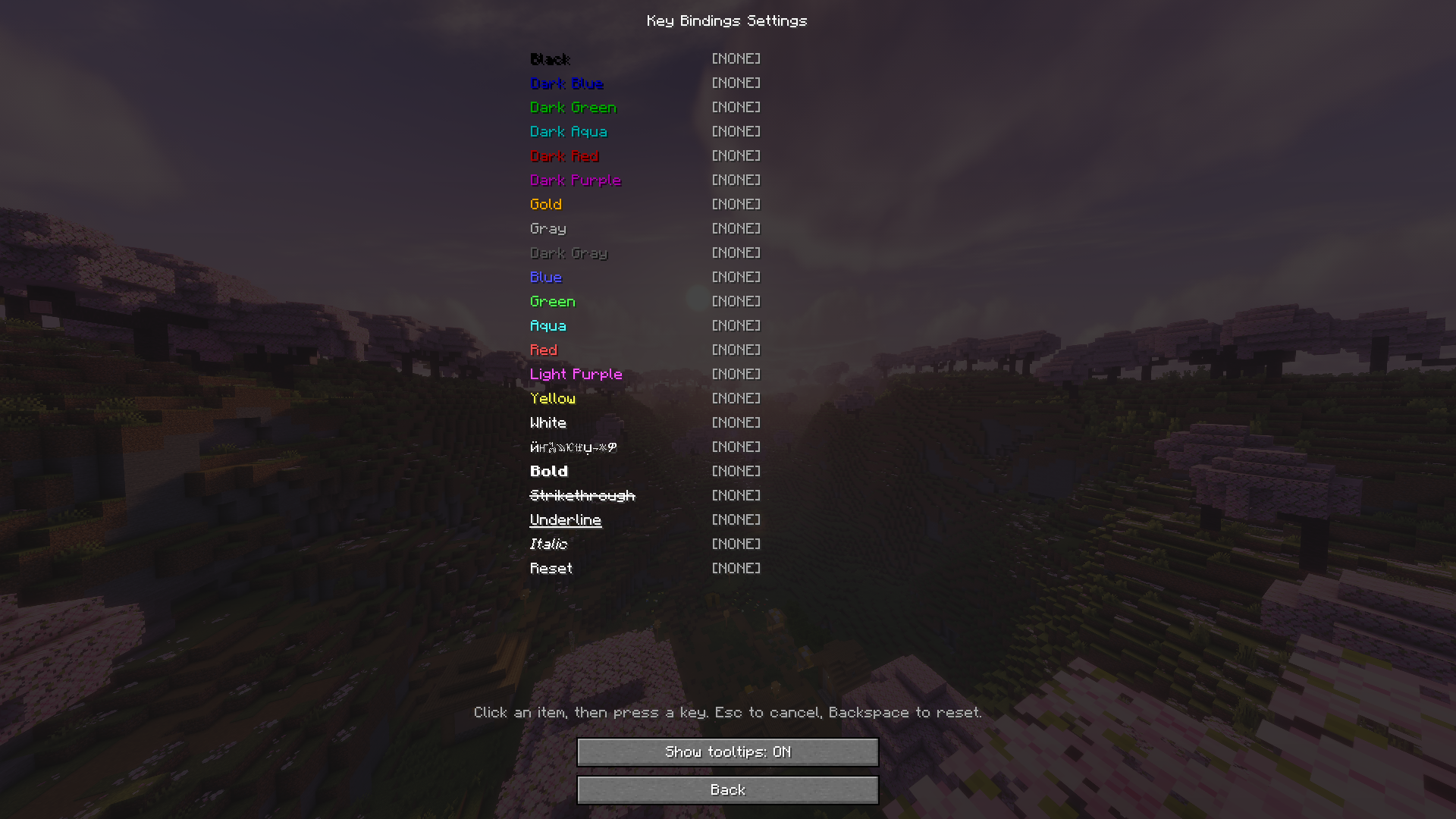 Settings menu
 -
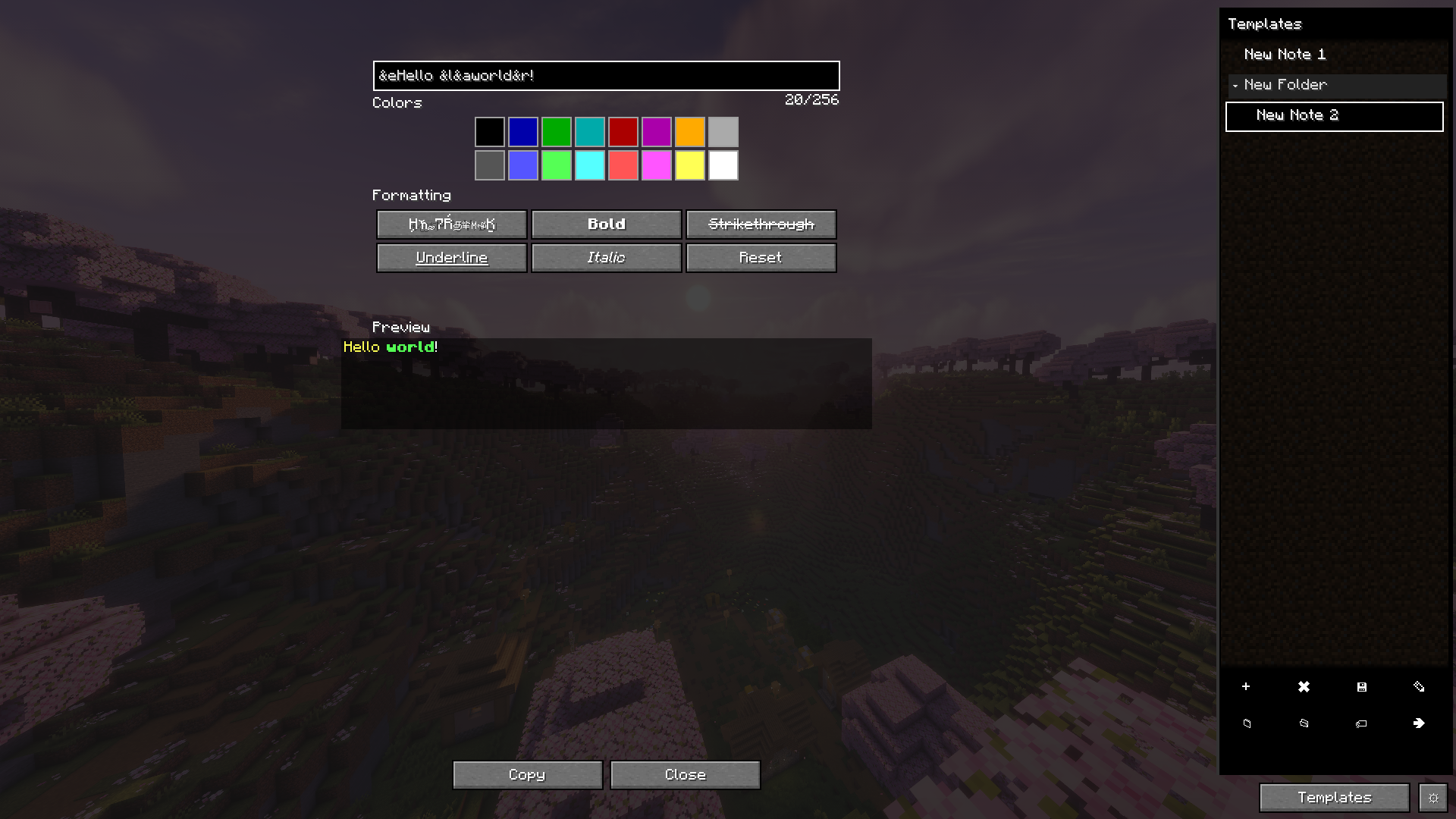 Main menu with an example of work
Versions
Files
Relations
Project Relations
More like this
Similar Mods
Suggestions use data such as tags, dependencies, dependents, descriptions, titles, and more to rank how much they overlap with this mod.
On ModDex
Community snapshot
By the numbers
Statistics
Want to reach Minecraft players?
We're looking for a server hosting partner to feature here and other parts of the site. Interested? Send us a message!
Get in touchGet it on
Available Platforms
On ModDex
Community snapshot
By the numbers