Community listing page, reviews here may not be monitored by the author.
Tails Legacy


No reviews yet
Adds a variety of tails, ears, wings, horns, and other parts to enhance your player model. A fork of Tails for newer (and older) versions with support for custom parts and more!

Community voices
Reviews
No reviews yet. Be the first to review this project!
Get it on
Available Platforms
Compatibility
Supported Environments
Works on the client or the server alone, but does more when on both.
About
Project Details
For authors
Embed Badge
If you're the author of this project, you can embed a live badge anywhere that supports HTML or Markdown. It updates automatically whenever ratings change.
Use HTML for any page that supports it, or Markdown for README files and Markdown-based descriptions.
Identifiers
Platform IDs
About
Description
Tails Legacy is a fork of Tails, updated to support newer versions of Minecraft and expanded with additional features and numerous other changes.
For those not familiar with Tails, it's a mod that adds tails, ears, muzzles, and wings that can be equipped and recolored by adjusting three tints. Tails has historically only supported up to 1.12 (although there is a WIP rewrite branch or three), but this fork brings it to exciting new versions like 1.21.1, 26.1, and... 1.12.
Tails Legacy differs from the original in a number of ways:
- This mod supports a wide range of versions simultaneously
- Parts, subtypes, part textures, and attachment types are fully data-driven (yes, even the animations)
- A large number of new parts have been added, likely doubling the part count
- The Tails Editor has been partially redesigned, most notably moving subtype selection out of the part list to just above the texture selector
- Arrows stuck in players can now render on tails and other parts that opt-in to the feature
- Importing from and exporting to skins has been removed (as it could never work with the new part system, and would probably step on Ears anyway)
- The data format of the Tails library and player data in the config file has been overhauled (but can still be seamlessly upgraded from older versions)
Features
Tails Legacy adds a wealth of ears, tails, wings, and other accessories which can be equipped via the Tails Editor (accessible from the pause menu). In this editor, one can select a part from a category, customize its three tints (although not all parts use all three tints), change its texture and/or subtype (if applicable), and finally apply the equipped parts.
Tails Legacy customizations will be synced to other players provided that the server also has the mod installed. (For LAN worlds, this means the host has to have the mod installed.) Players will also need the mod installed to be able to see these customizations. (In other words, the mod must be on both the server and client. Although one can still join vanilla servers and vanilla clients can join servers that have the mod installed.)
Tails Legacy also provides the Tails Library, a feature from the original mod that allows saving customizations to reapply them later, or to export and share with friends (or yourself). Tails Legacy's library is stored in the tailslegacylibrary.json file in the game directory, and can easily be copy-pasted between game instances (useful when you want your customizations in other modpacks or game versions). If one already has the game open, the "Reload Library" button will reload any changes made to this file. (If the contents are different, Tails Legacy will write the current version to a backup file before reloading.)
Tails Legacy is a fork of Tails, updated to support newer versions of Minecraft and expanded with additional features and numerous other changes.
For those not familiar with Tails, it's a mod that adds tails, ears, muzzles, and wings that can be equipped and recolored by adjusting three tints. Tails has historically only supported up to 1.12 (although there is a WIP rewrite branch or three), but this fork brings it to exciting new versions like 1.21.1, 26.1, and... 1.12.
Tails Legacy differs from the original in a number of ways:
- This mod supports a wide range of versions simultaneously
- Parts, subtypes, part textures, and attachment types are fully data-driven (yes, even the animations)
- A large number of new parts have been added, likely doubling the part count
- The Tails Editor has been partially redesigned, most notably moving subtype selection out of the part list to just above the texture selector
- Arrows stuck in players can now render on tails and other parts that opt-in to the feature
- Importing from and exporting to skins has been removed (as it could never work with the new part system, and would probably step on Ears anyway)
- The data format of the Tails library and player data in the config file has been overhauled (but can still be seamlessly upgraded from older versions)
Features
Tails Legacy adds a wealth of ears, tails, wings, and other accessories which can be equipped via the Tails Editor (accessible from the pause menu). In this editor, one can select a part from a category, customize its three tints (although not all parts use all three tints), change its texture and/or subtype (if applicable), and finally apply the equipped parts.
Tails Legacy customizations will be synced to other players provided that the server also has the mod installed. (For LAN worlds, this means the host has to have the mod installed.) Players will also need the mod installed to be able to see these customizations. (In other words, the mod must be on both the server and client. Although one can still join vanilla servers and vanilla clients can join servers that have the mod installed.)
Tails Legacy also provides the Tails Library, a feature from the original mod that allows saving customizations to reapply them later, or to export and share with friends (or yourself). Tails Legacy's library is stored in the tailslegacylibrary.json file in the game directory, and can easily be copy-pasted between game instances (useful when you want your customizations in other modpacks or game versions). If one already has the game open, the "Reload Library" button will reload any changes made to this file. (If the contents are different, Tails Legacy will write the current version to a backup file before reloading.)
Screenshots
Gallery
-
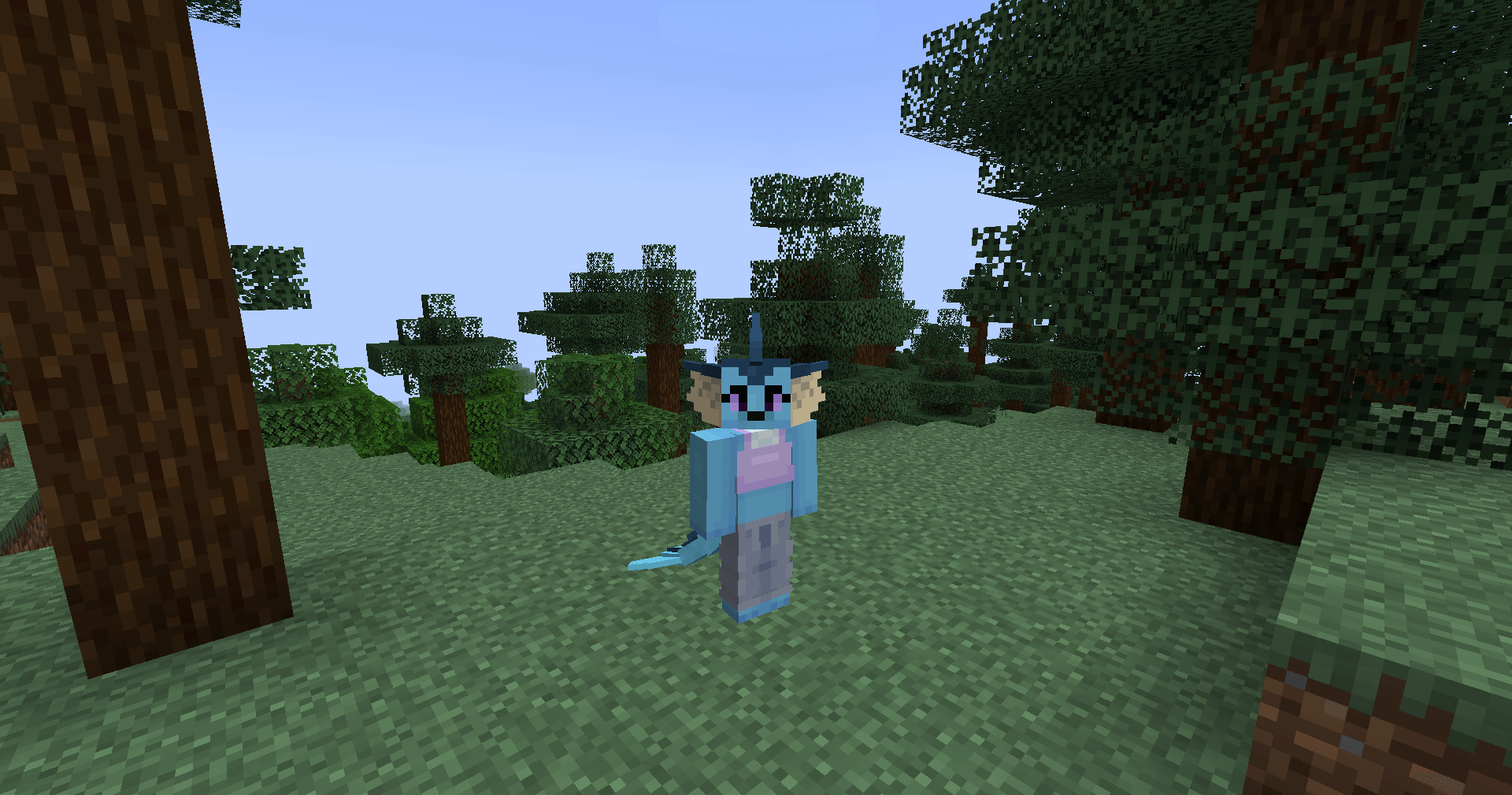 Customization example 1 An example of Tails Legacy in use.
 -
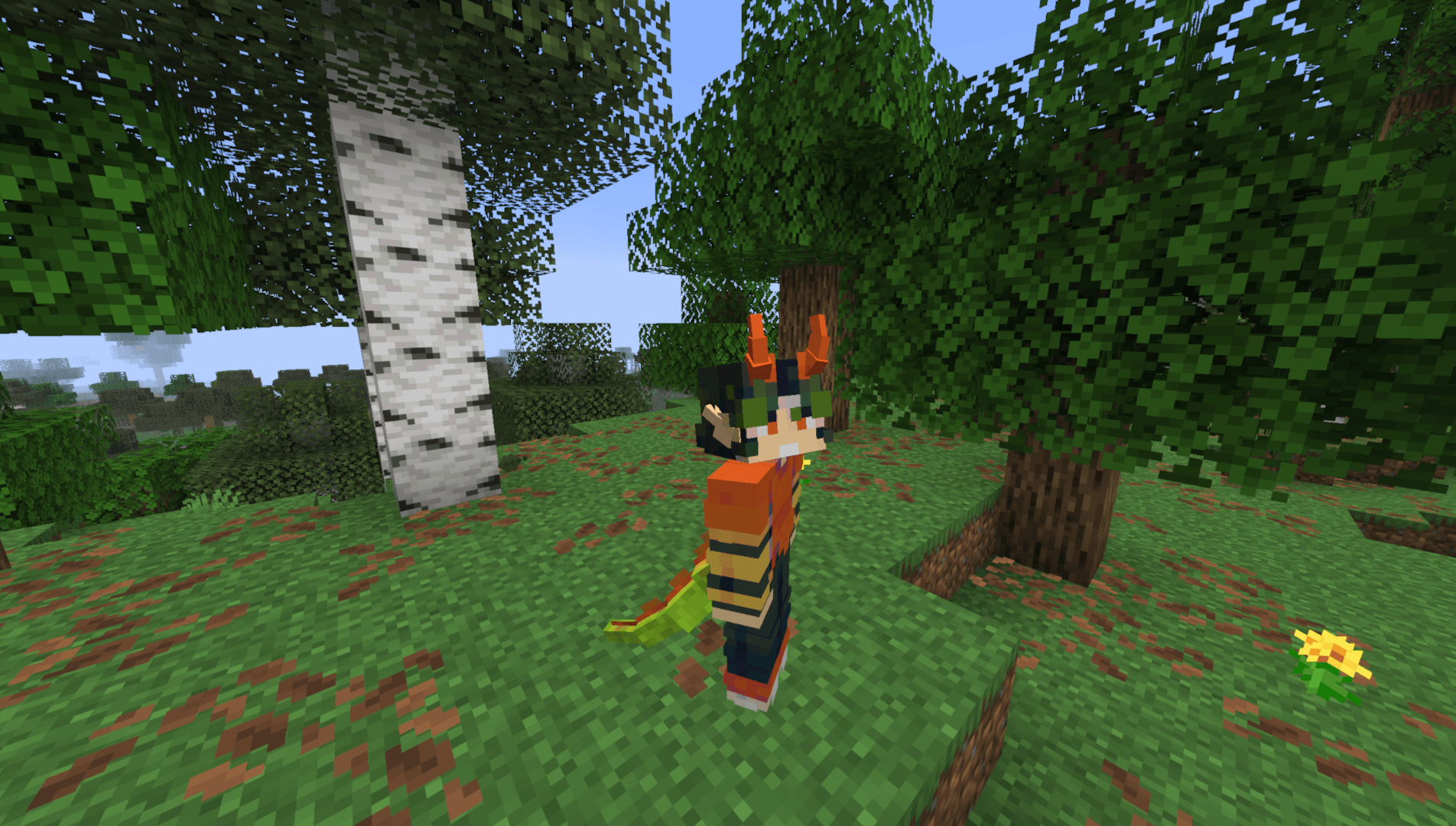 Customization example 2 Screenshot by locksox.
 -
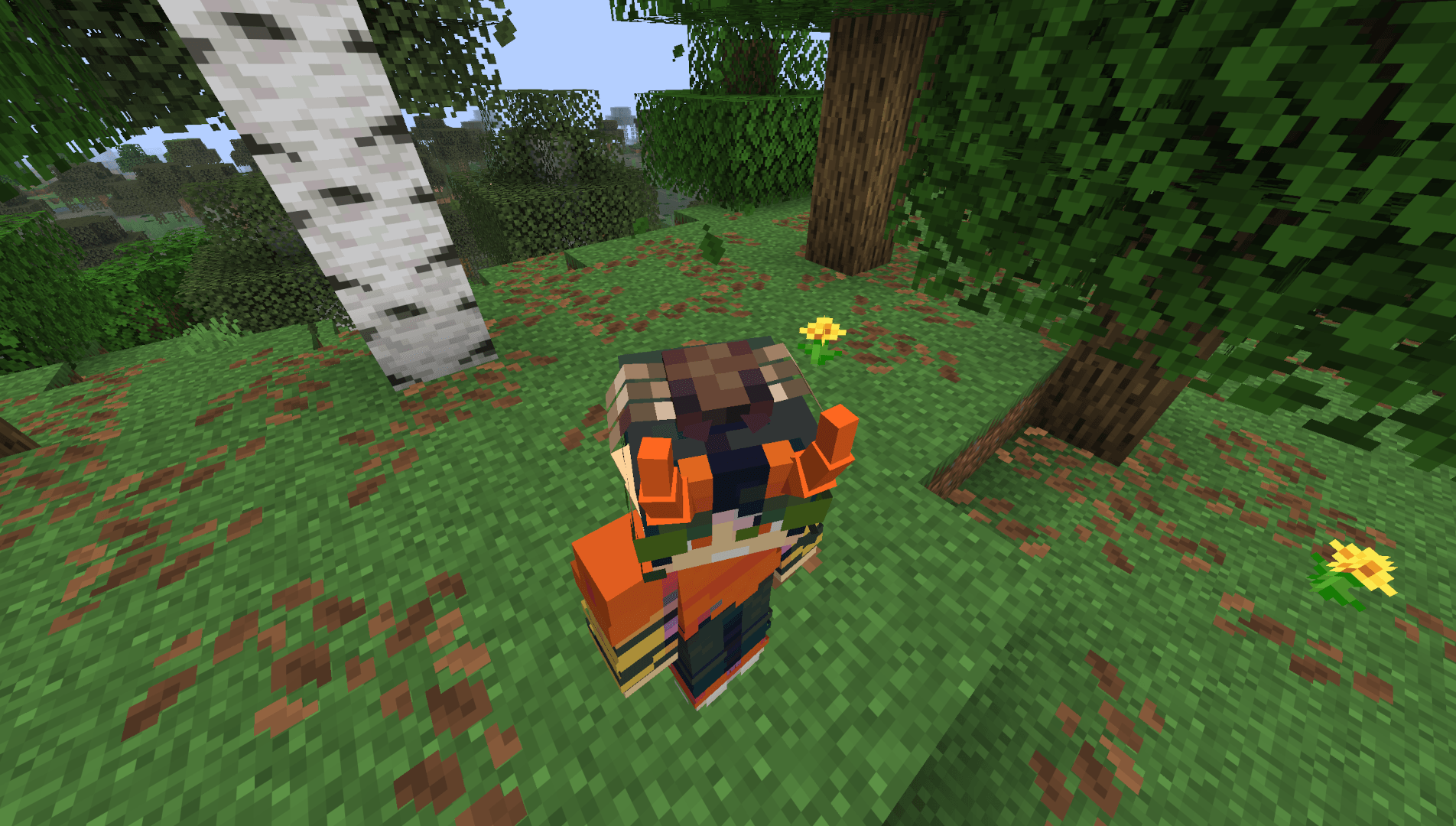 Custom accessories Tails Legacy supports creating custom accessories, such as the 'Unusual Flattie' in this image. Custom accessories are defined by resource packs, so getting new accessories is as simple as installing a resource pack!
 -
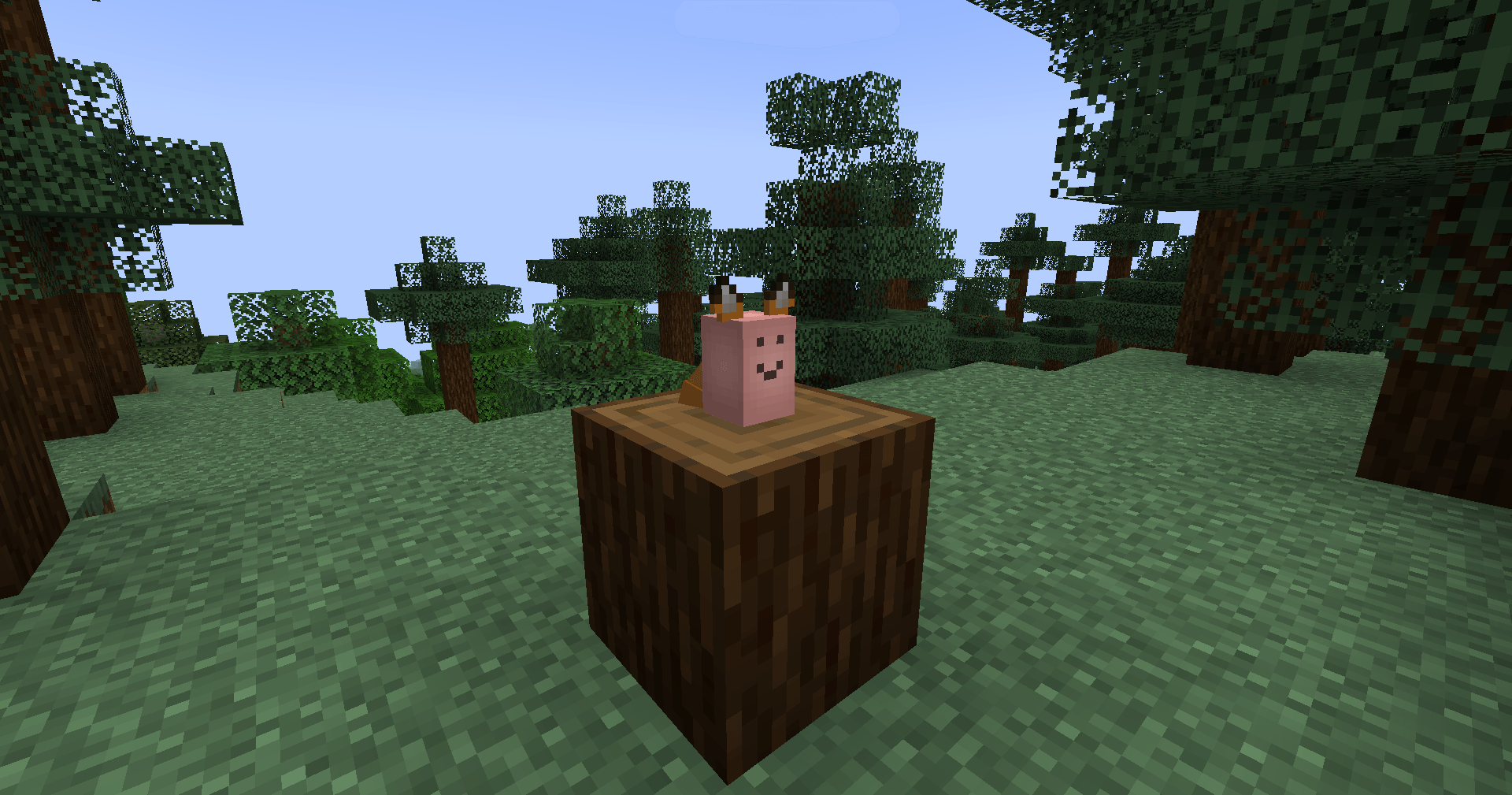 The Foxtato Possibly a lesser-known feature: When Botania is installed, Tails will render ears and a tail on Tiny Potatoes named 'Foxtato' (case insensitive). Tails Legacy will also do this, on versions where Botania is available.
 -
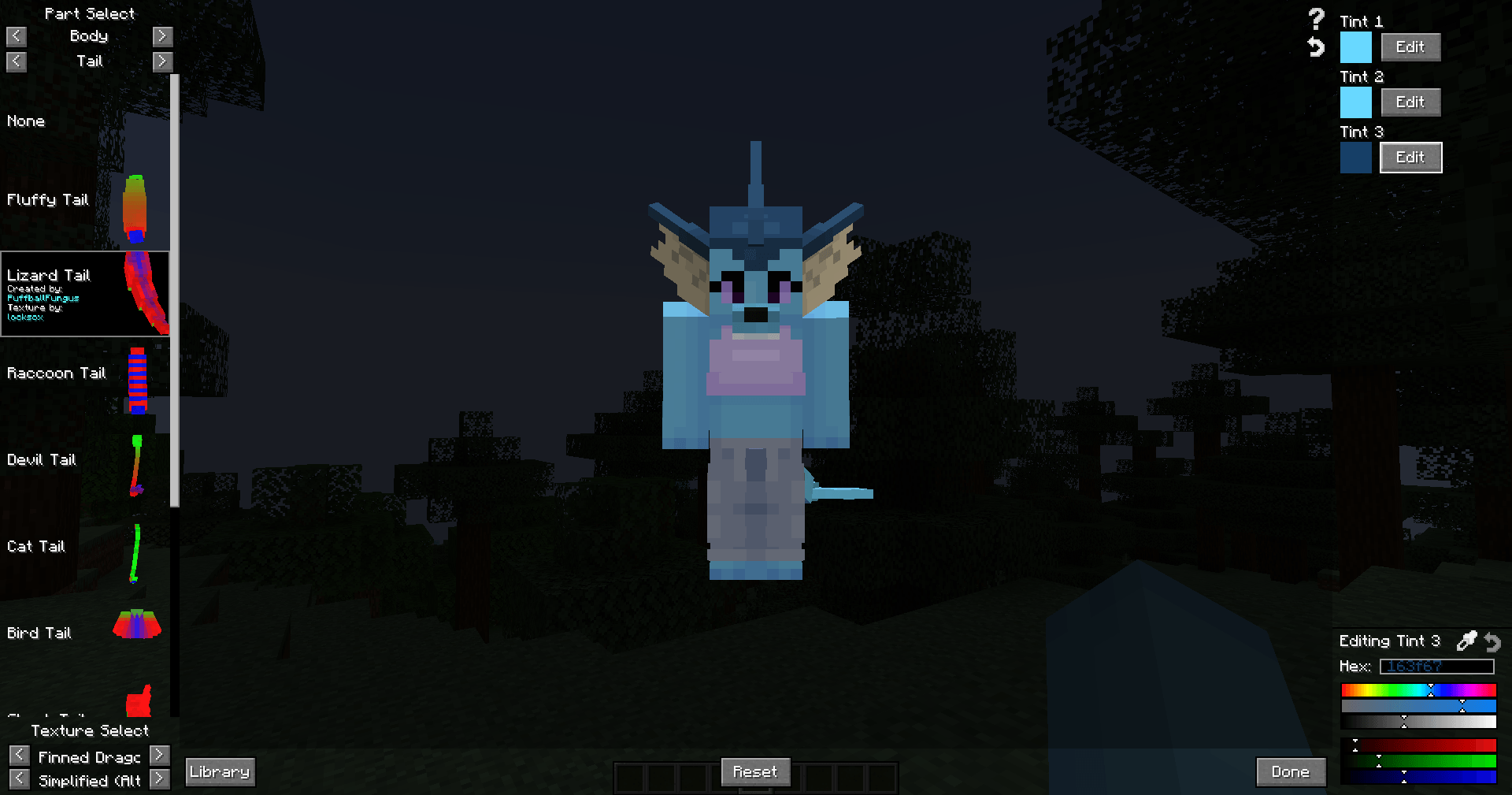 The Tails Editor The Tails Editor, accessible from the pause menu, is where one equips, customizes, and colors accessories.
 -
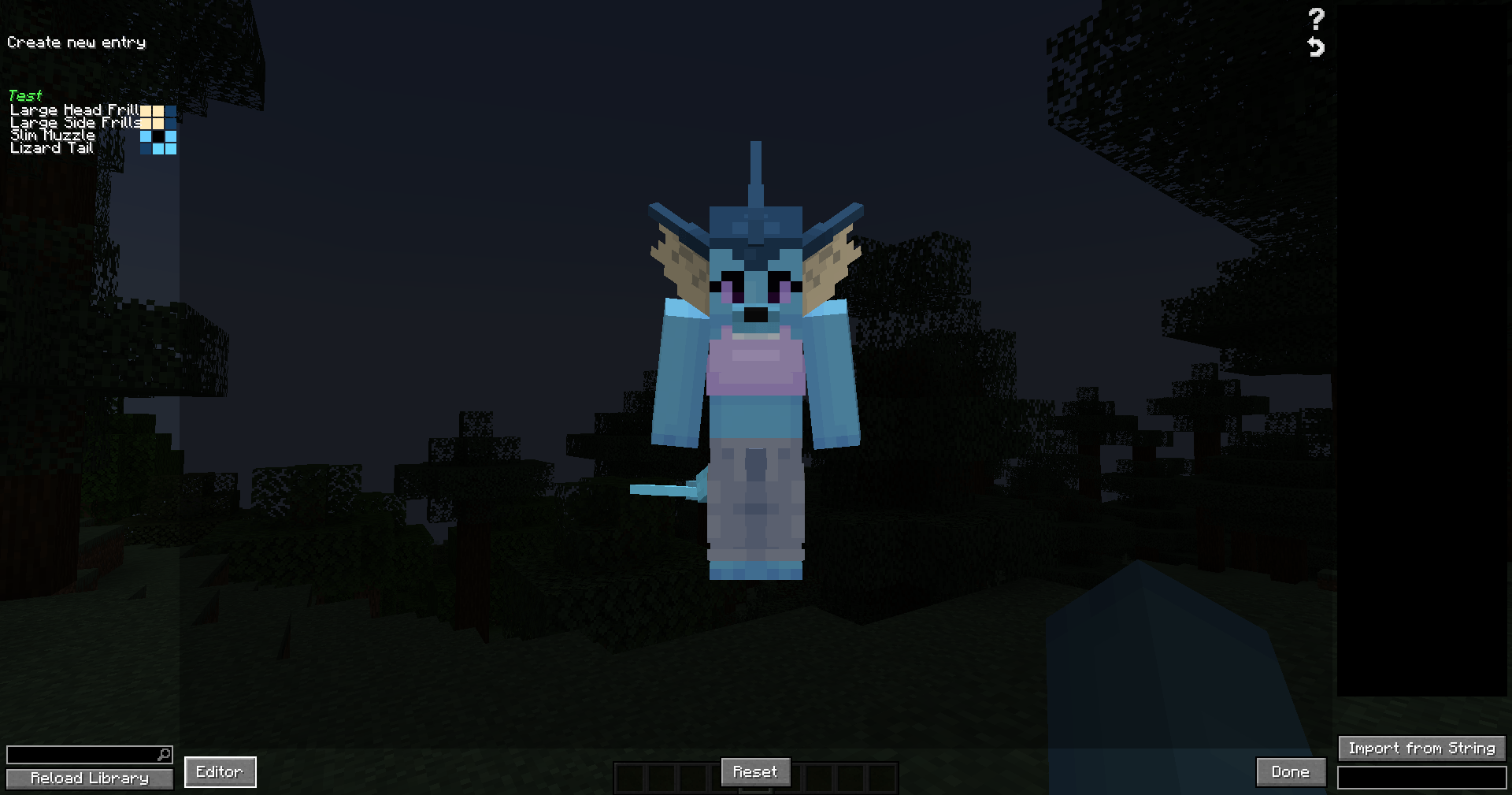 The Tails Library The Tails Library, accessible with the 'Library' button in the Editor, allows one to save their customizations as entries in the Tails Library. One can then return to previously saved customizations by clicking on these library entries.
-
 Customization example 1 An example of Tails Legacy in use.
 -
 Customization example 2 Screenshot by locksox.
 -
 Custom accessories Tails Legacy supports creating custom accessories, such as the 'Unusual Flattie' in this image. Custom accessories are defined by resource packs, so getting new accessories is as simple as installing a resource pack!
 -
 The Foxtato Possibly a lesser-known feature: When Botania is installed, Tails will render ears and a tail on Tiny Potatoes named 'Foxtato' (case insensitive). Tails Legacy will also do this, on versions where Botania is available.
 -
 The Tails Editor The Tails Editor, accessible from the pause menu, is where one equips, customizes, and colors accessories.
 -
 The Tails Library The Tails Library, accessible with the 'Library' button in the Editor, allows one to save their customizations as entries in the Tails Library. One can then return to previously saved customizations by clicking on these library entries.
Versions
Files
Relations
Project Relations
More like this
Similar Mods
Suggestions use data such as tags, dependencies, dependents, descriptions, titles, and more to rank how much they overlap with this mod.
On ModDex
Community snapshot
By the numbers
Statistics
 (opens in a new tab)
Get it on
Available Platforms
On ModDex
Community snapshot
By the numbers