Community listing page, reviews may not be monitored by the author.
Targets

No reviews yet
Track items, tags, XP, and manual goals with a clean HUD and separate profiles for each world or server.

Community voices
Reviews
No reviews yet. Be the first to review this project!
Get it on
Available Platforms
About
Project Details
For authors
Embed Badge
If you're the author of this project, you can embed a live badge anywhere that supports HTML or Markdown. It updates automatically whenever ratings change.
Use HTML for any page that supports it, or Markdown for README files and Markdown-based descriptions.
Identifiers
Platform IDs
Resources
External Links
About
Description
Targets
A client-side Fabric mod for keeping track of the things you want to collect and do. Create goals for items, watch your progress in the HUD, and keep separate goals for each world or server.
✨ Features
- Item goals: Search items by name or ID, add several items to one goal, and see your progress in the menu and HUD.
- More goal types: Track item tags, experience levels, and manual tasks in the advanced editor.
- Flexible counting: Independently include your inventory, shulker boxes and bundles, the last opened ender chest, and remembered containers.
- Simple menu: Create, edit, archive, and review goals. A saved goal appears immediately.
- Personal HUD: Choose its position and visibility, completion sound, and celebration style.
- World and server profiles: Targets switches profiles automatically. Older shared goals can be imported into a chosen profile.
💻 How to Install & Use
- Install Fabric Loader and Fabric API for your Minecraft installation.
- Put
targets-1.0.0.jarand Fabric API in the client'smodsfolder. Targets does not need to be installed on the server. - Start the game and press G to open the Targets menu.
- Select New Target, find an item, set the amount, and save. Your goal appears in the menu and HUD.
- Open Settings to change the HUD, counting sources, and hotkeys. You can also change the hotkeys in Minecraft Controls.
Hover over an item in a supported screen and press T to add it quickly. Mod Menu is optional.
This mod was created with the help of the AI assistant.
Screenshots
Gallery
-
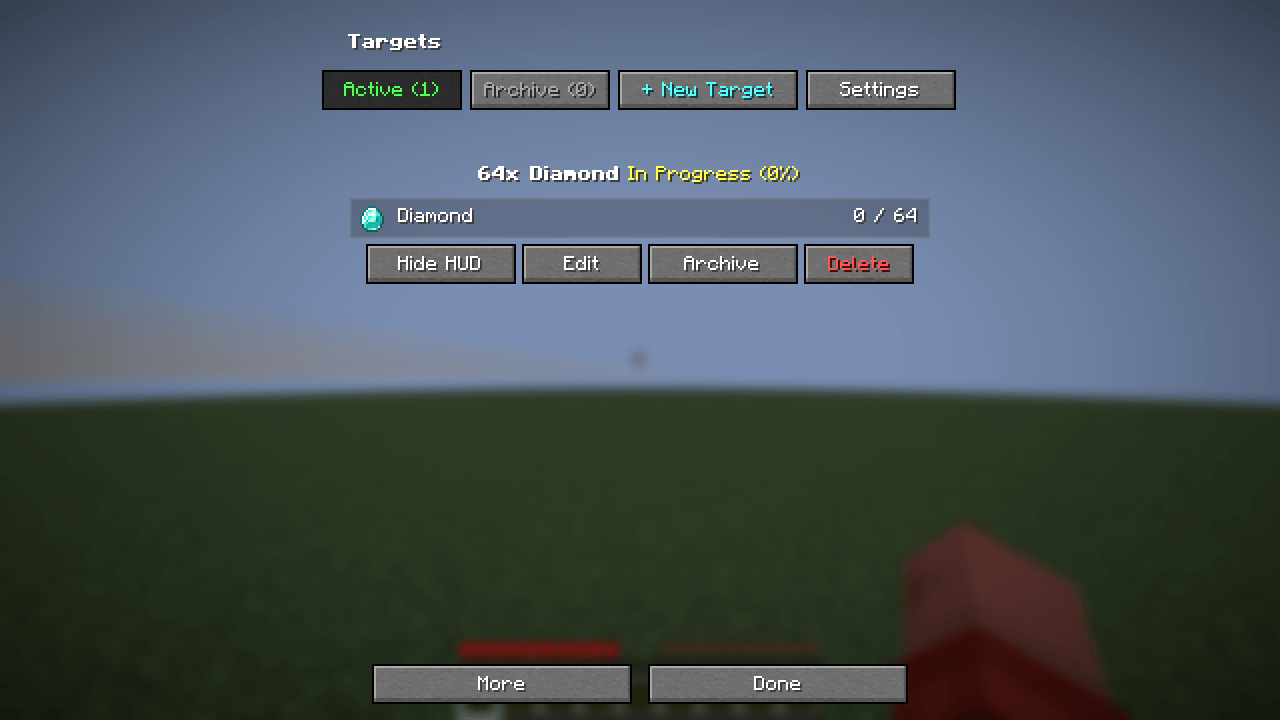 Targets
 -
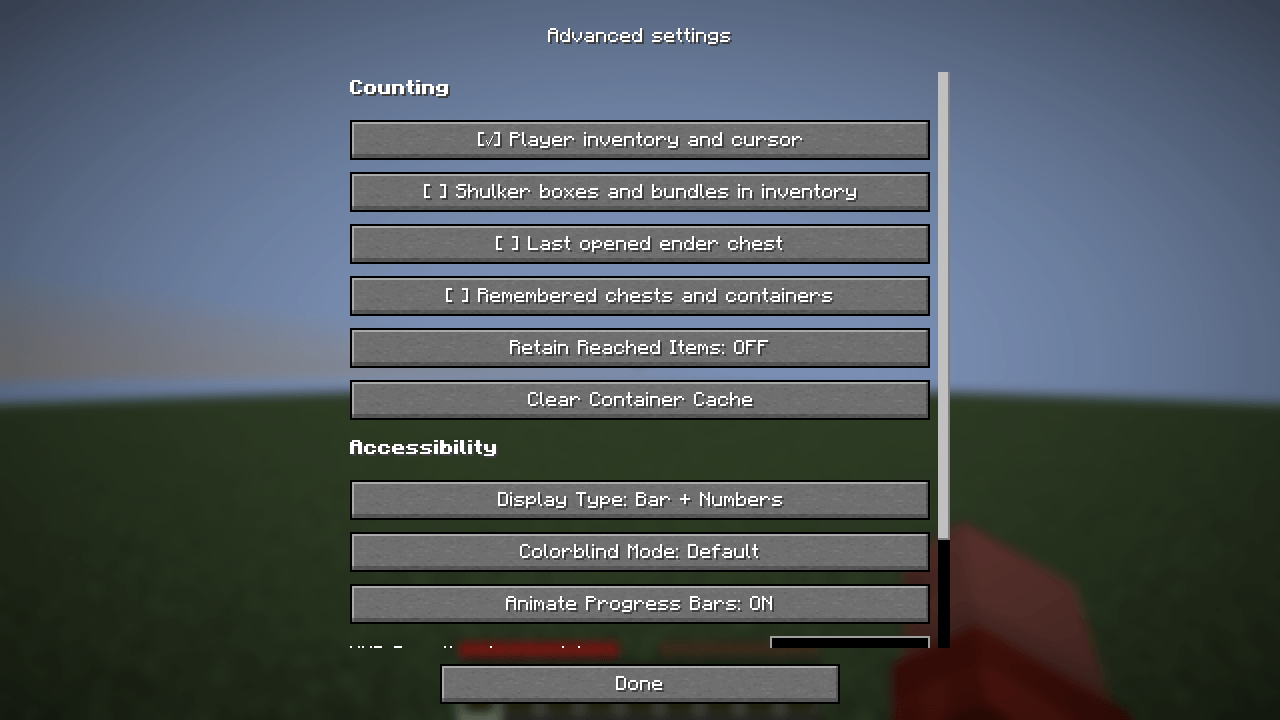 Advanced settings
Versions
Files
Relations
Project Relations
More like this
Similar Mods
Suggestions use data such as tags, dependencies, dependents, descriptions, titles, and more to rank how much they overlap with this mod.
On ModDex
Community snapshot
By the numbers
Statistics

Get it on
Available Platforms
On ModDex
Community snapshot
By the numbers
Statistics
Resources