Community listing page, reviews may not be monitored by the author.
Teleport Panel

No reviews yet
A compact teleportation menu featuring custom routes, nearest-player detection, player search and four unique themes.

Community voices
Reviews
No reviews yet. Be the first to review this project!
Get it on
Available Platforms
About
Project Details
For authors
Embed Badge
If you're the author of this project, you can embed a live badge anywhere that supports HTML or Markdown. It updates automatically whenever ratings change.
Use HTML for any page that supports it, or Markdown for README files and Markdown-based descriptions.
Identifiers
Platform IDs
Resources
External Links
About
Description
Teleport Panel
A compact and customizable teleportation menu for Minecraft. Quickly teleport to nearby players, manage custom routes, use a radial quick-access wheel, review your teleport history and personalize your interface.
FEATURES
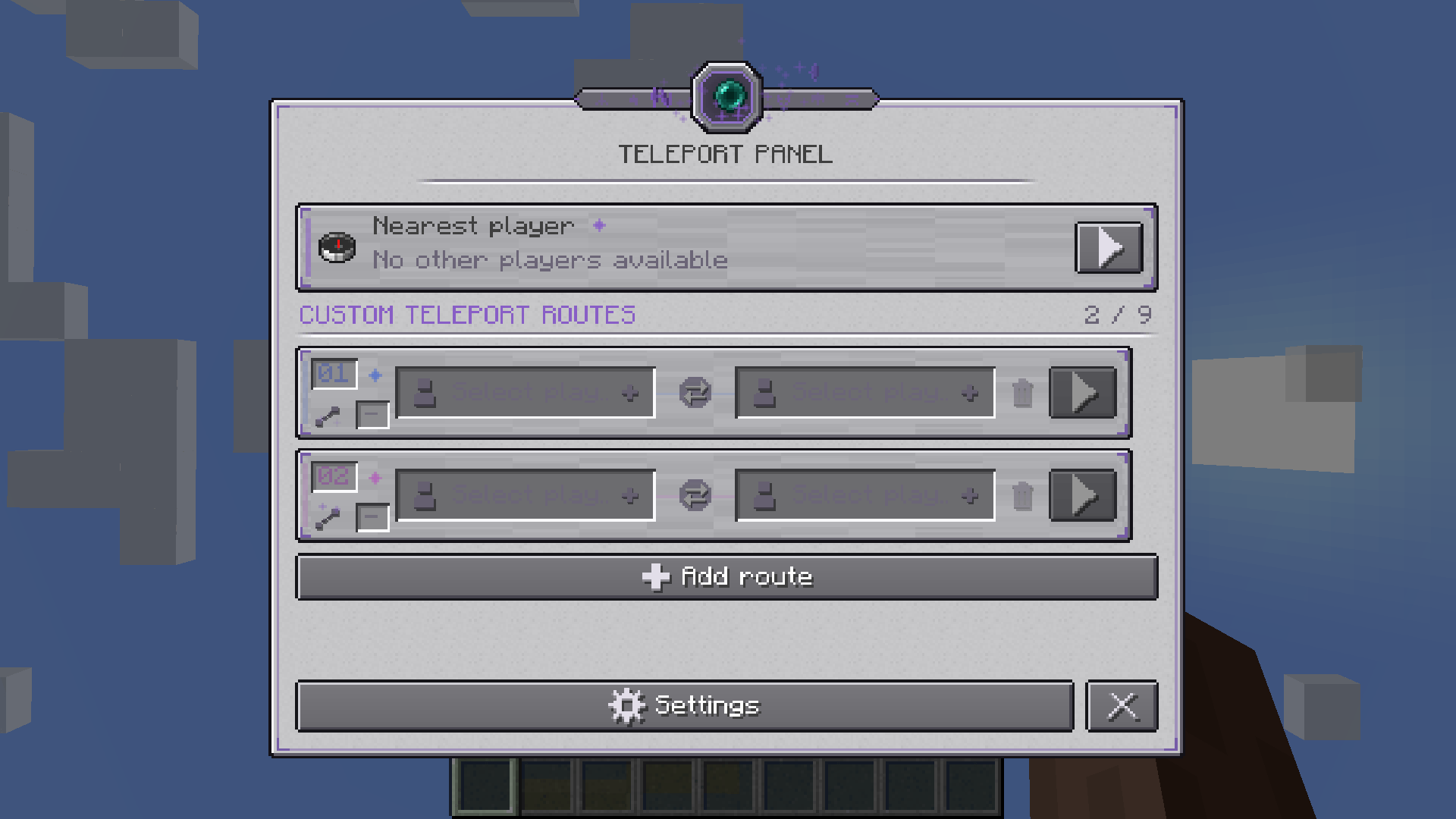
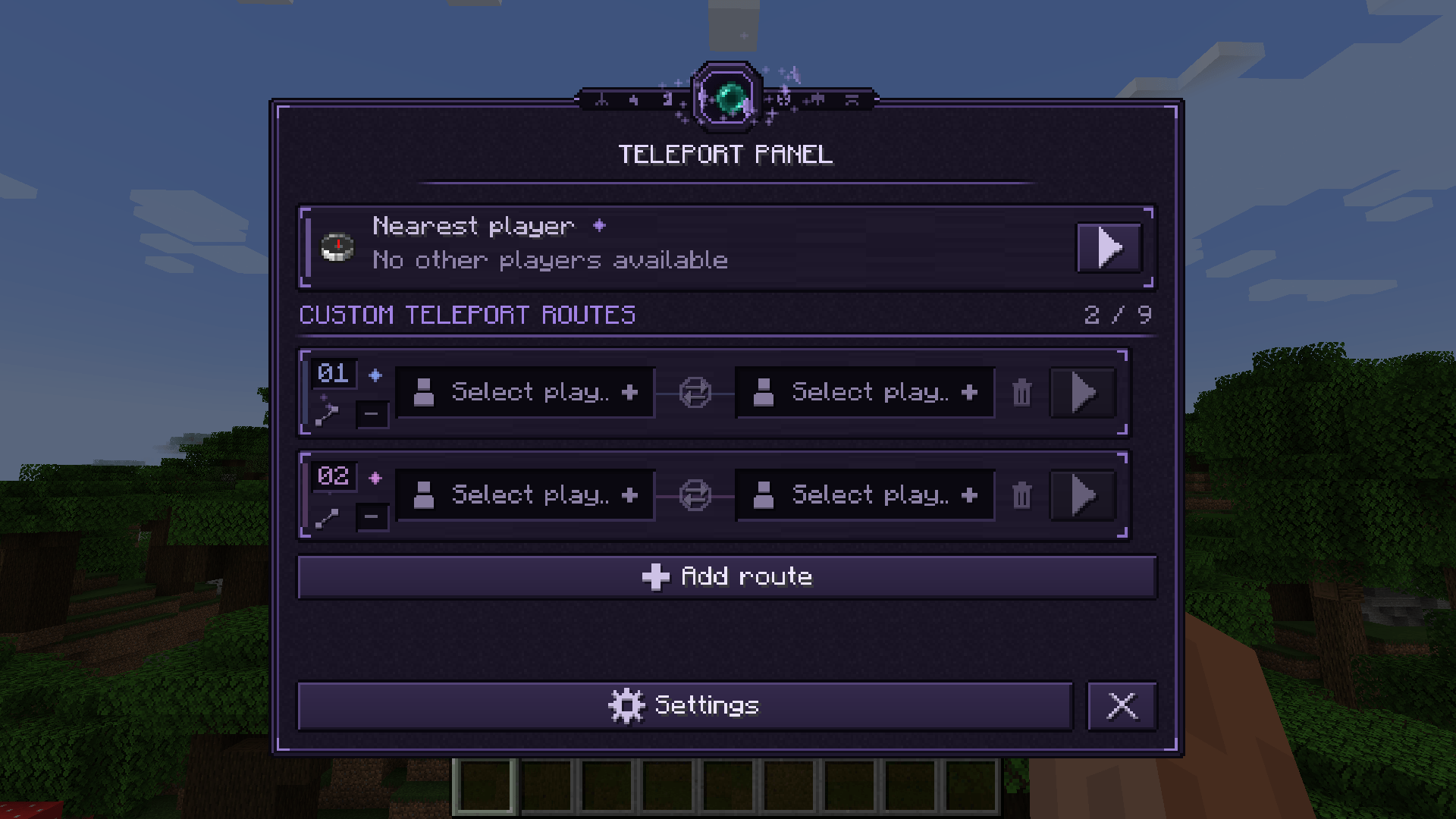
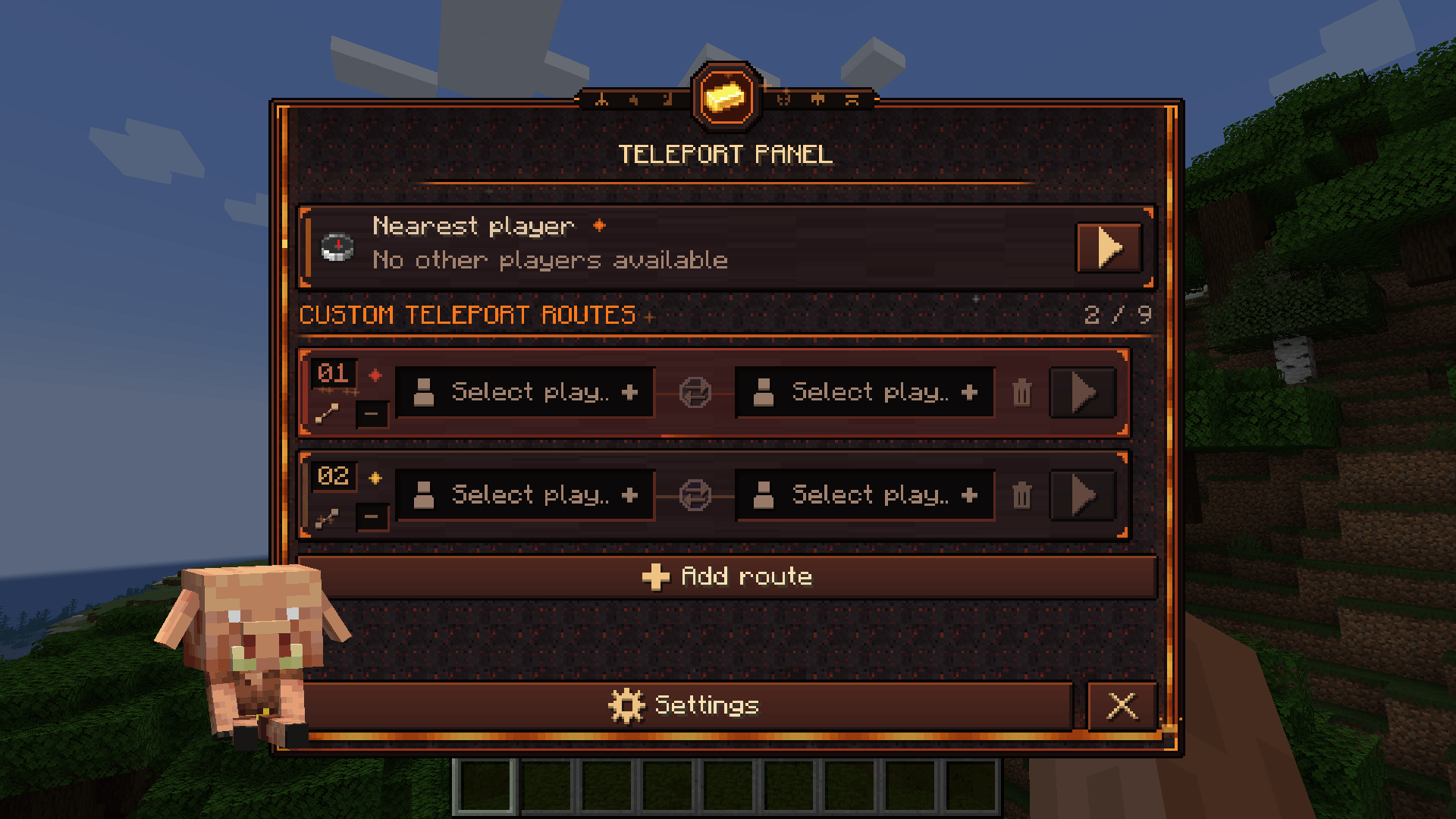
Nearest Player: Find the nearest eligible player and send a teleport command.
9 Custom Routes: Create and manage up to nine teleport routes. Each route has two player slots, a swap button and an optional hotkey.
Player Search: Find players using the built-in search and keyboard navigation.
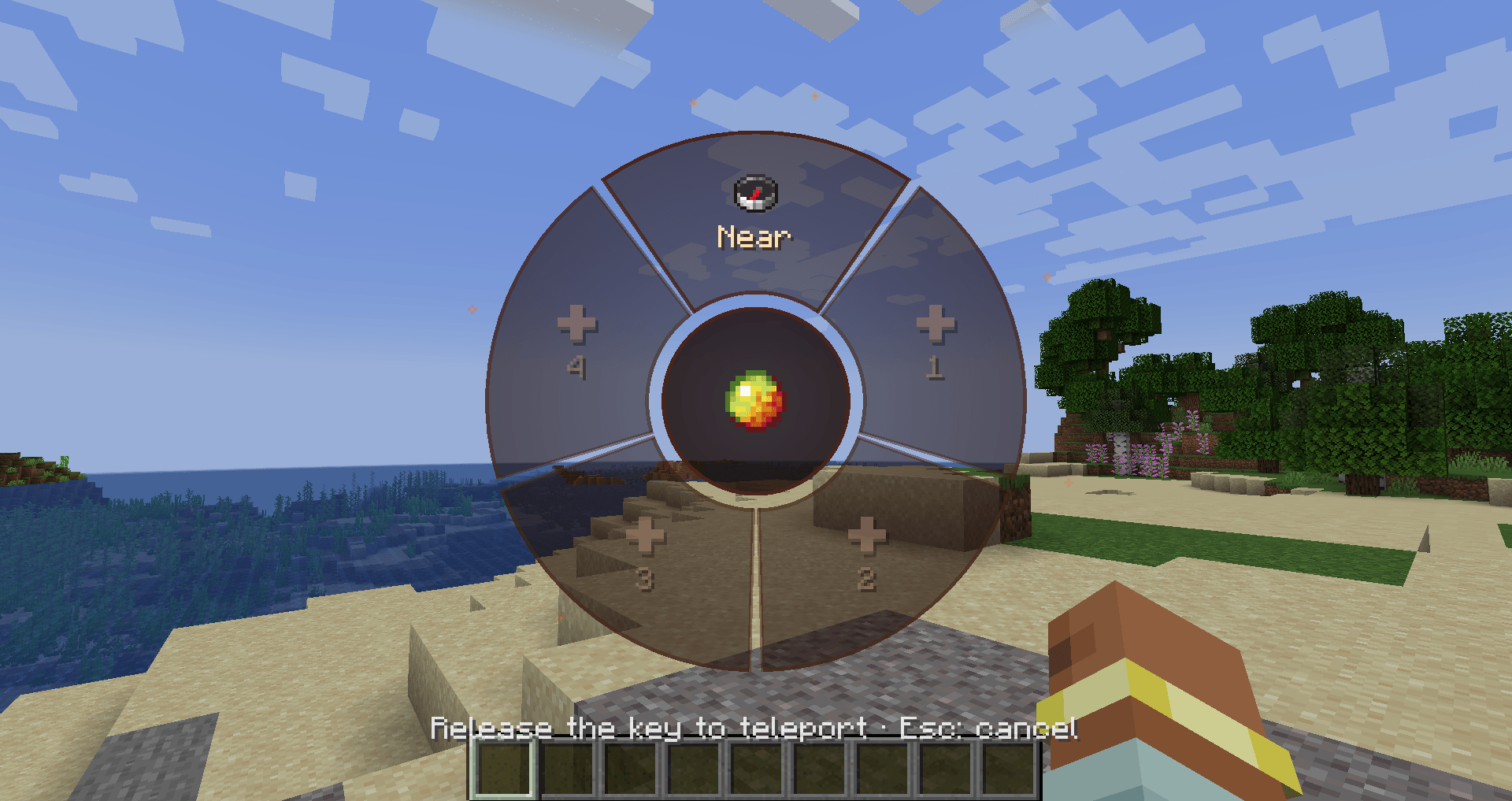
Quick Access Wheel: Open a radial menu for instant access to your teleport routes. Navigate using your mouse or keyboard and quickly select the destination you need.
Teleport History: Keep track of your teleport activity. View who was teleported to whom, when it happened, which route was used and additional available information. Delete individual entries, select multiple records or clear the entire history.
4 Unique Themes: Classic, Dark, Nether and Ender, each with its own visual style and atmosphere.
Automatic Themes: Optionally switch themes based on your current dimension.
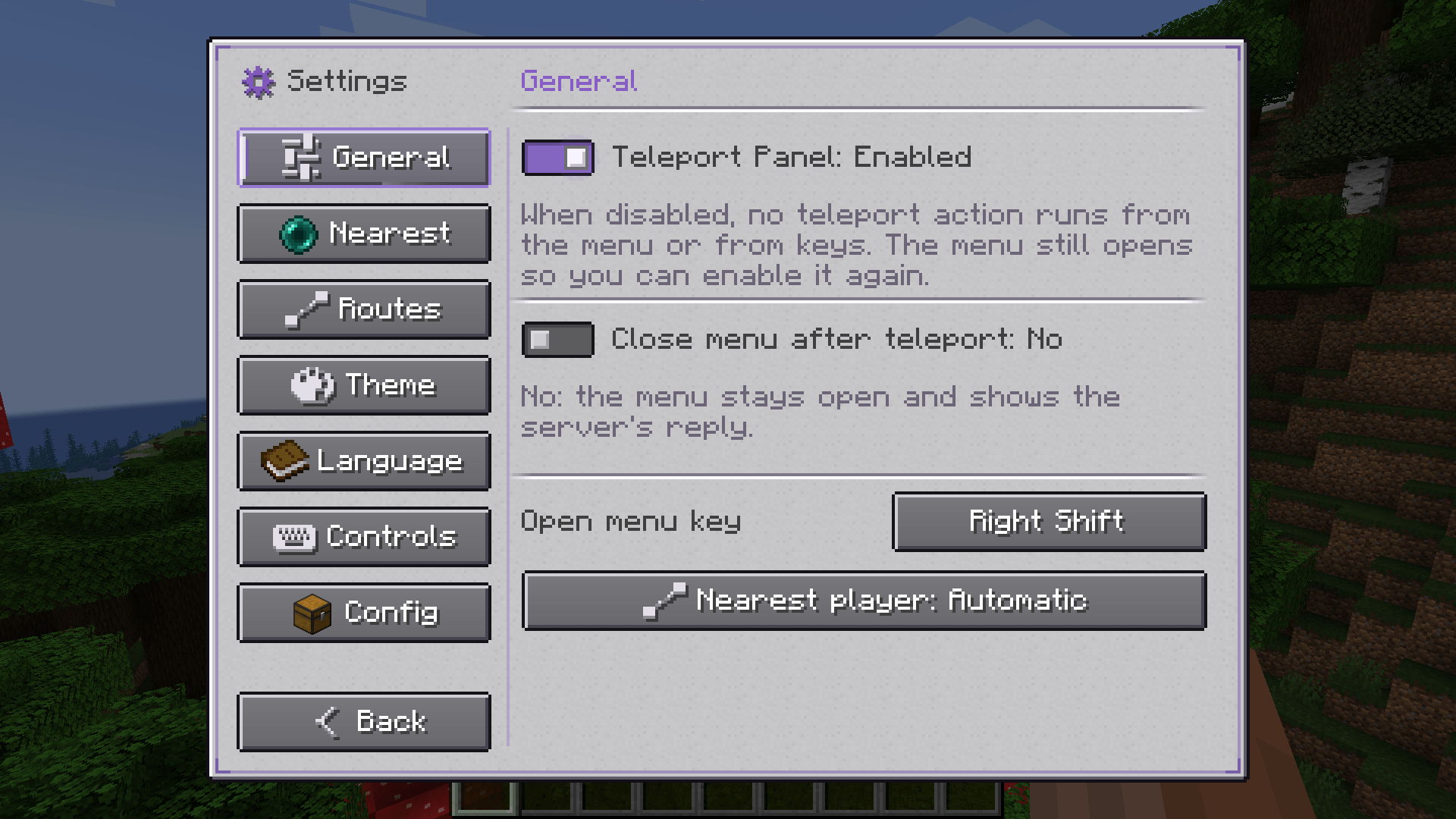
Customizable Settings: Control animations, particles, mouse effects, wheel appearance, menu behavior and more.
7 Languages: English, Russian, Spanish, German, French, Simplified Chinese and Brazilian Portuguese.
QUICK ACCESS WHEEL
A radial menu designed for fast and convenient teleportation.
• Access your configured routes without opening the main menu.
• Navigate using your mouse or keyboard.
• Customize the wheel’s appearance, size, opacity and animations.
• Choose the center item and other visual options.
• Configure whether the wheel opens while holding or pressing its key.
• Matches your currently selected visual theme.
TELEPORT HISTORY
A dedicated history screen integrated into the main menu.
• View previous teleportations and the players involved.
• See timestamps, route information, dimensions and other available details.
• Delete individual entries using the right mouse button.
• Select multiple entries for bulk deletion.
• Clear the entire history.
• Disable history recording at any time in the settings.
NEAREST PLAYER DETECTION
Choose between three detection modes.
Automatic: Uses server-side detection when available, otherwise falls back to client-side detection.
Client Only: Detects players loaded around you.
Server Preferred: Requests server-side detection with client-side fallback.
Client-side detection is limited by render distance. Server-side detection uses actual player positions and works regardless of distance within the same dimension.
OPTIONAL SERVER SUPPORT
Teleport Panel works as a client-side mod without requiring server installation.
Installing it on both the client and a compatible server enables more accurate nearest-player detection.
The server component only provides player detection. Actual teleportation still uses the normal /tp command and requires the appropriate server permissions.
CONTROLS
• Open Menu: Right Shift
• Quick Access Wheel: R
• Nearest Player: Unbound
• Custom Routes 1–9: Unbound
All key bindings can be changed in Minecraft’s Controls menu or in the mod’s settings.
Created by lesdoj.
Minecraft is a trademark of Mojang AB and Microsoft. This mod is not affiliated with or endorsed by Mojang or Microsoft.
Screenshots
Gallery
-
 2026-10-18_06.11.43.png 2026-10-18_06.11.43.png
 -
 2026-10-18_06.14.02.png 2026-10-18_06.14.02.png
 -
 2026-10-18_06.14.54.png 2026-10-18_06.14.54.png
 -
 2026-10-20_15.17.54.png 2026-10-20_15.17.54.png
 -
 2026-10-18_06.15.36.png 2026-10-18_06.15.36.png
Versions
Files
Relations
Project Relations
More like this
Similar Mods
Suggestions use data such as tags, dependencies, dependents, descriptions, titles, and more to rank how much they overlap with this mod.
On ModDex
Community snapshot
By the numbers
Statistics

Get it on
Available Platforms
On ModDex
Community snapshot
By the numbers
Statistics
Resources