
Community listing page, reviews may not be monitored by the author.
Territoria - Countries & Claims

No reviews yet
Found a country, claim land on the map, manage roles, taxes and rentals, make allies and go to war, all from clean custom menus.

Community voices
Reviews
No reviews yet. Be the first to review this project!
Get it on
Available Platforms
About
Project Details
For authors
Embed Badge
If you're the author of this project, you can embed a live badge anywhere that supports HTML or Markdown. It updates automatically whenever ratings change.
Use HTML for any page that supports it, or Markdown for README files and Markdown-based descriptions.
Identifiers
Platform IDs
About
Description
🏳️ Territoria - Countries & Claims
✨ Features
Countries
- One-Click Founding — Type a name, click Create. Invitations, or open countries anyone can join.
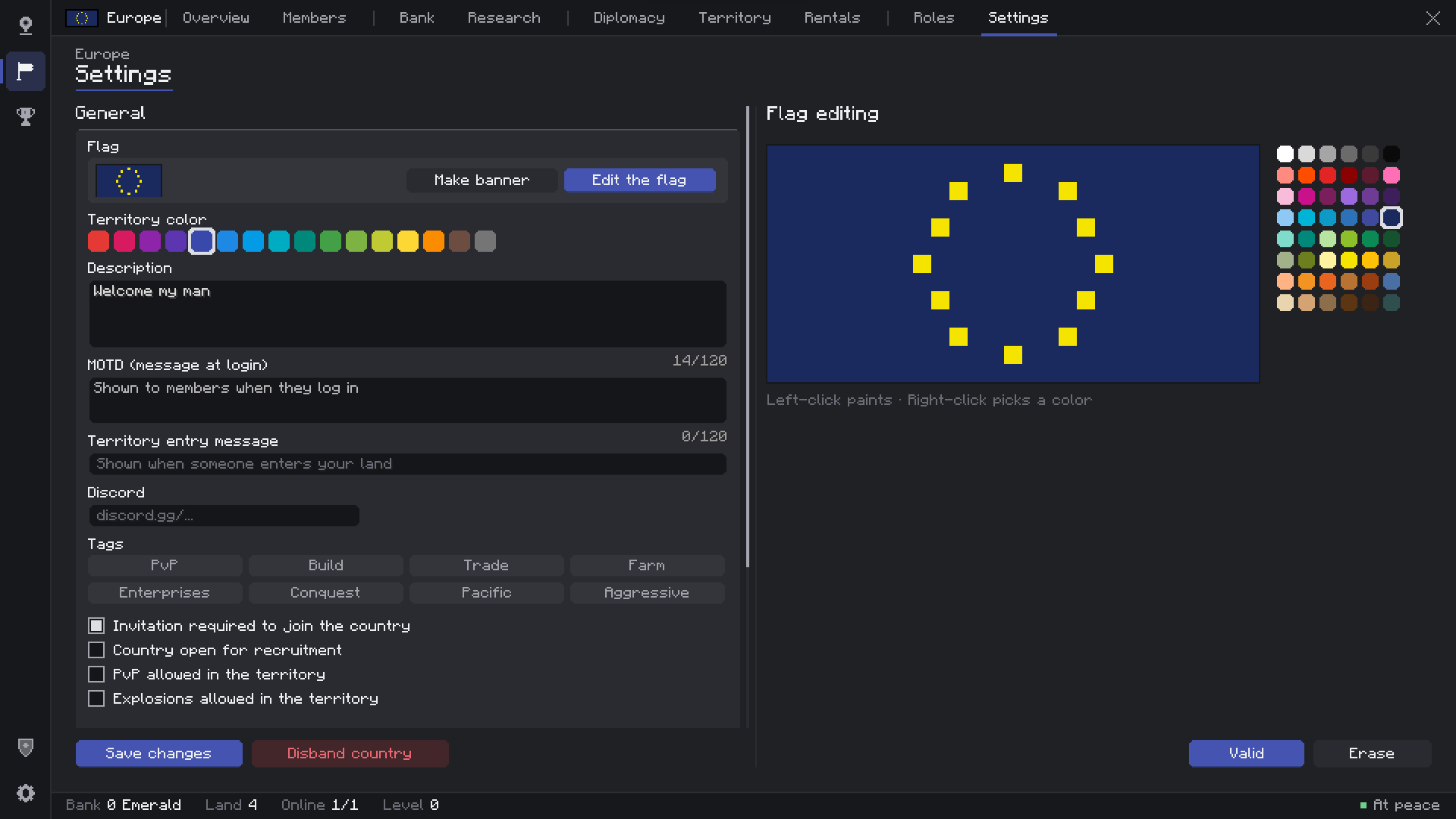
- Pixel-Art Flags — Draw your flag in a built-in editor with a 48-color palette. It shows in menus, on the map and on flag blocks.
- Country Identity — Color, description, welcome message and entry message shown at your borders.
- Name Tags — Your country name before your name: above heads, in the chat and in the TAB list.
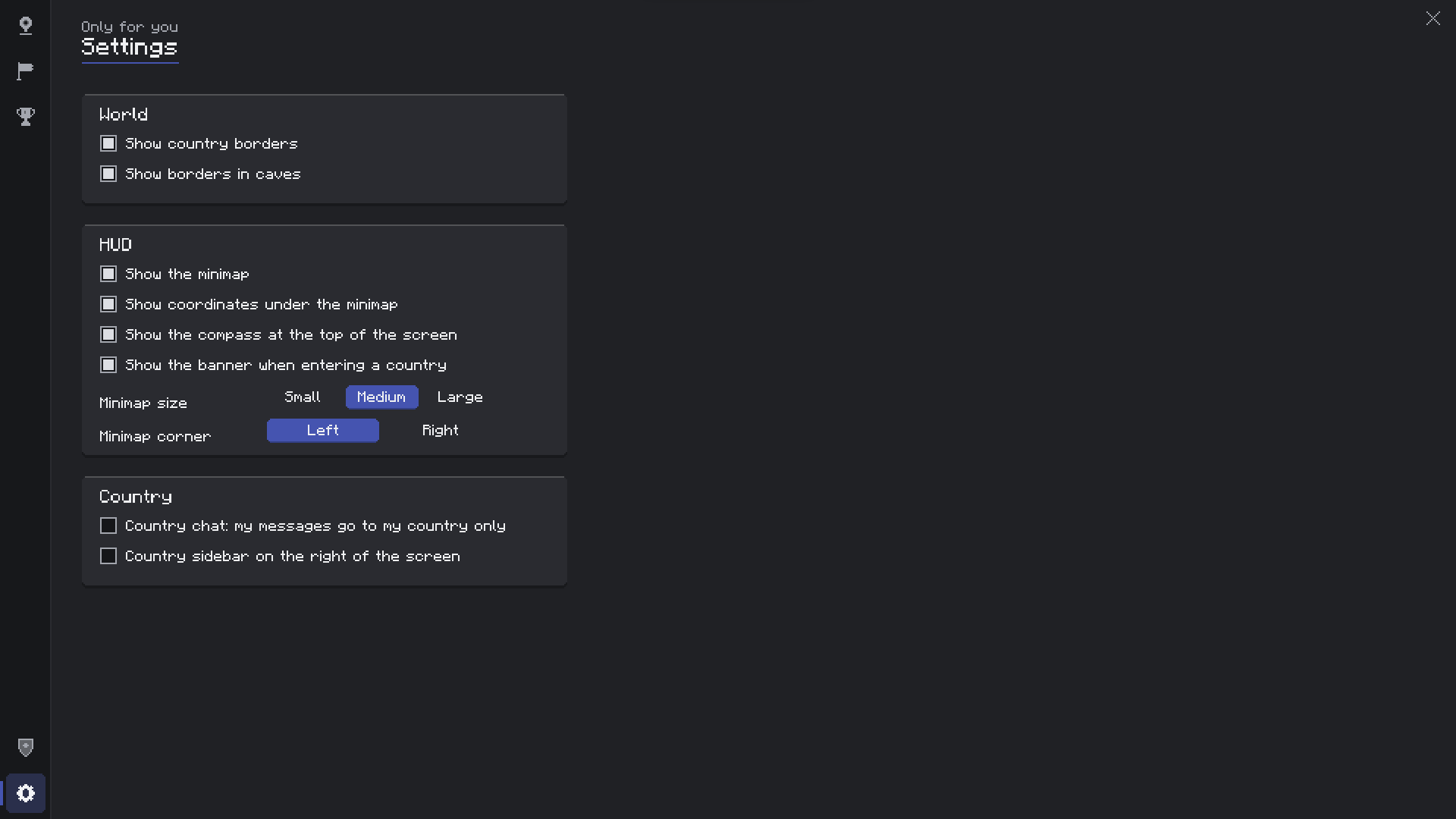
- Country Chat & Sidebar — Private country chat (`/cc` or a toggle) and an optional info sidebar.
- Live Ranking — Sort every country by worth, land, members, bank, power, level or age.
Members & Roles
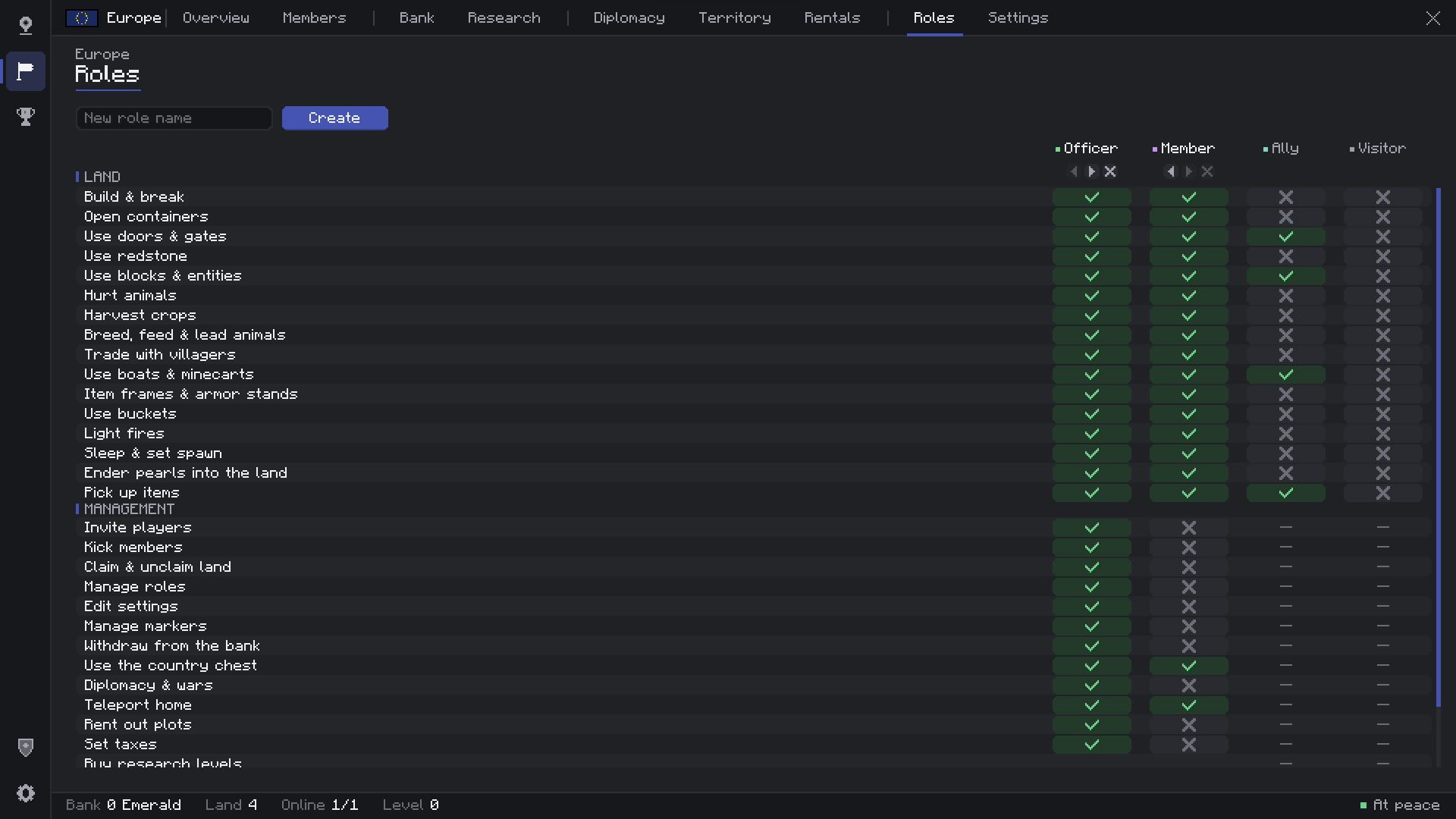
- Custom Roles — Create up to 6 roles, rename them, color them and order them. Leader, Officer, Member, Ally and Visitor come built in.
- 32 Rules — Build, containers, doors, redstone, crops, animals, villagers, vehicles, buckets, fire, beds, pearls, bank, chest, diplomacy, plots, taxes… all in one clear table.
- Trusted Players — Give outsiders the Ally role in your land without making them members.
- Member Profiles — Click a member to see their playtime, money contributed, last seen and a 7-day activity chart.
Territory
- Claim From the Map — Left-click a chunk to claim it, right-click to release it. No walking around required.
- Full Protection — Blocks, containers, entities, fire spread, explosions, fluids and hoppers from outside, each tied to a role rule.
- Land Toggles — PvP, explosions and fire spread on or off per country.
- Power & Upkeep — Optional: land limited by *active* members, and a daily cost per chunk so empty empires shrink.
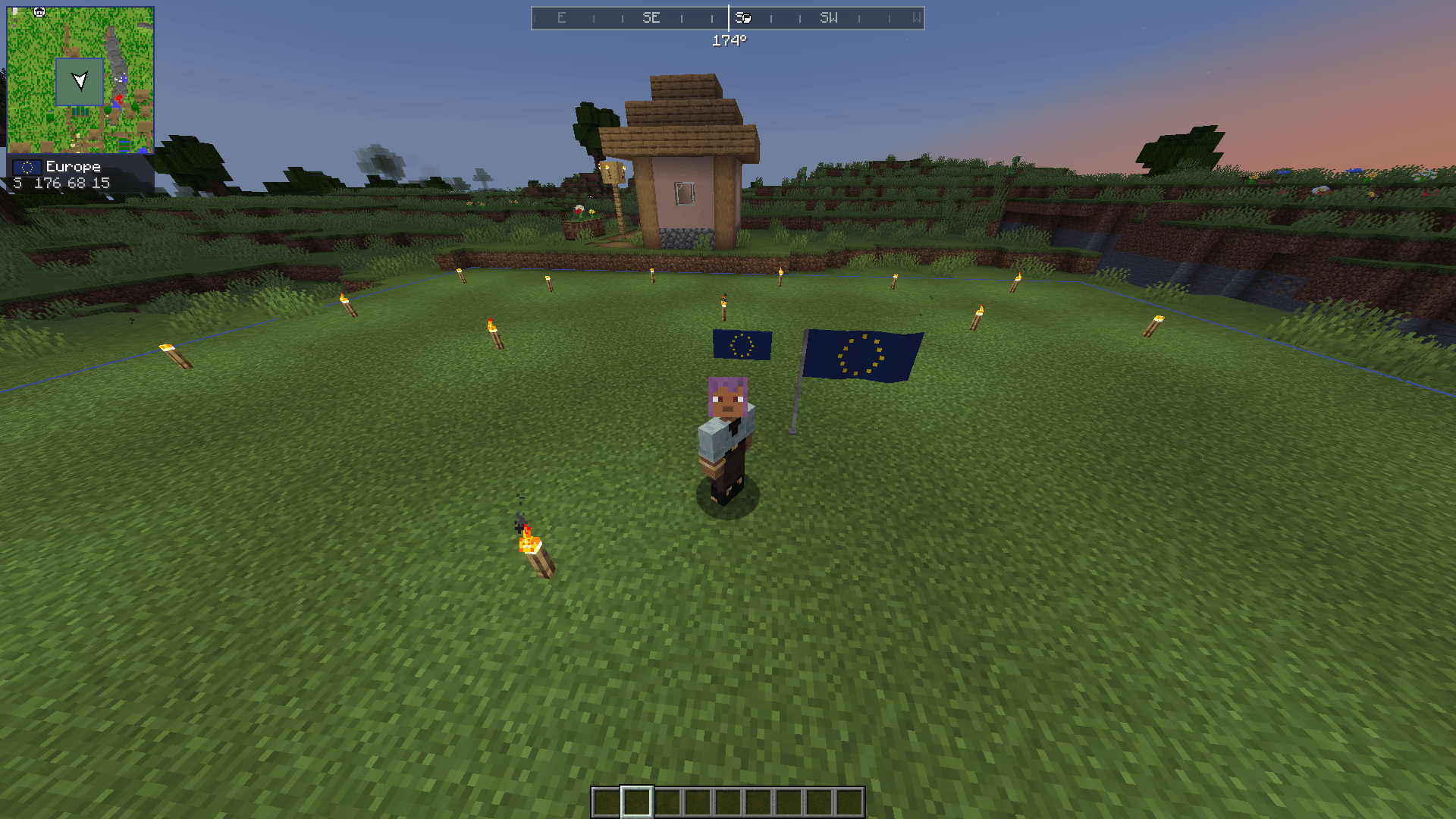
- Border Banner — A title with the country's name and flag when you cross a border.
Map & HUD
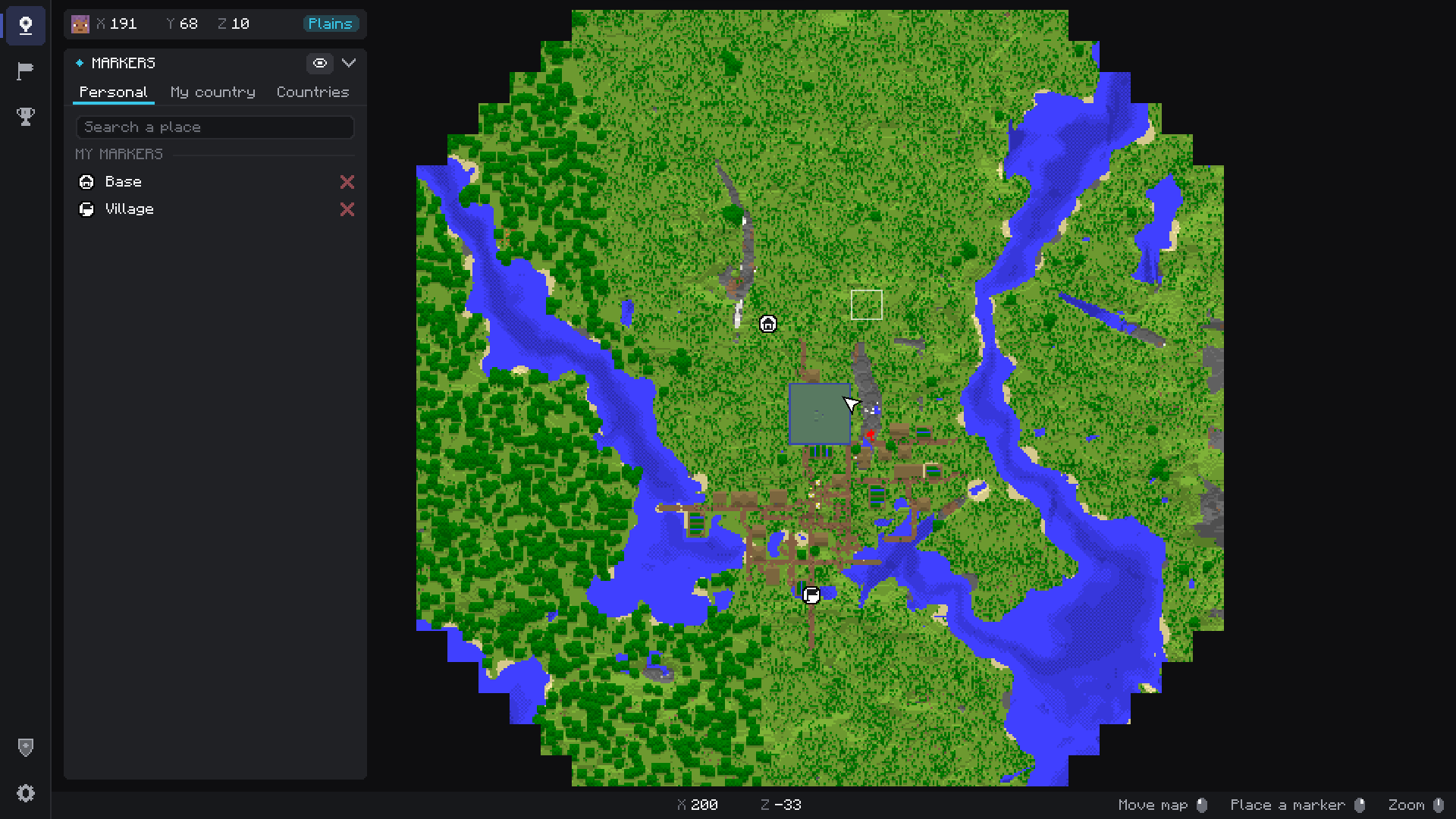
- World Map** — Live map of what you explored, with every country in its color, capitals and markers.
- Minimap — Corner minimap with size, corner, coordinates and zoom options.
- Compass — Heading strip at the top of the screen showing the direction of capitals and markers.
- Markers & Capital — Pin places for your whole country, and teleport home to your capital.
- Borders in the World — See where land starts, even in caves (optional).
Economy
- Country Bank — Deposits, withdrawals by role, full transaction history and top contributors.
- Country Chest — A shared chest of up to 6 rows, with every item logged.
- Daily Taxes — One amount for everyone, or a different tax per role.
- Research Levels — Grow your country to unlock more land.
Plots & Rentals
- WorldEdit-Style Plots — Select any box with the Plot Wand (two corners) and rent it out: apartments, shops, stalls, farms.
- Rentals Page — Browse every plot on the server, filter free ones, search, and see them on the map. Players without a country can rent too.
- Pay in Advance — Rent up to 12 periods at once (max one year ahead), extend or leave from anywhere.
- Embassies — Lend a plot to an allied country for free: their members can build their embassy in your capital.
Diplomacy & War
- Relations — Ally (with requests), enemy or neutral.
- Timed Wars — Declare war on an enemy. Optional grief between enemies while it lasts.
- Chunk Capture — Stand in enemy land to capture it. The capture pauses while a defender is inside.
- Peace & Surrender — End wars early, with **Victory** and **Defeat** screens.
- Country Flag Block — Stands on a pole or hangs on a wall, always showing the owner's flag, so captured land changes flag by itself.
For Server Owners
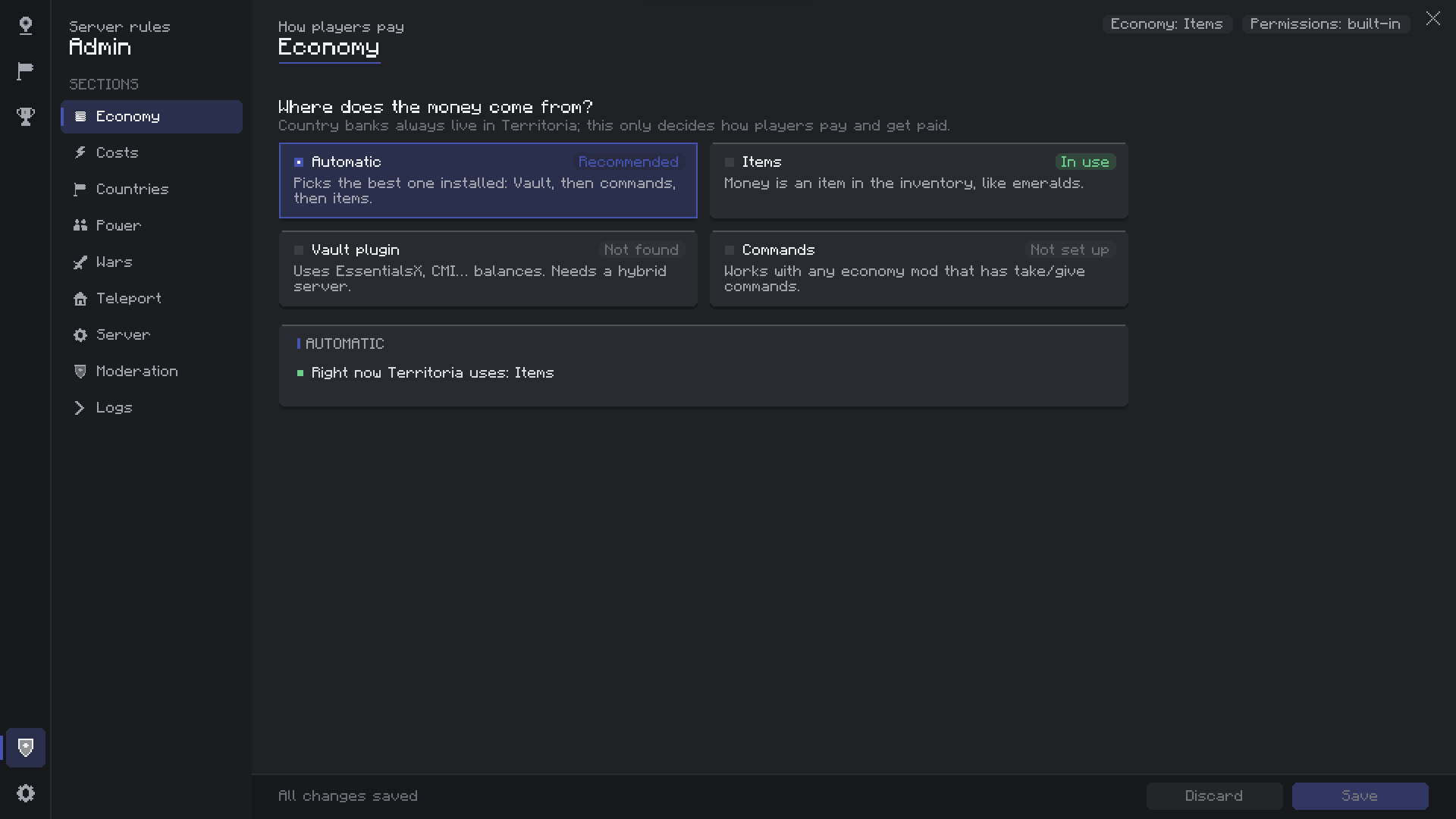
- In-Game Admin Panel — Every rule explained in plain words, saved with one click. No file editing needed.
- Moderation Tools — Bypass protection, give or free chunks, set banks and levels, end wars, delete countries.
- Moderation Logs — Who founded, claimed, declared war or withdrew money, in game and in a log file.
- Discord Webhook — Foundings, disbands and wars posted to your Discord.
- Your Server Logo — Shown at the top of every player's menu.
🔌 Supported Integrations
- Vault / VaultUnlocked — EssentialsX, CMI or any Vault economy on hybrid servers (Arclight, Mohist, Youer…).
- Economy Mods — Any economy with commands, through a simple command bridge. Or plain items (emeralds by default).
- LuckPerms — Permission nodes for creating, claiming, war, home, chat, admin and bypasses.
- Other Mods — A small Java placeholder API for country, role, balance, claims, members, level, power and tax.
📦 Installation
📖 Wiki
Every feature, setting, command and permission is explained in the Wiki.
❓ FAQ
- Is it required on the client? Yes, menus, map and HUD run on the client. Players without the mod get a clear message at login.
- Singleplayer? Yes, it works in singleplayer too.
- Fabric / Forge / other versions? NeoForge 1.21.1 only for now.
- Can I use it in my modpack? Yes. A link back to this page is appreciated.
Screenshots
Gallery
-
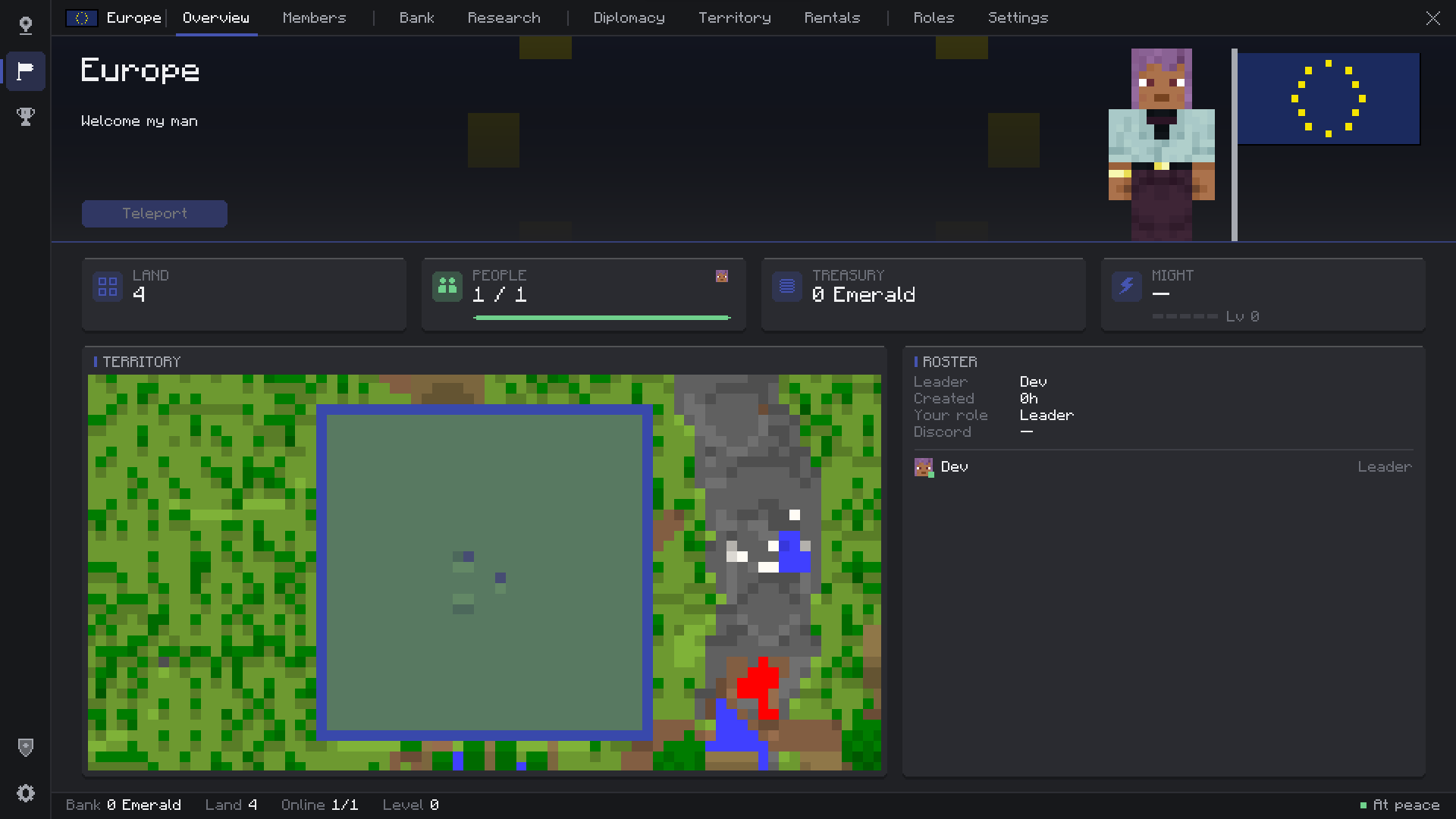 {BF05CDE5-096D-4DA4-B5B3-FD1F3EA034B8}.png {BF05CDE5-096D-4DA4-B5B3-FD1F3EA034B8}.png
 -
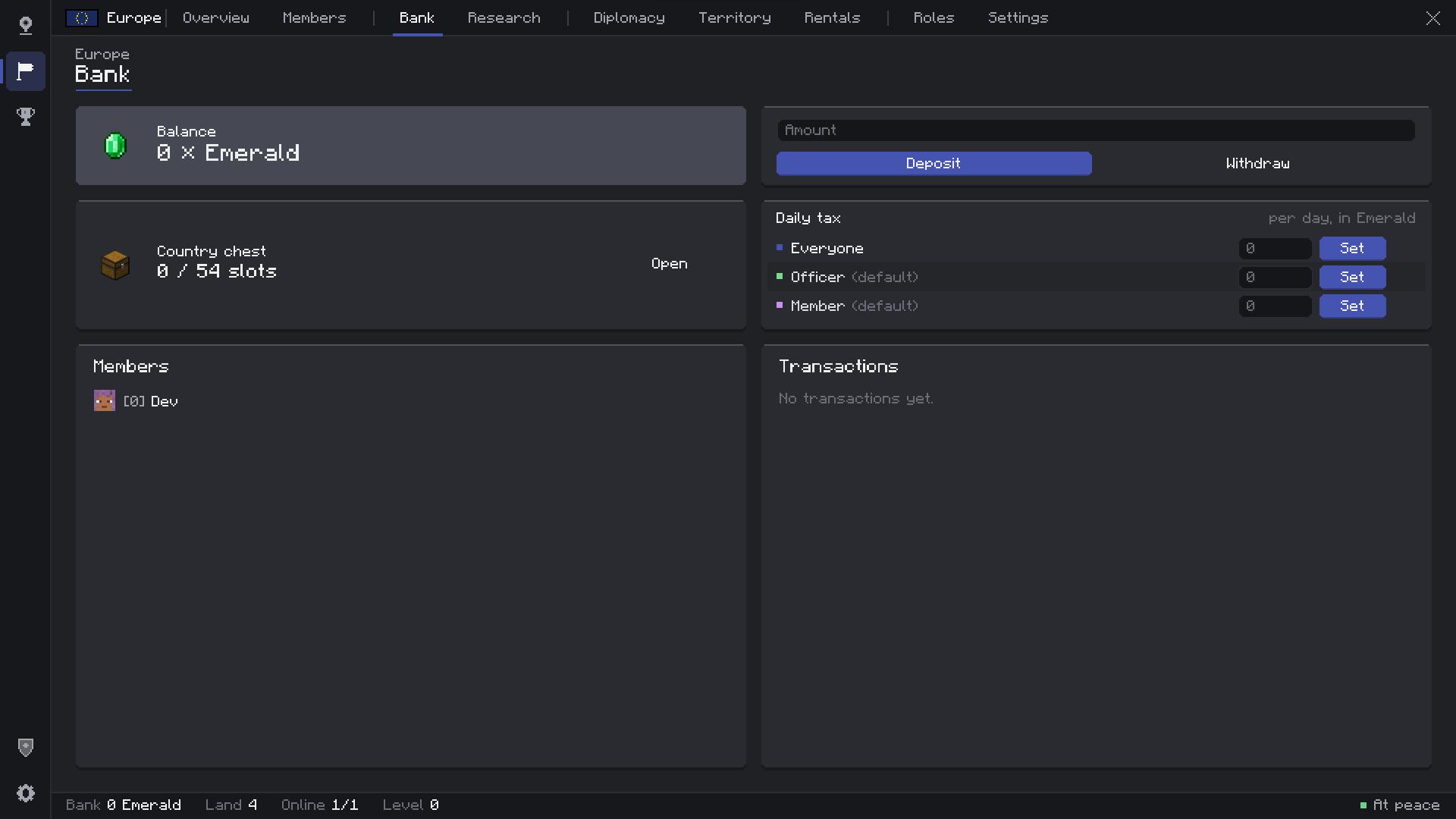 {FD5C8EE7-E22B-453B-BC70-6817EF7B97A2}.png {FD5C8EE7-E22B-453B-BC70-6817EF7B97A2}.png
 -
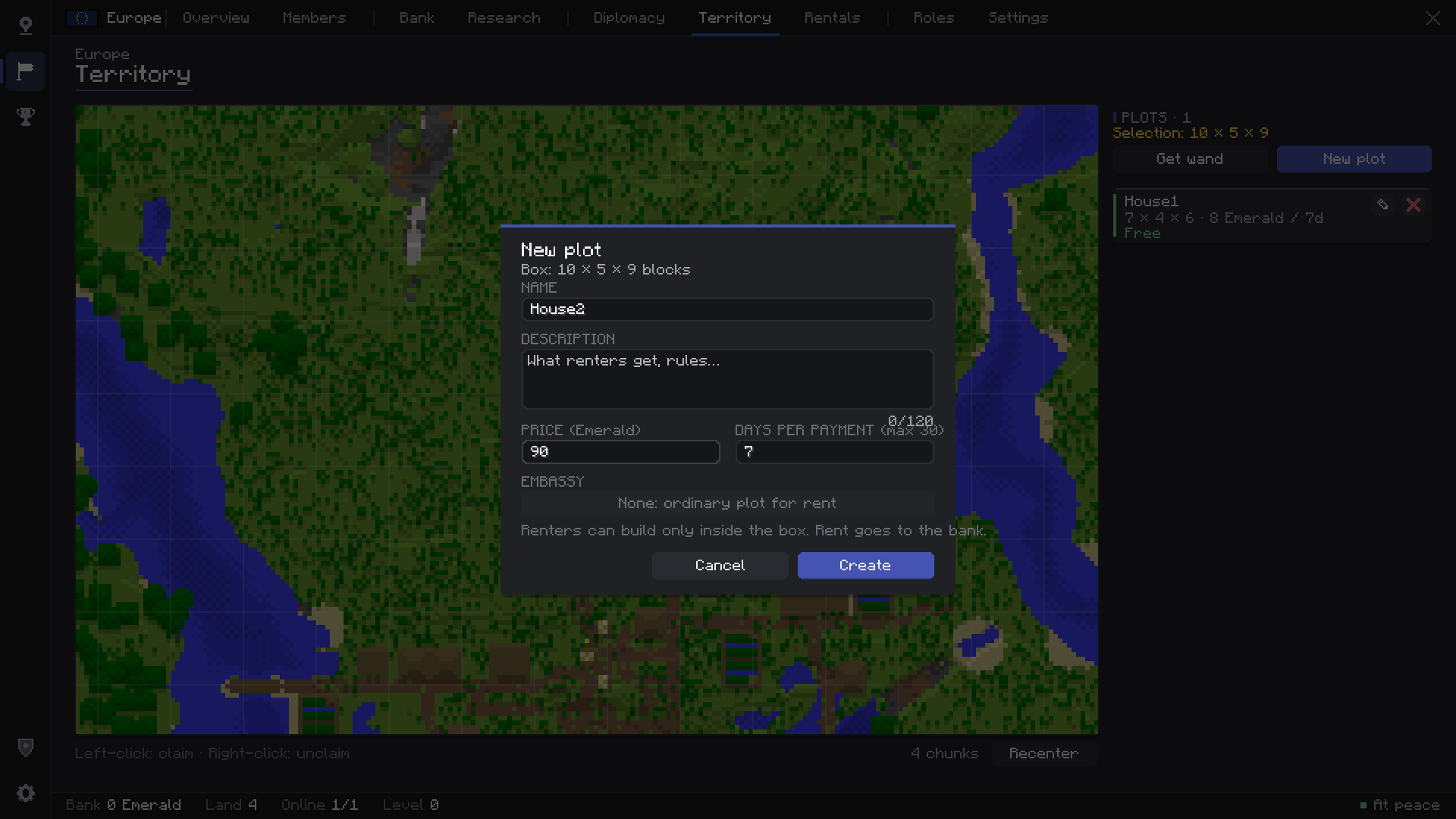 {8D1EB122-1A54-4844-AFB5-82E42AC2B049}.png {8D1EB122-1A54-4844-AFB5-82E42AC2B049}.png
 -
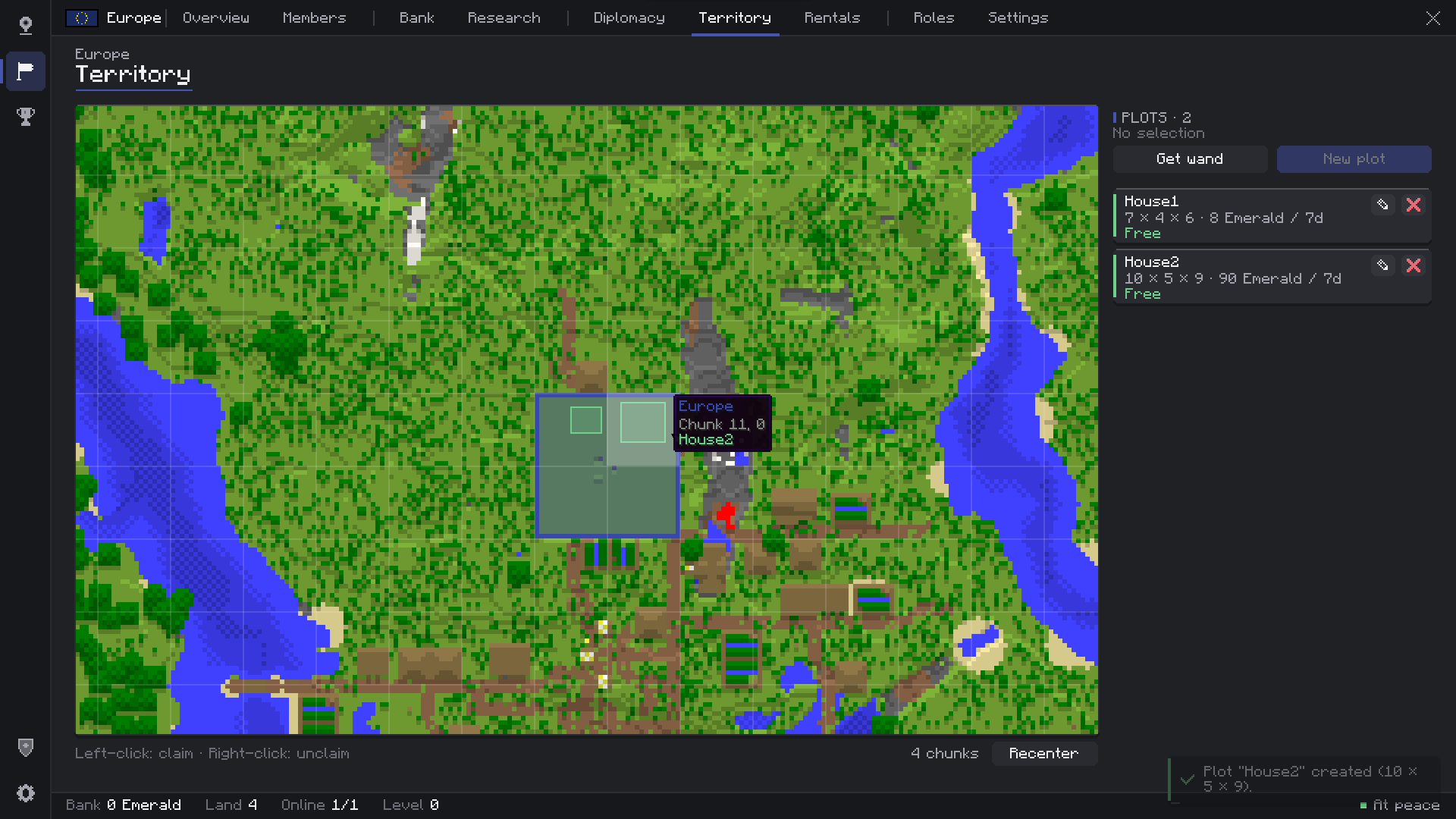 {5DEB7A80-6376-43C5-9677-EA876654B604}.png {5DEB7A80-6376-43C5-9677-EA876654B604}.png
 -
 {BA26EA52-7BFA-4D42-94EB-4EBD5EE1E9FF}.png {BA26EA52-7BFA-4D42-94EB-4EBD5EE1E9FF}.png
 -
 {9BBDF0C4-D6E0-4F2C-9B9C-61316F4DE483}.png {9BBDF0C4-D6E0-4F2C-9B9C-61316F4DE483}.png
 -
 {8A8893AF-30AB-4490-A03F-8BC108C65DB9}.png {8A8893AF-30AB-4490-A03F-8BC108C65DB9}.png
 -
 {A3E00B1C-83DF-410C-BEDE-48DBF7C7BFE4}.png {A3E00B1C-83DF-410C-BEDE-48DBF7C7BFE4}.png
 -
 {42DFB4DA-A236-4679-A5C3-BCB10A33DF39}.png {42DFB4DA-A236-4679-A5C3-BCB10A33DF39}.png
 -
 {3C21B555-B35E-49FF-ACDC-552A156E6AF7}.png {3C21B555-B35E-49FF-ACDC-552A156E6AF7}.png
Versions
Files
Relations
Project Relations
More like this
Similar Mods
Suggestions use data such as tags, dependencies, dependents, descriptions, titles, and more to rank how much they overlap with this mod.
On ModDex
Community snapshot
By the numbers
Statistics

Get it on
Available Platforms
On ModDex
Community snapshot
By the numbers