
Community listing page, reviews here may not be monitored by the author.
Text To Voice


No reviews yet
A client-side text to speech addon for Simple Voice Chat, where you can simply type to speak and audio will be sent through SVC and/or Voicemeeter at once.
Community voices
Reviews
No reviews yet. Be the first to review this project!
Get it on
Available Platforms
Compatibility
Supported Environments
Runs entirely on the client. Works on vanilla servers.
About
Project Details
For authors
Embed Badge
If you're the author of this project, you can embed a live badge anywhere that supports HTML or Markdown. It updates automatically whenever ratings change.
Use HTML for any page that supports it, or Markdown for README files and Markdown-based descriptions.
Identifiers
Platform IDs
About
Description
Text to Voice
An addon for Simple Voice Chat that allows people who can't or don't wish to use their microphone another way to chat, using text to speech.
This can be helpful if you're playing on a server and want an alternative to typing in global chat or manually whispering to players, or if you wish to interact with other mods such as Phonos.
This mod allows the user to type the text they wish to say into a window, and a computerized voice will say it out loud through Simple Voice Chat for them.
NOTE: Linux/macOS support is experimental and may not work properly, please report any problems on the GitHub repo.
The GUI
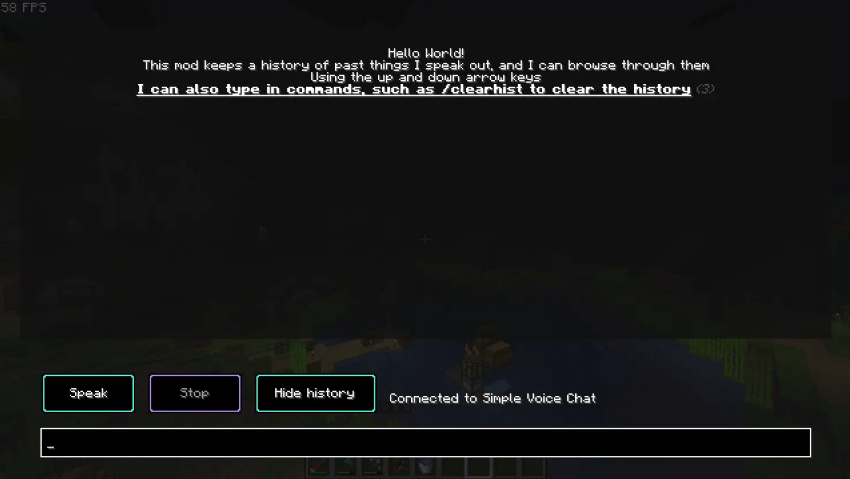
To use the mod you first need to press the button to open the menu (the default keybind is H, though you can change this in the controls menu).
Type the text you want to speak out in the bar at the bottom, and once you have finished typing press the "Speak" button or press enter. You can also choose to stop talking in the middle of a sentence by pressing the "Stop" button.
At the top of the GUI, all of the sentences you have said will be saved in your history section. This is so you can bring back old things you've said without typing it out once again. To navigate this section, use the arrow keys.
You may also clear the history using /clearhist (see the wiki page on commands for more information)
Figura integration
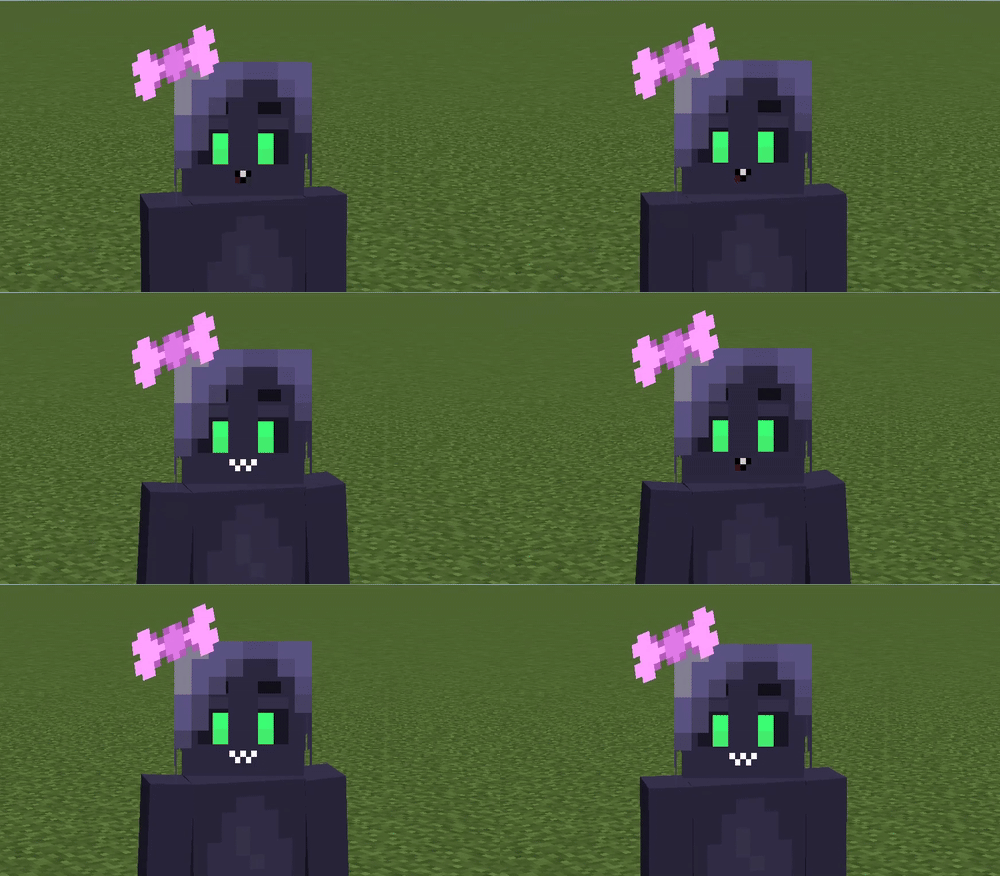
This mod also has an integration with Figura, allowing you to add facial expressions to your avatar driven by text-to-speech audio.
For more information about using Text To Voice in your avatar, please refer to the Wiki.
Command Input
To give an alternative way to use the mod, instead of being forced to use the GUI, you can also use commands.

There are 2 main commands:
Note: Both of these commands are aliases, the original commands reside under /ttvoice
> /speak <insert what you wish to say here>
This command allow you to speak freely without needing to go into the GUI.
> /stopSpeaking
This command will stop you speaking mid-sentence.
Contribute
If you encounter any bugs, please report anything on the Github.
If you do have some problems, also see the troubleshooting page.
Dependencies
This is an addon for Simple Voice Chat, you must install it in order for this mod to work as intended.
This mod is also depends on Fabric Language Kotlin, and Fabric API.
Credits
@FlooferLand - Programming
See here for all of the licensing information.
Text to Voice

An addon for Simple Voice Chat that allows people who can't or don't wish to use their microphone another way to chat, using text to speech.
This can be helpful if you're playing on a server and want an alternative to typing in global chat or manually whispering to players, or if you wish to interact with other mods such as Phonos.
This mod allows the user to type the text they wish to say into a window, and a computerized voice will say it out loud through Simple Voice Chat for them.
NOTE: Linux/macOS support is experimental and may not work properly, please report any problems on the GitHub repo.
The GUI
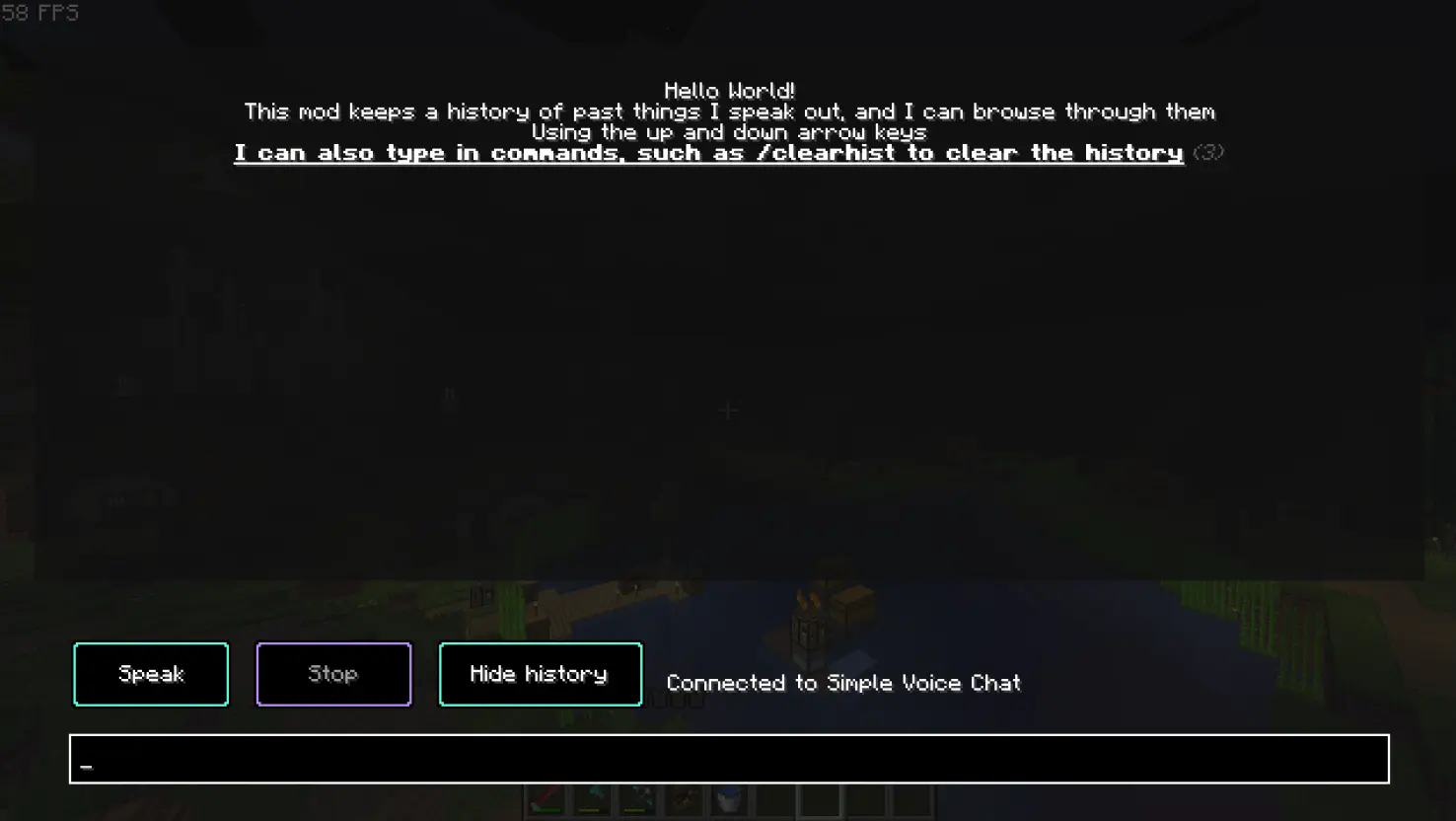
To use the mod you first need to press the button to open the menu (the default keybind is ~ (located beneath the 'escape' key), though you can change this in the controls screen).
Type the text you want to speak out in the bar at the bottom, and once you have finished typing press the "Speak" button or press enter. You can also choose to stop talking in the middle of a sentence by pressing the "Stop" button.
At the top of the GUI, all of the sentences you have said will be saved in your history section. This is so you can bring back old things you've said without typing it out once again. To navigate this section, use the arrow keys.
You may also clear the history using /clearhist (see the wiki page on commands for more information)
Command Input
To give an alternative way to use the mod, instead of being forced to use the GUI, you can also use commands.

There are 2 main commands:
Note: Both of these commands are aliases, the original commands reside under /ttvoice
/speak <insert what you wish to say here>
This command allow you to speak freely without needing to go into the GUI.
/stopSpeaking
This command will stop you speaking mid-sentence.
Figura integration
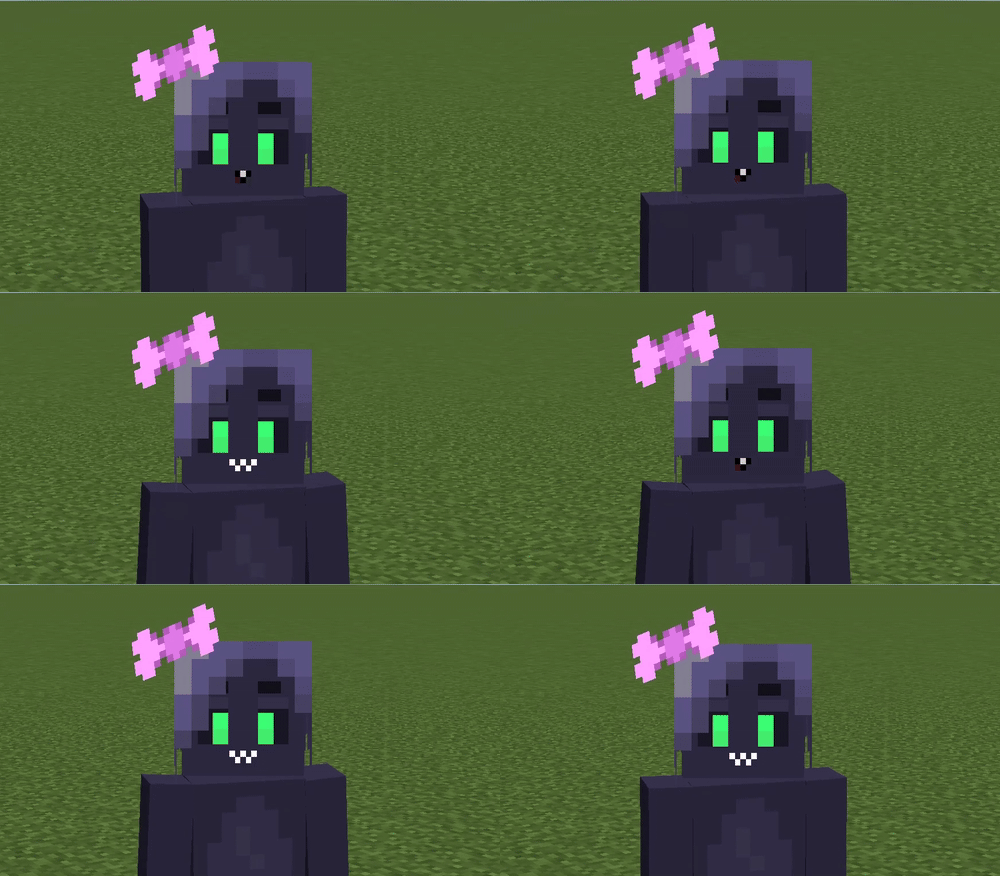
This mod also has an integration with Figura, allowing you to add facial expressions to your avatar driven by text-to-speech audio.
For more information about using Text To Voice in your avatar, please refer to the Wiki.
Contribute
If you encounter any bugs, please report anything on the Github.
If you do have some problems, also see the troubleshooting page.
Dependencies
This is an addon for Simple Voice Chat, you must install it in order for this mod to work as intended.
This mod is also depends on Fabric Language Kotlin, and Fabric API.
Credits
@FlooferLand - Programming
Thank you to Samuel Yager for the icon!
See here for all of the licensing information.
Screenshots
Gallery
-
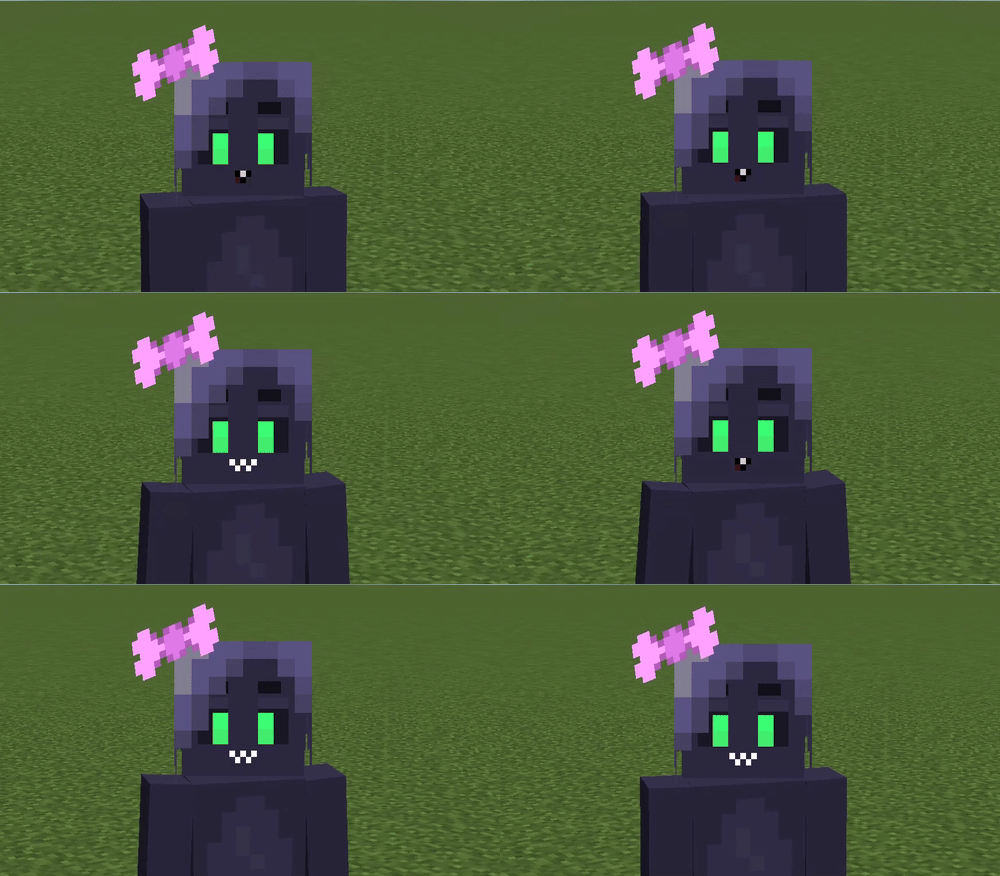 Figura integration You can make your Figura avatar react directly to the text to speech audio
 -
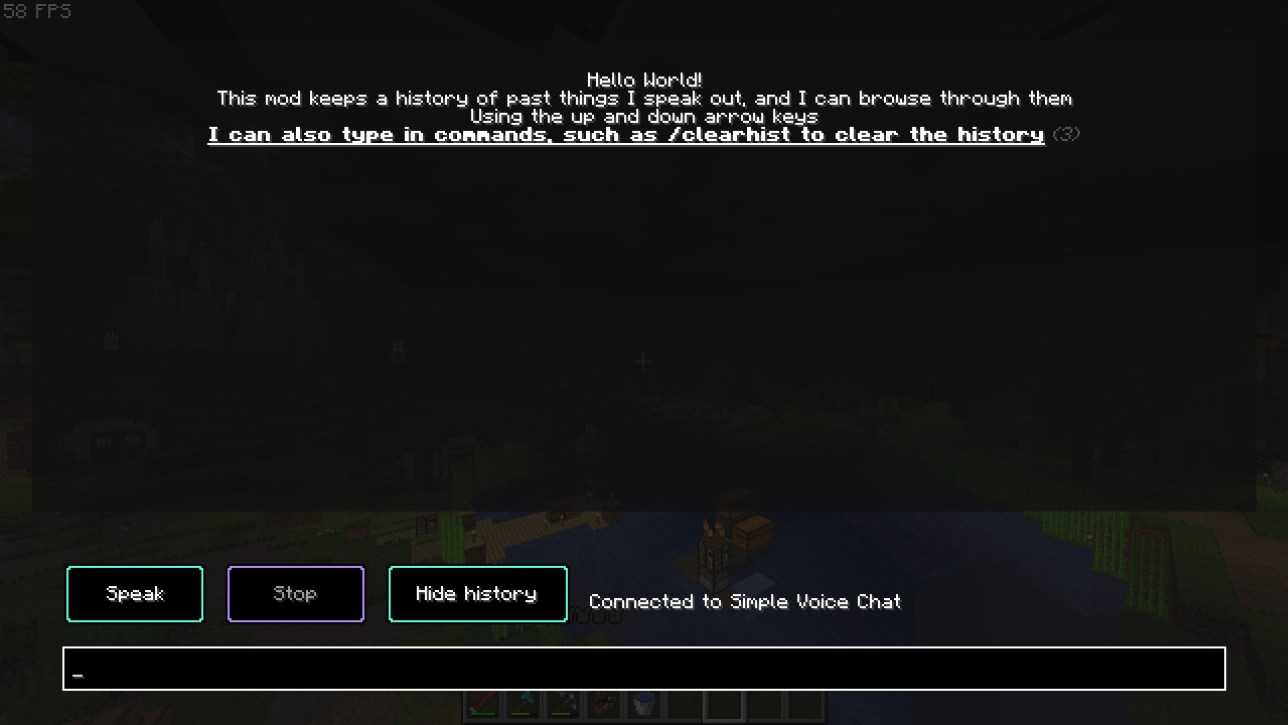 The speech screen Use this screen to speak if you prefer it over using commands, the default keybind is "H"
-
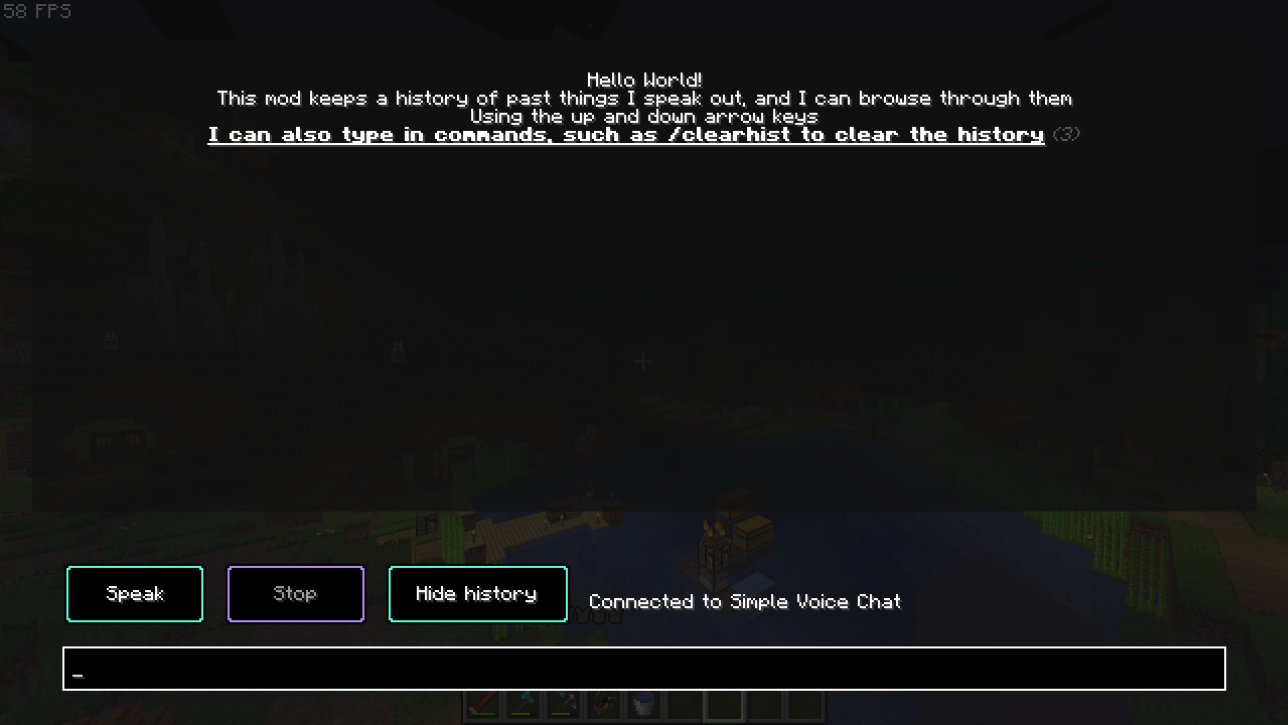 The speech screen Use this screen to speak if you prefer it over using commands, the default keybind is "H"
 -
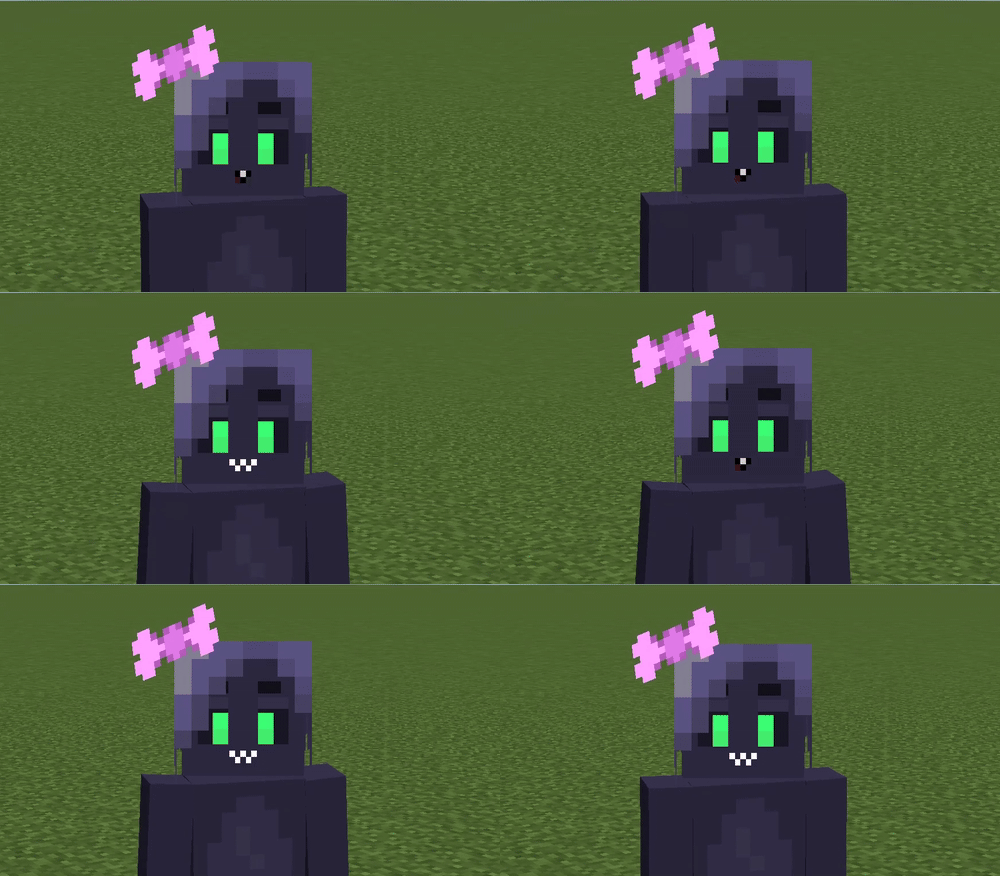 Figura integration You can make your Figura avatar react directly to the text to speech audio
Versions
Files
Relations
Project Relations
More like this
Similar Mods
Suggestions use data such as tags, dependencies, dependents, descriptions, titles, and more to rank how much they overlap with this mod.
On ModDex
Community snapshot
By the numbers
Statistics
Want to reach Minecraft players?
We're looking for a server hosting partner to feature here and other parts of the site. Interested? Send us a message!
Get in touchGet it on
Available Platforms
On ModDex
Community snapshot
By the numbers