
Community listing page, reviews may not be monitored by the author.
Texture Mixer Legacy

No reviews yet
Mix your resource packs on 1.7.10 - 1.12.2: sword from one pack, axe from another, hotbar from a third. PvP-friendly, OptiFine aware.

Community voices
Reviews
No reviews yet. Be the first to review this project!
Get it on
Available Platforms
About
Project Details
For authors
Embed Badge
If you're the author of this project, you can embed a live badge anywhere that supports HTML or Markdown. It updates automatically whenever ratings change.
Use HTML for any page that supports it, or Markdown for README files and Markdown-based descriptions.
Identifiers
Platform IDs
Resources
External Links
About
Description
Texture Mixer Legacy
Sword from one pack, axe from another, hotbar from a third, sky from a fourth. Texture Mixer Legacy lets you build your own mix out of the packs you already have, on 1.8.9 and the other old versions.
Works on Forge and Legacy Fabric, for Minecraft 1.7.10, 1.8.9, 1.9.4, 1.10.2, 1.11.2 and 1.12.2.
How to use it
Turn on all the packs you like in Options → Resource Packs, as usual. Then open Texture Mixer: press V in game, or click Texture Mixer in the top-left corner of the Resource Packs screen.
Everything your packs change is listed once. Pick the pack you want for each thing and press Apply. Your picks go into a small pack called TextureMixerLegacy that sits on top of the others. Your own packs are never modified.
What it does
- One row per thing. The grass block is one row, not "grass_top, grass_side, grass_side_overlay". The bow is one row with all of its pulling frames.
- PvP stuff first. Swords, axes, bows, arrows, armor, potions, golden apples, pearls, the enchantment glint, hit particles, hearts and the hotbar are right at the top.
- Previews of the chosen pack's textures with a magnifier when you hover, armor on a rotating player, a play button for sounds, and GUIs cropped to the part you actually see.
- No mixed-up results. Pick a flat sword texture and another pack's 3D sword model or animation won't sneak in.
- OptiFine aware. Named-item textures (CIT), connected glass (CTM), random mob textures, custom sky, custom colors and animations appear in the row they belong to, and picking another pack turns the old pack's OptiFine rule off.
- Search, filters (All / Conflicts / My picks), and a Minecraft option on every row to get the original back.
- Export / import your picks through the clipboard to share a mix with friends.
- 14 languages: English, Turkish, Chinese (Simplified and Traditional), Spanish, Portuguese, Russian, Ukrainian, German, French, Italian, Polish, Japanese and Korean.
Requirements
| Loader | Needs |
|---|---|
| Forge | nothing else |
| Legacy Fabric | Legacy Fabric API |
It's client-side only, so it's fine on any server, PvP servers included: it only changes the textures and sounds on your own screen, just like a resource pack.
FAQ
Does it change my pack files?
No. Everything goes into the TextureMixerLegacy pack in your resourcepacks folder. Remove that pack, or press "Reset all" and then Apply, and you're back to normal.
I turned the TextureMixerLegacy pack off by accident. Open Texture Mixer and press Apply. It turns itself back on, on top of your other packs.
Is this the same as the modern Texture Mixer? Same idea, rebuilt for 1.7.10 – 1.12.2. The modern version, Texture Mixer (1.16.5 – 26.3), is a separate project.
Made by 37mg · All rights reserved. Free to use in any modpack; please don't re-upload it to other sites.
Screenshots
Gallery
-
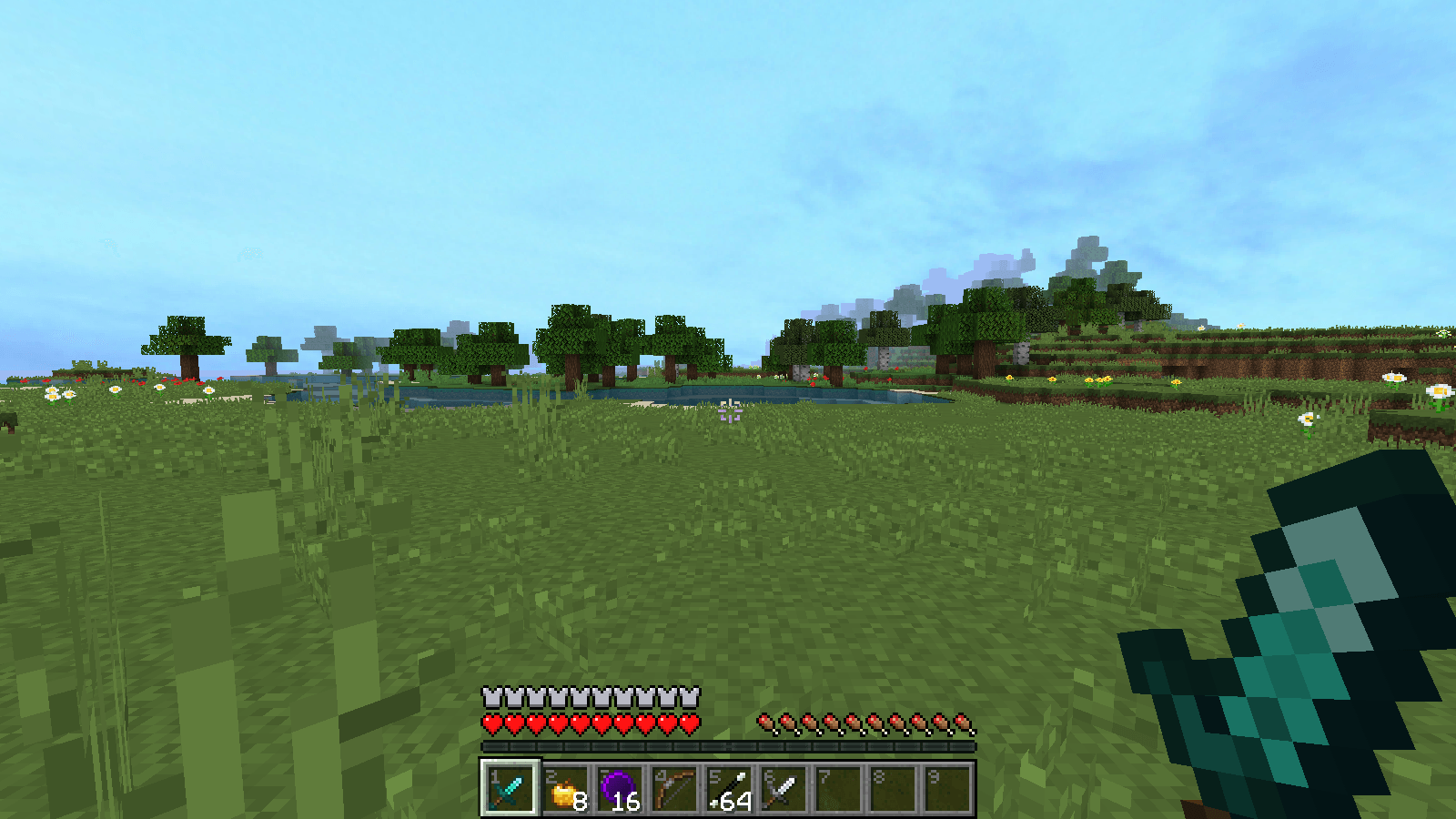 1-your-own-pvp-mix.png 1-your-own-pvp-mix.png
 -
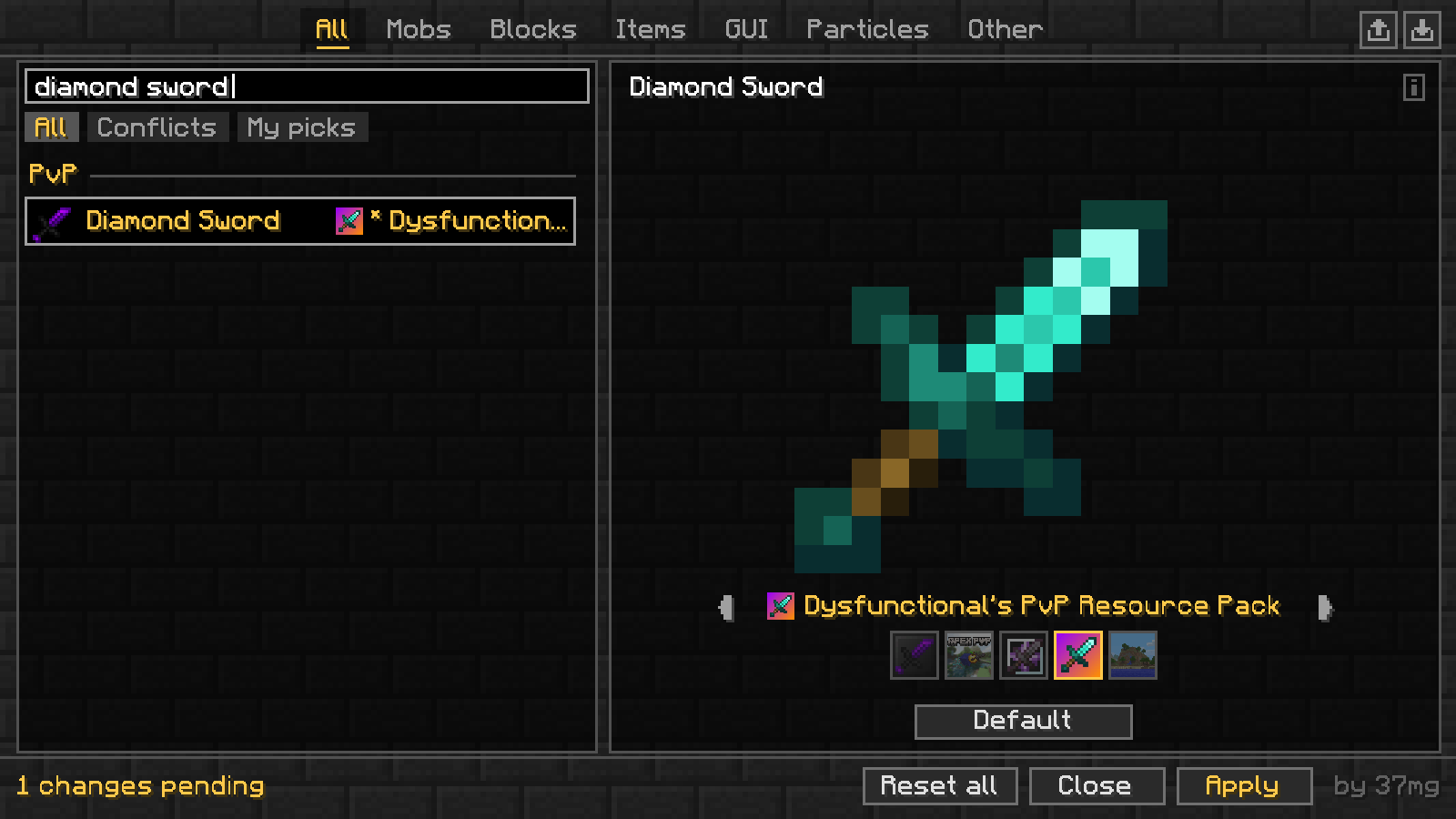 2-pvp-items-first.png 2-pvp-items-first.png
 -
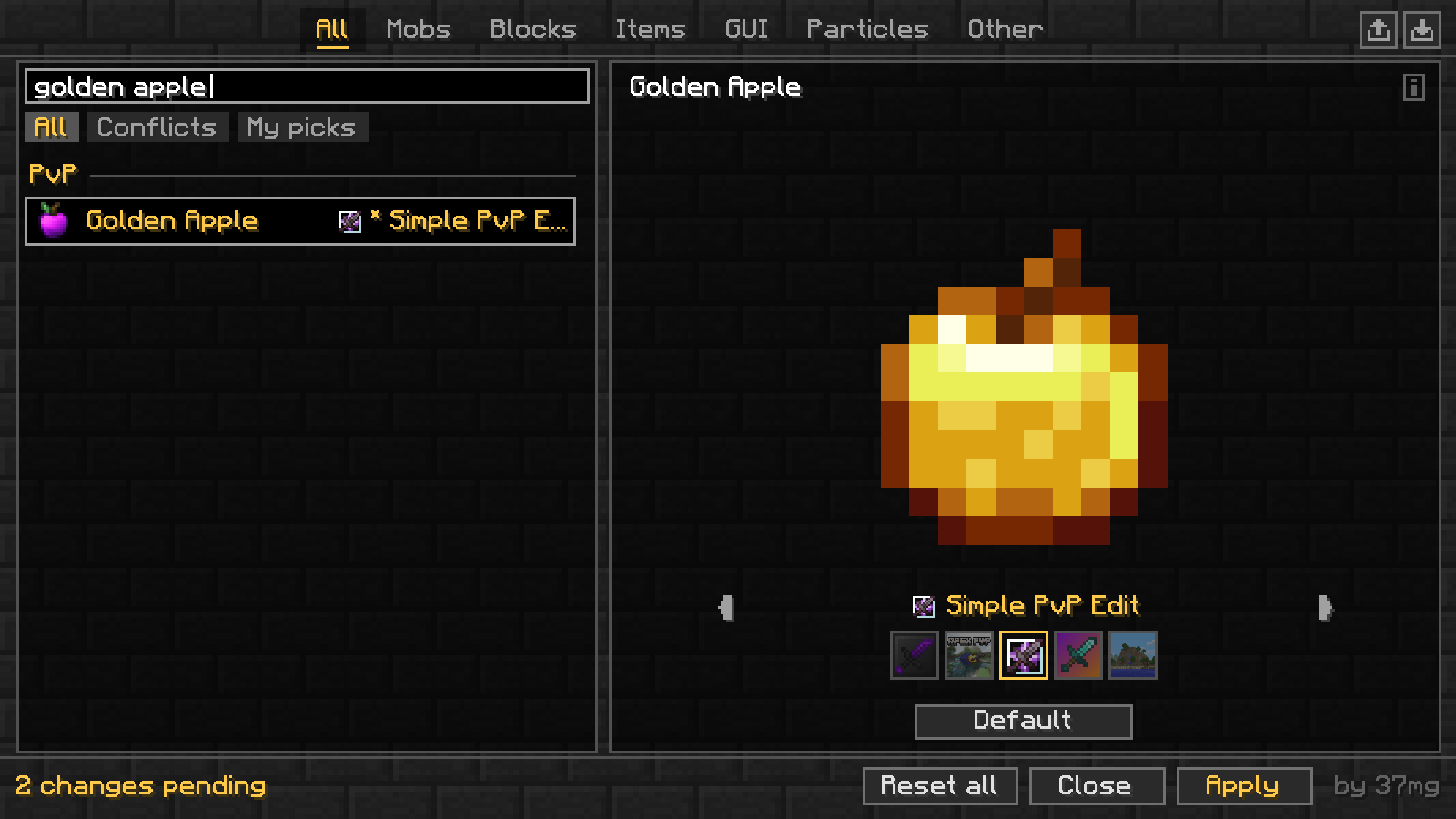 3-every-packs-version.png 3-every-packs-version.png
 -
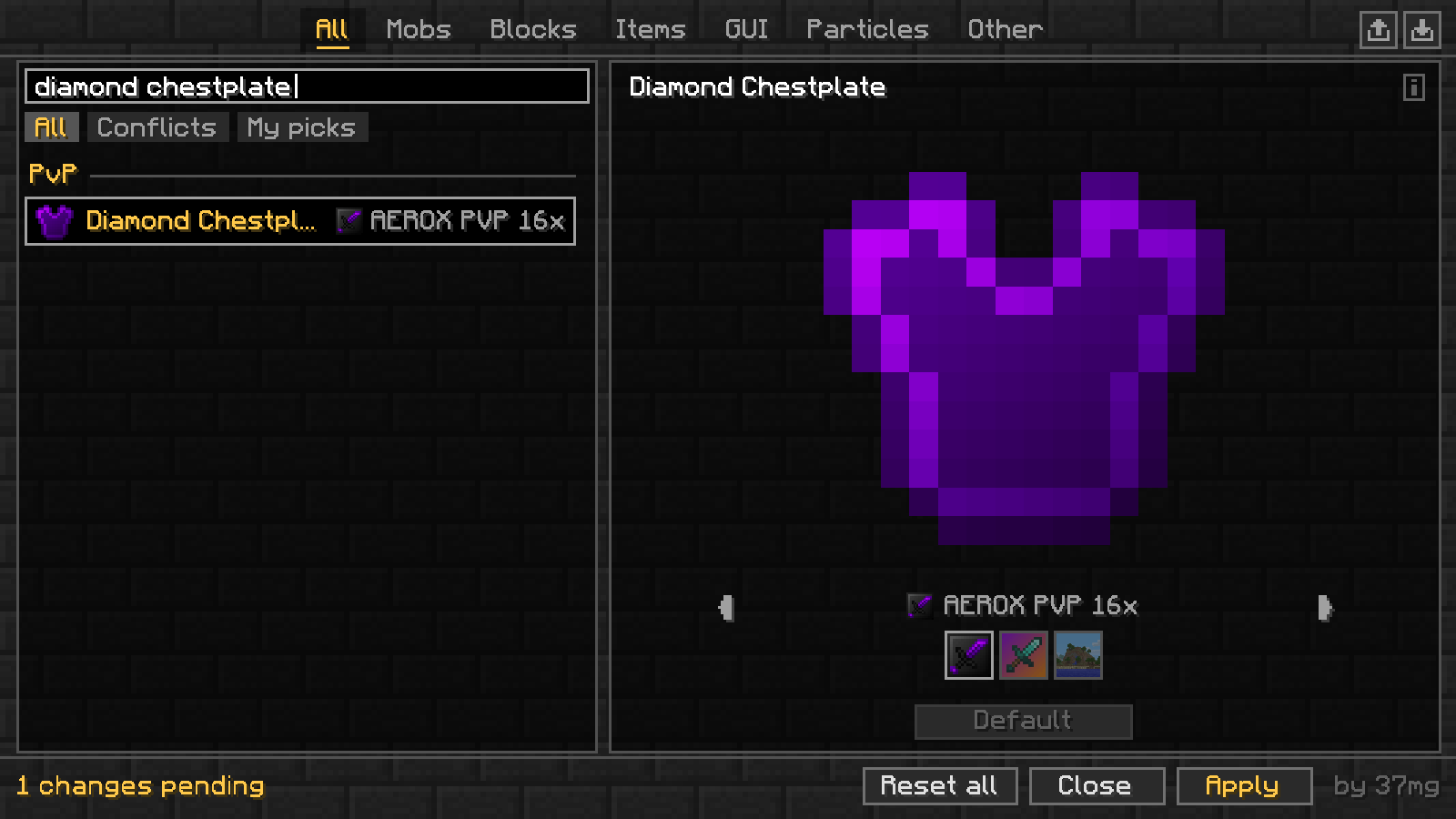 4-armor-too.png 4-armor-too.png
 -
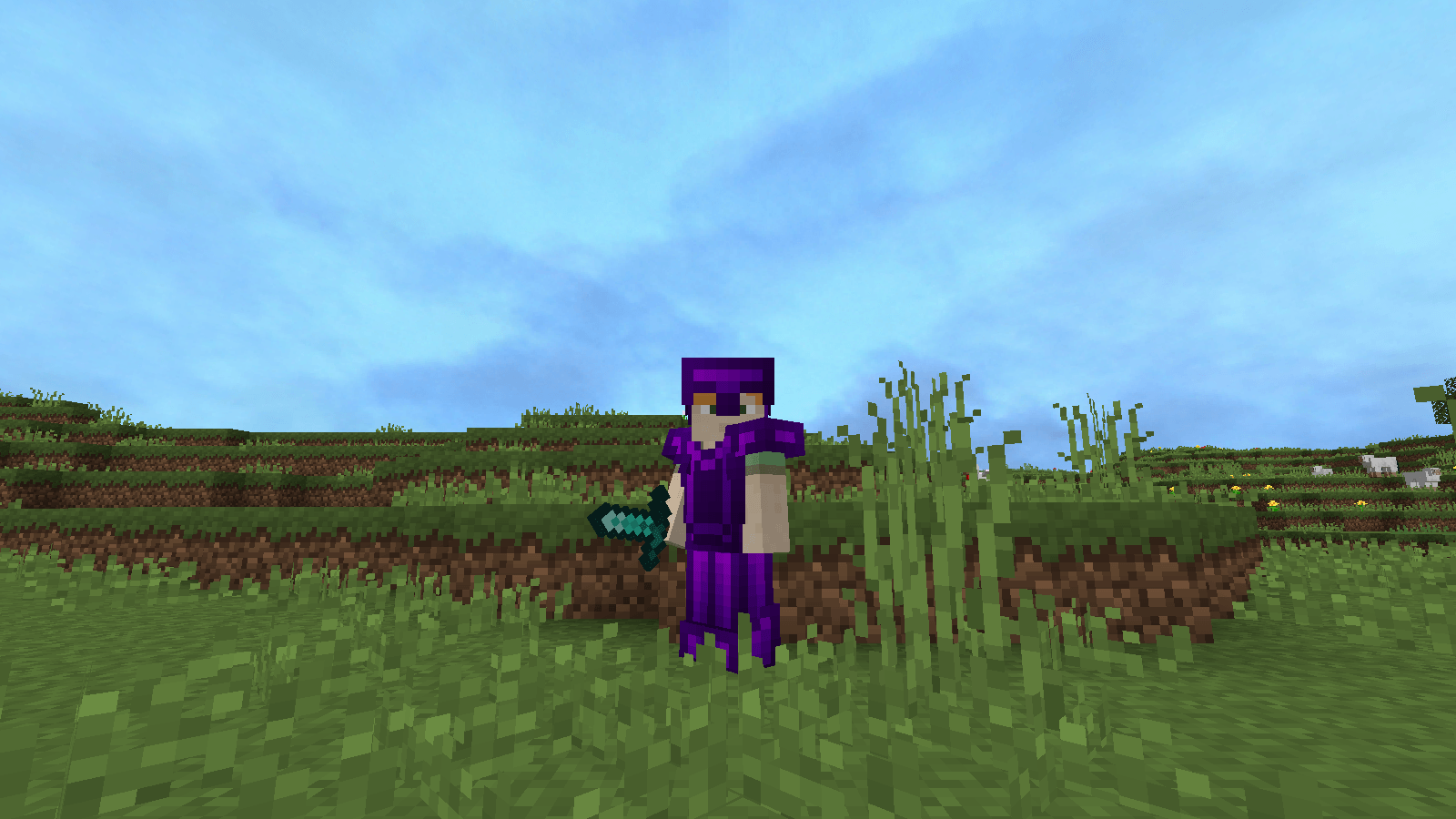 5-third-person.png 5-third-person.png
 -
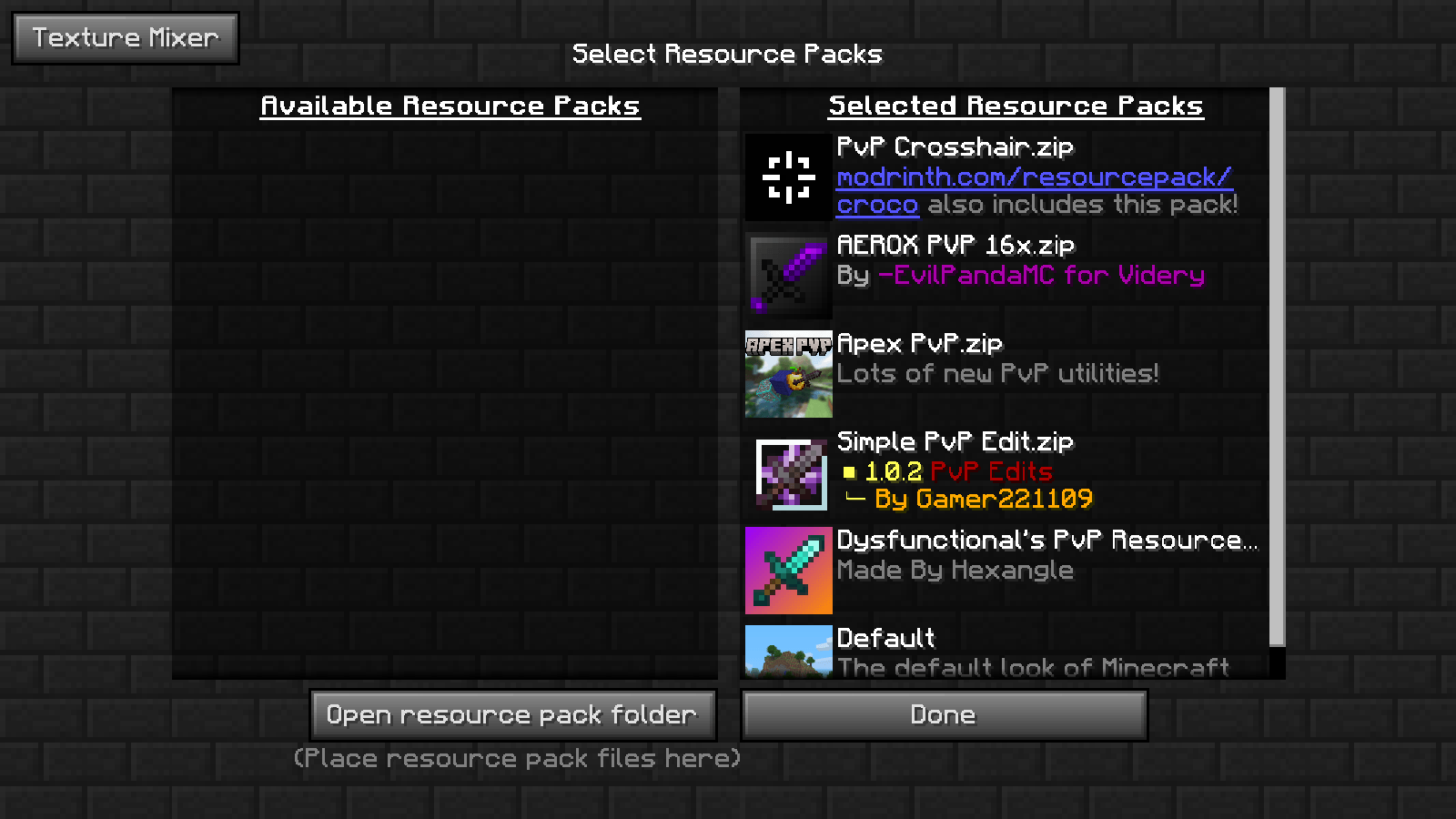 6-next-to-your-packs.png 6-next-to-your-packs.png
Versions
Files
Relations
Project Relations
More like this
Similar Mods
Suggestions use data such as tags, dependencies, dependents, descriptions, titles, and more to rank how much they overlap with this mod.
On ModDex
Community snapshot
By the numbers
Statistics

Get it on
Available Platforms
On ModDex
Community snapshot
By the numbers
Statistics
Resources