Community listing page, reviews may not be monitored by the author.
Texture Swap Studio

No reviews yet
Mix textures from different resource packs, item by item. Search "crystal", click the look you want, Apply. 72 packs in one click.

Community voices
Reviews
No reviews yet. Be the first to review this project!
Get it on
Available Platforms
About
Project Details
For authors
Embed Badge
If you're the author of this project, you can embed a live badge anywhere that supports HTML or Markdown. It updates automatically whenever ratings change.
Use HTML for any page that supports it, or Markdown for README files and Markdown-based descriptions.
Identifiers
Platform IDs
Resources
External Links
About
Description
🎨 Texture Studio
Your favourite crystal from one pack, your sword from another, your totem from a third — all at once.
Texture Studio lets you build your own resource pack in seconds without ever opening a zip file. Search for an item, click the texture you like, hit Apply. Done.
✨ Features
- 🔍 Search everything: type crystal, totem, sword, pearl, sky, and you see every version of it from every pack you have
- 🖱️ One click per item: pick a texture for each item, block, armor set, tool set, menu or the sky
- 📦 72 packs built in: one button downloads a hand-picked library of PvP, crystal, anime, 3D and UI packs straight from Modrinth
- ⭐ Favourites & presets: heart the textures you love, save whole setups as presets and switch between them instantly
- 🧱 Whole pack mode: use a full pack as your base, then swap single items on top
- 🌌 Custom skies: pack skies (OptiFine style) work without OptiFine
- 📂 Drag & drop: drop your own .zip packs, folders or single .png files onto the window
- ⌨️ Your own hotkey: default J, change it in Options → Controls → Key Binds → Texture Studio
- 🧩 Opens from the menu too: a Texture Studio button on the Resource Packs screen
- ⚡ Light: under 100 KB, no extra libraries, nothing runs while the window is closed
🚀 How to use
- Install Fabric Loader and Fabric API for Minecraft 1.21.11
- Drop the jar into your
modsfolder - Start the game and press J (or go to Options → Resource Packs → Texture Studio)
- Click Download 72 packs the first time (about 670 MB, only once)
- Search for an item, click the look you want, press Apply
Your picks become a normal resource pack called Texture Studio Picks, so they work everywhere: singleplayer, servers, and with other mods like Sodium.
📚 Packs in the library
All packs are downloaded from their official Modrinth pages and belong to their creators. Texture Studio does not include them in the jar.
Alacrity · Armory Conglomery · Ashen 16x · Bare Bones · Bee's Fancy Crops · Better End Crystal · Black Flash PvP · Black PvP x Gold · Blue Battles · ClickCrystals Plus · CPvP Carrot · CPvP Essentials · CPvP SpongeBob · Crystal PvP + Anime Sky · CrystalPvP Blue x Pink · Dark Crystal · Default Dark Mode · Default HD 128x · Defrosted · Dramatic Skys · Dripped PvP · Enchantment Glows · Evantii Pink Pearl · Even Better Enchants · Excalibur · Faithful 32x · Faithful 64x · Fast Better Grass · Fresh Weapons & Tools · Fullbright · Glowing 3D Armor · Halloween Crystal PvP · HorrorPvP · HT3 Essentials · K1rbes CPvP · Lavender Crystal PvP · Leek Replaces Swords · Low Fire · Low Shield · LT3 Crystal · Mandala's GUI Dark · Marlowww Plus · Mexus Gray · NebulaFlow · Neon Core Crystal · Netherite Totem · New Glowing Ores · No Explosion Particles · Patrix 32x · Primitive PvP · Programmer Art Fix · Purple Pearls · PvP Haimiya Anime · PvP Zegarn + Anime Sky · Recolourful Containers · See-Through Crystals · Short PvP Swords · Small Shield & Totem · Small Totem Pop · Spunky PvP · Stoneborn UI · Transparent GUI & HUD · Unique Dark · Vanilla Plus · Visual Armor Trims · Void Crystal · Weskerson's 3D Items · White PvP · and more
❓ FAQ
Does it work on servers? Yes. It only changes how things look on your screen, like any resource pack.
Do I need OptiFine? No. Skies from OptiFine-style packs work without it.
Can I use my own packs? Yes. Drop them onto the Texture Studio window, or put them in your resourcepacks folder and press Rescan.
How do I go back to normal? Press Reset, then Apply.
Which versions? Minecraft 1.21.11, Fabric. Requires Fabric API.
Screenshots
Gallery
-
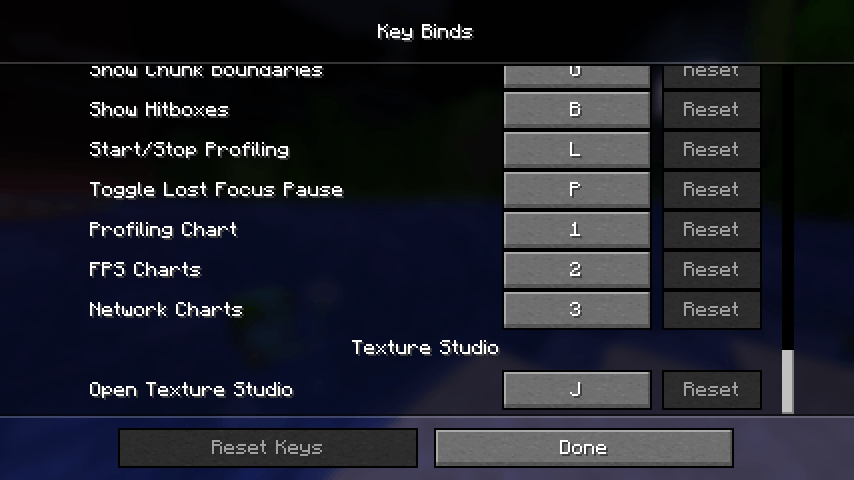 Custimize Opening Keybind
-
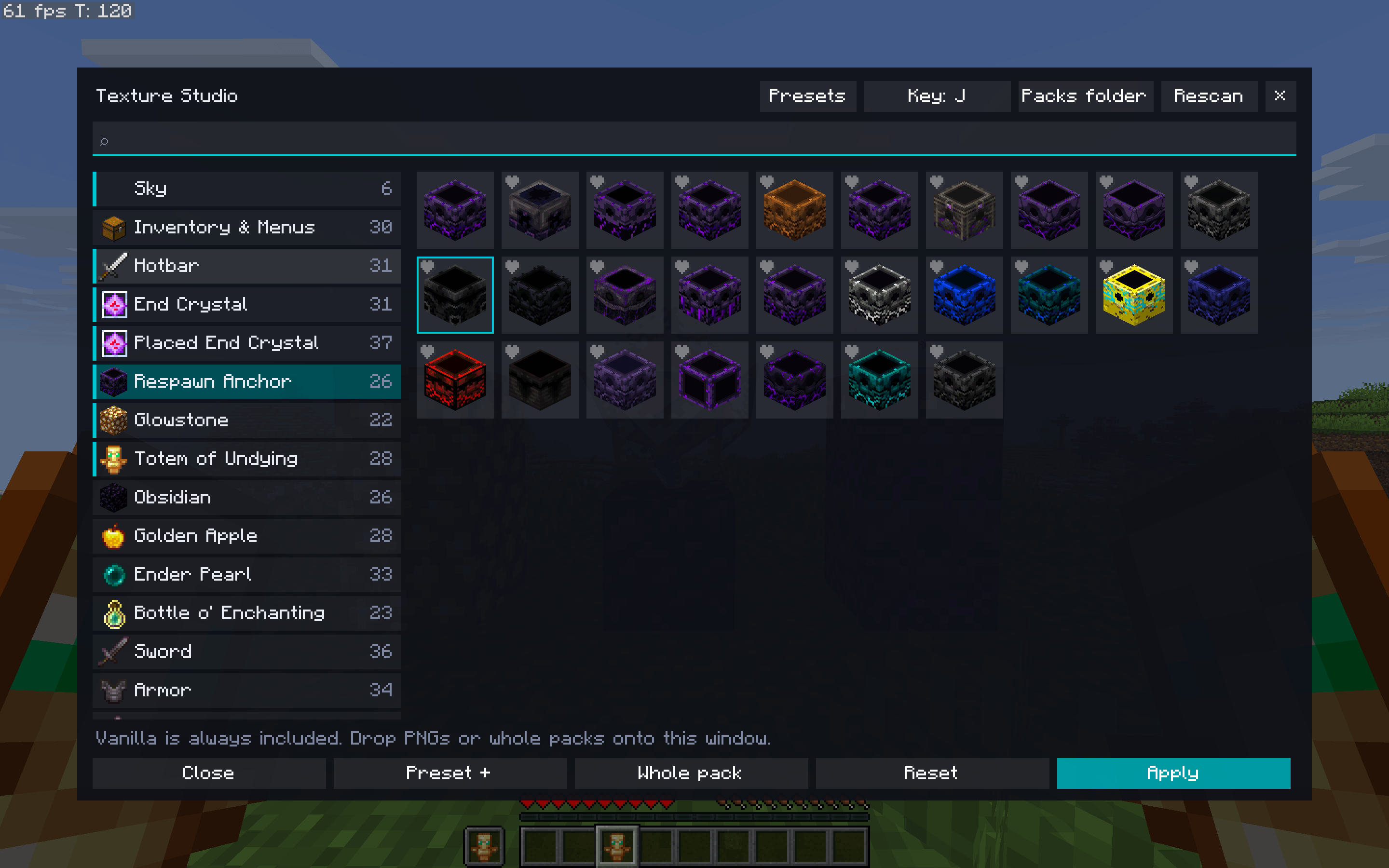 Change every textutre you want
-
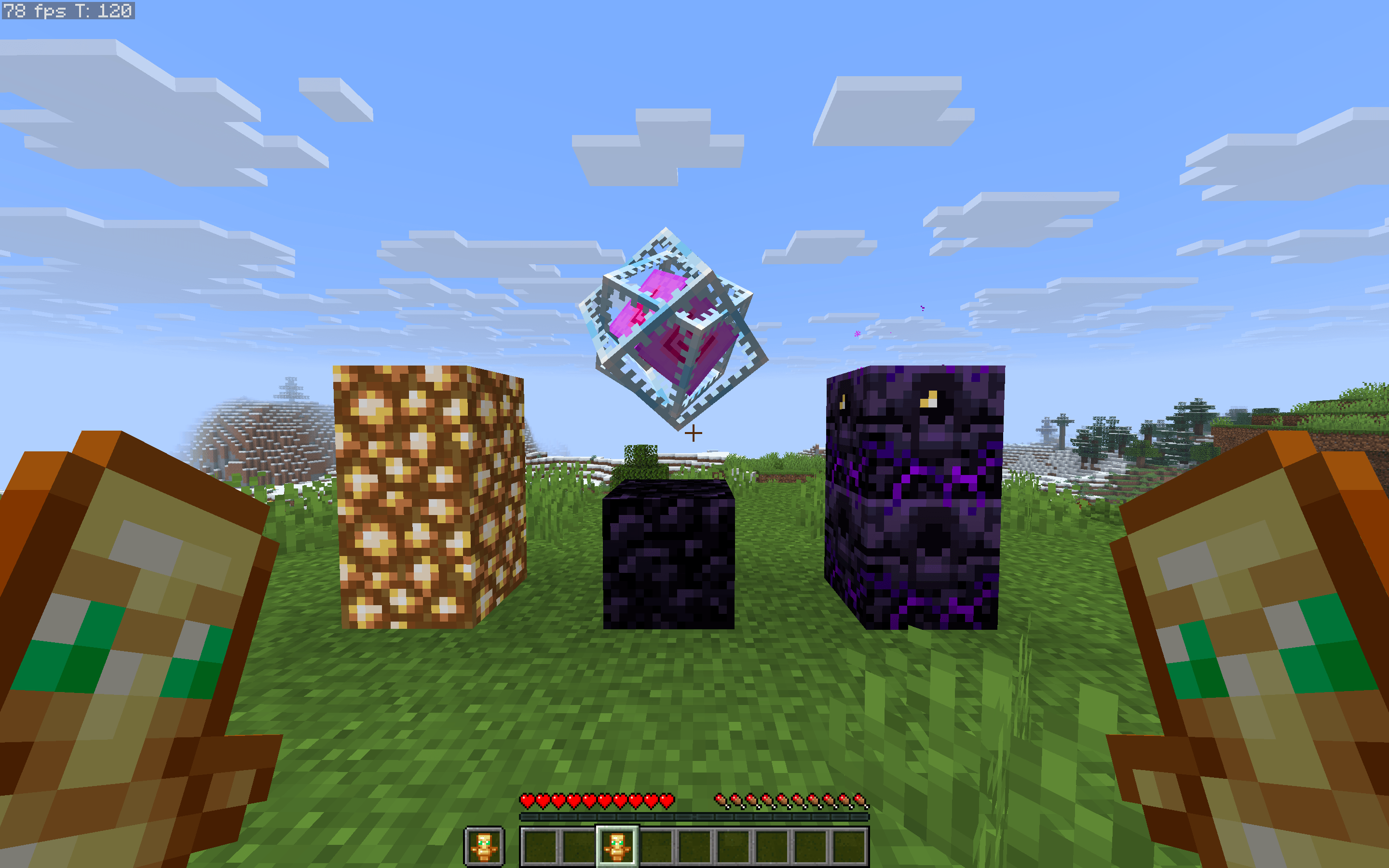 Before
-
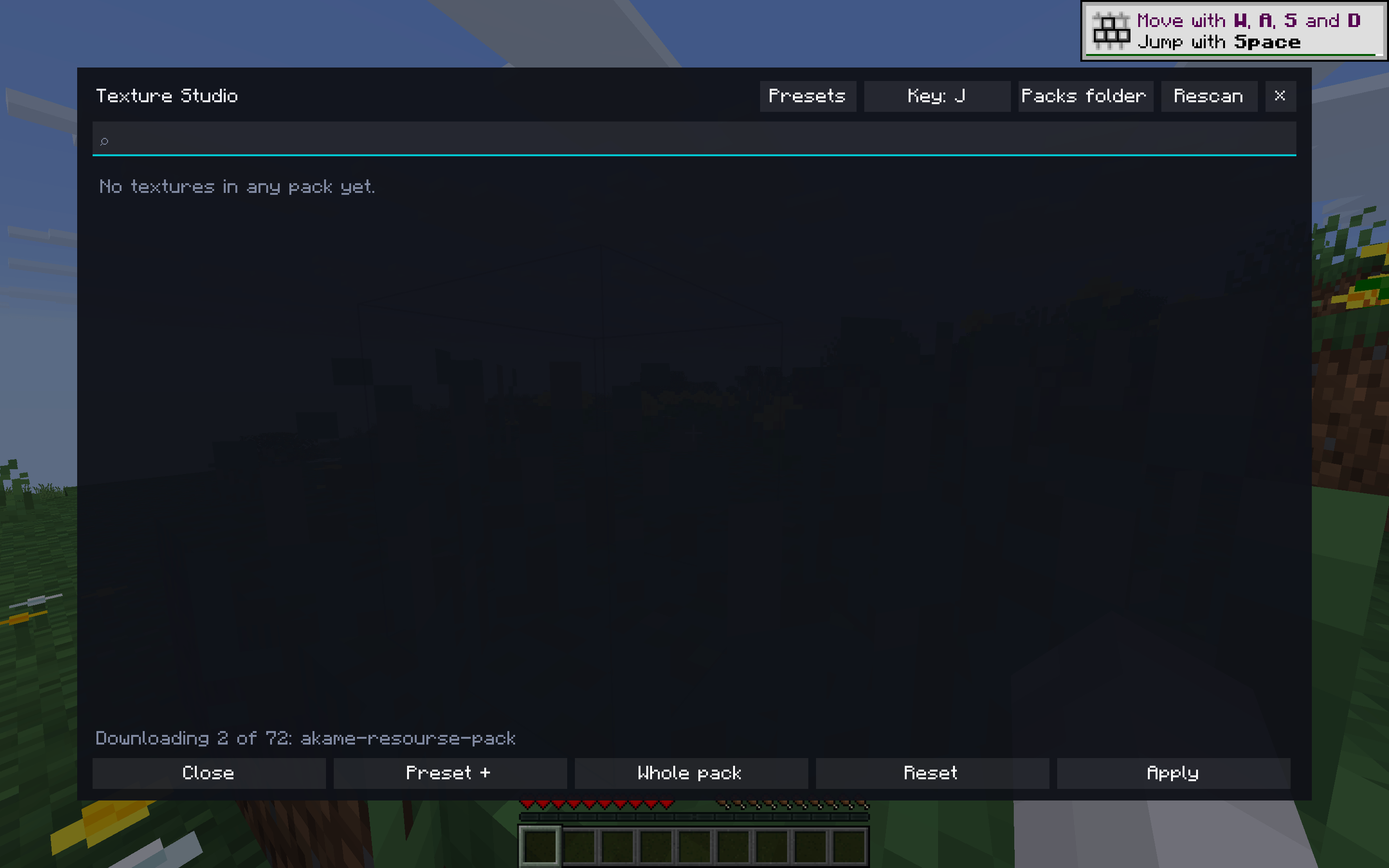 Wait for Downloading
-
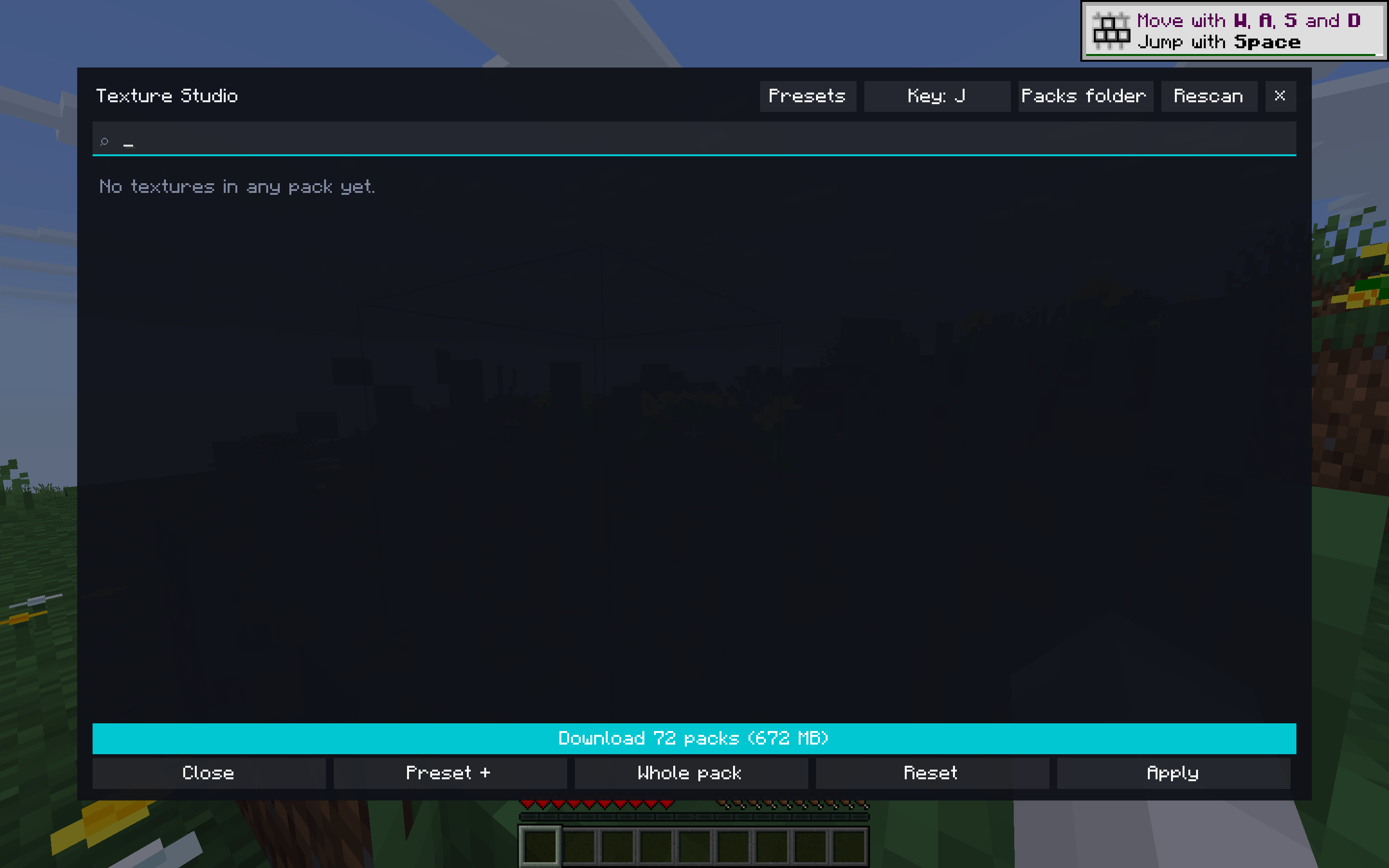 Click Downlaod button
-
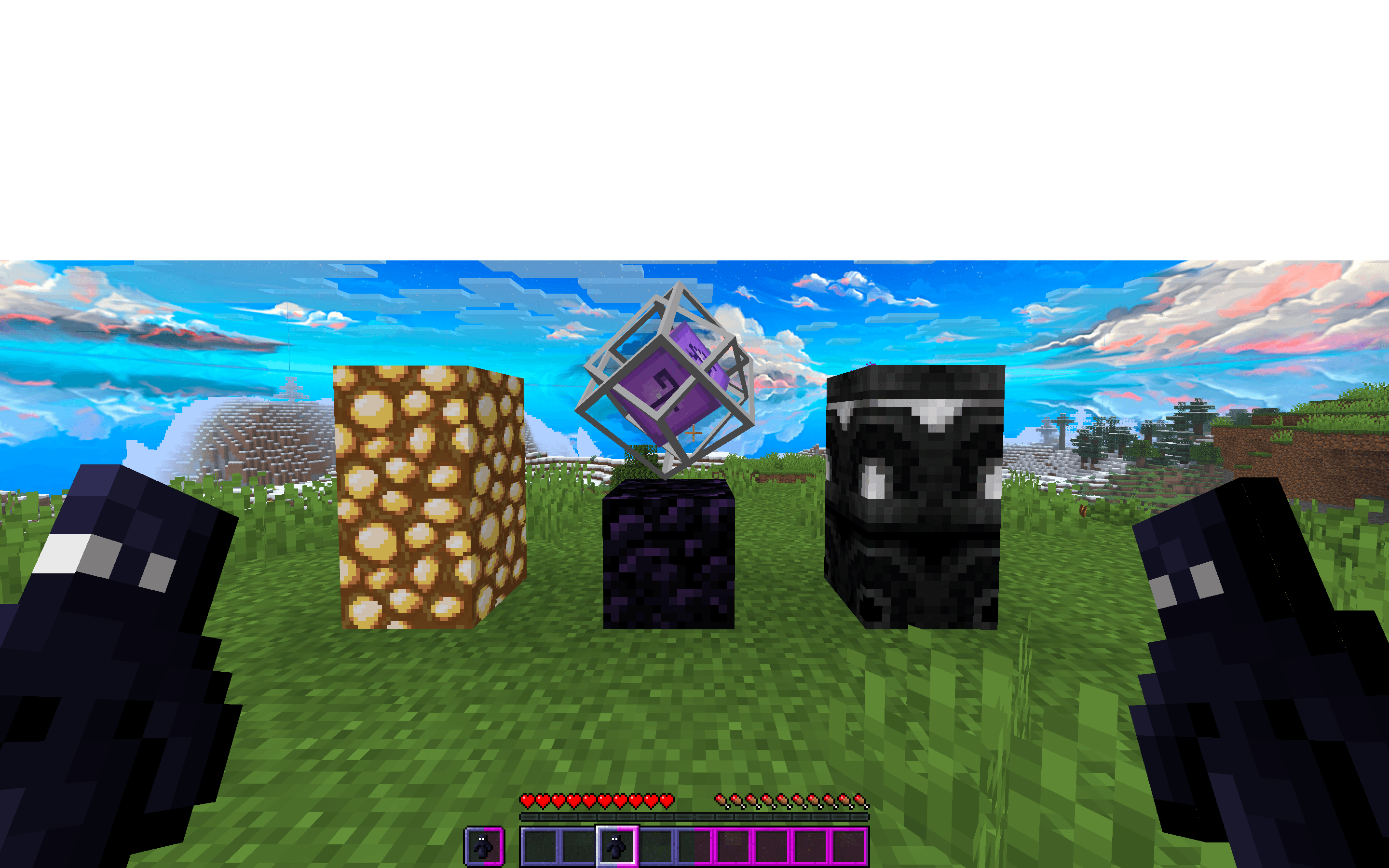 After applied
Versions
Files
Relations
Project Relations
More like this
Similar Mods
Suggestions use data such as tags, dependencies, dependents, descriptions, titles, and more to rank how much they overlap with this mod.
On ModDex
Community snapshot
By the numbers
Statistics

Get it on
Available Platforms
On ModDex
Community snapshot
By the numbers
Statistics
Resources