
Community listing page, reviews here may not be monitored by the author.
The Grinding Table

No reviews yet
Uncrafting, recycling, and more, all in one block.
Community voices
Reviews
No reviews yet. Be the first to review this project!
Get it on
Available Platforms
Compatibility
Supported Environments
Runs entirely on the server. Also works in singleplayer.
Must be installed on both the client and the server.
Varies by version.
About
Project Details
For authors
Embed Badge
If you're the author of this project, you can embed a live badge anywhere that supports HTML or Markdown. It updates automatically whenever ratings change.
Use HTML for any page that supports it, or Markdown for README files and Markdown-based descriptions.
Identifiers
Platform IDs
Resources
External Links
About
Description
About the Datapack
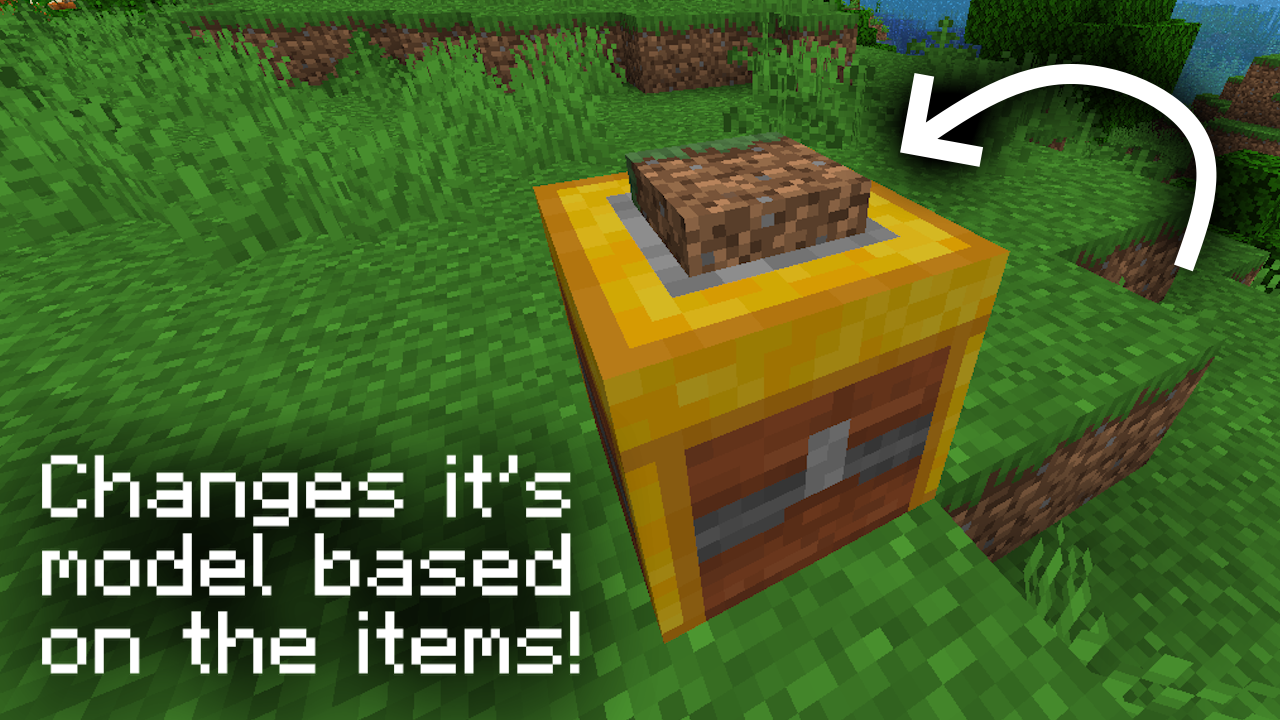
The Grinding Table is a datapack that adds the Grinding Table, a utility block perfect for things like item management, general crafting and more.
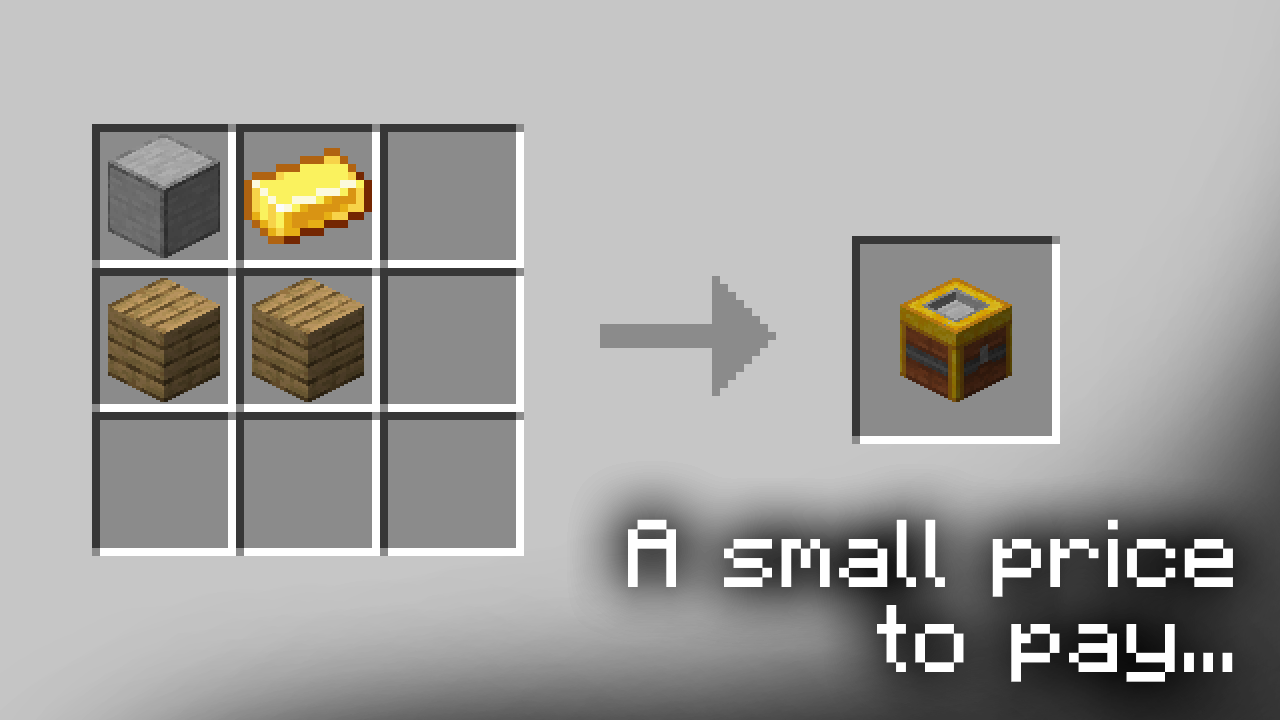
Crafted from just two Planks of any kind, one Gold Ingot and one Smooth Stone, the Grinding Table has an easy-to-use GUI that you can use to open up a plethora of new possibilities.
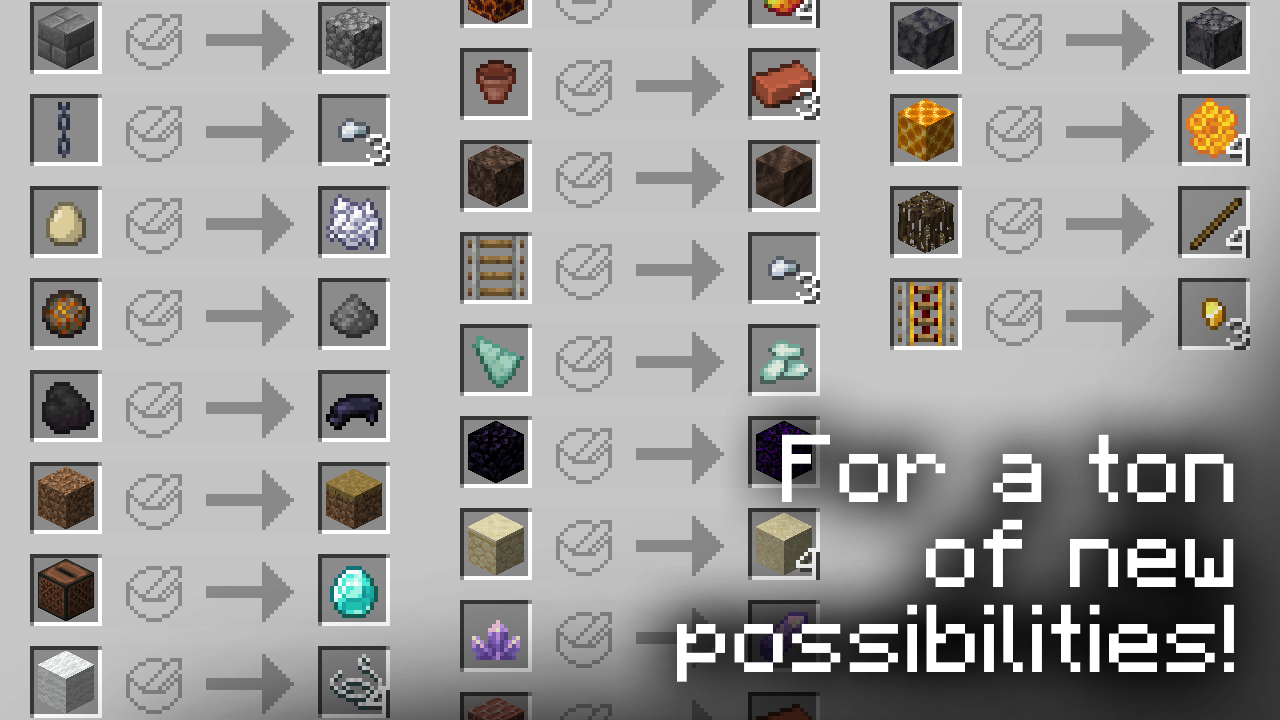
Full list of Grinding Table recipes
| ⠀⠀ |  Stone Tools -> Cobblestone │ Stone Utility Blocks -> Cobblestone Stone Tools -> Cobblestone │ Stone Utility Blocks -> Cobblestone |
⠀⠀ |
 Stone Blocks -> Cobblestone │ Polished Stones -> Regular Variants Stone Blocks -> Cobblestone │ Polished Stones -> Regular Variants |
||
 Gravel -> Flint │ Nether Wart Block -> Nether Warts Gravel -> Flint │ Nether Wart Block -> Nether Warts |
||
 Coal -> Black Dye │ Fire Charge -> Gunpowder Coal -> Black Dye │ Fire Charge -> Gunpowder |
||
 Snow Block -> Snowballs │ Note Block -> Redstone Dust Snow Block -> Snowballs │ Note Block -> Redstone Dust |
||
 Grass -> Wheat Seeds │ Dried Kelp Block -> Bone Meal Grass -> Wheat Seeds │ Dried Kelp Block -> Bone Meal |
||
 Wool -> String │ Carpet -> String Wool -> String │ Carpet -> String |
||
 Wool Stairs -> String │ Wool Slabs -> String Wool Stairs -> String │ Wool Slabs -> String |
||
 Cushions -> String │ Potent Sulfur -> Gunpowder Cushions -> String │ Potent Sulfur -> Gunpowder |
||
 Cinnabar Blocks -> Cinnabar │ Sulfur Blocks -> Sulfur Cinnabar Blocks -> Cinnabar │ Sulfur Blocks -> Sulfur |
||
 Torchflower Seeds -> Green Dye │ Pitcher Pod -> Brown Dye Torchflower Seeds -> Green Dye │ Pitcher Pod -> Brown Dye |
||
 Chain Armor -> Iron Chain │ End Rod -> Blaze Rod Chain Armor -> Iron Chain │ End Rod -> Blaze Rod |
||
 Iron Chain -> Iron Nuggets │ Copper Chain -> Copper Nuggets Iron Chain -> Iron Nuggets │ Copper Chain -> Copper Nuggets |
||
 Iron Bars -> Iron Nuggets │ Copper Bars -> Copper Nuggets Iron Bars -> Iron Nuggets │ Copper Bars -> Copper Nuggets |
||
 Jukebox -> Diamond │ Flower Pot -> Bricks (Item) Jukebox -> Diamond │ Flower Pot -> Bricks (Item) |
||
 Cauldron -> Iron Ingots │ Hopper -> Iron Ingots Cauldron -> Iron Ingots │ Hopper -> Iron Ingots |
||
 Iron Door -> Iron Ingot │ Observer -> Nether Quartz Iron Door -> Iron Ingot │ Observer -> Nether Quartz |
||
 Redstone Comparator -> Nether Quartz │ Daylight Detector -> Nether Quartz Redstone Comparator -> Nether Quartz │ Daylight Detector -> Nether Quartz |
||
 Block of Amethyst -> Amethyst Shards │ Amethyst Bud -> Amethyst Shard Block of Amethyst -> Amethyst Shards │ Amethyst Bud -> Amethyst Shard |
||
 Lectern -> Bookshelf │ Beacon -> Nether Star Lectern -> Bookshelf │ Beacon -> Nether Star |
||
 Sandstone -> Sand │ Mangrove Roots -> Sticks Sandstone -> Sand │ Mangrove Roots -> Sticks |
||
 Rails -> Iron Nuggets │ Powered Rails -> Gold Nuggets Rails -> Iron Nuggets │ Powered Rails -> Gold Nuggets |
||
 Redstone Repeater -> Redstone Torches │ Redstone Torch -> Redstone Dust Redstone Repeater -> Redstone Torches │ Redstone Torch -> Redstone Dust |
||
 Sandstone Blocks -> Sandstone │ Red Sandstone Blocks -> Red Sandstone Sandstone Blocks -> Sandstone │ Red Sandstone Blocks -> Red Sandstone |
||
 Red Sandstone -> Red Sand │ Smooth Basalt -> Basalt Red Sandstone -> Red Sand │ Smooth Basalt -> Basalt |
||
 Lightning Rod -> Copper Ingots │ Leather Horse Armor -> Leather Lightning Rod -> Copper Ingots │ Leather Horse Armor -> Leather |
||
 Saddle -> Leather │ Jack o'Lantern -> Carved Pumpkin Saddle -> Leather │ Jack o'Lantern -> Carved Pumpkin |
||
 Rabbit's Foot -> Rabbit Hide │ Honeycomb Block -> Honeycomb Rabbit's Foot -> Rabbit Hide │ Honeycomb Block -> Honeycomb |
||
 Poisonous Potato -> Bone Meal │ Chicken Eggs -> Bone Meal Poisonous Potato -> Bone Meal │ Chicken Eggs -> Bone Meal |
||
 Block of Bamboo -> Bamboo │ Bamboo Mosaic -> Bamboo Planks Block of Bamboo -> Bamboo │ Bamboo Mosaic -> Bamboo Planks |
||
 Wood -> Logs │ Stripped Wood -> Stripped Logs Wood -> Logs │ Stripped Wood -> Stripped Logs |
||
 Wooden Doors -> Planks │ Soil Blocks -> Dirt Wooden Doors -> Planks │ Soil Blocks -> Dirt |
||
 Mud Bricks -> Packed Mud │ Packed Mud -> Mud Mud Bricks -> Packed Mud │ Packed Mud -> Mud |
||
 Mud -> Dirt │ Coarse Dirt -> Dirt Mud -> Dirt │ Coarse Dirt -> Dirt |
||
 Dirt -> Dirt Path │ Dirt Path -> Farmland Dirt -> Dirt Path │ Dirt Path -> Farmland |
||
 Item Frames -> Leather │ Mace -> Heavy Core Item Frames -> Leather │ Mace -> Heavy Core |
||
 Spectral Arrow -> Arrow │ Tipped Arrow -> Arrow Spectral Arrow -> Arrow │ Tipped Arrow -> Arrow |
||
 Bee Homes -> Honeycomb │ Mushroom Blocks -> Mushrooms Bee Homes -> Honeycomb │ Mushroom Blocks -> Mushrooms |
||
 Bricks (Block) -> Bricks (Item) │ Nether Bricks (Block) -> Nether Bricks (Item) Bricks (Block) -> Bricks (Item) │ Nether Bricks (Block) -> Nether Bricks (Item) |
||
 Deepslate Blocks -> Cobbled Deepslate │ Quartz Blocks -> Nether Quartz Deepslate Blocks -> Cobbled Deepslate │ Quartz Blocks -> Nether Quartz |
||
 Soul Sand -> Soul Soil │ Magma Block -> Magma Cream Soul Sand -> Soul Soil │ Magma Block -> Magma Cream |
||
 Tuff Blocks -> Tuff │ Resin Blocks -> Resin Clump Tuff Blocks -> Tuff │ Resin Blocks -> Resin Clump |
||
 Obsidian -> Crying Obsidian │ Ladder -> Sticks Obsidian -> Crying Obsidian │ Ladder -> Sticks |
||
 Redstone Lamp -> Glowstone │ Glowstone -> Glowstone Dust Redstone Lamp -> Glowstone │ Glowstone -> Glowstone Dust |
||
 Blue Ice -> Packed Ice │ Packed Ice -> Ice Blue Ice -> Packed Ice │ Packed Ice -> Ice |
||
 Tinted Glass -> Glass │ Prismarine Shard -> Prismarine Crystals Tinted Glass -> Glass │ Prismarine Shard -> Prismarine Crystals |
||
 Prismarine Blocks -> Prismarine Shards │ End Stone Bricks -> End Stone Prismarine Blocks -> Prismarine Shards │ End Stone Bricks -> End Stone |
||
| ⠀⠀ |  Blackstone Blocks -> Blackstone │ Purpur Blocks -> Popped Chorus Fruit Blackstone Blocks -> Blackstone │ Purpur Blocks -> Popped Chorus Fruit |
⠀⠀ |
You can find additional content for this datapack in the Grinding Table Add-ons collection.
FAQ
Q: How can I disable the "Loaded succesfully!" message?
A: Add the Disable HFD Load Popups datapack to your datapack/mod folder.
Q: The pack doesn't work! / I don't see the "datapack loaded succesfully!" message!
A: You're on a Minecraft version that doesn't support the pack. Check the versions tab for compatible Minecraft versions.
Q: The Grinding Table works, but has missing textures!
A: You don't have the resourcepack installed. You can find it in the versions tab.
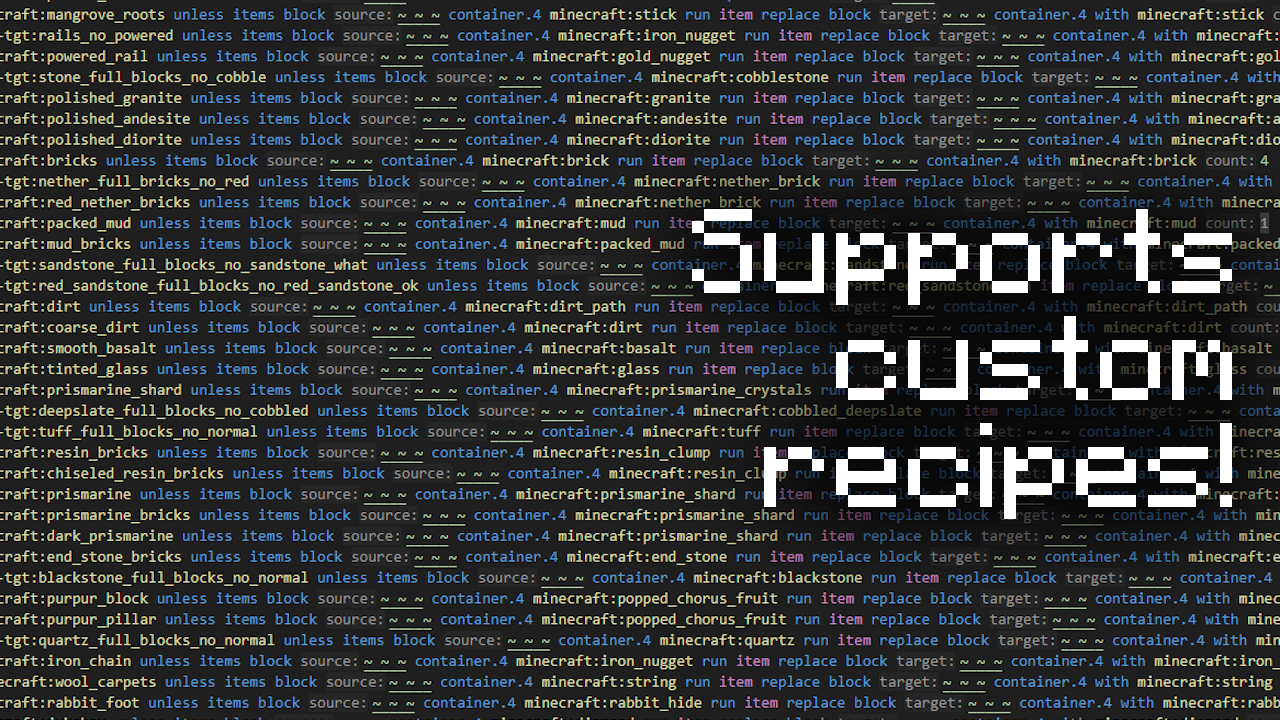
Q: How do I make my own recipes / edit the existing ones?
A:
Method 1: (Easier)
Unzip the Datapack and go in the folders \data\hfd-tgt\function. There you will find a file called "base_recipes.mcfunction". To add a new recipe, copy the template found at the top of the file, paste it on a new line at the end, and replace the necessary values. If you want to edit an existing recipe, find it in the file and customize it to your liking.
Method 2: (Safer and More Compatible)
Download the Example TGT Recipe Pack and unzip it. In the example datapack, change the path "example" to anything of your choosing (Make sure to also change it in the function tag file.). If you're playing on 1.21.9 or above, edit the pack.mcmeta file to work on those versions. When creating a world, place your datapack above TGT, or else it won't work. If your world is already created, disable your datapack with the /datapack command, and then run the command:
/datapack enable [your datapack] after [TGT]When changing / adding recipes to the recipes.mcfunction file, follow the same steps as in method 1.
Q: The Grinding Table functions, but none of the recipes work!
A: You have a corrupted base_recipes.mcfunction file. Check the Minecraft log located in .minecraft\logs\latest.log for more info.
Q: The Grinding Table and base recipes work, but none of the custom recipes do!
A: You have a corrupted custom recipes datapack. Ditto.
Additional Info
If you wish to uninstall the pack after use you can use the /function hfd-tgt:uninstall command to help with the process. Note that this command won't remove Grinding Tables that are unloaded and / or stored in a block.
Using this pack in a video or modpack is fine as long as proper credit is given.
If you wish to contact me you can do so via Gmail ([email protected]), Discord (@happyfied), or the happyfied Modrinth Feedback Form.
Bugs wanted.
Screenshots
Gallery
-
 Thumbnail
 -
 Showcase
 -
 Showcase 2
 -
 Showcase 3
 -
 Showcase 4
Versions
Files
Relations
Project Relations
More like this
Similar Mods
Suggestions use data such as tags, dependencies, dependents, descriptions, titles, and more to rank how much they overlap with this mod.
On ModDex
Community snapshot
By the numbers
Statistics

Want to reach Minecraft players?
We're looking for a server hosting partner to feature here and other parts of the site. Interested? Send us a message!
Get in touchGet it on
Available Platforms
On ModDex
Community snapshot
By the numbers
Statistics
Resources