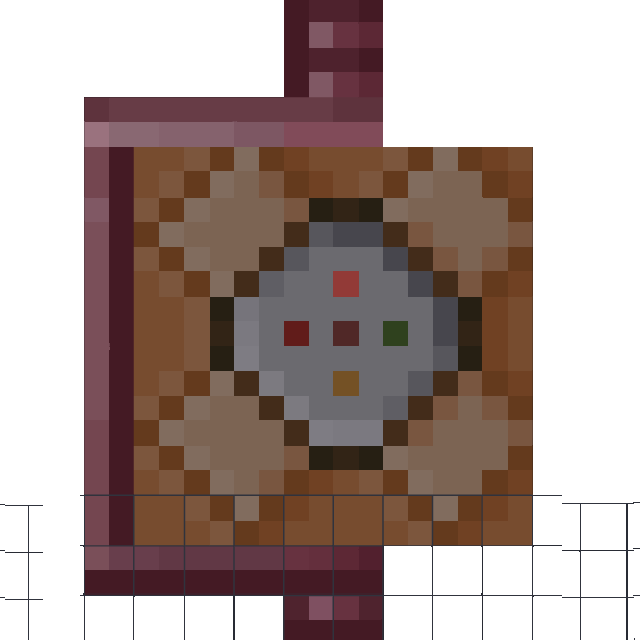
Community listing page, reviews here may not be monitored by the author.
方块权杖

No reviews yet
The Block Rod adds two items to the game using a data pack and resource pack: the Portable Dispenser and the Rod. Use /function ab:item/rod to obtain the Rod.
Community voices
Reviews
No reviews yet. Be the first to review this project!
Get it on
Available Platforms
Compatibility
Supported Environments
Must be installed on both the client and the server.
About
Project Details
For authors
Embed Badge
If you're the author of this project, you can embed a live badge anywhere that supports HTML or Markdown. It updates automatically whenever ratings change.
Use HTML for any page that supports it, or Markdown for README files and Markdown-based descriptions.
Identifiers
Platform IDs
About
Description
The Block Rod adds two items to the game using a data pack and resource pack: the Portable Dispenser and the Rod. Use /function ab:item/rod to obtain the Rod.
Rod. When holding the Rod, you can sneak and right‑click to load the block in your off‑hand onto it. The blocks that can be loaded are: Command Block, Diamond Block, Netherite Block, Obsidian, Bedrock, Anvil, Barrier, Beehive, Bookshelf, Brewing Stand, Campfire, Cauldron, Cobblestone, Dripstone Block, Emerald Block, Enchanting Table, End Portal Frame, Gold Block, Grindstone, Ice Block, Iron Block, Lapis Lazuli Block, Lightning Rod, Magma Block, Netherrack, Note Block, Oak Log, Player Head, Snow Block, Redstone Block, TNT, Wool, Wither Skeleton Skull, Sculk Sensor, Portable Dispenser.
Command Block Rod: Hold and left‑click to open a command list. The list comes with three commands: Custom Command, TP nearest player, Kill nearest player. Right‑click to execute the selected command. After using Custom Command, your off‑hand is replaced with an input tool (actually a Book and Quill). Open the input tool empty‑handed, write a command inside, and the title of the written book becomes the command's name. After signing the book, hold the Command Block Rod in your main hand and the input tool in your off‑hand – the command from the book is then recorded into the list.
Diamond Block Rod: Base damage +5. Left‑click breaks blocks in a certain area in front.
Netherite Block Rod: Base damage +10. Left‑click breaks a large area of blocks in front.
Obsidian Rod: Left‑click pushes blocks in a certain area in front.
Bedrock Rod: Base damage +40, Knockback +20. Left‑click pushes blocks in a certain area in front. Right‑click can continuously summon temporary bedrock attacks.
Anvil Rod: Base damage +20, Attack Speed –2, Speed –999, Gravity +1.
Barrier Rod: Left‑click fires a barrier stream. Right‑click summons a temporary barrier wall.
Beehive Rod: Left‑click fires bees to attack. Bees deal poison damage and have a chance to summon exploding creeper bees. Right‑click sets a waypoint, directing bees to fly towards it.
Bookshelf Rod: Right‑click sprays a scatter attack of books and paper. The number of paper is twice that of books, and the damage of books is twice that of paper.
Brewing Stand Rod: Left‑click sprays four types of splash potions: Slowness, Instant Damage, Poison, Weakness. Right‑click continuously sprays various potion particles: Slowness, Instant Damage, Poison, Weakness, Infestation, Wind Charge, Oozing, Weaving.
Campfire Rod: Left‑click continuously sprays flames. Right‑click sprays flames downward for flight.
Cauldron Rod: Right‑click absorbs potion particles from the Brewing Stand.
Cobblestone Rod: Left‑click places cobblestone‑based blocks once in front. Right‑click continuously places cobblestone‑based blocks in front.
Dripstone Block Rod: Left‑click summons a pointed dripstone that pierces upward from below in front. Right‑click continuously summons a line of pointed dripstones piercing upward from below in front.
Emerald Block Rod: Base damage +7. Left‑click eliminates magical projectiles from other rods in front once. Right‑click continuously eliminates magical projectiles from other rods in front.
Enchanting Table Rod: Left‑click enchants the item in the hand of a creature in front. Right‑click enchants the items on yourself and in your other hand. Enchantments are not limited to those normally allowed on the item.
End Portal Frame Rod: Left‑click summons a portal at a distance. Right‑click summons a portal next to you. Every two summoned portals are connected.
Gold Block Rod: Base damage +4, Knockback +3.
Grindstone Rod: Right‑click continuously attacks creatures in front, ignoring invincibility frames. If the creature is inside a block, it takes an additional instance of damage.
Ice Block Rod: Left‑click summons three ice streams that fly forward until hitting a block or creature. Hitting a creature freezes it. Right‑click continuously summons ice streams.
Iron Block Rod: Base damage +3. Right‑click fires a chain forward. Targets hit by the chain receive Slowness.
Lapis Lazuli Block Rod: When held, you float. Sneak to stop floating. Left‑click enchants a block, turning it into an entity with an enchantment glint. Left‑click again restores it. Sneak + left‑click fires a lapis lazuli laser that deals magic damage. The block retains its contents. Right‑click controls the enchanted block to fly forward, but the Y‑axis direction is reversed.
Lightning Rod Rod: Left‑click summons lightning in front. Right‑click continuously summons lightning in front.
Magma Block Rod: Left‑click sets attacked entities on fire. Right‑click summons a fireball forward.
Netherrack Rod: Left‑click summons three netherrack streams that fly forward until hitting a block or creature. Hitting a creature deals damage. Right‑click continuously summons netherrack streams.
Oak Log Rod: Left‑click places oak‑based blocks once in front. Right‑click continuously places oak‑based blocks in front.
Player Head Rod: No effect. When held and struck by lightning, it transforms into Herobrine's Head Rod.
Herobrine's Head Rod: When held, you can fly. Sneak to stop flying. Immune to fall damage and elytra impact damage. Sneak + left‑click teleports you to where you are looking. Right‑click continuously fires Herobrine heads that deal out_of_world damage.
Snow Block Rod: Left‑click fires a snowball. Right‑click continuously sprays snowballs.
Redstone Block Rod: Left‑click fires three small laser shots. Right‑click summons a laser. Both deal fire damage.
TNT Rod: Left‑click fires one TNT. Right‑click continuously fires TNT forward.
Wool Rod: Left‑click places wool once. Right‑click continuously places wool.
Wither Skeleton Skull Rod: Left‑click fires one Wither skull. Right‑click continuously fires Wither skulls, with a chance to fire blue Wither skulls.
Sculk Sensor Rod: When held, continuously increases a dodge count. When taking damage, become invincible and consume one dodge count to dodge forward. When a projectile is nearby, also consumes one dodge count. After dodging, the time until the next dodge count increase is extended.
Dispenser Rod: Infinitely fires items from the Portable Dispenser. Left‑click fires once. Right‑click fires continuously.
Portable Dispenser: Crafted from a normal dispenser. You can load items into it like a Bundle. Left‑click randomly fires a projectile from it.
Screenshots
Gallery
-
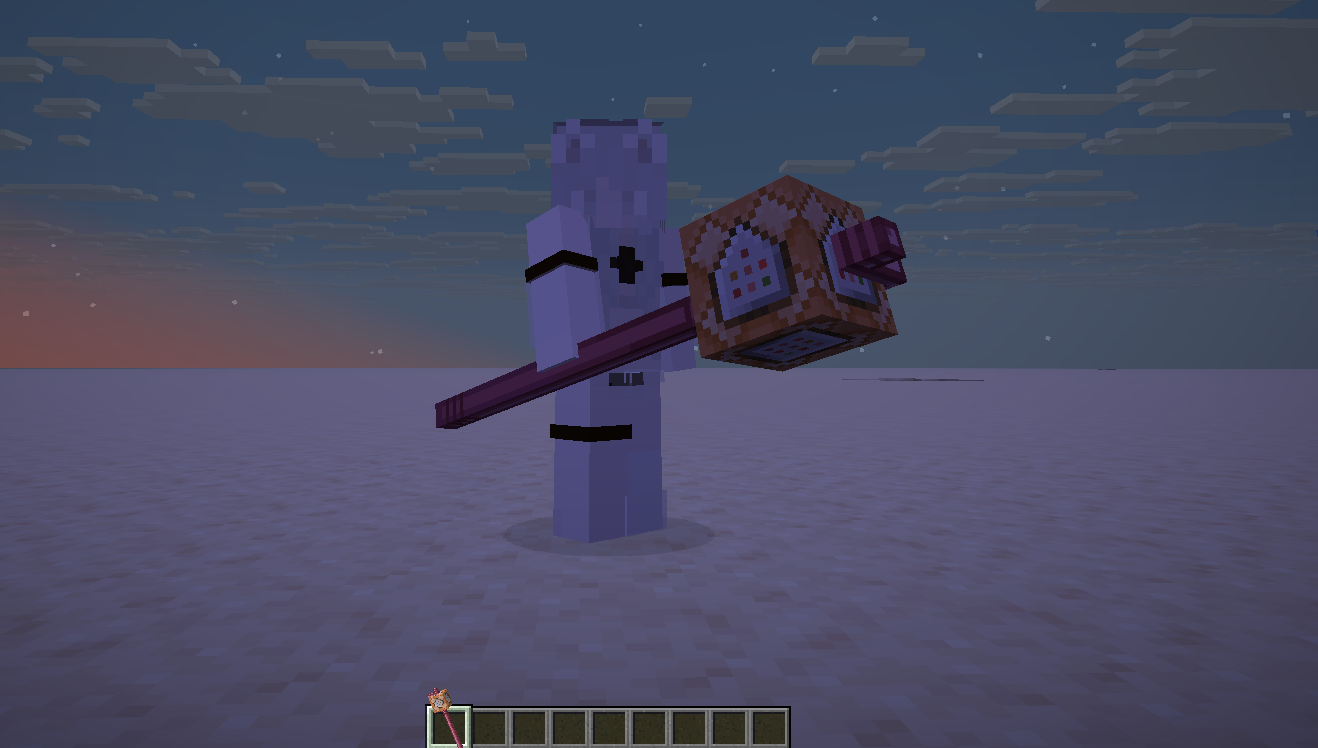 命令方块权杖 这是其中命令方块权杖的样子
Versions
Files
Relations
Project Relations
More like this
Similar Mods
Suggestions use data such as tags, dependencies, dependents, descriptions, titles, and more to rank how much they overlap with this mod.
On ModDex
Community snapshot
By the numbers
Statistics

Want to reach Minecraft players?
We're looking for a server hosting partner to feature here and other parts of the site. Interested? Send us a message!
Get in touchGet it on
Available Platforms
On ModDex
Community snapshot
By the numbers