Community listing page, reviews here may not be monitored by the author.
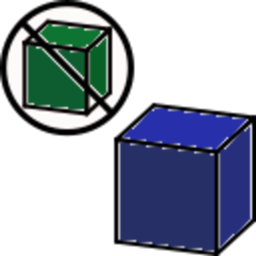
This, Not That


No reviews yet
Replace missing mod blocks with other blocks
Community voices
Reviews
No reviews yet. Be the first to review this project!
Get it on
Available Platforms
Compatibility
Supported Environments
Runs entirely on the server. Also works in singleplayer.
About
Project Details
For authors
Embed Badge
If you're the author of this project, you can embed a live badge anywhere that supports HTML or Markdown. It updates automatically whenever ratings change.
Use HTML for any page that supports it, or Markdown for README files and Markdown-based descriptions.
Identifiers
Platform IDs
Resources
External Links
About
Description
A Minecraft mod to replace blocks and items from a missing mod with different blocks and items.
For Mincraft 1.17.1 with the Fabric loader.
For example, if you have a mod pack that uses only AnnoyingTechMod, and after playing a world for a while you decide to use FunTechMod instead, but you don't want to start a new world.
Your options are:
- Just add the new mod and hope everything plays nice
- Remove the old mod first and just deal with the holes in your world gen
- Use WorldEdit to replace blocks
- Pray that MC Edit suddenly gets an update.
- Use This, Not That to replace old blocks and items with new
The first two options may leave you having to travel to new chunks to find world gen you need.
WorldEdit will probably crash if your world is large, and/or take a very long time.
This, Not That can replace world gen from the AnnoyingTechMod with blocks and items from FunTechMod as the world gets loaded, so the world updates while you play!
Add the block/item names from AnnoyingTechMod (_e.g._ "annoying_tech:tin_ore", "annoying_tech:tin_ingot") with the corresponding names from FunTechMod (e.g. "fun_tech:tin_ore", "fun_tech:tin_ingot"). You can also replace non-similar things, if the was AnnoyingTechMod had "annoying_tech:agate" but FunTech had "fun_tech:garnet" you could use those as a replacement pair.
This, Not That includes a command to attempt to automatically generate a replacement configuration file, your results may vary.
/this_not_that generate <Mod-Id> [Preferred-Replacement-Mod-Id] will generate a config file this_not_that.<Mod-Id>.json in the config directory.
The replacements in the generated config will be whatever closest matched the tags and name of the thing from the given mod. The [Preferred-Replacement-Mod-Id] parameter is optional and does not guarantee selection.
Things to know:
- Cannot replace things that exist in a currently installed mod (or vanilla).
- Will only replace things with the default version of that thing.
- Cannot replace in-world BlockEntities, but can (usually) replace the item version of them.
Can't use a block replacement for "annoying_tech:nuclear_furnace", but can use an item replacement. - Will only search vanilla Chests, Barrels, Hoppers and similar mod storages, it may or may not work with any particular mod's storage block.
- When a damaged item is replaced, proportional damage will be applied to the new item (if possible).
If a "annoying_tech:cardboard_pickaxe" had 13/18 damage was being replaced with "fun_tech:micarta_pickaxe" which has a max damage of 23, the new item would have damage of 17. * If an item has a custom name, it will be applied to the new item (if possible). - When an enchanted item is replaced, only the enchantments valid for the replacement item are used.
- When a damaged item is replaced, proportional damage will be applied to the new item (if possible).
- Replacing ItemBlocks of all specified blocks is a config option.
- Replacing items in the Players' inventory (and Ender Chest) is also a config option.
- Replacement happens when a chunk is loaded, so large replacement lists may be noticeable (especially if replacing lots of items).
- The generate command needs be be performed with the mod to replace installed.
- Modpacks that adjust/remove the tags for better unification/integration may have a negative affect on the generate command.
e.g. All of Fabric will not generate any results for ores/dust/ingots unless Kube.js is disabled. - The generate command's output is a best-guess, this works well for technical things like ore/dust/ingot/nugget/tools, but may have poor results for purely decorative things.
- Verify generate's output for nonsensical replacements before loading a world you care about.
- Create a backup of you world before trying to load it with the mod, and check around first before playing with it.
Example Config:
https:/gitlab.com/thor12022/this-not-that/-/snippets/2183686
A Minecraft mod to replace blocks and items from a missing mod with different blocks and items.
For Mincraft 1.17.1 with the Fabric loader.
For example, if you have a mod pack that uses only AnnoyingTechMod, and after playing a world for a while you decide to use FunTechMod instead, but you don't want to start a new world.
Your options are:
- Just add the new mod and hope everything plays nice
- Remove the old mod first and just deal with the holes in your world gen
- Use WorldEdit to replace blocks
- Pray that MC Edit suddenly gets an update.
- Use This, Not That to replace old blocks and items with new
The first two options may leave you having to travel to new chunks to find world gen you need.
WorldEdit will probably crash if your world is large, and/or take a very long time.
This, Not That can replace world gen from the AnnoyingTechMod with blocks and items from FunTechMod as the world gets loaded, so the world updates while you play!
Add the block/item names from AnnoyingTechMod (_e.g._ "annoying_tech:tin_ore", "annoying_tech:tin_ingot") with the corresponding names from FunTechMod (e.g. "fun_tech:tin_ore", "fun_tech:tin_ingot"). You can also replace non-similar things, if the was AnnoyingTechMod had "annoying_tech:agate" but FunTech had "fun_tech:garnet" you could use those as a replacement pair.
This, Not That includes a command to attempt to automatically generate a replacement configuration file, your results may vary.
/this_not_that generate Mod-Id [Preferred-Replacement-Mod-Id] will generate a config file 'this_not_that.Mod-Id.json in the config directory.
The replacements in the generated config will be whatever closest matched the tags and name of the thing from the given mod. The [Preferred-Replacement-Mod-Id] parameter is optional and does not guarantee selection.
Things to know:
- Cannot replace things that exist in a currently installed mod (or vanilla).
- Will only replace things with the default version of that thing.
- Cannot replace in-world BlockEntities, but can (usually) replace the item version of them.
Can't use a block replacement for "annoying_tech:nuclear_furnace", but can use an item replacement. - Will only search vanilla Chests, Barrels, Hoppers and similar mod storages, it may or may not work with any particular mod's storage block.
- When a damaged item is replaced, proportional damage will be applied to the new item (if possible).
If a "annoying_tech:cardboard_pickaxe" had 13/18 damage was being replaced with "fun_tech:micarta_pickaxe" which has a max damage of 23, the new item would have damage of 17. * If an item has a custom name, it will be applied to the new item (if possible). - When an enchanted item is replaced, only the enchantments valid for the replacement item are used.
- Replacing ItemBlocks of all specified blocks is a config option.
- Replacing items in the Players' inventory (and Ender Chest) is also a config option.
- Replacement happens when a chunk is loaded, so large replacement lists may be noticeable (especially if replacing lots of items).
- The generate command needs be be performed with the mod to replace installed.
- Modpacks that adjust/remove the tags for better unification/integration may have a negative affect on the generate command.
e.g. All of Fabric will not generate any results for ores/dust/ingots unless Kube.js is disabled. - The generate command's output is a best-guess, this works well for technical things like ore/dust/ingot/nugget/tools, but may have poor results for purely decorative things.
- Verify generate's output for nonsensical replacements before loading a world you care about.
- Create a backup of you world before trying to load it with the mod, and check around first before playing with it.
- When a damaged item is replaced, proportional damage will be applied to the new item (if possible).
Example Config:
https:/gitlab.com/thor12022/this-not-that/-/snippets/2183686
Screenshots
Gallery
Versions
Files
Relations
Project Relations
More like this
Similar Mods
Suggestions use data such as tags, dependencies, dependents, descriptions, titles, and more to rank how much they overlap with this mod.
On ModDex
Community snapshot
By the numbers
Statistics
Want to reach Minecraft players?
We're looking for a server hosting partner to feature here and other parts of the site. Interested? Send us a message!
Get in touchGet it on
Available Platforms
On ModDex
Community snapshot
By the numbers
Statistics
Resources