
Community listing page, reviews may not be monitored by the author.
TIC Filter

No reviews yet
Browse Tinkers Construct materials, parts, and modifiers with searchable filters and detailed tooltips.

Community voices
Reviews
No reviews yet. Be the first to review this project!
Get it on
Available Platforms
About
Project Details
For authors
Embed Badge
If you're the author of this project, you can embed a live badge anywhere that supports HTML or Markdown. It updates automatically whenever ratings change.
Use HTML for any page that supports it, or Markdown for README files and Markdown-based descriptions.
Identifiers
Platform IDs
Resources
External Links
About
Description
Tinkers Construct Filter is a searchable in-game browser for Tinkers Construct materials, parts, and modifiers. It is designed to make it easier to compare materials, find compatible parts, and inspect modifier requirements without leaving the game.
How to open the browser
Open a Tinker Station and click the Material / Part Browser button above the right-hand information panel. Use the buttons on the left to switch between Tinkers Materials, Tinkers Parts, and Tinkers Modifiers.
Materials
- Browse all registered Tinkers Construct materials and search by name, ID, trait, or trait description.
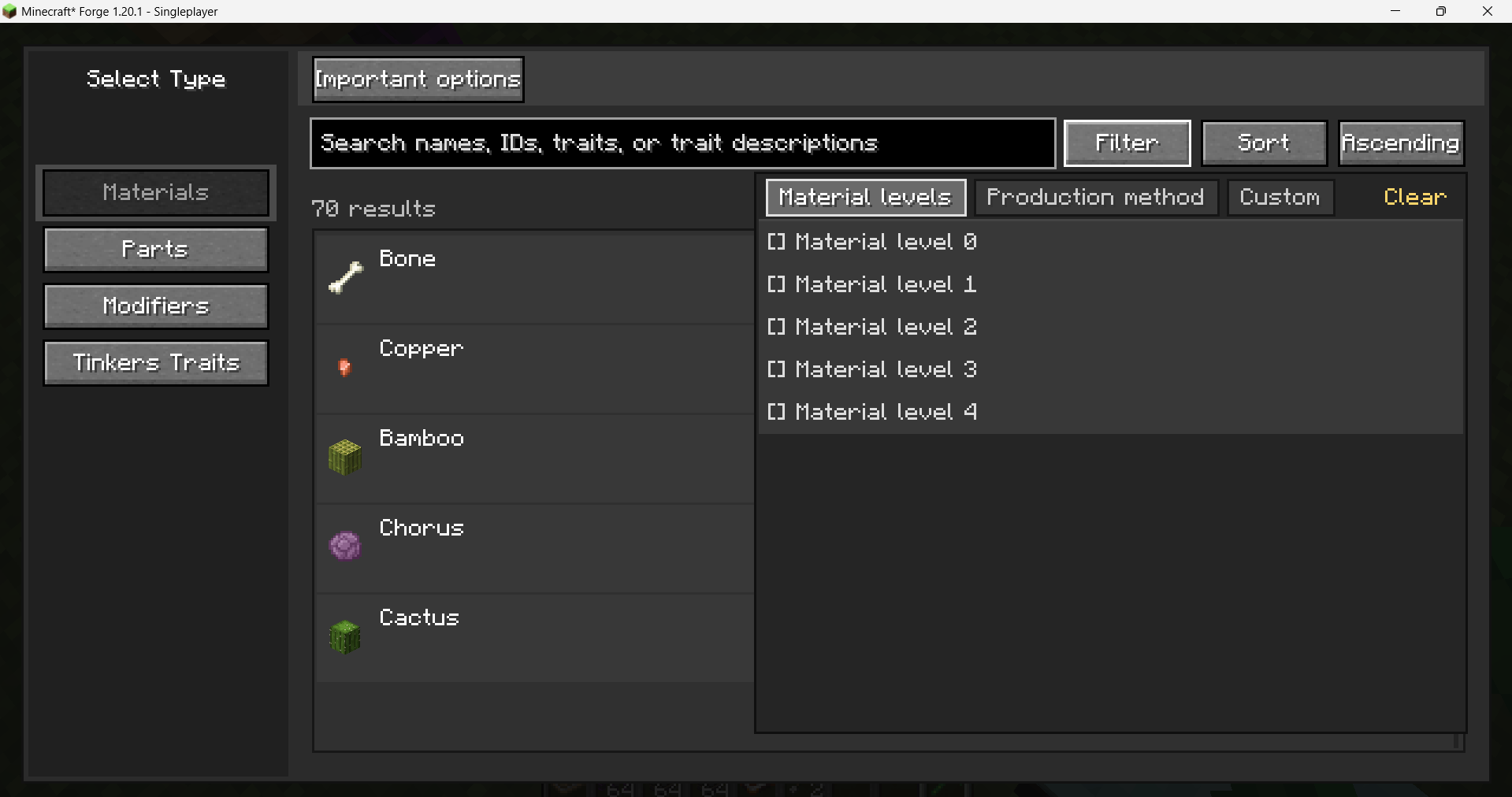
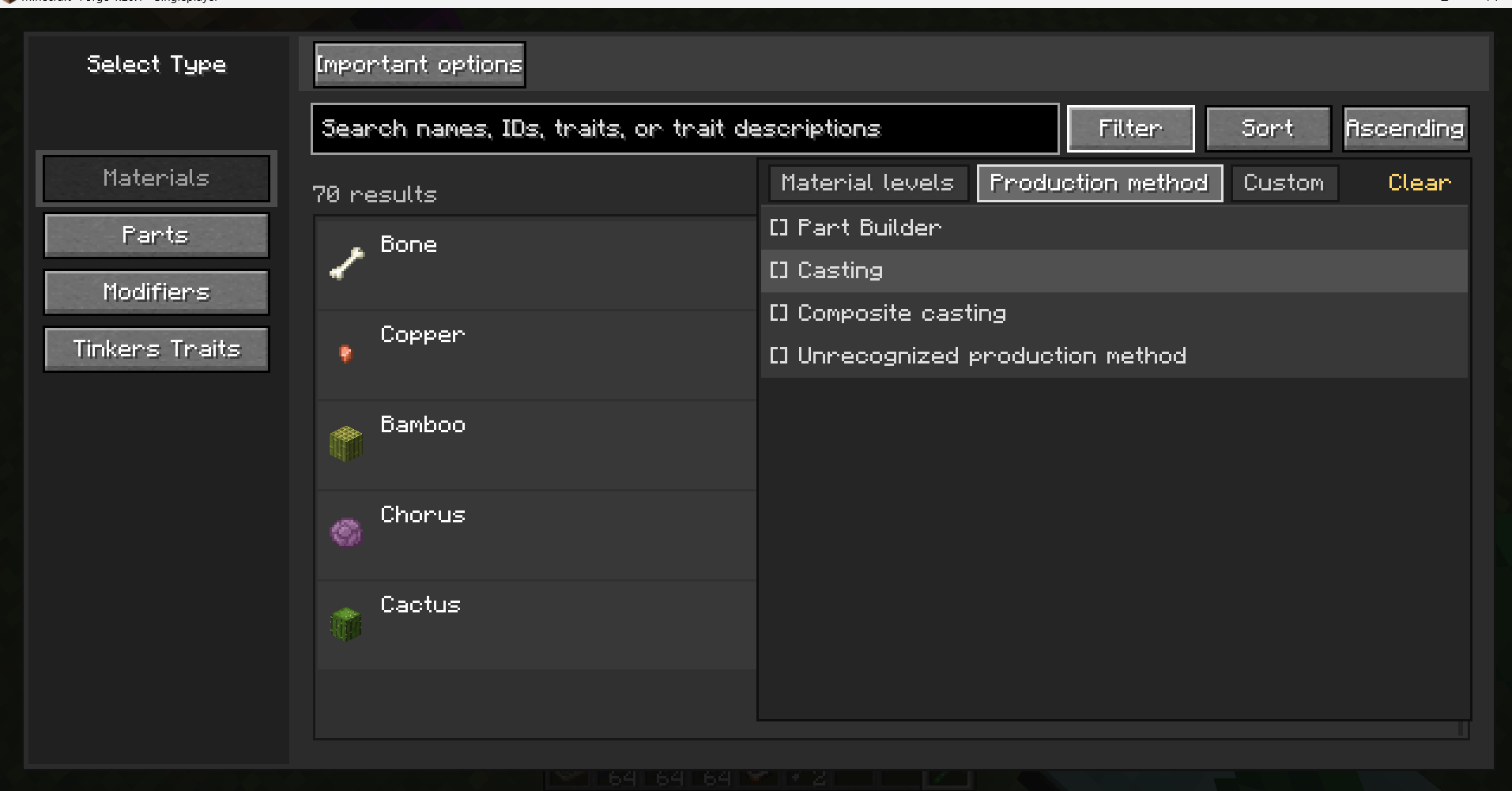
- Use the filter menu to select material levels; multiple options can be selected at the same time.
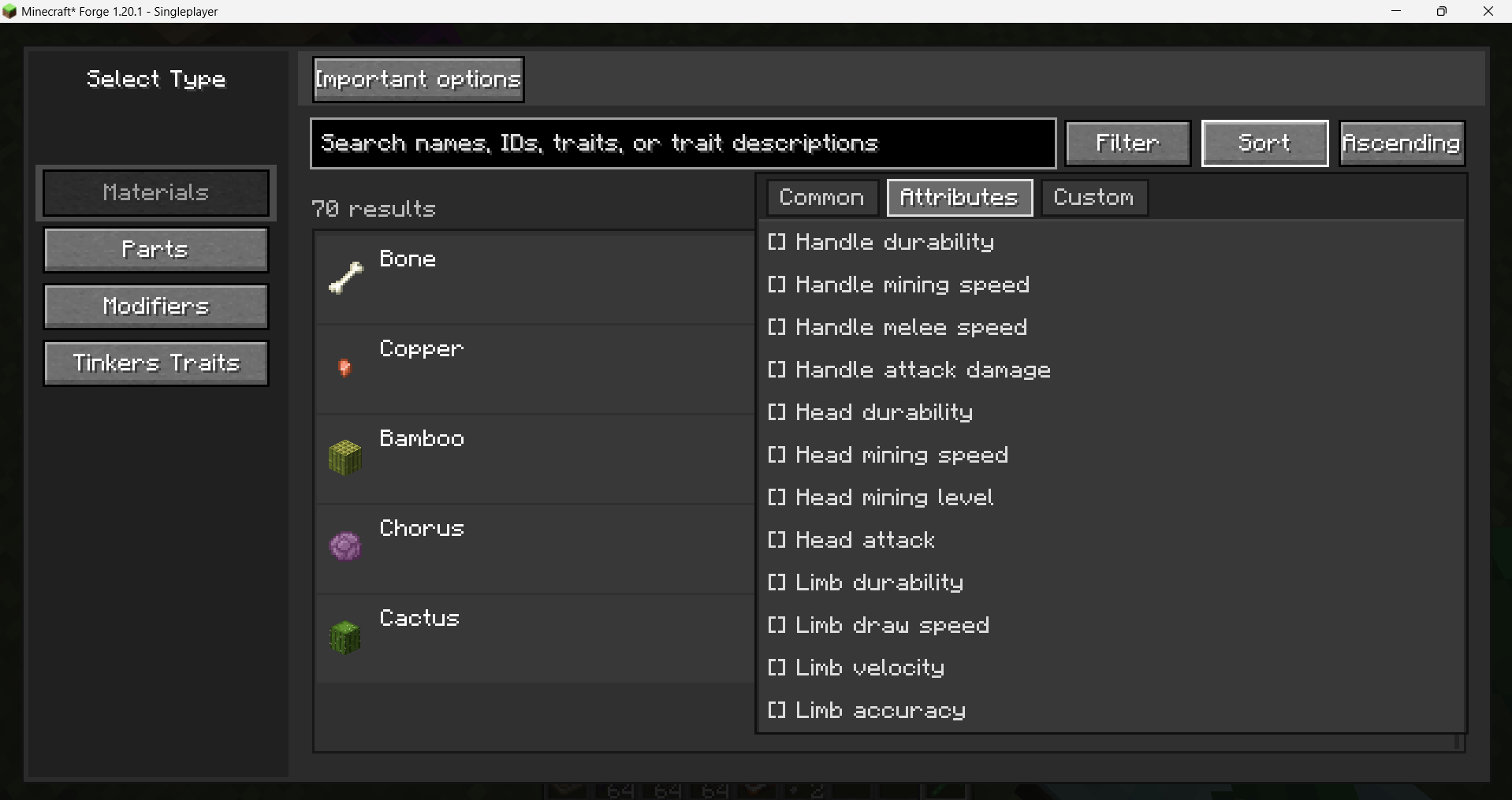
- Use the sort menu to sort by name, material level, available parts, or trait count. Selecting an option marks it with [√], while an unselected option remains [ ].
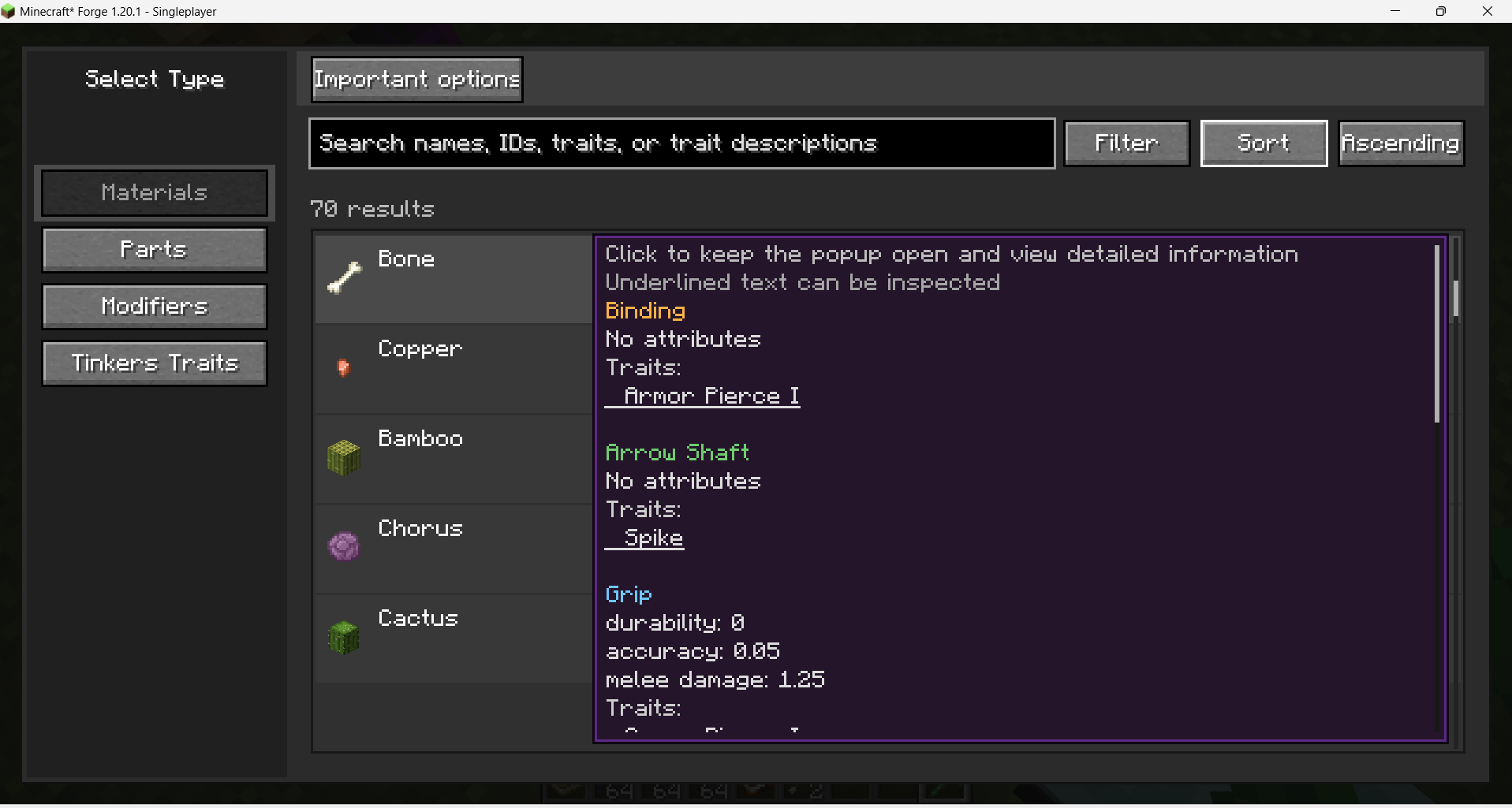
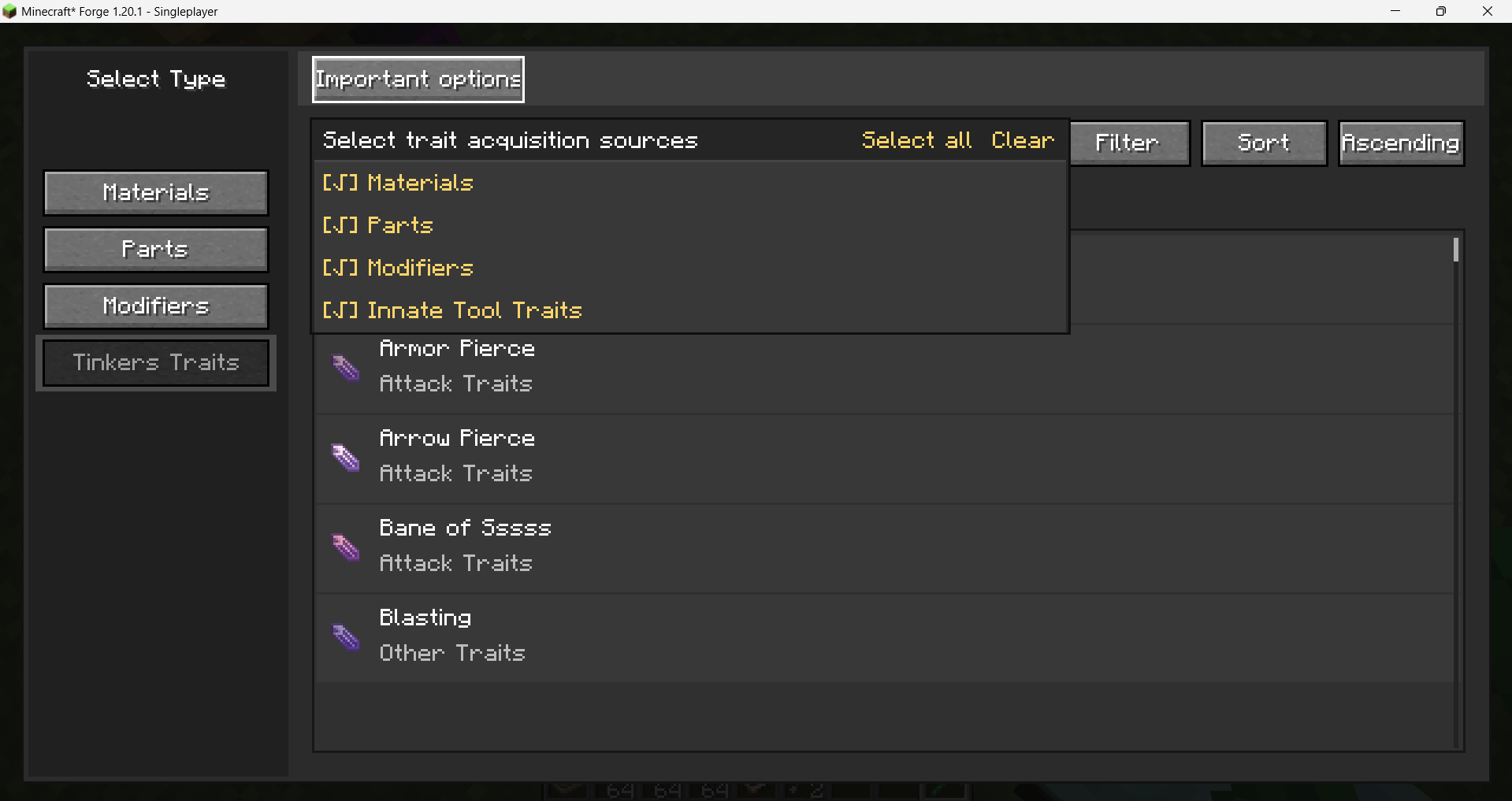
- Open Important Options to select part types such as head, handle, binding, bowstring, and other relevant components. The material preview then shows the properties and traits for the selected part types.
- Hover over underlined trait names to read their detailed descriptions.
Parts
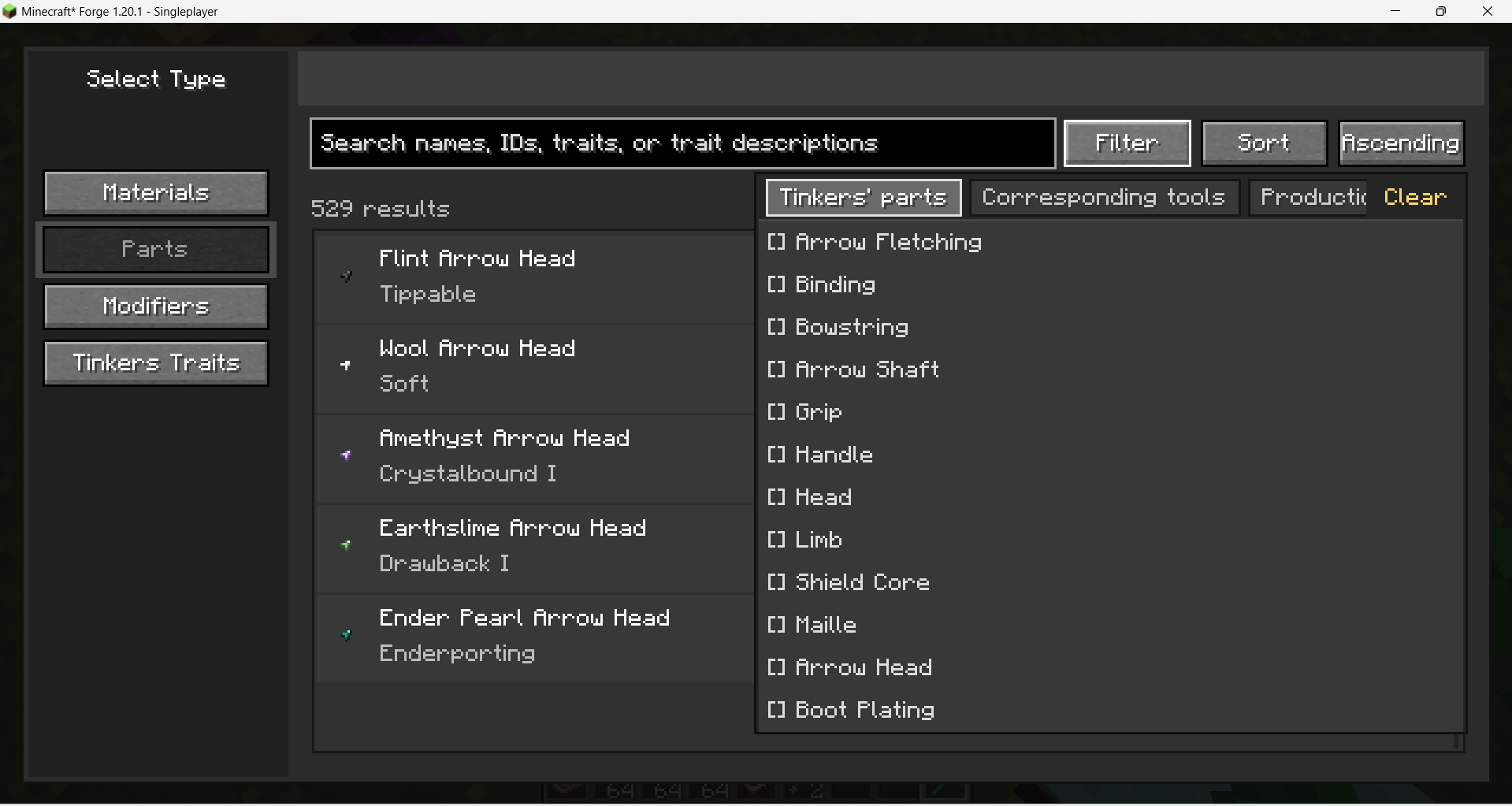
- Browse Tinkers Construct tool parts with their material, durability, mining level, attack damage, attack speed, and other available properties.
- Filter parts by upgrade slot and applicable modular tool type. Mixed tool compatibility is grouped automatically instead of creating confusing duplicate categories.
- Hover over a part entry to open its information panel and inspect the material and trait details.
Modifiers
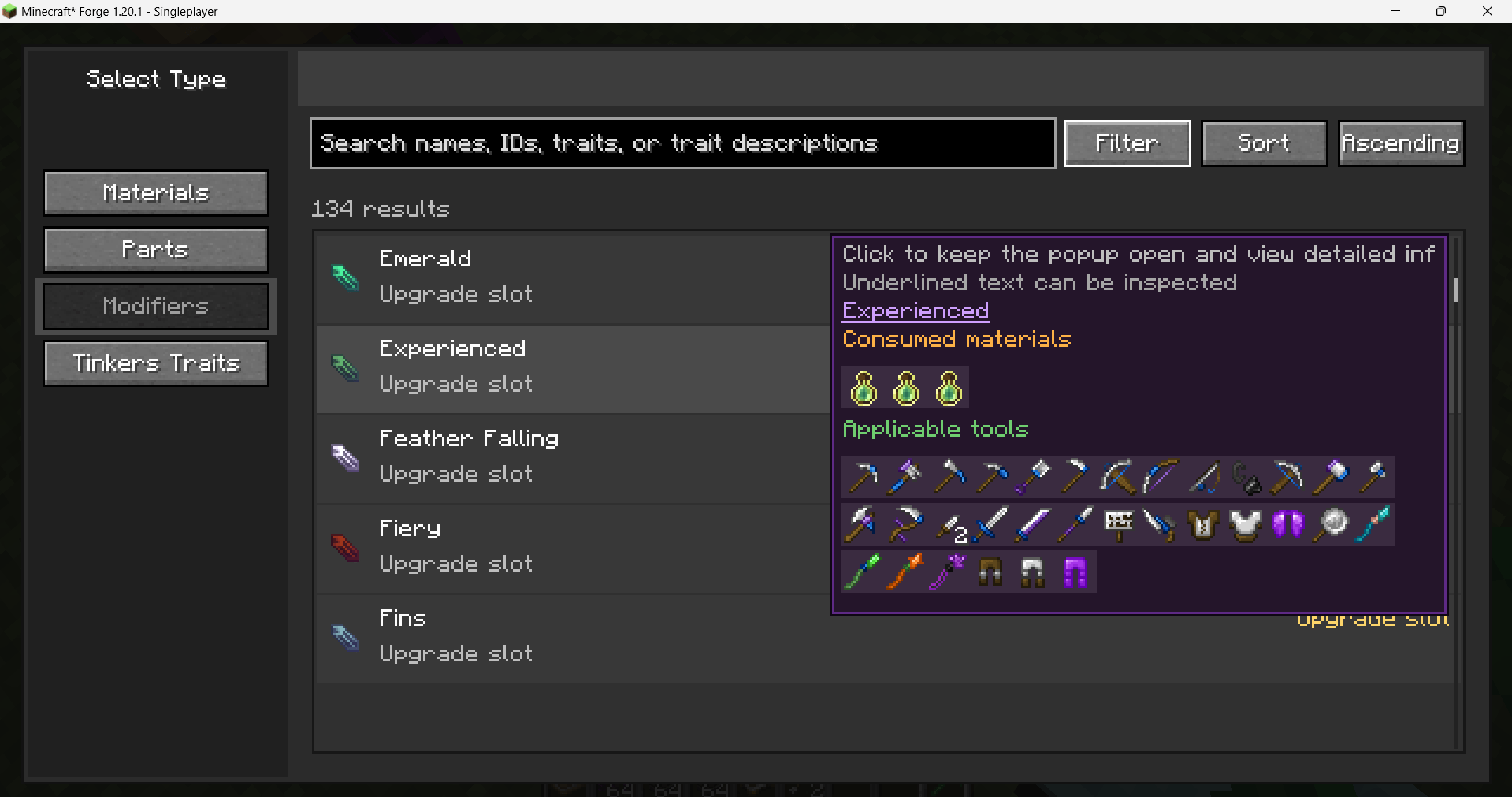
- Browse modifiers with their description, upgrade slot, required materials, and applicable modular tools.
- Required materials and applicable tools are displayed in separate sections. Hover over an item icon to view its normal Minecraft item tooltip.
- When a modifier has multiple possible ingredients or tool variants, they are kept in one slot and shown with a dynamic preview instead of expanding the same entry into a long list.
Search, sorting, and tooltips
- Search by name, ID, trait, or description. Search history can be selected again, and individual history records can be deleted.
- Filter and sorting panels stay above the other hover layers so their controls are not blocked by list tooltips.
- Click an entry to pin its hover panel. After it is pinned, moving the mouse over another entry will not replace the information accidentally; scrolling or clicking another entry updates the panel again.
- Pinned information panels support scrolling, including long modifier descriptions, property lists, materials, tools, and item tooltips.
Compatibility
- Minecraft Forge 1.19.2 and 1.20.1. Download the file matching your Minecraft version.
- Requires the matching version of Tinkers Construct 3. KubeJS is optional and can be used to register custom filters and sorting options.
中文说明:Tinkers Construct Filter 是一个可搜索的匠魂材料、部件与强化游戏内浏览器,方便玩家在不离开游戏的情况下比较材料、查找兼容部件并查看强化需求。
如何打开筛选界面
打开匠魂工作台,点击右侧信息面板上方的 材料/部件浏览 按钮即可进入。通过左侧按钮切换 匠魂材料、匠魂部件 和 匠魂强化。
材料浏览
- 支持浏览已注册的匠魂材料,并按名称、ID、词条或词条描述搜索。
- 筛选菜单支持按材料等级筛选,并且可以同时选择多个选项。
- 排序菜单支持按名称、材料等级、可用部件数量或词条数量排序。选择后显示 [√],未选择显示 [ ]。
- 点击 重要选项,可以选择顶端、手柄、绑定结、弓弦等部件类型;材料预览会根据所选部件展示对应属性和词条。
- 鼠标悬浮到带下划线的词条名称上,可以查看词条详细介绍。
部件浏览
- 展示匠魂部件的材料、耐久度、挖掘等级、攻击伤害、攻击速度及其他可用属性。
- 支持按强化槽位和适用的模块化工具筛选。镐、剑等混合适用工具会自动归入合理分类,避免重复展开。
- 鼠标悬浮到部件条目上,可以打开信息面板查看材料与词条详情。
强化浏览
- 展示强化介绍、强化槽位、消耗材料和适用的模块化工具。
- 消耗材料与适用工具分开展示;鼠标悬浮到物品图标上,可以查看原版物品 tooltip。
- 当强化存在多种可替代材料或工具形式时,会保留在同一个槽位中动态播放预览,不会把同一强化展开成很长的重复列表。
搜索、筛选、排序与悬浮窗
- 支持按名称、ID、词条或描述搜索;历史搜索记录可以再次选择,也可以单独删除。
- 筛选和排序界面拥有更高显示优先级,不会被列表条目的悬浮窗遮挡。
- 点击条目可以固定悬浮窗。固定后鼠标移动到其他条目不会意外替换当前信息,滚轮或点击其他条目后才会继续更新。
- 固定后的信息悬浮窗支持滚轮浏览,可查看较长的强化介绍、属性列表、材料、适用工具及物品 tooltip。
兼容性
- 支持 Minecraft Forge 1.19.2 和 1.20.1,请下载对应 Minecraft 版本的文件。
- 需要安装对应版本的匠魂3;KubeJS 为可选兼容,可用于注册自定义筛选和排序选项。
Screenshots
Gallery
-
 7d04808c-b65d-423a-a7cc-eb9cb25c6fbc.png 7d04808c-b65d-423a-a7cc-eb9cb25c6fbc.png
 -
 0a89432d-395e-41a2-a985-3dc11c8edd70.png 0a89432d-395e-41a2-a985-3dc11c8edd70.png
 -
 743478a1-f5e0-4cfa-b715-eea097ca1f38.png 743478a1-f5e0-4cfa-b715-eea097ca1f38.png
 -
 626b95e9-cc52-45e3-96a3-7213e7df6a6e.png 626b95e9-cc52-45e3-96a3-7213e7df6a6e.png
 -
 9e20956e-af94-438b-a8fb-0a7b2444354b.png 9e20956e-af94-438b-a8fb-0a7b2444354b.png
 -
 78389039-e9db-4172-8a05-4725874bae51.png 78389039-e9db-4172-8a05-4725874bae51.png
 -
 ac20ef06-d1fa-4006-a297-18db188a3864.png ac20ef06-d1fa-4006-a297-18db188a3864.png
Versions
Files
Relations
Project Relations
More like this
Similar Mods
Suggestions use data such as tags, dependencies, dependents, descriptions, titles, and more to rank how much they overlap with this mod.
On ModDex
Community snapshot
By the numbers
Statistics

Get it on
Available Platforms
On ModDex
Community snapshot
By the numbers
Statistics
Resources