Community listing page, reviews here may not be monitored by the author.
Title Changer


No reviews yet
Changes the title of the Minecraft window

Community voices
Reviews
No reviews yet. Be the first to review this project!
Get it on
Available Platforms
Compatibility
Supported Environments
Runs entirely on the client. Works on vanilla servers.
About
Project Details
For authors
Embed Badge
If you're the author of this project, you can embed a live badge anywhere that supports HTML or Markdown. It updates automatically whenever ratings change.
Use HTML for any page that supports it, or Markdown for README files and Markdown-based descriptions.
Identifiers
Platform IDs
About
Description
This mod is very simple. All it does is change the title of the Minecraft window.
The text it sets the title to it gets from the configuration file. Just launch the game once to generate the default config, and edit to fit your needs.
There are a few replaceable inputs, too.
Always visible:
%mcver% will be replaced with the current version of Minecraft
%modcount% will be replaced with the number of loaded mods
%time% will be replaced with the current system time (Time format can be changed in the config file)
Visible while ingame:
%playerloc% will be replaced with the current XYZ coordinates of the player
%chunk% will be replaced with the chunk index
%biome% will be replaced with the current biome
%score% will be replaced with the player's current score (the amount of XP collected since the last respawn), because why not
Values that are only visible while ingame are replaced with a configurable placeholder (default: --) when in the main menu.
If you have any suggestions for the mod, feel free to submit an issue in the issue tracker, and I'll see what I can do.
This mod is very simple. All it does is change the title of the Minecraft window.
The text it sets the title to it gets from the configuration file. Just launch the game once to generate the default config, and edit to fit your needs.
There are a few replaceable inputs, too.
Always visible:
%mcver% will be replaced with the current version of Minecraft
%modcount% will be replaced with the number of loaded mods
%time% will be replaced with the current system time (Time format can be changed in the config file)
Visible while ingame:
%playerloc% will be replaced with the current XYZ coordinates of the player
%chunk% will be replaced with the chunk index
%biome% will be replaced with the current biome
%score% will be replaced with the player's current score (the amount of XP collected since the last respawn), because why not
Values that are only visible while ingame are replaced with a configurable placeholder (default: --) when in the main menu.
Screenshots
Gallery
-
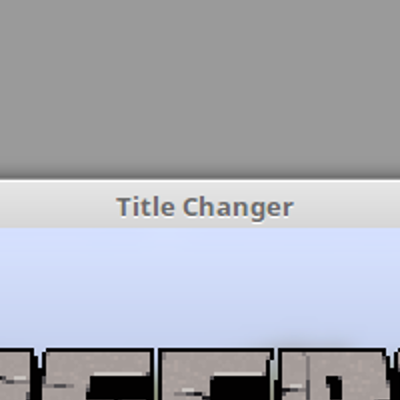 An example of the mod in use In this case, the window title is changed to the name of the mod itself.
Versions
Files
Relations
Project Relations
More like this
Similar Mods
Suggestions use data such as tags, dependencies, dependents, descriptions, titles, and more to rank how much they overlap with this mod.
On ModDex
Community snapshot
By the numbers
Statistics
 (opens in a new tab)
Get it on
Available Platforms
On ModDex
Community snapshot
By the numbers