
Community listing page, reviews here may not be monitored by the author.
Titlebar Changer


No reviews yet
Minecraft mod that offers advanced customization of window appearance, including titlebar, title, and border colors. Full functionality is available only on Windows 11; on Windows 10, the mod's features are limited to changing the titlebar color to dark.

Community voices
Reviews
No reviews yet. Be the first to review this project!
Get it on
Available Platforms
Compatibility
Supported Environments
Runs entirely on the client. Works on vanilla servers.
About
Project Details
For authors
Embed Badge
If you're the author of this project, you can embed a live badge anywhere that supports HTML or Markdown. It updates automatically whenever ratings change.
Use HTML for any page that supports it, or Markdown for README files and Markdown-based descriptions.
Identifiers
Platform IDs
Resources
External Links
About
Description
🔄Titlebar Changer
Personalize the look of your Minecraft window titlebar — tweak colors, text, corners, and borders on Windows.
- 🪟 On Windows 11, the mod unlocks the full range of customization features, such as custom colors, rounded corners, and border styling.
- 🪟 On Windows 10, support is limited by the operating system: you can only switch the titlebar between light and dark modes.
✅ Requirements
- Windows 10 or Windows 11 (other OS are not supported)
- One of: Forge or Fabric/Quilt
- (Optional, for in‑game settings): Cloth Config API
- (Optional, Fabric/Quilt config UI): Mod Menu
🎨 Examples
Below are examples of custom titlebar colors (Windows 11):
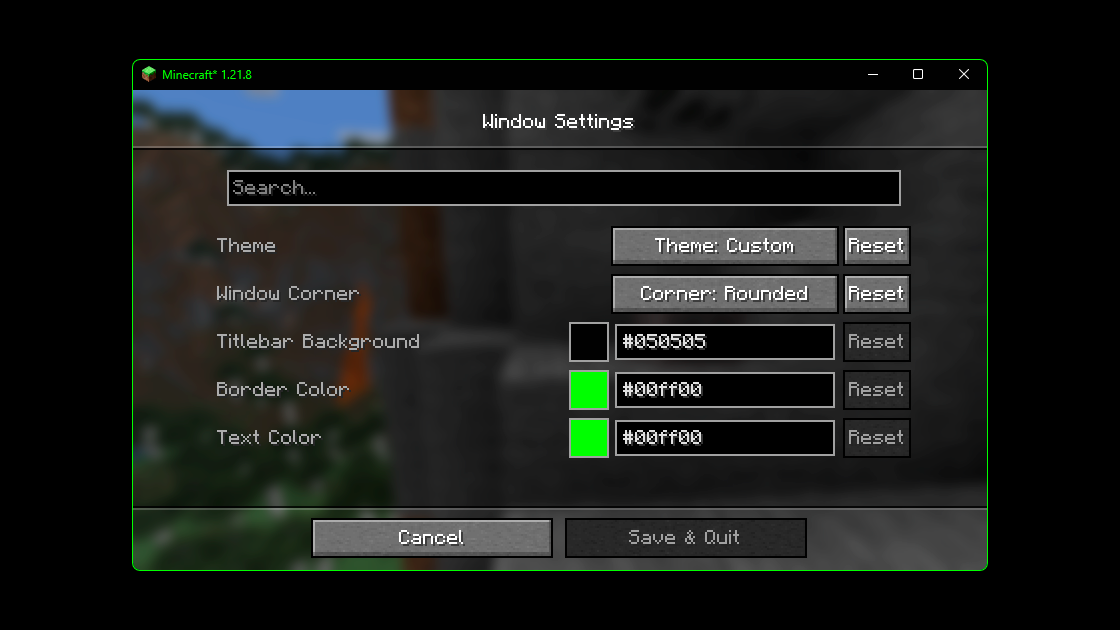
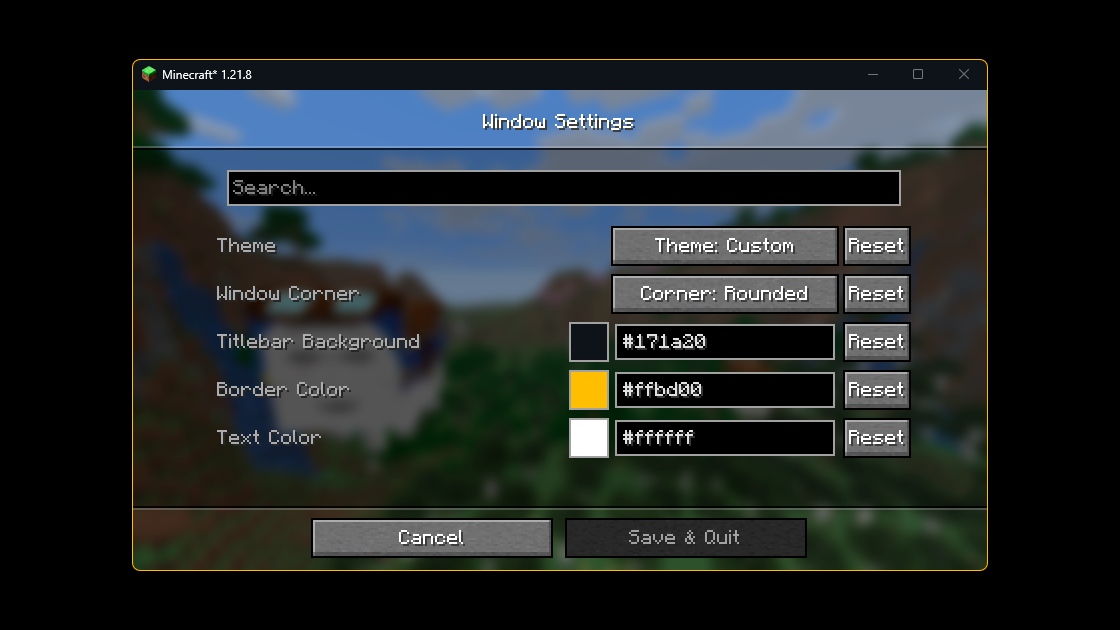
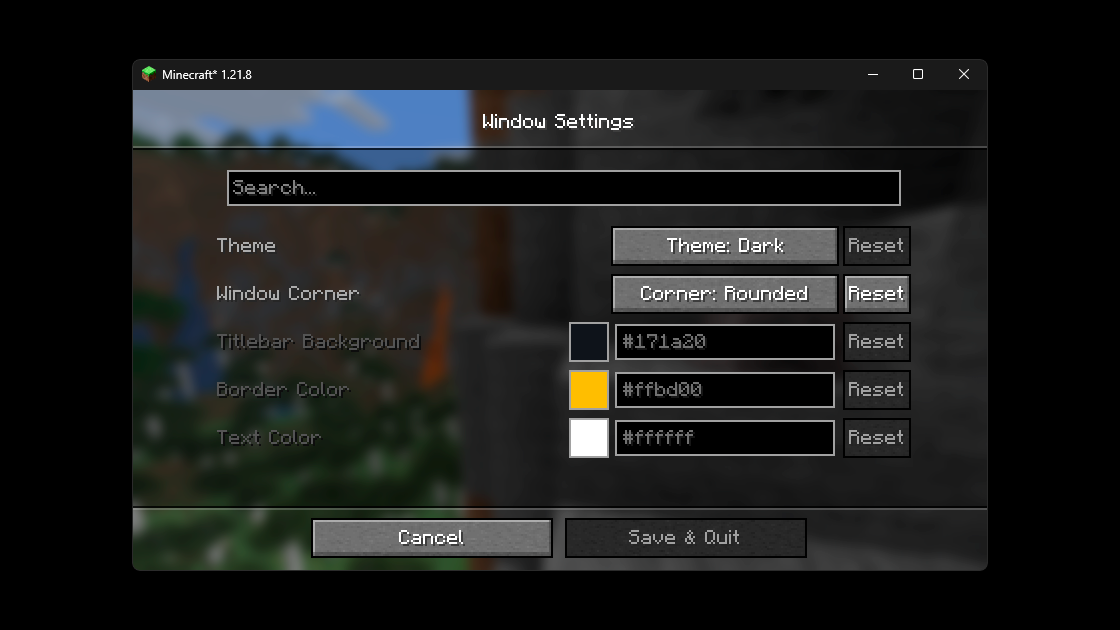
🐱 Fun Example
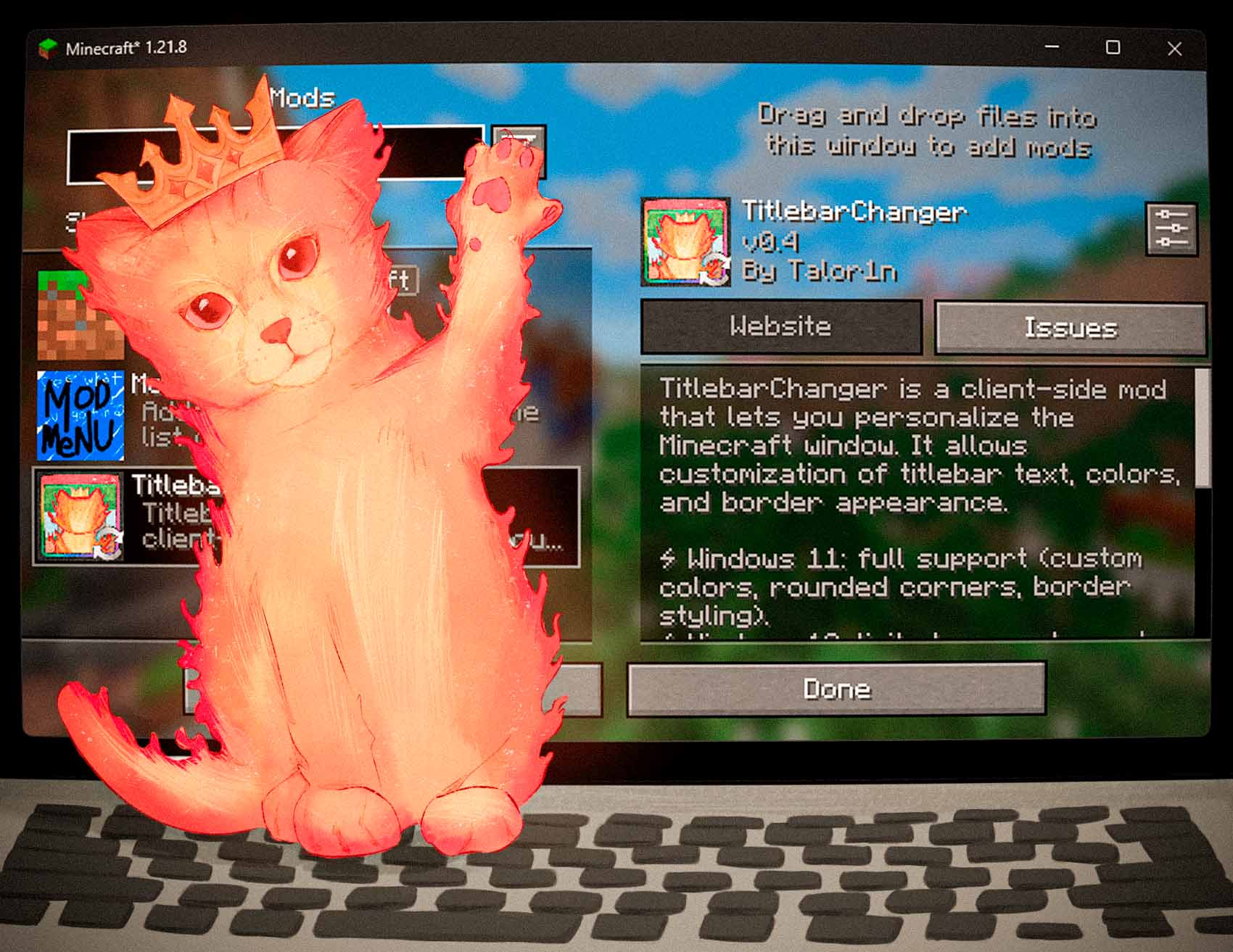
And here’s an extra — the Titlebar Changer with my cat wearing a crown 👑
🔗 Source Code
The source code for the mod is available on GitHub. If you encounter any issues or have suggestions for improvements, please feel free to leave them in the Issues section on GitHub.
⚙️ Configuration
You can configure the mod either in‑game (recommended) or by editing the JSON file.
In‑game config
- Forge: Main Menu → Mods → Titlebar Changer → Config
- Fabric/Quilt: Install Mod Menu + Cloth Config, then Main Menu → Mods → Titlebar Changer
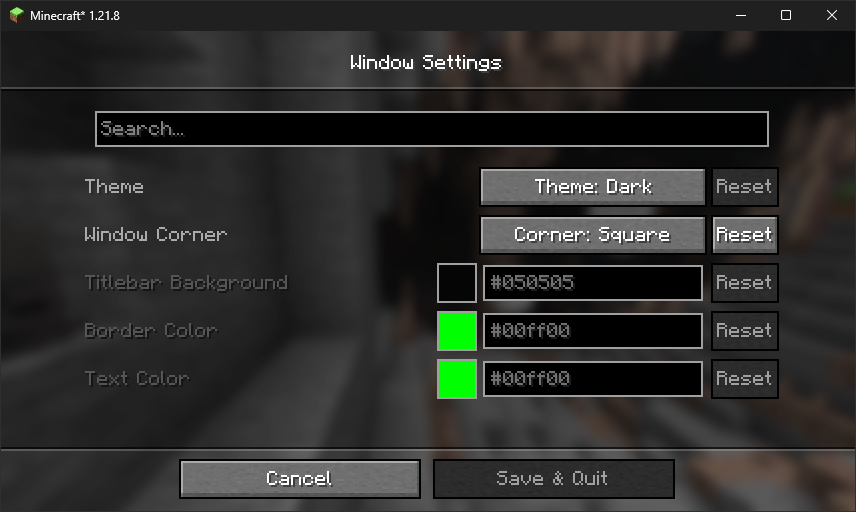
Config file
The file lives at: config/titlebar_settings.json
{
  // Window Theme: LIGHT (0), DARK (1), CUSTOM (2)
  // Controls the overall appearance of the titlebar
  // Restriction: Custom only works on Windows 11+
  "theme": "1",

  // Window Corners: SYSTEM_DEFAULT (0), NO_ROUNDING (1), ROUNDED (2), ROUNDED_SMALL (3)
  // Controls how window corners are rendered
  // Restriction: Only works on Windows 11+
  "corner": "0",

  // Caption (titlebar) background color
  // Format: #RRGGBB
  // Restriction: Only works when theme is CUSTOM (2)
  "captionColor": "#FF0505",

  // Window border color
  // Format: #RRGGBB
  // Restriction: Only works when theme is CUSTOM (2)
  "borderColor": "#FF00FF",

  // Title text and button color
  // Format: #RRGGBB
  // Restriction: Only works when theme is CUSTOM (2)
  "textColor": "#FF00FF"
}
Option reference
| Option | Values / Format | Notes |
|---|---|---|
theme |
0 = Light • 1 = Dark • 2 = Custom |
On Windows 10 only 0/1 are supported. Full customization (2) works only on Windows 11. |
corner |
0 = System default • 1 = No rounding • 2 = Rounded • 3 = Rounded small |
Available only on Windows 11. |
captionColor |
#RRGGBB |
Used only with theme = 2 (Custom). |
borderColor |
#RRGGBB |
Used only with theme = 2 (Custom). |
textColor |
#RRGGBB |
Used only with theme = 2 (Custom). |
Tip: restart the game after manual edits.
❓ FAQ
Does it work on Linux or macOS? The mod uses Windows APIs. On non‑Windows systems it will load in dormant mode (inactive, no changes applied).
Does it work in fullscreen? The titlebar is part of the windowed UI. Fullscreen modes that hide the window frame will also hide the titlebar.
Can I use hex colors with alpha (#AARRGGBB)? No — use #RRGGBB.
🔄Titlebar Changer
Personalize the look of your Minecraft window titlebar — tweak colors, text, corners, and borders on Windows.
- 🪟 On Windows 11, the mod unlocks the full range of customization features, such as custom colors, rounded corners, and border styling.
- 🪟 On Windows 10, support is limited by the operating system: you can only switch the titlebar between light and dark modes.
✅ Requirements
- Windows 10 or Windows 11 (other OS are not supported)
- One of: Forge or Fabric/Quilt
- (Optional, for in‑game settings): Cloth Config API
- (Optional, Fabric/Quilt config UI): Mod Menu
🎨 Examples
Below are examples of custom titlebar colors (Windows 11):
🐱 Fun Example
And here’s an extra — the Titlebar Changer with my cat wearing a crown 👑
🔗 Source Code
The source code for the mod is available on GitHub. If you encounter any issues or have suggestions for improvements, please feel free to leave them in the Issues section on GitHub.
⚙️ Configuration
You can configure the mod either in‑game (recommended) or by editing the JSON file.
In‑game config
- Forge: Main Menu → Mods → Titlebar Changer → Config
- Fabric/Quilt: Install Mod Menu + Cloth Config, then Main Menu → Mods → Titlebar Changer
Config file
The file lives at: config/titlebar_settings.json
{
  // Window Theme: LIGHT (0), DARK (1), CUSTOM (2)
  // Controls the overall appearance of the titlebar
  // Restriction: Custom only works on Windows 11+
  "theme": "1",

  // Window Corners: SYSTEM_DEFAULT (0), NO_ROUNDING (1), ROUNDED (2), ROUNDED_SMALL (3)
  // Controls how window corners are rendered
  // Restriction: Only works on Windows 11+
  "corner": "0",

  // Caption (titlebar) background color
  // Format: #RRGGBB
  // Restriction: Only works when theme is CUSTOM (2)
  "captionColor": "#FF0505",

  // Window border color
  // Format: #RRGGBB
  // Restriction: Only works when theme is CUSTOM (2)
  "borderColor": "#FF00FF",

  // Title text and button color
  // Format: #RRGGBB
  // Restriction: Only works when theme is CUSTOM (2)
  "textColor": "#FF00FF"
}
Option reference
| Option | Values / Format | Notes |
|---|---|---|
theme |
0 = Light • 1 = Dark • 2 = Custom |
On Windows 10 only 0/1 are supported. Full customization (2) works only on Windows 11. |
corner |
0 = System default • 1 = No rounding • 2 = Rounded • 3 = Rounded small |
Available only on Windows 11. |
captionColor |
#RRGGBB |
Used only with theme = 2 (Custom). |
borderColor |
#RRGGBB |
Used only with theme = 2 (Custom). |
textColor |
#RRGGBB |
Used only with theme = 2 (Custom). |
Tip: restart the game after manual edits.
❓ FAQ
Does it work on Linux or macOS? The mod uses Windows APIs. On non‑Windows systems it will load in dormant mode (inactive, no changes applied).
Does it work in fullscreen? The titlebar is part of the windowed UI. Fullscreen modes that hide the window frame will also hide the titlebar.
Can I use hex colors with alpha (#AARRGGBB)?
No — use #RRGGBB.
Screenshots
Gallery
-
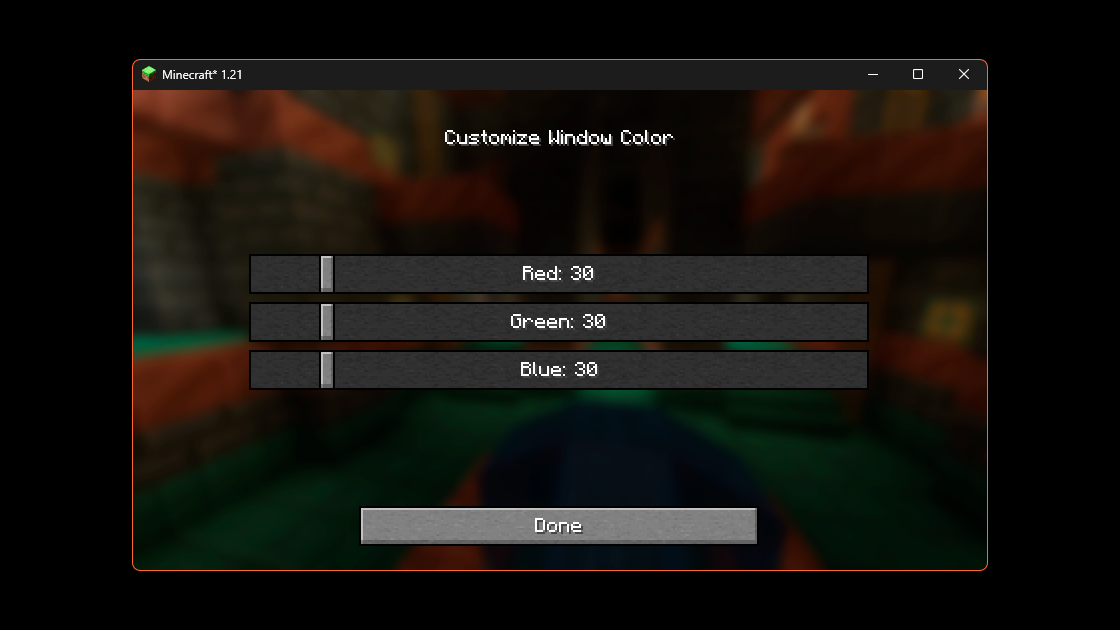 0.3 ver Color Change menu
 -
 0.3 ver
 -
-
-
-
-
-
 0.3ver
 -
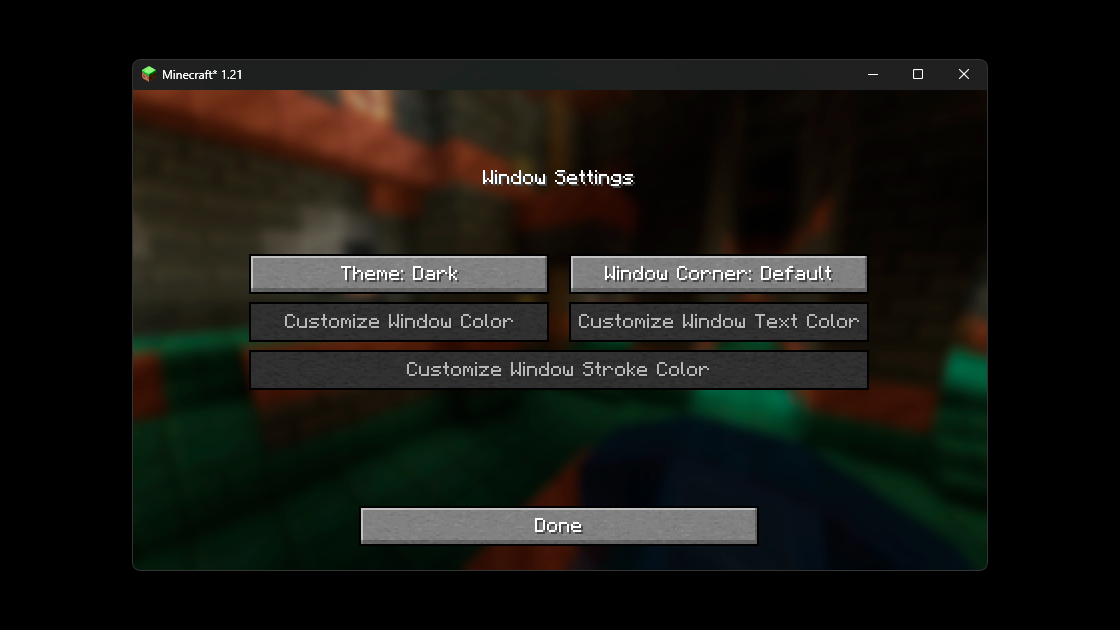 0.3 ver Dark theme
 -
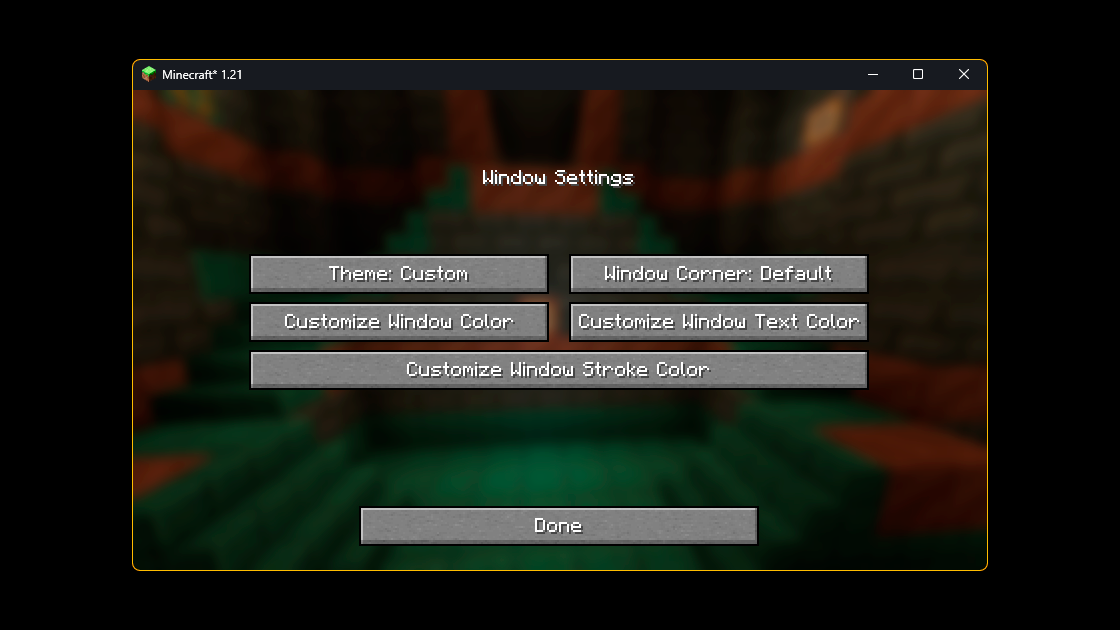 0.3 ver
Versions
Files
Relations
Project Relations
More like this
Similar Mods
Suggestions use data such as tags, dependencies, dependents, descriptions, titles, and more to rank how much they overlap with this mod.
On ModDex
Community snapshot
By the numbers
Statistics
 (opens in a new tab)
Get it on
Available Platforms
On ModDex
Community snapshot
By the numbers
Statistics
Resources