
Community listing page, reviews may not be monitored by the author.
TNT Damage Booster

No reviews yet
Increases TNT damage

Community voices
Reviews
No reviews yet. Be the first to review this project!
Get it on
Available Platforms
Compatibility
Supported Environments
The author has not specified where this runs.
About
Project Details
For authors
Embed Badge
If you're the author of this project, you can embed a live badge anywhere that supports HTML or Markdown. It updates automatically whenever ratings change.
Use HTML for any page that supports it, or Markdown for README files and Markdown-based descriptions.
Identifiers
Platform IDs
Resources
External Links
About
Description
💥 TNT Damage Multiplier
A customizable datapack for Minecraft that allows you to change TNT damage in real time!
✨ Features
- 🎯 Customizable Damage - Change the TNT damage multiplier with a simple command
- 💥 Realistic Damage - Damage falls off over distance, just like real TNT
- ❤️ Armor-Aware - Armor and enchantments (including Explosion Protection) work correctly
- ⚡ Lightweight and Fast - Optimized for minimal performance impact
🎮 Usage
Changing TNT Damage
/trigger tnt_damage set <value>
Examples:
/trigger tnt_damage set 100- standard damage (100%)/trigger tnt_damage set 200- double damage (200%)/trigger tnt_damage set 500- five times the damage (500%)/trigger tnt_damage set 50- half the damage (50%)
📐 How Damage Works
TNT damage depends on the distance to the explosion:
| Distance | Base Damage | With a 200% multiplier |
|---|---|---|
| 0-1 block | 65 HP | 130 HP |
| 1-2 blocks | 55 HP | 110 HP |
| 2-3 blocks | 45 HP | 90 HP |
| 3-4 blocks | 35 HP | 70 HP |
| 4-5 blocks | 25 HP | 50 HP |
| 5-6 blocks | 18 HP | 36 HP |
| 6-7 blocks | 12 HP | 24 HP |
| 7-8 blocks | 8 HP | 16 HP |
Damage includes armor and defense enchantments
🔧 Installation
- Download the datapack
- Place it in the
saves/<your_world>/datapacks/folder - Reload the world or run
/reload - Done! Use
/trigger tnt_damage set <value>to configure the settings.
🗑️ Uninstall
To completely remove the datapack, run:
/function tnt_damage:uninstall
Then delete the datapack files from the datapacks folder.
📋 Requirements
- Minecraft 1.21+ (pack_format 48)
- Cheats enabled
🎯 Ideal for
- PvP arenas with TNT
- Explosive minigames
- Hardcore survival
- Custom adventure maps
- Servers with unique gameplay
💡 Technical Details
- Uses scoreboard for damage tracking
- Uses explosion damage to properly handle armor
- Minimal performance impact
Created for the Minecraft community ❤️
Screenshots
Gallery
-
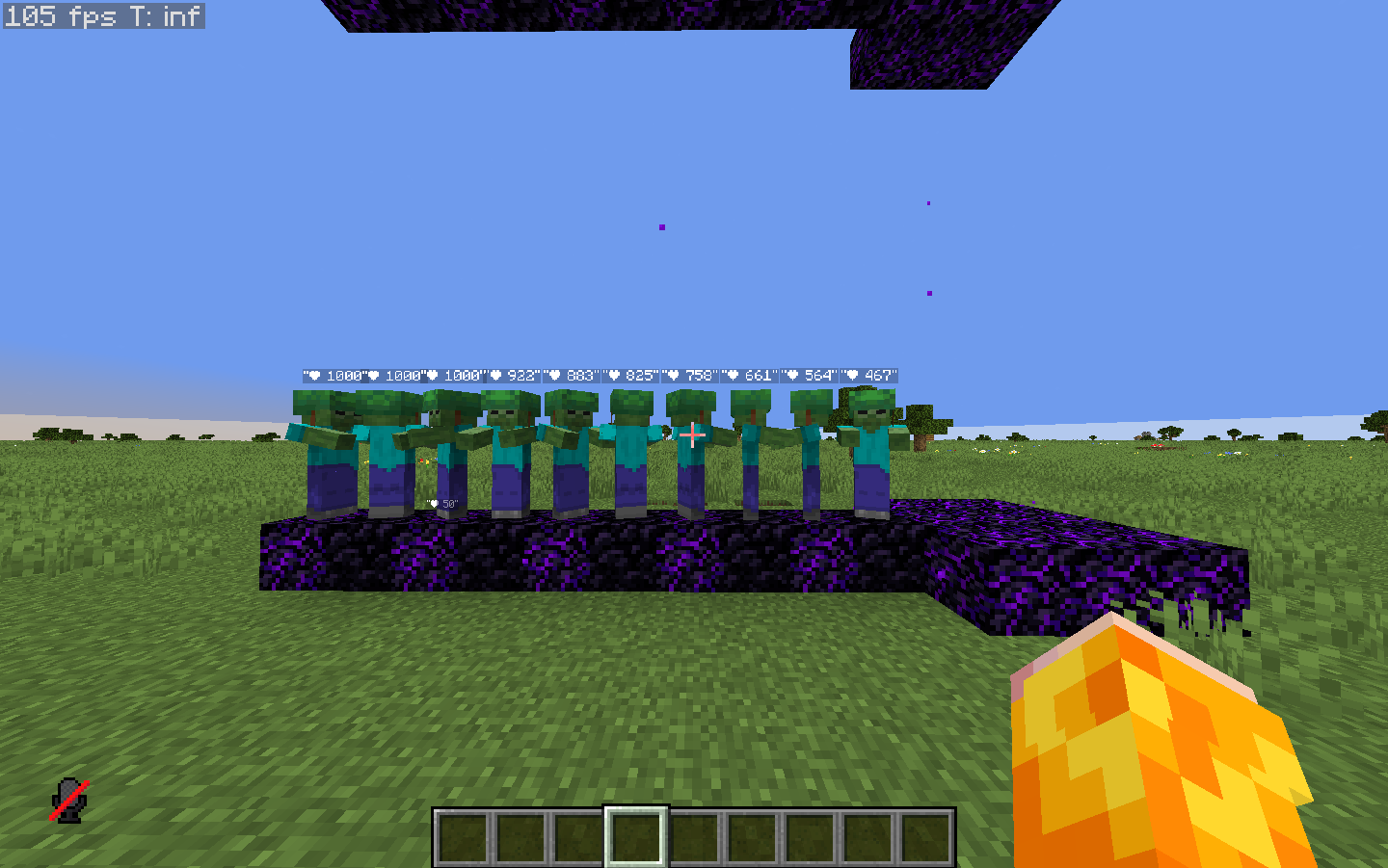 100% (default)
 -
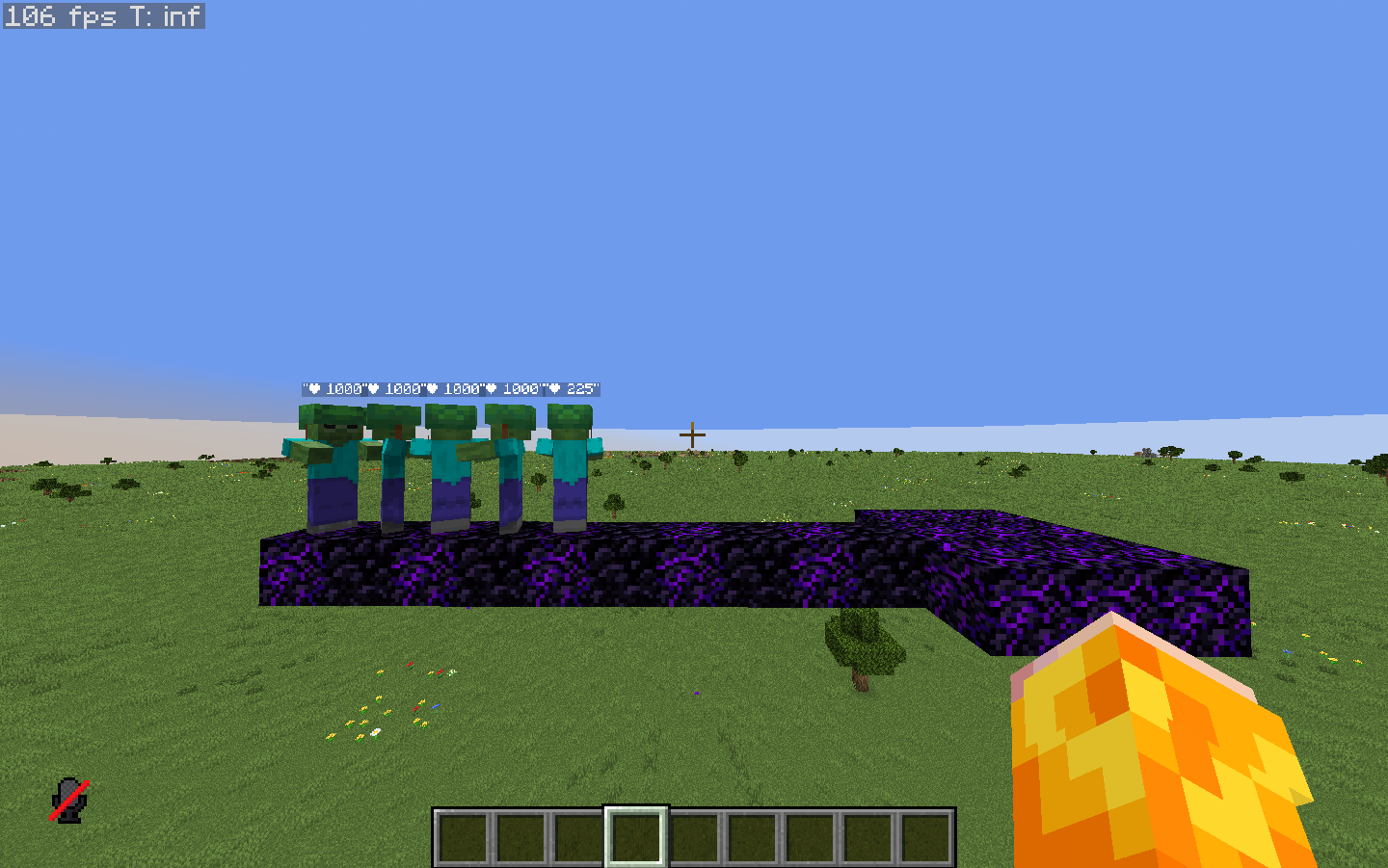 1000%
1000% -
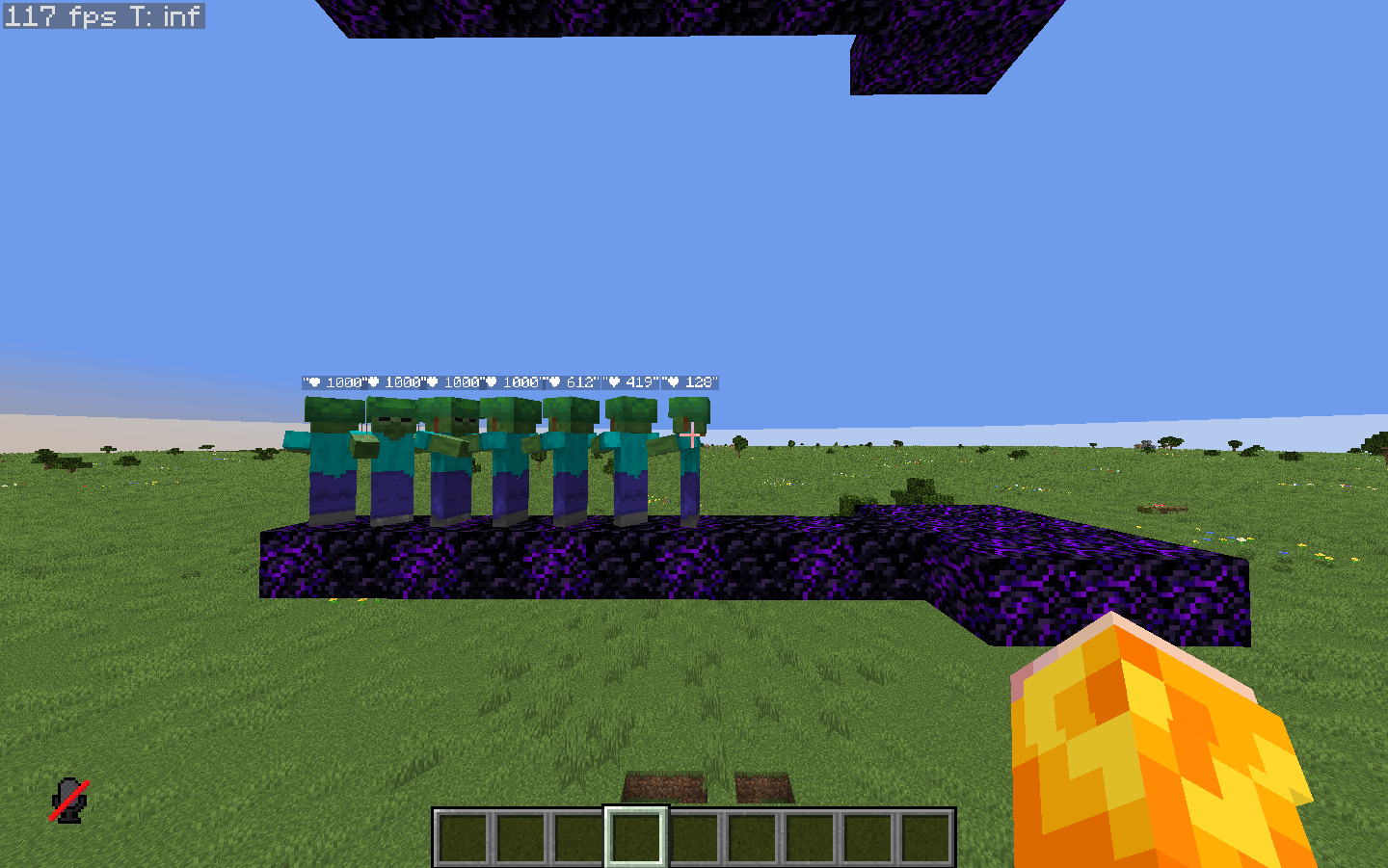 500%
500% -
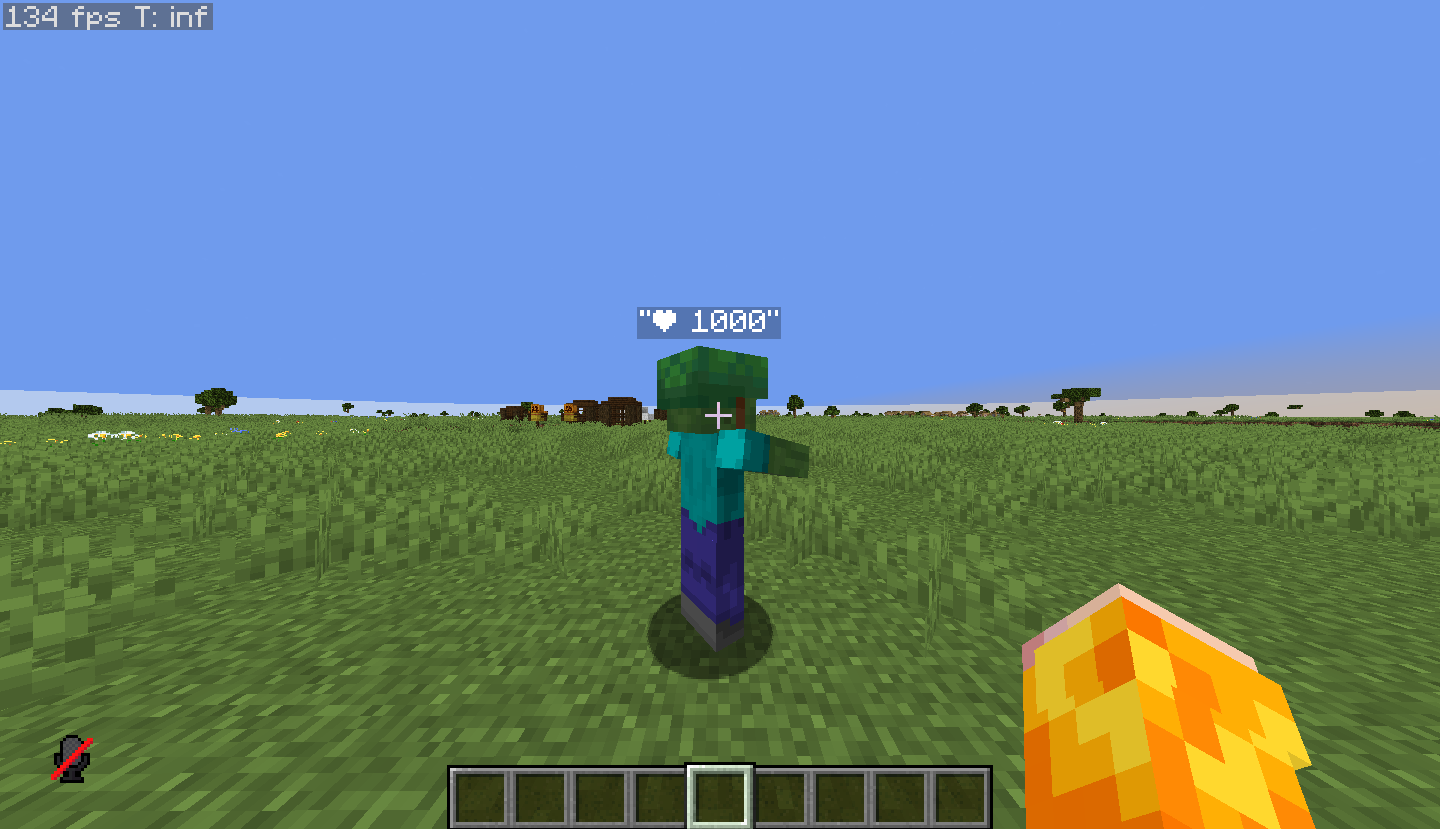 Default zombe hp 1000 = 100 HP = 50 hearts
Versions
Files
Relations
Project Relations
More like this
Similar Mods
Suggestions use data such as tags, dependencies, dependents, descriptions, titles, and more to rank how much they overlap with this mod.
On ModDex
Community snapshot
By the numbers
Statistics


Get it on
Available Platforms
On ModDex
Community snapshot
By the numbers
Statistics
Resources