
Community listing page, reviews may not be monitored by the author.
toolplus


No reviews yet
Less Hassle, Convenient Minecraft

Community voices
Reviews
No reviews yet. Be the first to review this project!
Get it on
Available Platforms
Compatibility
Supported Environments
Must be installed on both the client and the server.
About
Project Details
For authors
Embed Badge
If you're the author of this project, you can embed a live badge anywhere that supports HTML or Markdown. It updates automatically whenever ratings change.
Use HTML for any page that supports it, or Markdown for README files and Markdown-based descriptions.
Identifiers
Platform IDs
Resources
External Links
About
Description
1.Frustrated with little ores after hours of mining?
**Dig one block at a time? Nope—mine 9 blocks in one go!(1)**
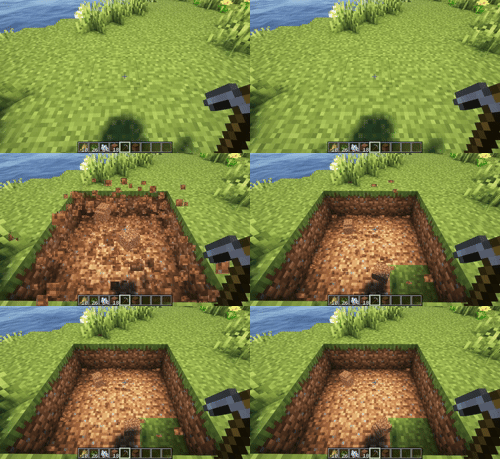
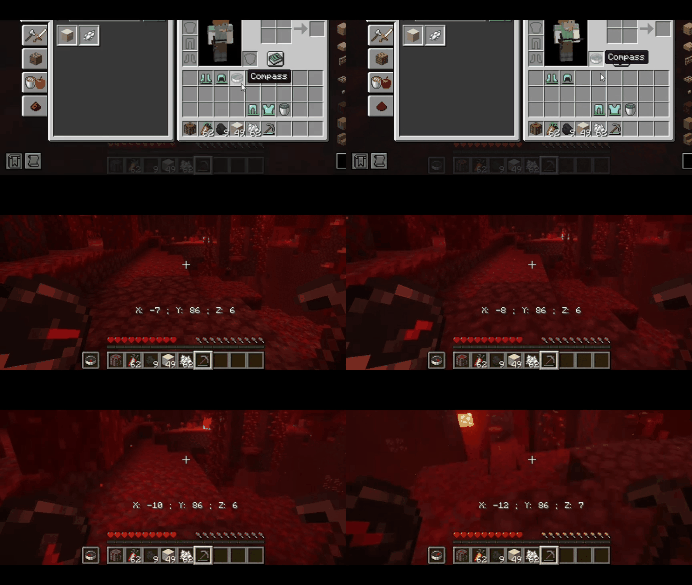
2.Need to fight and check coordinates while exploring the Nether?
**Equip a compass in your offhand to display coordinates at all times!**
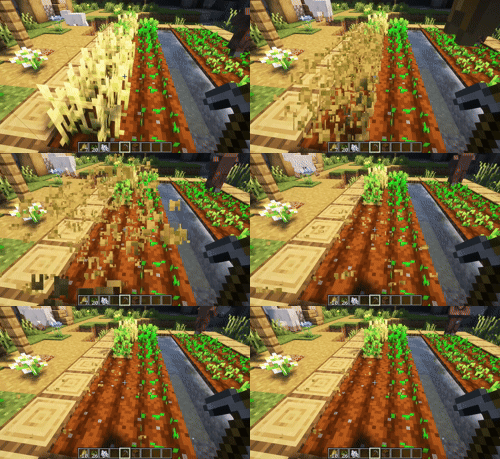
3.Worn out your wrists from harvesting crops one by one?
**Right-click with a pickaxe/paxel in hand to harvest surrounding crops of the same type in one go!(2)**
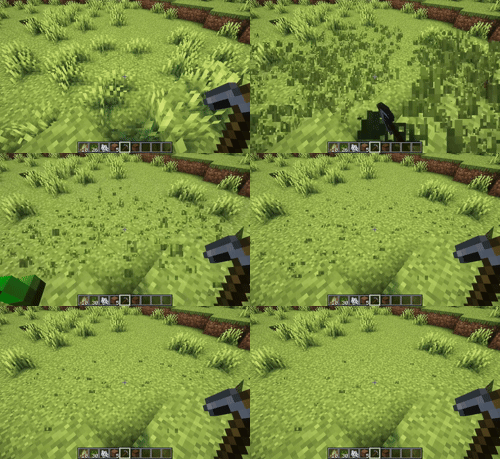
4.Got a headache from twisting your camera nonstop just to clear weeds?
**Right-click the ground with your pickaxe/paxel in hand and watch surrounding those weeds vanish instantly!**
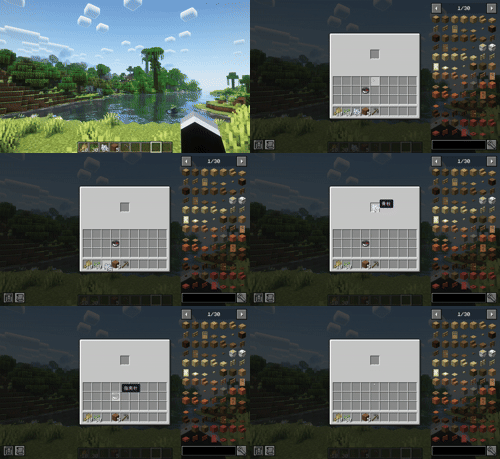
5.Craving a quick way to make the junk cluttering your inventory vanish in an instant?
**Hit the O key, slot the unwanted items in, and they’ll be gone for good!**
6.Nervous about plummeting to your doom every time you build a bridge over a deadly drop?
**Pair a pickaxe/paxel in your main hand with a compass in your offhand—right-click to pave a path in mid-air automatically!(3)**

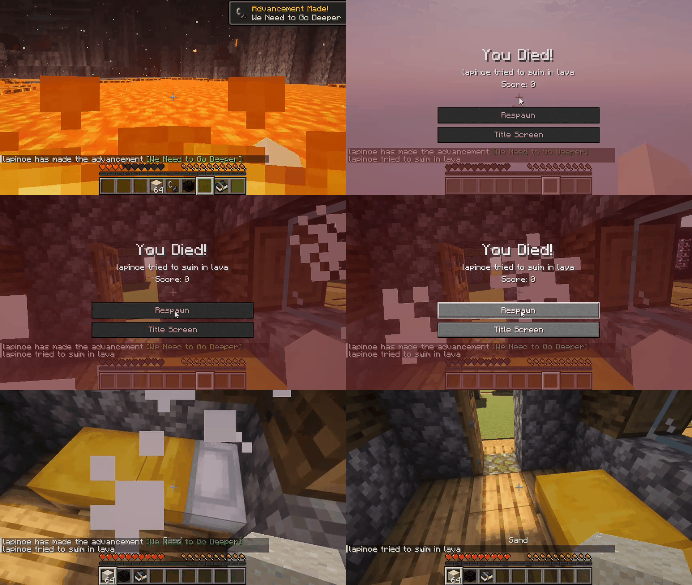
7.Afraid you won't even remember where you died and dropped your items in other dimensions?
**Make those dropped items spawn directly at your spawn point!(4)**
**Tips:**
1. Function 1, You’ll mine in a 3×3 area when your armor points are below 15; otherwise, the 3×3 area mining will be canceled and the Silk Touch effect will be activated.
2. Function 3 currently supports only carrots, potatoes, wheat and beets.
3. Function 6 requires both a target block with air/water below and in front of it, and a sufficient amount of the target block carried on your person.
4. Function 7, Make sure your spawn point isn’t too close to structures like portals that can suck up dropped items instantly.If your spawn point is right up against a wall, there’s a chance that dropped items will appear on the other side of it.
5. Functions 1, 3, 4 and 6 require a pickaxe/paxel to be held in your main hand.Functions 2, 6 require a compass to be held in your offhand.
1.Frustrated with little ores after hours of mining?
Dig one block at a time? Nope—mine 9 blocks in one go!(1)

2.Need to fight and check coordinates while exploring the Nether?
Equip a compass in your offhand to display coordinates at all times!

3.Worn out your wrists from harvesting crops one by one?
Right-click with a pickaxe/paxel in hand to harvest surrounding crops of the same type in one go!(2)

4.Got a headache from twisting your camera nonstop just to clear weeds?
Right-click the ground with your pickaxe/paxel in hand and watch surrounding those weeds vanish instantly!

5.Craving a quick way to make the junk cluttering your inventory vanish in an instant?
Hit the O key, slot the unwanted items in, and they’ll be gone for good!

6.Nervous about plummeting to your doom every time you build a bridge over a deadly drop?
Pair a pickaxe/paxel in your main hand with a compass in your offhand—right-click to pave a path in mid-air automatically!(3)

7.Afraid you won't even remember where you died and dropped your items in other dimensions?
Make those dropped items spawn directly at your spawn point!(4)

Tips:
-
Function 1, You’ll mine in a 3×3 area when your armor points are below 15; otherwise, the 3×3 area mining will be canceled and the Silk Touch effect will be activated.
-
Function 3 currently supports only carrots, potatoes, wheat and beets.
-
Function 6 requires both a target block with air/water below and in front of it, and a sufficient amount of the target block carried on your person.
-
Function 7, Make sure your spawn point isn’t too close to structures like portals that can suck up dropped items instantly.If your spawn point is right up against a wall, there’s a chance that dropped items will appear on the other side of it.
-
Functions 1, 3, 4 and 6 require a pickaxe/paxel to be held in your main hand.Functions 2, 6 require a compass to be held in your offhand.
Screenshots
Gallery
Versions
Files
Relations
Project Relations
More like this
Similar Mods
Suggestions use data such as tags, dependencies, dependents, descriptions, titles, and more to rank how much they overlap with this mod.
On ModDex
Community snapshot
By the numbers
Statistics

Get it on
Available Platforms
On ModDex
Community snapshot
By the numbers
Statistics
Resources