Community listing page, reviews may not be monitored by the author.
Tooltip Bars

No reviews yet
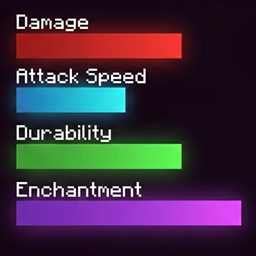
Replaces vanilla text stats for weapons, armor, food, enchantments, and potions with colored bars. Fully supports TaCZ mod.

Community voices
Reviews
No reviews yet. Be the first to review this project!
Get it on
Available Platforms
About
Project Details
For authors
Embed Badge
If you're the author of this project, you can embed a live badge anywhere that supports HTML or Markdown. It updates automatically whenever ratings change.
Use HTML for any page that supports it, or Markdown for README files and Markdown-based descriptions.
Identifiers
Platform IDs
Resources
External Links
About
Description
Tooltip Bars completely overhauls the standard Minecraft tooltips by replacing vanilla text stats—such as weapon damage, armor value, enchantment levels, durability, and status effects—with clean, vibrant progress bars. It also introduces dedicated bars for food stats, showing both Hunger and Saturation at a glance.
This mod supports the TaCZ mod and adds stat bars for weapons: damage, armor piercing, headshot bonus, movement slowdown, magazine size, aim speed, bullet speed, aim spread, hipfire spread, sneak spread, crawl spread, knockback, vertical recoil, horizontal recoil, and rpm. You can configure it to display only the parameters you need. The stat bars also appear for attachments.
Each stat is assigned a unique, beautifully gradient-colored bar. Text values aren't gone, though—they are neatly placed right above their respective bars for maximum readability.
Customization:
To open the configuration menu, press Alt + .
- Custom Colors: Change the color of each individual bar.
- Layout Adjustments: Modify bar width and length, text size, and element offsets.
- Dynamic Bar Scaling: Set custom max values for fully filled bars (set to
0to hide a bar). - Vanilla Style: Toggle vanilla enchantment labels back on.
- Gradients: Easily enable or disable color gradients.
Screenshots
Gallery
-
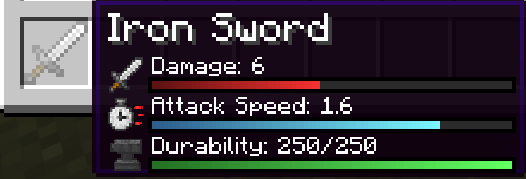 image-attachment_534bacc2-b240-489f-90f7-a2f337eae28b.png
 -
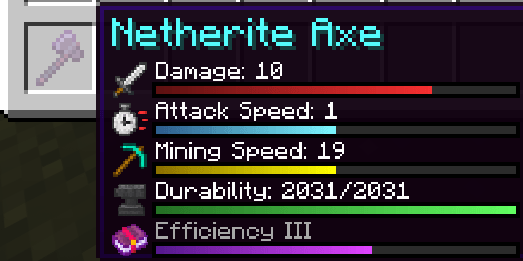 image-attachment_b996b287-d10a-4c98-ba04-cb08390d4d3c.png
 -
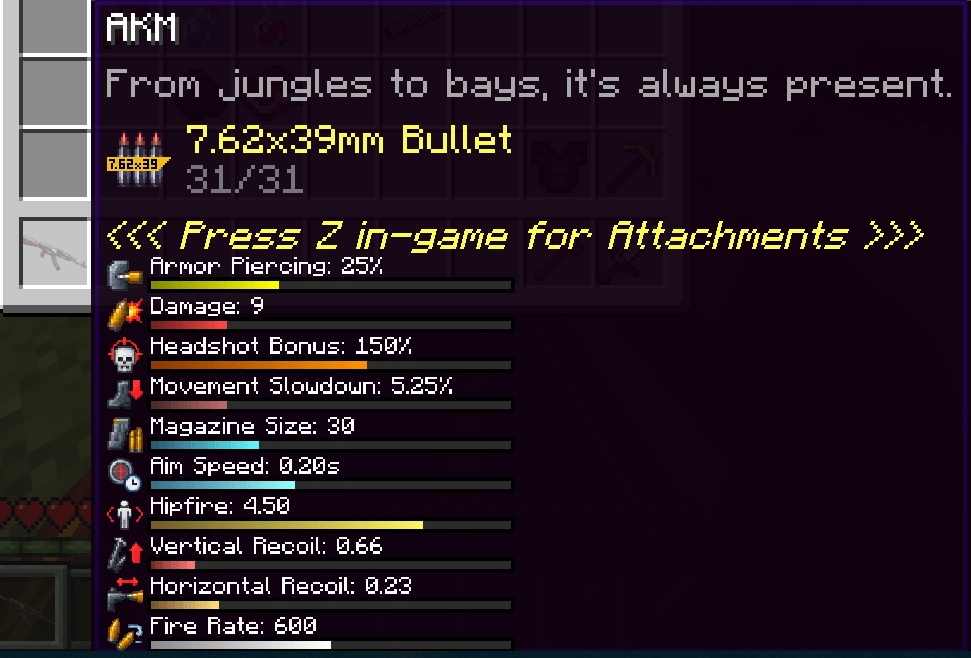 image-attachment_eba4fd2c-ada7-4b70-9c2f-d83d825af068.png
 -
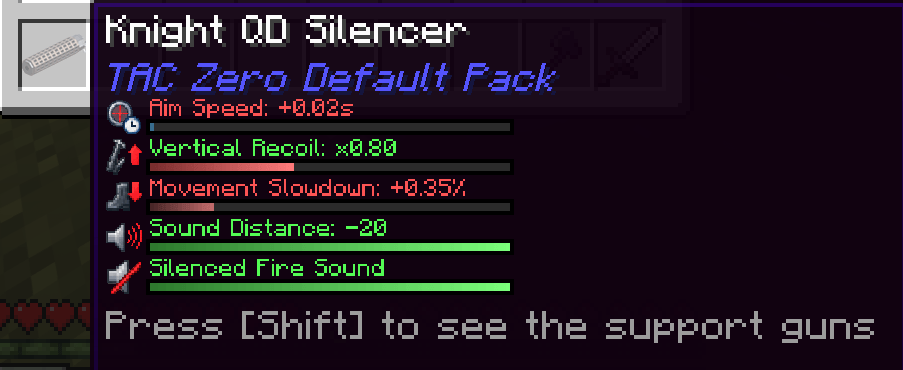 image-attachment_d6c26a53-4db2-4406-8544-02589be5fde2.png
 -
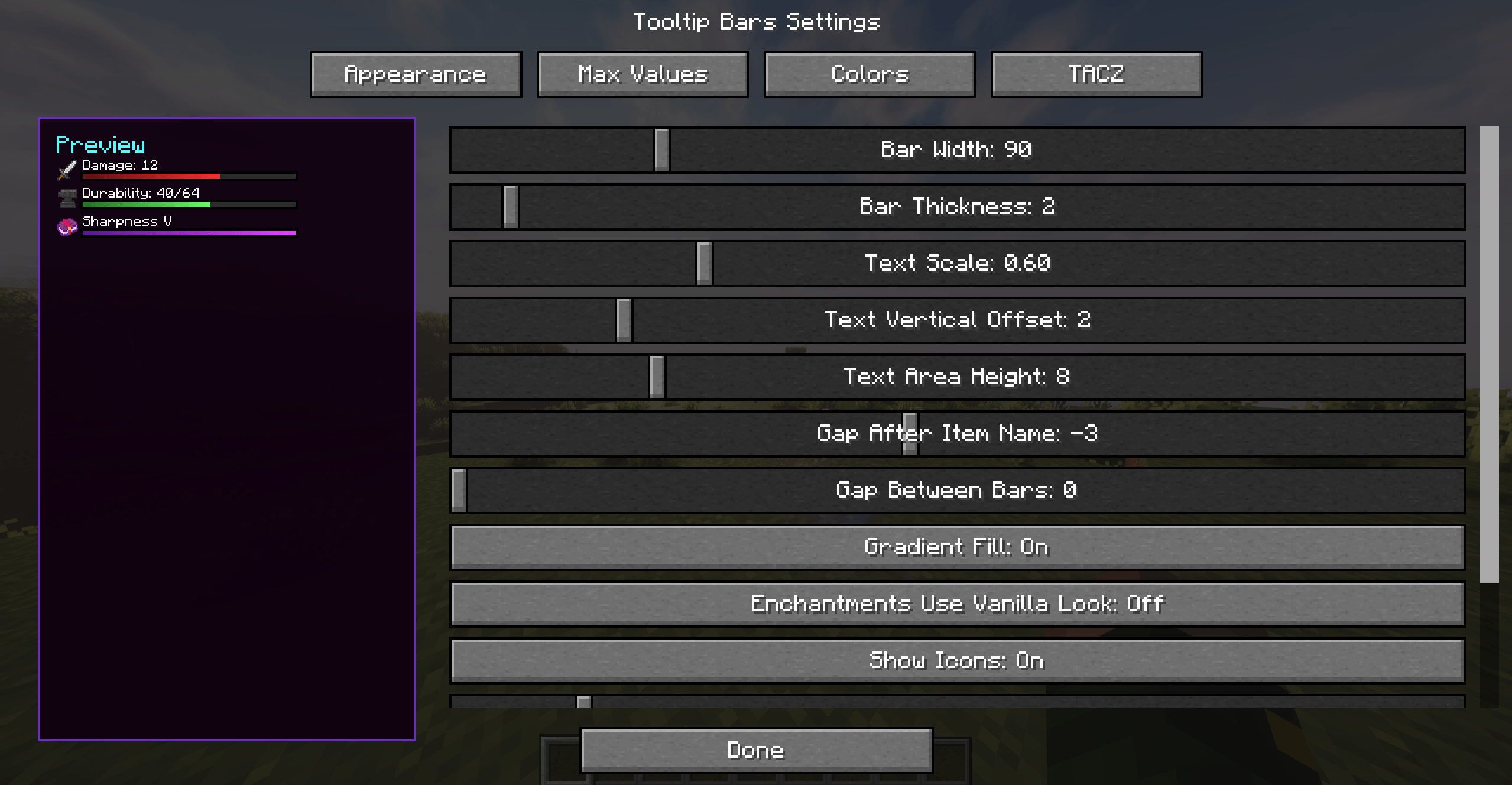 image-attachment_b58b60b7-d1a1-4c15-aaeb-16ac84fd3c74.png
 -
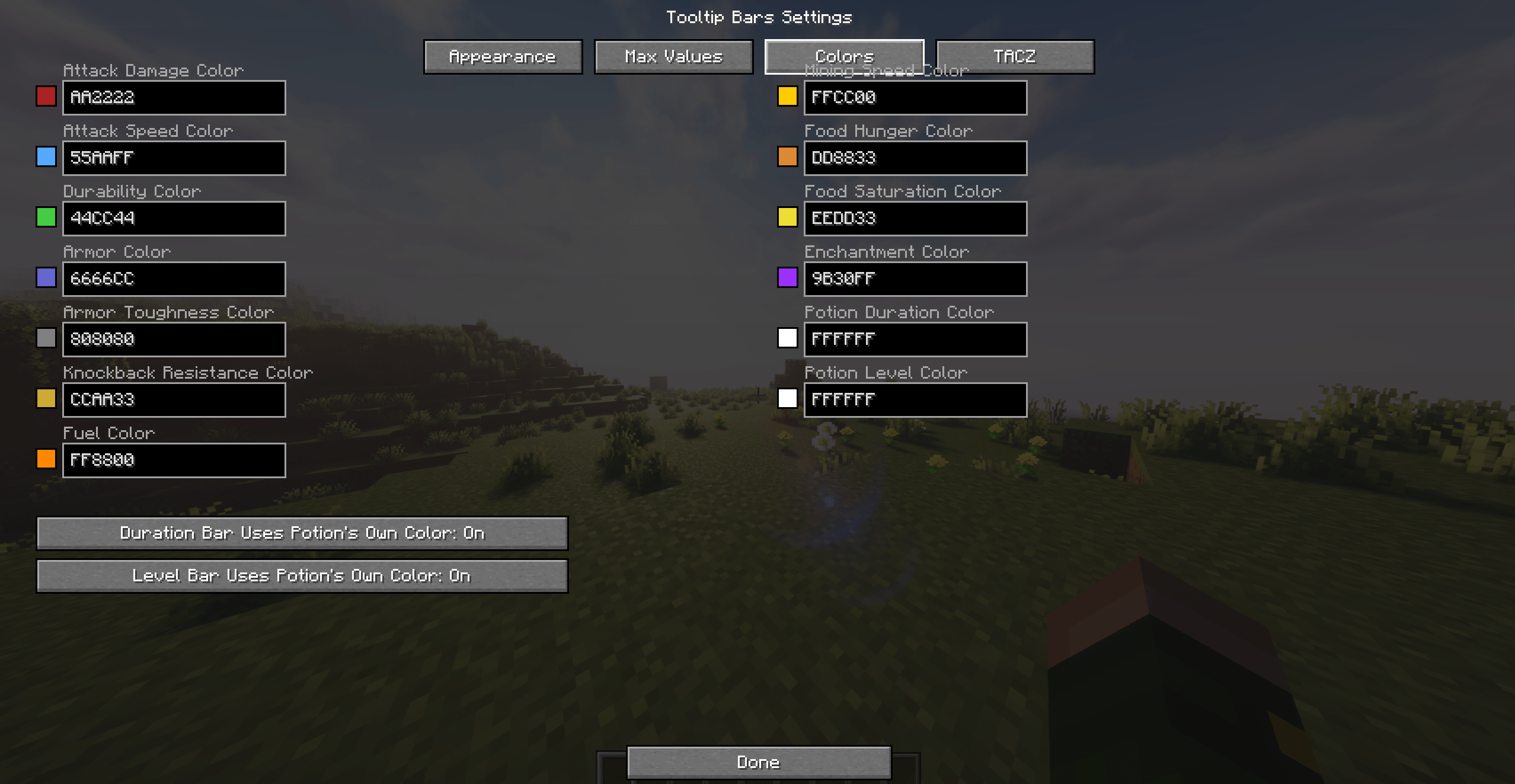 image-attachment_0c3a0d21-619d-44cd-b07c-57f8bc85de52.png
 -
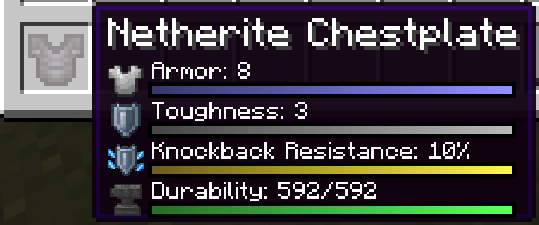 image-attachment_3c4fee62-24a1-4f35-b734-c5e2050b784a.png
 -
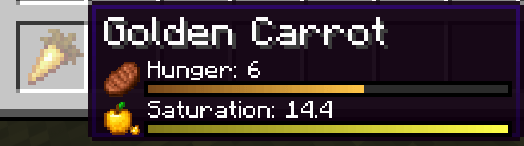 image-attachment_4ae3bc95-ea8d-41c0-afde-5b714020d4b1.png
 -
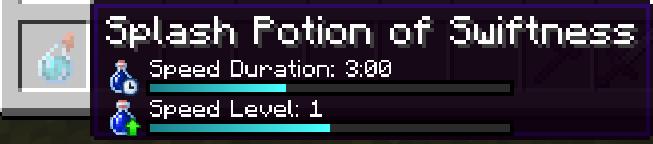 image-attachment_b552d87e-9f64-416a-ace7-1b51e0a4b671.png
 -
 image-attachment_c39328cb-9e03-48a8-91f2-7cf1efd54694.png
 -
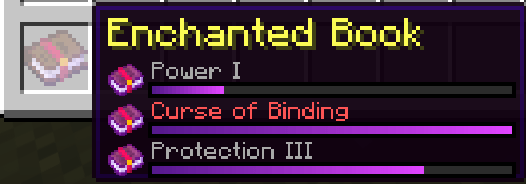 image-attachment_8e0706fc-4e38-4d6c-8cdb-50e8be169935.png
 -
 image-attachment_e2d8a674-9d78-40a0-bedc-dfb94ef4ce48.png
 -
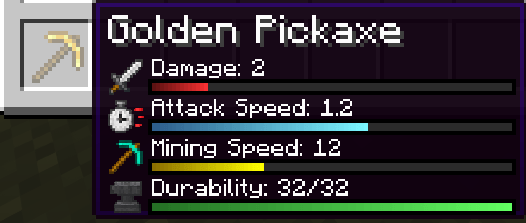 image-attachment_16da7542-45db-4414-9fee-535ae16f264c.png
Versions
Files
Relations
Project Relations
More like this
Similar Mods
Suggestions use data such as tags, dependencies, dependents, descriptions, titles, and more to rank how much they overlap with this mod.
On ModDex
Community snapshot
By the numbers
Statistics

Get it on
Available Platforms
On ModDex
Community snapshot
By the numbers
Statistics
Resources