Community listing page, reviews here may not be monitored by the author.
Tooltip Creator


No reviews yet
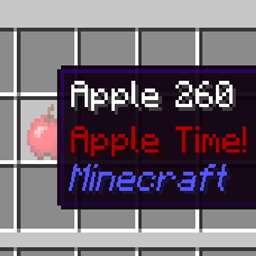
Create tooltips with just one simple config file!
Community voices
Reviews
No reviews yet. Be the first to review this project!
Get it on
Available Platforms
Compatibility
Supported Environments
Runs entirely on the client. Works on vanilla servers.
About
Project Details
For authors
Embed Badge
If you're the author of this project, you can embed a live badge anywhere that supports HTML or Markdown. It updates automatically whenever ratings change.
Use HTML for any page that supports it, or Markdown for README files and Markdown-based descriptions.
Identifiers
Platform IDs
Resources
External Links
About
Description
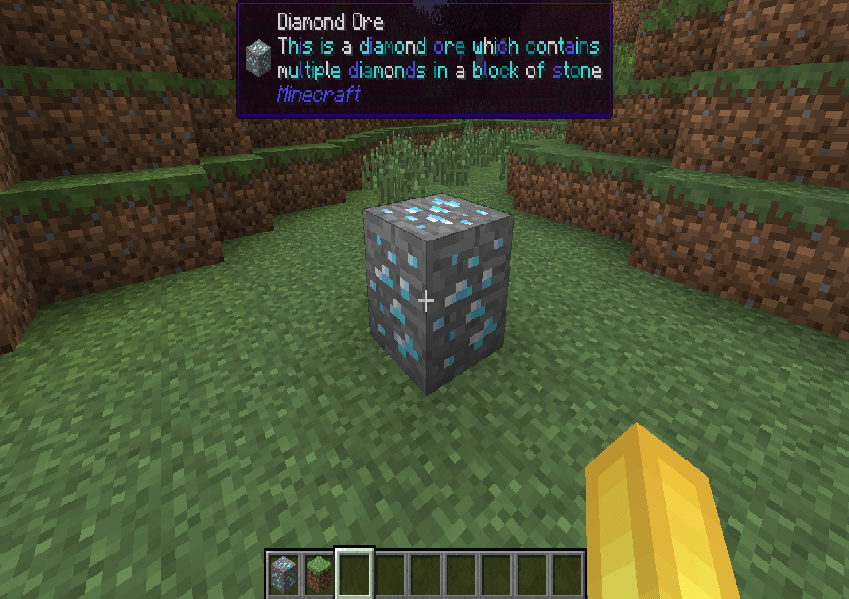
Want WAILA support for 1.15.2+? Check out Waila Tooltips.
(AS OF 12/23/2025 GOLDAPI IS NO LONGER USED, VERSIONS BEFORE THAT DATE REQUIRE GOLDAPI)
How it works:
Install Tooltip Creator. Put the mod into your mods folder. Run Minecraft then exit, then go into config and then TooltipCreator.cfg there you will find an example:
minecraft:diamond:tooltip:§b:Shiny and valuable.
Change the modid (minecraft) to whatever mod you want as long as you have it installed (obviously)
Change the item to whatever you want (obviously)
Change the color code to your liking, color codes can be found here.
(YOU CAN ALSO USE WORDS TO SET COLORS, BUT CODES ARE RECOMMENDED)
QnA
Q: Can I include this in my modpack?
A: Yes! This mod was made to mainly help modpack creators.
Q: Can I upload this somewhere else?
A: No, you cannot upload this anywhere else.
Q: Why versions like 1.6.4 and 1.7.10?
A: Older versions are very underrated. I really wish more mods ported downward to those versions.
Q: Why does my config file say it's for a different version?
A: That's just the last major change to the code. It is still for the version you downloaded.
If you have any more questions feel free to comment/message me. Thanks!
How it works:
Install Tooltip Creator. Put the mod into your mods folder. Run Minecraft then exit, then go into config and then TooltipCreator.cfg there you will find an example:
minecraft:diamond:tooltip:§b:Shiny and valuable.
Change the modid (minecraft) to whatever mod you want as long as you have it installed (obviously)
Change the item to whatever you want (obviously)
Change the color code to your liking, color codes can be found here. https://minecraft.fandom.com/wiki/Formatting_codes
(YOU CAN ALSO USE WORDS TO SET COLORS, BUT CODES ARE RECOMMENDED)
QnA
Q: Can I include this in my modpack? A: Yes! This mod was made to mainly help modpack creators.
Q: Can I upload this somewhere else? A: No, you cannot upload this anywhere else.
Q: WHY 1.6.4? A: 1.6.4 is a very underrated version that I wish would get more mods. Don't worry I am porting forward.
Q: Why does my config file say it's for a different version? A: That's just the last major change to the code. It is still for the version you downloaded.
If you have any more questions feel free to comment/message me. Thanks!
Screenshots
Gallery
Versions
Files
Relations
Project Relations
More like this
Similar Mods
Suggestions use data such as tags, dependencies, dependents, descriptions, titles, and more to rank how much they overlap with this mod.
On ModDex
Community snapshot
By the numbers
Statistics
Want to reach Minecraft players?
We're looking for a server hosting partner to feature here and other parts of the site. Interested? Send us a message!
Get in touchGet it on
Available Platforms
On ModDex
Community snapshot
By the numbers
Statistics
Resources