Community listing page, reviews may not be monitored by the author.
Totem Warning

No reviews yet
A lightweight client-side Fabric mod that warns you when your Totem of Undying is missing from your offhand or hotbar. Fully customizable visual alerts, built for everyday survival and PvP.

Community voices
Reviews
No reviews yet. Be the first to review this project!
Get it on
Available Platforms
About
Project Details
For authors
Embed Badge
If you're the author of this project, you can embed a live badge anywhere that supports HTML or Markdown. It updates automatically whenever ratings change.
Use HTML for any page that supports it, or Markdown for README files and Markdown-based descriptions.
Identifiers
Platform IDs
About
Description
🔮 Totem Warning
A missing totem is easy to overlook. Make sure you notice it before it matters.
Totem Warning is a client-side Fabric mod that adds customizable visual alerts when you don't have a Totem of Undying where you need one.
It keeps an eye on two important inventory locations: your offhand and your hotbar. If either one is missing a totem, you'll get a visual warning on your screen.
Whether you're preparing for a fight, exploring or simply playing survival, it's a small addition that can make you more aware of your inventory.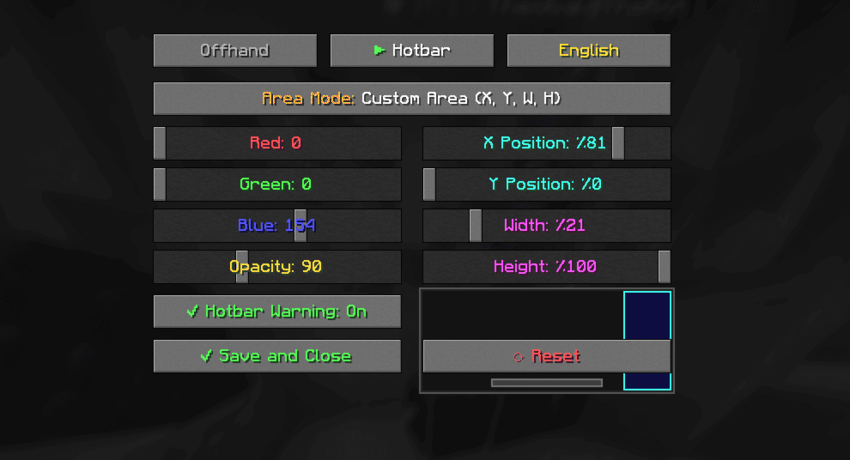
✨ Features
Two independent warning systems
🔴 Offhand Warning
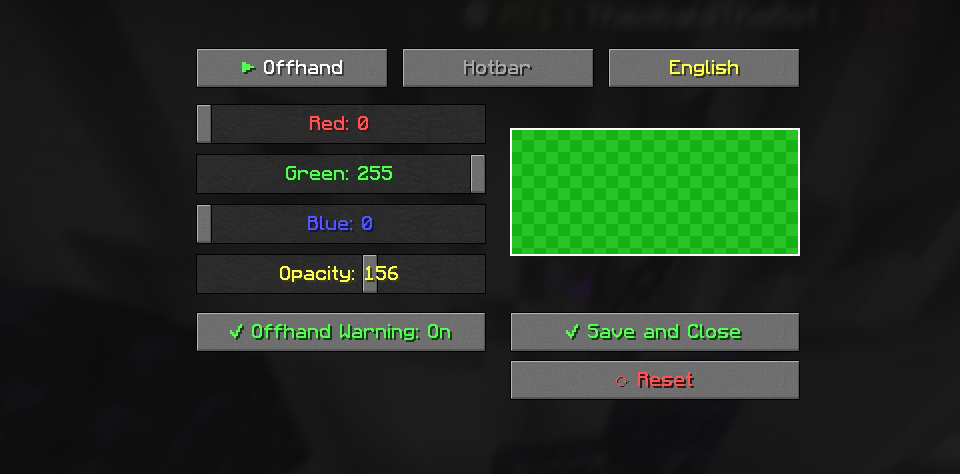
Displays a full-screen color overlay when your offhand doesn't contain a Totem of Undying.
🟠 Hotbar Warning
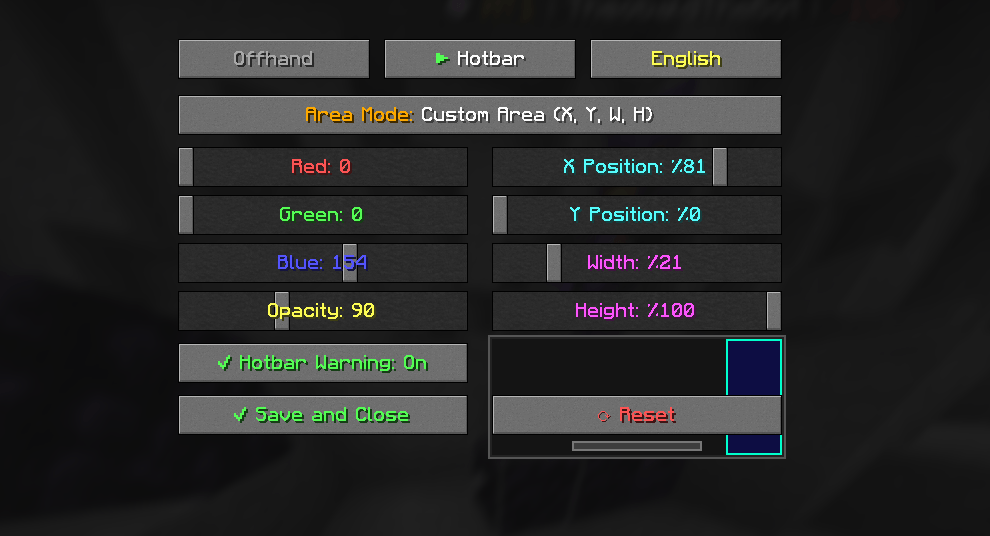
Displays a customizable screen overlay when none of your nine hotbar slots contains a totem.
🎨 Make it yours
-
Custom RGB colors for both warning systems.
-
Adjustable overlay opacity.
-
Five different layouts for Hotbar Warning.
-
Custom positioning and dimensions using screen percentages.
-
Live previews while changing settings.
-
Separate controls for each warning system.
🌍 A few extra details
-
Turkish, English and Spanish interface languages.
-
Simple in-game configuration menu.
-
Settings are saved automatically.
-
Lightweight client-side functionality.
🎨 Hotbar Warning Layouts
Choose how and where the warning appears:
| Layout | What it does |
|---|---|
| Custom Area | Set your own position and dimensions. |
| Hotbar Area | Highlights the area around your hotbar. |
| Screen Border | Displays a warning around the screen edges. |
| Bottom Strip | Adds a horizontal warning at the bottom. |
| Top Strip | Adds a horizontal warning at the top. |
The Offhand Warning always uses a full-screen overlay. These five layouts are available exclusively for the Hotbar Warning.
⚙️ Configuration
Getting started is simple.
Press "K" in-game to open the settings menu.
From there, you can:
-
Configure Offhand and Hotbar warnings separately.
-
Adjust RGB colors and opacity.
-
Choose your preferred warning layout.
-
Set custom warning positions and sizes.
-
Change the interface language.
-
Preview your changes before saving.
The default keybind can be changed through Minecraft's Controls menu.
Default Settings
| Option | Default |
|---|---|
| Interface Language | Turkish |
| Offhand Warning | Enabled |
| Offhand Color | Red (#FF0000) |
| Offhand Opacity | 80 / 255 |
| Hotbar Warning | Enabled |
| Hotbar Color | Orange (#FF8C00) |
| Hotbar Opacity | 140 / 255 |
| Hotbar Layout | Custom Area |
Configuration File
Your settings are stored locally at:
.minecraft/config/totemwarning.json
The file is generated automatically when the mod launches for the first time.
📦 Installation
Requirements
-
Minecraft Java Edition 1.21.11
-
Fabric Loader 0.18.1 or newer compatible release
-
Fabric API 0.141.0+1.21.11 or compatible release
-
Java 21 or newer
Steps
-
Install Fabric Loader for Minecraft 1.21.11.
-
Install the matching Fabric API.
-
Download the latest Totem Warning release.
-
Place the downloaded
.jarfile into your Minecraftmodsfolder. -
Launch the game using your Fabric installation.
-
Press "K" to open the configuration menu.
That's all you need.
🌐 Client-Side Compatibility
Totem Warning runs entirely on your client.
-
No server-side installation required.
-
Other players don't need the mod.
-
Can be used on multiplayer servers.
-
No server configuration required.
The mod provides visual reminders only. It does not automatically equip, move or replenish totems.
🛠️ Building From Source
Want to build the project yourself?
Requirements: JDK 21 and Git.
git clone https://github.com/zartheusdev/totem-warning.git
cd totem-warning
./gradlew build
For Windows:
.\gradlew.bat build
Compiled files will be available in build/libs/.
🐛 Feedback & Support
Found something that doesn't work as expected, or have an idea for a future improvement?
Feel free to open an issue on GitHub.
Report a bug · View source code
Suggestions and contributions are welcome.
📄 License
Totem Warning is distributed under the MIT License.
See the LICENSE file for details.
A little warning can make a big difference.
*Made for Minecraft players who would rather notice a missing totem before it's t
Screenshots
Gallery
-
 GUI1
-
 GUI2
-
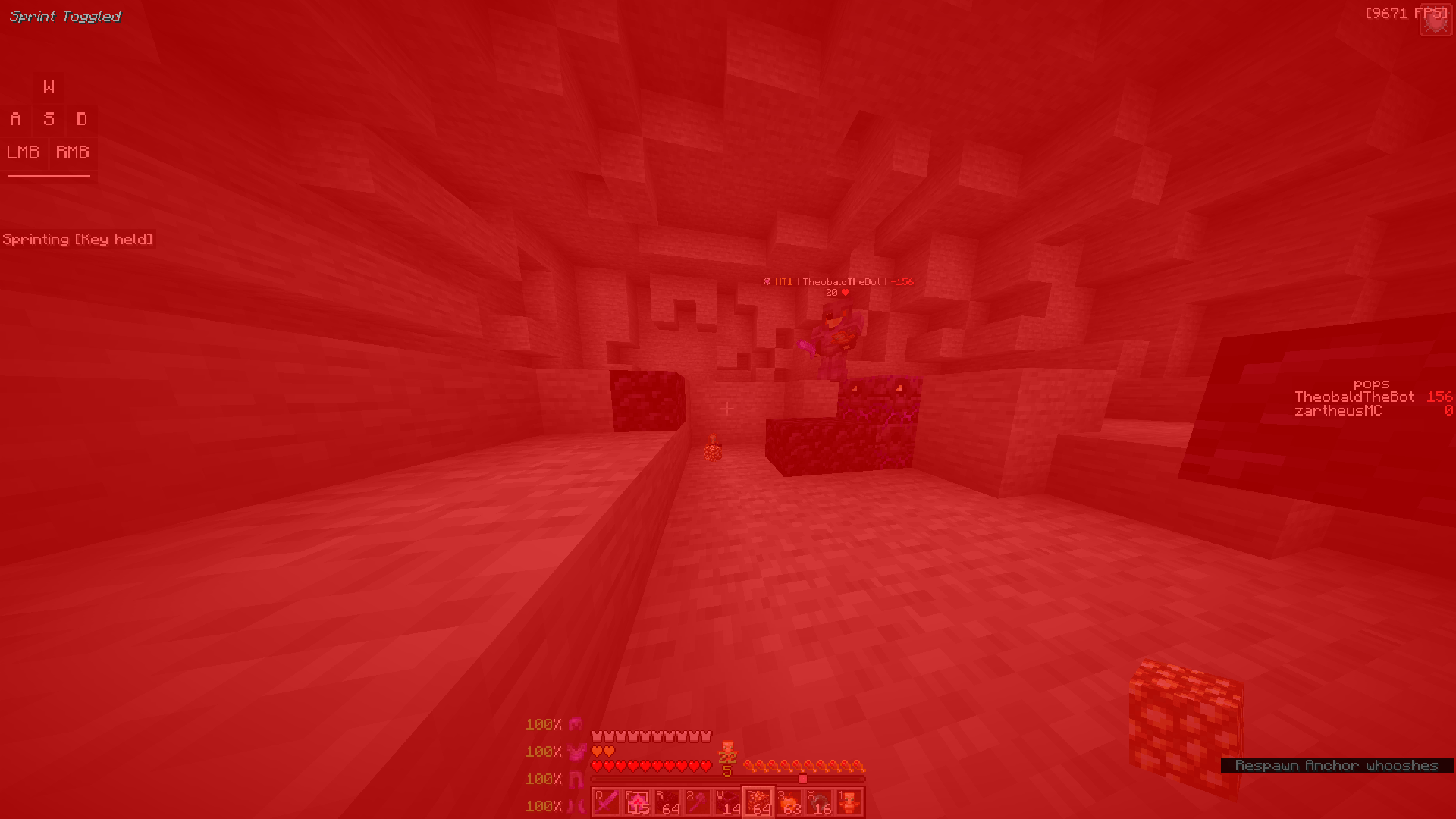 Offhand Dont Have Totem
-
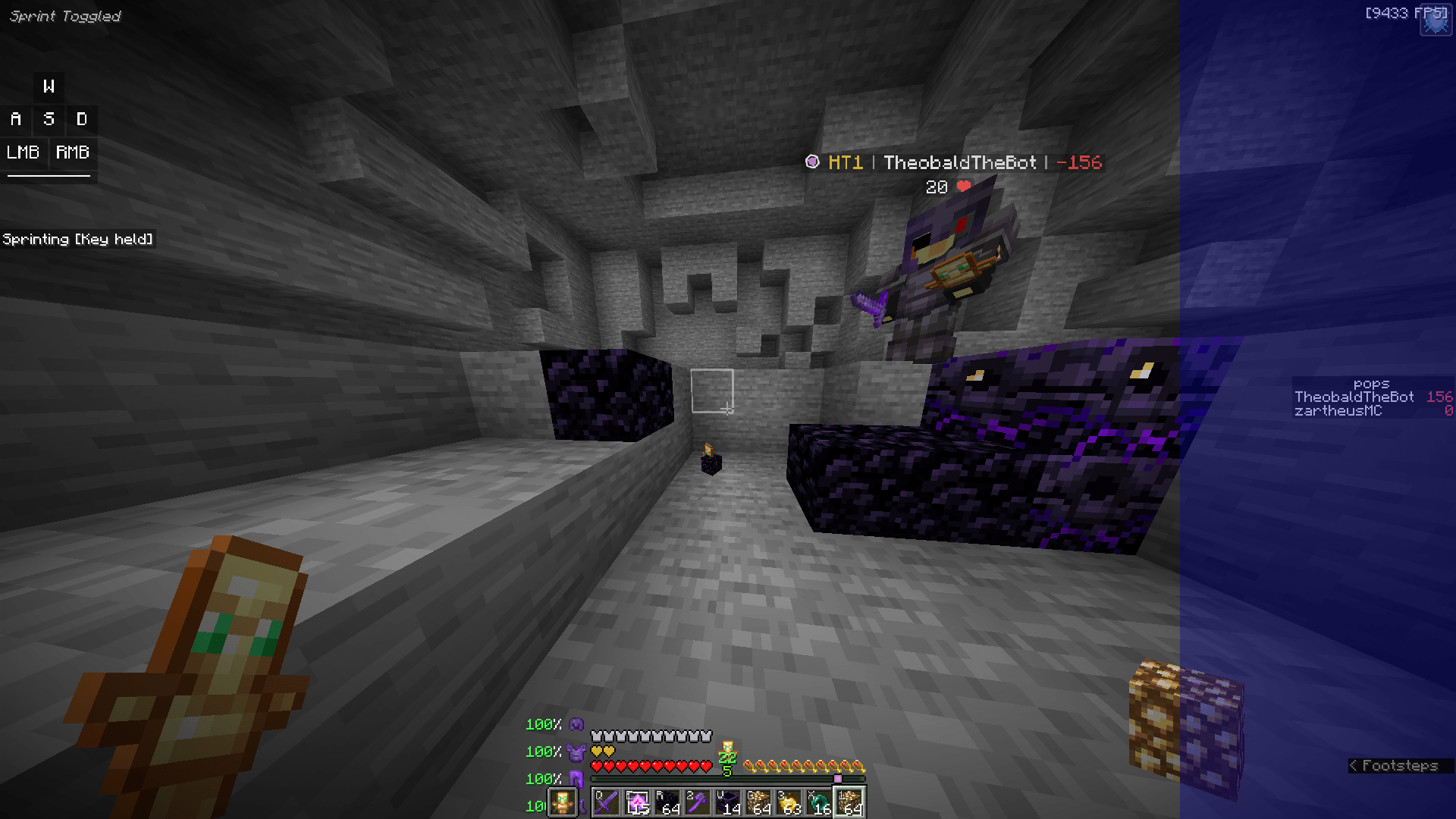 Hotbar Dont Have Totem
Versions
Files
Relations
Project Relations
More like this
Similar Mods
Suggestions use data such as tags, dependencies, dependents, descriptions, titles, and more to rank how much they overlap with this mod.
On ModDex
Community snapshot
By the numbers
Statistics

Get it on
Available Platforms
On ModDex
Community snapshot
By the numbers