Community listing page, reviews here may not be monitored by the author.
TradeTracker


No reviews yet
That automatically tracks and analyzes all Villager and Wandering Trader trades, calculating emerald profit/loss in real-time with a detailed trade history and HUD overlay.
Community voices
Reviews
No reviews yet. Be the first to review this project!
Get it on
Available Platforms
Compatibility
Supported Environments
Runs entirely on the client. Works on vanilla servers.
About
Project Details
For authors
Embed Badge
If you're the author of this project, you can embed a live badge anywhere that supports HTML or Markdown. It updates automatically whenever ratings change.
Use HTML for any page that supports it, or Markdown for README files and Markdown-based descriptions.
Identifiers
Platform IDs
About
Description
TradeTracker
Track every trade. Know every profit. Master the emerald economy!
This client-side Fabric mod automatically tracks and analyzes all your Villager and Wandering Trader trades, calculating emerald profit and loss in real-time with a detailed history and HUD overlay.
Features
Trade Tracking
- Automatic detection - Every trade with Villagers and Wandering Traders is recorded instantly
- Emerald calculation - Real-time profit/loss per trade using 100+ item value mappings
- Session management - Start, pause, and resume tracking sessions with a single keybind
- Session persistence - Optionally save sessions across world closes
HUD Overlay
- Full mode - Detailed stats: total trades, balance, best/worst trades, daily count
- Compact mode - Clean one-line summary with balance and trade count
- Flash effects - Gold flash for big profits, red flash for losses
- Customizable - Position, opacity, scale, and visibility all adjustable
Trade History
- History screen - Browse all recorded trades with a dedicated GUI
- Profession filter - Filter trades by villager profession with trade counts
- Smart filters - View all, profit only, loss only, or last 10 trades
- Color-coded - Green for profit, red for loss, gray for neutral trades
Player-Friendly
- In-game config - Full YACL config screen via ModMenu
- Keybinds - Dedicated "TradeTracker" category in controls
- Localization - English and German language support
- Client-side only - No server installation required
Customization
Configure everything in-game via ModMenu:
General
- Toggle mod on/off
- Enable/disable Wandering Trader tracking
- Session persistence on/off
HUD
- Position: top-left, top-right, bottom-left, bottom-right
- Opacity: 0-100%
- Scale: 50-150%
- Visibility: always visible or only during trading
Keybinds (Controls > TradeTracker)
T- Toggle compact HUD modeG- Open trade history screenJ- Start/pause/resume sessionR- Reset session (in history screen)F- Cycle filters (in history screen)
Requirements
- Minecraft: 26.1+
- Fabric Loader: 0.18.4 or higher
- Fabric API: Required
- Java: 25 or higher
- ModMenu + YACL: Required (for in-game config screen)
Perfect For
- Traders - Maximize your emerald profits with data-driven insights
- Builders - Track how much you spend on building materials from villagers
- Survival Players - Keep an eye on your trading economy across sessions
- Everyone - Anyone who trades with villagers in Minecraft!
Links
- Issues & Bugs: GitHub Issues
- Source Code: GitHub Repository
License
This mod is open-source and licensed under the MIT License.
Made with love by DennisTheGamer
TradeTracker
Track every trade. Know every profit. Master the emerald economy!
This client-side Fabric mod automatically tracks and analyzes all your Villager and Wandering Trader trades, calculating emerald profit and loss in real-time with a detailed history and HUD overlay.
Features
Trade Tracking
- Automatic detection - Every trade with Villagers and Wandering Traders is recorded instantly
- Emerald calculation - Real-time profit/loss per trade using 100+ item value mappings
- Session management - Start, pause, and resume tracking sessions with a single keybind
- Session persistence - Optionally save sessions across world closes
HUD Overlay
- Full mode - Detailed stats: total trades, balance, best/worst trades, daily count
- Compact mode - Clean one-line summary with balance and trade count
- Flash effects - Gold flash for big profits, red flash for losses
- Customizable - Position, opacity, scale, and visibility all adjustable
Trade History
- History screen - Browse all recorded trades with a dedicated GUI
- Profession filter - Filter trades by villager profession with trade counts
- Smart filters - View all, profit only, loss only, or last 10 trades
- Color-coded - Green for profit, red for loss, gray for neutral trades
Player-Friendly
- In-game config - Full YACL config screen via ModMenu
- Keybinds - Dedicated "TradeTracker" category in controls
- Localization - English and German language support
- Client-side only - No server installation required
Customization
Configure everything in-game via ModMenu:
General
- Toggle mod on/off
- Enable/disable Wandering Trader tracking
- Session persistence on/off
HUD
- Position: top-left, top-right, bottom-left, bottom-right
- Opacity: 0-100%
- Scale: 50-150%
- Visibility: always visible or only during trading
Keybinds (Controls > TradeTracker)
T- Toggle compact HUD modeG- Open trade history screenJ- Start/pause/resume sessionR- Reset session (in history screen)F- Cycle filters (in history screen)
Requirements
- Minecraft: 26.1+
- Fabric Loader: 0.18.4 or higher
- Fabric API: Required
- Java: 25 or higher
- ModMenu + YACL: Required (for in-game config screen)
Perfect For
- Traders - Maximize your emerald profits with data-driven insights
- Builders - Track how much you spend on building materials from villagers
- Survival Players - Keep an eye on your trading economy across sessions
- Everyone - Anyone who trades with villagers in Minecraft!
Links
- Issues & Bugs: GitHub Issues
- Source Code: GitHub Repository
License
This mod is open-source and licensed under the MIT License.
Made with love by DennisTheGamer
Screenshots
Gallery
-
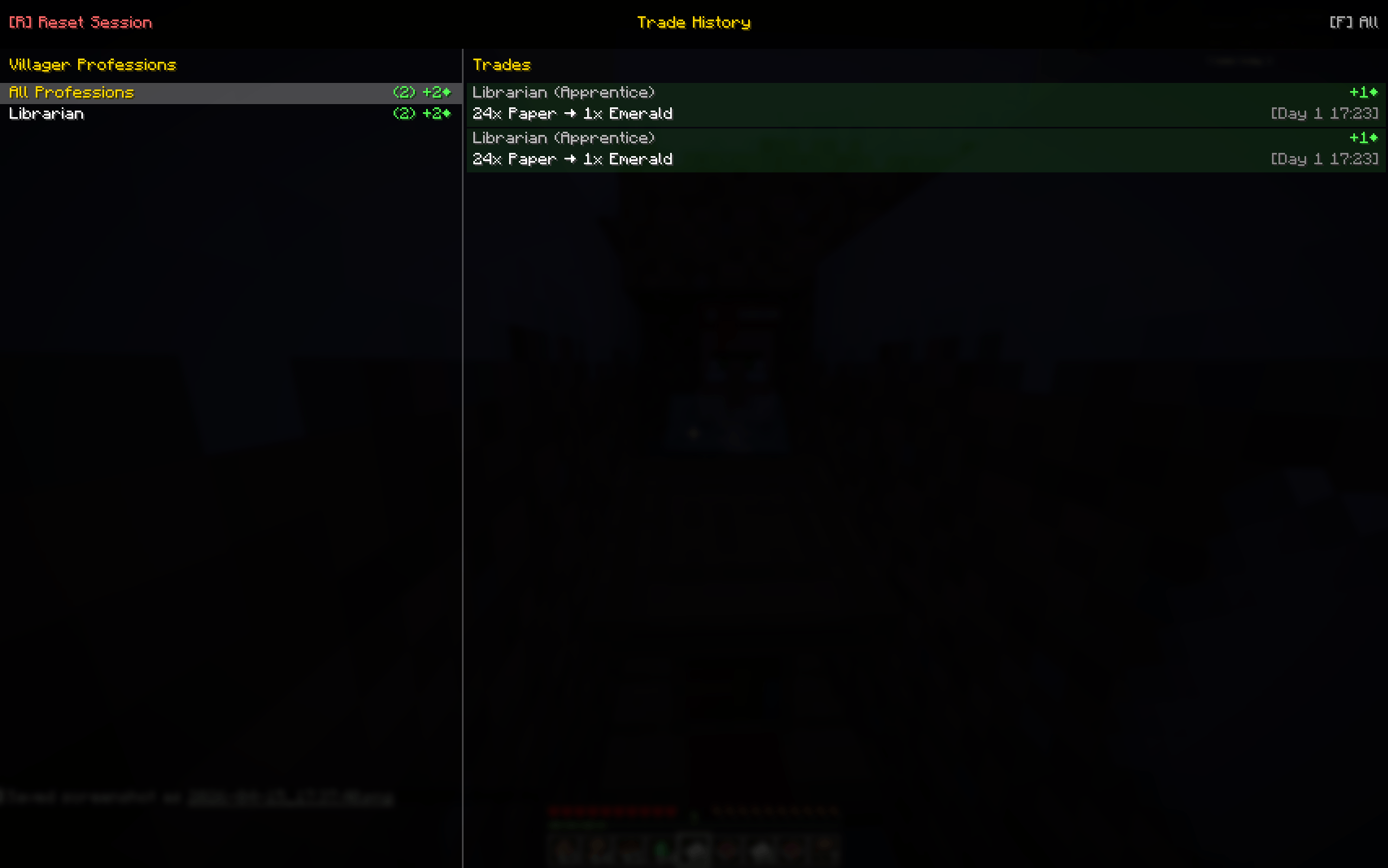 Trade history Your dedicated place where you can find all your trades in your session.
 -
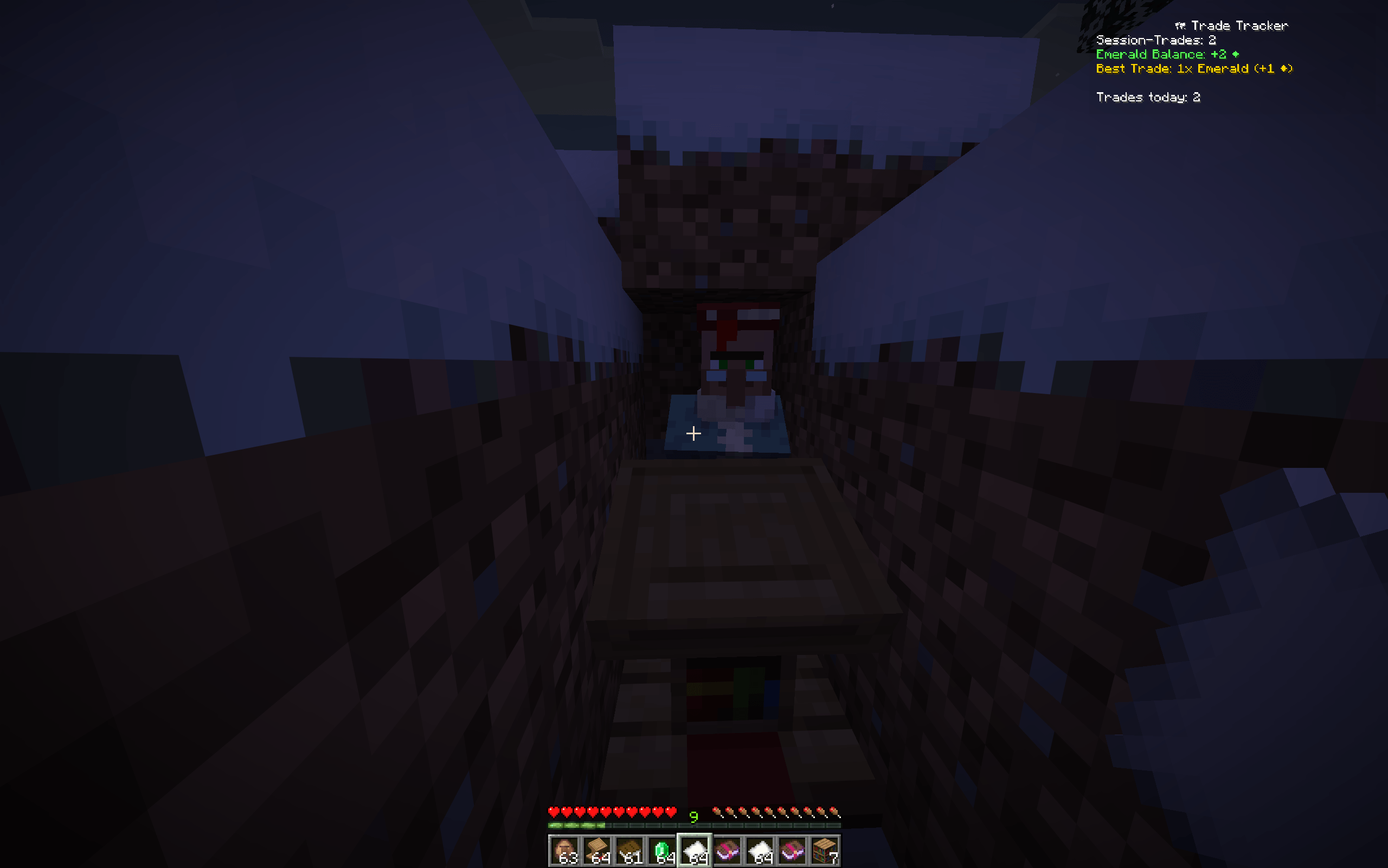 Live stats while you are trade You can see directly on your screen how many trades you already did and how much you lose on emeralds or how much you gain.
-
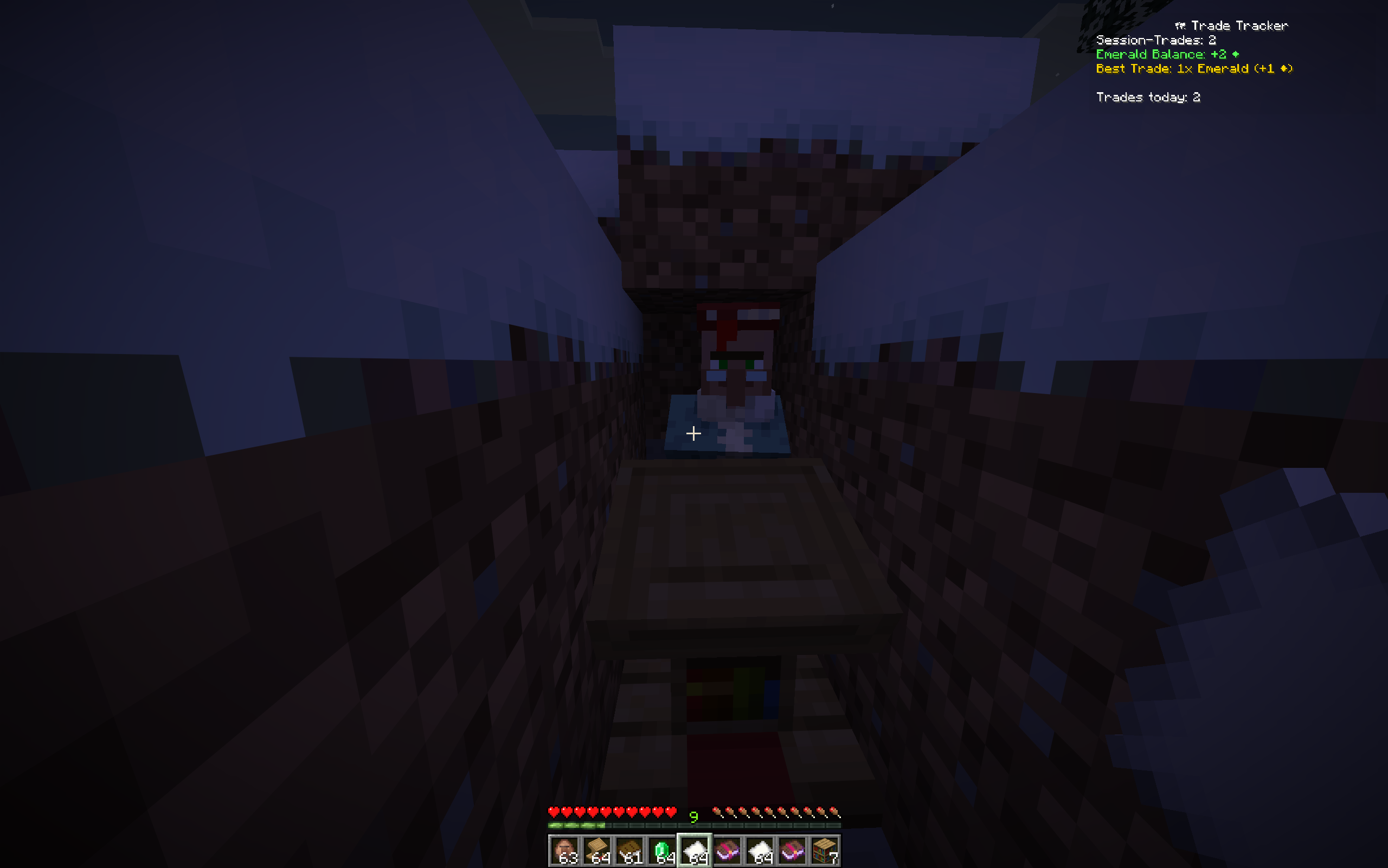 Live stats while you are trade You can see directly on your screen how many trades you already did and how much you lose on emeralds or how much you gain.
 -
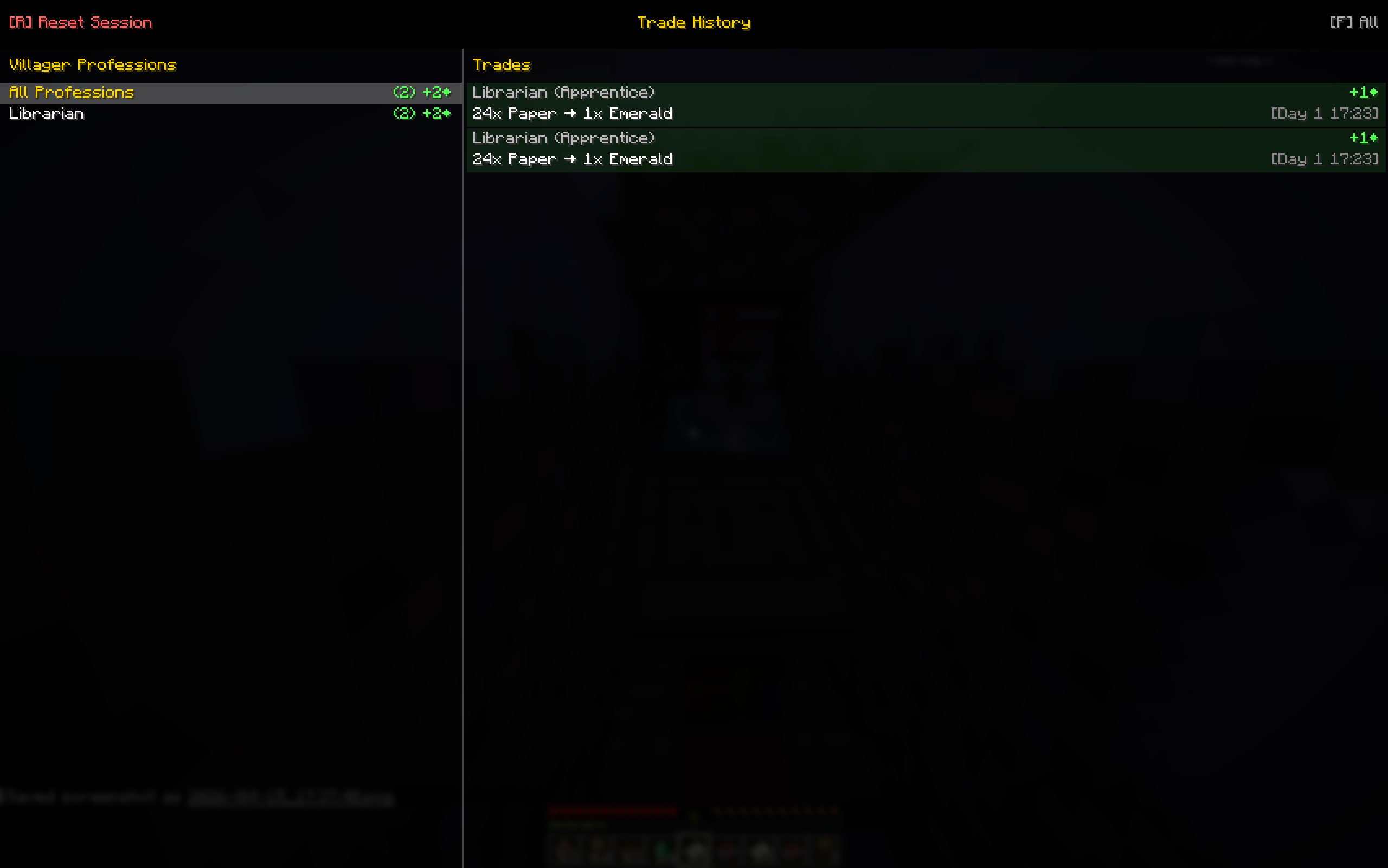 Trade history Your dedicated place where you can find all your trades in your session.
Versions
Files
Relations
Project Relations
More like this
Similar Mods
Suggestions use data such as tags, dependencies, dependents, descriptions, titles, and more to rank how much they overlap with this mod.
On ModDex
Community snapshot
By the numbers
Statistics
Want to reach Minecraft players?
We're looking for a server hosting partner to feature here and other parts of the site. Interested? Send us a message!
Get in touchGet it on
Available Platforms
On ModDex
Community snapshot
By the numbers