Community listing page, reviews may not be monitored by the author.
Translate Any Server & Mod

No reviews yet
ANY SERVER. ANY MOD. Translate chat, items, NPCs & mod menus into your language. Google translation — no API key or local AI!

Community voices
Reviews
No reviews yet. Be the first to review this project!
Get it on
Available Platforms
About
Project Details
For authors
Embed Badge
If you're the author of this project, you can embed a live badge anywhere that supports HTML or Markdown. It updates automatically whenever ratings change.
Use HTML for any page that supports it, or Markdown for README files and Markdown-based descriptions.
Identifiers
Platform IDs
Resources
External Links
About
Description
Translate Any Server & Mod
ANY SERVER. ANY MOD. YOUR LANGUAGE.
Translate Minecraft chat, items, NPC dialogue and mod interfaces with Google — no API key or local AI model needed. Install it on your client and play in your language.
See it in game
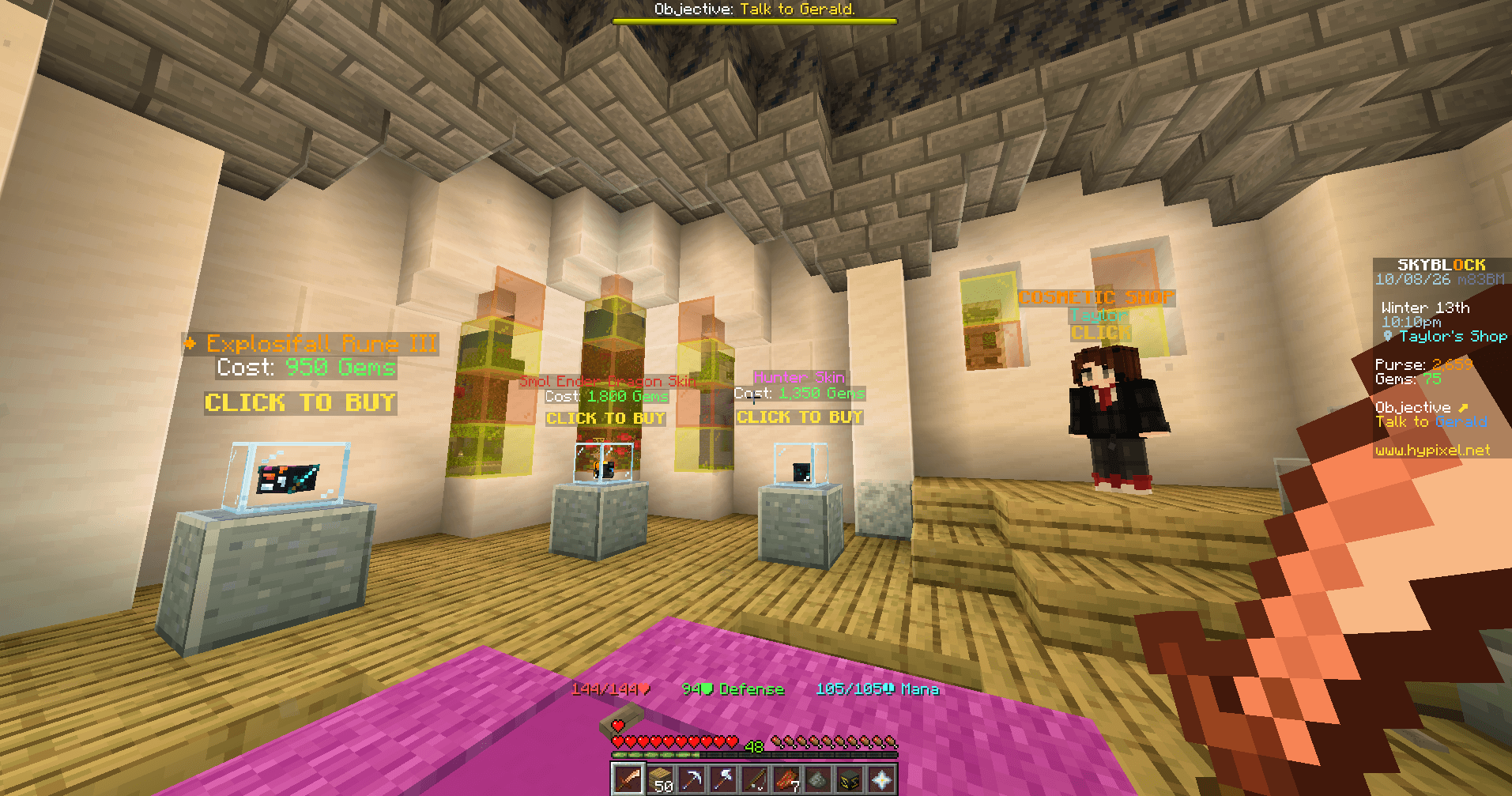
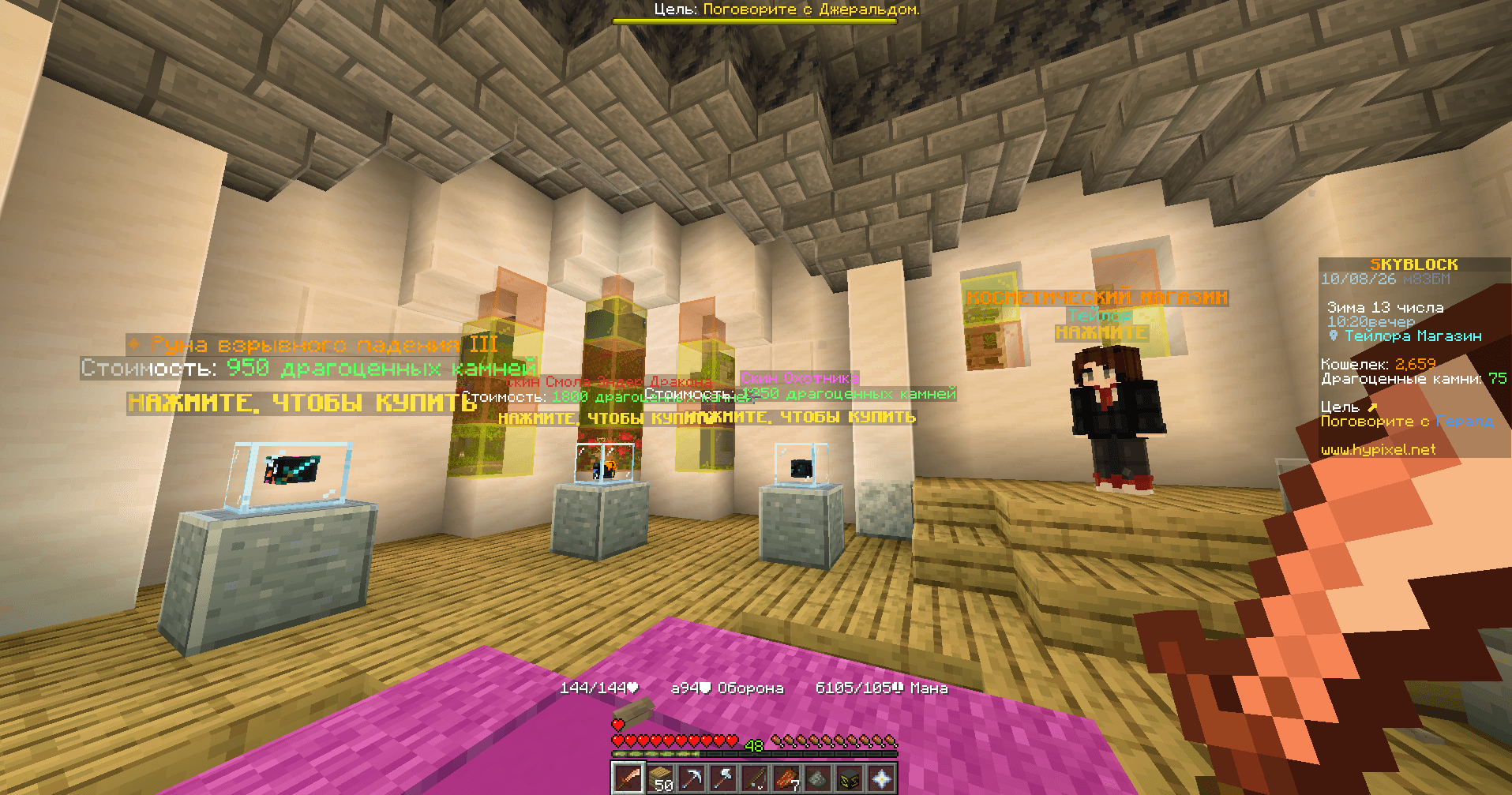
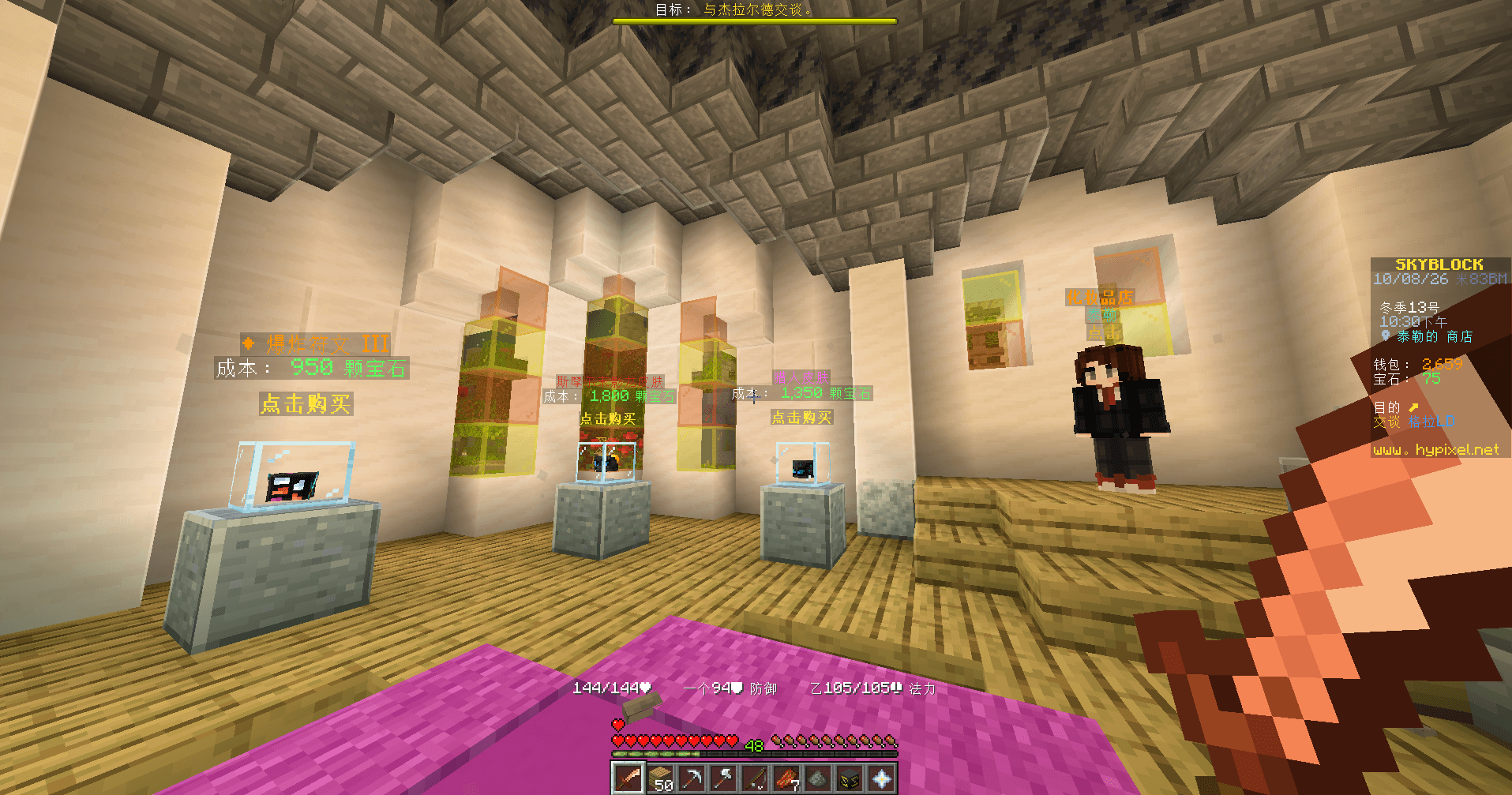
Real gameplay: English → Russian / Chinese. Click any screenshot to view it at full size.
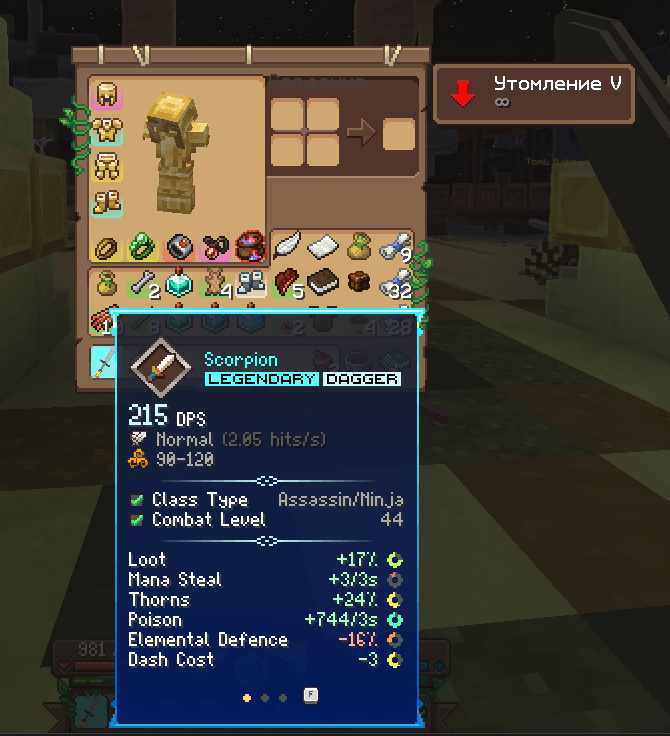
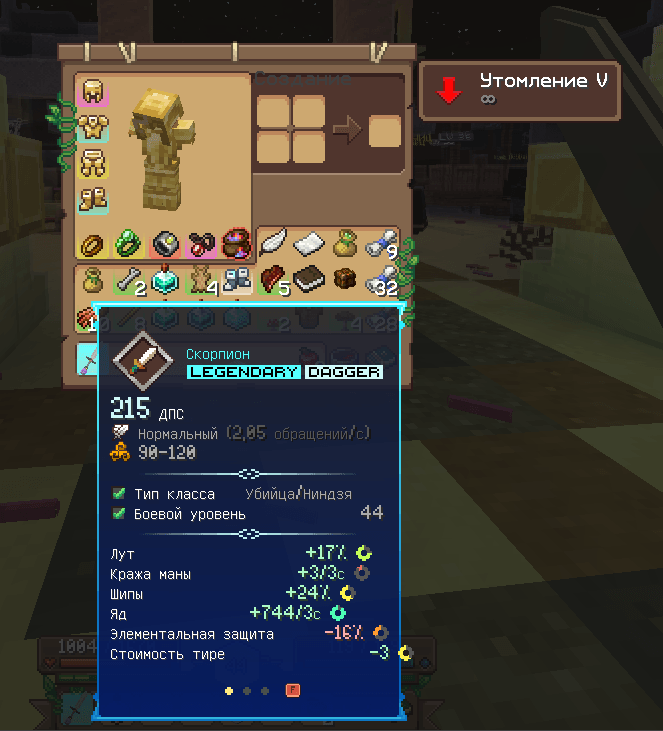
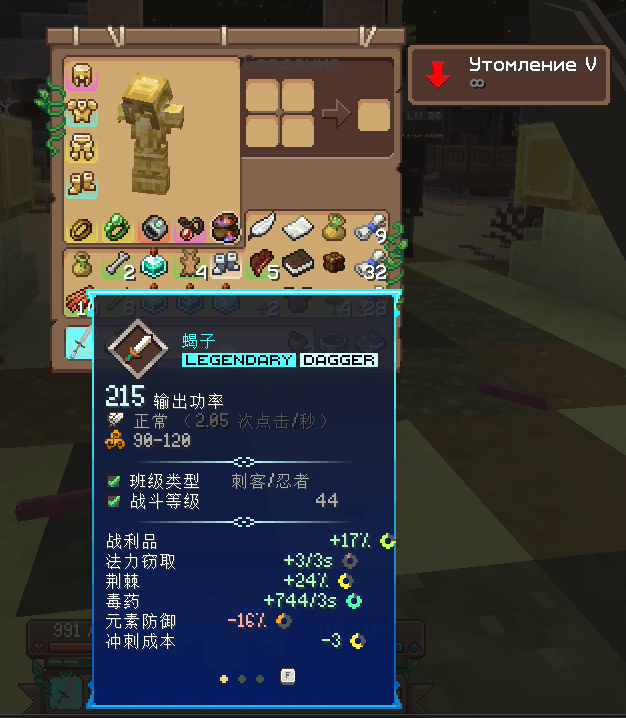
Items and their stats
Wynncraft item: English → Russian / Chinese. Colors, icons and numeric stats remain visible.
| English — original | Russian | Chinese |
|---|---|---|
 |
 |
 |
Wynncraft dialogue inside the native frame
Translated prose appears inside the brown dialogue frame. The speaker label and SHIFT prompt stay original.
| English — original | Russian | Chinese |
|---|---|---|
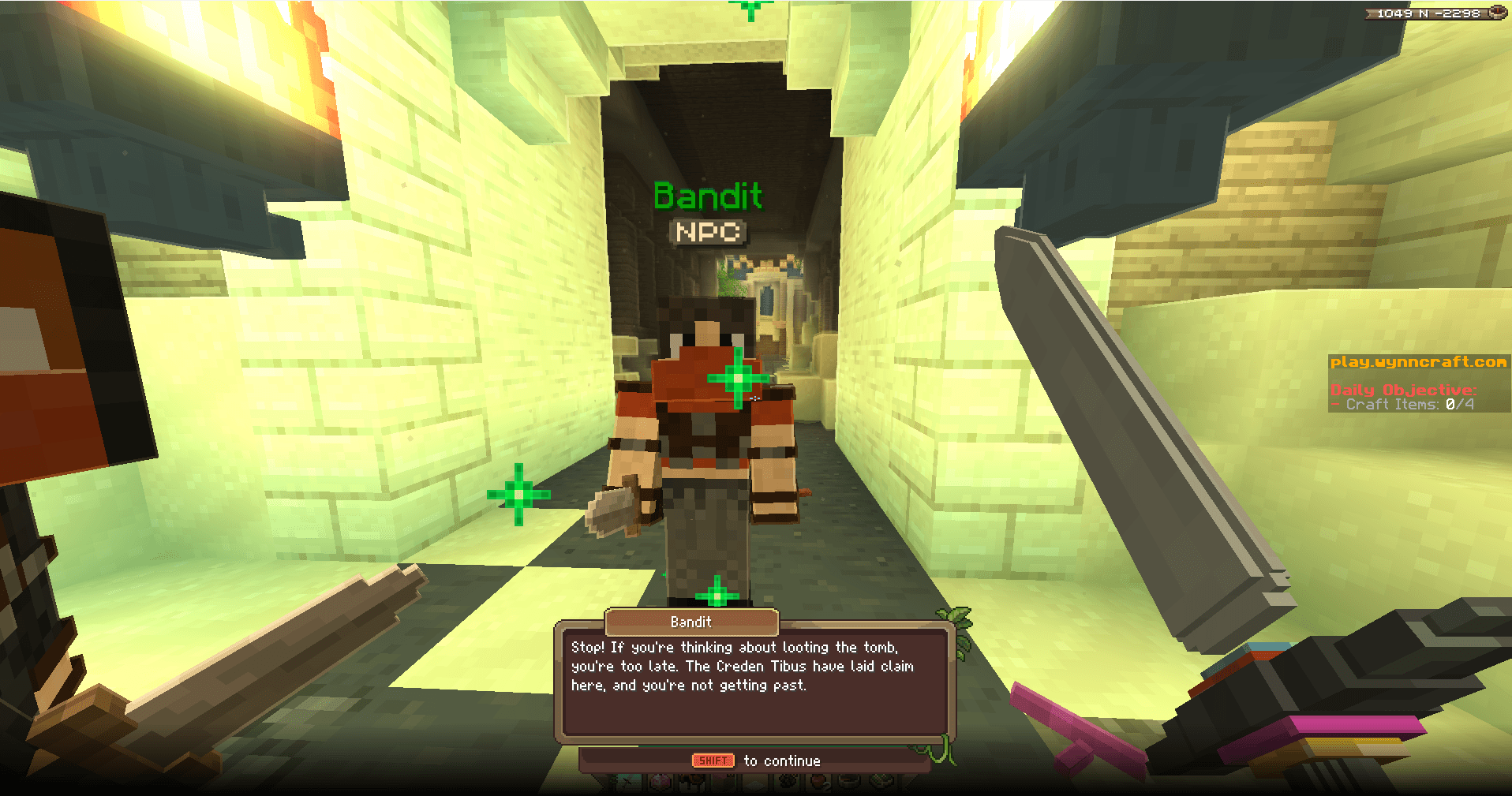 |
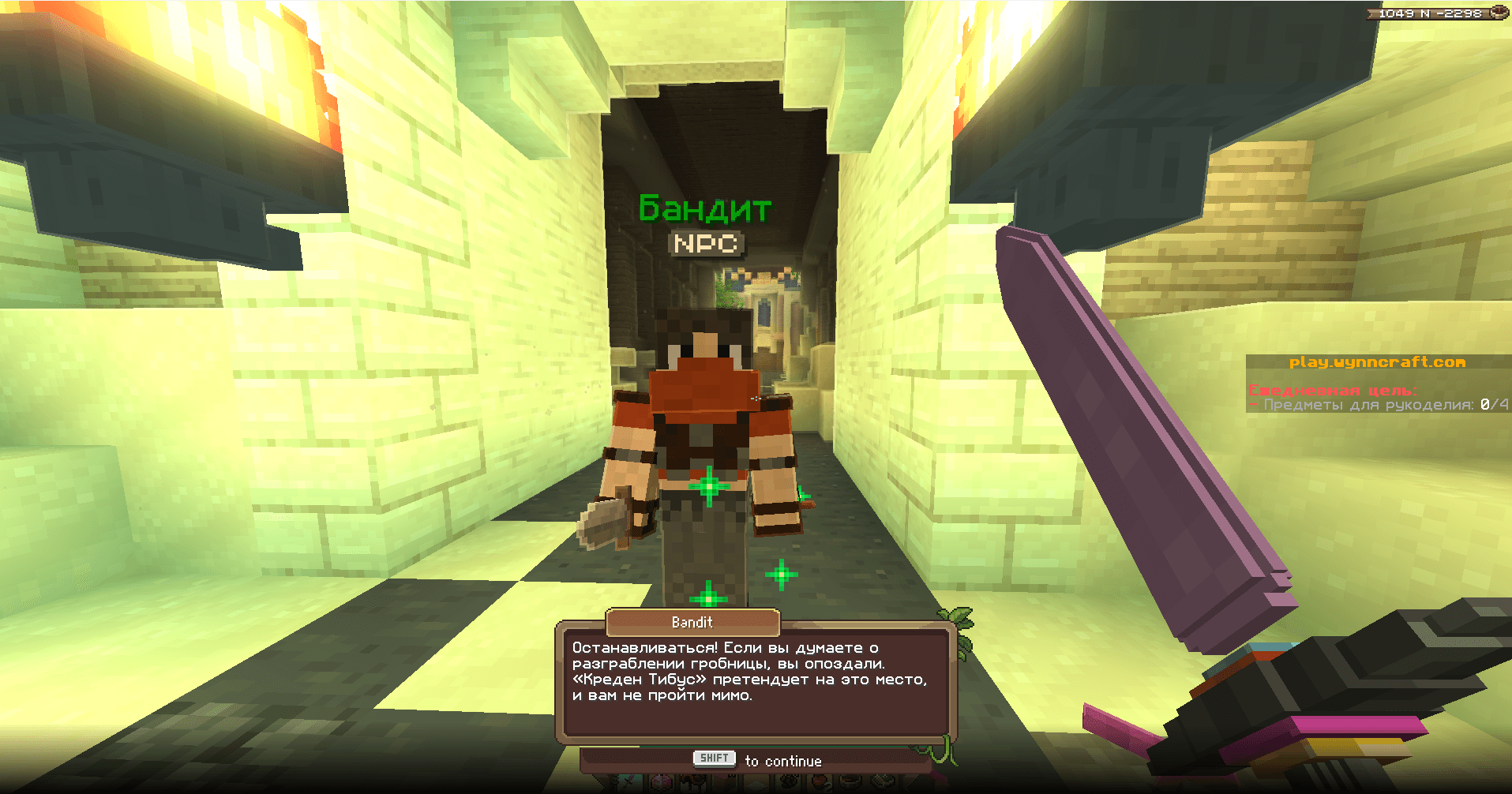 |
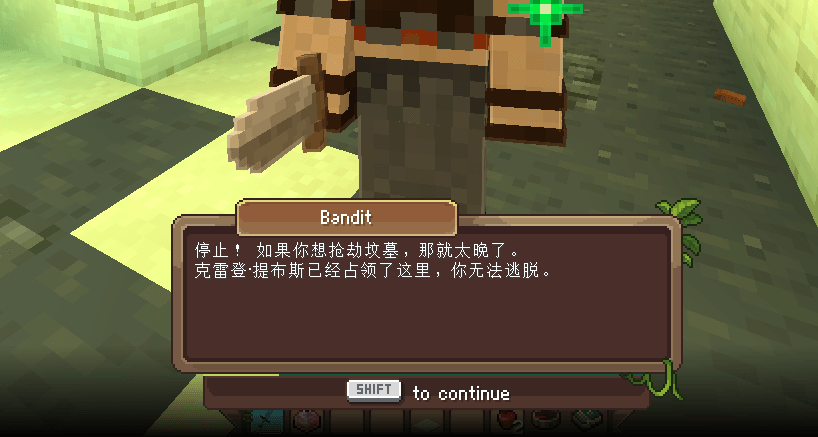 |
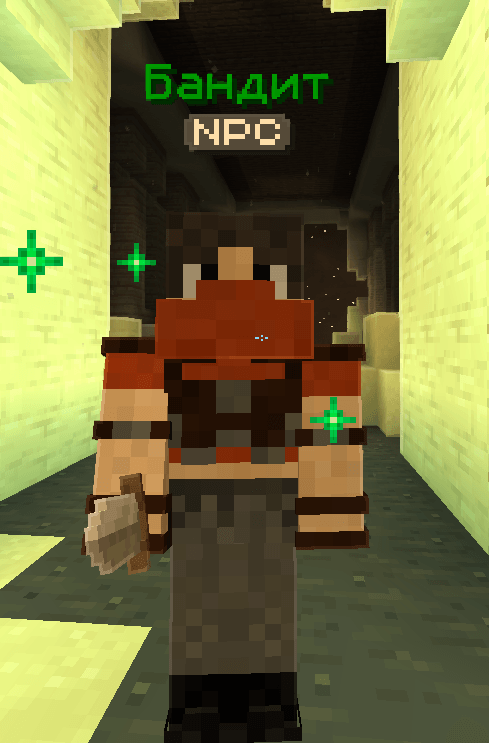
NPC names
Bandit → Бандит. Entity-name translation can be disabled separately.
| English — original | Russian |
|---|---|
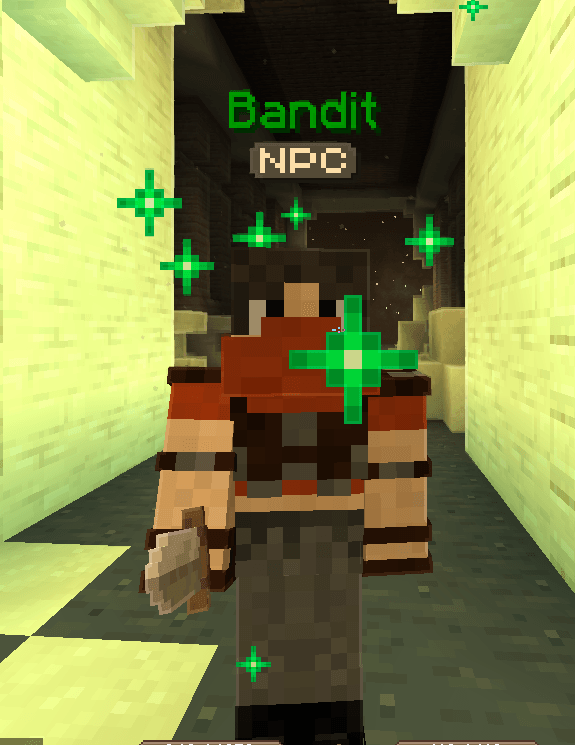 |
 |
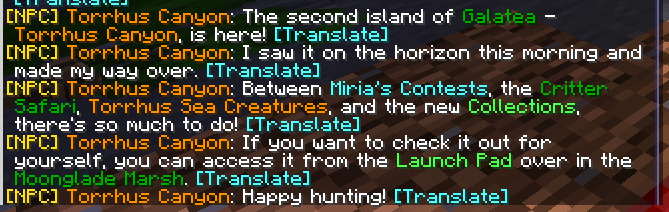
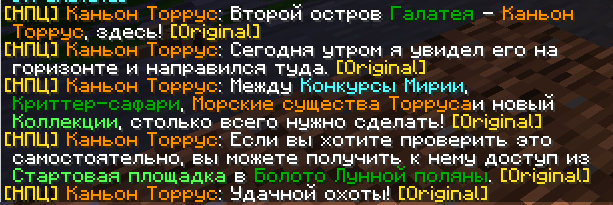
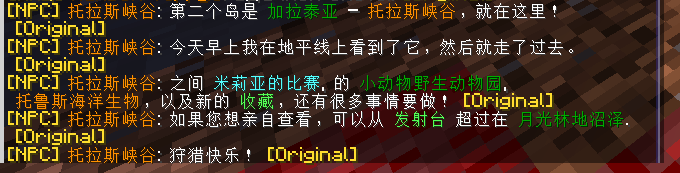
Chat and NPC messages
Hypixel SkyBlock messages in English, Russian and Chinese. Button mode lets you switch between translation and original.
| English — original | Russian | Chinese |
|---|---|---|
 |
 |
 |
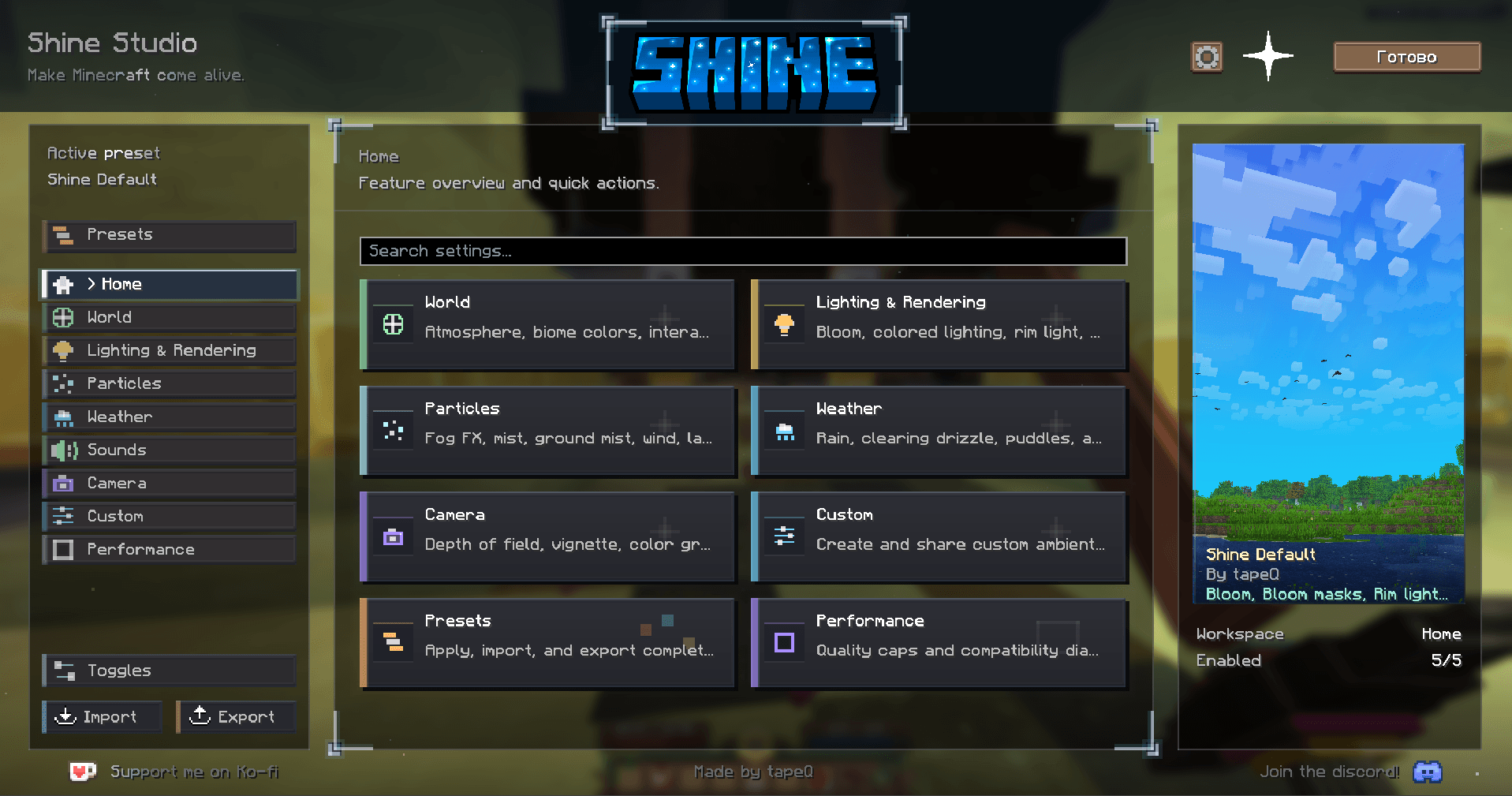
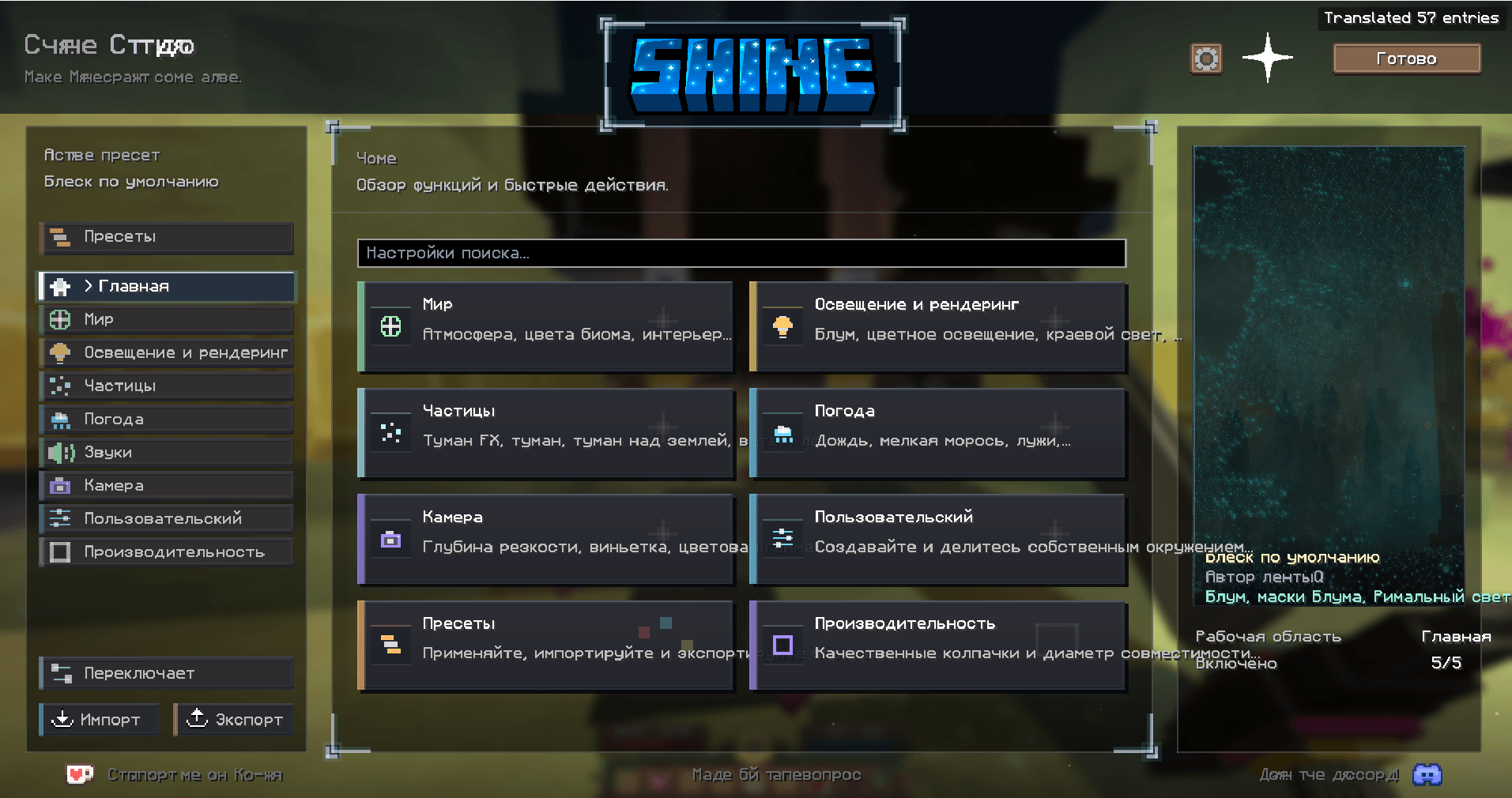
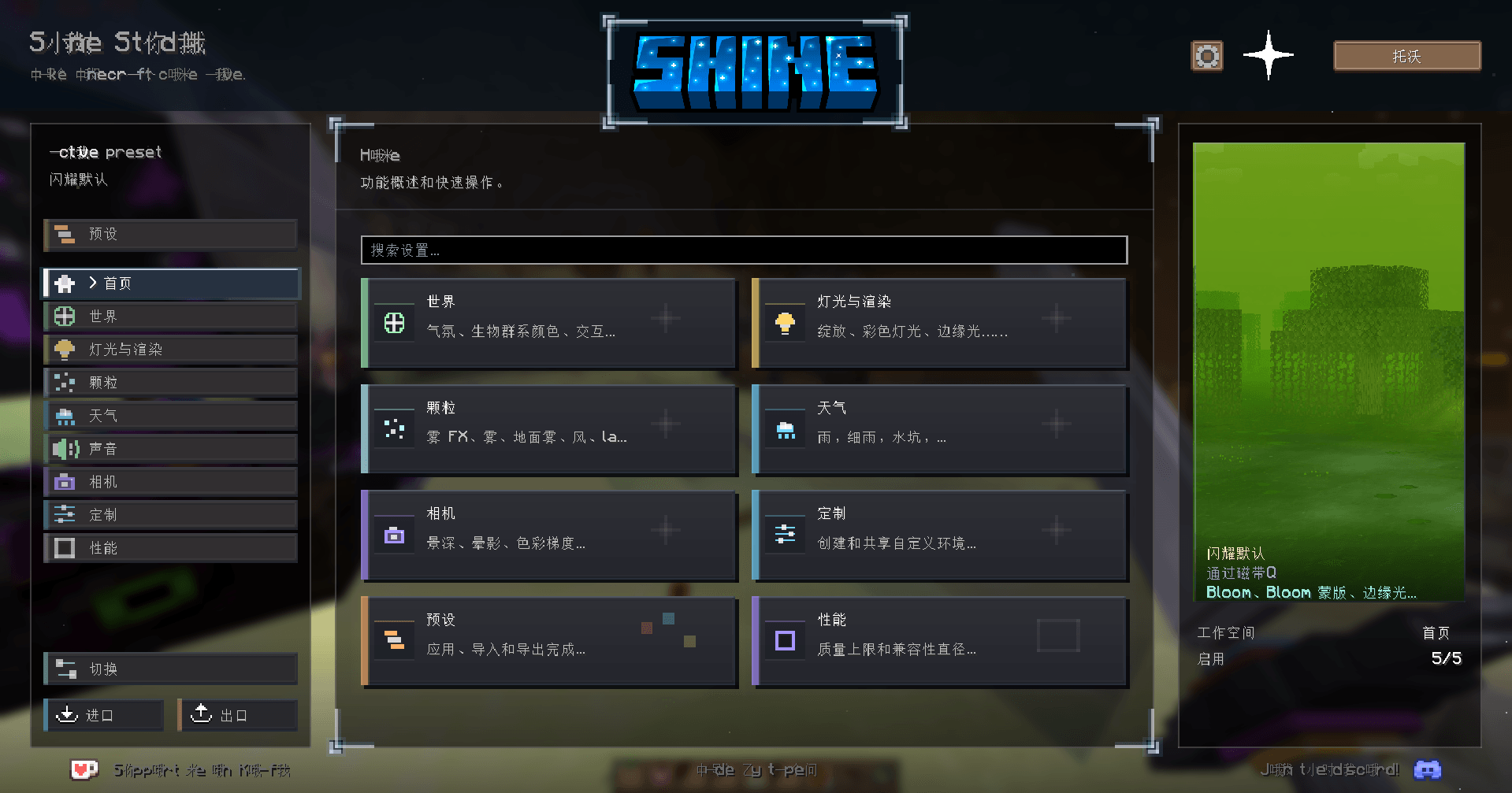
Mod interfaces: Shine Studio
Press K in a supported interface. This example also shows current limitations: custom headings can be partially translated and longer text can overflow widgets.
| English — original | Russian | Chinese |
|---|---|---|
 |
 |
 |
More examples: Hypixel, HUD and world text
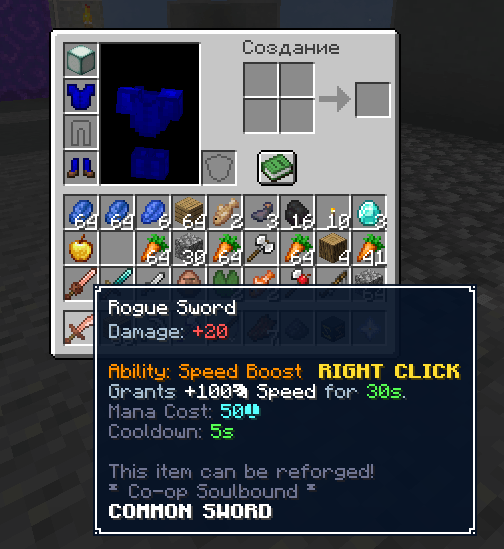
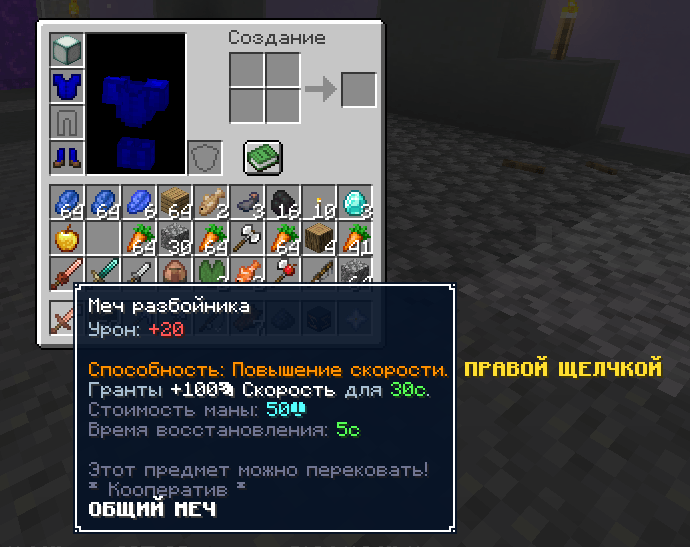
Hypixel SkyBlock item
| English — original | Russian |
|---|---|
 |
 |
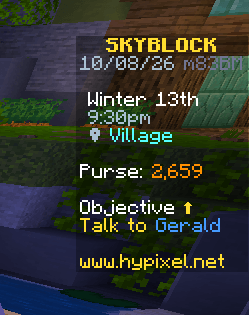
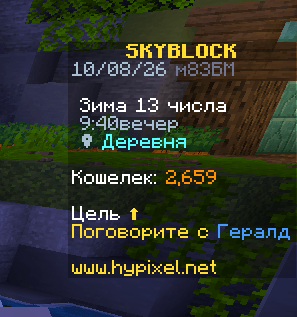
Objectives and scoreboard
| English — original | Russian |
|---|---|
 |
 |
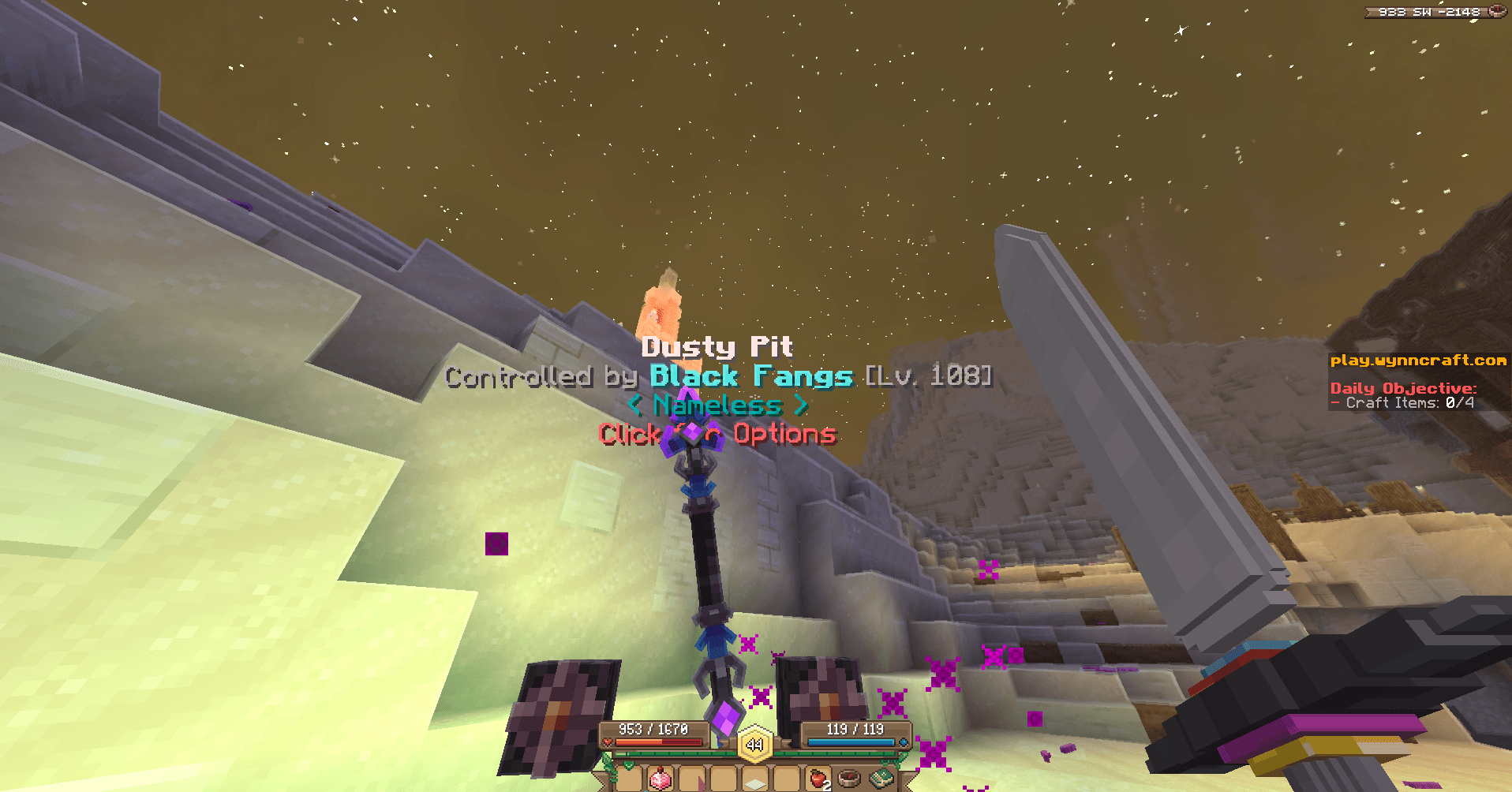
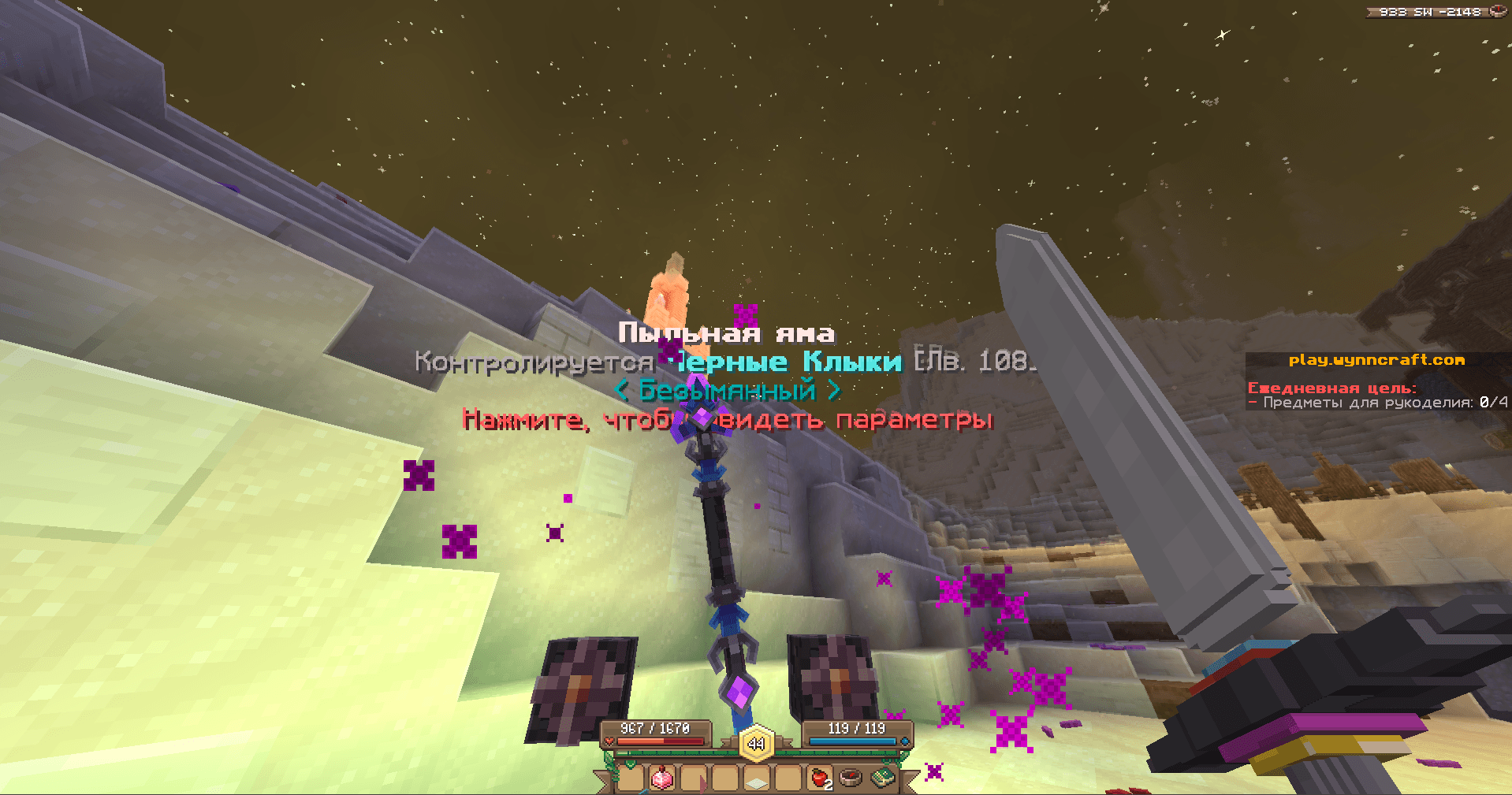
Wynncraft world labels
| English — original | Russian |
|---|---|
 |
 |
Hypixel shop: three languages
| English — original | Russian | Chinese |
|---|---|---|
 |
 |
 |
Install and start
Minecraft Java 26.2 · Fabric · Free and open source · MIT
- Use Minecraft Java Edition 26.2 with Fabric Loader and Fabric API for 26.2. Tested with Loader 0.19.5, Fabric API 0.155.2+26.2, and Java 25.
- Click Download on this CurseForge page, choose the Fabric 26.2 version, download the
.jar, and put it in your instance'smodsfolder. Remove any other SimpleTranslate JAR first: both use the same mod ID. - Start Minecraft. Google is already selected, the source language is automatic and the target is Russian. Change the languages in settings if needed.
- Open settings with U by default, or through optional Mod Menu. No server-side installation is needed for client translation.
| Action | How |
|---|---|
| Translate the current interface | K, when GUI translation is enabled. K starts translation; it is not an original/translation toggle. |
| Temporarily show original text | Shortcuts → Hold to Show Original: enable the master switch and assign a key for GUI text or another surface. Hold the key to view the original. |
| Translate a tooltip on demand | V, after selecting the shortcut trigger mode. |
| Translate selected signs | In Manual Selection mode: G starts/stops selection; H submits. |
| Translate and send chat | Enable Translate Sent Chat, set the server language, then Ctrl+Enter. |
| Correct a translation | Edit its entry in Translated Cache. |
Translations are saved locally and reused after restarting. A changed text, language, provider or cache policy can require a new translation. The download contains no player config or gameplay cache.
What it can translate
- Item names, descriptions, stats and hover tooltips.
- Chat and NPC messages, automatically or on demand.
- Wynncraft dialogue inside the server's original dialogue frame.
- NPC/entity names, text displays and signs.
- Scoreboards, boss bars, titles, action bars and objectives.
- Books and supported mod interfaces, including the Shine Studio example above.
- Your outgoing chat: enable Translate Sent Chat and use Ctrl+Enter.
Choose the source and target language in settings. Auto → Russian is the default; other supported languages can be selected or entered as a custom language code.
What changed from SimpleTranslate
| Area | This fork adds or changes |
|---|---|
| Translation provider | Keyless Google web translation, selected by default; no local model is required. |
| Model API | Retained as an optional provider. Only the selected provider handles translation; there is no automatic switch between Google and AI. |
| Wynncraft dialogue | Translated prose inside the native brown frame, while preserving the speaker label, controls and visible response layout. |
| Long dialogue | Wraps lines and scales prose down when necessary. If it cannot fit even at 60%, the original remains visible. |
| Requests | Batches nearby text, coalesces duplicate requests, gives dialogue priority, paces Google requests and pauses on rate limits. |
| Stored data | Uses a separate config/simple_translate_web directory; original SimpleTranslate/LM Studio caches are not automatically imported. |
Chat, item, book, sign and interface support, cache tools and configurable shortcuts build on the original mod. This is a fork, not an official SimpleTranslate release.
Compatibility and privacy
The mod works across server and mod text that its rendering hooks can read; it does not guarantee that every element of every mod or server is translated. Unusual renderers and custom fonts can require separate support. Text baked into images/textures is not recognized. The Shine screenshots show some partial translations and widget overflow.
Language detection also has limits: Latin text can be skipped when targeting English, and other Cyrillic languages can be skipped when targeting Russian. The screenshots demonstrate English → Russian and English → Chinese, not every possible language pair.
Text selected for translation is sent to Google in Google mode, or to your configured model endpoint in Model API mode. Google uses unofficial web endpoints: an internet connection is required and availability, rate limits and latency are not guaranteed. Failed translations keep the original visible. Model prompts and AI history are not sent to Google. The optional server cache sharing feature sends cache entries to a compatible server only when enabled.
Open source and credits
This is a free, open-source project under the MIT license. View all source code on GitHub.
Based on SimpleTranslate by baokaixina, maintained by mirray-u. Google web translation and native Wynncraft dialogue changes were developed with AI assistance. The original MIT copyright notice is preserved. The project icon was created with AI assistance and edited by the project author; gameplay screenshots are real and unmodified.
Wynncraft, Hypixel and Shine Studio are compatibility examples; this project is not affiliated with them, Google, Mojang or Microsoft.
Screenshots
Gallery
-
item-wynn-en.png item-wynn-en.png
-
item-wynn-ru.png item-wynn-ru.png
-
item-wynn-zh.png item-wynn-zh.png
-
dialogue-wynn-en.png dialogue-wynn-en.png
-
dialogue-wynn-ru.png dialogue-wynn-ru.png
-
dialogue-wynn-zh.png dialogue-wynn-zh.png
-
npc-wynn-en.png npc-wynn-en.png
-
npc-wynn-ru.png npc-wynn-ru.png
-
chat-hypixel-en.png chat-hypixel-en.png
-
chat-hypixel-ru.png chat-hypixel-ru.png
-
chat-hypixel-zh.png chat-hypixel-zh.png
-
shine-en.png shine-en.png
-
shine-ru.png shine-ru.png
-
shine-zh.png shine-zh.png
-
item-hypixel-en.png item-hypixel-en.png
-
item-hypixel-ru.png item-hypixel-ru.png
-
hud-hypixel-en.png hud-hypixel-en.png
-
hud-hypixel-ru.png hud-hypixel-ru.png
-
world-wynn-en.png world-wynn-en.png
-
world-wynn-ru.png world-wynn-ru.png
Versions
Files
Relations
Project Relations
More like this
Similar Mods
Suggestions use data such as tags, dependencies, dependents, descriptions, titles, and more to rank how much they overlap with this mod.
On ModDex
Community snapshot
By the numbers
Statistics

Get it on
Available Platforms
On ModDex
Community snapshot
By the numbers
Statistics
Resources