
Community listing page, reviews may not be monitored by the author.
TropiWiki


No reviews yet
Wiki in game for Cobblemon

Community voices
Reviews
No reviews yet. Be the first to review this project!
Get it on
Available Platforms
Compatibility
Supported Environments
Runs entirely on the client. Works on vanilla servers.
About
Project Details
For authors
Embed Badge
If you're the author of this project, you can embed a live badge anywhere that supports HTML or Markdown. It updates automatically whenever ratings change.
Use HTML for any page that supports it, or Markdown for README files and Markdown-based descriptions.
Identifiers
Platform IDs
Resources
External Links
About
Description
⚠️ Mod only with French interfaces ⚠️
📘 TropiWiki — The Pokémon mini-wiki integrated into Minecraft (Cobblemon)
TropiWiki is a client-side mod for Minecraft 1.21.1 (Fabric), based on Cobblemon, allowing players to access ultra-detailed information about all Pokémon, directly in-game — with a 100% French interface.
🔍 Main Features
📘 Smart Search
- Press
Oto open the wiki. - Search Pokémon by French name, even with typos.
- Dynamic suggestions and smart corrections (can be turned off).
- Search history stored locally.
🗂️ Pokémon Info Tabs
Each Pokémon has a full profile with the following tabs:
📍 Appearance
- Info about rarity, biomes, level, time, weather, context, and conditions.
- Left column: spawn conditions. Right column: biome details.
- Built-in 3D Pokémon model rendering (supports shiny).
📊 Stats
- Base stats shown + radar graph.
- EVs obtained when defeating the Pokémon.
- Lootable items upon death.
- Warning if stats come from base form.
🔁 Evolutions
- Complete evolution tree, including pre-evolutions.
- Detailed requirements: level, item, gender, context…
- Special layout for Pokémon with multiple evolutions (e.g., Eevee).
- 3D models rendered below final evolutions.
🌟 Abilities
- All available abilities with French descriptions.
- Hidden abilities clearly marked (purple color + label).
⚔️ Moves
- Lists moves learned by:
- Level-up
- TMs/HMs
- Move tutors
- French translations included, grouped intelligently.
🧠 EV Stat Explorer
- Dedicated interface for filtering Pokémon by the EVs they give.
- Sort by name or value, ascending or descending.
- Quick stat selection: HP, Attack, Speed, etc.
⚙️ Settings
Accessible via the gear icon:
- Enable/disable smart search suggestions
- Toggle form visibility
- Choose between five themes (Red, Blue, Yellow, Green, Pink)
- Adjust background opacity
- Customize history size (1–20)
- Move notification position freely
🔒 100% Local Use
- Works entirely offline.
- Reads the following mod data files:
spawn_data.json,pokemon_names.json,biome_details.json,pokemon_types.json,abilities.json- All
species/*.jsonfiles
- No data collection or tracking
🧭 Play on the Tropimon server!
TropiWiki was created especially for the Tropimon Cobblemon server — a complete, cozy, and 100% French-speaking Pokémon Minecraft experience!
🎮 Join the Tropimon adventure:
- 🌐 Website: https://tropimon.fr
- 🚀 Launcher: https://tropimon.fr/launcher
- 📦 Modpack: Tropimon on Modrinth
Thanks for using TropiWiki! 🎉
Wiki Cobblemon — In-game Cobblemon Wiki & Spawn Checker - OutDated
Wiki Cobblemon is a client-side Fabric mod that brings a fast, elegant in-game wiki for Cobblemon species: spawns, evolutions, abilities, moves, drops, stats, forms & genders — plus a live spawn “Check Mode” that validates if a Pokémon can spawn at your current location.
Highlights
- Auto language: UI follows the player’s in-game language.
- Open instantly with O (configurable).
- Quick-open (H): opens the page of the Pokémon you’re currently looking at (configurable).
- Team Builder (B): plan moves, natures, types, forms, and more.
- Single-pane layout: side panes are mutually exclusive to keep the UI compact.
- Smart Search with fuzzy matching (typos, aliases, form names,
namespace:id). - 3D model viewer with Shiny toggle.
- Forms & Gender chips (scrollable) to switch variants quickly.
- Spawns by biome tags (source labels: Minecraft, Cobblemon, Terralith, Wythers, Other).
Click a tag to reveal conditions (time, weather, Y-level, skylight/see sky, context, moon phase, structures, weight/rarity, anti-conditions). - Check Mode: one click tests your current location and marks each condition PASS/FAIL.
- Evolutions with concise, readable requirements.
- Moves organized by Level-up, TM, Tutor, Egg.
- Abilities list (hidden abilities flagged) with inline descriptions.
- Drops/Loot: species drops or fallback loot tables with item icons & tooltips.
- Stats & EV yields in a clear side panel.
- Home view with Favorites and Recently Viewed.
Usage
Keybinds
- O — Open TropiWiki anywhere.
- H — Open the page for the Pokémon you’re looking at.
- B — Open Team Builder.
Commands
/tropiwiki                     # open the wiki
/tropiwiki flush history       # clear “recently viewed”
/tropiwiki flush favorites     # clear favorites
/tropiwiki encounters clear    # clear encounters
- Tips:
- You can type imperfect names (“pikashu”), form names, or full ids (
cobblemon:pikachu). - Click biome chips to show full spawn rules and use Check Mode to validate them in your current spot.
- Use the star to favorite a species; use the shiny button to preview the shiny model.
- You can type imperfect names (“pikashu”), form names, or full ids (
Data & Compatibility
- Client-side only. No server installation required.
- TropiWiki indexes data locally from installed datapacks/mod resources (e.g., Cobblemon species & spawn pools, loot tables).
If a server uses custom datapacks different from your local data, results may vary.
- UI strings reuse existing Minecraft/Cobblemon translations, matching your language pack.
Persistence & Config
- Favorites, history, and cache are stored at:
config/tropiwiki/tropiwiki_client.json - You can clear history or favorites via the commands above.
Requirements
- Fabric Loader
- Cobblemon (for species/models/moves/abilities data)
Notes
- Lightweight, no world changes, no telemetry.
- Not affiliated with the Cobblemon project.
Screenshots
Gallery
-
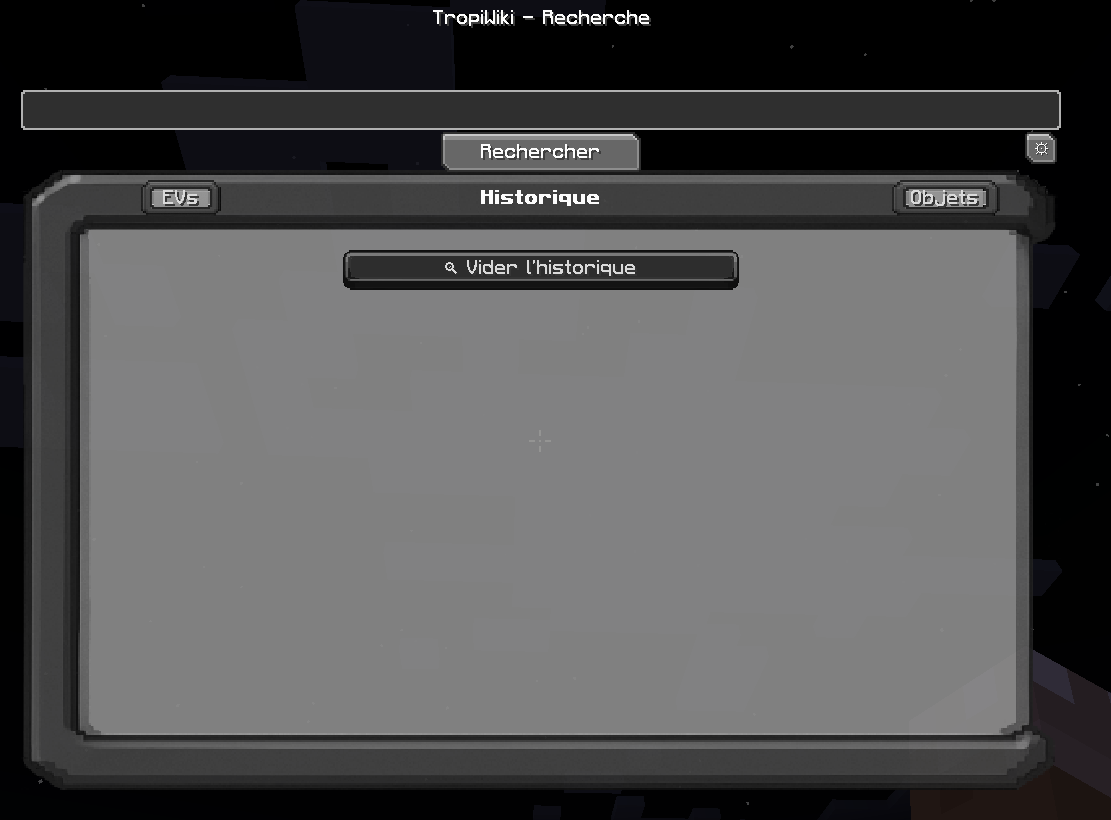 Main Menu View your history and access all features.
 -
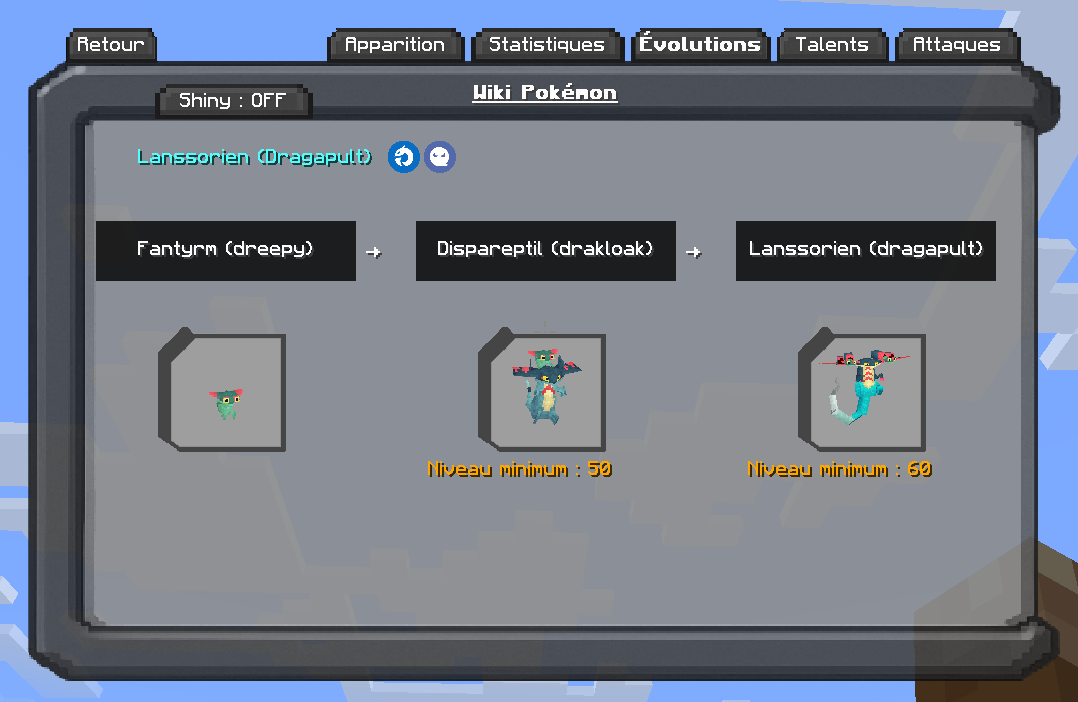 Evolutions Menu See in this menu the evolution conditions and the complete evolution tree of the Pokémon.
 -
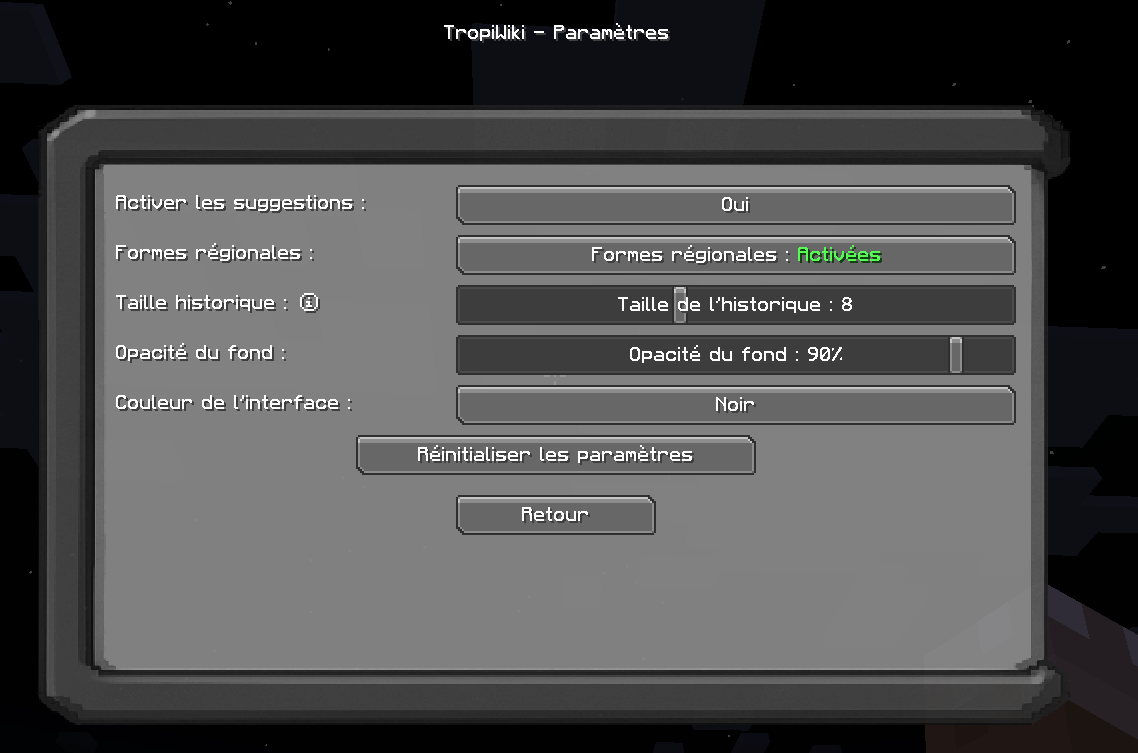 Settings Menu Customize your experience: - Choose your interface color - Set history size - Enable or disable regional forms - Turn suggestions on or off - Adjust background opacity
 -
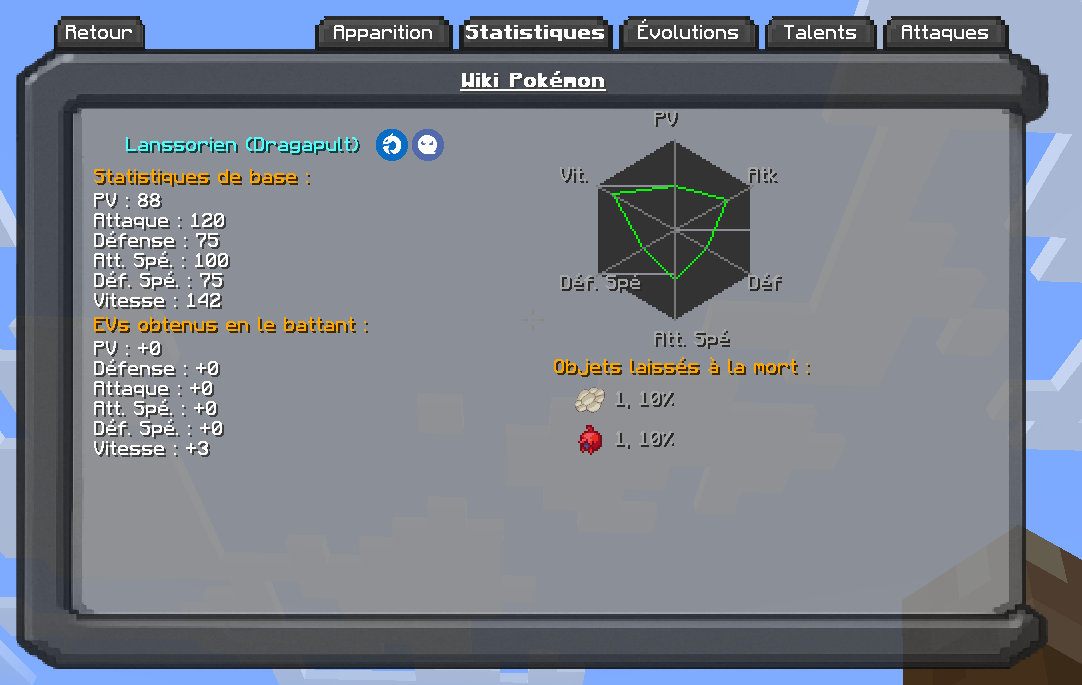 Stats Menu See in this menu the base stats, EV stats, and what drops the Pokémon has.
 -
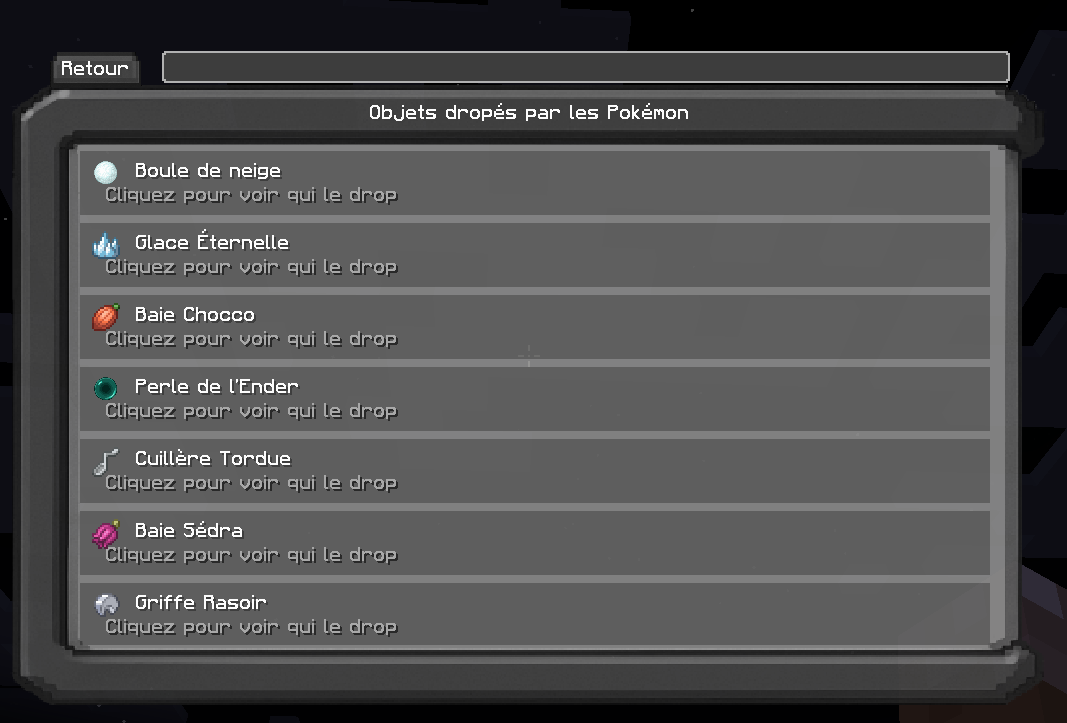 Objects Menu Look up any item you want and see which Pokemon drops it.
 -
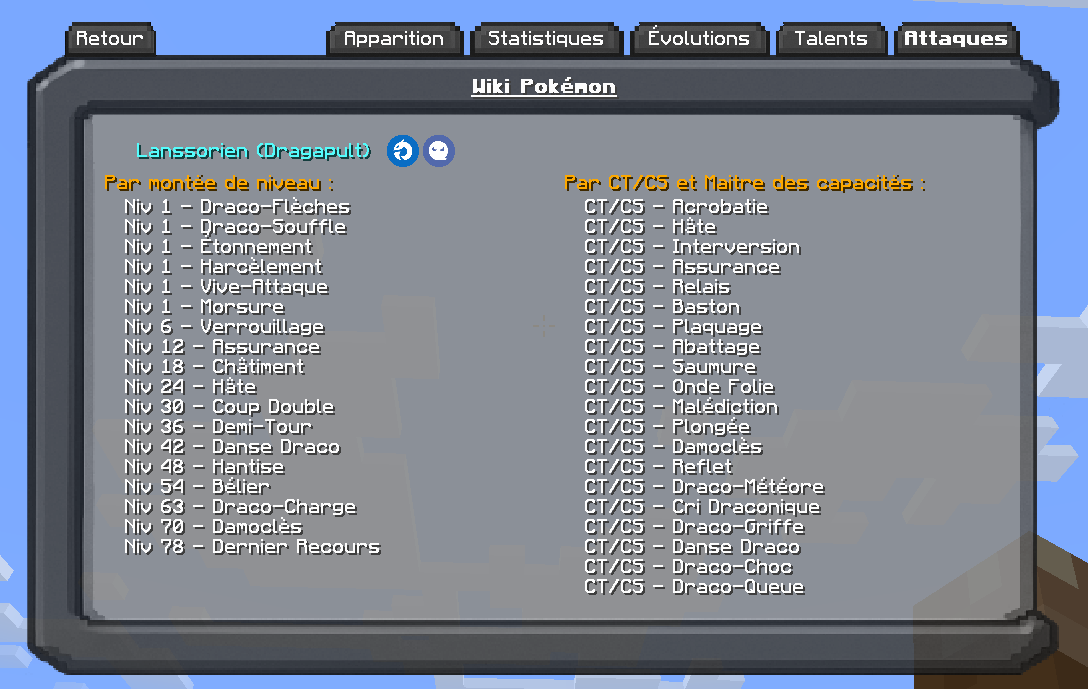 Moves Menu See in this menu which moves this Pokémon can learn by leveling up, with CT/CS, or from the Move Master.
 -
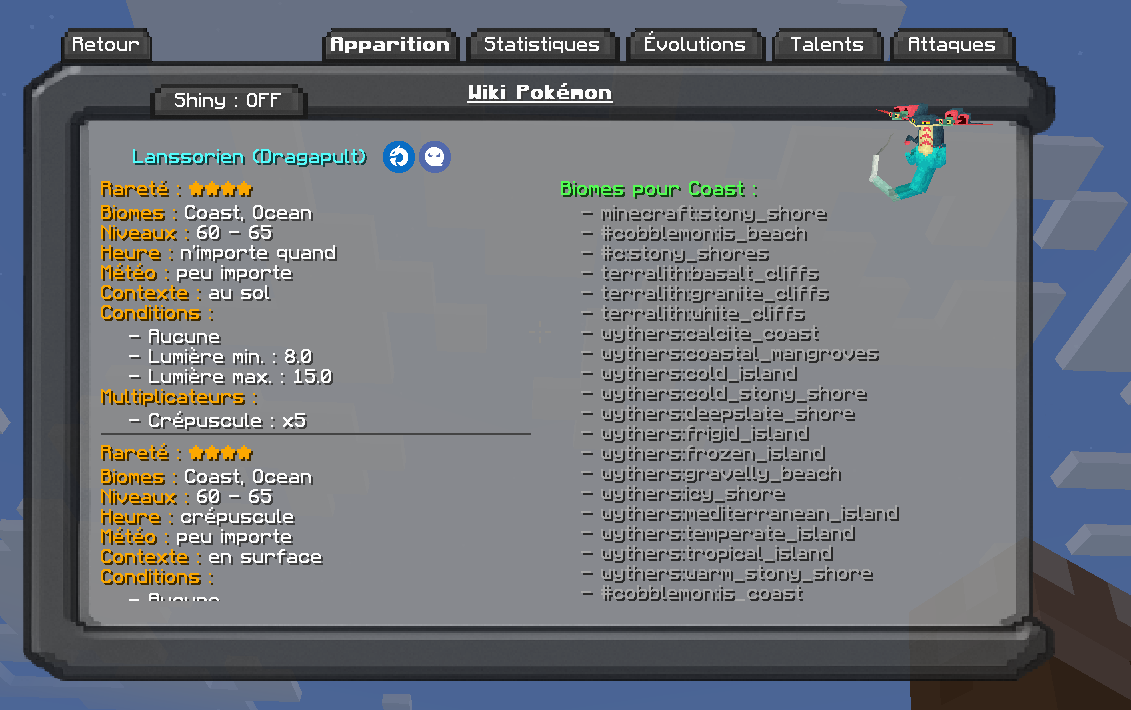 Apparition Menu See in this menu where this Pokémon spawns and which biome it appears in.
 -
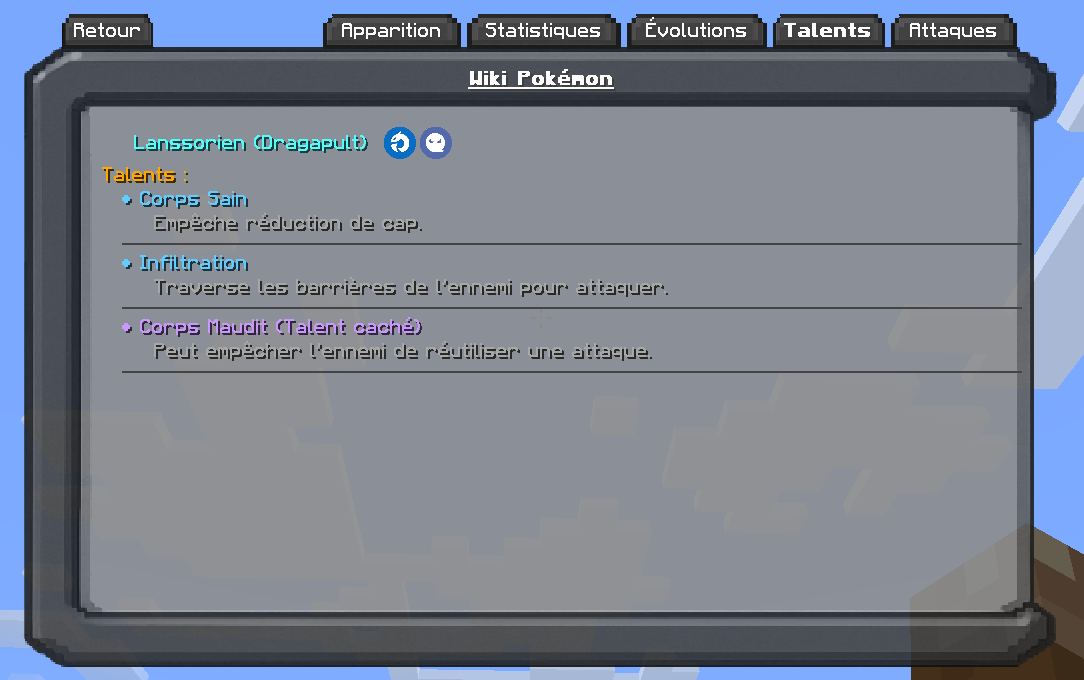 Ability Menu See in this menu which Ability this Pokémon has.
Versions
Files
Relations
Project Relations
More like this
Similar Mods
Suggestions use data such as tags, dependencies, dependents, descriptions, titles, and more to rank how much they overlap with this mod.
On ModDex
Community snapshot
By the numbers
Statistics
 (opens in a new tab)
Get it on
Available Platforms
On ModDex
Community snapshot
By the numbers
Statistics
Resources