Community listing page, reviews here may not be monitored by the author.
Twitch Chat In Game


No reviews yet
A client-side mod that integrates Twitch chat directly into Minecraft. Messages merge seamlessly with the native game chat while preserving original Twitch username colors.
Community voices
Reviews
No reviews yet. Be the first to review this project!
Get it on
Available Platforms
Compatibility
Supported Environments
Runs entirely on the client. Works on vanilla servers.
About
Project Details
For authors
Embed Badge
If you're the author of this project, you can embed a live badge anywhere that supports HTML or Markdown. It updates automatically whenever ratings change.
Use HTML for any page that supports it, or Markdown for README files and Markdown-based descriptions.
Identifiers
Platform IDs
Resources
External Links
About
Description

Twitch Chat In Game
Twitch Chat In Game is a simple yet powerful client-side Minecraft mod that brings your Twitch chat directly into your game. Whether you're playing solo or on a massive server like Hypixel, you can see your viewers' messages in real-time without needing a second monitor or overlay software.
Key Features
- Client-Side Only: This mod works entirely on your client. You can use it on any server, including singleplayer worlds, Realms, and public servers like Hypixel, without the server needing to install anything.
- Universal Compatibility: Works everywhere!
- Color Support: Displays usernames with their Twitch chat colors.
Screenshots
Works in Singleplayer

Works on Multiplayer (e.g., Hypixel)

How to Use
[!IMPORTANT] THIS MOD REQUIRES FABRIC API TO WORK! CE MOD NÉCESSITE FABRIC API POUR FONCTIONNER !
- Install the Mod: Place the
.jarfile into yourmodsfolder (requires Fabric API). - Launch Minecraft: Start your game.
- Connect: The first time you launch, just type
/twitchchat start <channel_name>to connect to a Twitch channel chat!- Example:
/twitchchat start poule_trempee
- Example:
- Play: Join any world or server. Your Twitch chat will now appear in your game chat!
- Disconnect: Type
/twitchchat stopto disconnect from the chat at any time. - Blacklist: Type
/twitchchat blacklist <pseudo>to hide messages from a specific user (e.g.,/twitchchat blacklist example123). - Unblacklist: Type
/twitchchat unblacklist <pseudo>to show messages from that user again.
How it Works
The mod creates a lightweight, direct connection to Twitch's IRC (chat) servers. It listens for incoming messages in your specified channel and renders them into the Minecraft chat HUD, just like regular game messages. Since it's purely a visual overlay for you, it doesn't interact with the server you are playing on, making it safe and compatible everywhere.

Twitch Chat In Game
Twitch Chat In Game is a simple yet powerful client-side Minecraft mod that brings your Twitch chat directly into your game. Whether you're playing solo or on a massive server like Hypixel, you can see your viewers' messages in real-time without needing a second monitor or overlay software.
Key Features
- Client-Side Only: This mod works entirely on your client. You can use it on any server, including singleplayer worlds, Realms, and public servers like Hypixel, without the server needing to install anything.
- Universal Compatibility: Works everywhere!
- Color Support: Displays usernames with their Twitch chat colors.
Screenshots
Works in Singleplayer

Works on Multiplayer (e.g., Hypixel)

How to Use
[!IMPORTANT] THIS MOD REQUIRES FABRIC API TO WORK! CE MOD NÉCESSITE FABRIC API POUR FONCTIONNER !
- Install the Mod: Place the
.jarfile into yourmodsfolder (requires Fabric API). - Launch Minecraft: Start your game.
- Connect: The first time you launch, just type
/twitchchat start <channel_name>to connect to a Twitch channel chat!- Example:
/twitchchat start poule_trempee
- Example:
- Play: Join any world or server. Your Twitch chat will now appear in your game chat!
- Disconnect: Type
/twitchchat stopto disconnect from the chat at any time. - Blacklist: Type
/twitchchat blacklist <pseudo>to hide messages from a specific user (e.g.,/twitchchat blacklist example123). - Unblacklist: Type
/twitchchat unblacklist <pseudo>to show messages from that user again.
How it Works
The mod creates a lightweight, direct connection to Twitch's IRC (chat) servers. It listens for incoming messages in your specified channel and renders them into the Minecraft chat HUD, just like regular game messages. Since it's purely a visual overlay for you, it doesn't interact with the server you are playing on, making it safe and compatible everywhere.
Screenshots
Gallery
-
 Logo Twitch Chat In Game mod Logo Twitch Chat In Game mod
 -
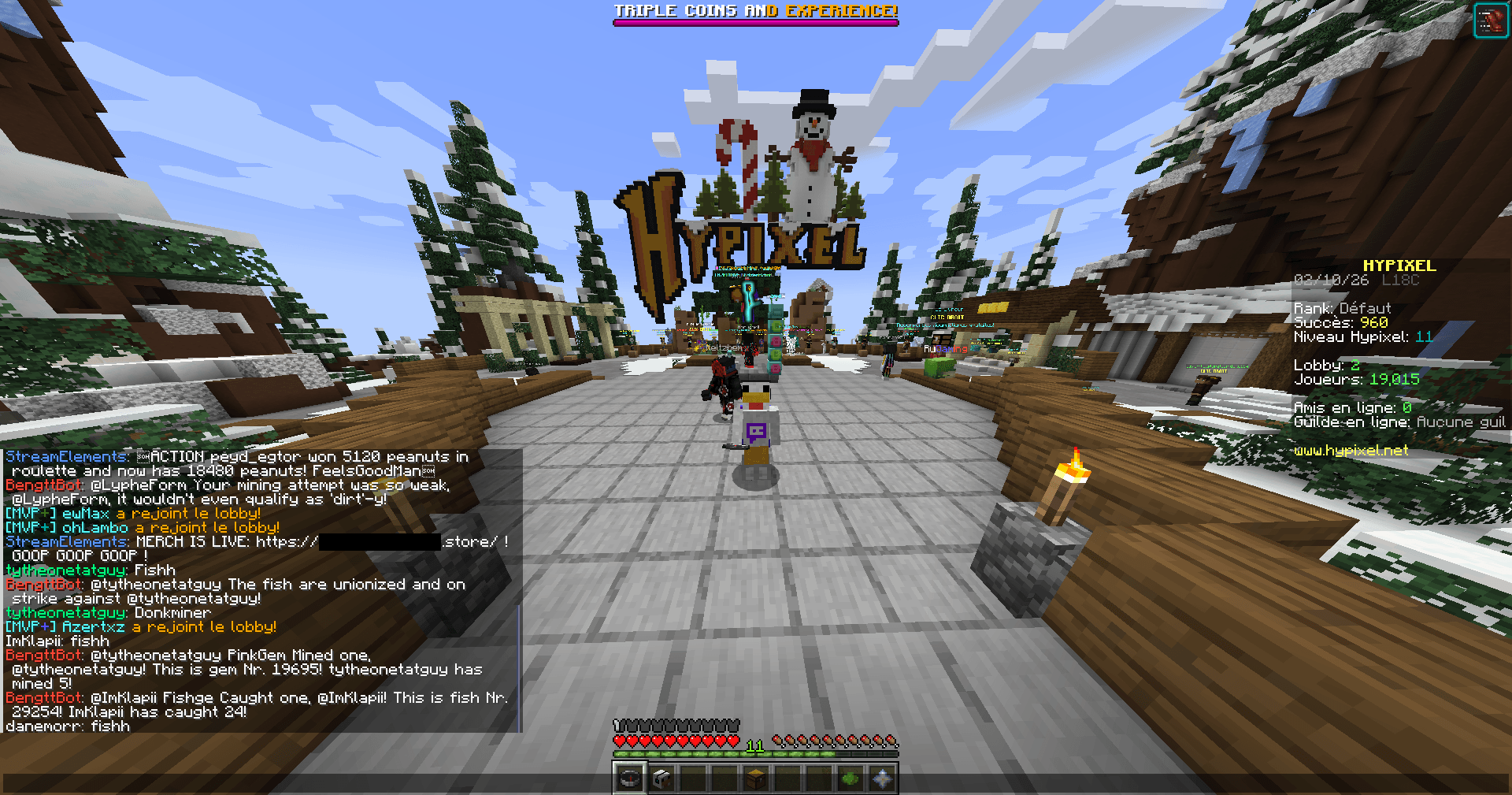 In game screenshot (In a server - hypixel.net) In game screenshot (In a server - hypixel.net)
-
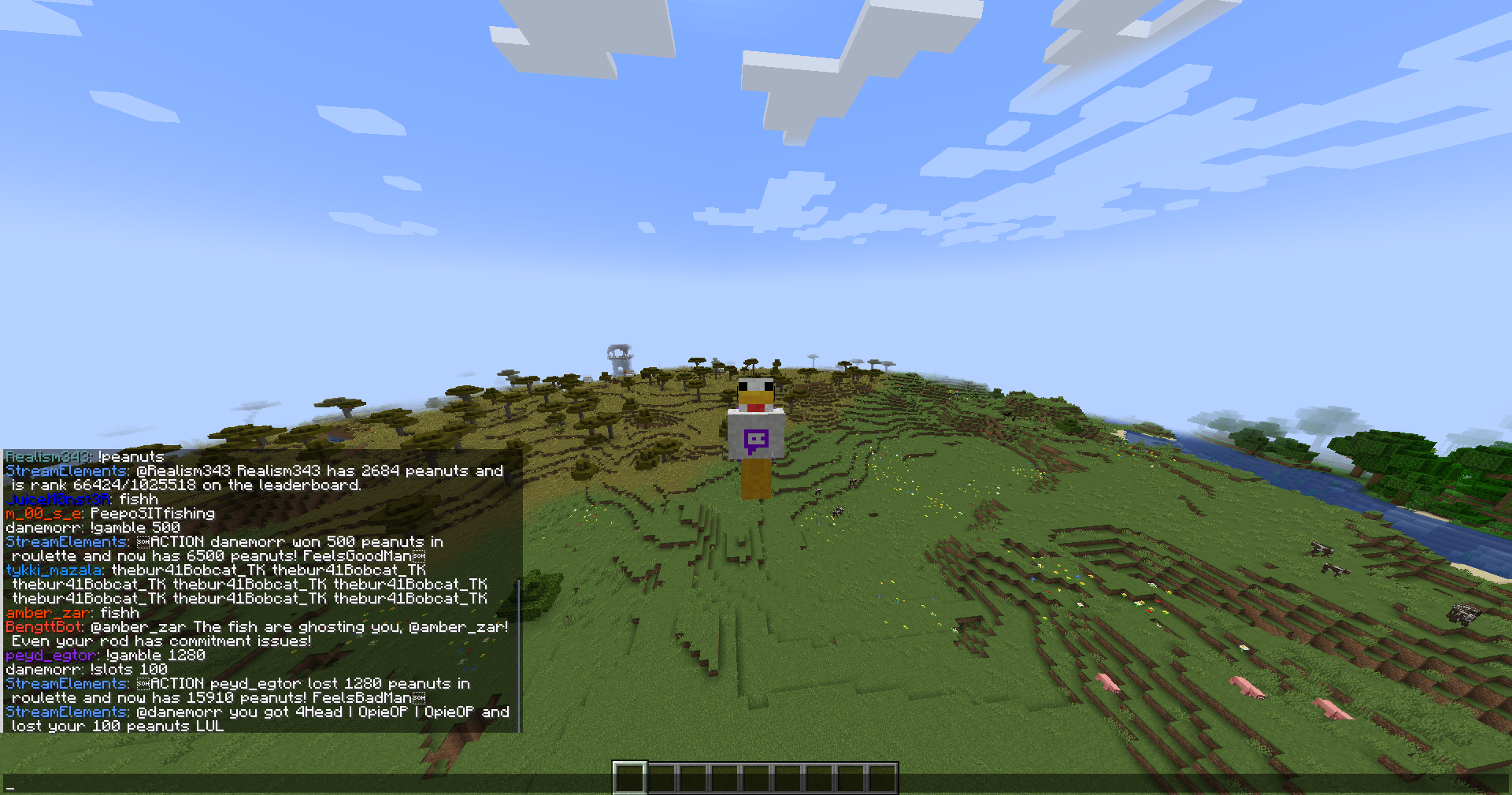 In game screenshot In game screenshot
 -
 Logo Twitch Chat In Game mod Logo Twitch Chat In Game mod
 -
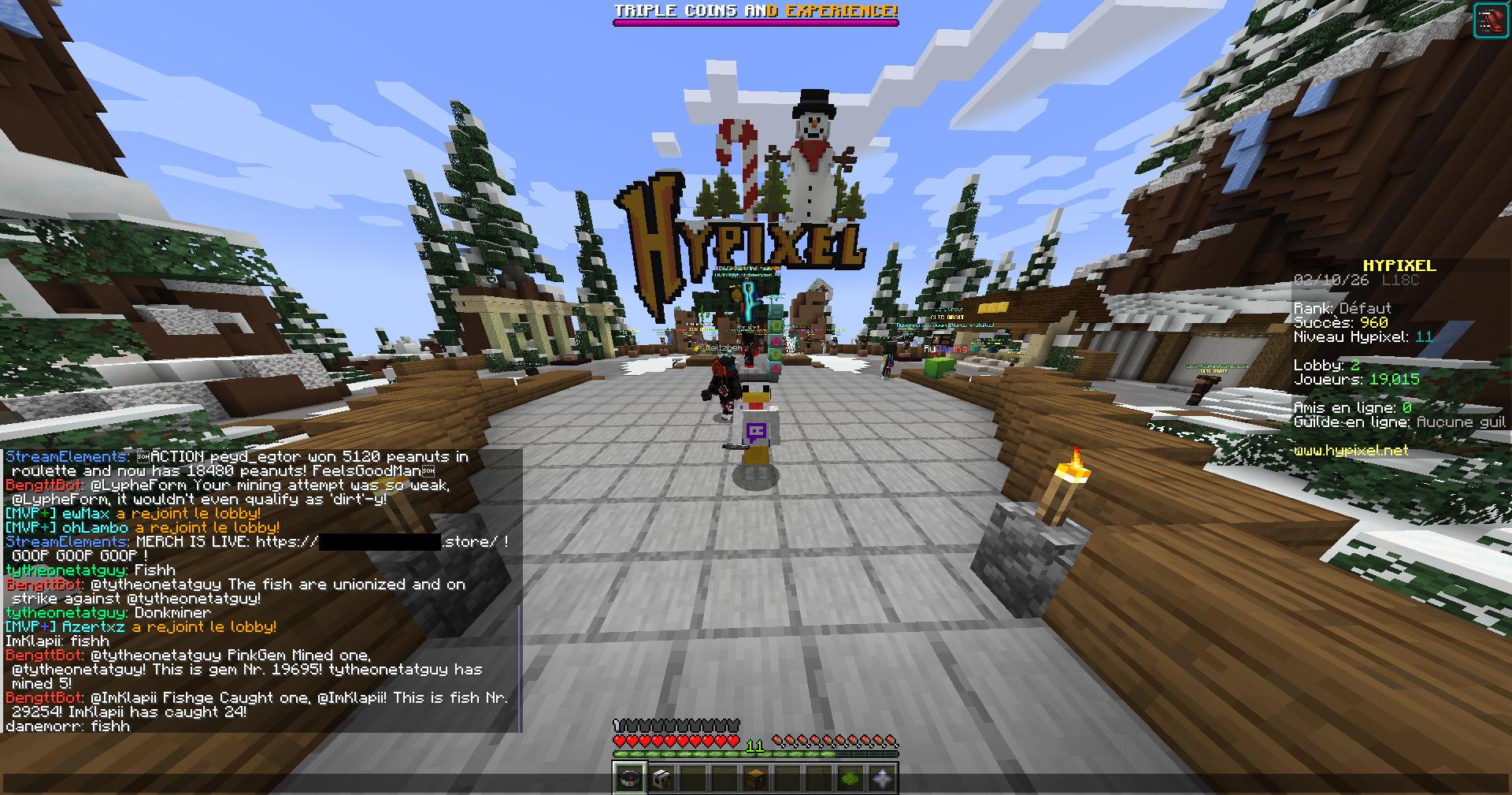 In game screenshot (In a server - hypixel.net) In game screenshot (In a server - hypixel.net)
Versions
Files
Relations
Project Relations
More like this
Similar Mods
Suggestions use data such as tags, dependencies, dependents, descriptions, titles, and more to rank how much they overlap with this mod.
On ModDex
Community snapshot
By the numbers
Statistics
Want to reach Minecraft players?
We're looking for a server hosting partner to feature here and other parts of the site. Interested? Send us a message!
Get in touchGet it on
Available Platforms
On ModDex
Community snapshot
By the numbers
Statistics
Resources