
Community listing page, reviews here may not be monitored by the author.
Ultimate Bingo

No reviews yet
The only Bingo plugin you'll ever need. With a whole variety of game options on offer, your players will explore like never before to be the Ultimate Bingo champion!

Community voices
Reviews
No reviews yet. Be the first to review this project!
Get it on
Available Platforms
About
Project Details
For authors
Embed Badge
If you're the author of this project, you can embed a live badge anywhere that supports HTML or Markdown. It updates automatically whenever ratings change.
Use HTML for any page that supports it, or Markdown for README files and Markdown-based descriptions.
Identifiers
Platform IDs
About
Description


Looking for the latest dev builds? You can find them here!
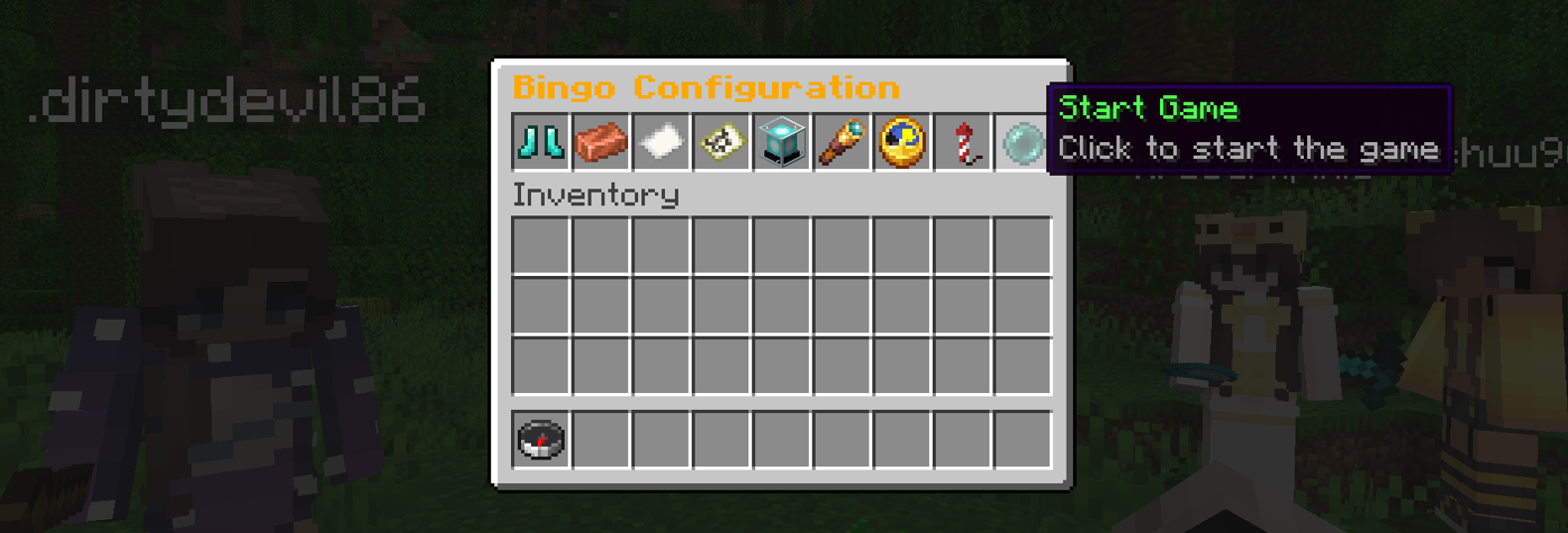
Ultimate Bingo offers endless entertainment for your Minecraft community with a whole variety of game configuration on offer to encourage exploration and test your survival skills. With an easy-to-use GUI or in game config signs, setting up and starting games a breeze for your players! Players can choose from the following options:
Game Modes
Speed Run
Every time you tick off an item on your card, your hunger, health, saturation and rockets (if the flying kit is enabled) are restored allowing you to continue speed running your bingo card.
Traditional
Old school bingo, tick off items to complete the game. You need to watch your hunger and health in this mode!
Brew Dash
Every time you tick an item off of your bingo card, your opponents are dealt a negative effect. This can range from things like hunger, poison, slow falling etc. The duration of this effect depends on the card difficulty; 20 seconds for each, 40 seconds for normal and 60 seconds for hard. Clear your negative effect by ticking off an item.
Teams
Split your players in up to 3 teams; yellow, red and blue. Each team has a shared bingo card and races to beat the other teams. Players can select their desired team by standing on the matching colour wool - set up your bingo spawn to offer these colour wool blocks for players to stand on to choose their team. Anyone not on those colour blocks will be randomly assigned a team colour.
Group
All players share a single bingo card and work together to tick off items. How quick can your group get bingo?
Random
Can't decide what to play? Why not use the random mode to let the plugin choose for you.
Card Difficulty & Size
Easy, Normal or Hard modes change the distribution used to generate your bingo cards. Choose between a Small (3x3), Medium (4x4) or Large (5x5) card to battle out your epic bingo games!
Both difficulty and card size also come with a Random option to help mix up your bingo games.
Item difficulty is split into 5 categories: Easy, normal, hard, extreme and impossible. When selecting the card difficulty, this determines how many items are pulled from each group. The plugin currently pulls the following:
Easy card: 15 easy, 15 normal Medium card: 5 easy, 10 normal, 10 hard, 5 extreme Hard card: 5 normal, 10 hard, 10 extreme, 5 impossible
The items are then shuffled and then the items are taken in order to fill up a card.
Card Type
Unique Card
All players are given a unique card. The plugin pulls a list of items slightly larger than the selected card size, shuffles them and generates a unique card for each player. This is done to ensure players have similar cards but the order is completley different for every player.
Identical Card
All players receive the exact same card. No excuses for losing in this mode!
Random
As with the other settings, you can also roll with a random card type. Seeing a bit of a trend here?
Win Condition
With single row and full card options, the battles are sure to be epic. And you guessed it, this also comes with a random mode. When playing single row, this can be in a horizontal, vertical or diagonal line.
Reveal Cards
With this mode enabled, every time a player ticks an item off all the other players are told what the item is. Without it enabled, it uses a more cryptic "ticked off an item" message instead. Enabling this will also allow players to open their bingo card, click the spyglass and see the bingo card of anyone playing the current bingo game.
Time Limit
Want to ensure you have some insane and fast fun? Why not try a timed game. Select from 5, 10, 15, 20, 30, 40, 50 or 60 minute games. If no one completes the win condition in this time, the game simply ends. Or why not try the Unlimited Time games, where players receive a speed boost after 20, 40 and 60 minutes of game play.
Player Load-out
Game kits help make your games more epic and cater to a wide variety of players. Select a kit to equip to all players at the start of the game.
Naked Kit
This kit as the name implies gives your players an entirely empty inventory. Perfect for those players who enjoy punching that first tree and want to grind their gear (and bingo card).

Starter Kit
Not a fan of punching trees? This kit will give your players the essentials to get up and running a little quicker - although, they're all wood. Yuck.

Boat Kit
A little more high end, equipped with low level enchanted iron gear, shield, boat, bed and crafting cupboard - you're ready to jump straight in to exploring!

Flying Kit
The ultimate gear for those speed runs. Max enchanted Netherite gear, elytra and level 3 rockets - How fast can you get bingo? When using the flight kit in speed run mode, your rockets are topped back up to a full stack every time you tick an item off your card.

Installing and using the plugin
As the team mode uses yellow, red and blue wool blocks - It's recommended to place large sections of each team colour on the ground to allow your players to easily select their team colour at the start of the game.
The game also comes with the ability to configure and start games using signs and a button. This needs to be set up by an OP. To allow a game to be fully configurable, please down 8 signs and a button - these can be any signs and any button. While looking at the sign, use the /bingo set command to set each sign, followed by the sign type. For example, to set up a game mode sign, look at a sign and type /bingo set GameMode. You can configure the following signs and buttons:
Please note: If you want to allow your players to configure games using the signs and button, be sure to give them the shantek.ultimatebingo.signs permission node.
CardSize: Toggles between small, medium and large cards
CardType: Toggles between unique or identical cards
Difficulty: Toggles between easy, normal or hard difficulty
GameMode: Toggles between the included game modes
Loadout: Changes the initial kit loadout for players
RevealCards: Toggles items being revealed as they're ticked off
TimeLimit: Sets the time limit for the game
WinCondition: Toggles between full card or single row
StartButton: Pressing this button will start a game with the selected settings
Want to remove or relocate a sign? You can do so by using the /bingo remove command, followed by the name of the sign/button to remove. Please note, these are case sensitive.
Commands
/bingo - GUI for all players to join an existing game or get a replacement card.
/bingo gui - Used by an admin/mod to set up and start a new bingo game.
/bingo reload - Used by an op to reload the config file.
/bingo info - Accessible to all players. Gives you a rundown of the current bingo config.
/bingo set * - Used to activate a game config sign/button in your world.
/bingo remove * - Used to remove a game config sign/button in your world.
Permissions
shantek.ultimatebingo.start - Allows players to configure and start Bingo games.
shantek.ultimatebingo.stop - Grant access to stop an active bingo game.
shantek.ultimatebingo.settings - Ability to add/remove items from the bingo card config
shantek.ultimatebingo.signs - Allow players to interact with signs and buttons to configure and start games
Placeholder API Leaderboard Support
With the addition of a leaderboard, placeholder api support has also been added. This is ideal for setting up a scoreboard hologram. Easily display the top 10 players on your leaderboard using the following placeholders:
%ultimatebingo_overall_?_name%
%ultimatebingo_overall_?_score%
Replace ? with the position you with to display. For example, if you wanted to show the name and score of first place, you'd use the following placeholders:
%ultimatebingo_overall_1_name% - %ultimatebingo_overall_1_score%
External Links
License
Distributed under the GNU General Public License v3.0.
This project is based on Mega Bingo by Elmer Lion
Screenshots
Gallery
-
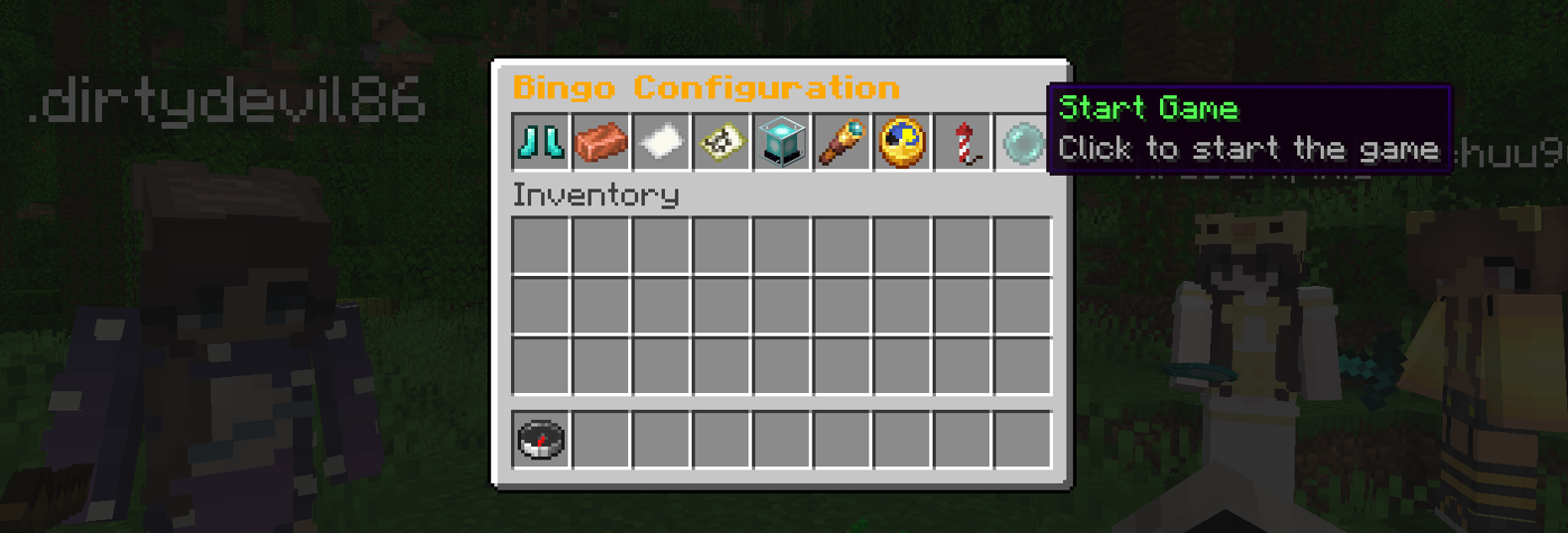 Bingo GUI An easy to use GUI to start your bingo games
 -
 View other players bingo cards Easily view other players bingo cards with a counter of how many items they have ticked off.
 -
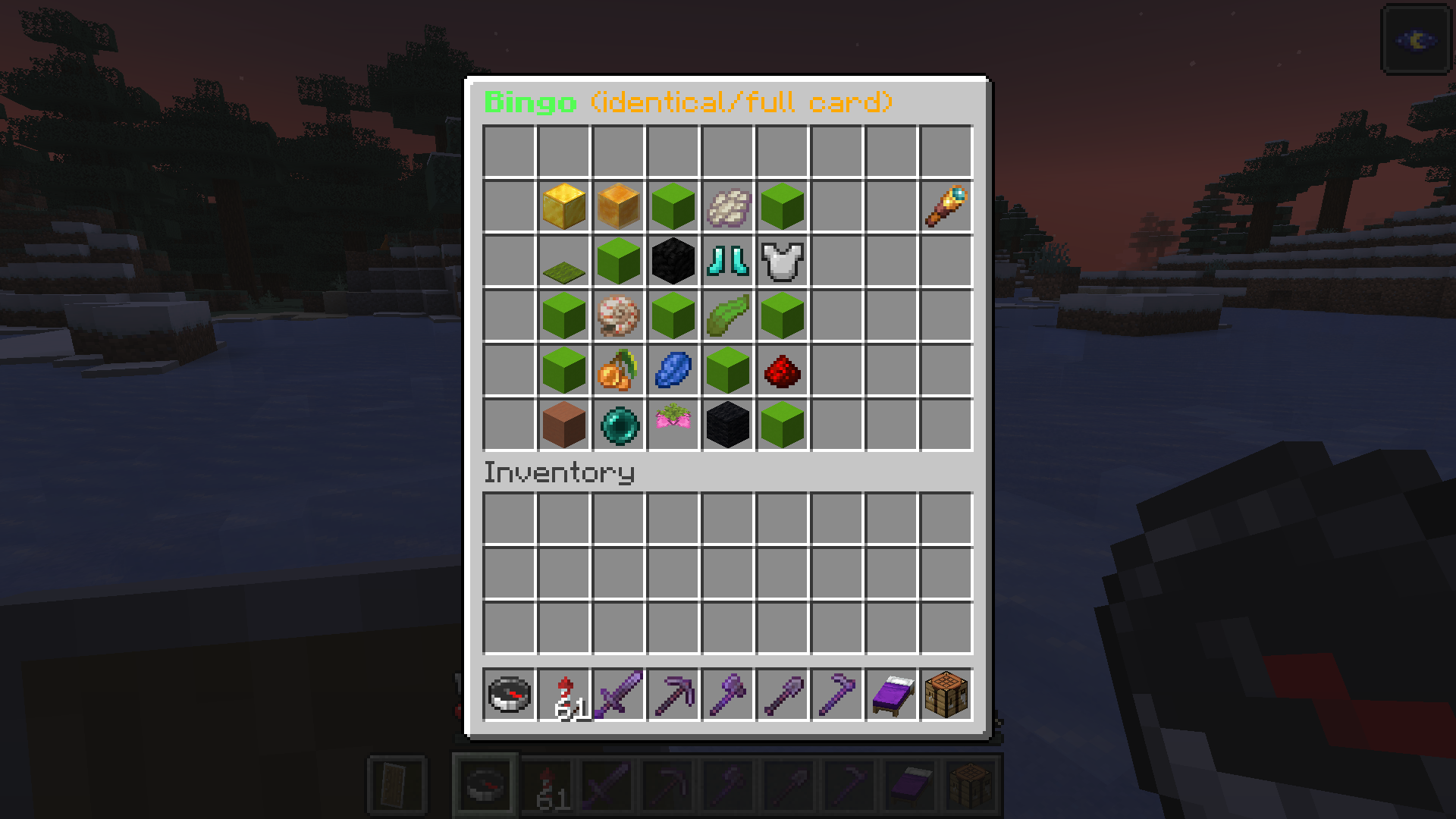 Game in progress As items are ticked off, they are replaced with lime concrete to represent a green check/tick
 -
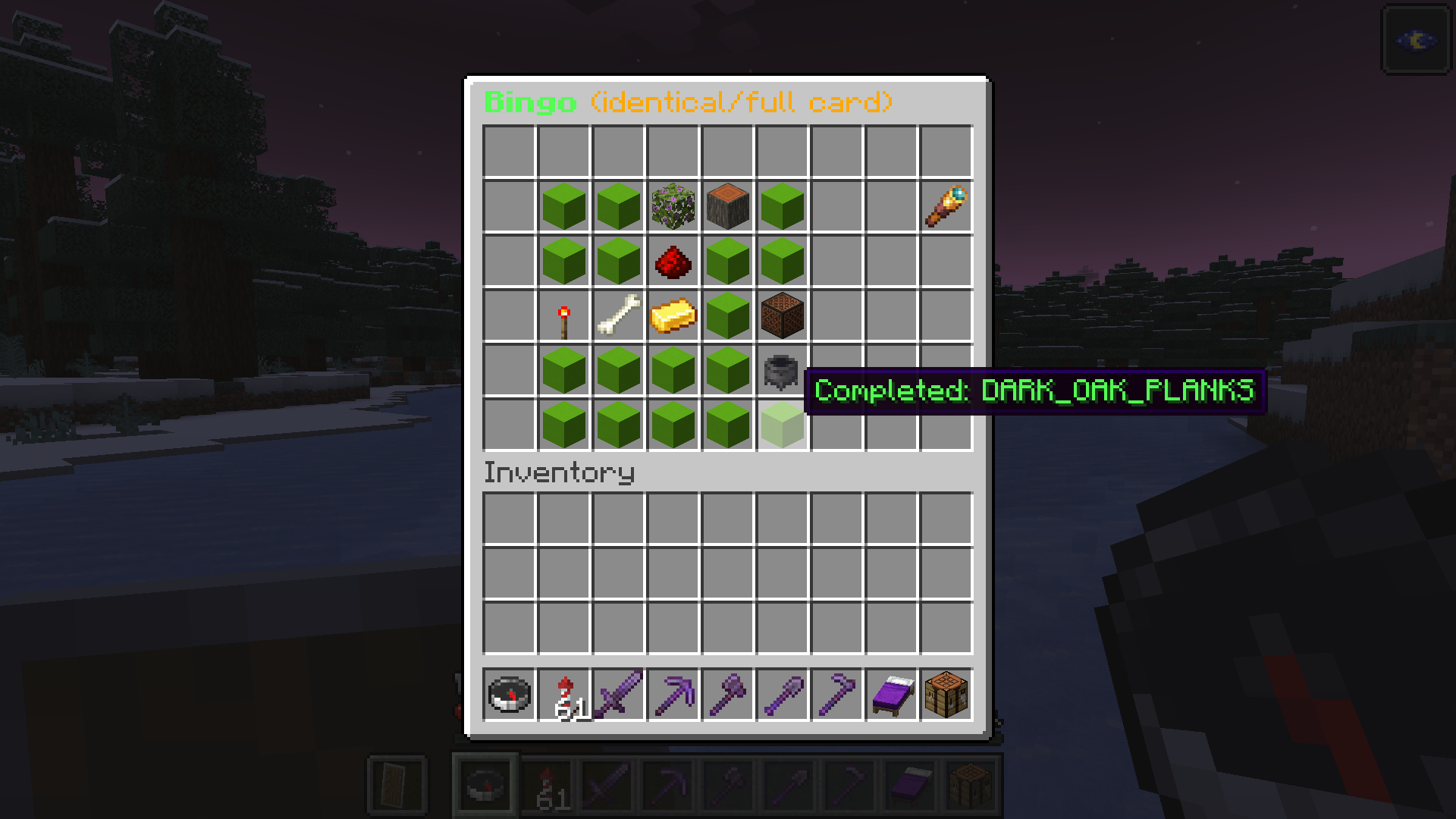 Ticked off items Once an item has been ticked off, hovering over it will tell you what the item was.
 -
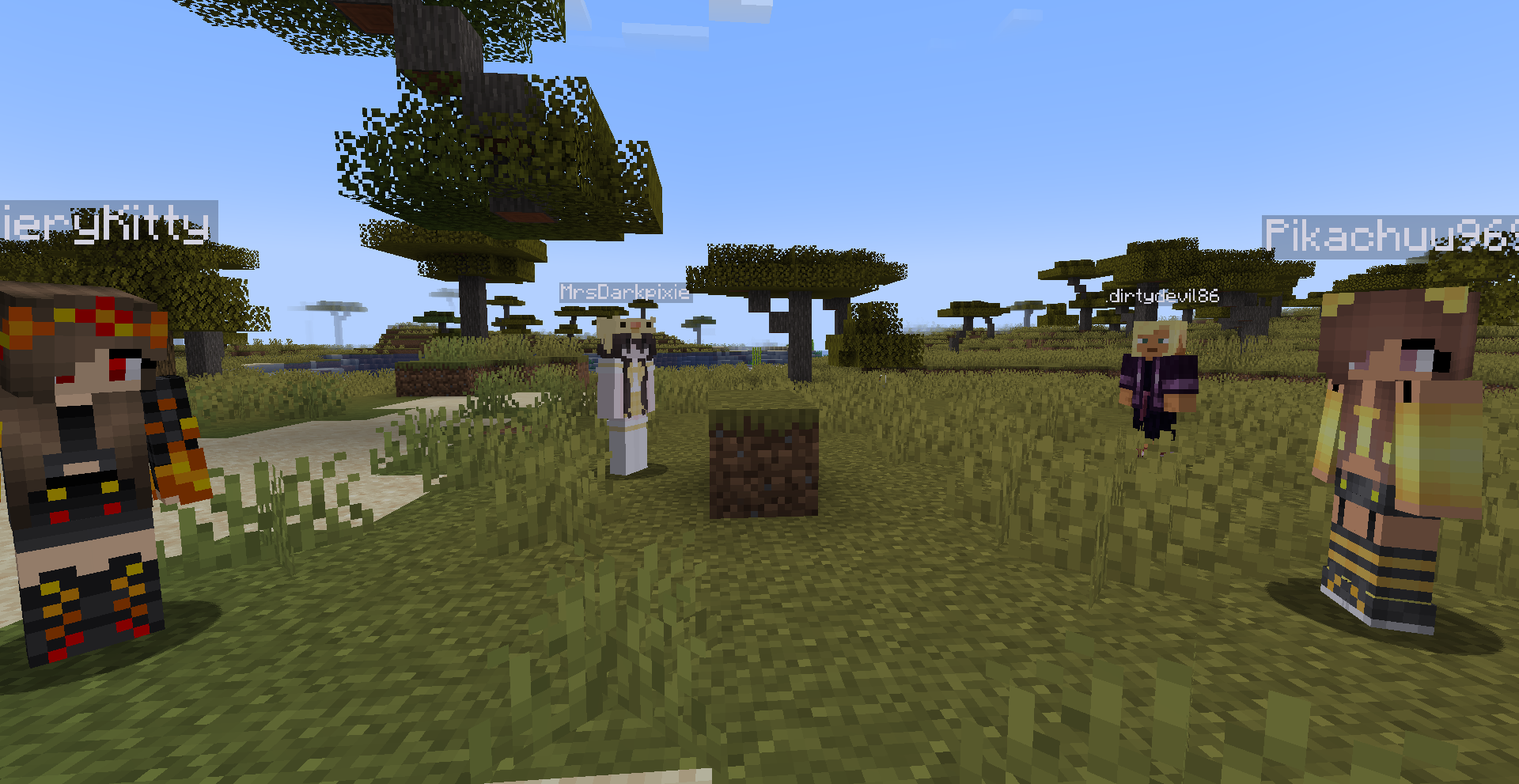 Scattered players ready to start Once you start a game, players are automatically scattered in safe spaces around the starting point, ready to jump straight in!
 -
 Players receive their selected kit when starting the game The game comes with a variety of kits. Whatever you choose is automatically equipped to every player at the start of the game.
 -
 Naked kit Start the game with an empty inventory, using the naked kit.
 -
 Starter kit Don't like being naked? But still enjoy the grind? The starter kit is for you!
 -
 Boat Kit The boat kit is for the slightly more adventurous players who want to jump straight in, with low level enchantments on all the gear.
 -
 Flying kit High end gear, elytra and rockets ready for those crazy fast games!
Versions
Files
Relations
Project Relations
More like this
Similar Mods
Suggestions use data such as tags, dependencies, dependents, descriptions, titles, and more to rank how much they overlap with this mod.
On ModDex
Community snapshot
By the numbers
Statistics

 (opens in a new tab)
Get it on
Available Platforms
On ModDex
Community snapshot
By the numbers