
Community listing page, reviews here may not be monitored by the author.
Undo Craft


No reviews yet
Accidentally crafted the wrong item? Instantly undo your last crafting action with CTRL+Z or an in-game button. Supports Fabric, Forge, and NeoForge with a full drag-and-drop config editor!
Community voices
Reviews
No reviews yet. Be the first to review this project!
Get it on
Available Platforms
Compatibility
Supported Environments
Must be installed on both the client and the server.
About
Project Details
For authors
Embed Badge
If you're the author of this project, you can embed a live badge anywhere that supports HTML or Markdown. It updates automatically whenever ratings change.
Use HTML for any page that supports it, or Markdown for README files and Markdown-based descriptions.
Identifiers
Platform IDs
About
Description
🔄 Undo Craft
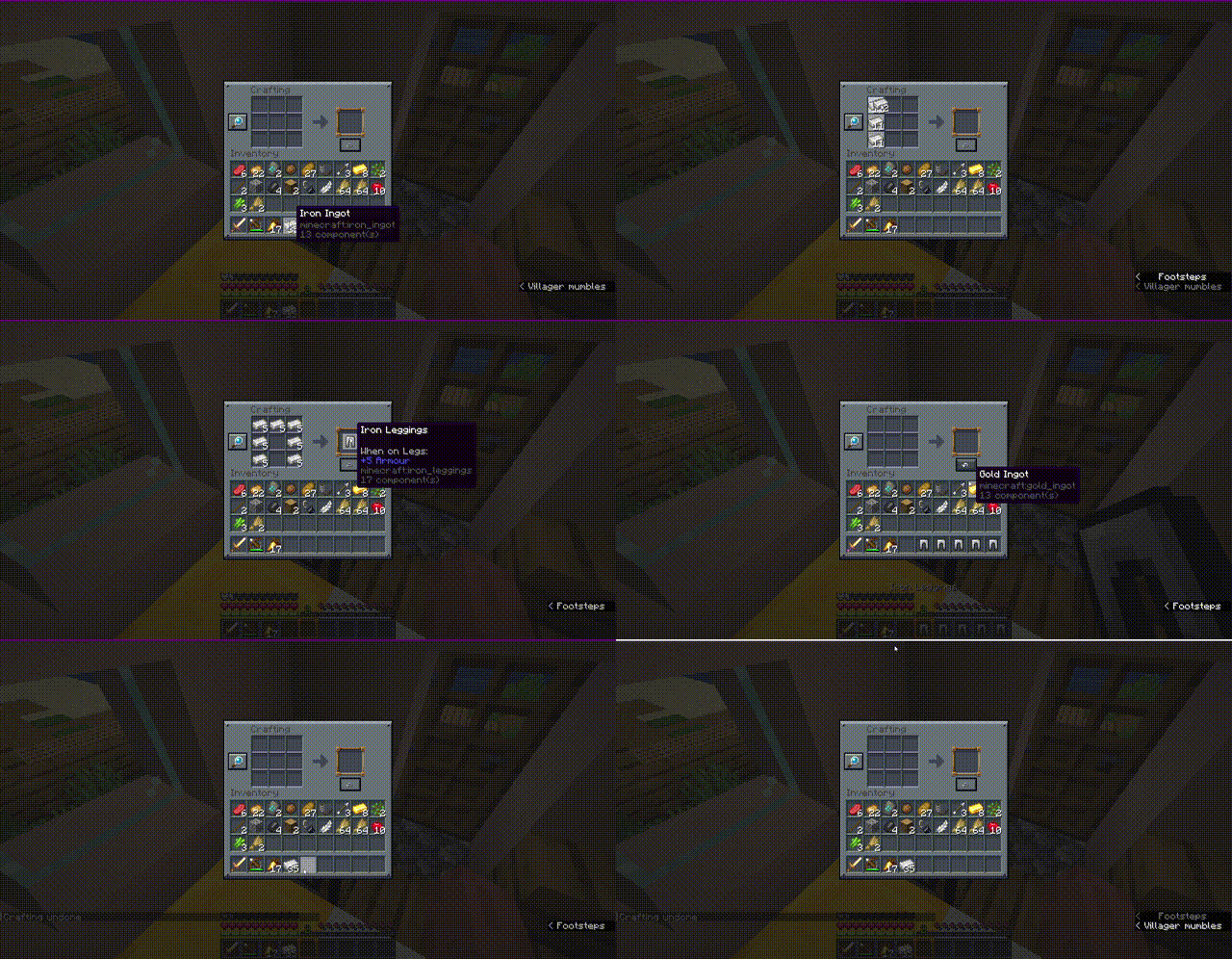
Have you ever accidentally crafted a stack of the wrong item or wasted valuable resources by misclicking at the crafting table? Undo Craft is here to save your day!
With this client-side utility mod, you can instantly undo your last crafting action, recover all your ingredients completely, and keep your inventory perfectly organized.
✨ Features
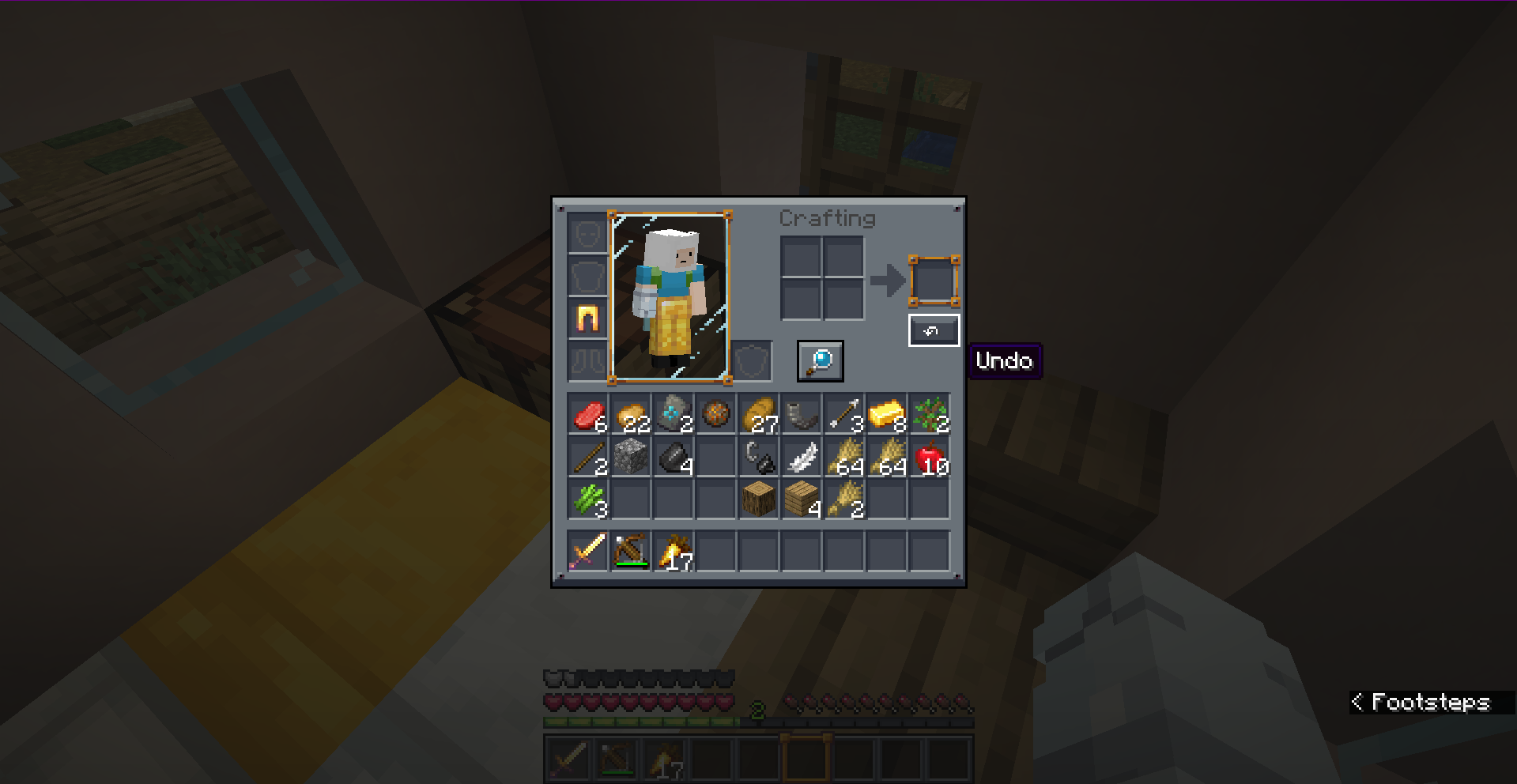
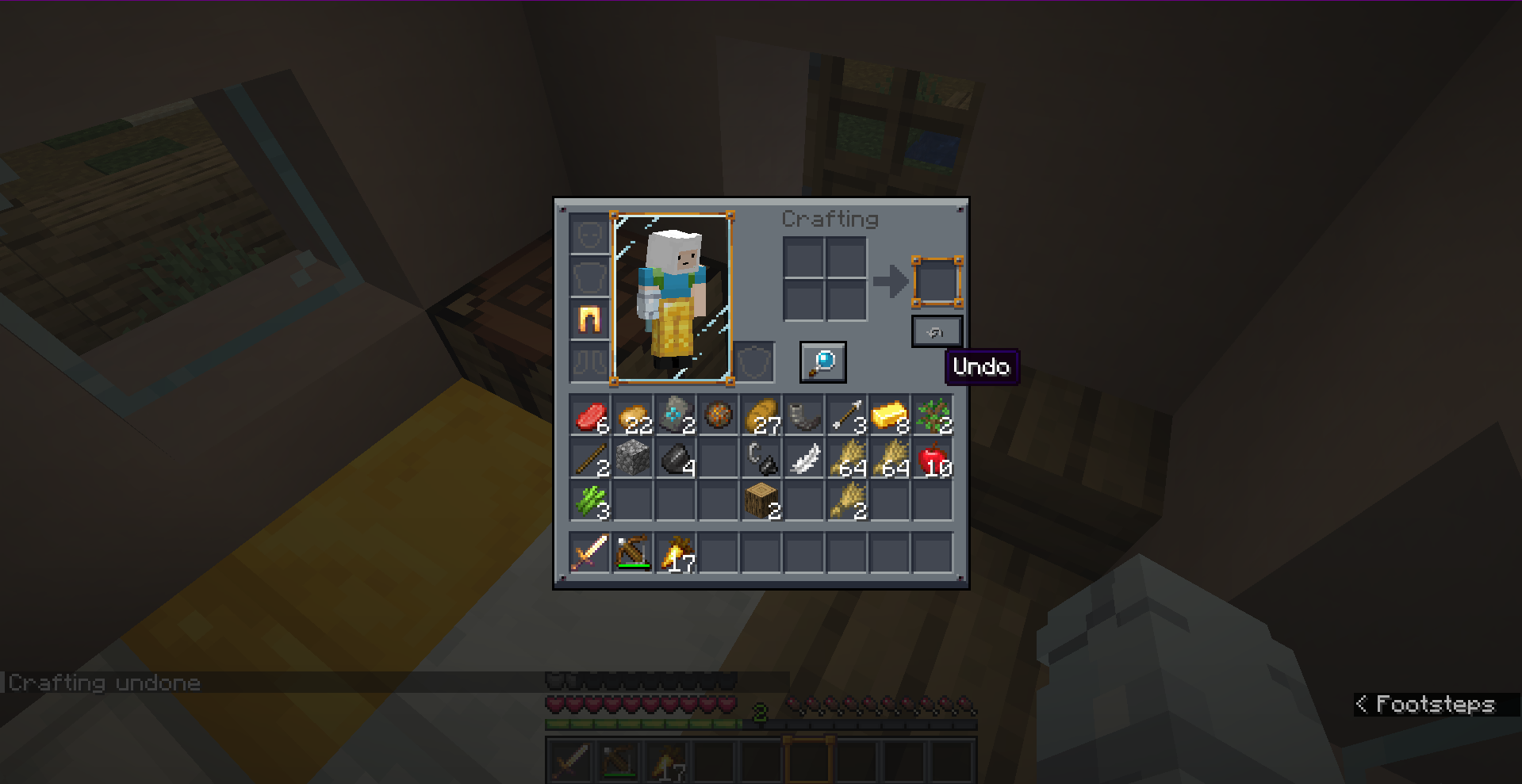
- Accidental Craft Recovery: Reverts the most recent crafting action (single crafts or full shift-clicked/quick-move stacks) instantly.
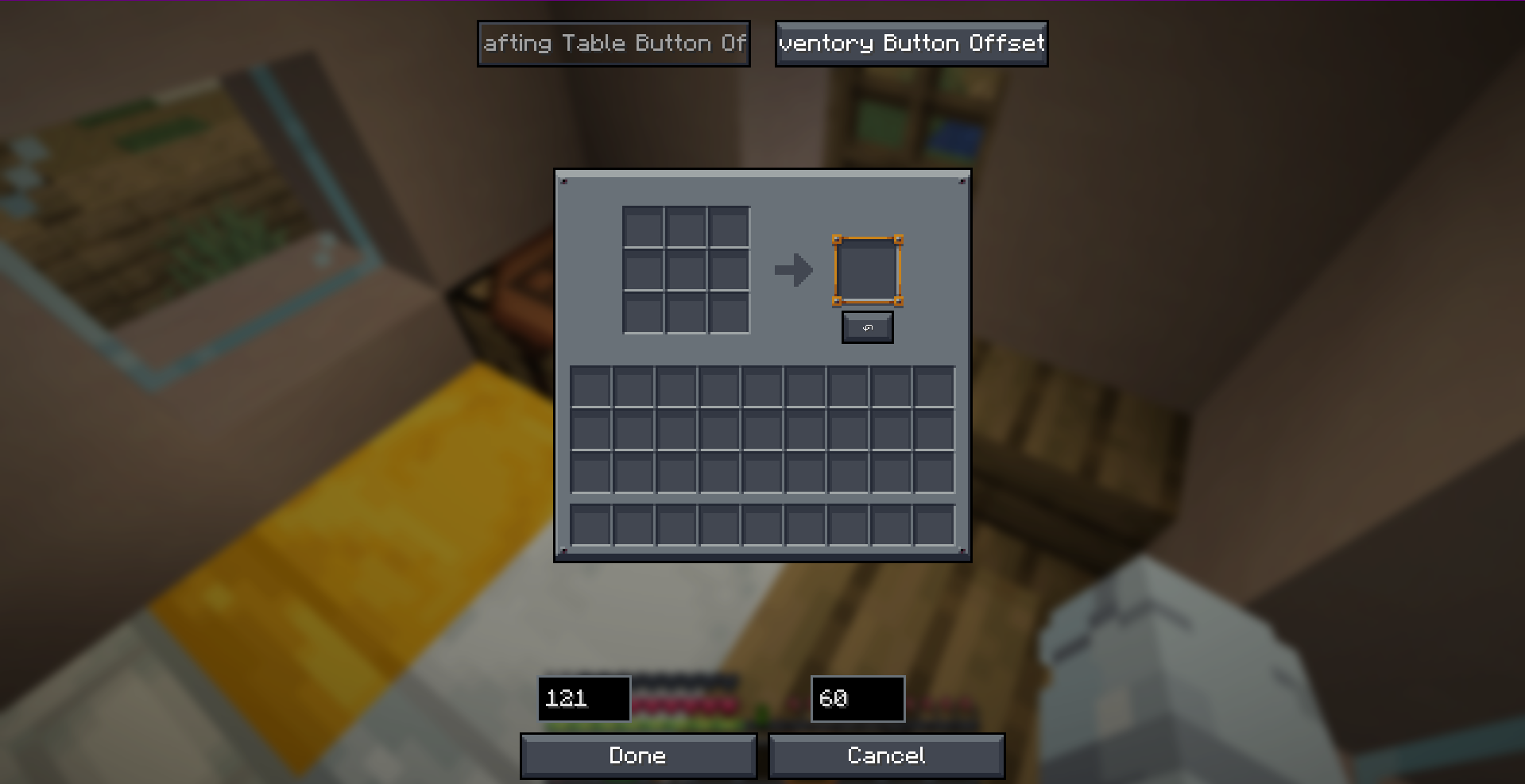
- Visual Position Editor: Features a fully interactive, tabbed drag-and-drop config screen. Easily place the Undo button exactly where you want it.
- Dual-Screen Settings: Set independent button coordinates for the 3x3 Crafting Table and the 2x2 Survival Inventory.
- Highly Custom Keybind: Press
CTRL + Zto trigger the undo action without even clicking the button! - 100% Client-Side: Safe to use on any server! Positioning, UI widgets, and validation are handled locally without requiring server-side installation.
- Multi-Version & Multi-Loader Support: Fully natively optimized for Fabric, Forge, and NeoForge across multiple versions.
📸 Screenshots
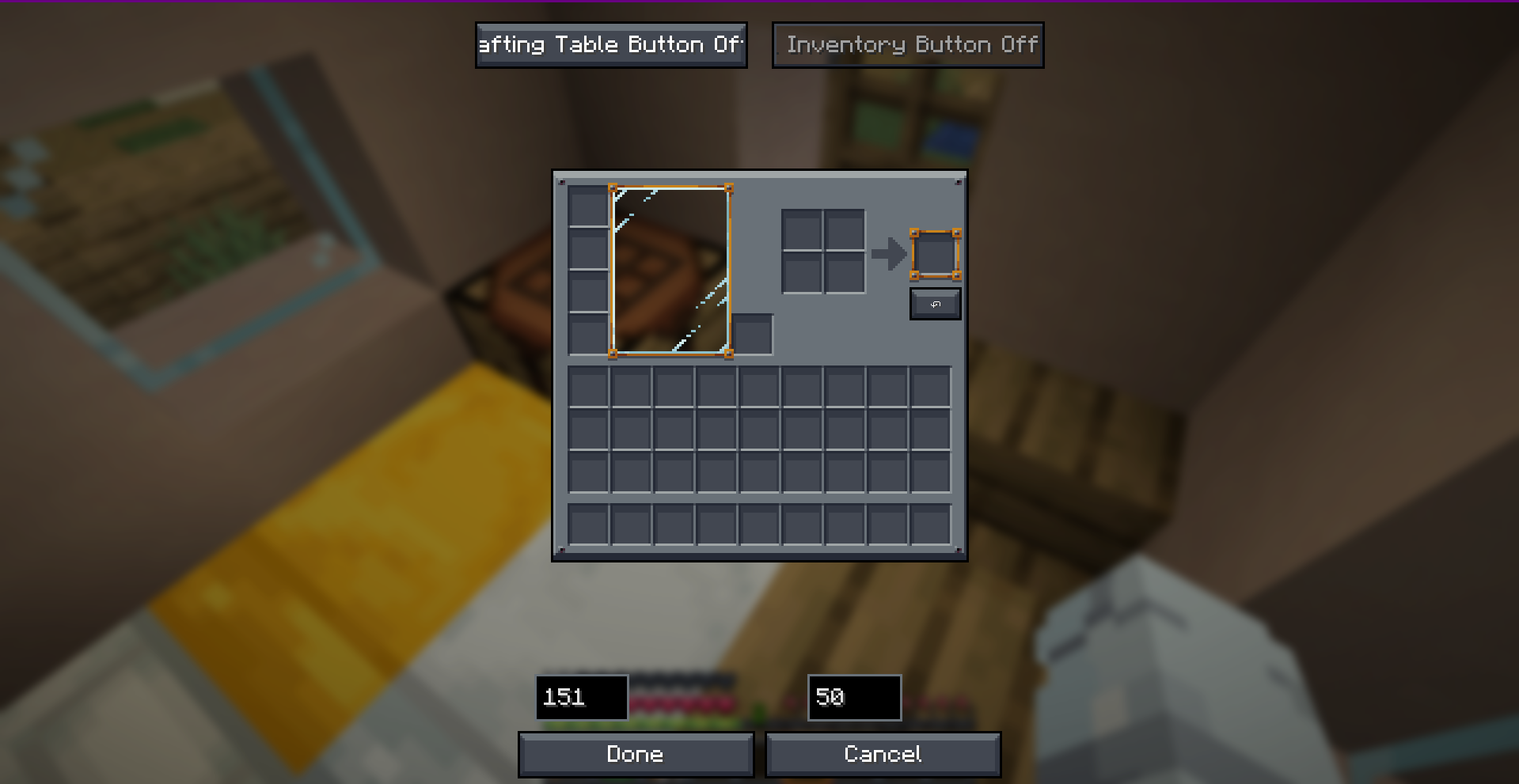
🎮 How to Use
- Open any Crafting Table or your Survival Inventory.
- Perform a crafting action.
- Click the ↶ (Undo) button on the screen, or simply press
CTRL + Z. - Get all your original crafting ingredients refunded instantly!
Note: The undo history only stores the very last crafting action. Opening a new crafting session, closing the screen, or performing another craft will reset the undo buffer.
🛠️ Configuration
You can fully customize the button offsets in real-time! Access the visual positioning editor through:
- Fabric: Configure button inside ModMenu.
- Forge / NeoForge: Access the client config editor directly.
- Alternatively, configure coordinates manually in
config/undo-craft.json.
📥 Loader & Version Compatibility
| Minecraft Version | Fabric | Forge | NeoForge |
|---|---|---|---|
| 1.20.1 | ✅ | ✅ | ❌ |
| 1.21.4 | ✅ | ✅ | ✅ |
| 26.1.2+ | ✅ | ✅ | ✅ |
Developer: Musa
🔄 Undo Craft
Have you ever accidentally crafted a stack of the wrong item or wasted valuable resources by misclicking at the crafting table? Undo Craft is here to save your day!
With this client-side utility mod, you can instantly undo your last crafting action, recover all your ingredients completely, and keep your inventory perfectly organized.
✨ Features
- Accidental Craft Recovery: Reverts the most recent crafting action (single crafts or full shift-clicked/quick-move stacks) instantly.
- Visual Position Editor: Features a fully interactive, tabbed drag-and-drop config screen. Easily place the Undo button exactly where you want it.
- Dual-Screen Settings: Set independent button coordinates for the 3x3 Crafting Table and the 2x2 Survival Inventory.
- Highly Custom Keybind: Press
CTRL + Zto trigger the undo action without even clicking the button! - 100% Client-Side: Safe to use on any server! Positioning, UI widgets, and validation are handled locally without requiring server-side installation.
- Multi-Version & Multi-Loader Support: Fully natively optimized for Fabric, Forge, and NeoForge across multiple versions.
📸 Screenshots
🎮 How to Use
- Open any Crafting Table or your Survival Inventory.
- Perform a crafting action.
- Click the ↶ (Undo) button on the screen, or simply press
CTRL + Z. - Get all your original crafting ingredients refunded instantly!
Note: The undo history only stores the very last crafting action. Opening a new crafting session, closing the screen, or performing another craft will reset the undo buffer.
🛠️ Configuration
You can fully customize the button offsets in real-time! Access the visual positioning editor through:
- Fabric: Configure button inside ModMenu.
- Forge / NeoForge: Access the client config editor directly.
- Alternatively, configure coordinates manually in
config/undo-craft.json.
📥 Loader & Version Compatibility
| Minecraft Version | Fabric | Forge | NeoForge |
|---|---|---|---|
| 1.20.1 | ✅ | ✅ | ❌ |
| 1.21.4 | ✅ | ✅ | ✅ |
| 26.1.2+ | ✅ | ✅ | ✅ |
Developer: Musa
Screenshots
Gallery
Versions
Files
Relations
Project Relations
More like this
Similar Mods
Suggestions use data such as tags, dependencies, dependents, descriptions, titles, and more to rank how much they overlap with this mod.
On ModDex
Community snapshot
By the numbers
Statistics
Want to reach Minecraft players?
We're looking for a server hosting partner to feature here and other parts of the site. Interested? Send us a message!
Get in touchGet it on
Available Platforms
On ModDex
Community snapshot
By the numbers