Community listing page, reviews here may not be monitored by the author.
Unidye


No reviews yet
Create your own custom dyes by mixing the existing ones! Bring the dye count up to infinity!
Community voices
Reviews
No reviews yet. Be the first to review this project!
Get it on
Available Platforms
Compatibility
Supported Environments
Must be installed on both the client and the server.
About
Project Details
For authors
Embed Badge
If you're the author of this project, you can embed a live badge anywhere that supports HTML or Markdown. It updates automatically whenever ratings change.
Use HTML for any page that supports it, or Markdown for README files and Markdown-based descriptions.
Identifiers
Platform IDs
About
Description
Unidye
Feel free to include this project in modpacks!
Use with Sinytra Connector for Forge Compatibility!
Unidye adds an ability to mix any dyes (alike leather armor dyeing) to get custom blends! Craft your own dyes and use them to dye wool, terracotta, make fireworks, banners, etc. The amount of minecraft dyes isn't finite anymore!
Getting Started
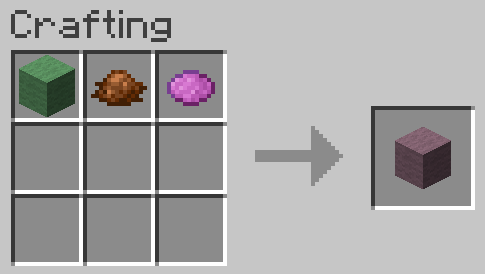
First of all, I heavily recommend using Polymorph to avoid vanilla dye recipe conflicts. If you do not use Polymorph, you will need to use a stick as an additional item when crafting custom dyes from vanilla dyes only.
Crafting custom dyes from vanilla dyes (without Polymorph installed):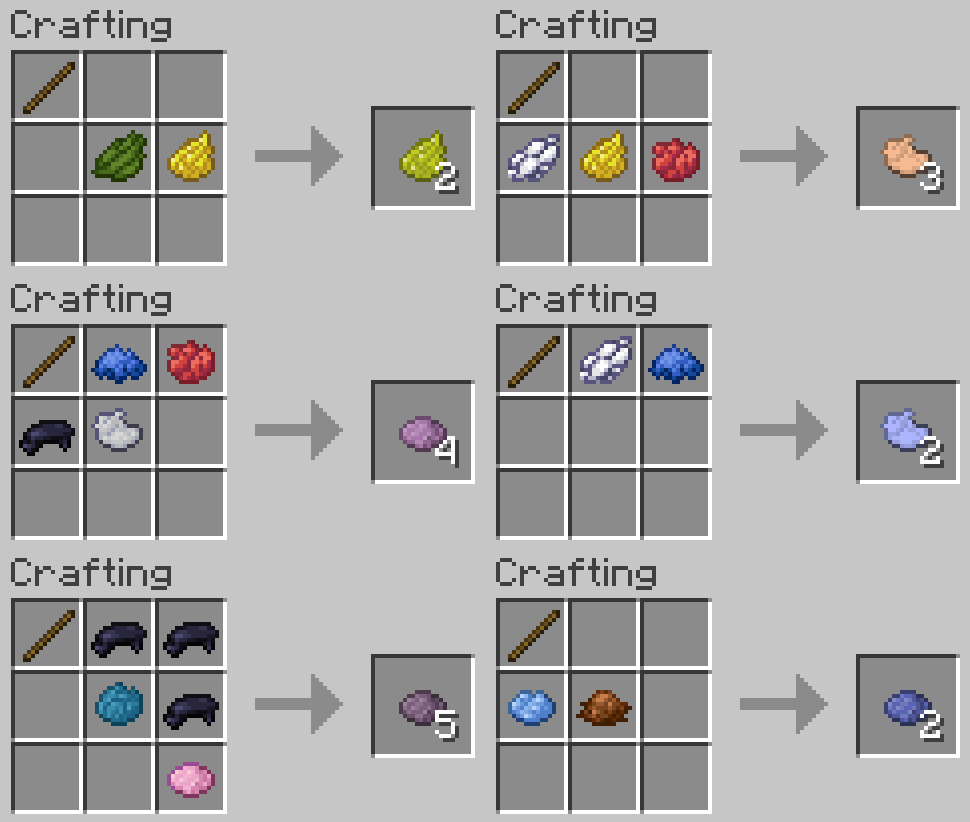
Crafting custom dyes from vanilla dyes (with Polymorph installed):
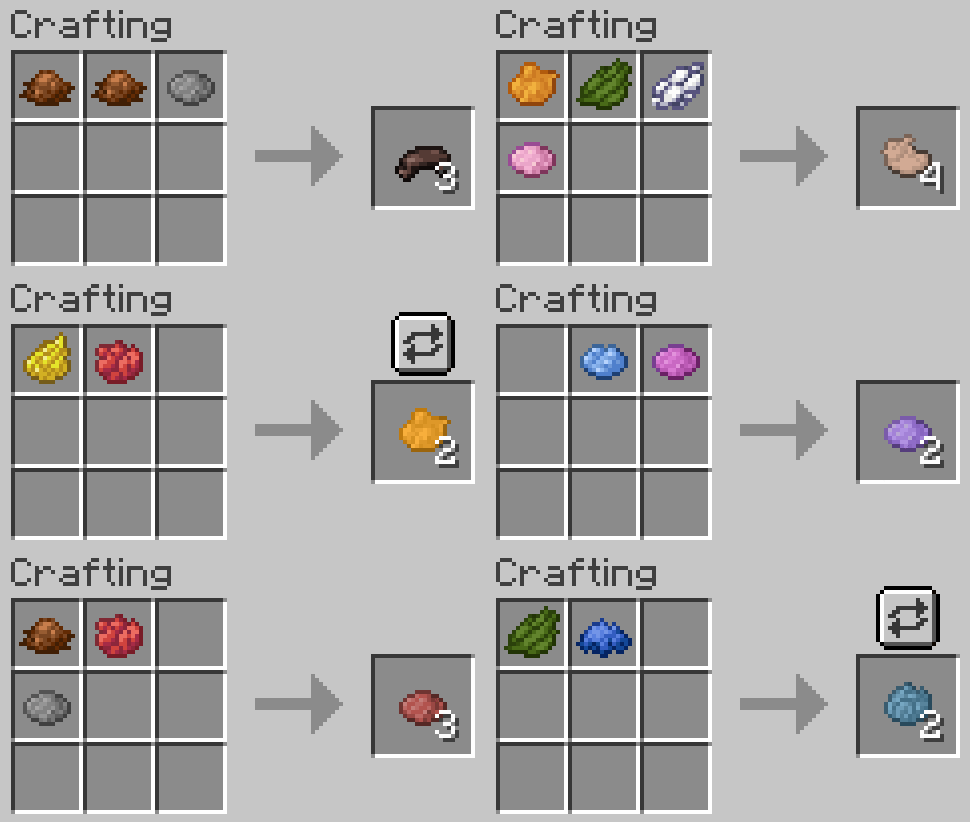
Crafting custom dyes from other custom dyes:
You can also use custom dyes when mixing new custom dyes! In this case you will not need a stick regardless of Polymorph being installed or not.
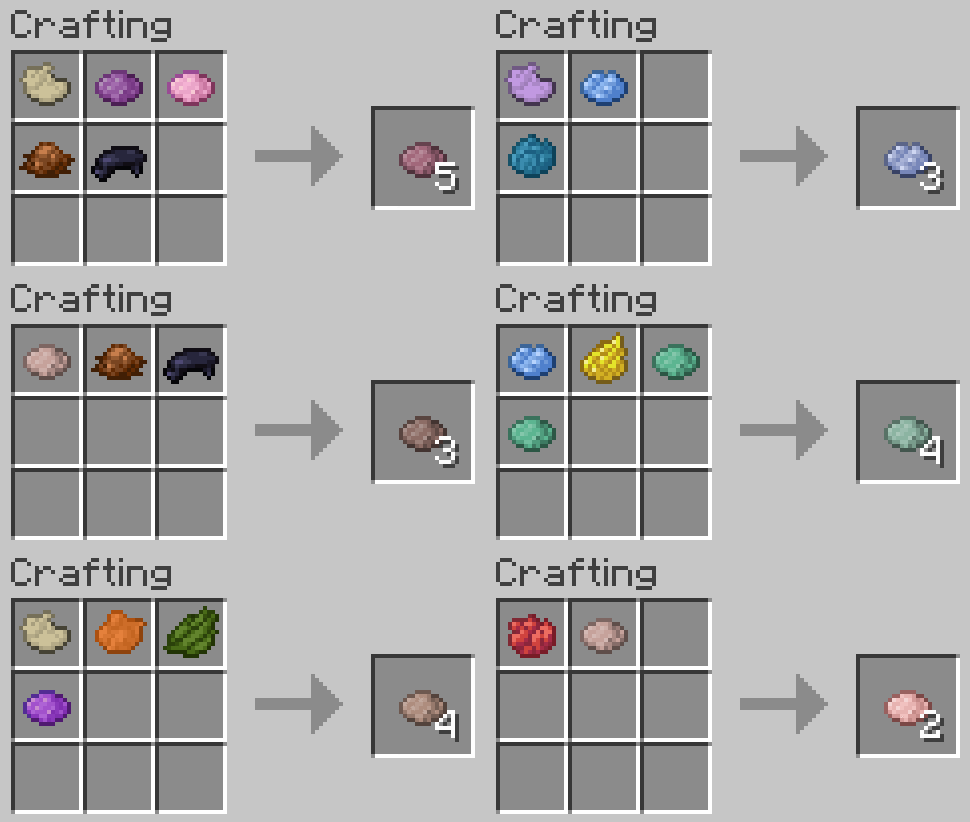
Using Custom Dyes
Looking closer at your custom dye
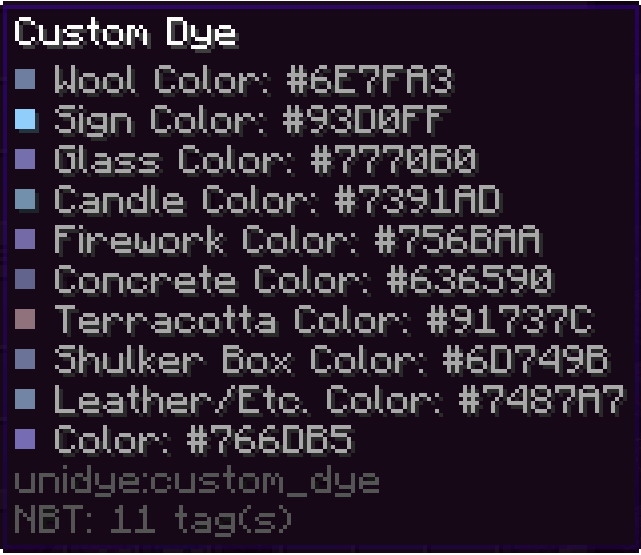
If you look at your custom dye, you can see that it has different colors depending on its use. This reflects the way that vanilla dyes have inconsistent colors depending on the way we use them (e.g. all terracottas are more muted than their concrete counterpart). This means that, for example, dyeing terracotta will result in a custom terracotta with a corresponding color.
Crafting custom-colored blocks
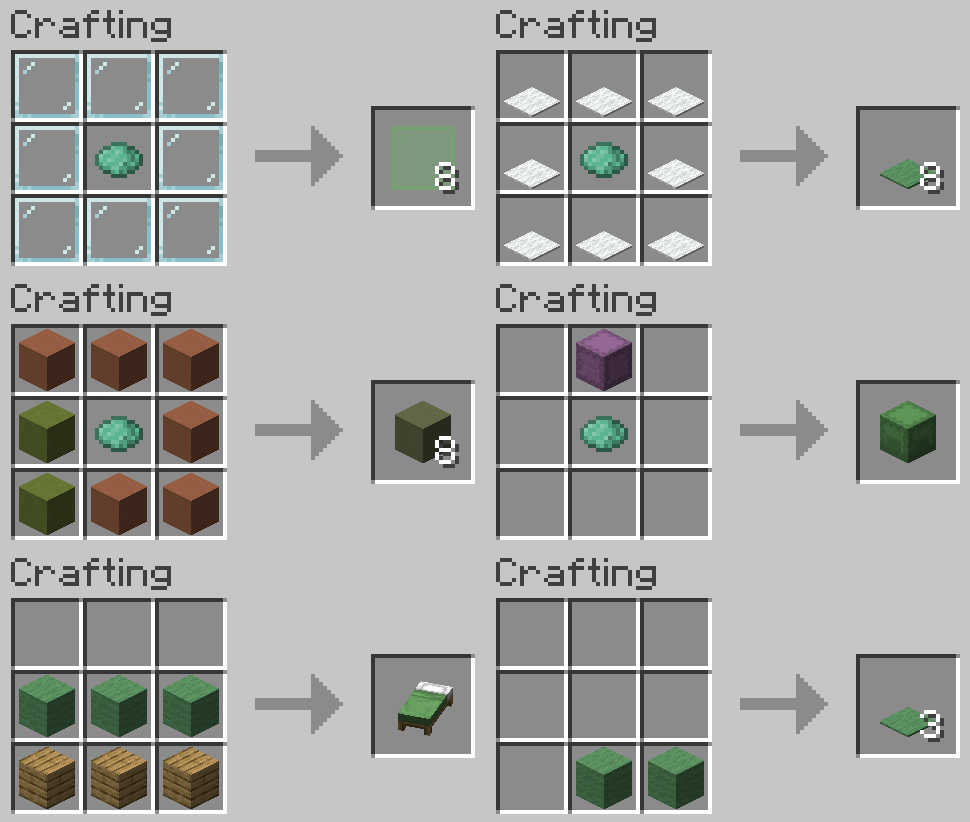
You can use custom dyes to make dyed terracotta, concrete powder, glass, etc.
Recoloring custom-colored blocks
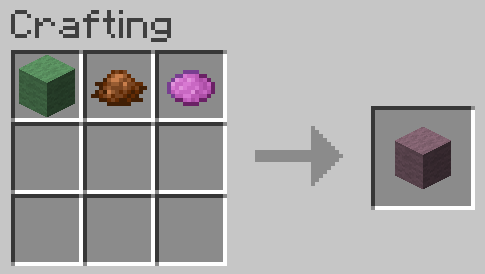
You can redye already dyed custom blocks, just like you can redye leather armor. The resulting block will have a color that is a mix between applied dyes and the color of the custom block.
Other uses
Dye your pets collars, your sheep's wool, craft custom colored fireworks, dye beacon beams, and do all other sorts of dye related things with custom dyes! (see gallery)
To clean any custom or vanilla dyed items just right-click a water cauldron.
You can use the following command to give yourself custom block with any color you want (where the color is in decimals)
For minecraft 1.20-1.20.4
/give @p unidye:custom_concrete{display:{color: }}

For minecraft 1.20.5+
/give @p unidye:custom_concrete[minecraft:dyed_color= ]
Porting and Compatibility
Forge/Neoforge ports are not coming in near times due to my lack of knowledge of these loaders, but maybe someday it will happen.
Planned Minecraft Versions: Currently no versions above 1.21.1 are planned with the new drop system pushing updates that frequently
Compatibility: Mods like Dye Depot that add new base dyes are semi-supported at the moment, but I will work on making a full compat. Mods that add their own uses to vanilla dyes are going to be compatted with at my own pace, since I cannot account for all the mods that add new uses. If you are a developer, and you would like to work on compatibility with Unidye and your mod, you can leave a feature suggestion at GitHub.
Unidye
Unidye adds an ability to mix any dyes (alike leather armor dyeing) to get custom blends! Craft your own dyes and use them to dye wool, terracotta, make fireworks, banners, etc. The amount of minecraft dyes isn't finite anymore!
Feel free to include this project in modpacks!
Use with Sinytra Connector for Forge Compatibility!
Getting Started
First of all, I heavily recommend using Polymorph to avoid vanilla dye recipe conflicts. If you do not use Polymorph, you will need to use a stick as an additional item when crafting custom dyes from vanilla dyes only.
Crafting custom dyes from vanilla dyes (without Polymorph installed):
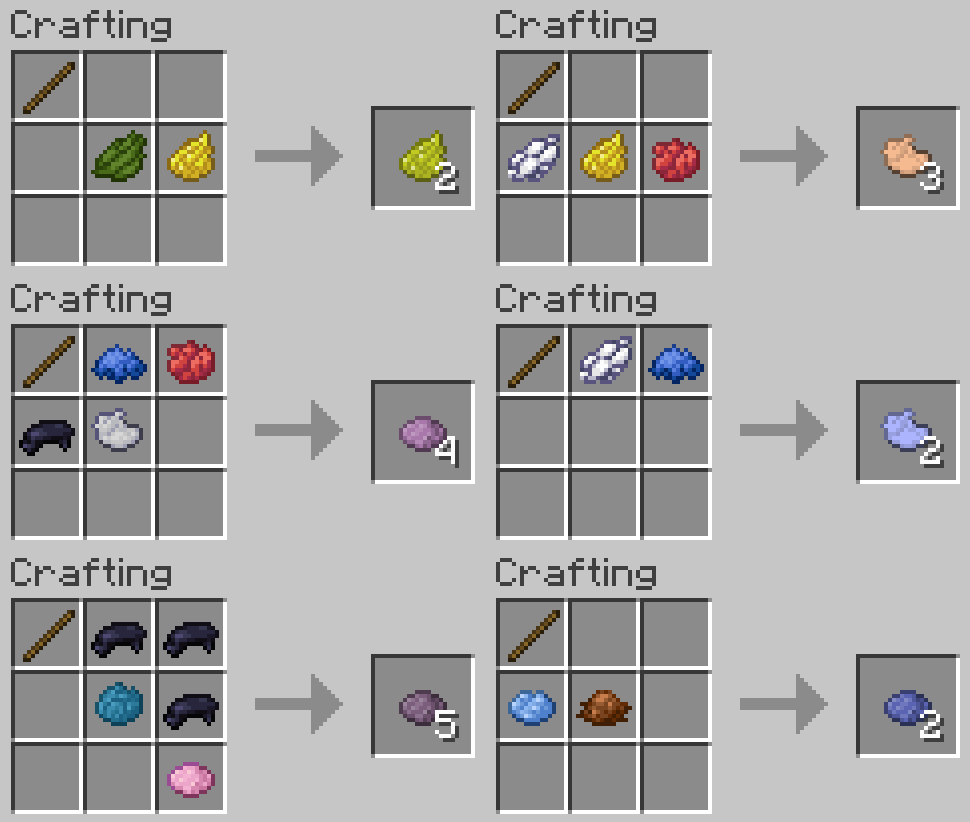
Crafting custom dyes from vanilla dyes (with Polymorph installed):
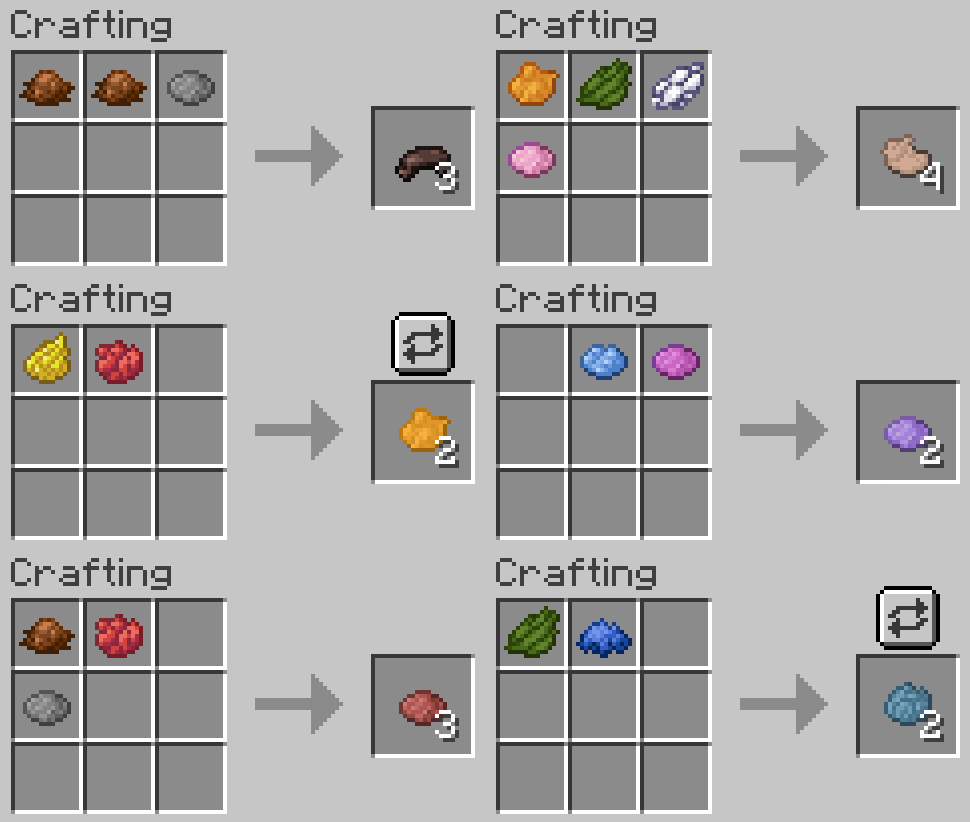
Crafting custom dyes from other custom dyes:
You can also use custom dyes when mixing new custom dyes! In this case you will not need a stick regardless of Polymorph being installed or not.
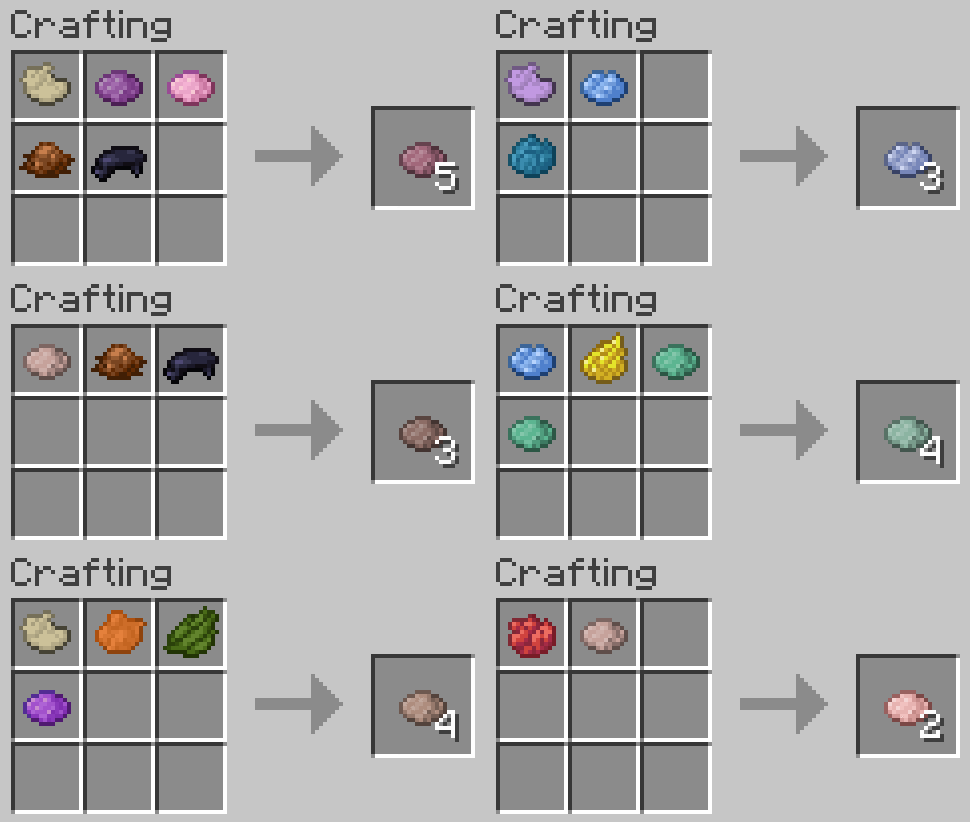
Using Custom Dyes
Looking closer at your custom dye
If you look at your custom dye, you can see that it has different colors depending on its use. This reflects the way that vanilla dyes have inconsistent colors depending on the way we use them (e.g. all terracottas are more muted than their concrete counterpart). This means that, for example, dyeing terracotta will result in a custom terracotta with a corresponding color.
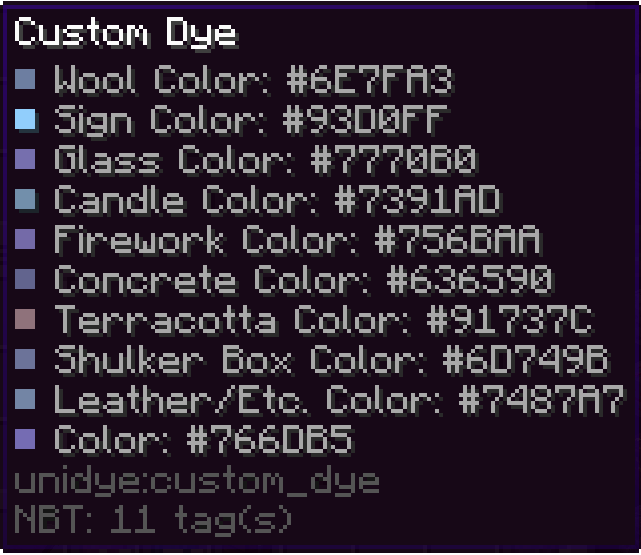
Crafting custom-colored blocks
You can use custom dyes to make dyed terracotta, concrete powder, glass, etc.
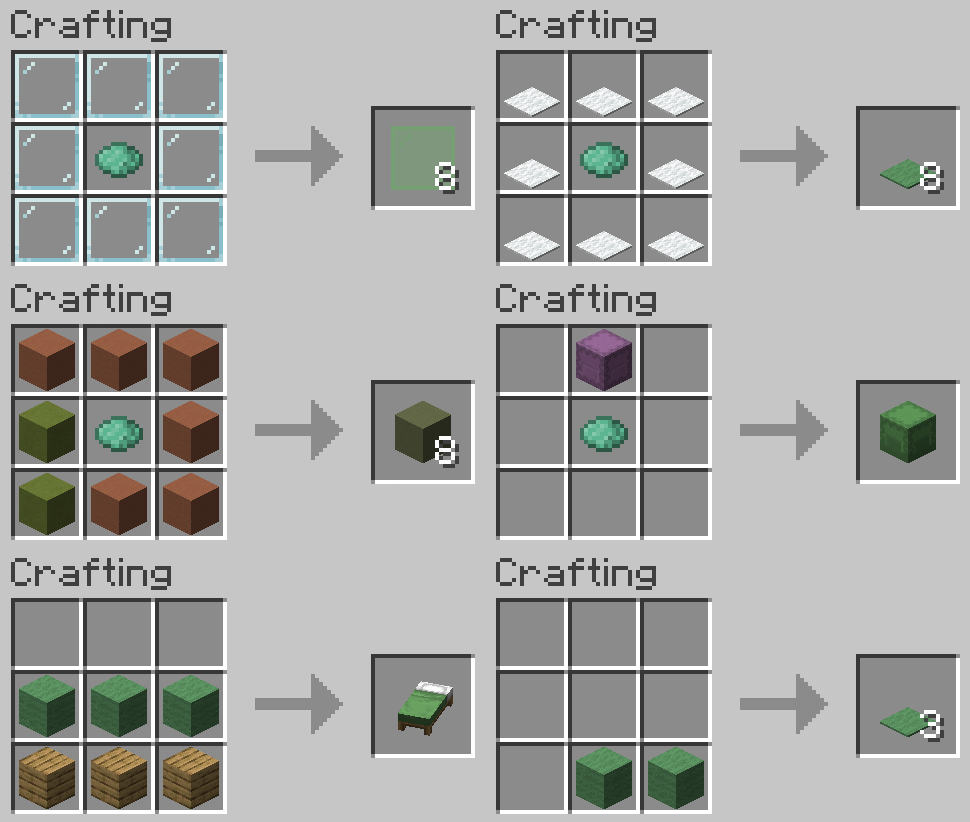
Recoloring custom-colored blocks
You can redye already dyed custom blocks, just like you can redye leather armor. The resulting block will have a color that is a mix between applied dyes and the color of the custom block.
Other uses
Dye your pets collars, your sheep's wool, craft custom colored fireworks, dye beacon beams, and do all other sorts of dye related things with custom dyes! (see gallery)
To clean any custom or vanilla dyed items just right-click a water cauldron.
You can use the following command to give yourself custom block with any color you want (where the color is in decimals)
For minecraft 1.20-1.20.4
/give @p unidye:custom_concrete{display:{color: }}

For minecraft 1.20.5+
/give @p unidye:custom_concrete[minecraft:dyed_color= ]
Porting and Compatibility
Forge/Neoforge ports are not coming in near times due to my lack of knowledge of these loaders, but maybe someday it will happen.
Planned Minecraft Versions: Currently no versions above 1.21.1 are planned with the new drop system pushing updates that frequently
Compatibility: Mods like Dye Depot that add new base dyes are semi-supported at the moment, but I will work on making a full compat. Mods that add their own uses to vanilla dyes are going to be compatted with at my own pace, since I cannot account for all the mods that add new uses. If you are a developer, and you would like to work on compatibility with Unidye and your mod, you can leave a feature suggestion at GitHub.
Check out my other projects!
Mods:

Texture packs:

Screenshots
Gallery
-
 Custom Colored Fireworks
 -
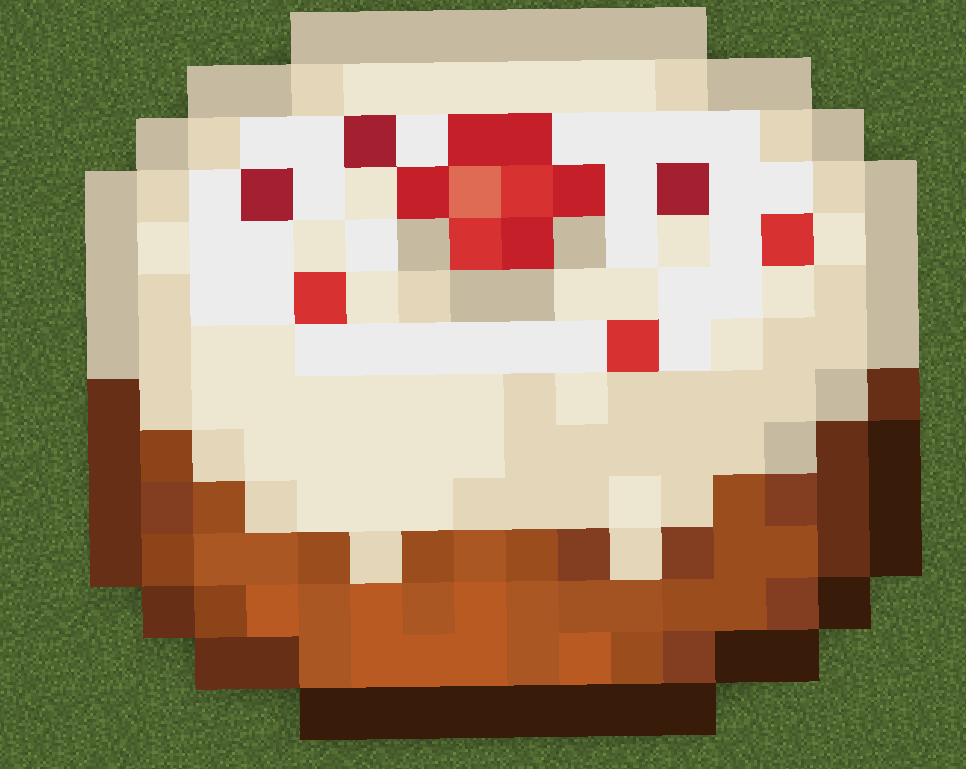 Pixel Art Made With Custom Concrete
 -
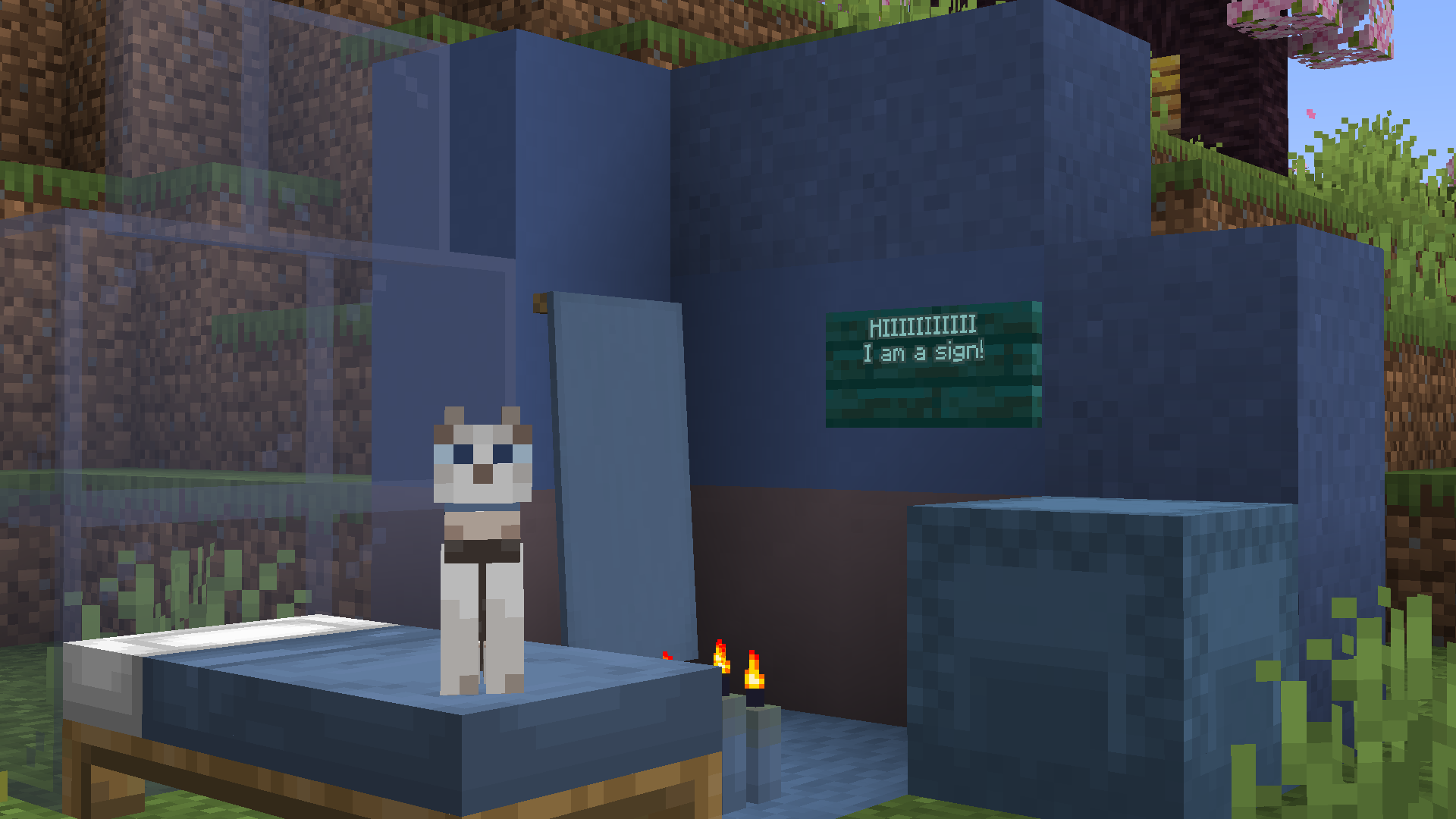 Custom Colored Blocks
 -
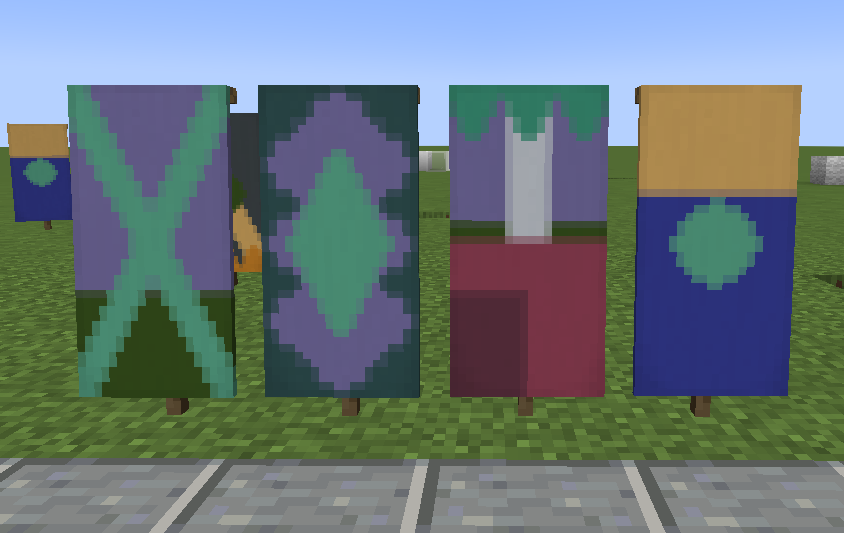 Custom Banners
 -
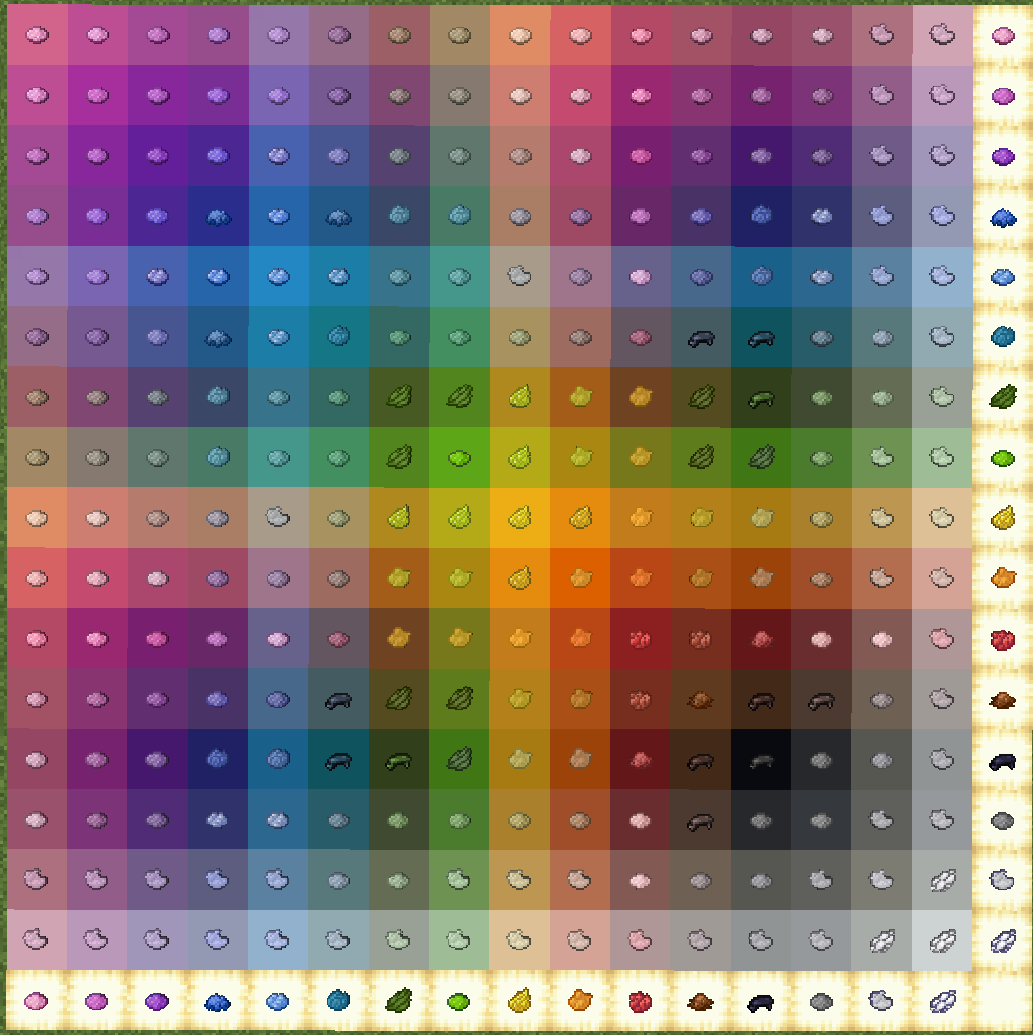 Custom Dye Chart (combinations of 2)
-
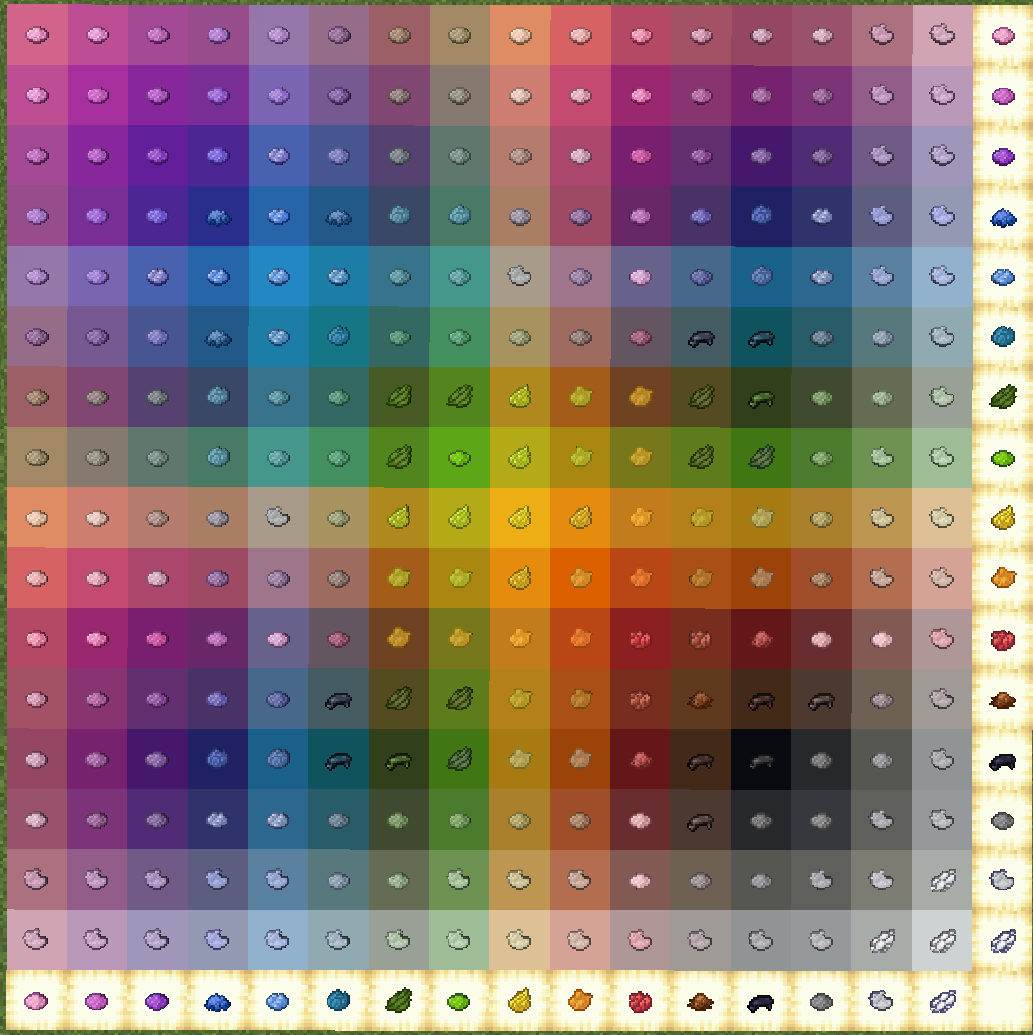 Custom Dye Chart (combinations of 2)
 -
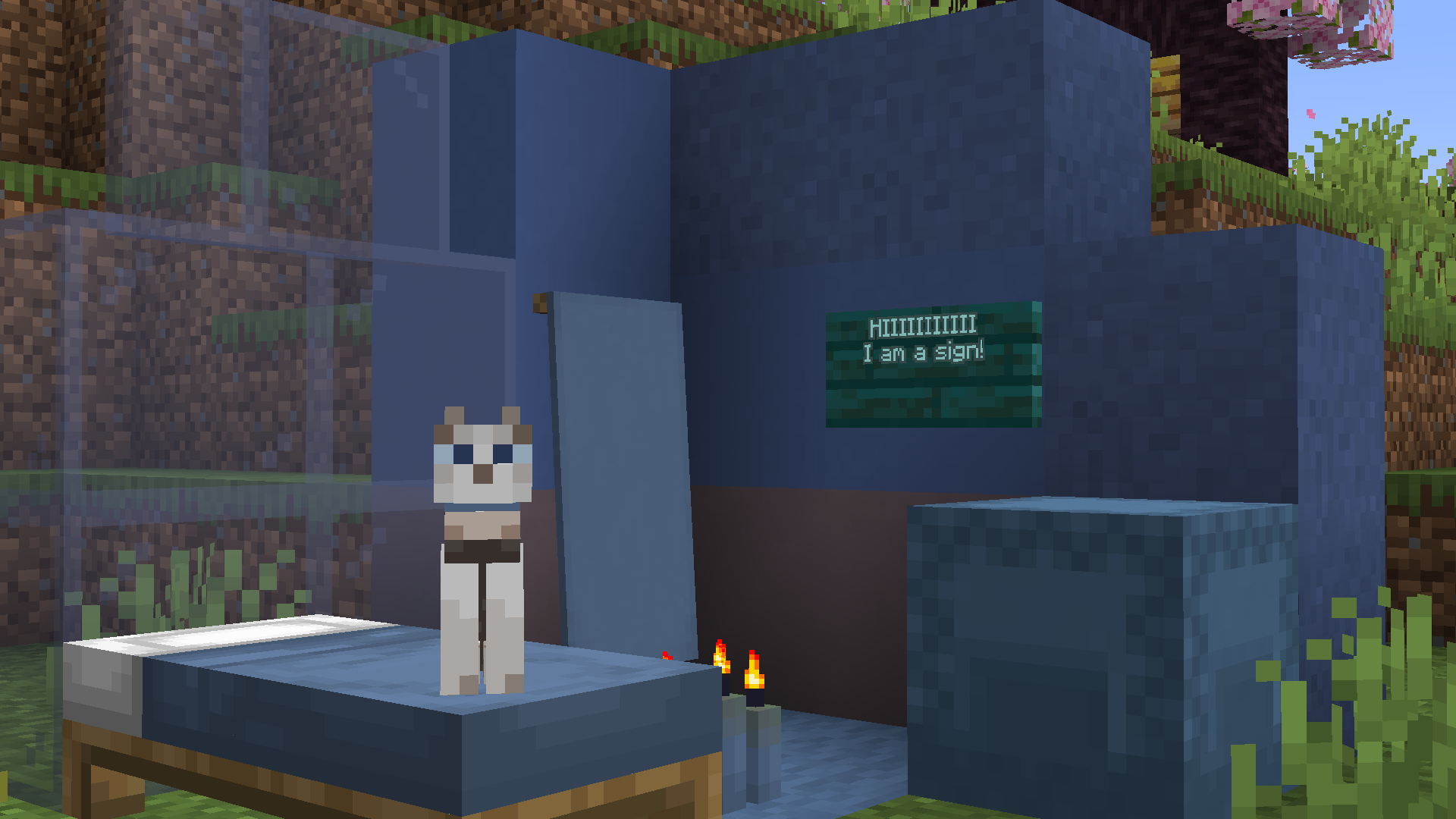 Custom Colored Blocks! (and a cat)
 -
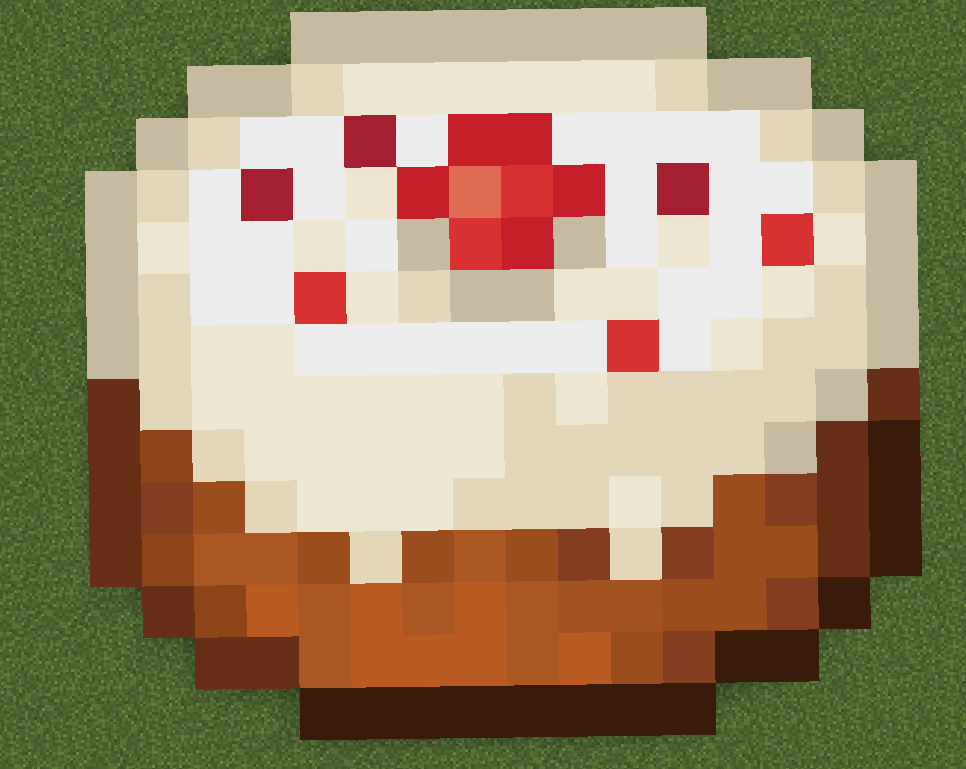 Pixel Art Made Using Custom Concrete
 -
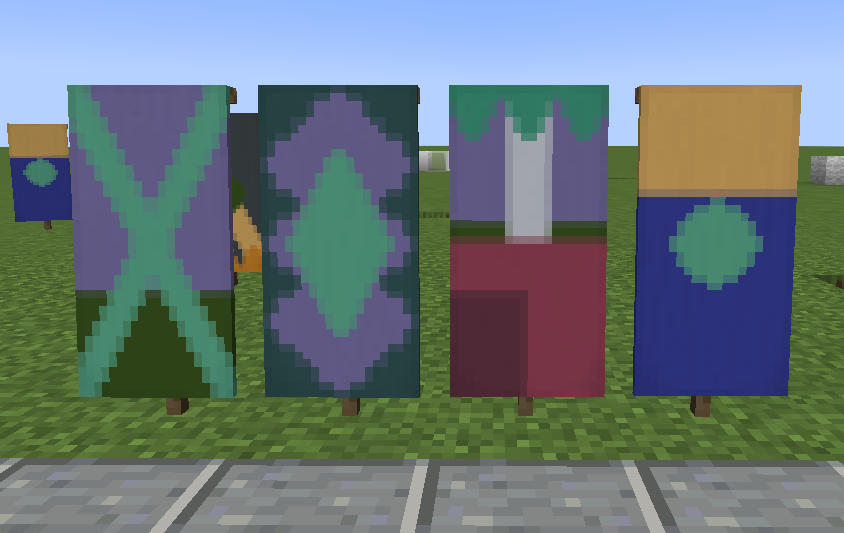 Custom Banners
 -
 Custom Colored Fireworks
Versions
Files
Relations
Project Relations
More like this
Similar Mods
Suggestions use data such as tags, dependencies, dependents, descriptions, titles, and more to rank how much they overlap with this mod.
On ModDex
Community snapshot
By the numbers
Statistics
Want to reach Minecraft players?
We're looking for a server hosting partner to feature here and other parts of the site. Interested? Send us a message!
Get in touchGet it on
Available Platforms
On ModDex
Community snapshot
By the numbers