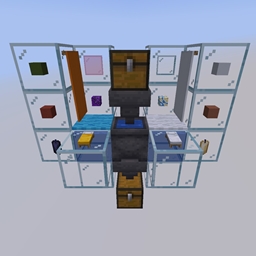
Community listing page, reviews here may not be monitored by the author.
Washing Cauldron


No reviews yet
Wash dyed items in a cauldron to undye them - also modded ones
Community voices
Reviews
No reviews yet. Be the first to review this project!
Get it on
Available Platforms
Compatibility
Supported Environments
Required on the server. Installing it on the client adds functionality.
About
Project Details
For authors
Embed Badge
If you're the author of this project, you can embed a live badge anywhere that supports HTML or Markdown. It updates automatically whenever ratings change.
Use HTML for any page that supports it, or Markdown for README files and Markdown-based descriptions.
Identifiers
Platform IDs
About
Description
You have finally finished farming enough sand for your colorful glass-build. After waiting for it to be smelted, you want to dye it, but you accidentally craft too much green glass. What to do with all the remaining green glass? Or you just don't like your yellow bed, and you don't have enough wool to craft a new one? If you have ever asked yourself questions like these, you'll love this mod.
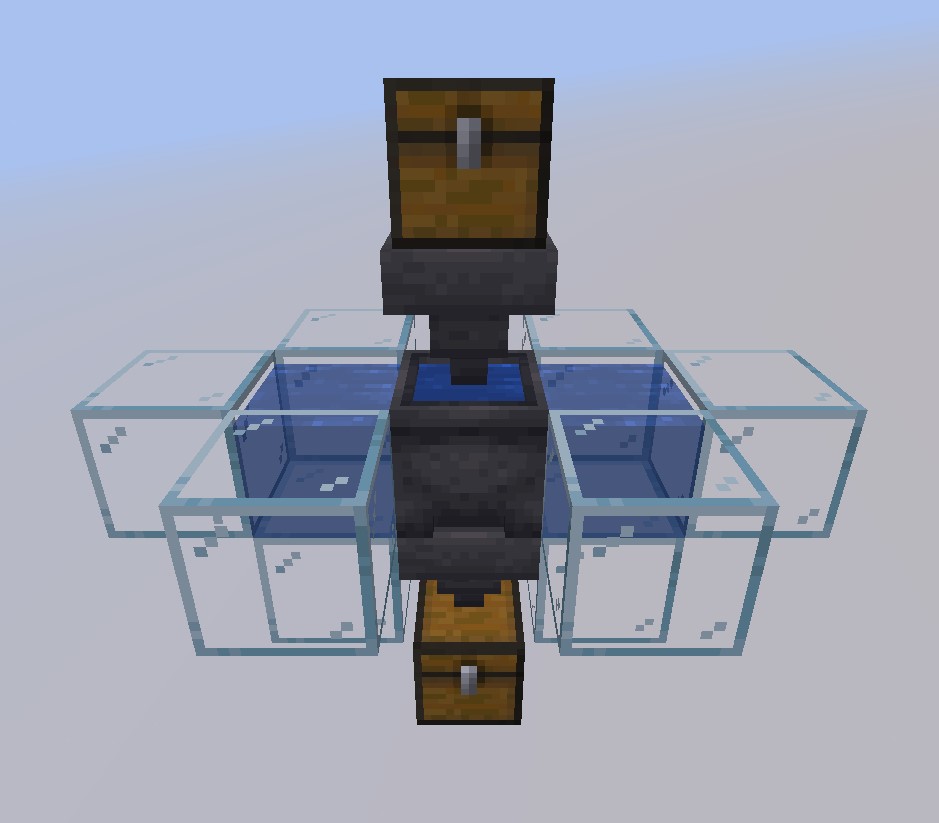
This mod adds more use to the regular old cauldron. You can already undye Shulker Boxes by right-clicking them, but why not just for all items - even modded ones? With this mod, you can! Just right-click a cauldron filled with water with a dyed item to remove the dye and be left with the undyed version. When placing water sources on two sides of the cauldron, you have an unlimited source of water for your cauldron. If you want to automate this process, just place a hopper pointing into the cauldron as input and one on its bottom as output. (They have to be hoppers because otherwise, I would have needed to make the cauldron a block entity and this would cause issues for Redstoners as cauldrons wouldn't be moveable anymore.)
The mod is compatible with Just Enough Items
The mod also adds crafting recipes to redye the undyed items
Configuring the mod for Modpacks, often not needed (look at the config file to not be entirely confused):
If you only want to add your own recipes, set "DynamicRecipes" in the config file to false, else leave it true.
To add your own recipes, you need to add them via datapacks, the file should look like this:
{
  "type": "washingcauldron:cauldron_washing",
  "input": {
    "tag": [InputTag] (or alternatively item, like output)
  },
  "output": {
    "item": [OutputItem]
  }
}
To know what items you should blacklist or which recipes you should add, you need to know how the dynamic recipes are created: For every item, which contains "light_gray", recipes will be created with the output item being the input but "white" instead of "light_gray" or, if the item exists, entirely without "light_gray" and possibly without the words before or after "light_gray", which are called "IgnoreWords" in the config file. An example for this would be "minecraft:gray_stained_glass", of which the undyed version is "minecraft:glass" instead of "minecraft:stained_glass". If you know how to program Mods, you can look at the source code here to see how the dynamic recipes are created exactly.
Other things, like adding the recoloring recipes, should be pretty self-explanatory when using the config file. If you still have any problems when configuring the mod for a modpack, let me know in the comments of the mod.
If you want your own Minecraft server to play with friends, check out Kinetic Hosting. They provide powerful servers for a fair price while being easy to use, and they have a nice support. Click on the image below for more information, and if you are interested, use code LAIDBACKSLOTH at checkout for a 15% discount.

You have finally finished farming enough sand for your colorful glass-build. After waiting for it to be smelted, you want to dye it, but you accidentally craft too much green glass. What to do with all the remaining green glass? Or you just don't like your yellow bed, and you don't have enough wool to craft a new one? If you have ever asked yourself questions like these, you'll love this mod.
This mod adds more use to the regular old cauldron. You can already undye Shulker Boxes by right-clicking them, but why not just for all items - even modded ones? With this mod, you can! Just right-click a cauldron filled with water with a dyed item to remove the dye and be left with the undyed version. When placing water sources on two sides of the cauldron, you have an unlimited source of water for your cauldron. If you want to automate this process, just place a hopper pointing into the cauldron as input and one on its bottom as output. (They have to be hoppers because otherwise, I would have needed to make the cauldron a block entity and this would cause issues for Redstoners as cauldrons wouldn't be moveable anymore.)
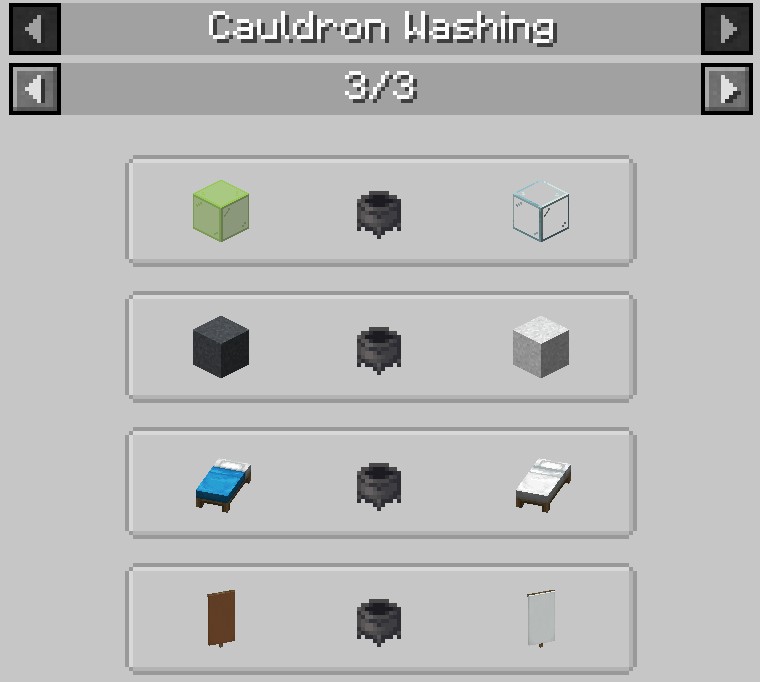
The mod is compatible with Just Enough Items
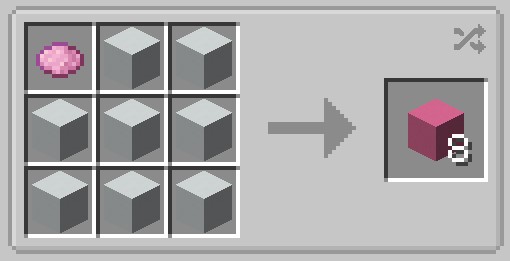
The mod also adds crafting recipes to redye the undyed items
Configuring the mod for Modpacks, often not needed (look at the config file to not be entirely confused):
If you only want to add your own recipes, set "DynamicRecipes" in the config file to false, else leave it true.
To add your own recipes, you need to add them via datapacks, the file should look like this:
{
  "type": "washingcauldron:cauldron_washing",
  "input": {
    "tag": [InputTag] (or alternatively item, like output)
  },
  "output": {
    "item": [OutputItem]
  }
}
To know what items you should blacklist or which recipes you should add, you need to know how the dynamic recipes are created: For every item, which contains "light_gray", recipes will be created with the output item being the input but "white" instead of "light_gray" or, if the item exists, entirely without "light_gray" and possibly without the words before or after "light_gray", which are called "IgnoreWords" in the config file. An example for this would be "minecraft:gray_stained_glass", of which the undyed version is "minecraft:glass" instead of "minecraft:stained_glass". If you know how to program Mods, you can look at the source code here to see how the dynamic recipes are created exactly.
Other things, like adding the recoloring recipes, should be pretty self-explanatory when using the config file. If you still have any problems when configuring the mod for a modpack, let me know.
If you want your own Minecraft server to play with friends, check out Kinetic Hosting. They provide powerful servers for a fair price while being easy to use, and they have a nice support. Click on the image below for more information, and if you are interested, use code LAIDBACKSLOTH at checkout for a 15% discount.
Screenshots
Gallery
-
Redye Redye the items you get from washing
-
JEI Compat Compatible with Just Enough Items
-
Automation Use hoppers to automate the process
-
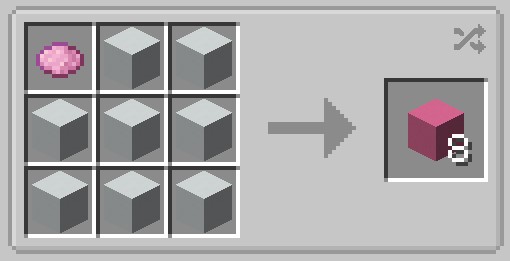 Redye Redye the items you get from washing
 -
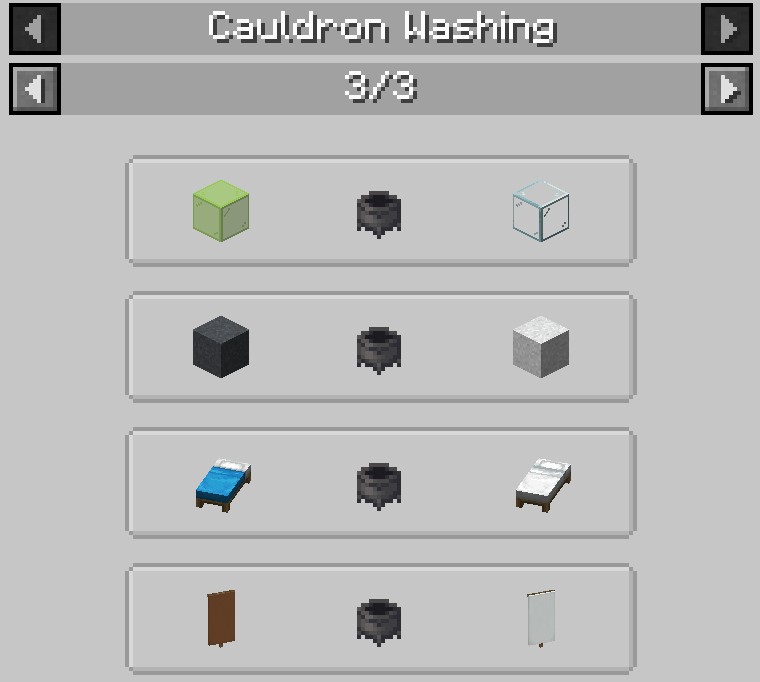 JEI Compat Compatible with Just Enough Items
 -
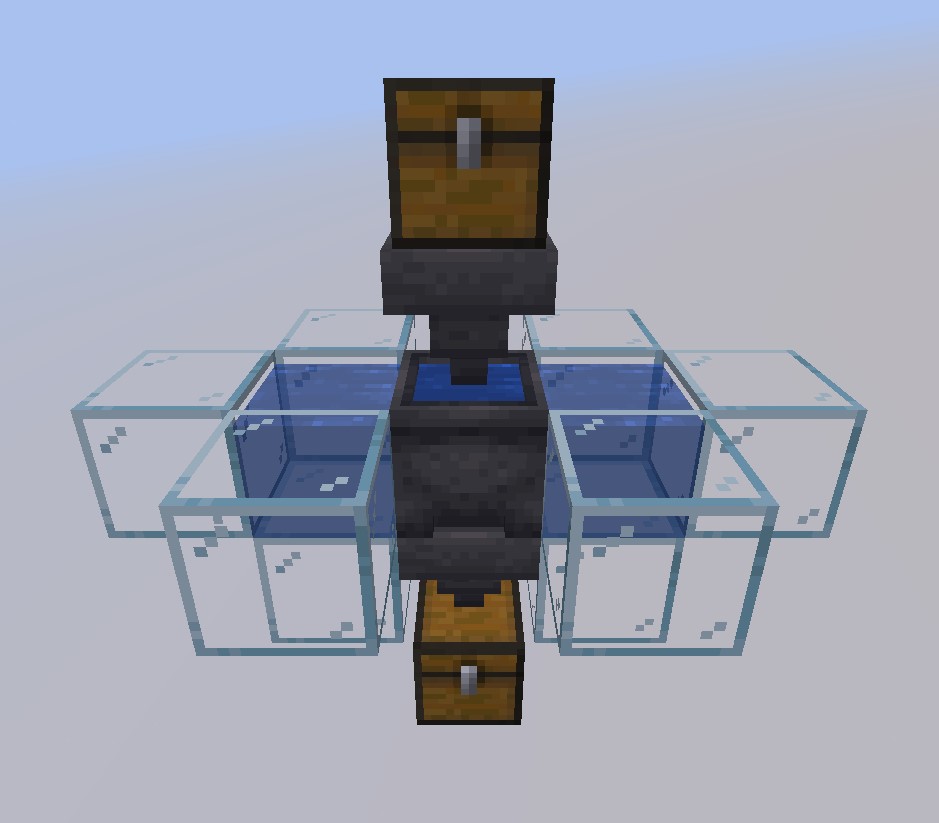 Automation Use hoppers to automate the process
Versions
Files
Relations
Project Relations
More like this
Similar Mods
Suggestions use data such as tags, dependencies, dependents, descriptions, titles, and more to rank how much they overlap with this mod.
On ModDex
Community snapshot
By the numbers
Statistics
Want to reach Minecraft players?
We're looking for a server hosting partner to feature here and other parts of the site. Interested? Send us a message!
Get in touchGet it on
Available Platforms
On ModDex
Community snapshot
By the numbers