Community listing page, reviews here may not be monitored by the author.
Unified Legacy Settings


No reviews yet
Adds native setting options to Legacy4J's menus for various mods.
Community voices
Reviews
No reviews yet. Be the first to review this project!
Get it on
Available Platforms
Compatibility
Supported Environments
Runs entirely on the client. Works on vanilla servers.
About
Project Details
For authors
Embed Badge
If you're the author of this project, you can embed a live badge anywhere that supports HTML or Markdown. It updates automatically whenever ratings change.
Use HTML for any page that supports it, or Markdown for README files and Markdown-based descriptions.
Identifiers
Platform IDs
About
Description




Native Legacy4J Mod Settings
Unified Legacy Settings adds supported mod options directly into the Legacy4J settings menus. Setting names and descriptions are styled to match the original LCE interface and options.


| Setting | Mod Required |
|---|---|
| Advanced Graphical Effects | Iris |
| Extended Render Distance | Bobby |

| Setting | Mod Required |
|---|---|
| Grass Detail | LambdaBetterGrass |
| Snow Layer Blending | LambdaBetterGrass |
| Connected Textures | Continuity |
| Emissive Textures | Continuity |
| Third-Person Animations | Not Enough Animations |

| Setting | Mod Required |
|---|---|
| Dynamic Lighting | LambDynamicLights |
| Zoom | Zoomify |
| Locator Compass | Locator Lodestones |
| Minimap | Xaero's Minimap |

| Setting | Mod Required |
|---|---|
| Presence Footsteps | Presence Footsteps |

| Setting | Mod Required |
|---|---|
| Chat Portraits | Chat Heads |
| Take Screenshot on Achievement | Advancement Screenshot |
More mods to be supported in the future…

You can tweak things through Mod Menu → Unified Legacy Settings → Config or the Unified Legacy Settings entry in Legacy4J's Advanced User Interface screen.

Everything listed under Supported Mods is optional. The following are required:
Mod Menu is optional and only needed for the Mod Menu config shortcut.
Not affiliated with the Legacy4J developers · MIT License
Native Legacy4J Mod Settings
Unified Legacy Settings adds supported mod options directly into the Legacy4J settings menus. Setting names and descriptions are styled to match the original LCE interface and options.
| Setting | Mod Required |
|---|---|
| Advanced Graphical Effects | Iris |
| Extended Render Distance | Bobby |
| Setting | Mod Required |
|---|---|
| Grass Detail | LambdaBetterGrass |
| Snow Layer Blending | LambdaBetterGrass |
| Connected Textures | Continuity |
| Emissive Textures | Continuity |
| Third-Person Animations | Not Enough Animations |
| Setting | Mod Required |
|---|---|
| Dynamic Lighting | LambDynamicLights |
| Zoom | Zoomify |
| Locator Compass | Locator Lodestones |
| Minimap | Xaero's Minimap |
| Setting | Mod Required |
|---|---|
| Presence Footsteps | Presence Footsteps |
| Setting | Mod Required |
|---|---|
| Chat Portraits | Chat Heads |
| Take Screenshot on Achievement | Advancement Screenshot |
More mods to be supported in the future...
You can tweak things through Mod Menu → Unified Legacy Settings → Config or the Unified Legacy Settings entry in Legacy4J's Advanced User Interface screen.
Everything listed under Supported Mods is optional. The following are required:
Mod Menu is optional and only needed for the Mod Menu config shortcut.
Not affiliated with the Legacy4J developers · MIT License
Screenshots
Gallery
-
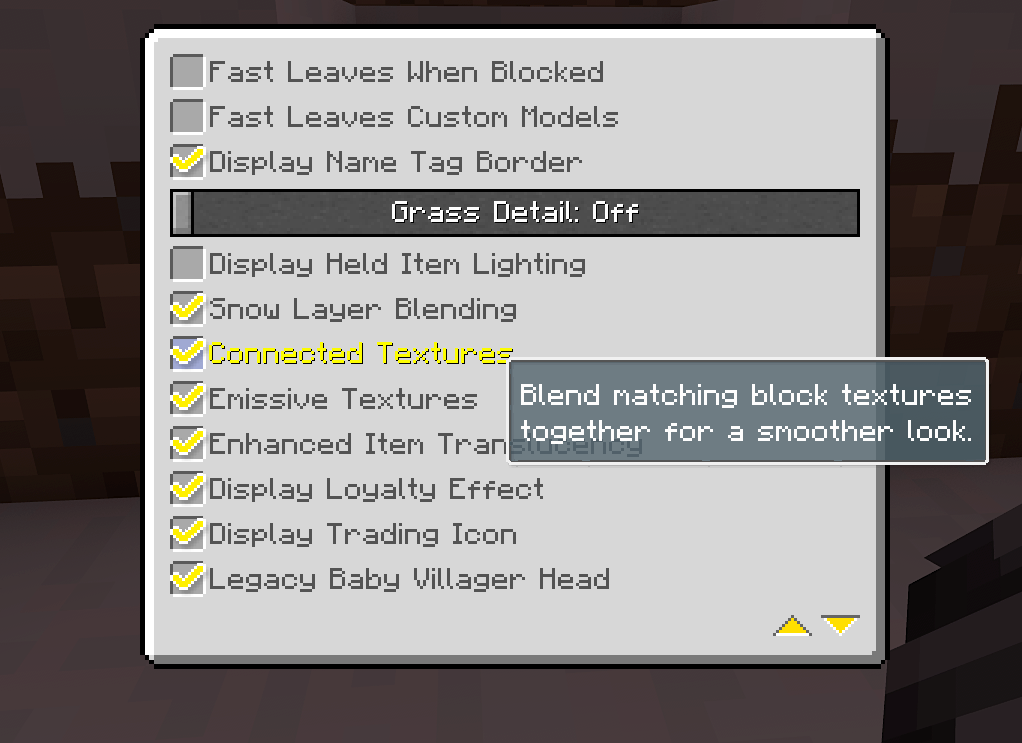 Continuity Setting Example In advanced graphics
 -
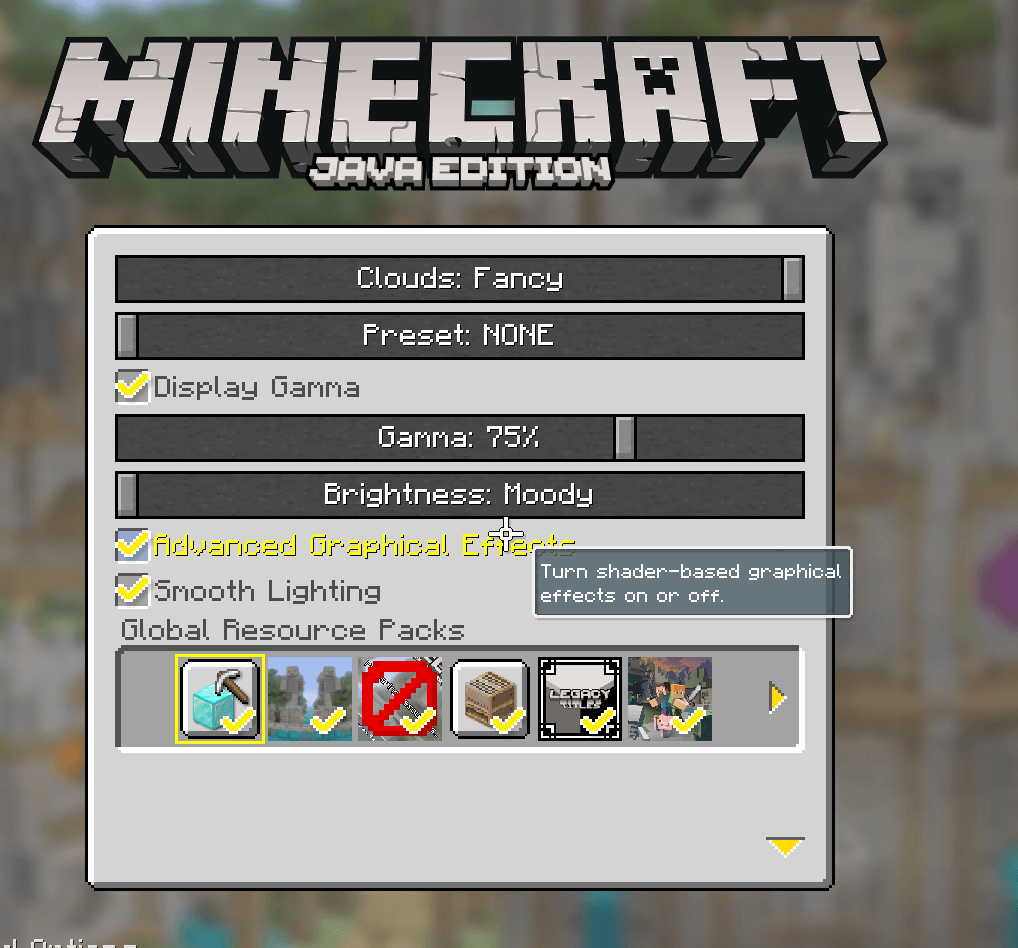 Iris Setting Example 7f09607b85fcb1f9850fb2987ac2dd5990d75d2c.png
 -
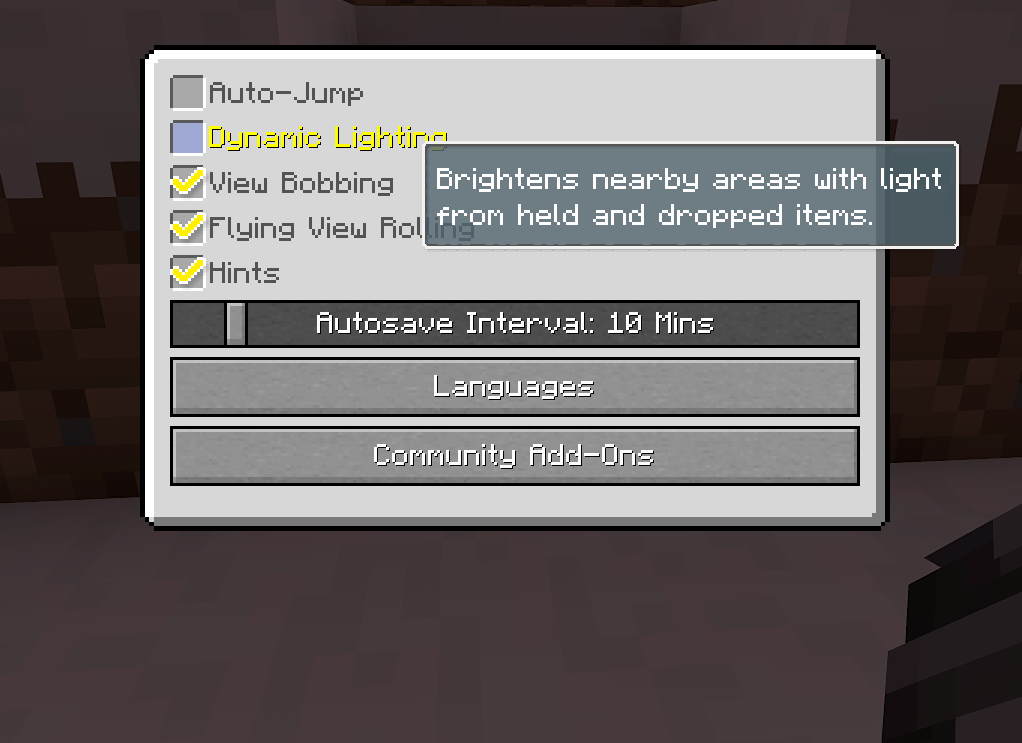 LambDynamicLights Setting Example In the game options screen
 -
 Unified Legacy Settings a16fa4d8fe9617bbff64d6e02fd871090911c0b3.webp
-
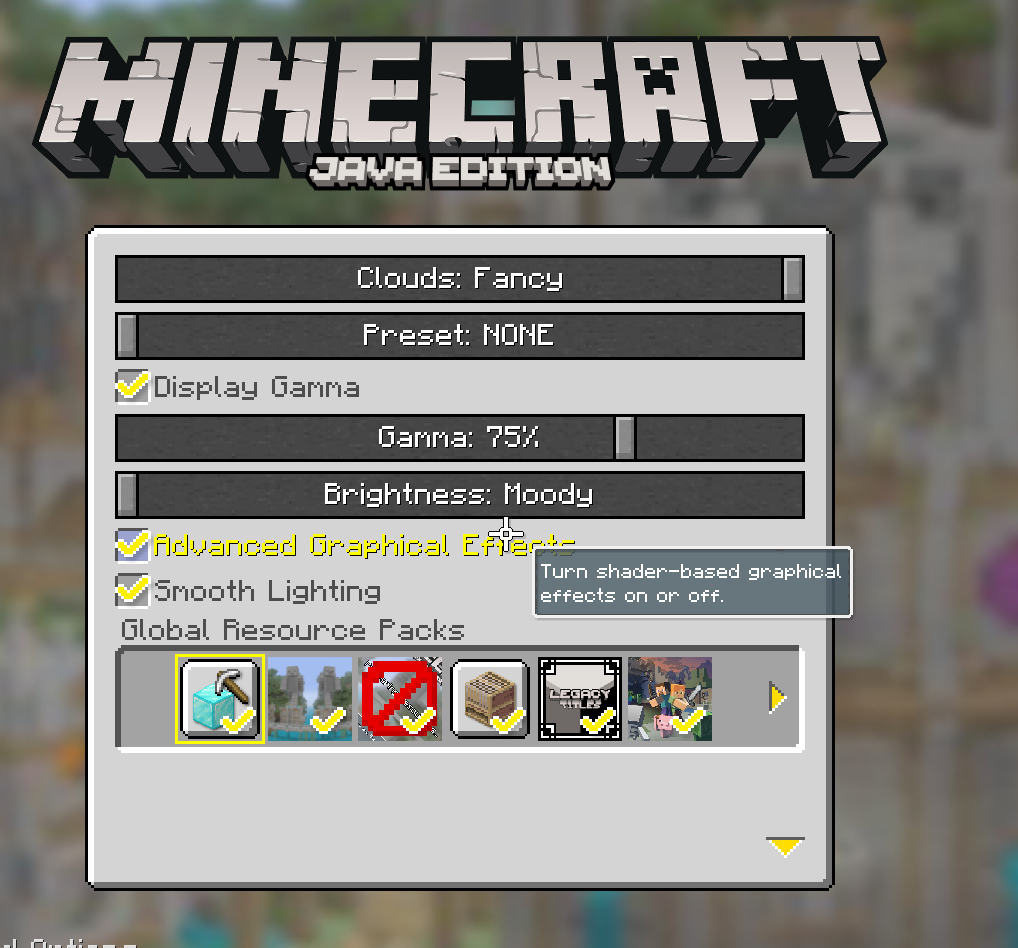 Iris Setting Example In the Graphics Options, and written in the style of 4J Studios. The shader that this toggles can be changed in the mod's config
 -
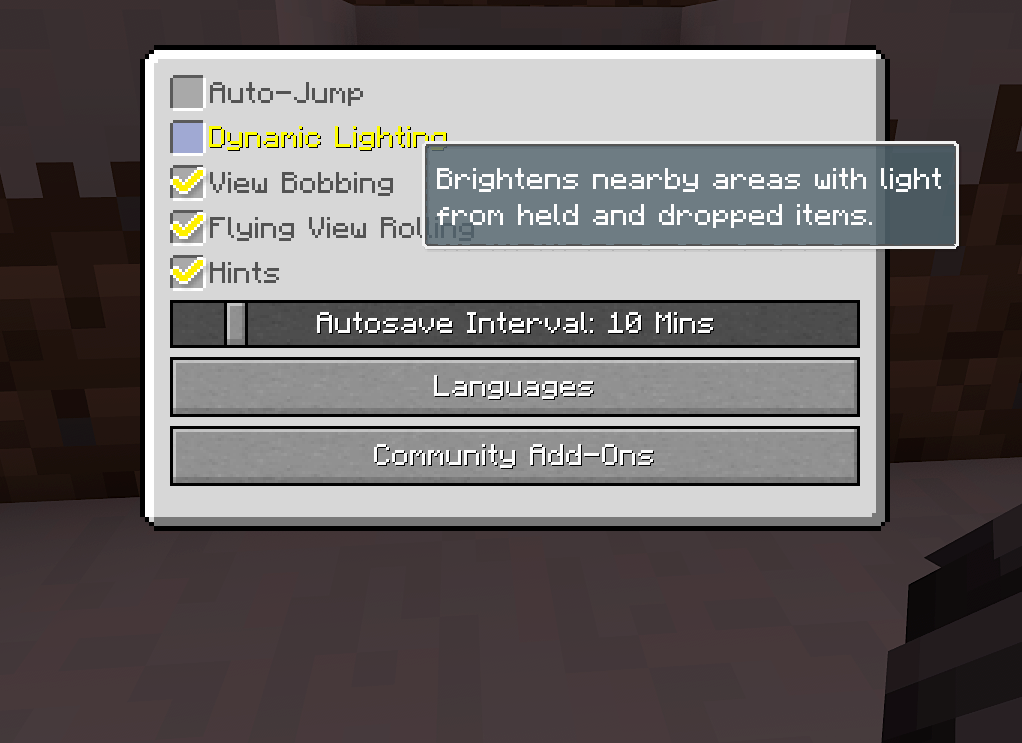 LambDynamicLights Setting Example In the game options screen
 -
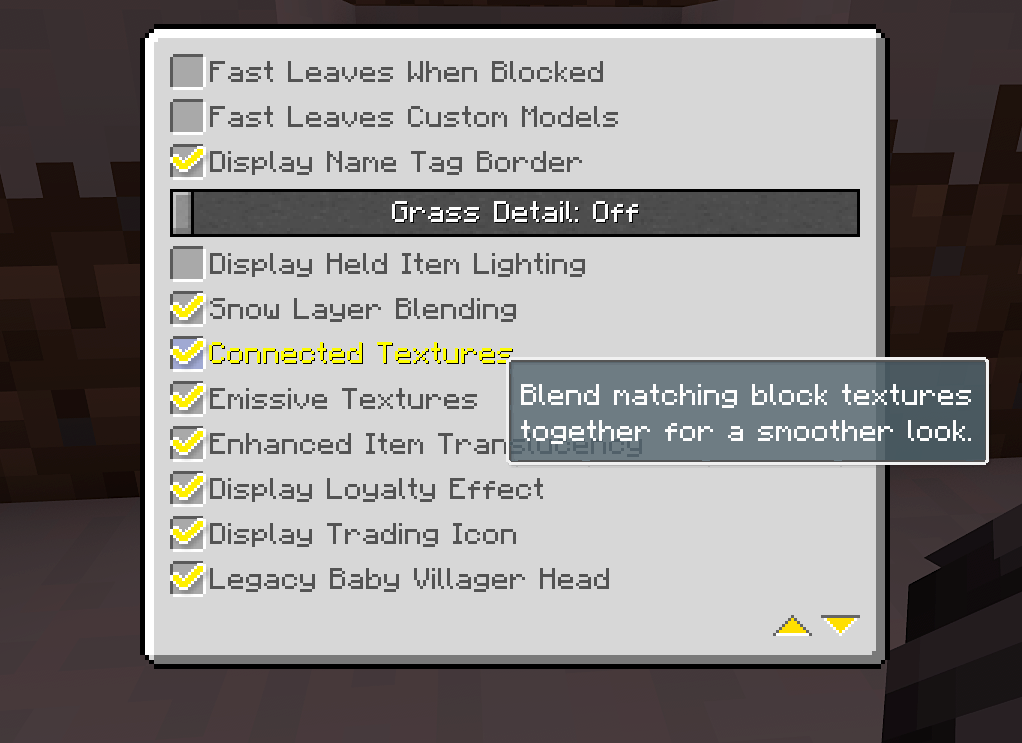 Continuity Setting Example In advanced graphics
 -
 Unified Legacy Settings
Versions
Files
Relations
Project Relations
More like this
Similar Mods
Suggestions use data such as tags, dependencies, dependents, descriptions, titles, and more to rank how much they overlap with this mod.
On ModDex
Community snapshot
By the numbers
Statistics
Want to reach Minecraft players?
We're looking for a server hosting partner to feature here and other parts of the site. Interested? Send us a message!
Get in touchGet it on
Available Platforms
On ModDex
Community snapshot
By the numbers