
Community listing page, reviews may not be monitored by the author.
Universal Chiseled Bookshelf

No reviews yet
Universal Chiseled Bookshelf expands the vanilla Chiseled Bookshelf without adding new blocks or items. Turn your existing bookshelves into useful storage for books, armor trims, maps, music discs, and more while keeping Minecraft’s original style.

Community voices
Reviews
No reviews yet. Be the first to review this project!
Get it on
Available Platforms
About
Project Details
For authors
Embed Badge
If you're the author of this project, you can embed a live badge anywhere that supports HTML or Markdown. It updates automatically whenever ratings change.
Use HTML for any page that supports it, or Markdown for README files and Markdown-based descriptions.
Identifiers
Platform IDs
Resources
External Links
About
Description
Universal Chiseled Bookshelf
Universal Chiseled Bookshelf expands the vanilla Chiseled Bookshelf without adding new blocks or items. Turn your existing bookshelves into useful storage for books, armor trims, maps, navigation tools, banner patterns, music discs, and more while keeping Minecraft’s original style.


Preview Mods
Features
- Store armor trim smithing templates and trimmed armor.
- Store books, enchanted books, and written books.
- Store filled maps and empty maps.
- Store paper and banner patterns.
- Store compasses, clocks, and recovery compasses.
- Store music discs.
- Uses the vanilla Chiseled Bookshelf and its six existing slots.
- Adds no new blocks or items.
- Includes an optional preview HUD for the targeted bookshelf slot.
- Displays item names and enchantment levels.
- Enable or disable the preview through Mod Menu.
- Choose whether the preview appears on the left or right side.
Vanilla-Friendly Design
The mod keeps the original Minecraft interaction, storage behavior, and visual style. It fits naturally in libraries, enchanting rooms, archives, cartographer rooms, and medieval builds.
Installation
- Install Fabric Loader for Minecraft 26.3.
- Install Fabric API.
- Download the latest version from Modrinth.
- Put the mod JAR into your Minecraft
modsfolder. - Launch Minecraft using the Fabric profile.
Configuration
Open the mod settings through Mod Menu to:
- Enable or disable the bookshelf preview.
- Move the preview to the left or right side of the screen.
Requirements
- Minecraft Java Edition 26.3
- Fabric Loader 0.19.5 or newer
- Fabric API for Minecraft 26.3
- Java 25 or newer
- Mod Menu is optional and recommended for settings
Links
Support
If you enjoy the mod, consider supporting development through Ko-fi or Saweria. Your support helps with maintenance, bug fixes, and future improvements.
License
This project is released under the CC0-1.0 License.
Author
Made by Dhityavv.
Screenshots
Gallery
-
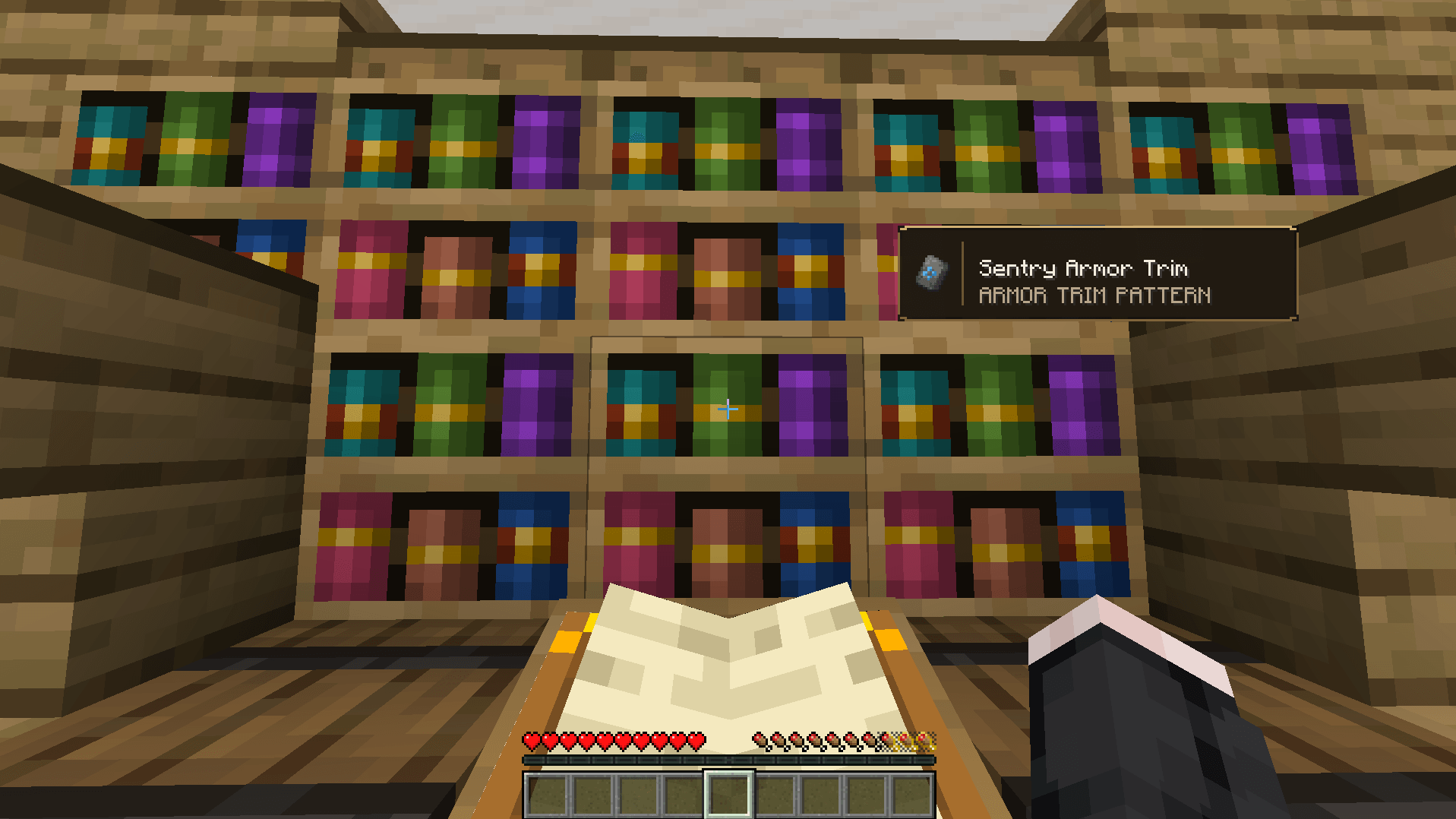 Preview Mods 1.png
Versions
Files
Relations
Project Relations
More like this
Similar Mods
Suggestions use data such as tags, dependencies, dependents, descriptions, titles, and more to rank how much they overlap with this mod.
On ModDex
Community snapshot
By the numbers
Statistics

Get it on
Available Platforms
On ModDex
Community snapshot
By the numbers
Statistics
Resources