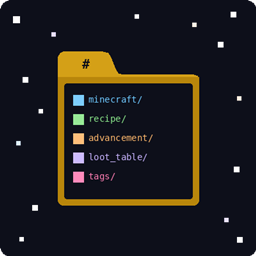
Community listing page, reviews here may not be monitored by the author.
Universal Data Pack


No reviews yet
Load a global data pack from your config folder, applied to all worlds automatically.
Community voices
Reviews
No reviews yet. Be the first to review this project!
Get it on
Available Platforms
Compatibility
Supported Environments
Runs entirely on the server. Also works in singleplayer.
About
Project Details
For authors
Embed Badge
If you're the author of this project, you can embed a live badge anywhere that supports HTML or Markdown. It updates automatically whenever ratings change.
Use HTML for any page that supports it, or Markdown for README files and Markdown-based descriptions.
Identifiers
Platform IDs
About
Description
Universal Data Pack
Load a global data pack from your config folder, applied to all worlds automatically.
Universal Data Pack is a lightweight utility mod for modpack developers. It creates a folder at config/universaldatapack/ that acts as a standard Minecraft data pack — any content placed inside is applied to every world in the instance, both new and existing, without the player needing to do anything.
Why?
Minecraft's built-in data pack system is per-world. If you're building a modpack and need to override recipes, adjust loot tables, or add advancements globally, you'd normally need to either include the data pack in every world manually or wrap it in a mod JAR. Universal Data Pack gives you a simple folder-based workflow instead — just drop your files in and go.
How It Works
On first launch, the mod creates the following folder structure:
config/universaldatapack/
  pack.mcmeta
  data/
    README.txt
Everything inside data/ follows standard Minecraft data pack conventions. The mod registers this folder as a required server data pack at the highest priority, so it loads last and overrides all other data packs and mods. A README file is generated inside the data/ folder on first run with examples and usage instructions.
Usage
Override an existing recipe:Mirror the target mod's namespace and path inside the data/ folder. For example, to override an EnderIO smelting recipe:
config/universaldatapack/data/enderio/recipe/alloy_smelting/dark_steel.jsonTo disable a recipe entirely, use an empty JSON object as the file contents: {}
Add new content:Create your own namespace folder and add recipes, advancements, loot tables, tags, or any other data pack content:
config/universaldatapack/data/mymodpack/recipe/custom_sword.json
config/universaldatapack/data/mymodpack/advancement/craft_custom_sword.json
Reload changes: Changes take effect on world load and with the /reload command.
Can I use this in my modpack?
Definitely! This mod is designed to be included in modpacks. It contains no gameplay content on its own.
Universal Data Pack
Load a global data pack from your config folder, applied to all worlds automatically.
Universal Data Pack is a lightweight utility mod for modpack developers. It creates a folder at config/universaldatapack/ that acts as a standard Minecraft data pack — any content placed inside is applied to every world in the instance, both new and existing, without the player needing to do anything.
Why?
Minecraft's built-in data pack system is per-world. If you're building a modpack and need to override recipes, adjust loot tables, or add advancements globally, you'd normally need to either include the data pack in every world manually or wrap it in a mod JAR. Universal Data Pack gives you a simple folder-based workflow instead — just drop your files in and go.
How It Works
On first launch, the mod creates the following folder structure:
config/universaldatapack/
  pack.mcmeta
  data/
    README.txt
Everything inside data/ follows standard Minecraft data pack conventions. The mod registers this folder as a required server data pack at the highest priority, so it loads last and overrides all other data packs and mods. A README file is generated inside the data/ folder on first run with examples and usage instructions.
Usage
Override an existing recipe:Mirror the target mod's namespace and path inside the data/ folder. For example, to override an EnderIO smelting recipe:
config/universaldatapack/data/enderio/recipe/alloy_smelting/dark_steel.json
To disable a recipe entirely, use an empty JSON object as the file contents: {}
Add new content:Create your own namespace folder and add recipes, advancements, loot tables, tags, or any other data pack content:
config/universaldatapack/data/mymodpack/recipe/custom_sword.json
config/universaldatapack/data/mymodpack/advancement/craft_custom_sword.json
Reload changes: Changes take effect on world load and with the /reload command.
Can I use this in my modpack?
Definitely! This mod is designed to be included in modpacks. It contains no gameplay content on its own.
Screenshots
Gallery
Versions
Files
Relations
Project Relations
More like this
Similar Mods
Suggestions use data such as tags, dependencies, dependents, descriptions, titles, and more to rank how much they overlap with this mod.
On ModDex
Community snapshot
By the numbers
Statistics
Want to reach Minecraft players?
We're looking for a server hosting partner to feature here and other parts of the site. Interested? Send us a message!
Get in touchGet it on
Available Platforms
On ModDex
Community snapshot
By the numbers