
Community listing page, reviews here may not be monitored by the author.
Universal Ledger

No reviews yet
Allow your players to read block, storage and item logs from Ledger in survival.
Community voices
Reviews
No reviews yet. Be the first to review this project!
Get it on
Available Platforms
Compatibility
Supported Environments
Runs on a dedicated server only; does not work in singleplayer.
About
Project Details
For authors
Embed Badge
If you're the author of this project, you can embed a live badge anywhere that supports HTML or Markdown. It updates automatically whenever ratings change.
Use HTML for any page that supports it, or Markdown for README files and Markdown-based descriptions.
Identifiers
Platform IDs
About
Description
Universal Ledger is an extension for Ledger to make logs available for all players.
Intended for smaller servers to take some work away from administrators.
How to use
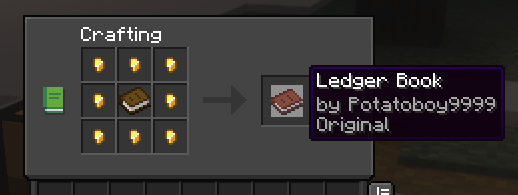
To start off, you need to craft the Ledger Book
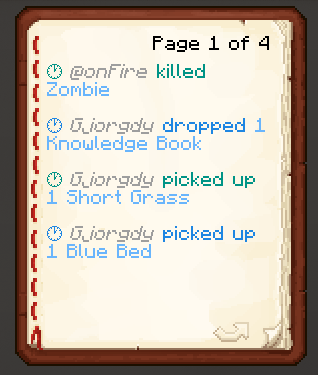
To check an inventory
(chest, furnace, shulkers etc.)
right-click the inventory block using the book
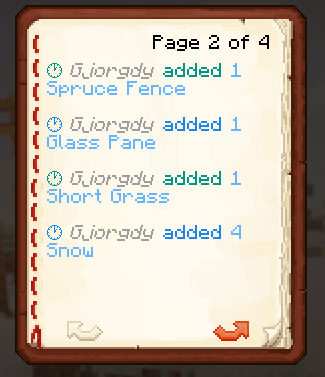
To check entities
right-click in the air or any non-inventory block using the book
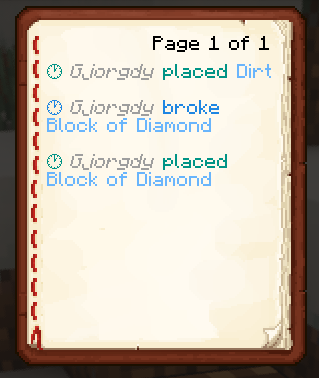
To check blocks
left-click the block using the book
Config
you are able to configure which triggers show which actions in the book
To change the default configuration, paste the following at the end of the /config/ledger.toml file:
[book]
# This section relates to the Universal Ledger extension
# Here you can specify what players are able to see when using a Ledger Book

# What actions should be shown when right-clicking anywhere but an inventory block
areaActions = ["item-pick-up", "item-drop", "entity-kill", "entity-change", "entity-mount", "entity-dismount"]
# What actions should be shown when right-clicking an inventory block
inventoryActions = ["item-insert", "item-remove"]
# What actions should be shown when left-clicking a block
blockActions = ["block-place", "block-break", "block-change"]
# If true, will send the logs to the player in the chat instead of opening a book
chatOnly = false
Screenshots
Gallery
-
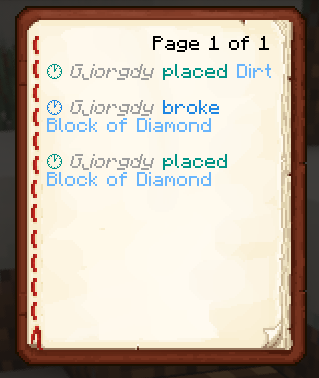 Log of a block
 -
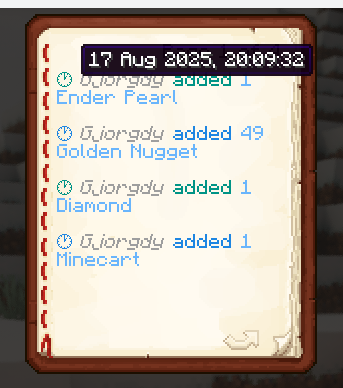 Timestamp of a logged action To make timestamps not take up half a page, they only show as hover labels.
 -
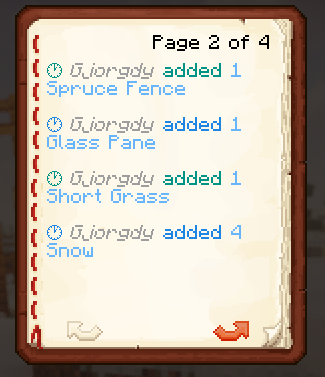 Log of a chest
 -
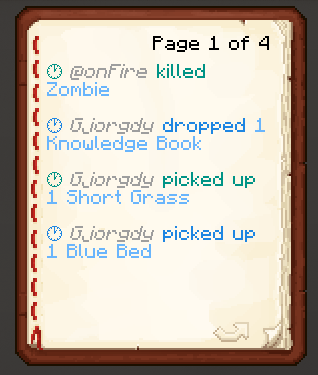 Log of entities
Versions
Files
Relations
Project Relations
More like this
Similar Mods
Suggestions use data such as tags, dependencies, dependents, descriptions, titles, and more to rank how much they overlap with this mod.
On ModDex
Community snapshot
By the numbers
Statistics

Want to reach Minecraft players?
We're looking for a server hosting partner to feature here and other parts of the site. Interested? Send us a message!
Get in touchGet it on
Available Platforms
On ModDex
Community snapshot
By the numbers