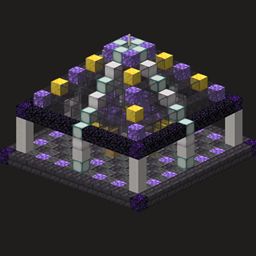
Community listing page, reviews here may not be monitored by the author.
Universal Multiblock Viewer (JEI/EMI)

No reviews yet
A JSON-powered 3D multiblock viewer for JEI and EMI. Create interactive building guides for multiblocks from any Minecraft mod.

Community voices
Reviews
No reviews yet. Be the first to review this project!
Get it on
Available Platforms
About
Project Details
For authors
Embed Badge
If you're the author of this project, you can embed a live badge anywhere that supports HTML or Markdown. It updates automatically whenever ratings change.
Use HTML for any page that supports it, or Markdown for README files and Markdown-based descriptions.
Identifiers
Platform IDs
About
Description
Universal Multiblock Viewer (JEI/EMI)
Interactive 3D building guides for Minecraft multiblocks, powered by JSON.
Universal Multiblock Viewer lets players explore multiblock structures directly in JEI and EMI. Rotate, pan, zoom, inspect layers, check materials, and see valid block alternatives without leaving the recipe viewer.
Companion Guide Packs
Ready-made multiblock guides are available as separate optional resource packs:
Install the pack for a supported mod alongside Universal Multiblock Viewer to add its guides. More guide packs can be added independently without updating the mod itself.
What This Mod Does
Universal Multiblock Viewer is a visual guide, not a mod that adds functional multiblock machines. It displays structures from existing mods to help players build them correctly. It does not form machines, change recipes, or interfere with the original mod's mechanics.
Guides are supplied through JSON definitions. Installing Universal Multiblock Viewer alone does not automatically add guides for every multiblock in a modpack.
The Celestial Orrery shown in screenshots is a fictional example structure created to demonstrate the viewer. It is not a functional machine added to Minecraft.
Features
- Interactive 3D preview: Rotate, pan, zoom, reset the view, change the background, and optionally show a floor grid.
- Layer and variant controls: Examine individual layers, the whole structure, and alternative configurations or tiers.
- Clear block information: Click a block to inspect its accepted alternatives, including tag-expanded choices.
- Materials palette: See required materials and quantities, optional blocks, and reusable tools. Click item icons to open their normal JEI or EMI recipe lookups.
- Preview highlights: Hover a material to highlight every matching visible position in the 3D preview.
- Guide discovery: Open guides through configured
UandRlookups, use tooltip hints on linked items, or browse the in-game guide list. - JEI and EMI support: Works with JEI, EMI, or both installed.
Creative Build Here
When you are in Creative mode, a green B button appears at the lower-left of the 3D preview. It lets you place the guide currently shown in the viewer without collecting its materials.
Select B to enter placement preview mode. A wireframe copy of the structure follows the block you are looking at and uses the current variant, visible optional blocks, and selected alternatives.
| Control | Action |
|---|---|
| Left click | Place the previewed structure |
| Right click | Cancel placement preview |
| Mouse wheel | Rotate the structure |
| Ctrl + mouse wheel | Move the structure up or down |
Build Here only places into air. If even one target position is occupied, no blocks are placed. It does not consume items, activate machines, form multiblocks, or run rituals.
Use /umv undo in Creative mode to remove your most recent Build Here placement. If you changed a block after it was placed, UMV leaves that block untouched.
Build Here is available to Creative players and does not require OP permission. In multiplayer, Universal Multiblock Viewer must be installed on both the client and server because block placement is a server action.
In-Game Guide Capture
Pack authors can capture an existing in-world structure into a new JSON guide. This tool requires KubeJS and OP permission. If KubeJS is not installed, UMV explains this in-game instead of creating a file that cannot load.
- Look at one corner of the structure and run
/umv corner1. - Look at the opposite corner and run
/umv corner2. - Look at the controller or main lookup block and run one of these commands:
   /umv master U
   /umv master R
/umv master both- Save the guide with a namespace and file name:
/umv save your_namespace your_structureFor example, /umv save umv_test_pack hephaestus_forge creates:
kubejs/assets/umv_test_pack/universal_multiblock_viewer/multiblocks/hephaestus_forge.jsonMissing namespace folders are created automatically. Use /umv clear to discard the current capture.
/umv reload reloads resources and refreshes UMV guide pages in JEI. EMI does not provide a public runtime guide-registration API, so restart Minecraft to add a new guide page when using EMI.
Creating and Installing Guides
Guides are JSON files created by modpack authors and guide creators. No custom Java code or animated tutorials are required.
Install definitions in either location:
- Resource pack:
assets/your_namespace/universal_multiblock_viewer/multiblocks/your_structure.json - KubeJS:
kubejs/assets/your_namespace/universal_multiblock_viewer/multiblocks/your_structure.json
Definitions are client-side resources. Every player who should see a guide needs the resource pack or KubeJS assets installed on their own client. They are not automatically sent by a server.
See the [JSON Authoring Guide](JSON Authoring.md) for the complete format, examples, lookup rules, optional blocks, block states, material mappings, and reusable tools.
Future Plans
Potential future additions include more companion guide packs, additional creator tools, and compatibility with additional structure-definition formats where practical.
Minecraft 1.21.1 | NeoForge | JEI / EMI
Screenshots
Gallery
-
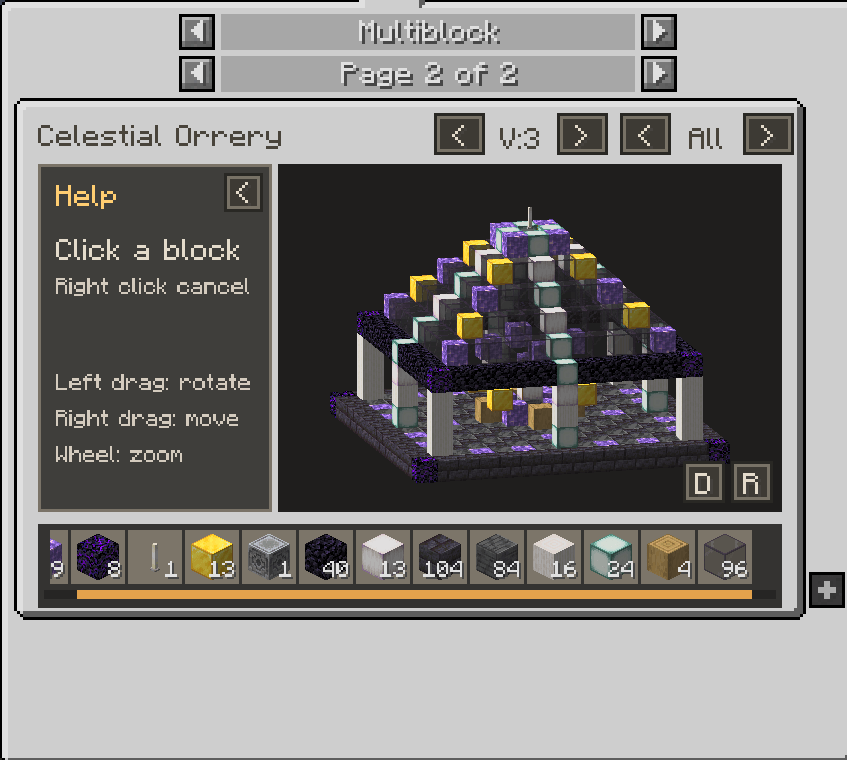 image1.png image1.png
 -
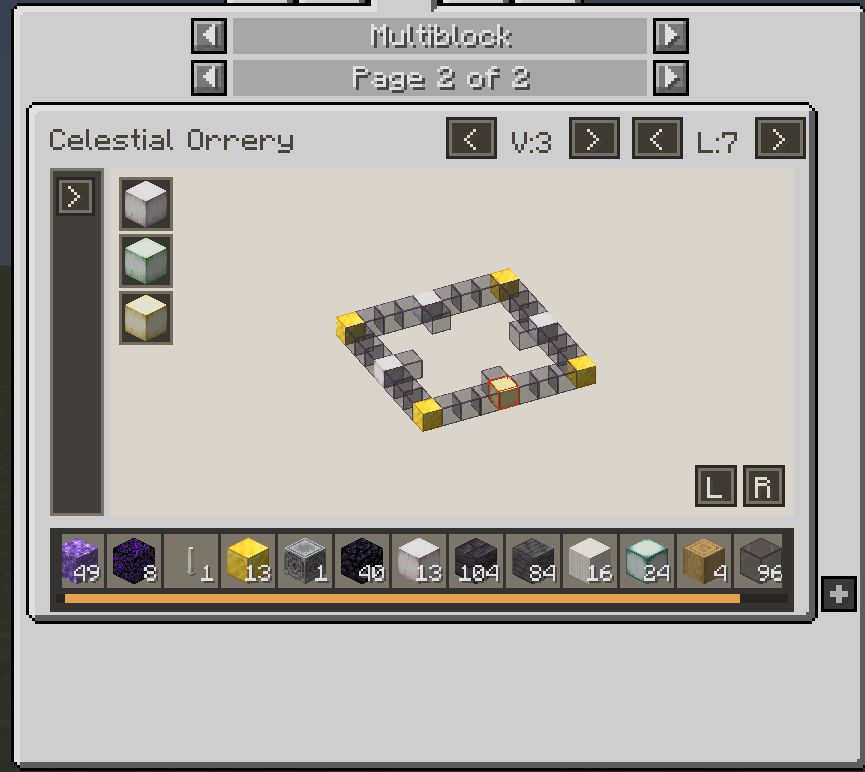 image2.png image2.png
 -
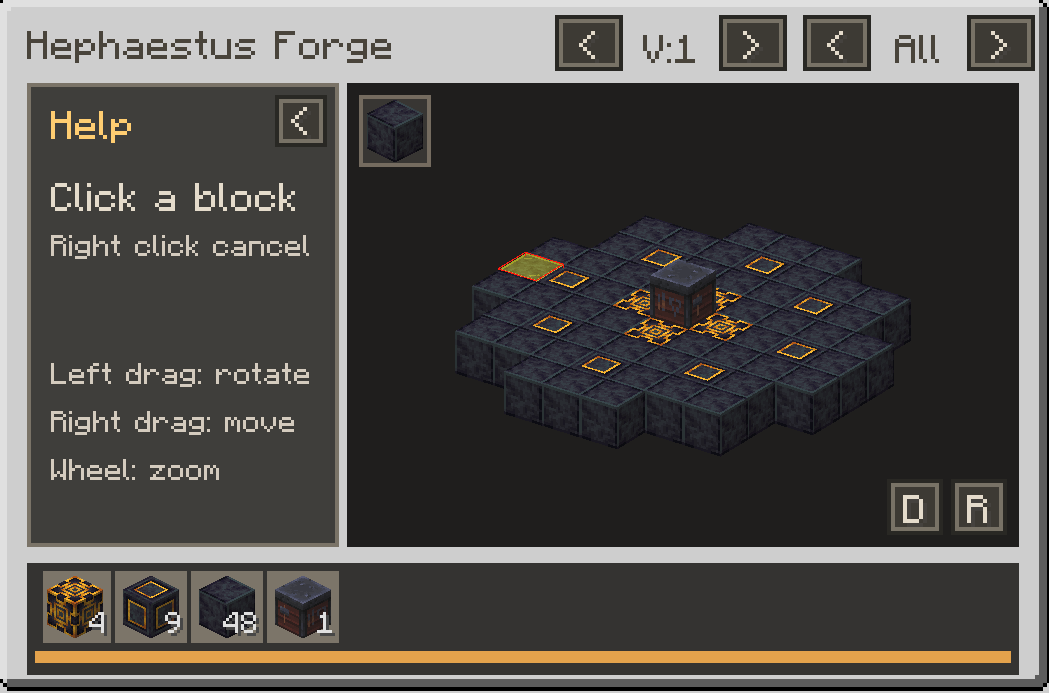 image3.png image3.png
 -
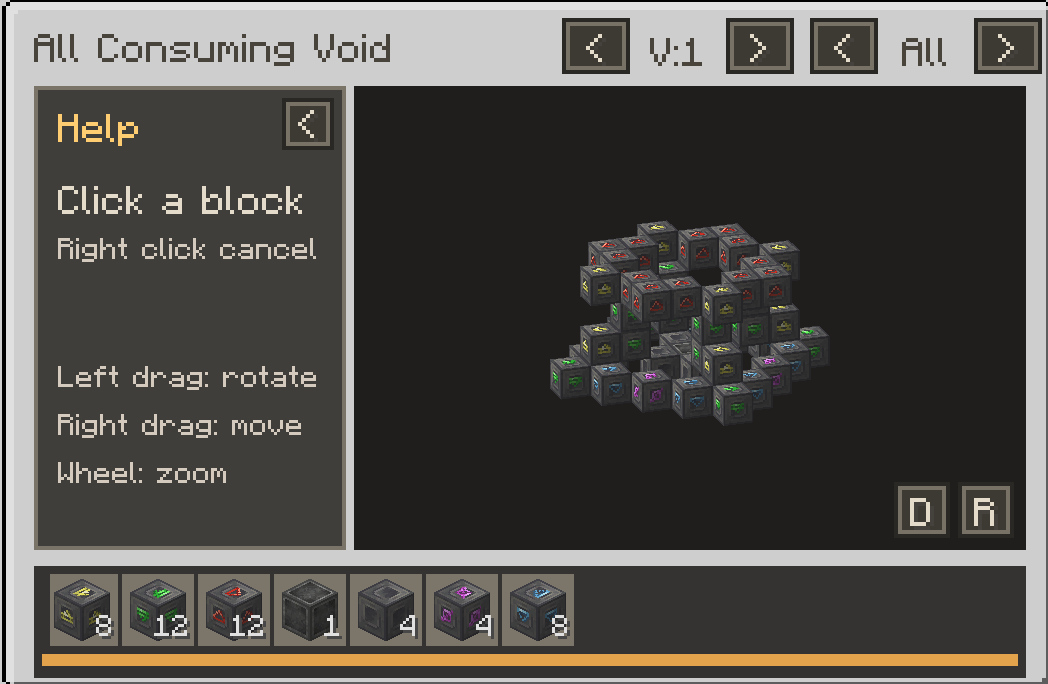 image-attachment_f1abeb4a-021b-4769-9b87-e8f4d6d5e585.png
 -
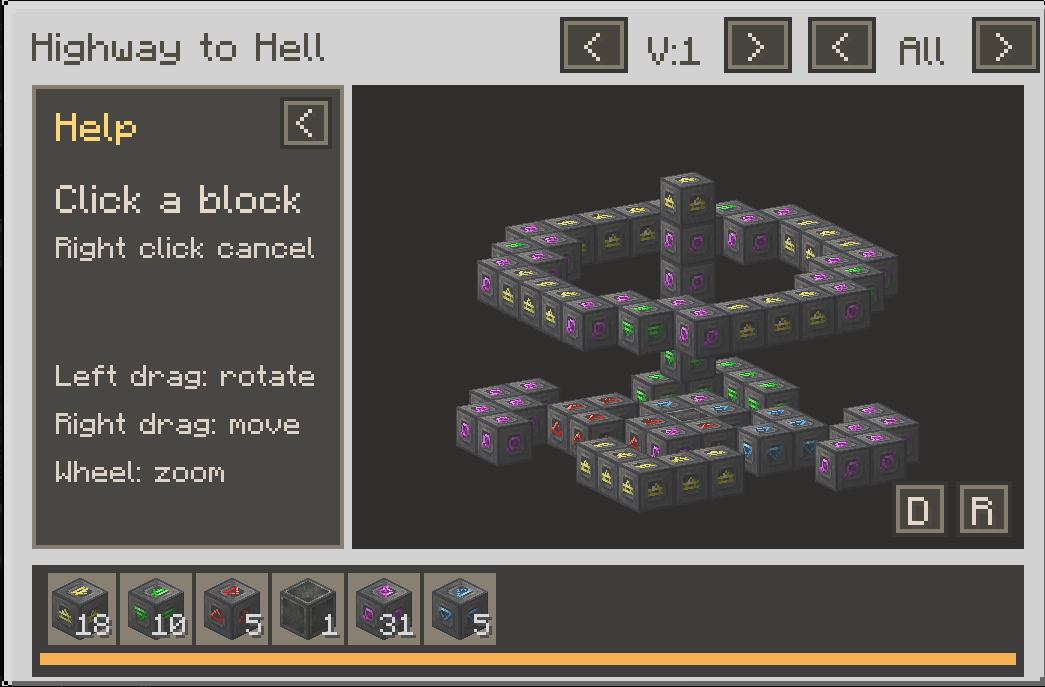 image-attachment_fafc3f70-c10f-4f52-b01b-0d69b8e8f8c5.png
 -
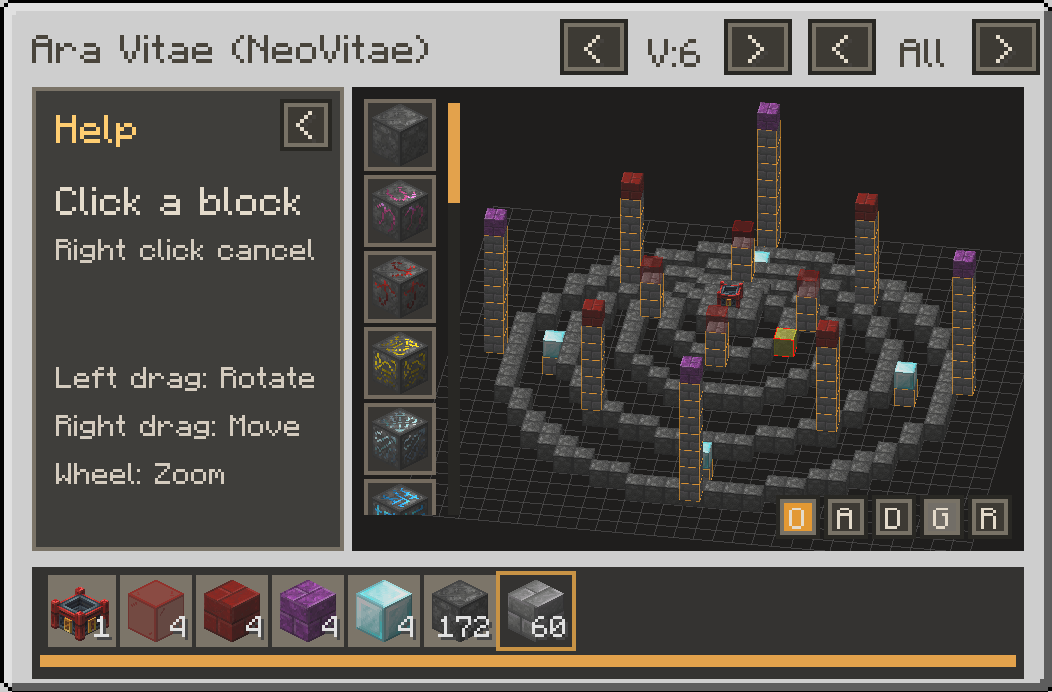 image-attachment_2c935851-0dc0-4c67-8fd5-ba95aaa6a044.png
Versions
Files
Relations
Project Relations
More like this
Similar Mods
Suggestions use data such as tags, dependencies, dependents, descriptions, titles, and more to rank how much they overlap with this mod.
On ModDex
Community snapshot
By the numbers
Statistics
 (opens in a new tab)
Get it on
Available Platforms
On ModDex
Community snapshot
By the numbers