
Community listing page, reviews here may not be monitored by the author.
Universal Portals (Portals to anywhere)


No reviews yet
A comprehensive transportation mod adding 16 unique colored portals that can be placed both vertically and horizontally, featuring custom-shaped ground portals and advanced hub linking.
Community voices
Reviews
No reviews yet. Be the first to review this project!
Get it on
Available Platforms
Compatibility
Supported Environments
Must be installed on both the client and the server.
About
Project Details
For authors
Embed Badge
If you're the author of this project, you can embed a live badge anywhere that supports HTML or Markdown. It updates automatically whenever ratings change.
Use HTML for any page that supports it, or Markdown for README files and Markdown-based descriptions.
Identifiers
Platform IDs
Resources
External Links
About
Description




FEATURES
- Colors: 16 different colors
- Orientation: Vertical or horizontal
- Activation Keys: Set portal color, ID, and exit name
- Universal Key: Copy portal ID and change name
- Hub Function: Connects 3+ portals, including different colors (toggle in config)
- Portal Bucket: Create portals on the ground
- Colored Obsidian: Blocks matching portal colors
- Cross-Color Linking: Link portals of different colors for flexible teleportation
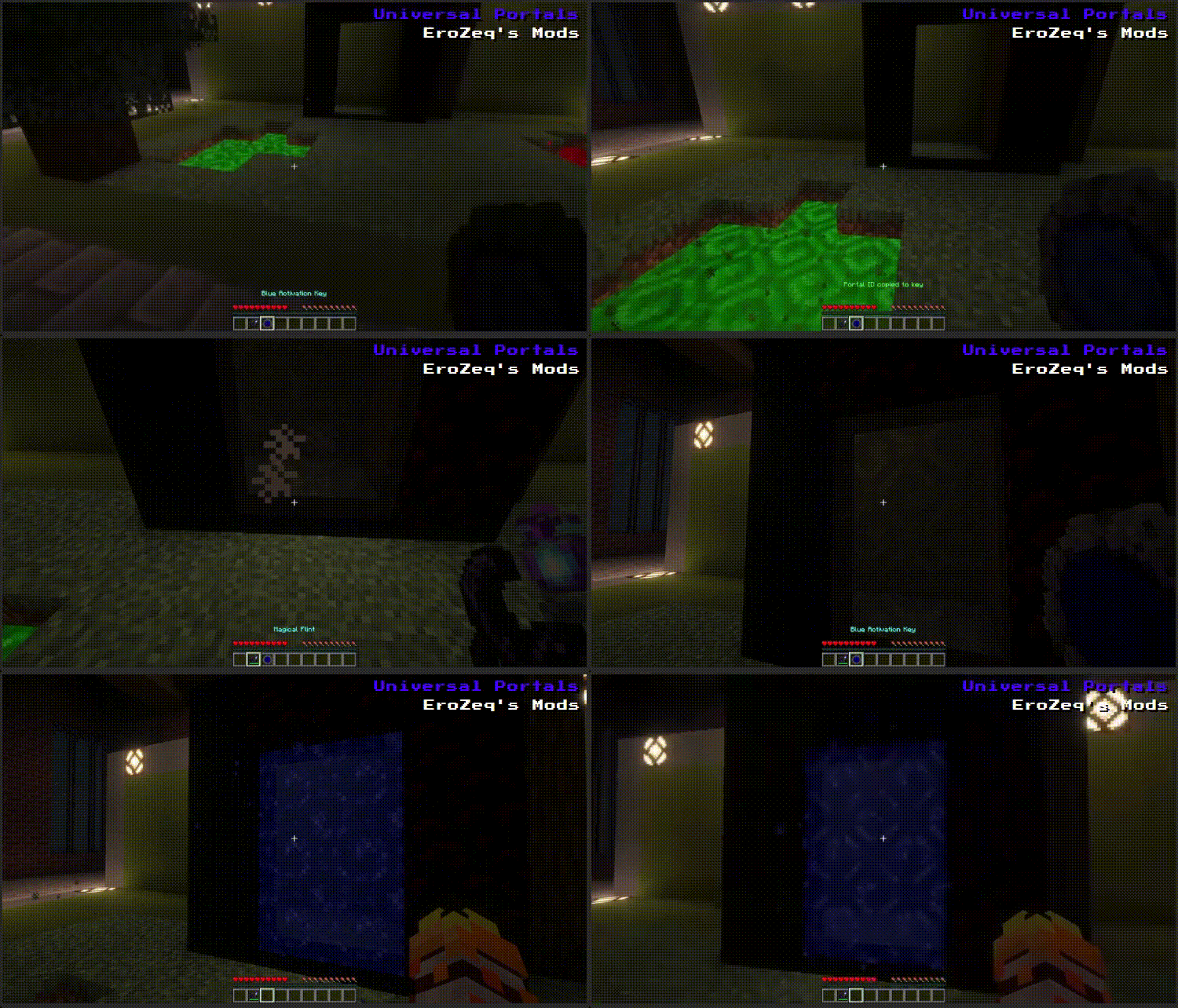
INSTRUCTIONS: HOW TO LINK PORTALS
-
Activate the portal using the magic flint
-
Have two activation keys (any color)
Right-click the portal → if you crafted an activation key,
you'll receive two Do the same on the second porta -
To link a portal of a different color
Craft an activation key of the new color
Right-click the already activated portal (this copies its ID)
Repeat step 2 on the second portal -
HUB option (3+ portals per ID)
Enabled by default
Can be disabled in the config
Allows multiple portals to share a single ID -
When you enter a portal and wait a moment, a selection menu will appear
-
Optional: teleportation can cost XP (config setting)
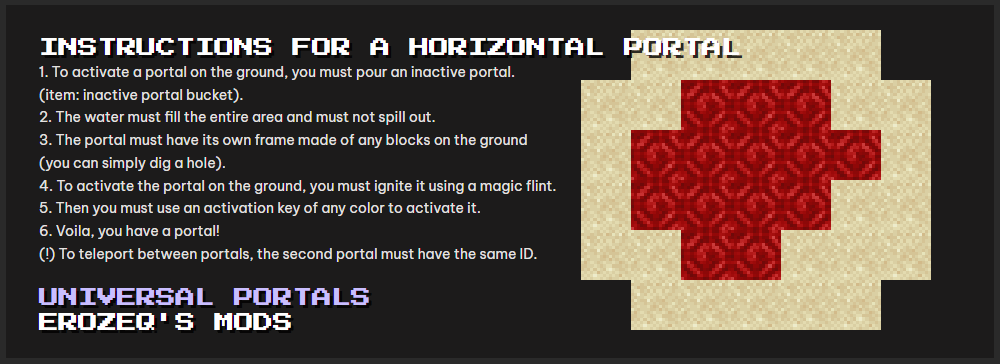
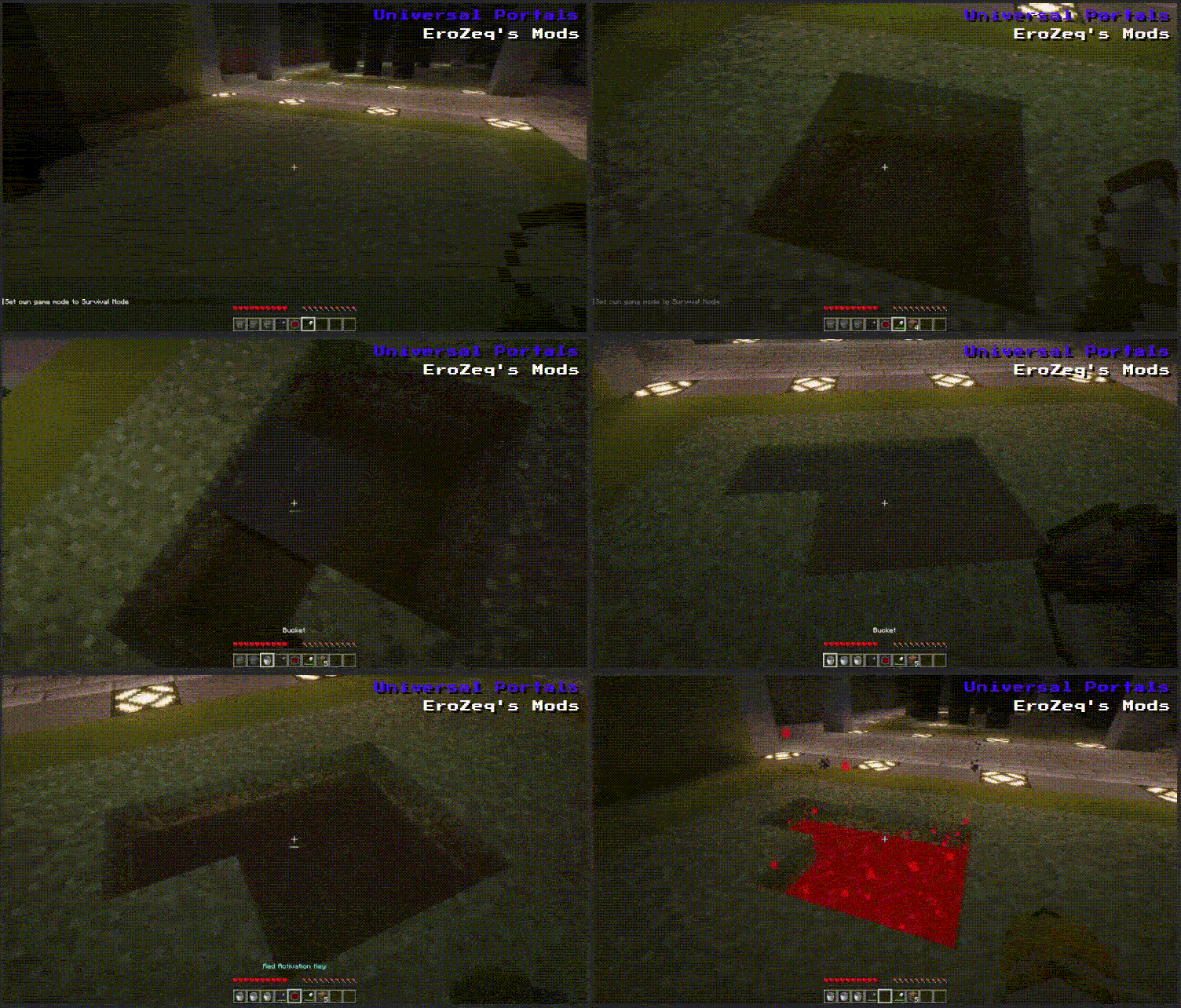
INSTRUCTIONS FOR A HORIZONTAL PORTAL
-
Pour an inactive portal using:
inactive portal bucket -
The liquid must
Fill the entire area
Not spill outside -
The portal needs a frame made of any blocks on the ground
(you can simply dig a hole) -
Ignite the portal using a magic flint
-
Use an activation key (any color)
-
Done - you have a portal
Important
To teleport between portals, the second portal must have the same ID


FEATURES
- Colors: 16 different colors
- Orientation: Vertical or horizontal
- Activation Keys: Set portal color, ID, and exit name
- Universal Key: Copy portal ID and change name
- Hub Function: Connects 3+ portals, including different colors (toggle in config)
- Portal Bucket: Create portals on the ground
- Colored Obsidian: Blocks matching portal colors
- Cross-Color Linking: Link portals of different colors for flexible teleportation
INSTRUCTIONS: HOW TO LINK PORTALS
-
Activate the portal using the magic flint
-
Have two activation keys (any color)
- Right-click the portal → if you crafted an activation key, you'll receive two
- Do the same on the second portal
-
To link a portal of a different color
- Craft an activation key of the new color
- Right-click the already activated portal (this copies its ID)
- Repeat step 2 on the second portal
-
HUB option (3+ portals per ID)
- Enabled by default
- Can be disabled in the config
- Allows multiple portals to share a single ID
-
When you enter a portal and wait a moment, a selection menu will appear
-
Optional: teleportation can cost XP (config setting)
INSTRUCTIONS FOR A HORIZONTAL PORTAL
-
Pour an inactive portal using:
inactive portal bucket -
The liquid must
- Fill the entire area
- Not spill outside
-
The portal needs a frame made of any blocks on the ground
- (you can simply dig a hole)
-
Ignite the portal using a magic flint
-
Use an activation key (any color)
-
Done — you have a portal
IMPORTANT
- To teleport between portals, the second portal must have the same ID
Screenshots
Gallery
-
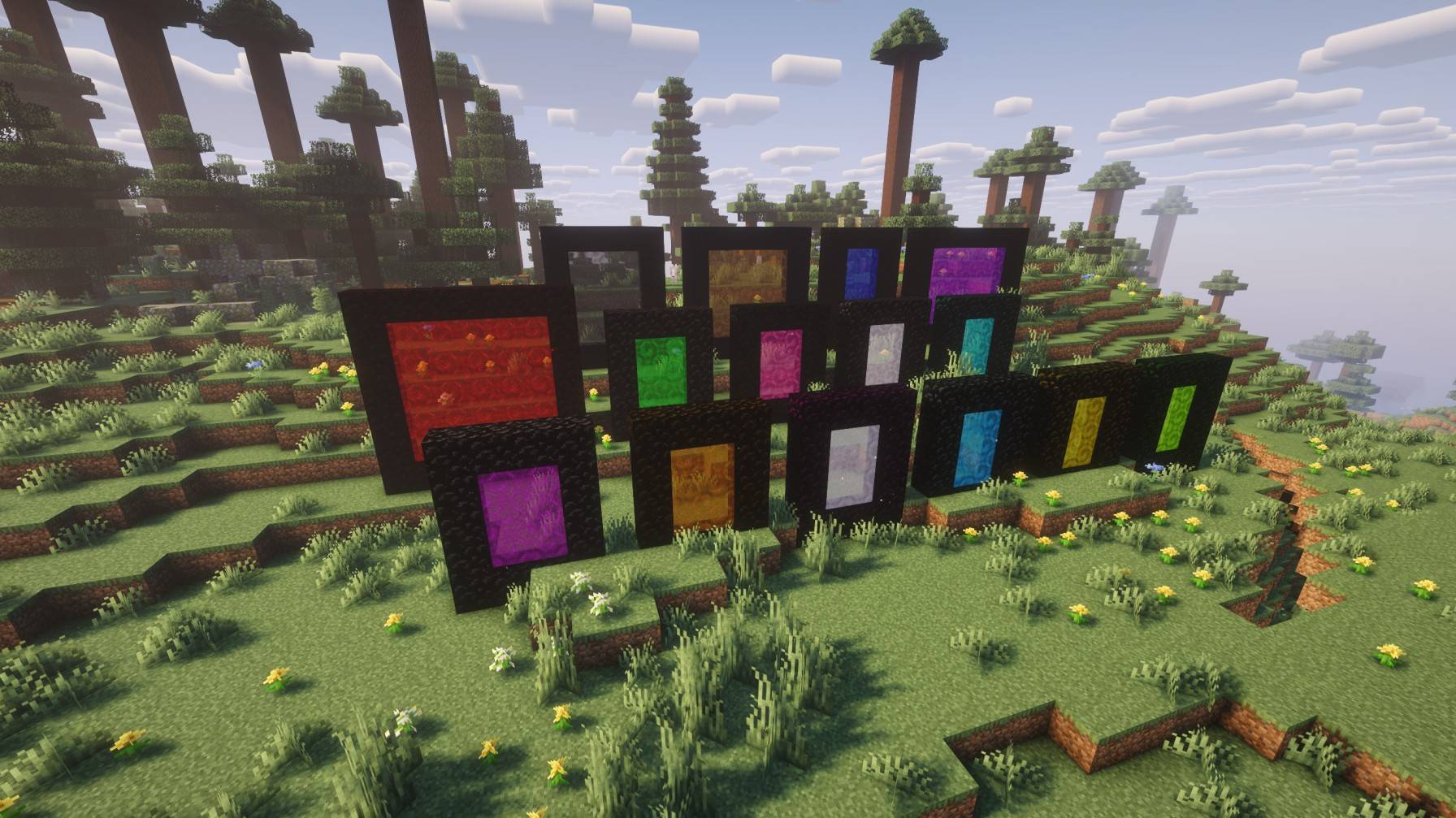 Portals.jpg Portals.jpg
 -
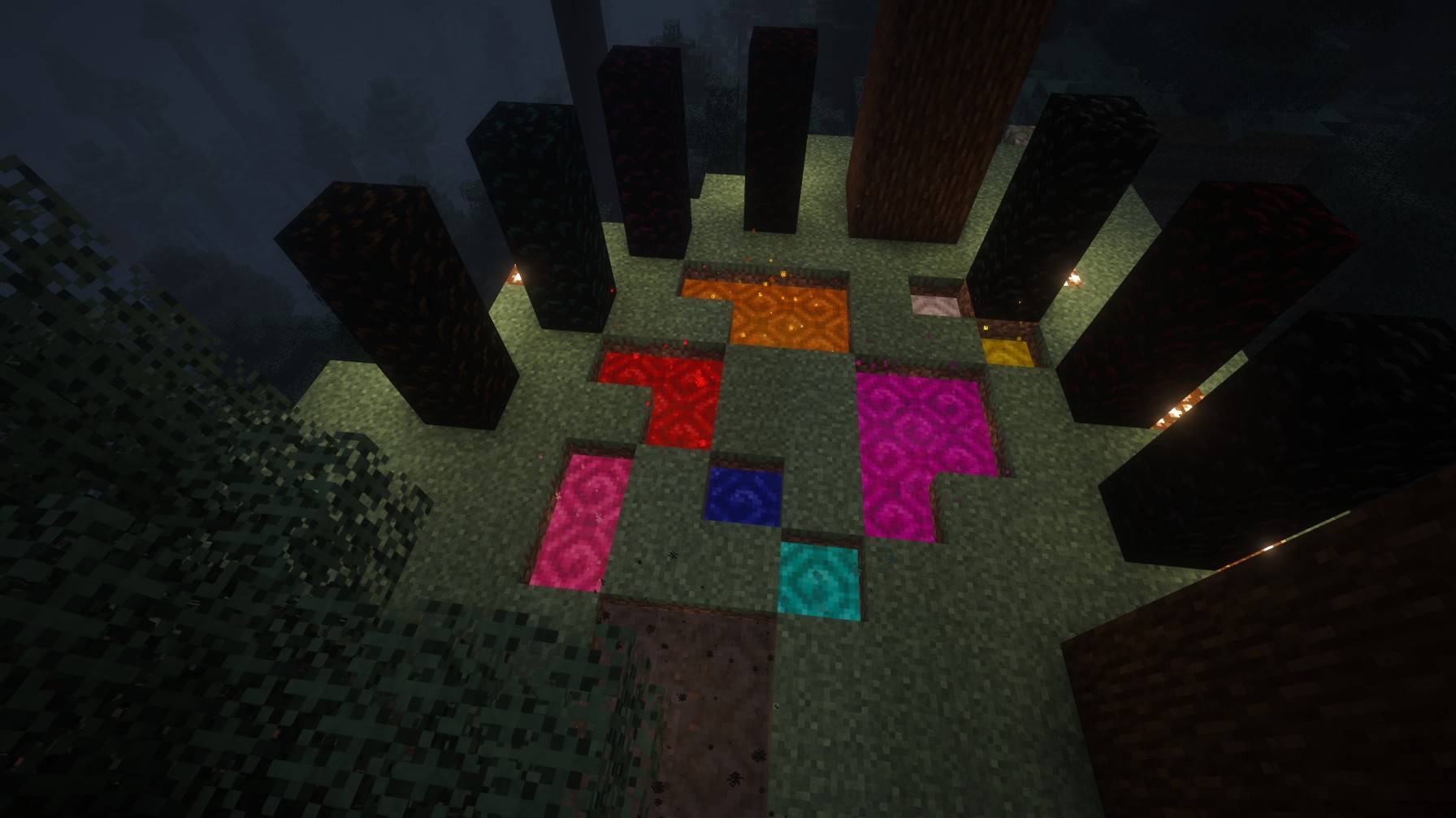 Portals Stonehenge.jpg Portals Stonehenge.jpg
 -
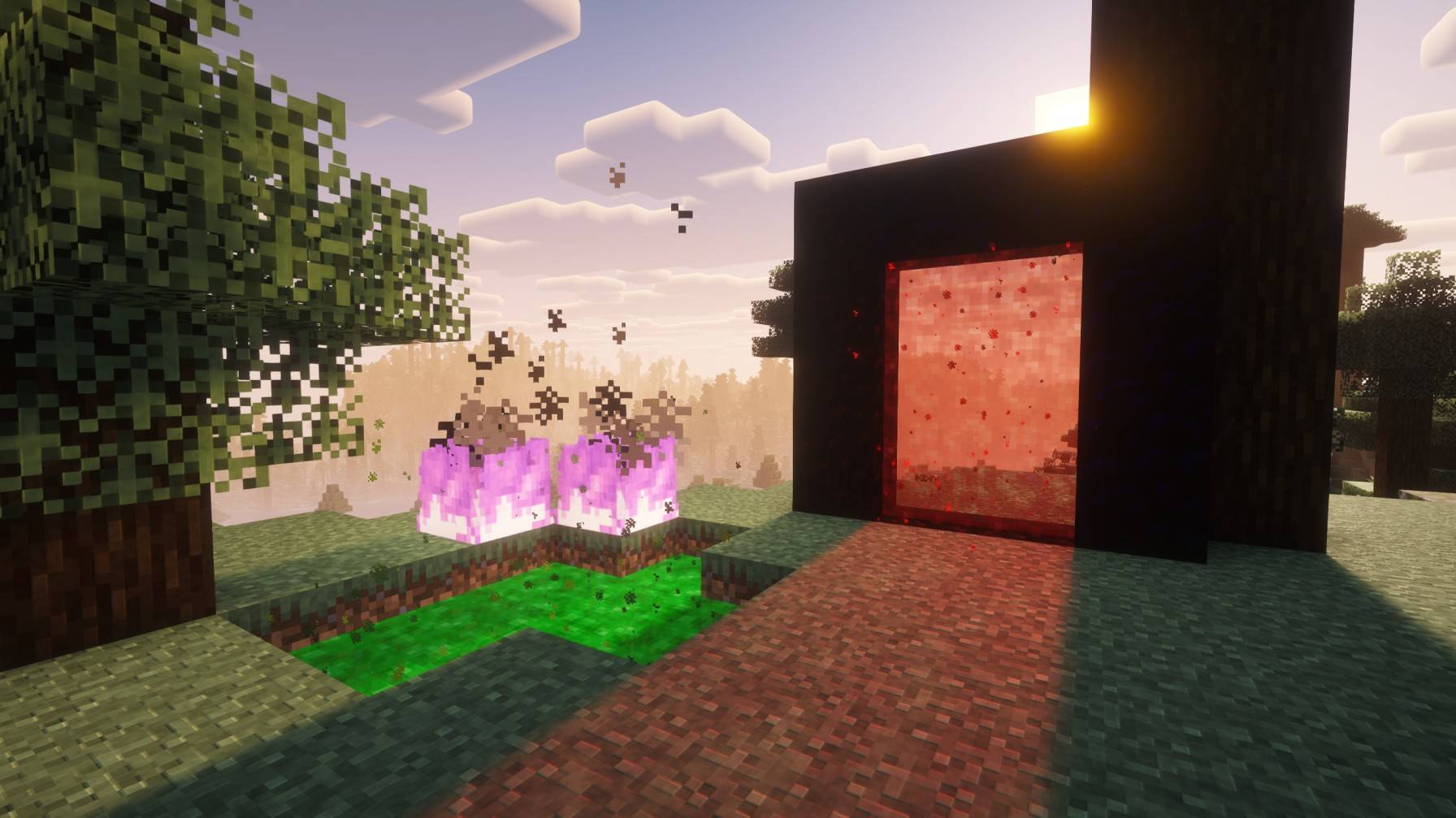 Panorama.jpg Panorama.jpg
-
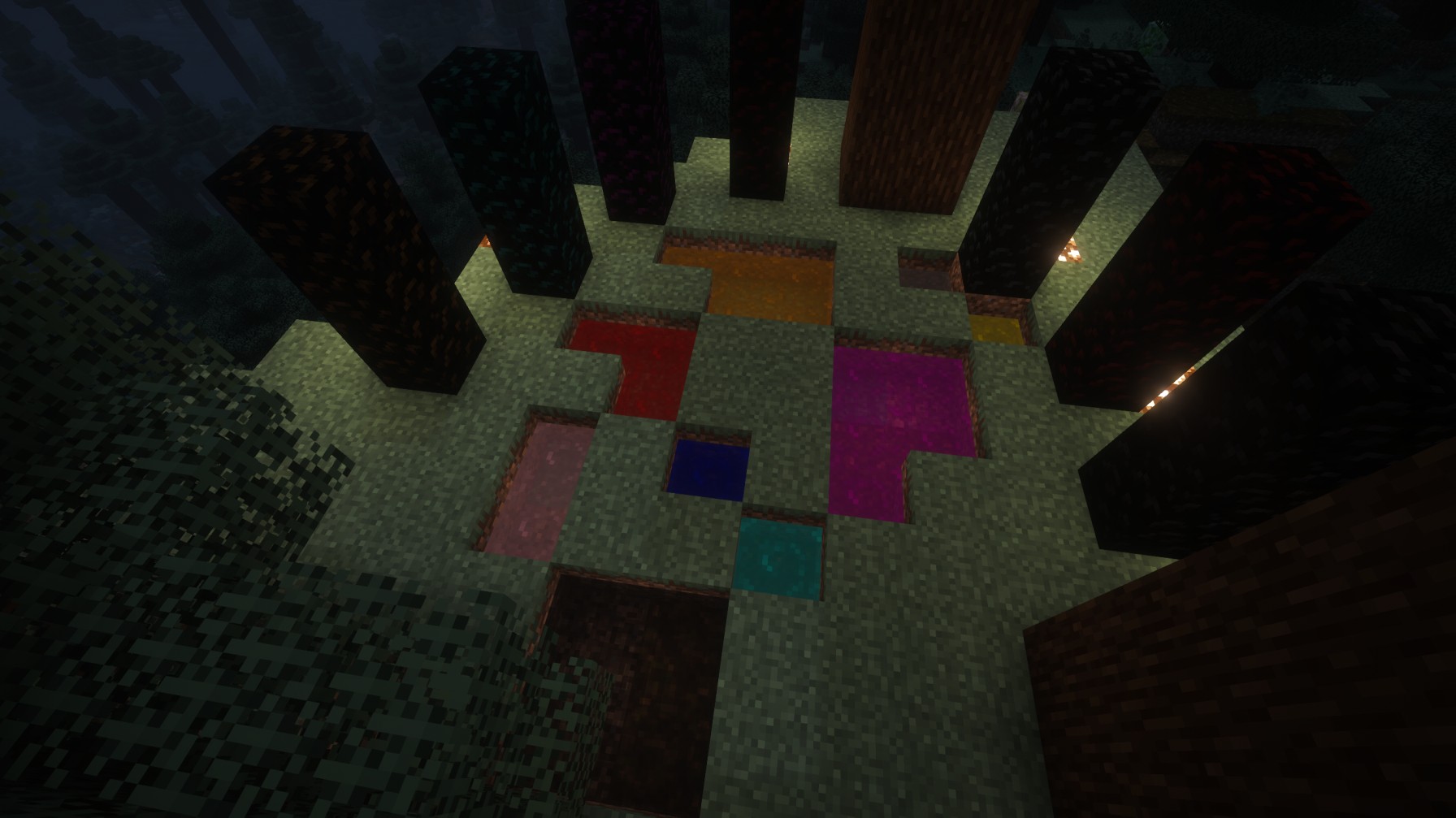 Lots of nice, colorful portals lying around.
 -
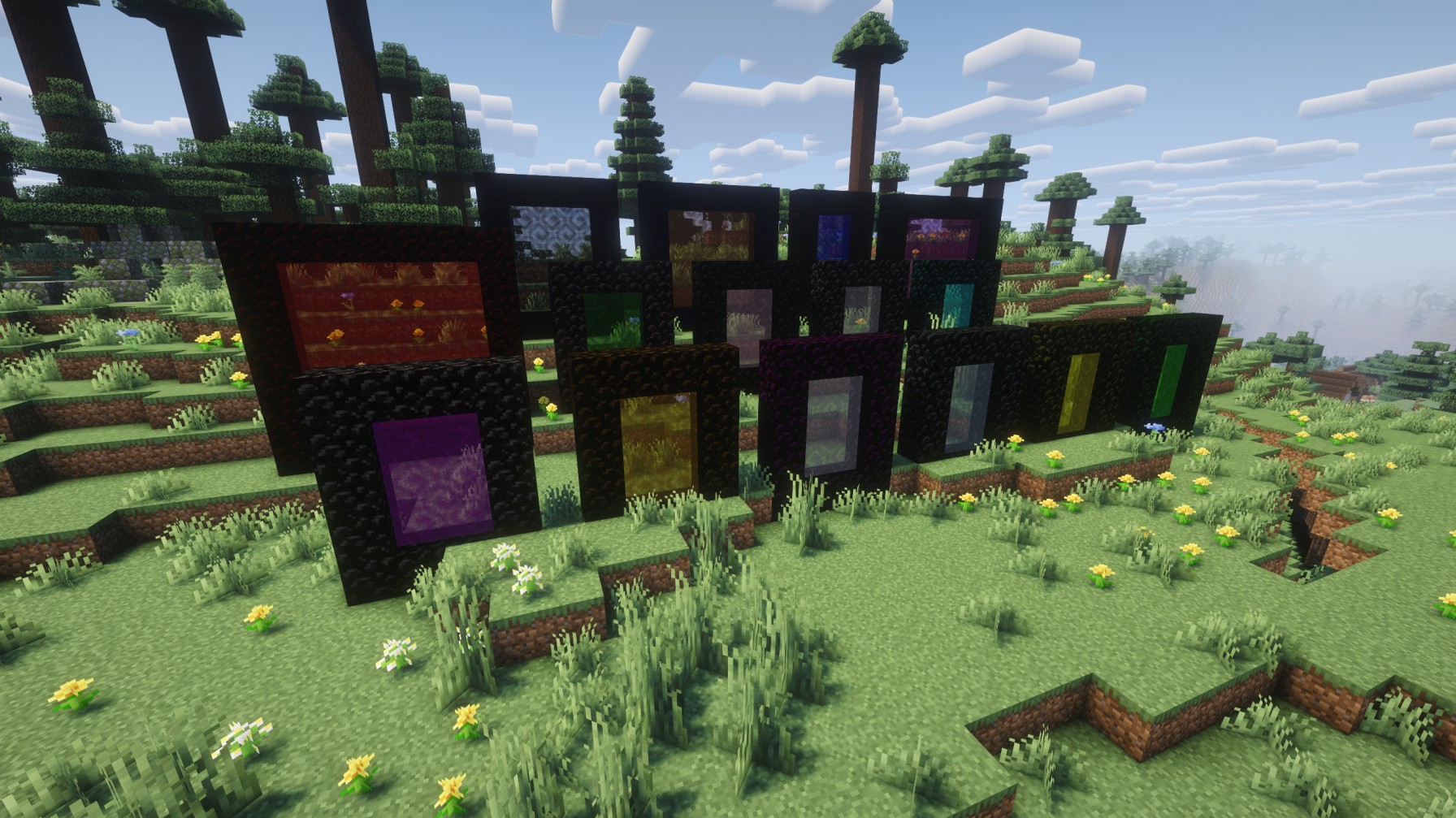 All your favorite portal colors.
 -
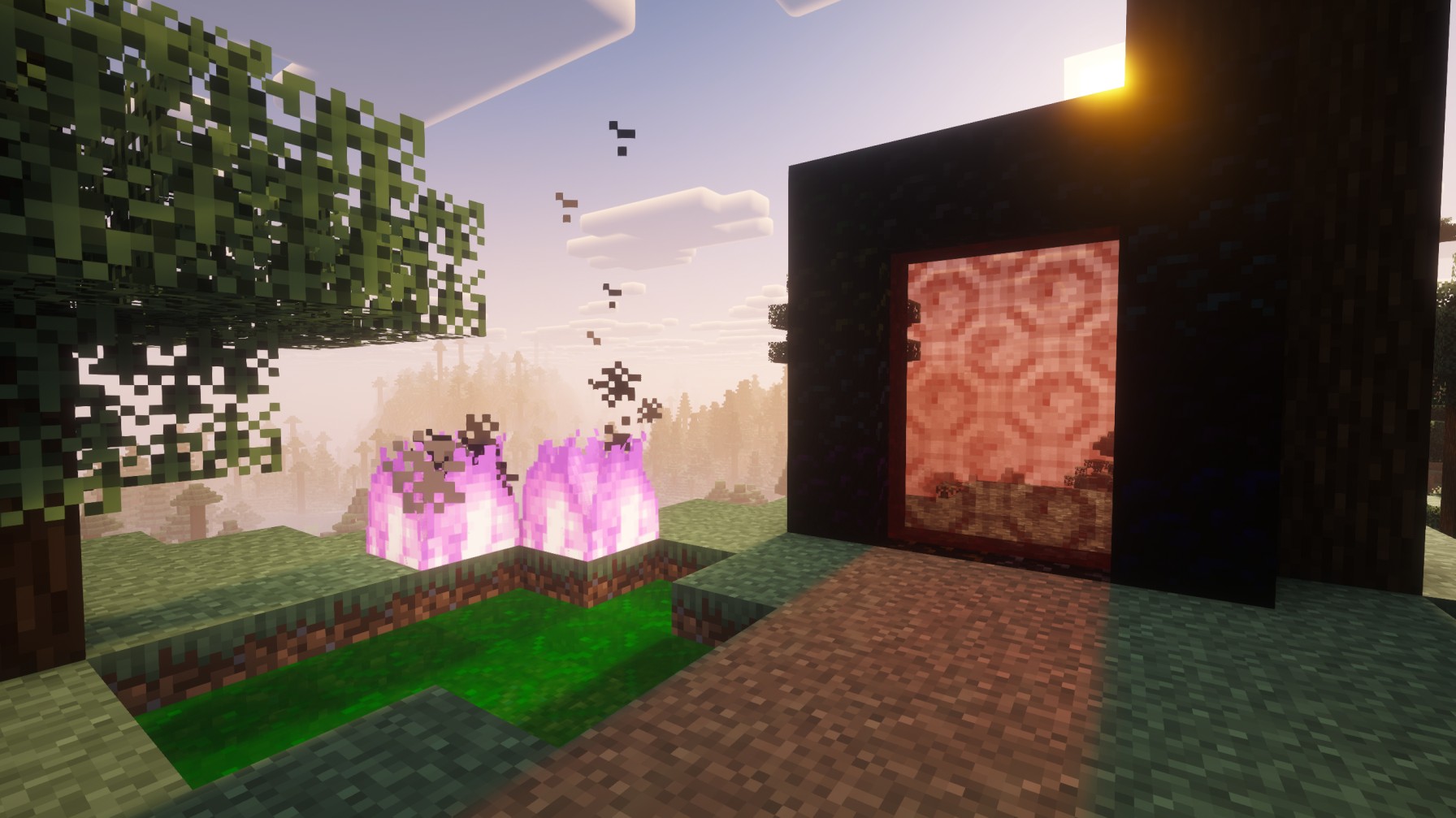 Panorama Two nice portals, one of which is down just because of that.
Versions
Files
Relations
Project Relations
More like this
Similar Mods
Suggestions use data such as tags, dependencies, dependents, descriptions, titles, and more to rank how much they overlap with this mod.
On ModDex
Community snapshot
By the numbers
Statistics
Want to reach Minecraft players?
We're looking for a server hosting partner to feature here and other parts of the site. Interested? Send us a message!
Get in touchGet it on
Available Platforms
On ModDex
Community snapshot
By the numbers
Statistics
Resources