Community listing page, reviews may not be monitored by the author.
Upgrade Templates

No reviews yet
Adds tiered Smithing Templates to upgrade Gold gear to Iron, and Iron gear to Diamond in a vanilla-friendly way.

Community voices
Reviews
No reviews yet. Be the first to review this project!
Get it on
Available Platforms
About
Project Details
For authors
Embed Badge
If you're the author of this project, you can embed a live badge anywhere that supports HTML or Markdown. It updates automatically whenever ratings change.
Use HTML for any page that supports it, or Markdown for README files and Markdown-based descriptions.
Identifiers
Platform IDs
Resources
External Links
About
Description
⚒️ Upgrade Templates
Upgrade Templates expands Minecraft’s smithing progression by bridging the gap between gear tiers[cite: 1, 2]! Upgrade your equipment step-by-step from Gold to Iron, and from Iron to Diamond using brand-new, vanilla-friendly Smithing Templates[cite: 1, 2].
📌 Requirements & Compatibility
- Minecraft Version: 1.21.1 (1.21.x)
- Mod Loader: Fabric
- Dependencies: [Fabric API](https://www.curseforge.com/minecraft/mc-mods/fabric-api) (Required)
🗺️ World Loot & Exploration
Templates cannot be crafted from scratch — they must be discovered through exploration, just like vanilla Netherite templates[cite: 1, 2]!
🛡️ Iron Upgrade Template
- Usage: Applied exclusively to Copper and Gold gear to upgrade them into Iron[cite: 1, 2].
- Where to Find: Has a 15% chance to generate in loot chests across all Overworld structures (excluding Ruined Portals)[cite: 1, 2].
💎 Diamond Upgrade Template
- Usage: Applied exclusively to Iron gear to upgrade it into Diamond[cite: 1, 2].
- High-Tier Structures (35% Drop Chance):
Ancient Cities[cite: 1, 2]
End Strongholds[cite: 1, 2]
Trial Chambers[cite: 1, 2]
Woodland Mansions[cite: 1, 2] - Mid-Tier Structures (20% Drop Chance):
Shipwrecks[cite: 1, 2]
Desert Pyramids[cite: 1, 2]
Buried Treasure[cite: 1, 2]
🔨 Duplication & Crafting
Once you find a template, you can duplicate it on a crafting table using specialized recipes tailored to each tier!
🛡️ Iron Upgrade Template Duplication
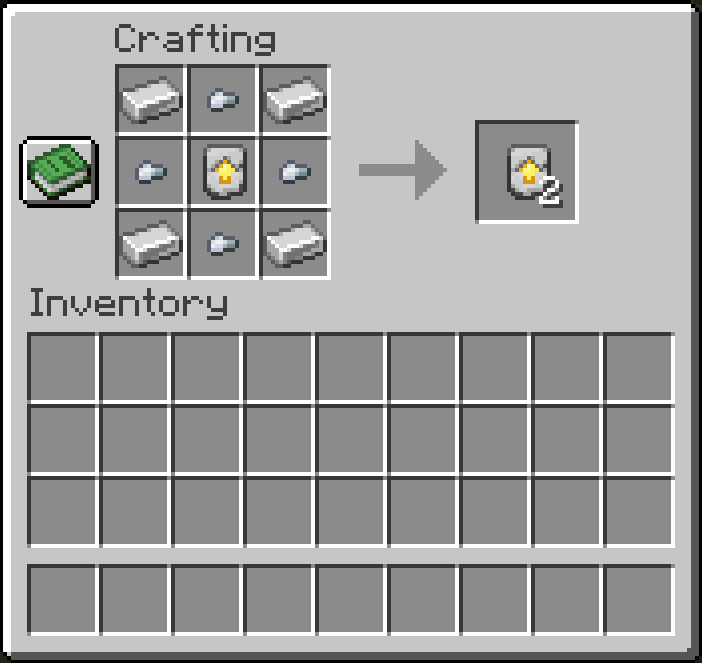
- Top Row: Iron Ingot | Iron Nugget | Iron Ingot
- Middle Row: Iron Nugget | Iron Upgrade Template | Iron Nugget
- Bottom Row: Iron Ingot | Iron Nugget | Iron Ingot
💎 Diamond Upgrade Template Duplication
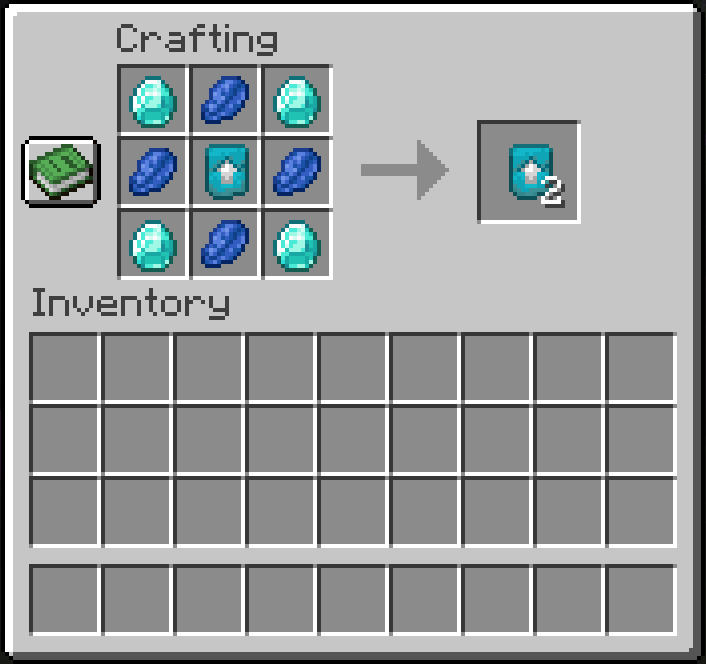
- Top Row: Diamond | Lapis Lazuli | Diamond
- Middle Row: Lapis Lazuli | Diamond Upgrade Template | Lapis Lazuli
- Bottom Row: Diamond | Lapis Lazuli | Diamond
⚙️ How to Upgrade Gear
- Open a Smithing Table.
- Place your Upgrade Template in the first slot.
- Place your Base Gear (Copper/Gold for Iron, or Iron for Diamond) in the second slot.
- Place the Ingot/Gem (Iron Ingot or Diamond) in the third slot.
- Collect your upgraded equipment!
❓ Frequently Asked Questions (FAQ)
Q: Can I include this mod in my modpack?
A: Yes! Feel free to include Upgrade Templates in any public or private modpack.
Q: Does it work with modded tools or armor?
A: The templates support all standard vanilla equipment types. Custom modded items tagged properly within vanilla tool tags will also work seamlessly.
Q: Will there be a Forge or NeoForge port?
A: Currently, the mod is developed specifically for Fabric (1.21.1). Ports to other loaders may be considered in future releases.
Designed with a "Material-to-Material" visual philosophy for a seamless Vanilla+ experience.
Screenshots
Gallery
-
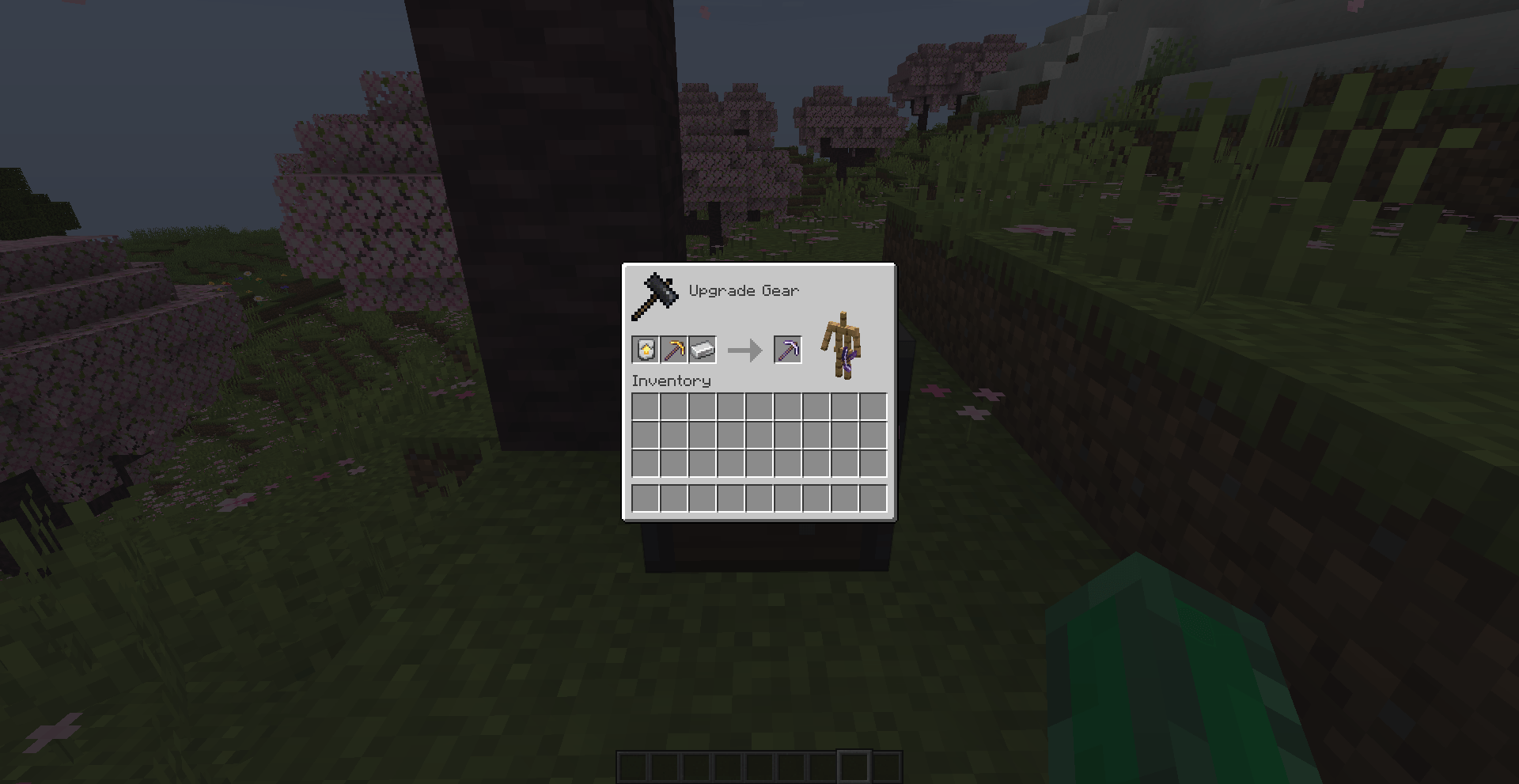 Upgrading a pickaxe to iron 2026-10-03_18.17.58.png
 -
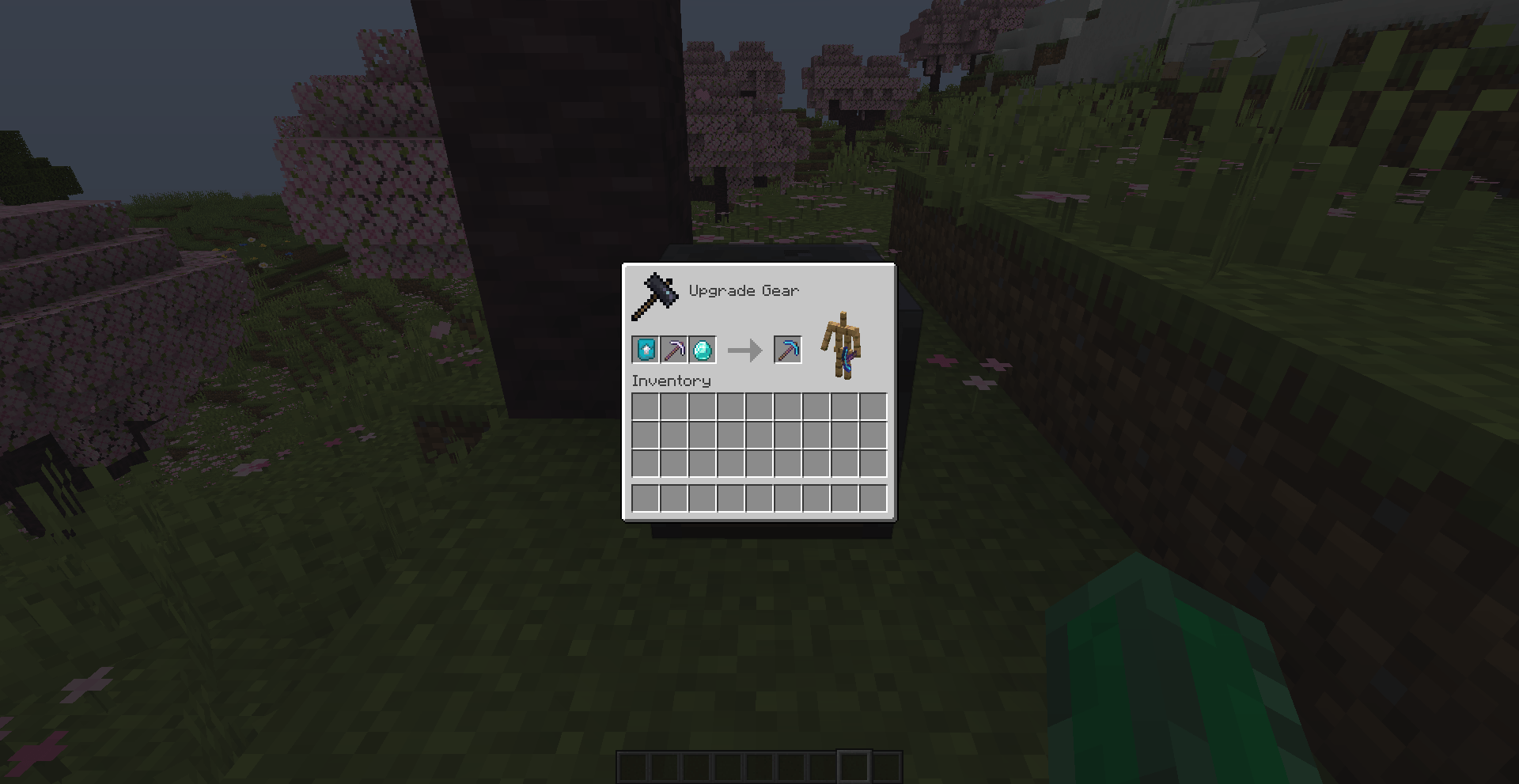 Upgrading a pickaxe to diamond 2026-10-03_18.18.16.png
 -
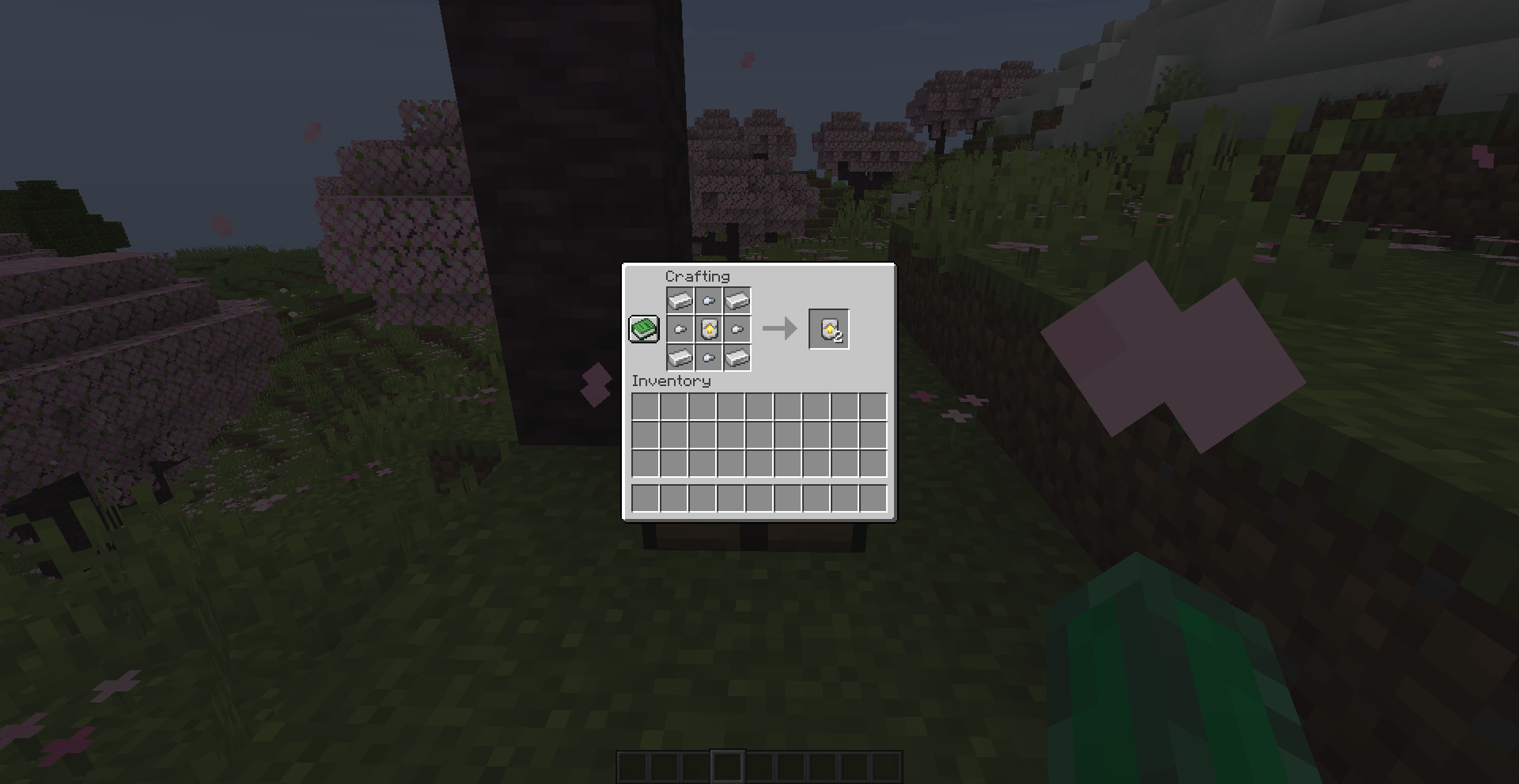 Duplicating iron smithing template 2026-10-03_18.19.25.png
 -
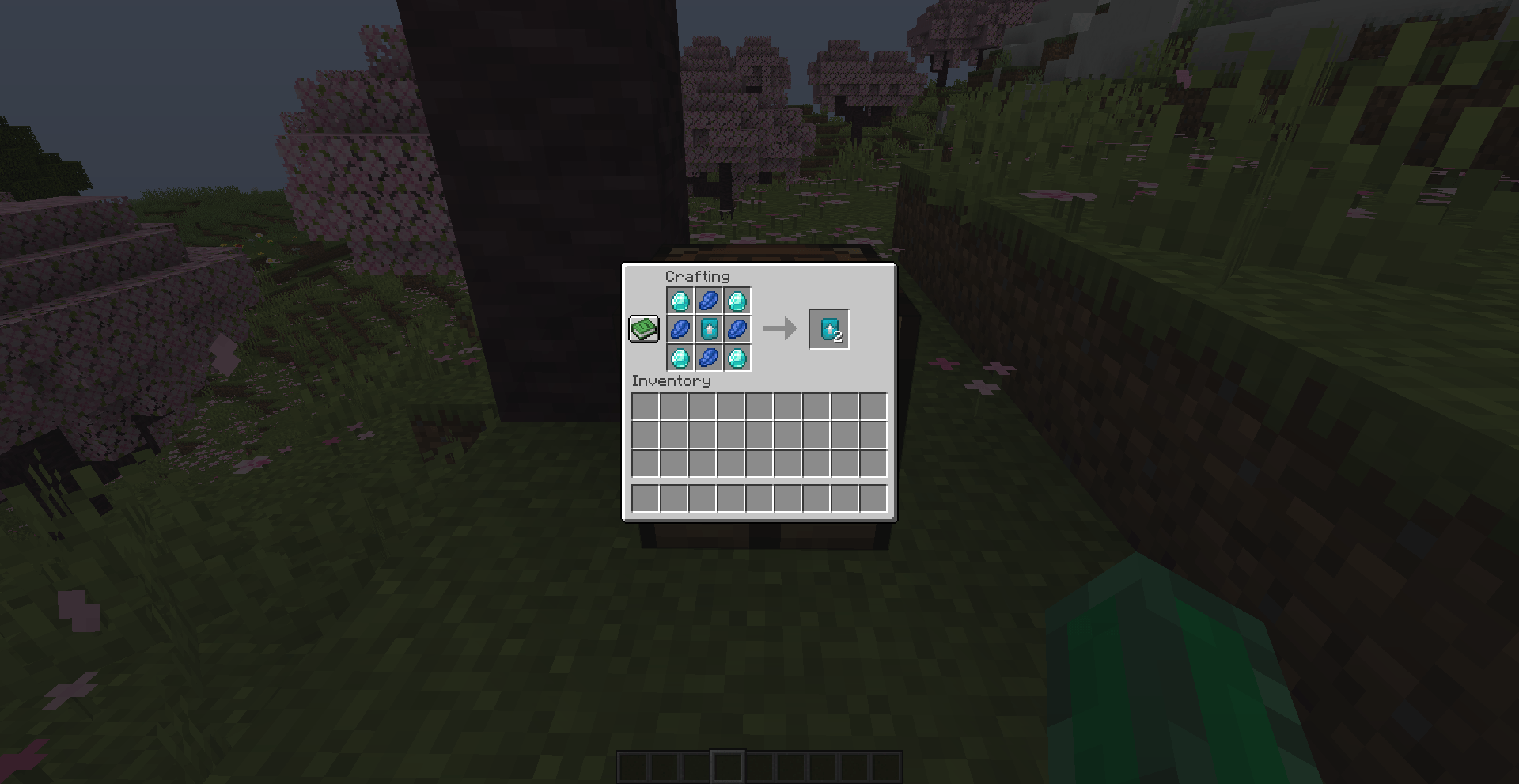 Duplicating diamond smithing templat 2026-10-03_18.19.03.png
Versions
Files
Relations
Project Relations
More like this
Similar Mods
Suggestions use data such as tags, dependencies, dependents, descriptions, titles, and more to rank how much they overlap with this mod.
On ModDex
Community snapshot
By the numbers
Statistics

Get it on
Available Platforms
On ModDex
Community snapshot
By the numbers
Statistics
Resources