Community listing page, reviews here may not be monitored by the author.
URS Player Radar's


No reviews yet
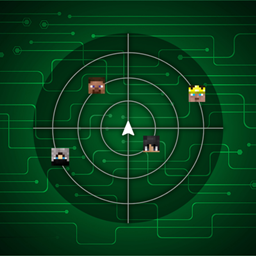
A Fabric Minecraft player radar mod with multiple radar styles, player-head tracking, smooth movement, customizable coords display, and a polished in-game config menu with branding, scaling, positioning, and reset options.
Community voices
Reviews
No reviews yet. Be the first to review this project!
Get it on
Available Platforms
Compatibility
Supported Environments
Runs entirely on the client. Works on vanilla servers.
About
Project Details
For authors
Embed Badge
If you're the author of this project, you can embed a live badge anywhere that supports HTML or Markdown. It updates automatically whenever ratings change.
Use HTML for any page that supports it, or Markdown for README files and Markdown-based descriptions.
Identifiers
Platform IDs
About
Description

Latest News (September 17, 2026) - Player Radars has received a major compatibility update, now supporting Minecraft 1.21.x through 1.21.11 and 26.1 through 26.3! This release also brings improved radar rendering, a cleaner settings menu, better UI scaling, and version-specific fixes for a more consistent experience across supported Minecraft versions.
This mod is the result of hundreds of hours of development and is made possible thanks to players like you. If you would like to show a token of your appreciation for my work and help support the continued development of Player Radar, consider supporting the project.


💻 Custom Settings UI
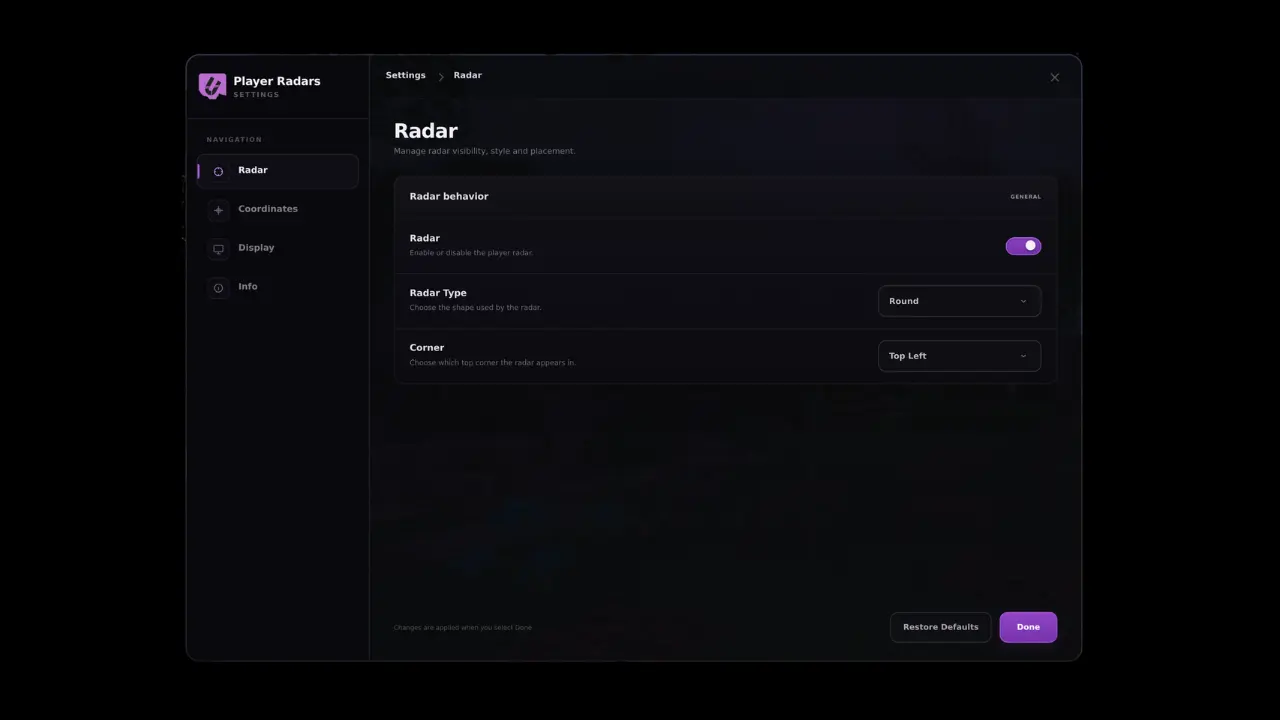
Player Radar is a polished Fabric Minecraft radar mod built for players who want a cleaner, more modern HUD experience. It provides smooth real-time player tracking, multiple radar styles, customizable coordinate placement, and a branded in-game settings menu so you can fine-tune the display to match your setup.

📥 Installation Guide
Player Radar is designed for Fabric. Once you have installed the loader, simply place the Player Radar file into your mods folder.
Not sure if you installed the mod correctly? Check your in-game settings menu, which will display the branded Player Radar configuration interface. You can adjust your radar size, padding, scaling, and coordinate placement directly from this menu, and use the "Restore Defaults" option if you ever need to reset your configuration.
✨ Features
Multiple Styles: Choose from various radar styles and layouts to fit your UI.
Smooth Tracking: High-fidelity, smooth player-head tracking.
Deep Customization: Adjust radar size, padding, scaling, and coordinate positioning.
Professional UI: Branded, intuitive in-game configuration menu.
✅ Built For
PvP-focused gameplay.
Survival servers.
Streamlined HUD setups.
Players who demand more control over their on-screen information.
🐛 How to Report Issues
Please use the Discord server to report bugs, graphical glitches, or crashes. When submitting a report, ensure you include your list of active mods and attach any relevant crash logs or stack traces to help us resolve the issue quickly.
Note: The performance and display of the radar may vary depending on your specific HUD layout and other installed interface mods.
Latest News (September 17, 2026) - Player Radars has received a major compatibility update, now supporting Minecraft 1.21.x through 1.21.11 and 26.1 through 26.3! This release also brings improved radar rendering, a cleaner settings menu, better UI scaling, and version-specific fixes for a more consistent experience across supported Minecraft versions.
This mod is the result of hundreds of hours of development and is made possible thanks to players like you. If you would like to show a token of your appreciation for my work and help support the continued development of Player Radar, consider supporting the project.
💻 Custom Settings UI
Player Radar is a polished Fabric Minecraft radar mod built for players who want a cleaner, more modern HUD experience. It provides smooth real-time player tracking, multiple radar styles, customizable coordinate placement, and a branded in-game settings menu so you can fine-tune the display to match your setup.
📥 Installation Guide
Player Radar is designed for Fabric. Once you have installed the loader, simply place the Player Radar file into your mods folder.
Not sure if you installed the mod correctly? Check your in-game settings menu, which will display the branded Player Radar configuration interface. You can adjust your radar size, padding, scaling, and coordinate placement directly from this menu, and use the "Restore Defaults" option if you ever need to reset your configuration.
✨ Features
-
Multiple Styles: Choose from various radar styles and layouts to fit your UI.
-
Smooth Tracking: High-fidelity, smooth player-head tracking.
-
Deep Customization: Adjust radar size, padding, scaling, and coordinate positioning.
-
Professional UI: Branded, intuitive in-game configuration menu.
✅ Built For
-
PvP-focused gameplay.
-
Survival servers.
-
Streamlined HUD setups.
-
Players who demand more control over their on-screen information.
🐛 How to Report Issues
Please use the Discord server to report bugs, graphical glitches, or crashes. When submitting a report, ensure you include your list of active mods and attach any relevant crash logs or stack traces to help us resolve the issue quickly.
Note: The performance and display of the radar may vary depending on your specific HUD layout and other installed interface mods.
Screenshots
Gallery
-
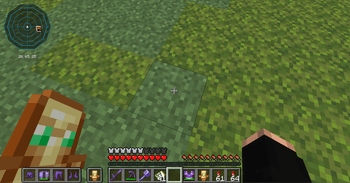 Radar Style 1 80a4d8f405805b24fee76eb7828984778f964cc5_350.png
 -
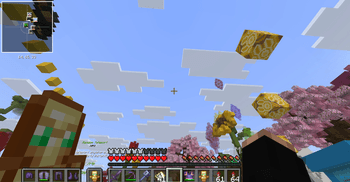 Radar Style 2 7c4026c1429e0cd613feaee423c102252102af16_350.png
 -
 Radar Style 3 5a7d9104e27521ccb622d799e1d32e3ae779d782_350.png
 -
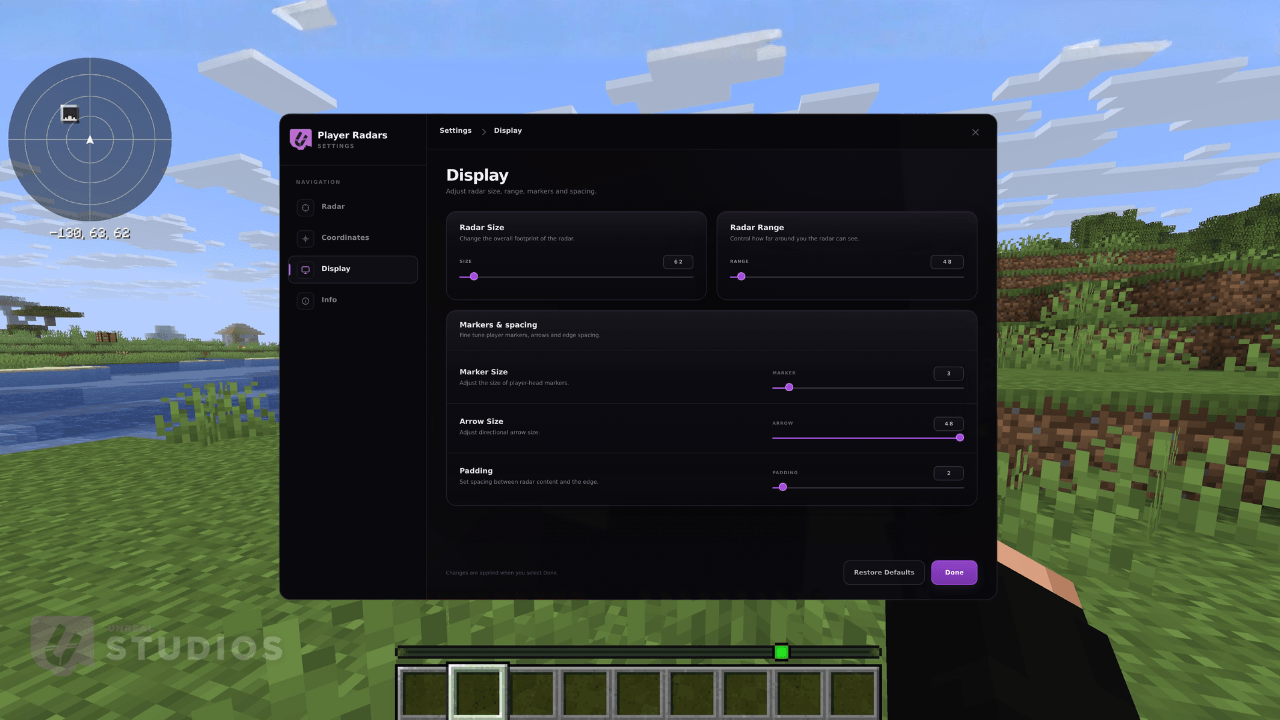 Setting UI
-
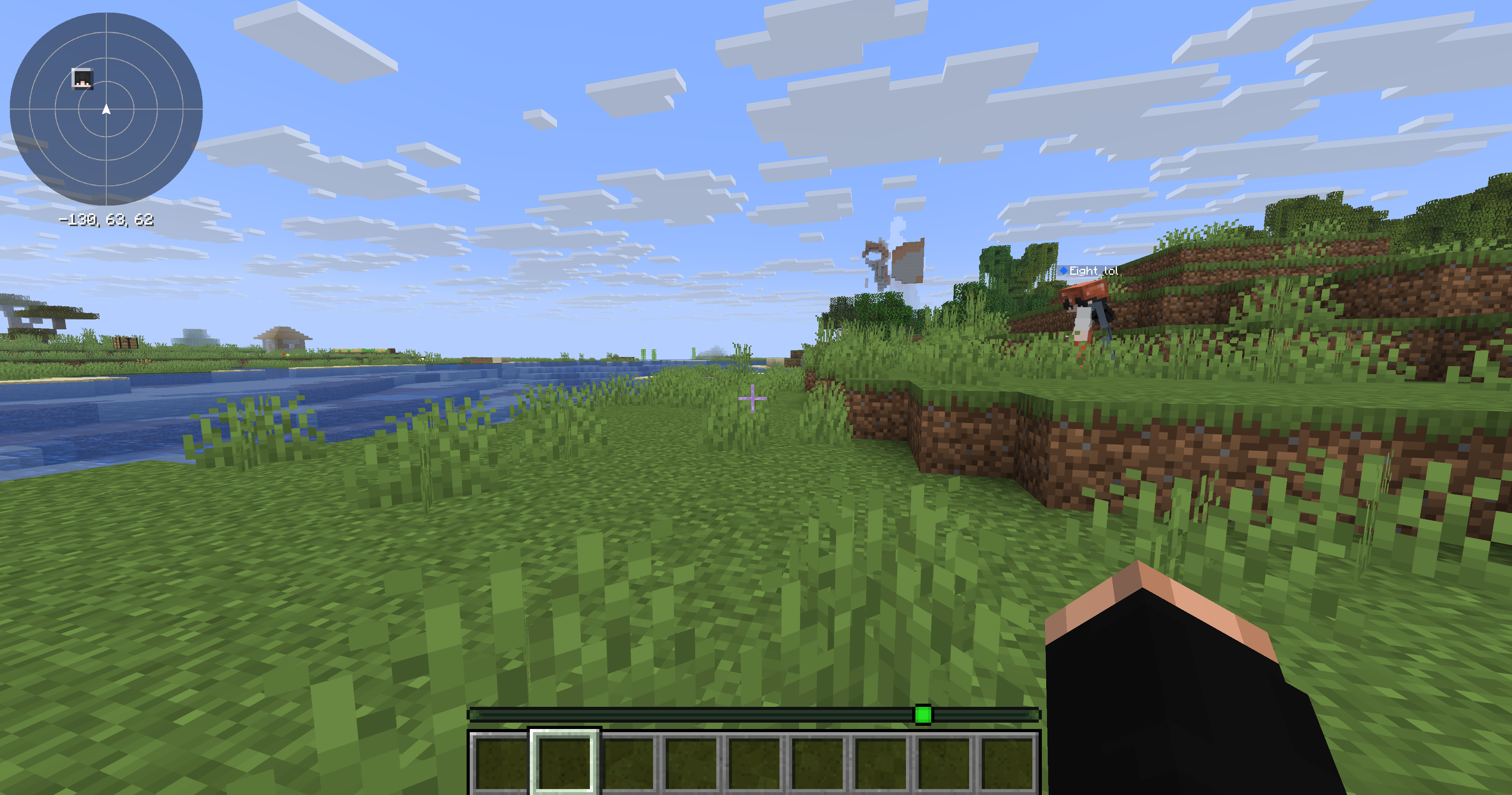 Radar Variant 1 This is our first radar style
 -
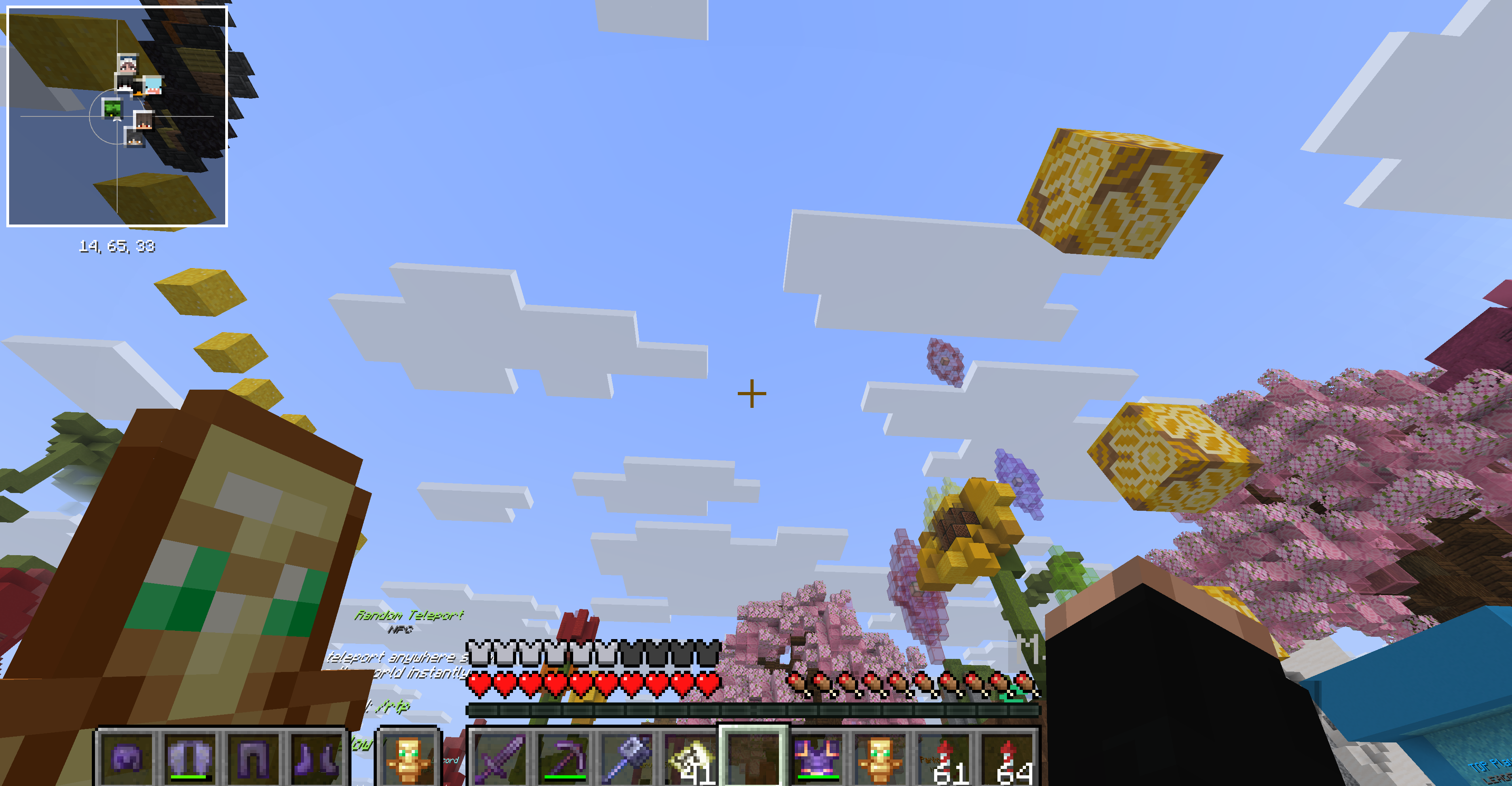 Radar Variant 2 This is our second radar style
 -
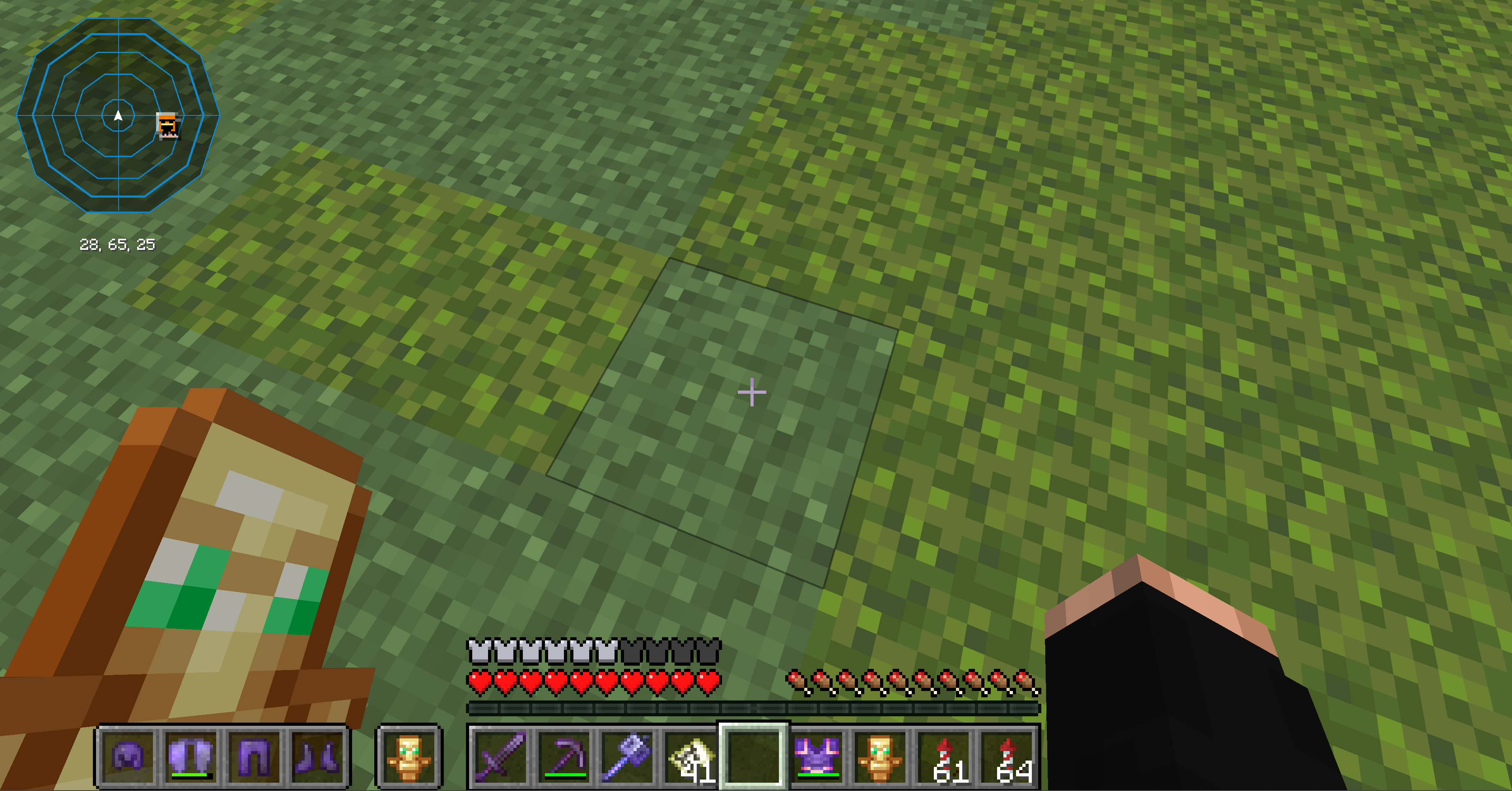 Radar Variant 3 This is our third radar style
 -
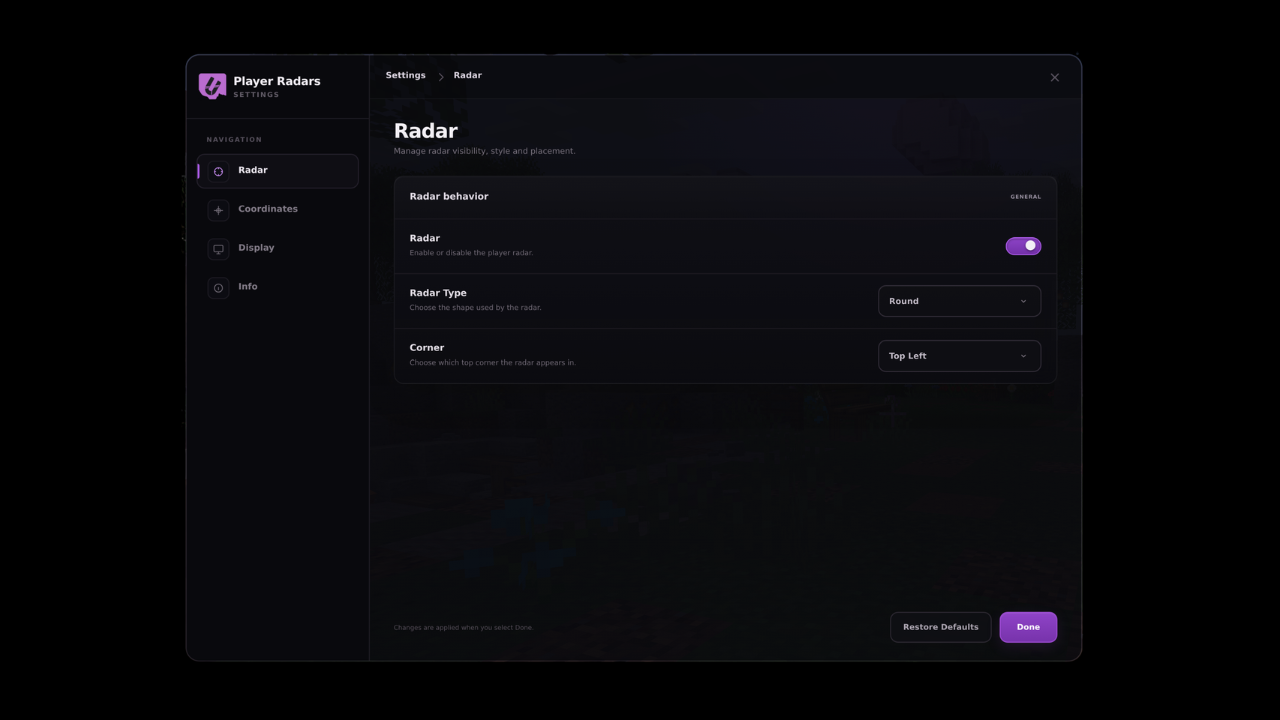 Configuration Menu A custom settings ui
Versions
Files
Relations
Project Relations
More like this
Similar Mods
Suggestions use data such as tags, dependencies, dependents, descriptions, titles, and more to rank how much they overlap with this mod.
On ModDex
Community snapshot
By the numbers
Statistics
Want to reach Minecraft players?
We're looking for a server hosting partner to feature here and other parts of the site. Interested? Send us a message!
Get in touchGet it on
Available Platforms
On ModDex
Community snapshot
By the numbers