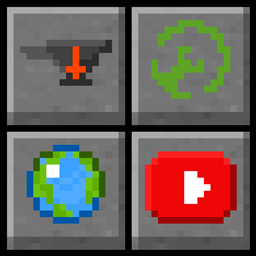
Community listing page, reviews here may not be monitored by the author.
Useful Widgets Mod

No reviews yet
A mod that adds custom buttons that do (almost) anything you want!

Community voices
Reviews
No reviews yet. Be the first to review this project!
Get it on
Available Platforms
About
Project Details
For authors
Embed Badge
If you're the author of this project, you can embed a live badge anywhere that supports HTML or Markdown. It updates automatically whenever ratings change.
Use HTML for any page that supports it, or Markdown for README files and Markdown-based descriptions.
Identifiers
Platform IDs
Resources
External Links
About
Description
NOW SUPPORTING FABRIC & FORGE Doesn’t work :(
Check under Files for more
VERION 1.1.0 UPWARDS REQUIRES CLOTH CONFIG API
Technically also needs Mod Menu mod to access the stuff cloth config adds
This mod has a simple premise: shortcuts.

Use
To use this mod is simple, click a button and it'll take you to the desired site (set in the config). By default this is, Curseforge, PlanetMC, Modrinth and YouTube.
This is changed through the use of the config file.
Config UI

But how do I use the config file (This is no longer required due to config UI, although needed to change button textures)?
Version 1.0.1 and onward use a .properties file, version 1.0.0 uses a .txt
The config file and directory is generated when you first load up the mod in <minecraft folder like ".minecraft">/config/usefulwidgets/config.txt, shown in figure 1 below.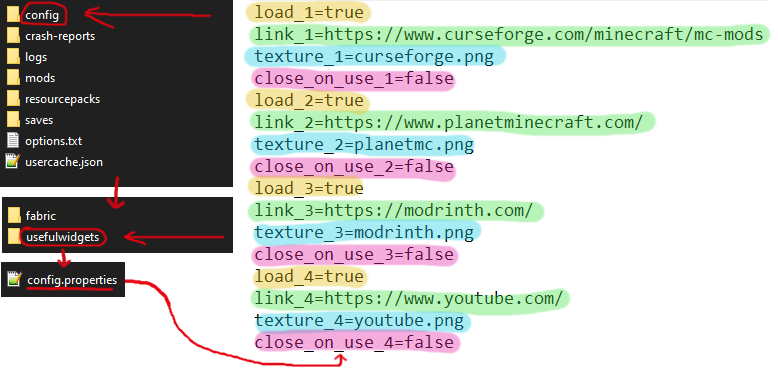
FIGURE 1
Config Explained (refer to figure 1)
The lines highlighted in yellow tell the game if it should load the button, or just ignore it
The lines highlighted in green refer to what link should be loaded when the button is pressed, this can be anything like a file directory (like "C://jeremy/pictures/crab.png), a steam shortcut url ("steam://rungameid/4000" for Gmod GAME MUST BE INSTALLED) or just a web url (like "https://www.reddit.com").
The lines highlighted in blue refer to the texture the button should display (more on this lower down).
The lines highlighted in pink tell the game if it should close when the button is pressed. It must be set to "true" or "false", if its anything other than those it'll just set to "false".
Which button is which?
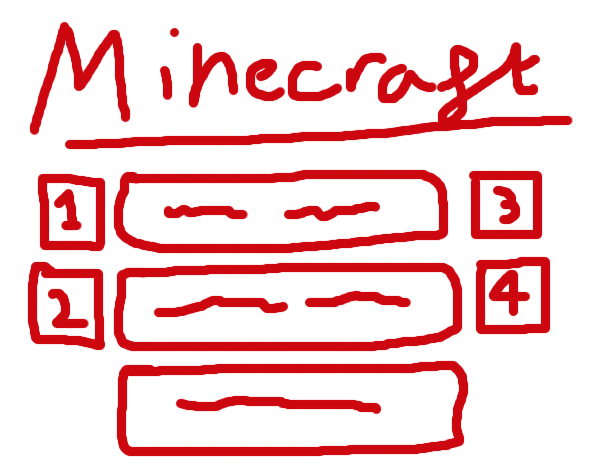
1, 2, 3, 4 (top to bottom, left to right).
Textures
The textures of each button can be customised.
Here is a list of every texture and what you must write in "texture_<number>=..." to display them. The image doesn't show this (sorry), but all the text must be lower case and have ".png" at the end. An additional texture is one called "invisible.png" - I haven't included it on the infographic for obvious reasons.

Actual Parameter Names:
blank.png
curseforge.png
discord.png
fabric.png
forums.png
modrinth.png
optifine.png
planetmc.png
youtube.png
github.png
reddit.png
invisible.png
-- joke ones --
portal.png
tf2.png
gmod.png
Resource Packs
Using a resource pack, you can add an infinite amount of extra buttons. All you need to do is make a resource pack which goes "assets/usefulwidgets/gui/" and then put your texture there.
You can even add a directory within this folder.
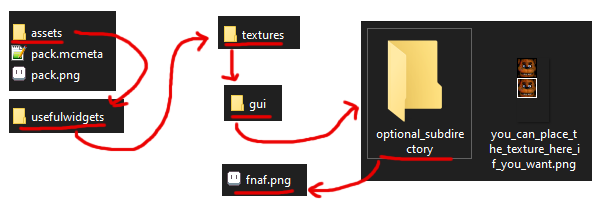
To load the texture in this example, you would write:
optional_subdirectory/fnaf.png

Reload Button
The button in the bottom left, that looks like a scuffed recycle sign, is the reload button. When you click it, it will reload the urls, the texture and whether or not the button should close the game.
Default Config
link_1=https://www.curseforge.com/minecraft/mc-mods
texture_1=curseforge.png
close_on_use_1=false
link_2=https://www.planetminecraft.com/
texture_2=planetmc.png
close_on_use_2=false
link_3=https://modrinth.com/
texture_3=modrinth.png
close_on_use_3=false
link_4=https://www.youtube.com/
texture_4=youtube.png
close_on_use_4=false
This is all of it, I think. I'll update this if it turns out I forgot something.
Post in comments if you need me to re-explain something because this is very annoying to understand
Modpack usage
If you want to use this in a modpack, feel free to do so. Just be sure to credit the mod and let me know in the comments
Screenshots
Gallery
-
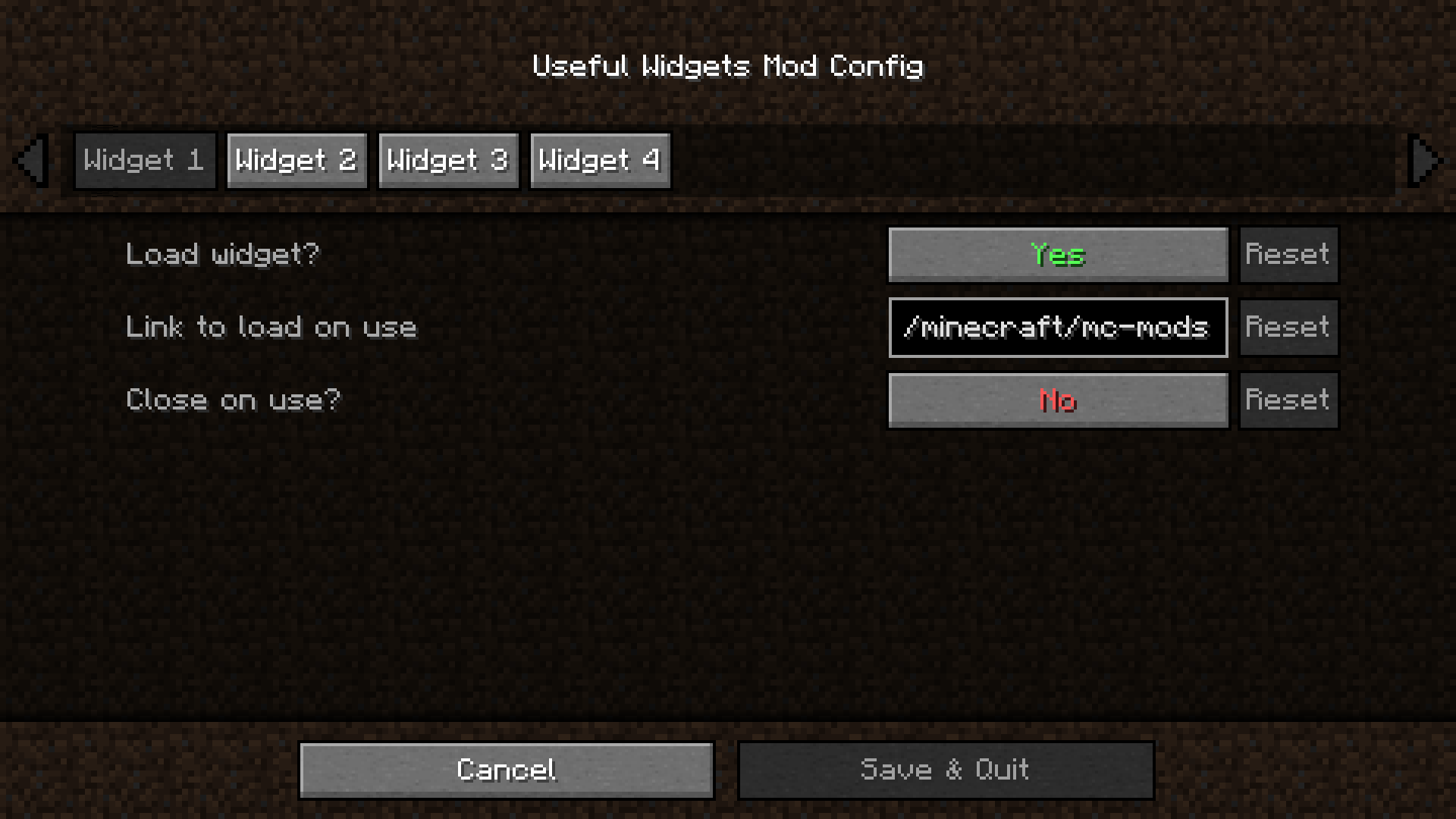 Mod Menu UI Mod menu Ui (wow) (so very cool) (nice)
 -
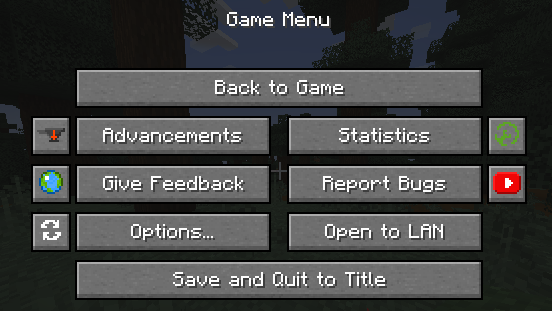 Pause menu
 -
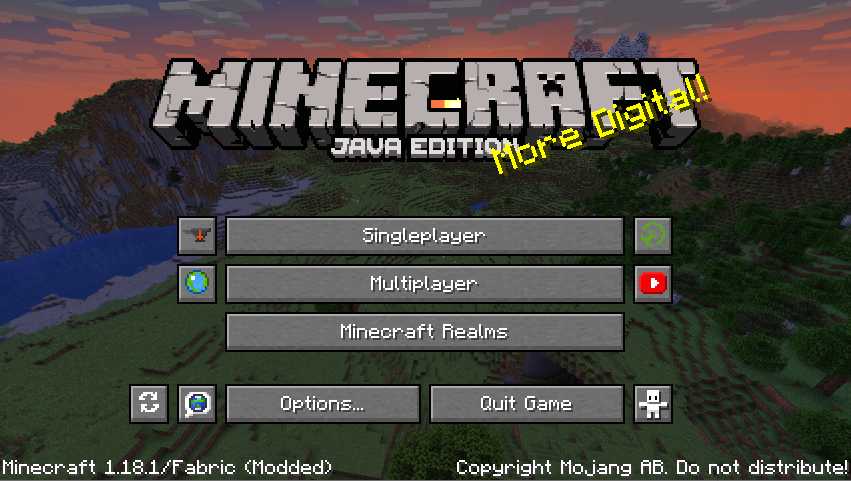 Title Screen
Versions
Files
Relations
Project Relations
More like this
Similar Mods
Suggestions use data such as tags, dependencies, dependents, descriptions, titles, and more to rank how much they overlap with this mod.
On ModDex
Community snapshot
By the numbers
Statistics
 (opens in a new tab)
Get it on
Available Platforms
On ModDex
Community snapshot
By the numbers
Statistics
Resources