Community listing page, reviews may not be monitored by the author.
Utility Core HUD

No reviews yet
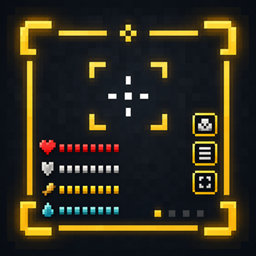
A lightweight, fully customizable on-screen HUD system for Minecraft — drag, resize, and toggle status indicators (starting with armor durability) without touching a config file.

Community voices
Reviews
No reviews yet. Be the first to review this project!
Get it on
Available Platforms
About
Project Details
For authors
Embed Badge
If you're the author of this project, you can embed a live badge anywhere that supports HTML or Markdown. It updates automatically whenever ratings change.
Use HTML for any page that supports it, or Markdown for README files and Markdown-based descriptions.
Identifiers
Platform IDs
Resources
External Links
About
Description
🎯 Utility Core HUD
A lightweight, fully customizable on-screen HUD system for Minecraft.



✨ Overview
Utility Core HUD adds a lightweight, fully customizable on-screen display system for Minecraft — a foundation for HUD elements you can toggle, drag, and resize without ever opening a config file. Every element is positioned interactively in-game and saved instantly.
What it covers today:
- Armor durability status — always-visible icons showing the condition of your equipped armor
- In-game guide book — a Vellumli-powered book explaining every feature, with a direct button to open the HUD menu
- Interactive positioning — drag, resize and reorient any HUD element with the mouse, no config editing required
🧩 Features
🛡️ Armor Durability Status
Shows an icon for each equipped armor piece, styled exactly like its inventory slot icon, including the damage overlay. Icons always sit flush against each other — if a piece is removed or fully repaired, the remaining icons close the gap instead of leaving an empty slot.
📖 In-Game Guide Book
A Vellumli-powered guide book explains every HUD element and setting. The book's first page includes a button that opens the HUD configuration menu directly, no need to dig through menus.
🎯 Interactive Positioning
- Drag any HUD element anywhere on screen with the mouse
- Scroll the mouse wheel to switch between vertical and horizontal layout
- Use the on-screen
+/−buttons to resize it - A gold border marks the editable area while positioning is active
- Press
Enterto confirm and save, returning to the HUD menu
👁️ Show / Hide Control
Toggle each HUD element on or off at any time from the configuration menu, independent of the positioning tool.
⚙️ Fully Configurable
No config file editing needed — every HUD element is enabled, positioned, oriented and resized directly in-game through the interactive editor, and saved automatically to config/utility_core_hud/.
📋 Requirements
| Minecraft |26.2 | | NeoForge |26.2.0.57 |
Side: Client only.
Required dependency:
- Vellumli (in-game guide book)
🎮 How to Use
- Open the in-game guide book (Vellumli).
- Press the menu button on the book's first page.
- Choose Show or Never show for each HUD element.
- Press Edit position to enter interactive placement mode.
- Drag to move, scroll to switch orientation, use
+/−to resize. - Press
Enterto save and return to the menu, then Save / Close.
🙏 Credits
Developed by Stalking Dragons.

https://codex.skdragons.com/
Codex Stalking Dragons — Minecraft Modding
Screenshots
Gallery
Versions
Files
Relations
Project Relations
More like this
Similar Mods
Suggestions use data such as tags, dependencies, dependents, descriptions, titles, and more to rank how much they overlap with this mod.
On ModDex
Community snapshot
By the numbers
Statistics

Get it on
Available Platforms
On ModDex
Community snapshot
By the numbers
Statistics
Resources