
Community listing page, reviews here may not be monitored by the author.

Community voices
Reviews
No reviews yet. Be the first to review this project!
Get it on
Available Platforms
Compatibility
Supported Environments
Runs entirely on the client. Works on vanilla servers.
About
Project Details
For authors
Embed Badge
If you're the author of this project, you can embed a live badge anywhere that supports HTML or Markdown. It updates automatically whenever ratings change.
Use HTML for any page that supports it, or Markdown for README files and Markdown-based descriptions.
Identifiers
Platform IDs
About
Description
Universal Voice Chat
Discord-powered proximity voice chat that works without relying on a server.
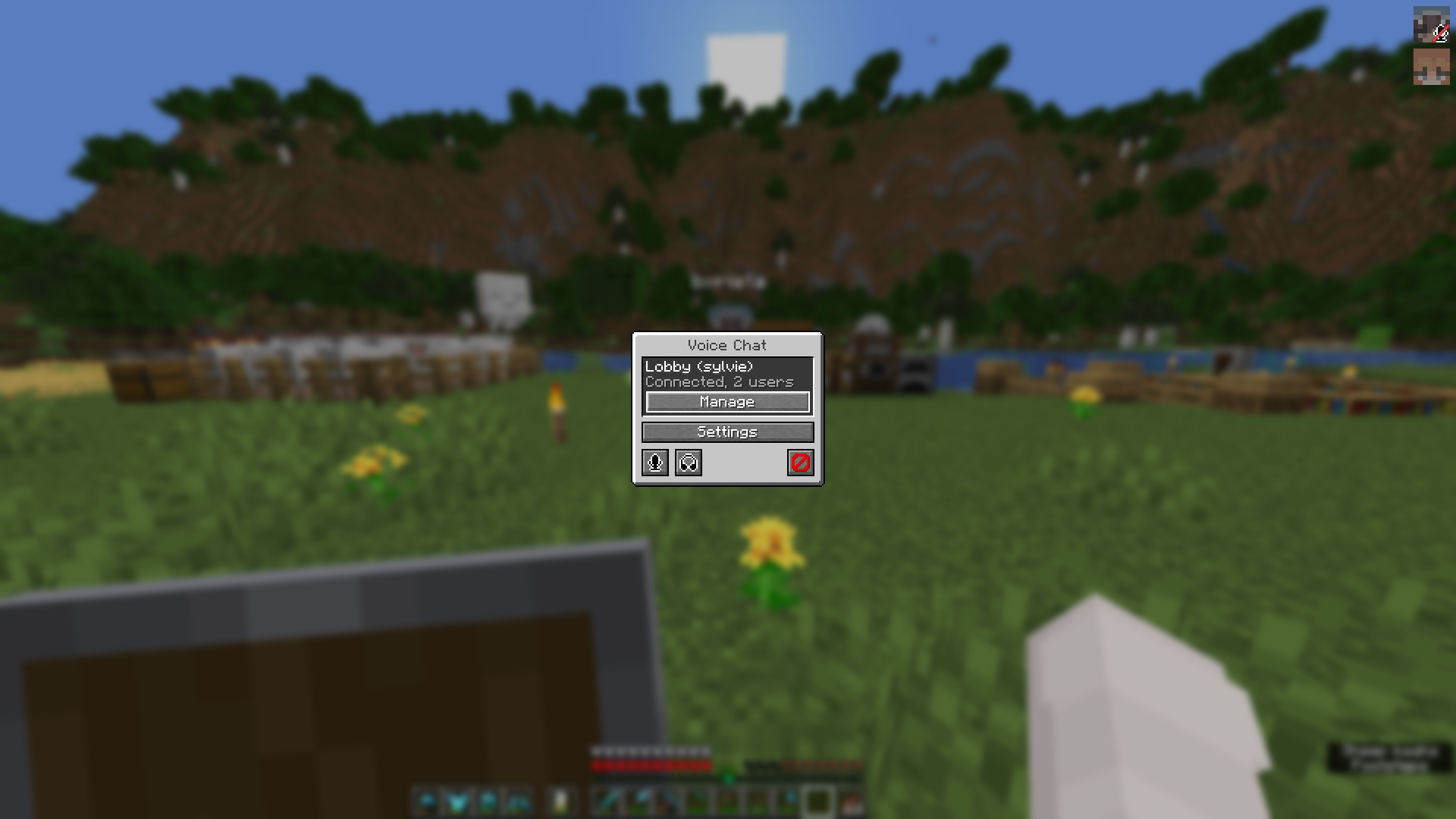
Usage
First-Time Setup
Only one person has to follow these steps, after which everyone else can utilize the application ID.
- Go to the Discord Developer Dashboard and create a new developer team
- Create a new application and assign it to that team
- Go to the OAuth2 tab and add
http://127.0.0.1/callbackas a redirect URL, and togglePublic Client - Go to Games > Social SDK and fill out the form
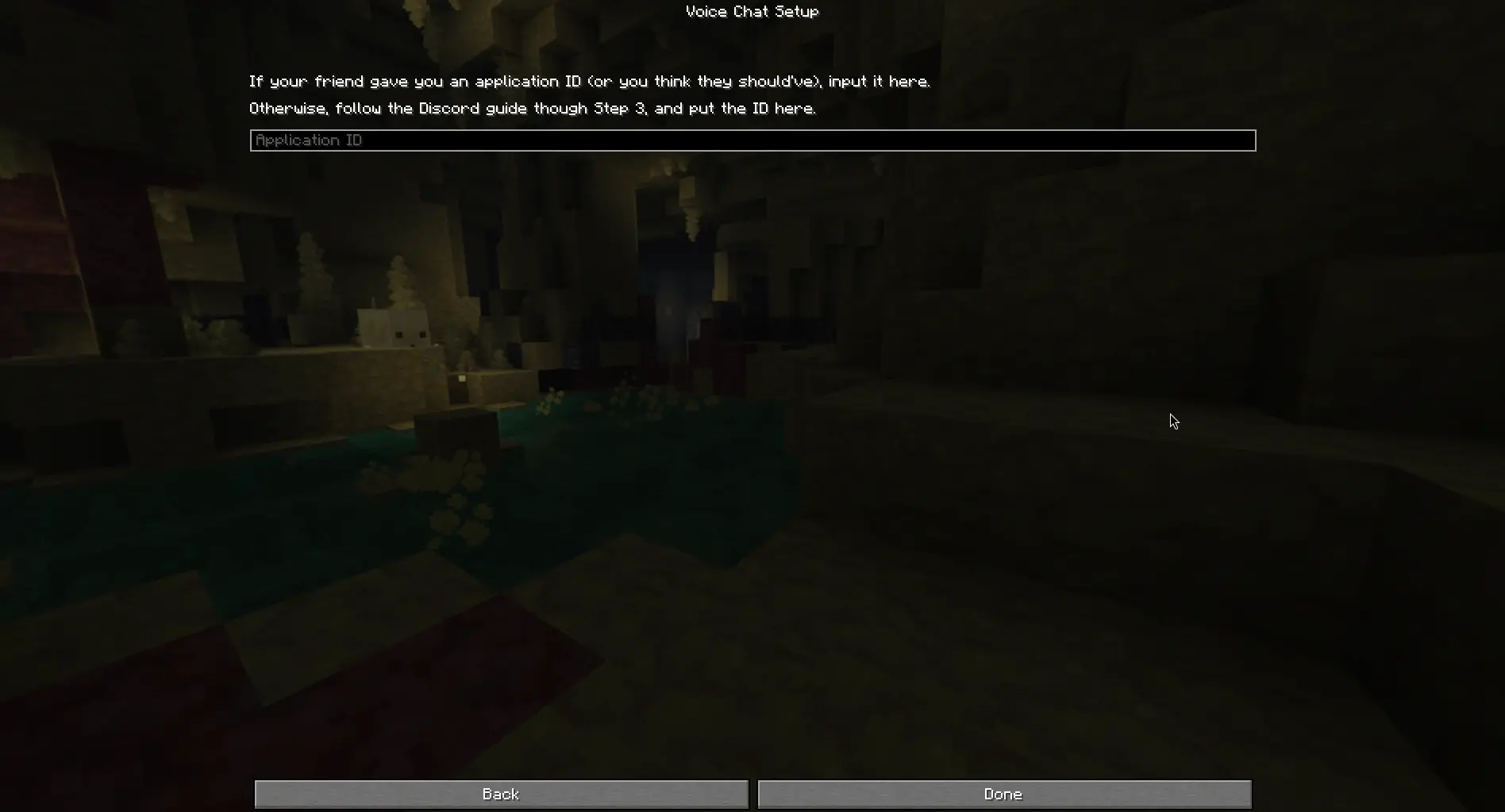
- Go back to Overview > General Information and copy the application ID
After this, send the application ID to everyone you want to speak with and paste it into the setup screen. Discord will open and ask you for authorization, and you should scroll down until you can click "Authorize".
Lobbies
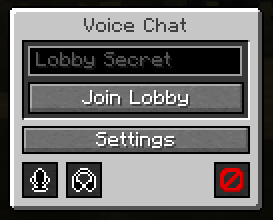
You can only hear/speak to people in your lobby. The lobby secret can be basically anything, as long as your friends can type it in.
Input the secret into the menu and click "Join Lobby".
Notes
This mod is a bit of a proof-of-concept. If you are looking for something to use on your server, use Simple Voice Chat or Plasmo Voice— they will work better there.
Only use this mod with people you trust! There are several places where bad actors could impersonate others or crash your game due to how the Social SDK is designed with client-side lobbies.
Credits
- Discord - UVC uses the Discord Social SDK to handle voice chat
- Simple Voice Chat - UI inspiration (nothing directly copied, but I've used it too much not to accidentally take inspiration)
Screenshots
Gallery
-
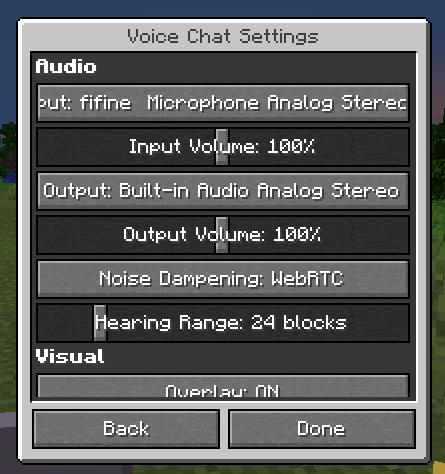 Settings You can adjust volume, inputs/outputs, and even enable noise suppression with WebRTC or Krisp
 -
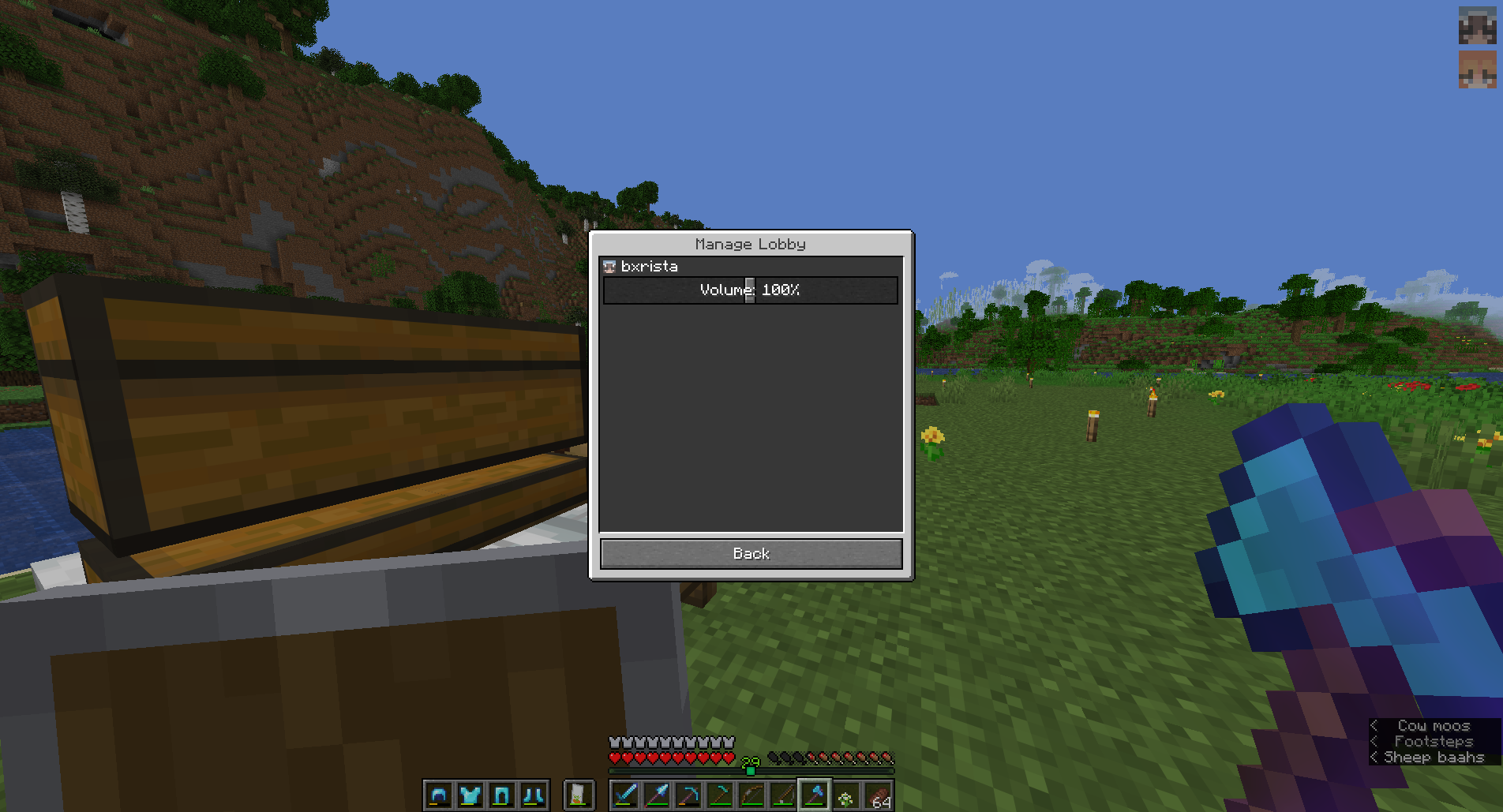 Individual Management You may adjust the volume of lobby participants individually
 -
In-Game
-
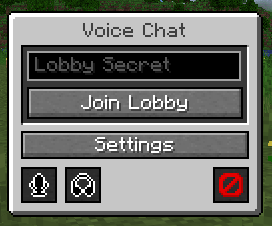 Menu
Menu
Versions
Files
Relations
Project Relations
More like this
Similar Mods
Suggestions use data such as tags, dependencies, dependents, descriptions, titles, and more to rank how much they overlap with this mod.
On ModDex
Community snapshot
By the numbers
Statistics

Want to reach Minecraft players?
We're looking for a server hosting partner to feature here and other parts of the site. Interested? Send us a message!
Get in touchGet it on
Available Platforms
On ModDex
Community snapshot
By the numbers