Community listing page, reviews here may not be monitored by the author.
Vanilla Tree

No reviews yet
A simple and fast tree-chopping mod that cuts connected logs, clears leaves quickly, and provides customizable tree settings.
Community voices
Reviews
No reviews yet. Be the first to review this project!
Get it on
Available Platforms
About
Project Details
For authors
Embed Badge
If you're the author of this project, you can embed a live badge anywhere that supports HTML or Markdown. It updates automatically whenever ratings change.
Use HTML for any page that supports it, or Markdown for README files and Markdown-based descriptions.
Identifiers
Platform IDs
Resources
External Links
About
Description
🌳 Vanilla Tree
Cut the tree, not every log.
Vanilla Tree is a lightweight and customizable tree-chopping mod for Minecraft 26.3 Fabric. Break one natural log with an axe and the connected logs of the tree can be chopped automatically.
🪓 Tree Chopping
-
Supports 12 tree types, including Overworld and Nether trees.
-
Detects connected logs, including diagonal connections.
-
Uses your axe durability for every extra log.
-
Supports normal vanilla and properly tagged modded axes.
-
Automatically protects player-placed logs from accidental tree chopping.
-
Supports up to 128 extra logs per tree chop.
🍃 Fast Leaf Decay
After chopping a tree, its natural leaves disappear much faster than vanilla.
-
Leaves clear gradually over a few seconds.
-
Vanilla-style drops are preserved.
-
Persistent and player-placed leaves are protected.
-
Nearby separate trees are protected where possible.
🌱 Auto Replant
Automatically replaces harvested trees with the correct sapling or propagule.
-
Supports normal tree replanting.
-
Supports 2×2 tree bases when applicable.
-
Can be turned ON or OFF from the settings.
🛡️ Axe Guard
Axe Guard helps protect your axe when its durability gets very low.
-
The safety zone starts at 11 blocks of remaining durability.
-
The player-facing warning starts at 10 blocks.
-
The counter continues down to 1.
-
0is never shown.
You can temporarily bypass the protection with a double-tap keybind for 10 seconds. The bypass works per axe and disappears when the axe is repaired or broken.
👁️ Tree Outline
Hold SHIFT while looking at a tree log to preview the connected tree.
See:
-
Tree type
-
Number of connected logs
-
Highlighted tree outline
The outline reach can be adjusted in the settings.
⚙️ Simple Settings
Press B to open the Vanilla Tree menu.
You can:
-
Enable/disable individual tree types
-
Toggle Auto Replant
-
Toggle Tree Outline
-
Toggle Axe Guard
-
Toggle Low-Axe HUD
-
Adjust Outline Reach
-
Reset to Default
-
Apply and save your settings
🚀 Performance
Vanilla Tree is designed to stay lightweight, especially when handling large trees.
-
Limited tree scanning
-
Controlled leaf processing
-
Reduced unnecessary updates
-
Optional reduction of tree-chopper particle bursts
-
Normal Minecraft particles remain unaffected
🎮 Multiplayer
Core tree-chopping and gameplay logic is handled server-side, while the settings menu, keybinds, outline and HUD are handled client-side.
📥 How to Install
-
Install Minecraft Java Edition 26.3.
-
Install Fabric Loader for Minecraft 26.3.
-
Install Fabric API for the same Minecraft version.
-
Download the Vanilla Tree Fabric
.jarfile. -
Put the
.jarfile into your Minecraftmodsfolder. -
Launch Minecraft using your Fabric profile.
-
Join your world and press B to open Vanilla Tree settings.
✅ First Setup
After installing, the default configuration is already ready to use.
You can simply:
Equip an axe → find a natural tree → break one log.
For customization, press B and adjust the tree types and features you want.
🎮 Keybinds
-
B → Open Vanilla Tree Settings
-
Double-tap the configured Guard key → Temporarily bypass Axe Guard for 10 seconds
Both keybinds can be changed from:
Options → Controls → Key Binds
☕ Support
Enjoying Vanilla Tree?
Buy Me a Coffee:
https://buymeacoffee.com/krish202
📦 Version
Minecraft: 26.3
Loader: Fabric
Version: 1.2.0
Author: krish202
Screenshots
Gallery
-
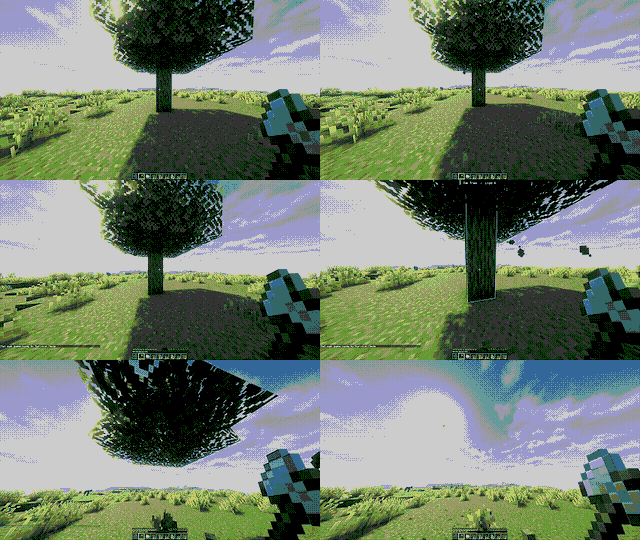 Fast Tree Chopping & Leaf Decay Chop a tree with one log and watch the connected logs break automatically while the leaves quickly disappear.
 -
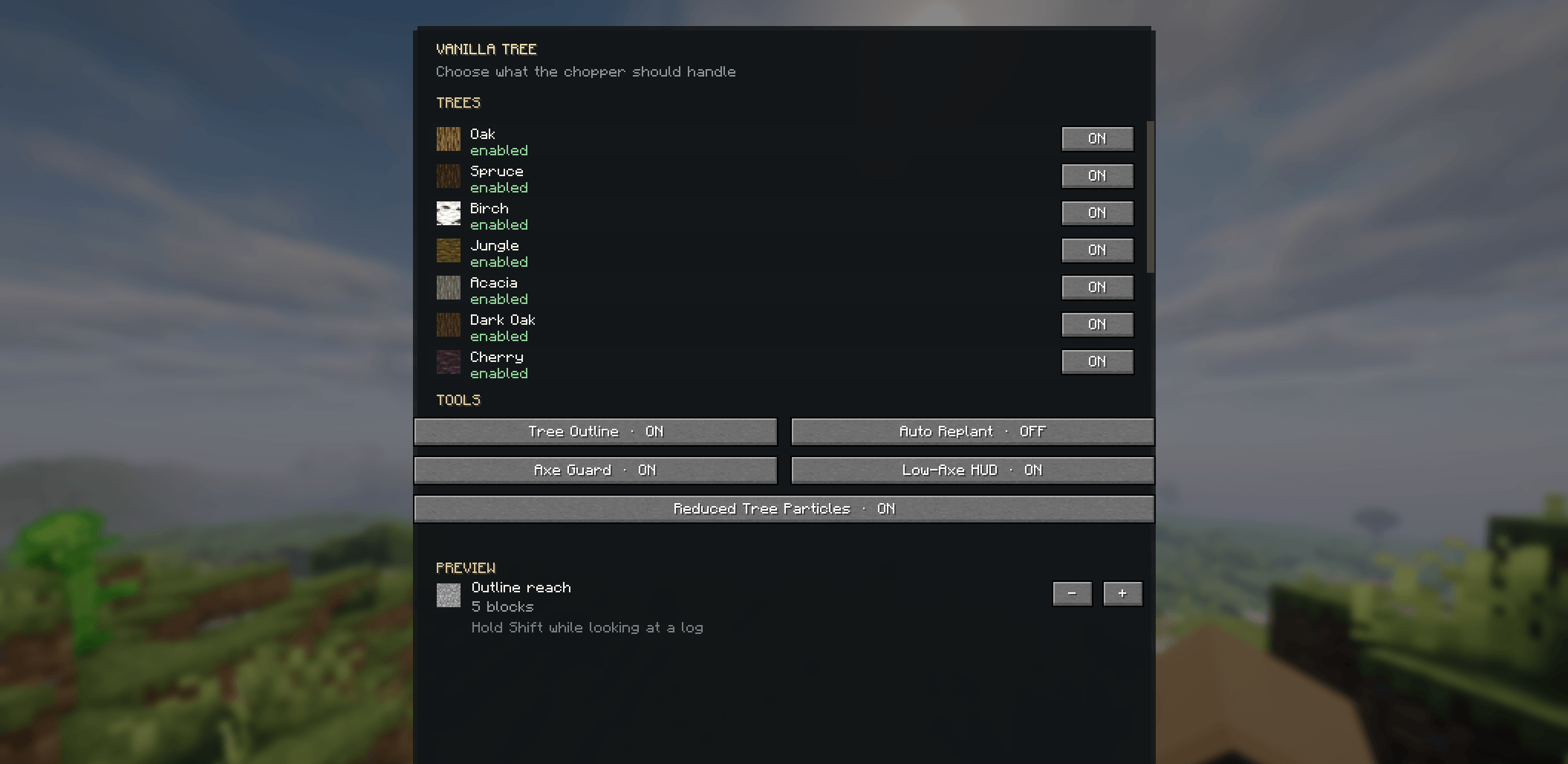 Vanilla Tree Settings Menu 🌳 Vanilla Tree makes tree chopping faster and easier. Chop connected logs with one break, protect player-placed logs, auto-replant trees, fast leaf decay, Axe Guard, Tree Outline, and simple in-game settings for Minecraft 26.3 Fabric.
 -
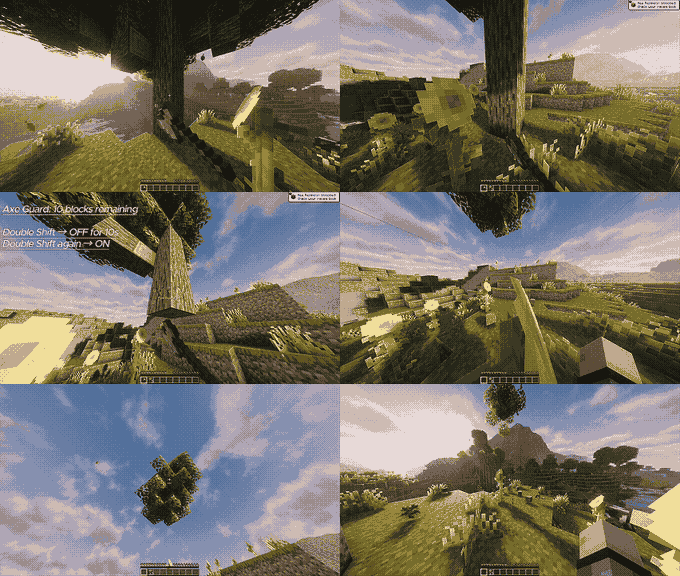 Axe Guard – 10 Block Protection Axe Guard activates when 10 blocks of durability remain. Double Shift → OFF for 10 seconds Double Shift again → ON
Versions
Files
Relations
Project Relations
More like this
Similar Mods
Suggestions use data such as tags, dependencies, dependents, descriptions, titles, and more to rank how much they overlap with this mod.
On ModDex
Community snapshot
By the numbers
Statistics
Want to reach Minecraft players?
We're looking for a server hosting partner to feature here and other parts of the site. Interested? Send us a message!
Get in touchGet it on
Available Platforms
On ModDex
Community snapshot
By the numbers
Statistics
Resources