Community listing page, reviews may not be monitored by the author.
Variant Swap


No reviews yet
Quickly cycle through block and item variants by holding a key and scrolling your mouse wheel (works with mods too!)

Community voices
Reviews
No reviews yet. Be the first to review this project!
Get it on
Available Platforms
Compatibility
Supported Environments
Must be installed on both the client and the server.
About
Project Details
For authors
Embed Badge
If you're the author of this project, you can embed a live badge anywhere that supports HTML or Markdown. It updates automatically whenever ratings change.
Use HTML for any page that supports it, or Markdown for README files and Markdown-based descriptions.
Identifiers
Platform IDs
About
Description

Variant Swap is a mod that lets you change the variant of the item you're holding by using a customizable key (Z by default) and scrolling. When you scroll, you'll also see at the top of the screen a quick preview of what's before and after the selected item (for a few seconds).
In Creative mode, you can switch through every available variant of the item, while in Survival mode it only shows items you have in your inventory. It works with both vanilla and modded items!

Customization
The mod's generated mappings and configuration file are located in your Minecraft (or server) folder under /config/Variant Swap/.
Available settings in config.json:
- OP level (4 by default) - for the
/variant-swapcommand - Delay (50ms by default) - this is to throttle the scrolling
On servers it is recommended to change the OP level as desired. The /variant-swap command can be used to reset the delay (cooldown) to its default value or to change it to another value (still in ms).
For Developers
If your mod adds items or blocks and you want to organize them into specific custom categories, add a variant_swap tag to each item/block. This tag will determine the group in which the item is categorized.
For example, imagine you have a mod that adds various furniture items, and you want to categorize them by wood type instead of grouping all chairs together. You could tag all oak items with variant_swap:oak (so oak or whatever you wanna call the category), all spruce items with variant_swap:spruce, and so on.
Variant Swap is a mod that lets you change the variant of the item you're holding by using a customizable key (Z by default) and scrolling. When you scroll, you'll also see at the top of the screen a quick preview of what's before and after the selected item (for a few seconds).
In Creative mode, you can switch through every available variant of the item, while in Survival mode it only shows items you have in your inventory. It works with both vanilla and modded items!
Customization
The mod's generated mappings and configuration file are located in your Minecraft (or server) folder under /config/Variant Swap/.
Available settings in config.json:
- OP level (4 by default) - for the
/variant-swapcommand - Delay (50ms by default) - this is to throttle the scrolling
On servers it is recommended to change the OP level as desired. The /variant-swap command can be used to reset the delay (cooldown) to its default value or to change it to another value (still in ms).
For Developers
If your mod adds items or blocks and you want to organize them into specific custom categories, add a variant_swap tag to each item/block. This tag will determine the group in which the item is categorized.
For example, imagine you have a mod that adds various furniture items, and you want to categorize them by wood type instead of grouping all chairs together. You could tag all oak items with variant_swap:oak (so oak or whatever you wanna call the category), all spruce items with variant_swap:spruce, and so on.
Screenshots
Gallery
-
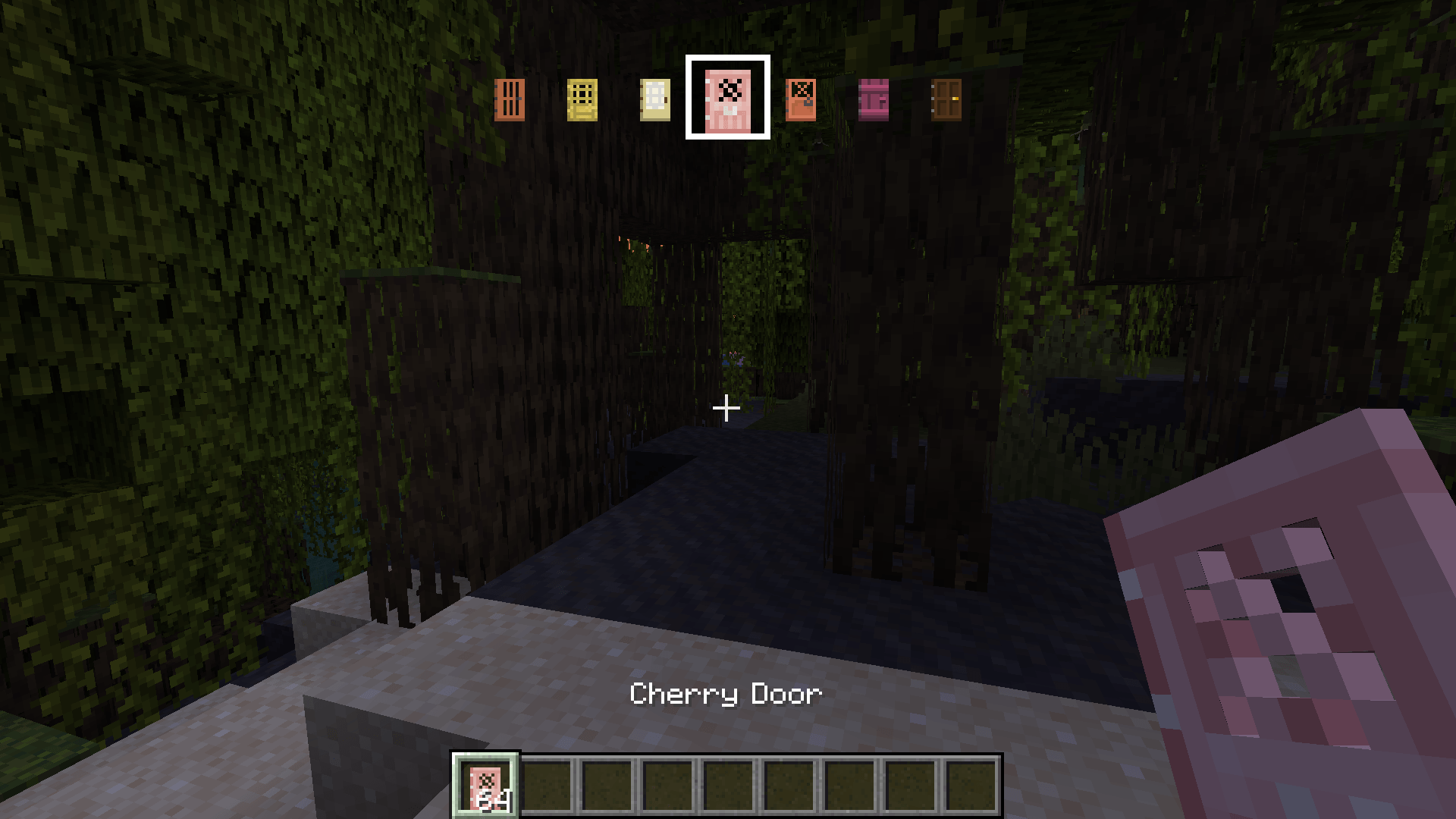 Creative Showcase #2
 -
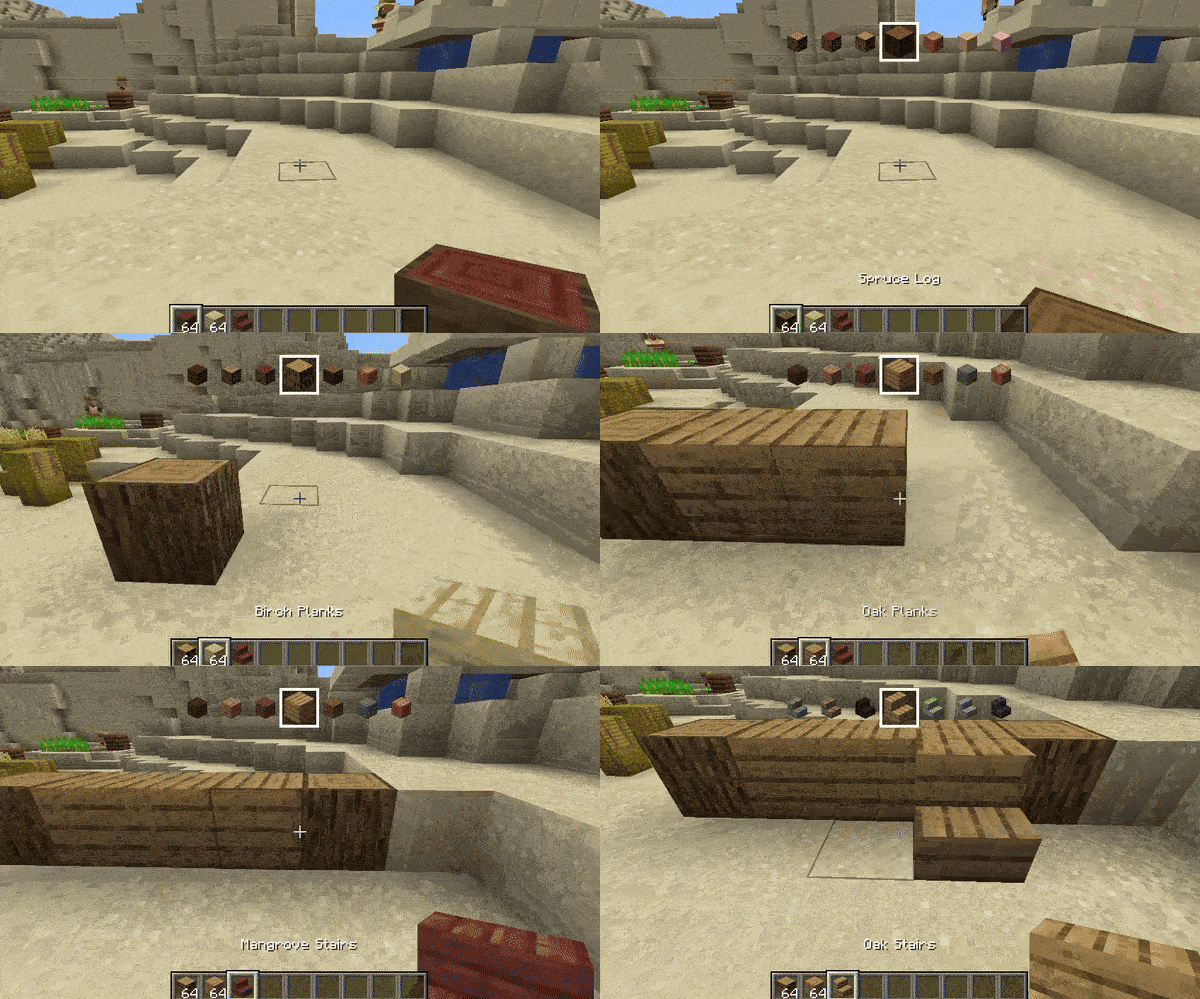 Creative Showcase And before you can ask - yes you can scroll both forward or backwards if you wanna go back :d!
 -
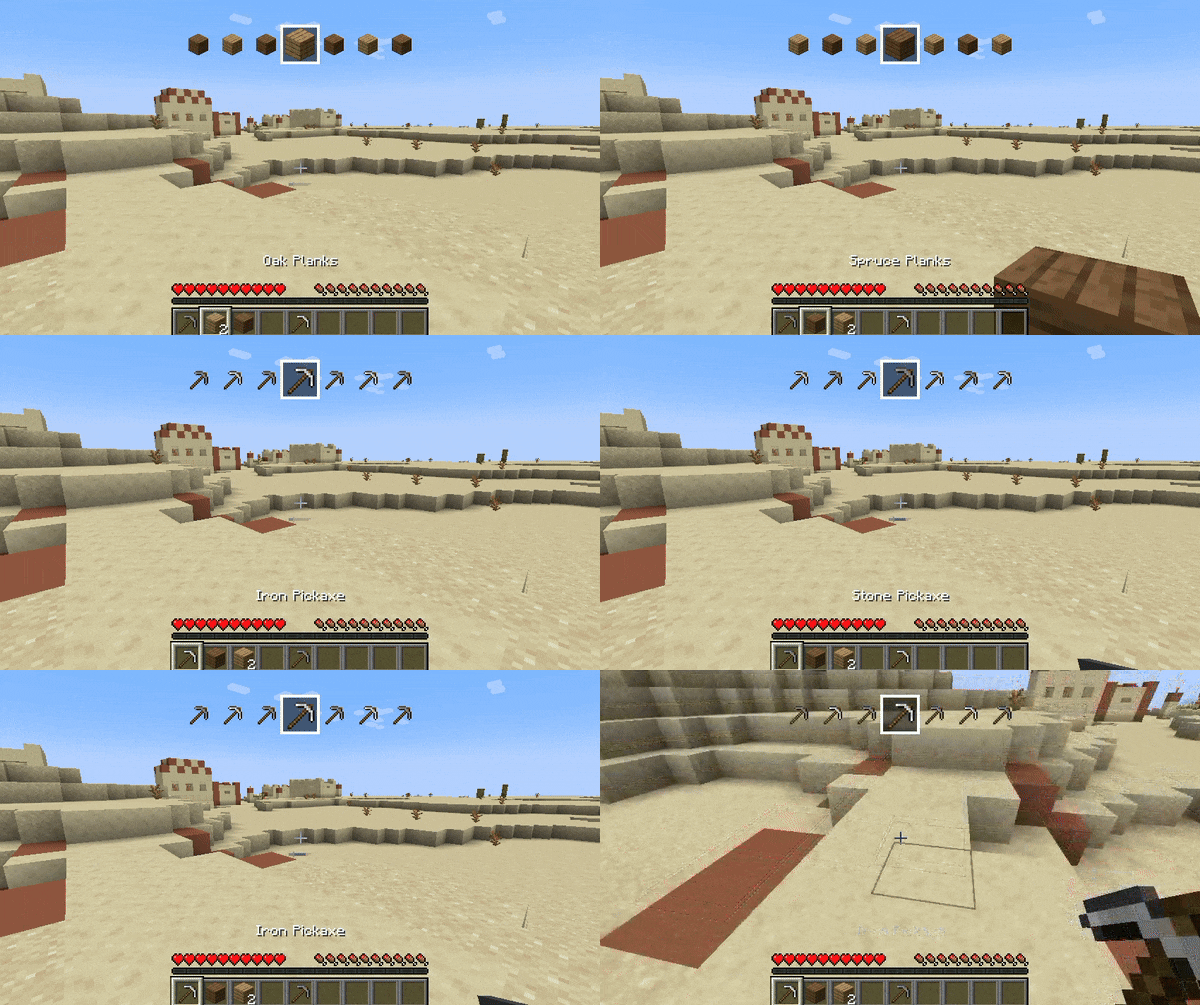 Survival Showcase Of course it works with items not only from your hotbar but from your whole inventory, for demonstration purposes I only had items in the hotbar though.
 -
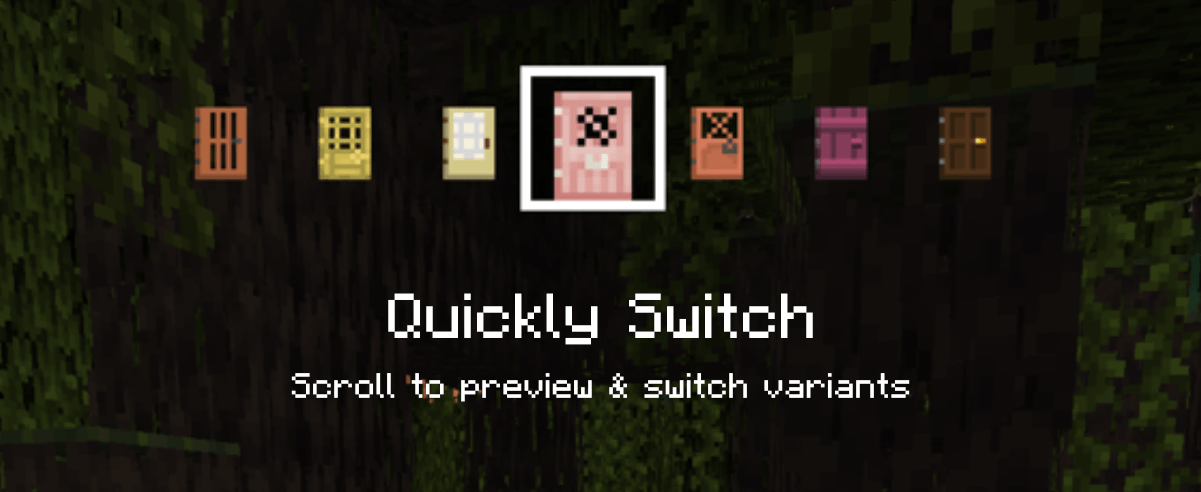 Quickly Switch Scroll to preview & switch variants
-
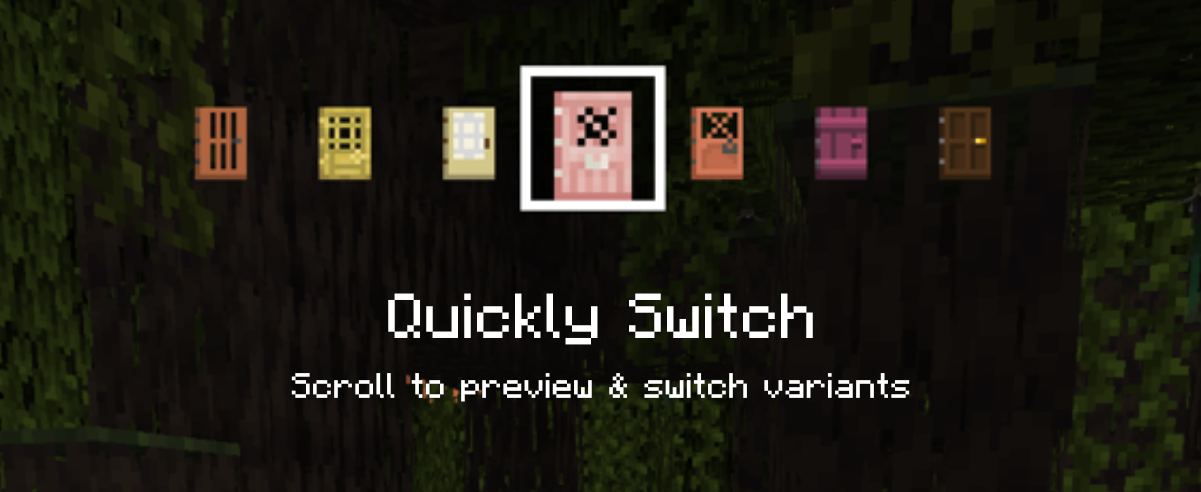 Quickly Switch Scroll to preview & switch variants
 -
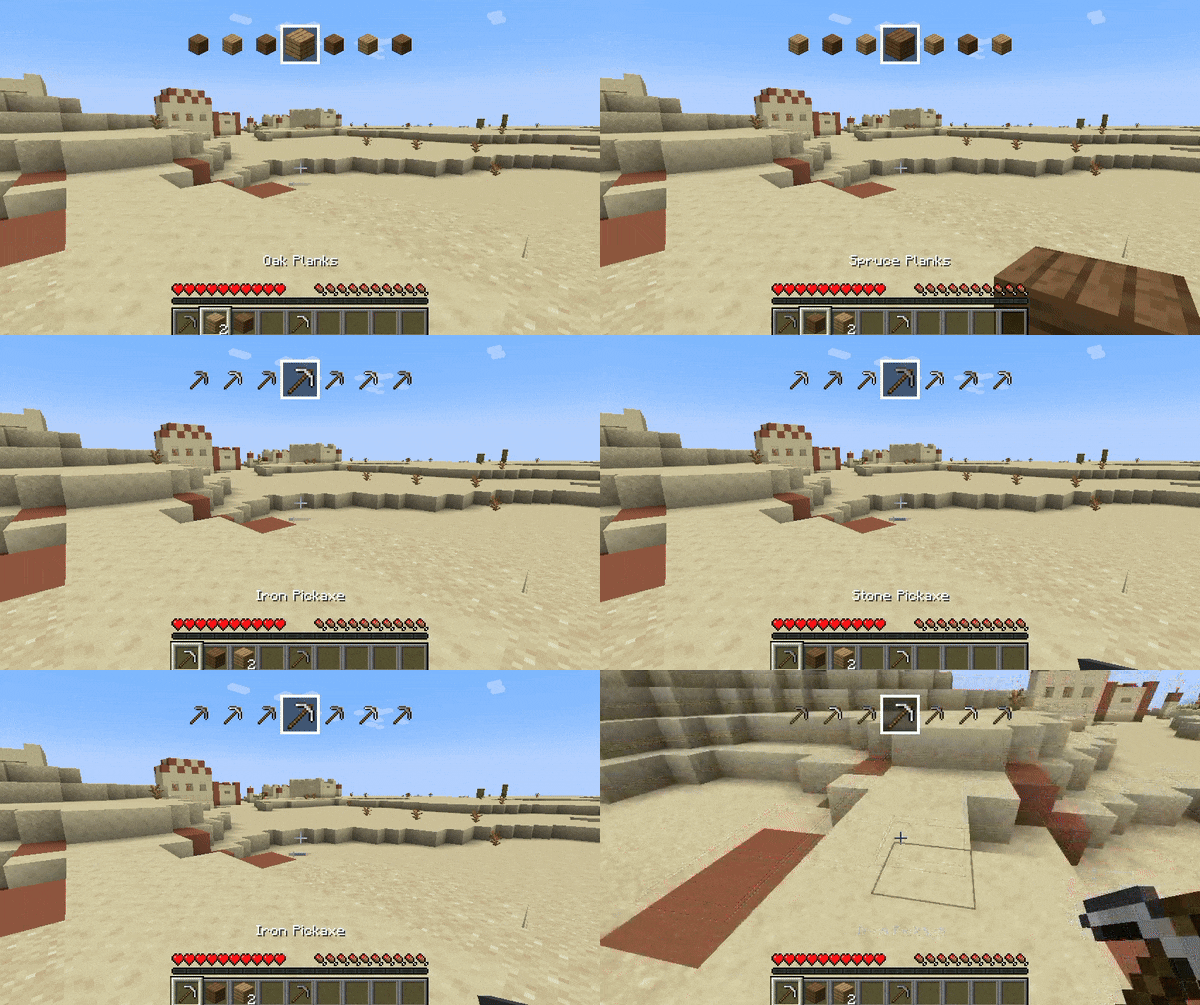 Survival Showcase Of course it works with items not only from your hotbar but from your whole inventory, for demonstration purposes I only had items in the hotbar though.
 -
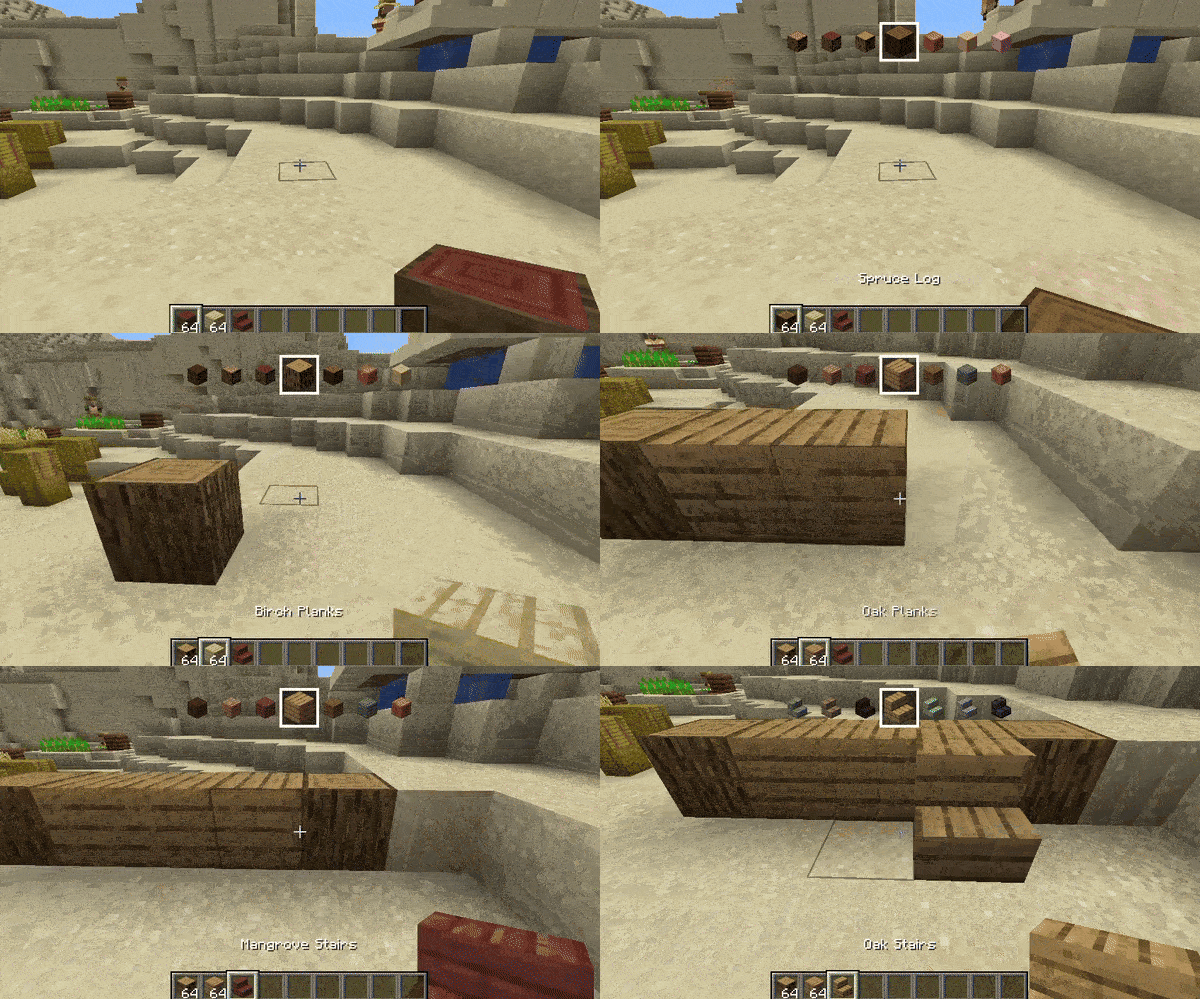 Creative Showcase And before you can ask - yes you can scroll both forward or backwards if you wanna go back :d!
 -
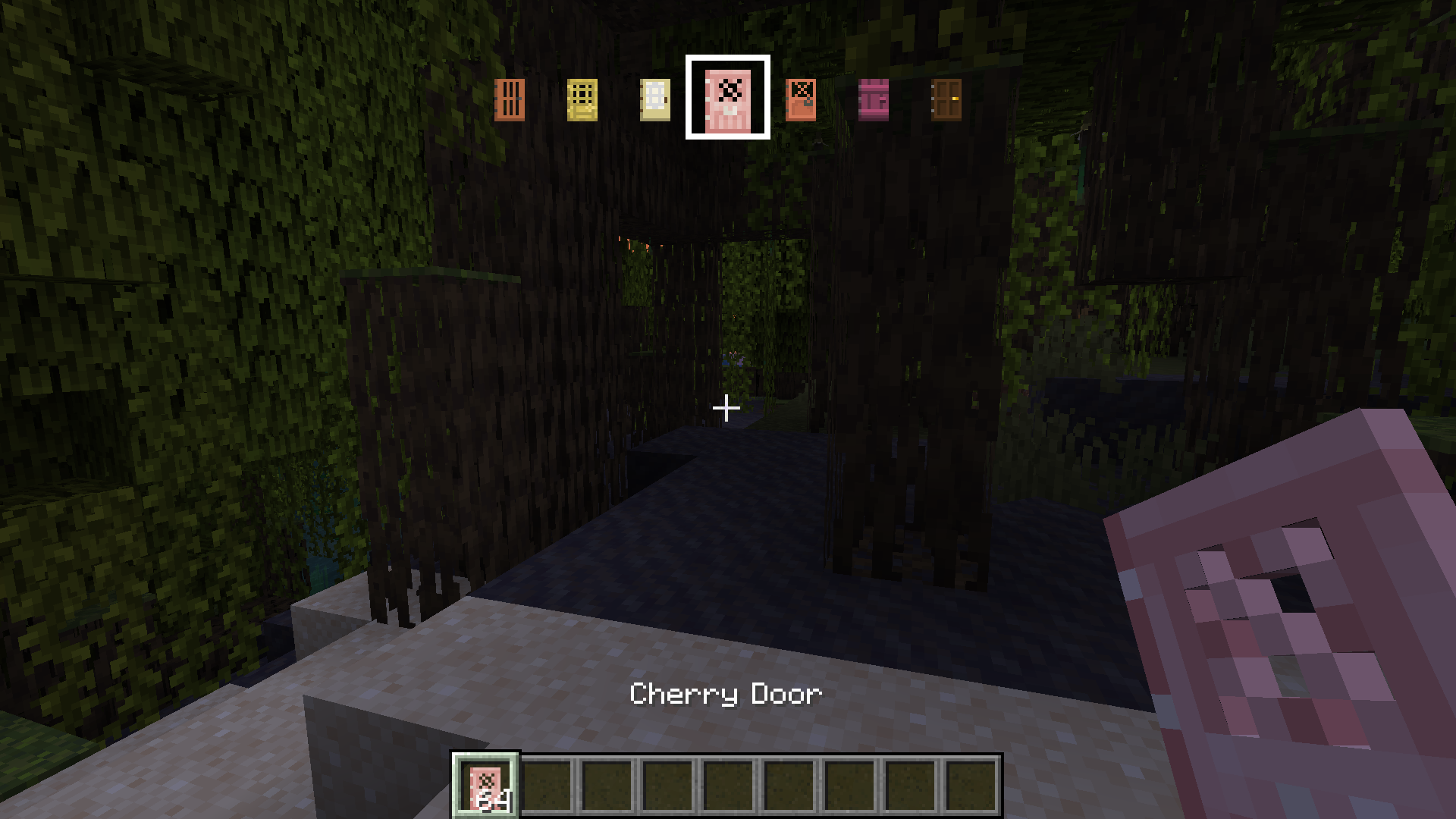 Creative Showcase #2
Versions
Files
Relations
Project Relations
More like this
Similar Mods
Suggestions use data such as tags, dependencies, dependents, descriptions, titles, and more to rank how much they overlap with this mod.
On ModDex
Community snapshot
By the numbers
Statistics

Get it on
Available Platforms
On ModDex
Community snapshot
By the numbers