Community listing page, reviews here may not be monitored by the author.
VaultarHUD


No reviews yet
For Vault Hunters 3rd Edition: Adds a HUD that shows the currently required items for your Vault Altar

Community voices
Reviews
No reviews yet. Be the first to review this project!
Get it on
Available Platforms
Compatibility
Supported Environments
Runs entirely on the client. Works on vanilla servers.
Required on the client. Installing it on the server adds functionality.
Varies by version.
About
Project Details
For authors
Embed Badge
If you're the author of this project, you can embed a live badge anywhere that supports HTML or Markdown. It updates automatically whenever ratings change.
Use HTML for any page that supports it, or Markdown for README files and Markdown-based descriptions.
Identifiers
Platform IDs
About
Description

Requires Wold's Vaults or Vault Hunters 3rd Edition
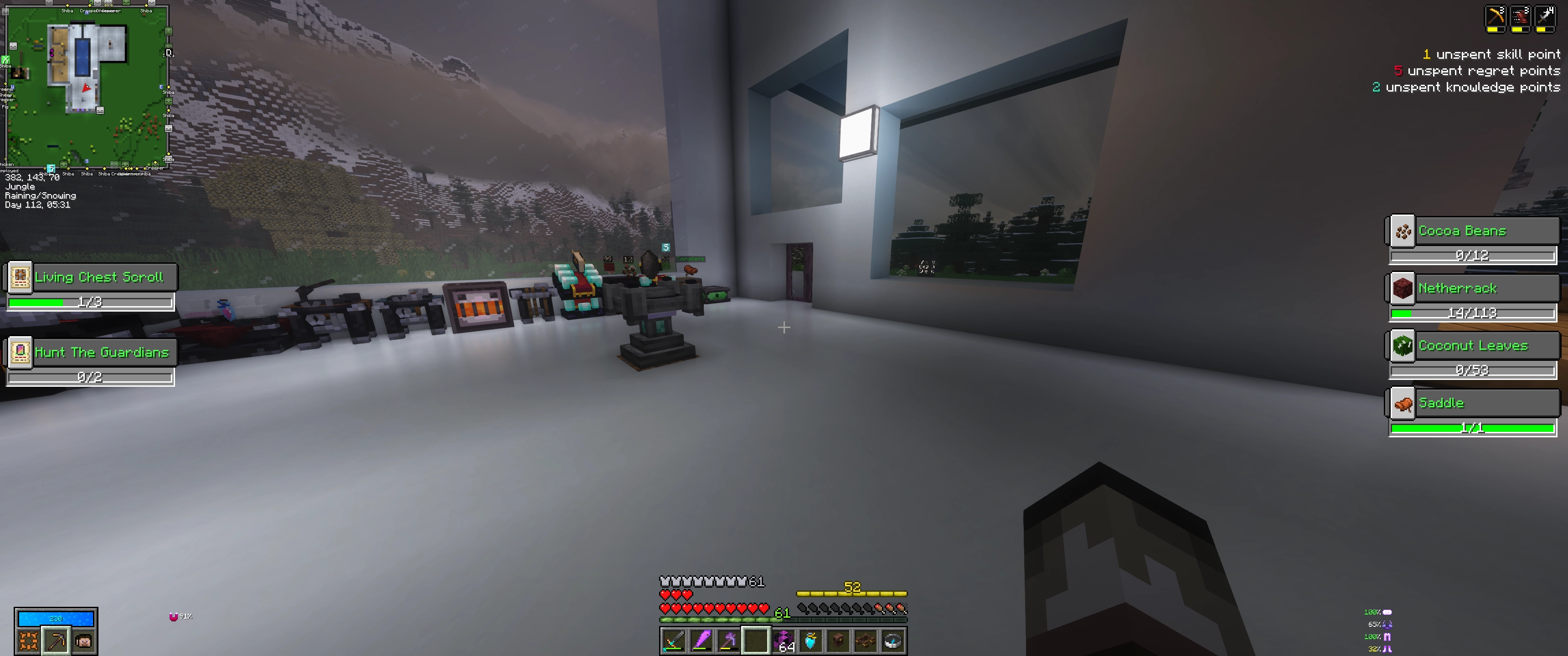
Adds a HUD opposite the bounty table HUD (when you press Tab) that shows a similar progress bar for items towards your current vault crystal. Also shows the HUD in inventory screens. Required items that have variants (e.g. Oak logs, Birch logs) will cycle through the options automatically.
Installation / Usage:
- Drop the jar file into your
modsfolder - In game, press
Tabto show the HUD. The HUD will also show up automatically in any inventory screens. Pressing0will toggle the HUD on/off.
Notes:
This mod can be installed either on the client only, or on both the client and server with a few caveats:
- If it is installed on the client only, you will need to first track an altar by getting within 10 blocks of it, and then it will remain tracked while you are within its render distance (~5 chunks?). You can also manually right-click another altar to track that one instead.
- If it is installed on both the client and the server, then the HUD will update automatically and be live-tracked to you regardless of where you are.
Keybinds:
Key bindings can be reconfigured from the standard in-game menu.
Configuration:
- Chose whether the HUD shows up within inventories, or just when the
Tabkey is held in-game. - Also choose which type of inventory HUD (regular or small) is shown. Requires either editing the
vaultarhud-client.tomlconfig file, or using an in-game config mod such as Configured.

Requires Vault Hunters 3rd Edition!
Adds a HUD opposite the bounty table HUD (when you press Tab) that shows a similar progress bar for items towards your current vault crystal. Required items that have variants (e.g. Oak logs, Birch logs) will cycle through the options automatically.
Installation / Usage:
- Drop the jar file into your
modsfolder - In game, press
Tabto show the HUD. The HUD will also show up automatically in any inventory screens. Pressing0will toggle the HUD on/off.
Notes:
This mod can be installed either on the client only, or on both the client and server with a few caveats:
- If it is installed on the client only, you will need to first track an altar by getting within 10 blocks of it, and then it will remain tracked while you are within its render distance (~5 chunks?). You can also manually right-click another altar to track that one instead.
- If it is installed on both the client and the server, then the HUD will update automatically and be live-tracked to you regardless of where you are.
Keybinds:
Key bindings can be reconfigured from the standard in-game menu.
Configuration:
Chose whether the HUD shows up within inventories, or just when the Tab key is held in-game. Also choose which type of inventory HUD (regular or small) is shown. Requires either editing the vaultarhud-client.toml config file, or using an in-game config mod such as Configured.
Screenshots
Gallery
-
image.webp image.webp
-
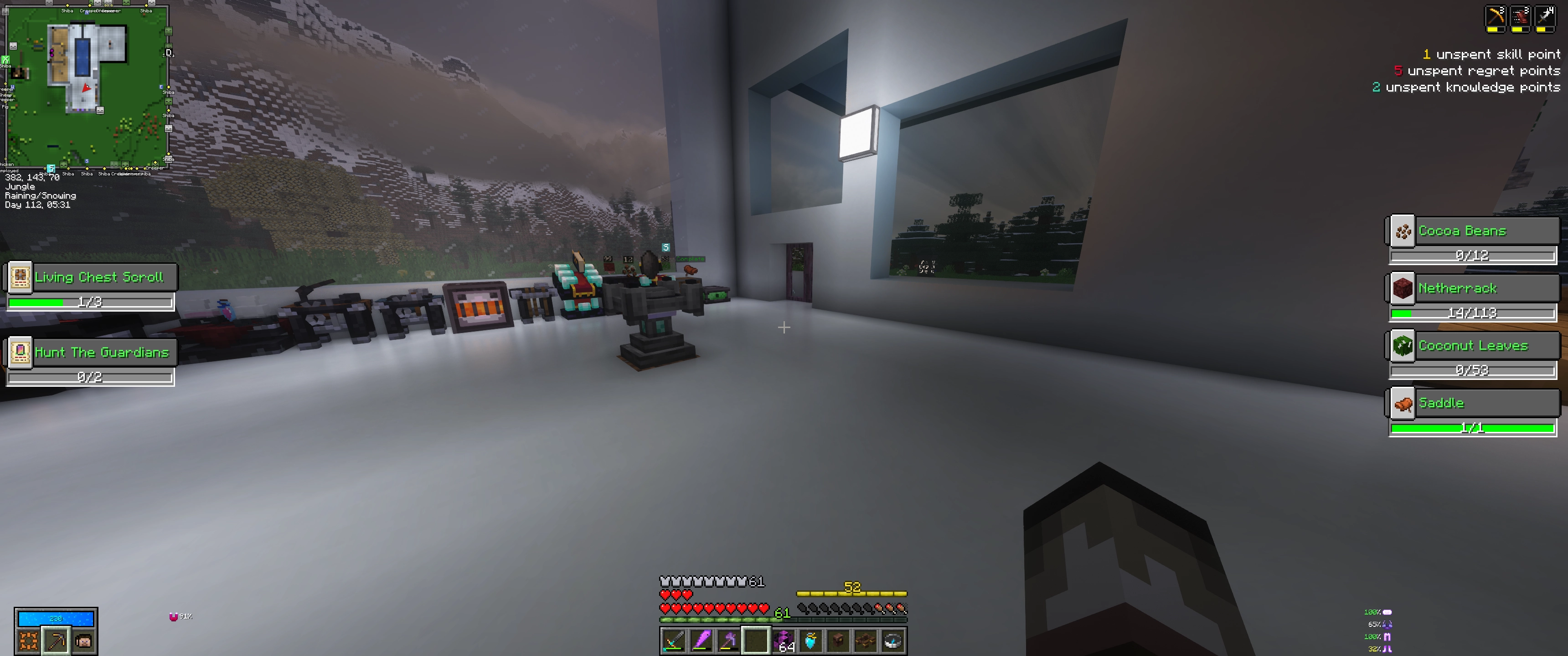 In-game HUD
Versions
Files
Relations
Project Relations
More like this
Similar Mods
Suggestions use data such as tags, dependencies, dependents, descriptions, titles, and more to rank how much they overlap with this mod.
On ModDex
Community snapshot
By the numbers
Statistics
 (opens in a new tab)
Get it on
Available Platforms
On ModDex
Community snapshot
By the numbers