Community listing page, reviews may not be monitored by the author.
VH Tool Forge

No reviews yet
Plan the perfect Vault Hunters tool: scan your jewels in AE2, RS or chests, get the best build, and auto-collect it into a backpack.

Community voices
Reviews
No reviews yet. Be the first to review this project!
Get it on
Available Platforms
About
Project Details
For authors
Embed Badge
If you're the author of this project, you can embed a live badge anywhere that supports HTML or Markdown. It updates automatically whenever ratings change.
Use HTML for any page that supports it, or Markdown for README files and Markdown-based descriptions.
Identifiers
Platform IDs
Resources
External Links
About
Description
VH Tool Forge
Stop sorting through hundreds of jewels by hand. VH Tool Forge is a client-side companion for Vault Hunters that finds every jewel you own, works out which ones build the tool you want, and then moves exactly those jewels into a backpack for you.
It runs entirely on your side: no server install, no OP, no commands. It works on any server you can already play on.
How it works
1. Scan your storage
Open any storage and press Scan beside it. VH Tool Forge reads every identified jewel's stats, size and level straight from the item, and remembers which storage it is in.
- Applied Energistics 2 terminals: the whole network is read, whatever the search box or tabs are showing.
- Refined Storage grids: the whole grid is read the same way.
- Chests, barrels, Sophisticated Storage and backpacks, and other normal containers.
2. Describe the tool you want
Press J to open the planner.
- Choose a tier and base type: Chromatic Iron up to Prismatic, as pick, axe, shovel, hammer or sickle. Tool capacity comes from your pack.
- Enter target values: Mining Speed, Item Quantity, Item Rarity, Trap Disarm, Copiously, Immortality, Durability, Reach and Hammer Size. Each one is the tool's total, base stats included.
- Rank your priorities: set any stat to 1 for most important. Unranked stats share the lowest weight.
- Tick must-have yes/no stats: affinities, tool types, Smelting, Pulverizing and Hydrovoid. Soulbound counts as nice-to-have.
- Add unique jewels such as Kaleidoscope or Pax, with their sizes.
- Set limits: an optional maximum jewel level, and support for the Increased Tool Capacity prestige unlock.
3. See the result before you build
The planner picks the best set of jewels that fits your tool's capacity and updates as you edit.
- Must-haves come first. Every must-have is covered by a stored jewel or a ticked unique. If none exists, the planner reserves room to craft one at the Jewel Crafting Table, listing the size and ingredients.
- Then the number targets, weighted by your priorities. The planner doesn't waste capacity overshooting a target.
- Two previews: hover As Entered and As Built to see real Vault Hunters tooltips of the tool you described and the tool these jewels will actually make. As Built uses Vault Hunters' own jewel code.
- Warnings: it tells you which targets fall short, what to craft, and whether a high-level jewel would raise the tool's level.
4. Collect it
Pick a Sophisticated Backpack on the Plan tab, then open each storage and press Collect. Each planned jewel is taken out and dropped into the backpack, one at a time. The Plan tab ticks them off as they arrive, grouped by storage. Then take the backpack to the Jewel Application Station.
Works with your pack
Tool tiers, unique jewels and Jewel Crafting Table recipes are read from your pack's own config/the_vault files, so pack changes and custom uniques show up automatically.
Requirements
- Minecraft 1.18.2 with Forge
- Vault Hunters, tested with Vault Hunters Remastered builds
- Sophisticated Backpacks for the Collect feature
- Optional: Applied Energistics 2 and Refined Storage for scanning and collecting from their terminals and grids
Install it on your client only. Servers don't need it.
Controls
- J: open the planner. You can rebind it in Controls.
- The Scan and Collect buttons appear beside storage screens. They can be switched off at the top of the planner.
Good to know
- Collecting works by performing the same clicks you would make yourself, one jewel at a time. Some servers have rules about automated inventory actions, so check yours if you're unsure.
- Your scans and settings are saved per world or server in
config/vhtoolforge/data/. - The backpack must be in your main inventory or hotbar while collecting.
Feedback
Found a bug or have an idea? Leave a comment or open an issue. Screenshots and your pack name help a lot.
Screenshots
Gallery
-
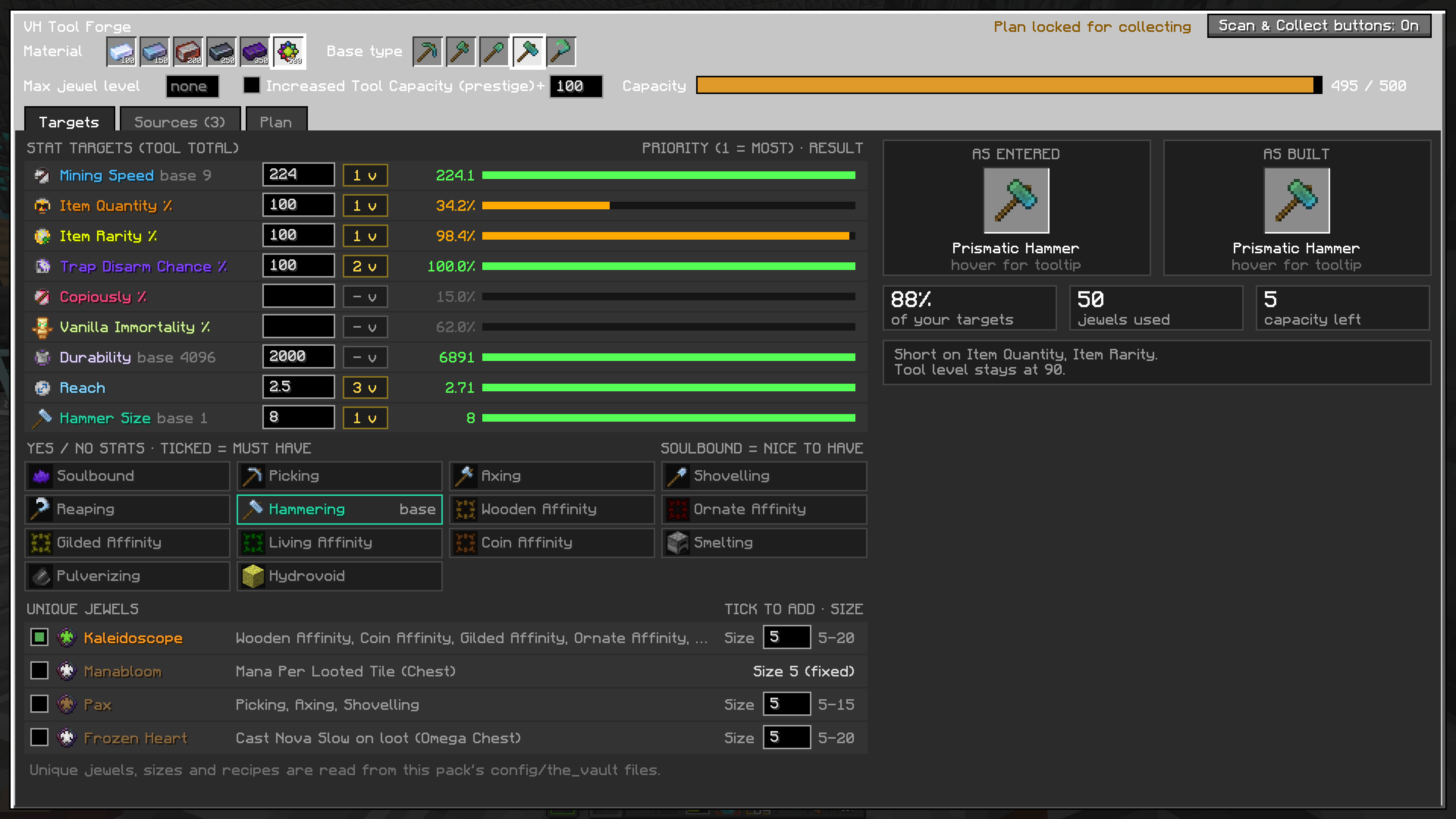 Tool Build and Preview Enter your target stats, and select affinities and unique jewels here
 -
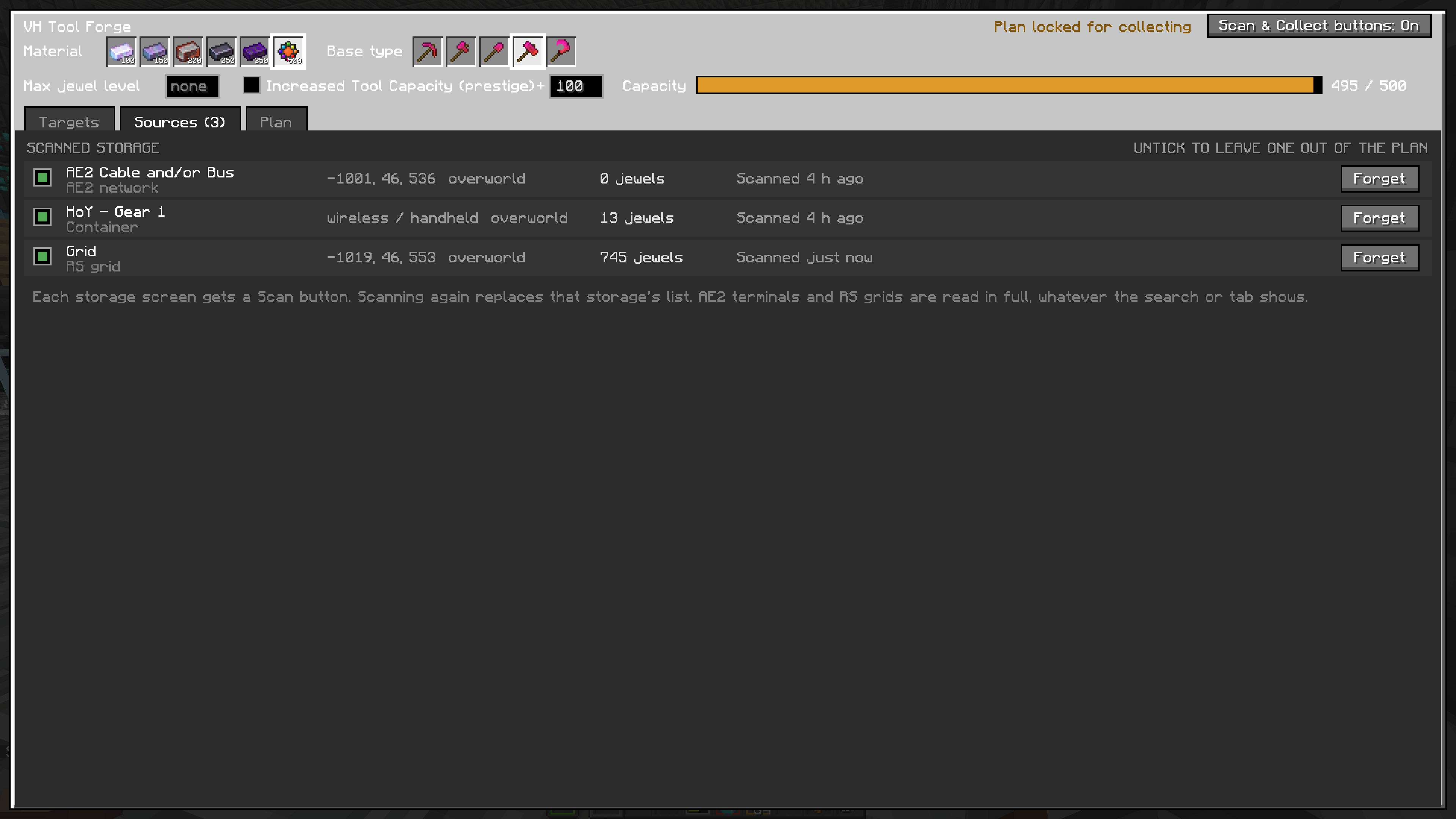 Selected Sources Displays the storage containers that hold your jewels. Once you press Detect while inside the container, the jewels will be added to the list and the container will show up here
 -
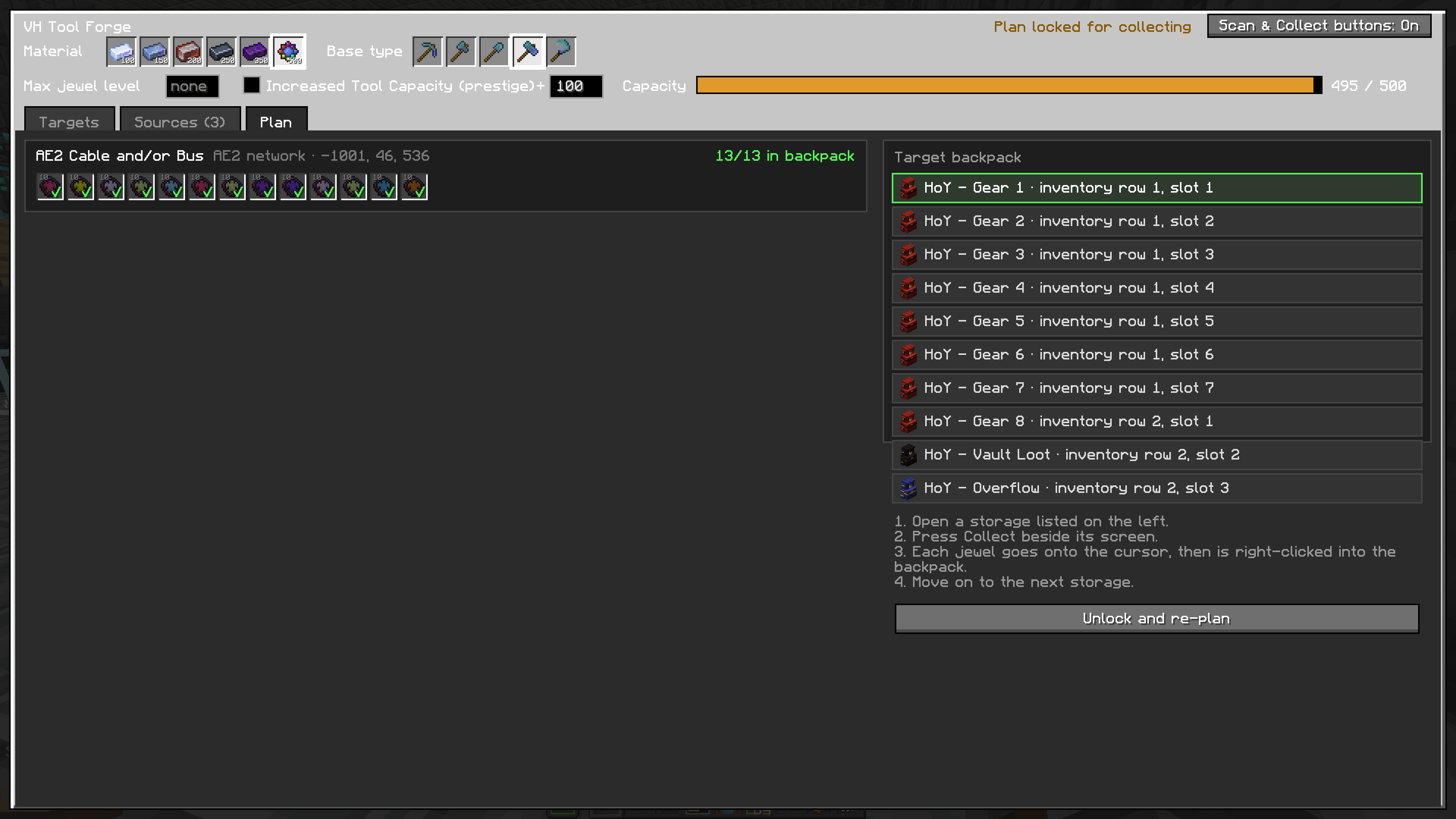 Target Bag and Collected jewels Select the bag you want to move the jewels into from this screen. Also shows which jewels that have been collected already.
 -
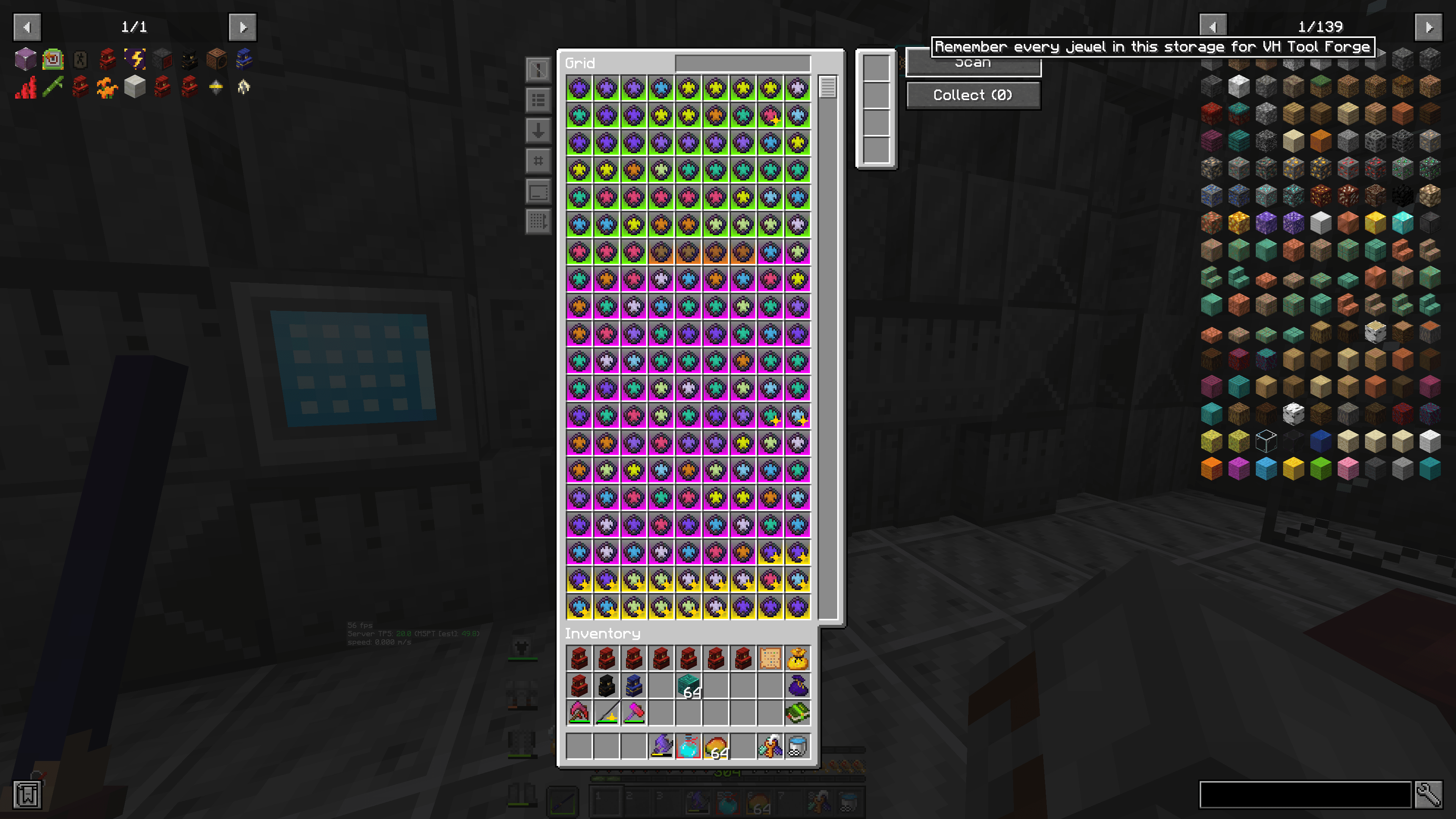 Scan Button Push this to inventory the storage system or container you are looking at Now
 -
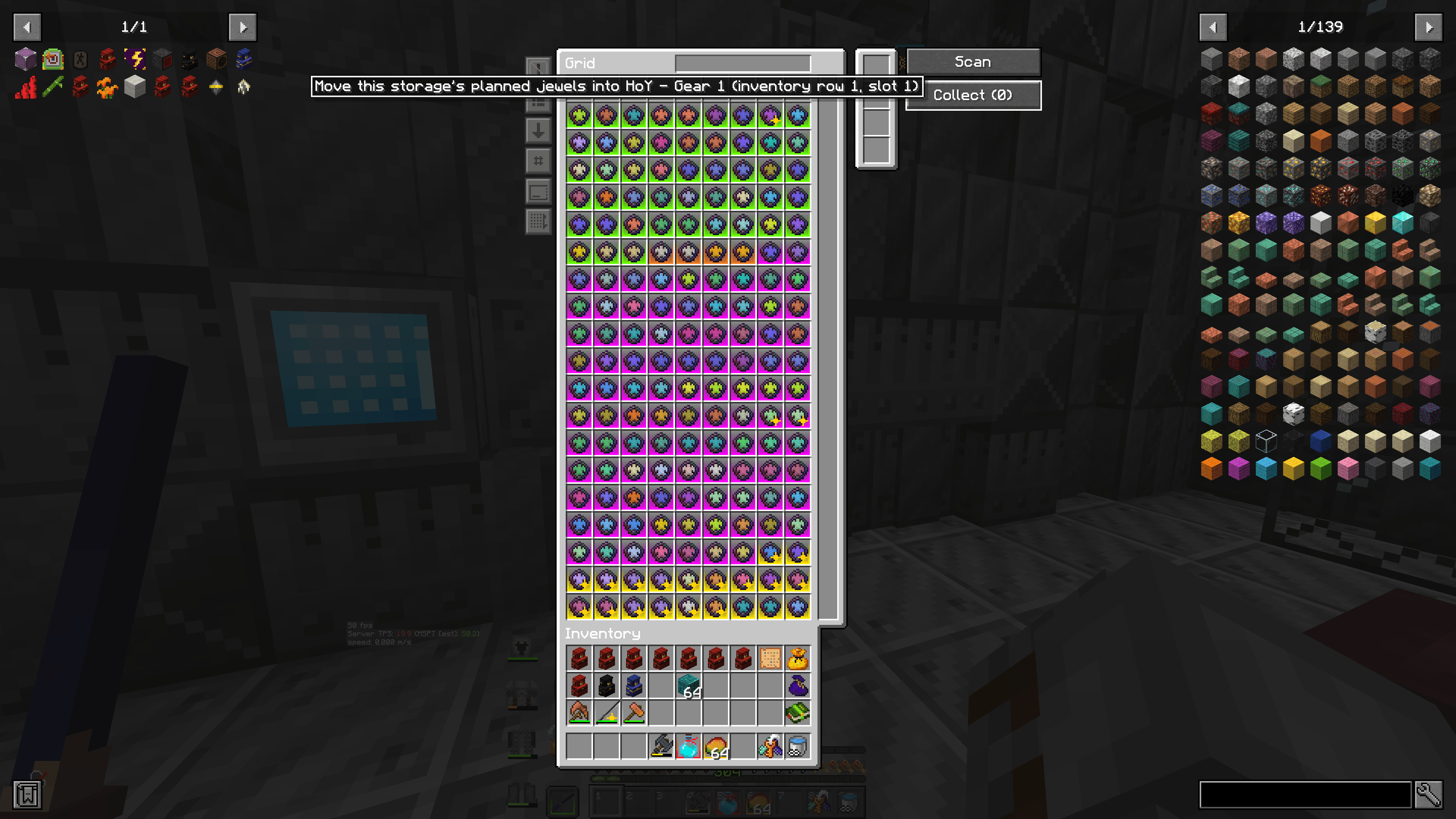 Collect Button Push this to have ToolForge grab the jewels it has selected from this storage system, and place them into the backpack you have chosen
 -
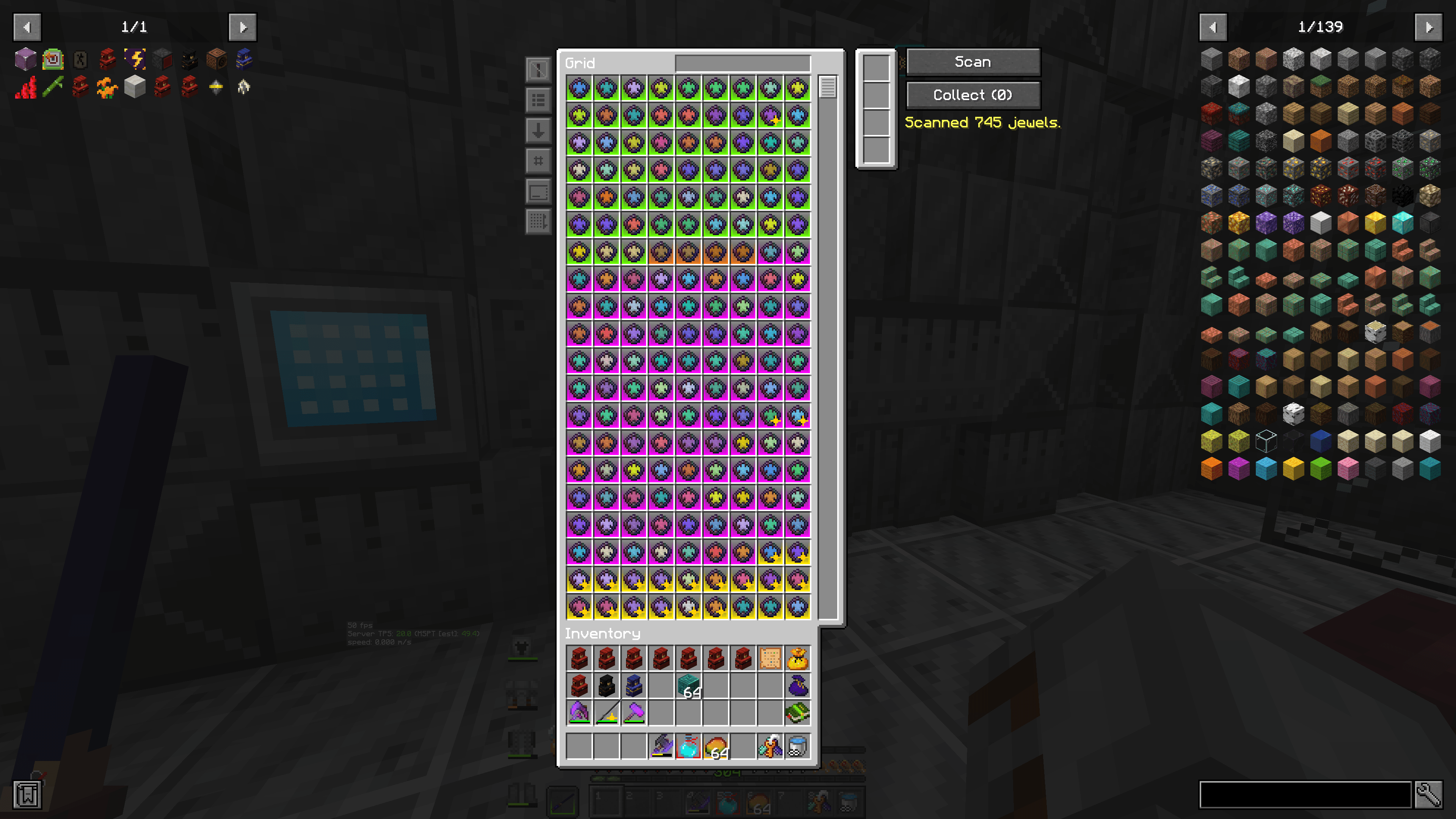 2026-10-04_17.36.08.png 2026-10-04_17.36.08.png
 -
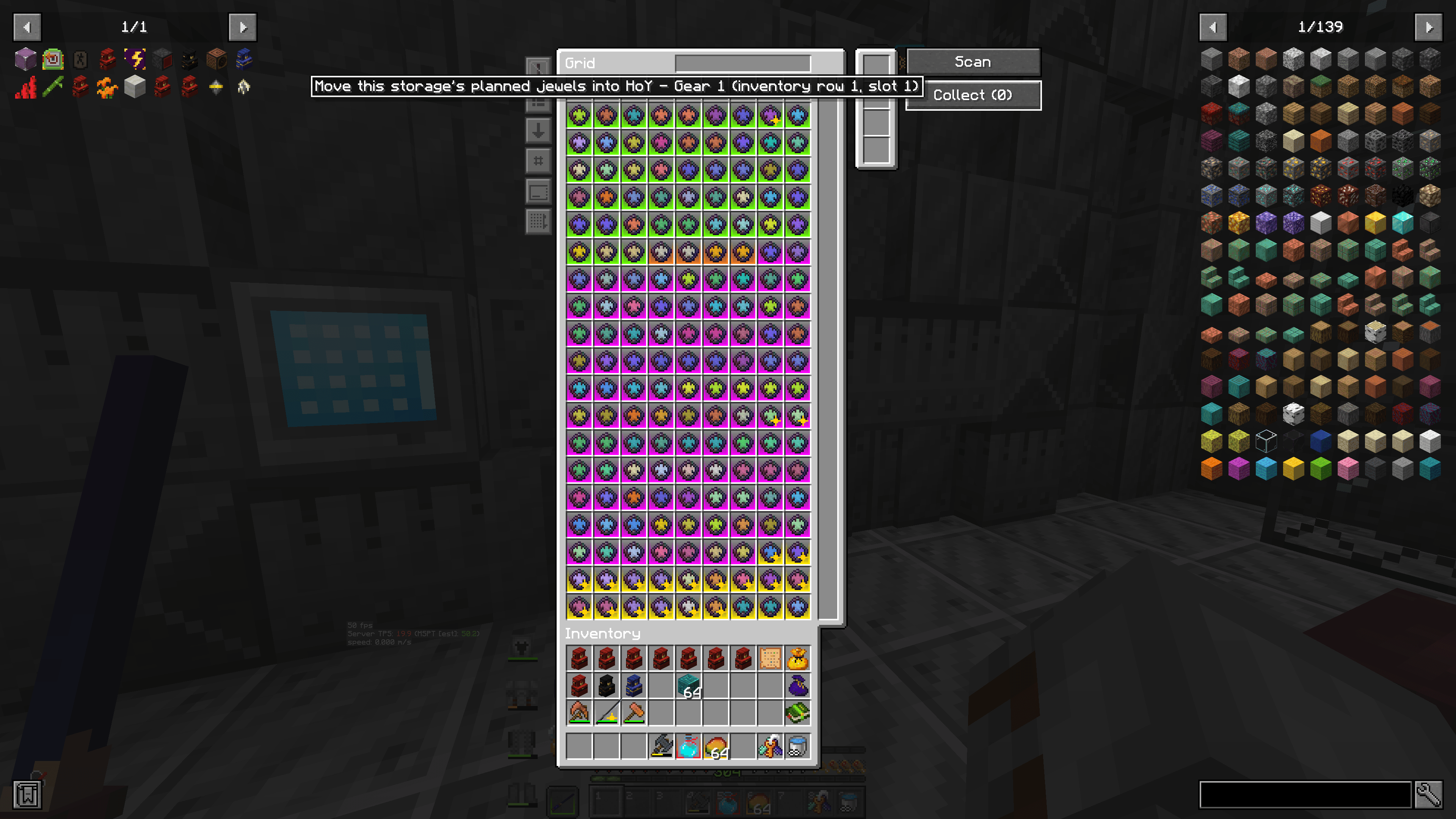 2026-10-04_17.35.57.png 2026-10-04_17.35.57.png
Versions
Files
Relations
Project Relations
More like this
Similar Mods
Suggestions use data such as tags, dependencies, dependents, descriptions, titles, and more to rank how much they overlap with this mod.
On ModDex
Community snapshot
By the numbers
Statistics

Get it on
Available Platforms
On ModDex
Community snapshot
By the numbers
Statistics
Resources