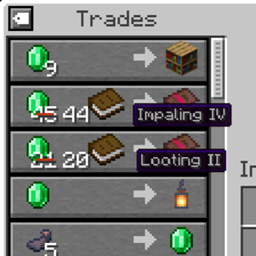
Community listing page, reviews may not be monitored by the author.
Villager Trade Labels

No reviews yet
See villager trade enchantments and explorer map names right in the trading screen, without hovering over each item.

Community voices
Reviews
No reviews yet. Be the first to review this project!
Get it on
Available Platforms
About
Project Details
For authors
Embed Badge
If you're the author of this project, you can embed a live badge anywhere that supports HTML or Markdown. It updates automatically whenever ratings change.
Use HTML for any page that supports it, or Markdown for README files and Markdown-based descriptions.
Identifiers
Platform IDs
Resources
External Links
About
Description
Villager Trade Labels
See what a villager is selling without hovering over every trade.
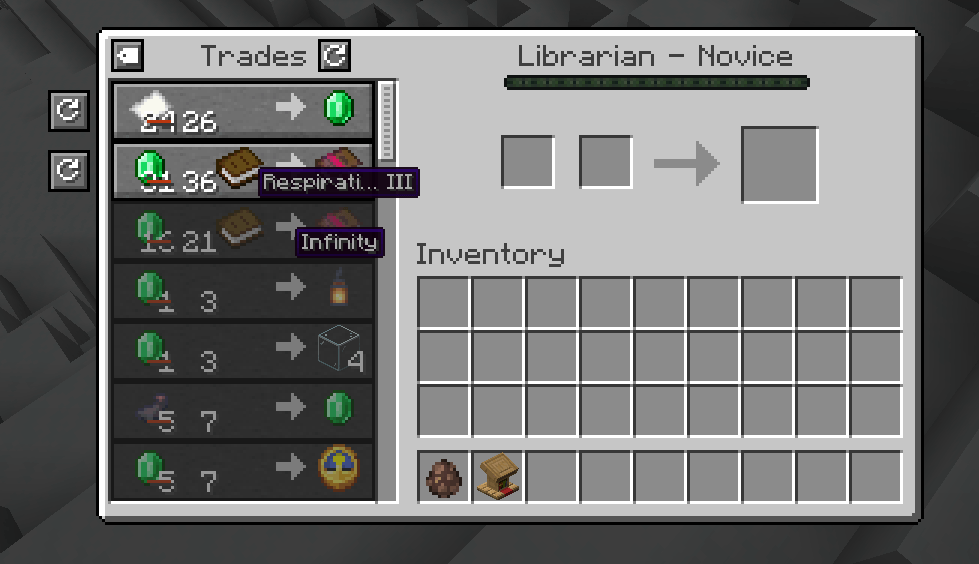
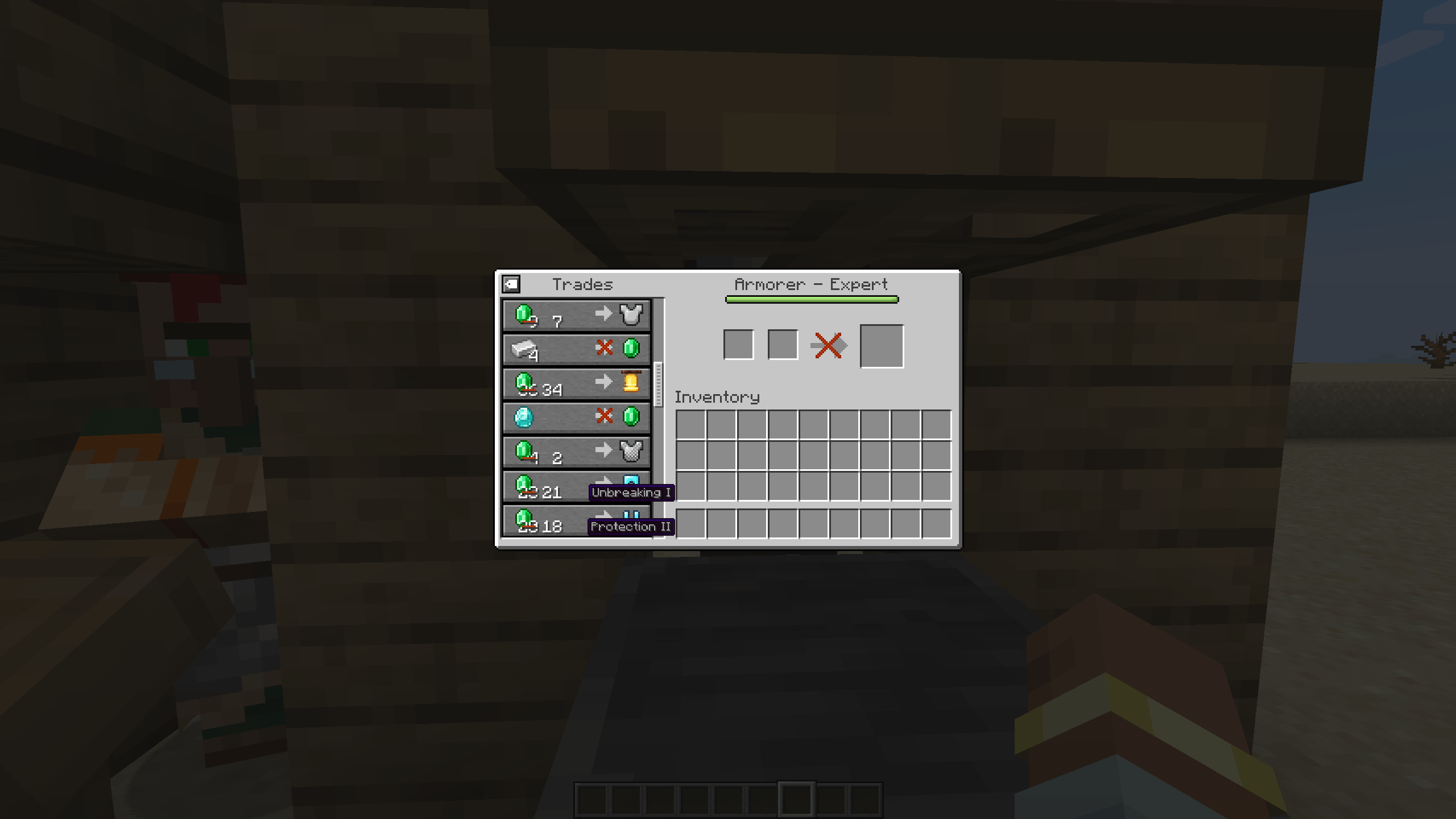
Looking for Mending in a hall full of librarians means hovering over book after book. Villager Trade Labels shows the enchantment of every enchanted book, the enchantments of enchanted gear, and the name of every explorer map right below the item in the vanilla trading screen.
Features
- Enchanted books. The stored enchantment and its level, for example Mending or Sharpness V.
- Enchanted gear. The first enchantment of armor, weapons and tools, plus how many more there are, for example Protection III +1.
- Explorer maps. The map name, for example Ocean Explorer Map.
- Looks like vanilla. Labels use the vanilla tooltip style and colors: grey enchantments, red curses, map names in their item color.
- Always readable. Long names are shortened with "…", but the level is always shown.
- No spoilers. Only information the vanilla tooltip already shows. Hidden details stay hidden.
- Toggle. A small button at the top left of the trade list hides or shows the labels and remembers your choice.
- Client-side only. Install it on your client and use it on any server, including servers without mods.
Better together
- Villager Trade Peek: locked future trades get labels too, so you can see that a librarian will offer Mending at Journeyman before you level it up.
- Villager Trade Swap: swap a trade and read the new one instantly, no hovering needed.
Both are optional. Villager Trade Labels works on its own.
Versions
| Minecraft | Loader | Requires | File |
|---|---|---|---|
| 1.21.1 | NeoForge | NeoForge 21.1.1 or newer | villagertradelabels-neoforge-1.21.1 |
| 1.21.1 | Forge | Forge 52.0.0 or newer | villagertradelabels-forge-1.21.1 |
| 1.21 – 1.21.1 | Fabric | Fabric Loader 0.15.11+, Fabric API 0.102.0+ | villagertradelabels-fabric-1.21-1.21.1 |
| 1.20.1 | Forge and NeoForge | Forge 47.1.0 or newer, or NeoForge 1.20.1 | villagertradelabels-forge-1.20.1 |
| 1.20 – 1.20.1 | Fabric | Fabric Loader 0.14.21+, Fabric API 0.83.0+ | villagertradelabels-fabric-1.20-1.20.1 |
Pick the file that matches your loader. On Minecraft 1.21.1, NeoForge and Forge are separate loaders, so each has its own file. On Minecraft 1.20.1, the single Forge file runs on both Forge and NeoForge.
Configuration
config/villagertradelabels-client.json stores whether labels are shown, for example {"showLabels": true}. You normally change it with the toggle in the trading screen.
FAQ
Do I need it on the server? No. It only changes what your own trading screen shows.
Does it work with wandering traders? Yes, labels work in every trading screen.
Can I use it in my modpack? Yes, go ahead. The mod is licensed under MIT.
Links
- Source code: https://github.com/emberbocor/villagertradelabels
- Bug reports and suggestions: https://github.com/emberbocor/villagertradelabels/issues
When reporting a bug, please include your Minecraft version, loader, mod version and your log file.
Screenshots
Gallery
-
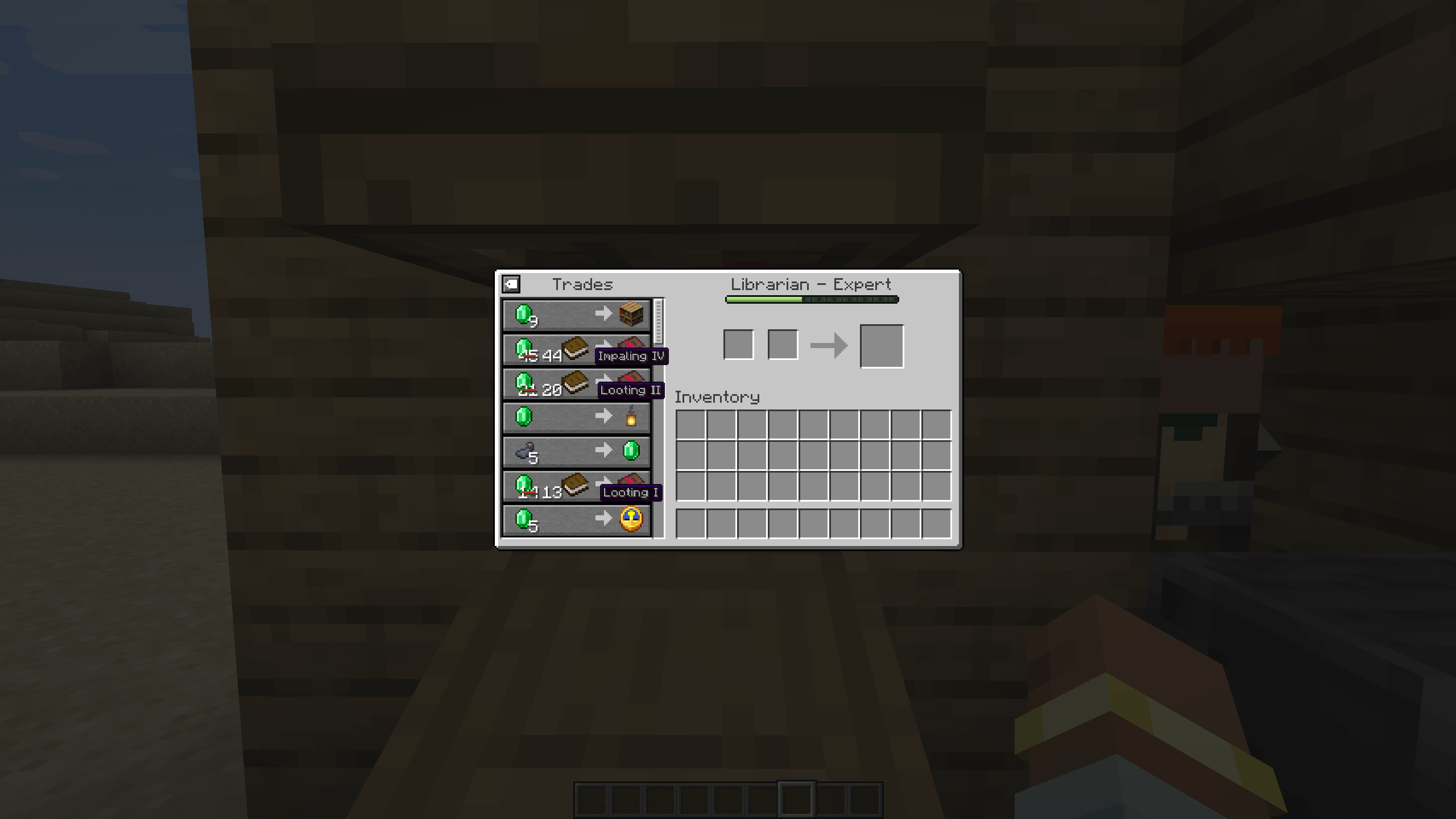 2026-10-13_01.44.11.png 2026-10-13_01.44.11.png
 -
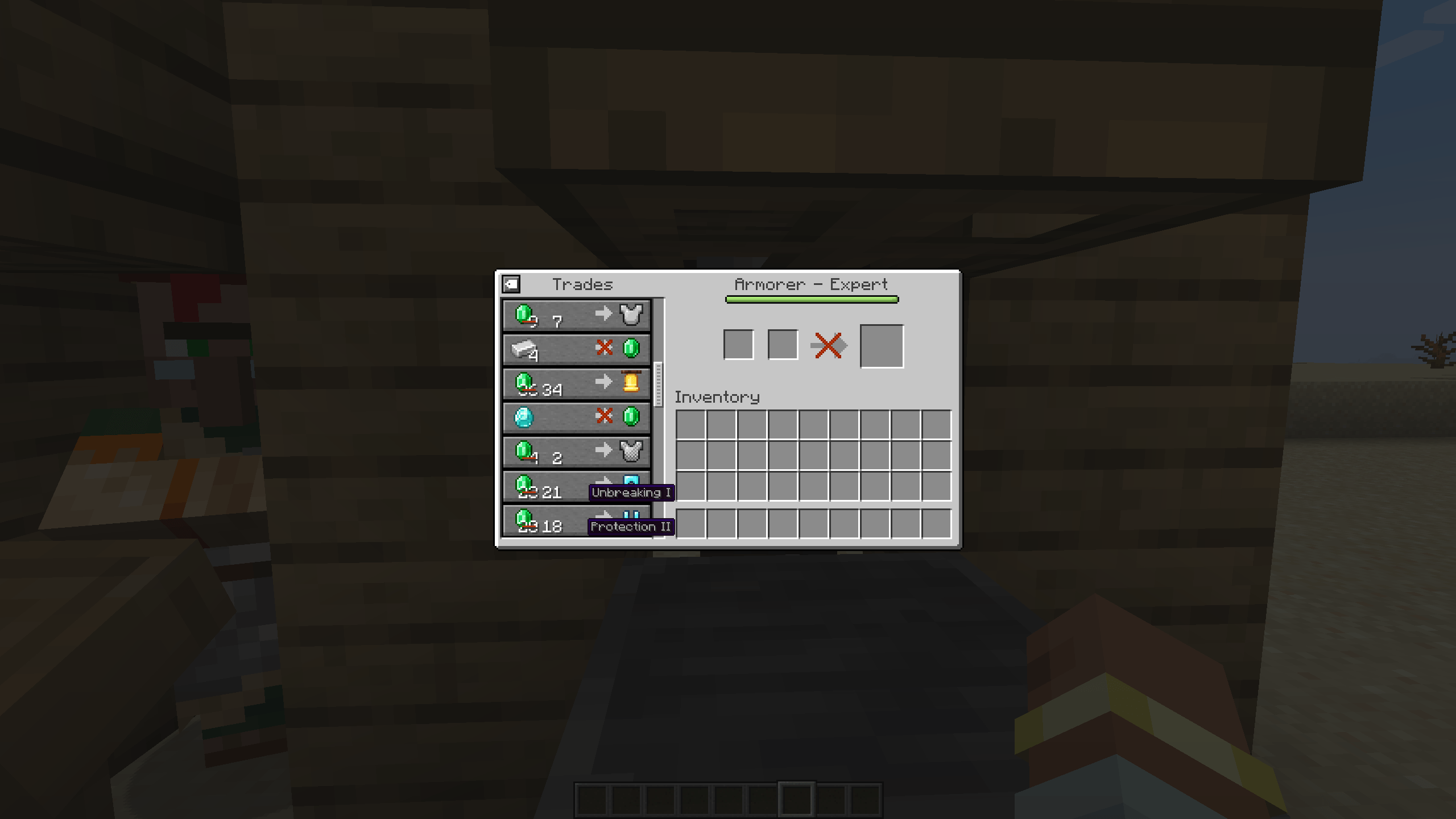 2026-10-13_01.44.54.png 2026-10-13_01.44.54.png
 -
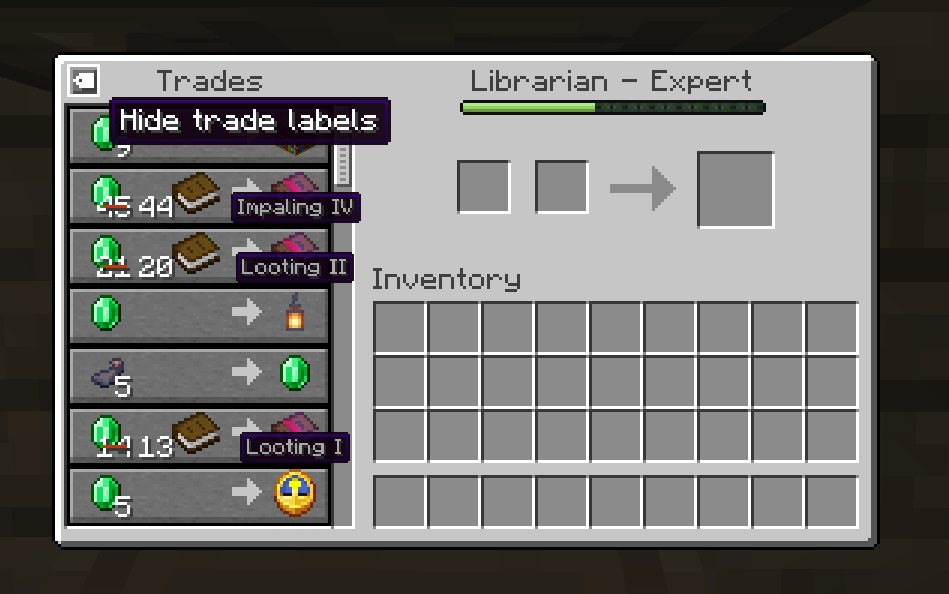 Screenshot 2026-10-13 014433.png Screenshot 2026-10-13 014433.png
 -
 Screenshot 2026-10-13 014211.png Screenshot 2026-10-13 014211.png
 -
 2026-10-13_01.44.54.png 2026-10-13_01.44.54.png
Versions
Files
Relations
Project Relations
More like this
Similar Mods
Suggestions use data such as tags, dependencies, dependents, descriptions, titles, and more to rank how much they overlap with this mod.
On ModDex
Community snapshot
By the numbers
Statistics

Get it on
Available Platforms
On ModDex
Community snapshot
By the numbers
Statistics
Resources