Community listing page, reviews here may not be monitored by the author.
Villager Trade Preview

No reviews yet
Preview the trades a villager will unlock at each future profession level directly from the trading screen.
Community voices
Reviews
No reviews yet. Be the first to review this project!
Get it on
Available Platforms
About
Project Details
For authors
Embed Badge
If you're the author of this project, you can embed a live badge anywhere that supports HTML or Markdown. It updates automatically whenever ratings change.
Use HTML for any page that supports it, or Markdown for README files and Markdown-based descriptions.
Identifiers
Platform IDs
Resources
External Links
About
Description

Ever leveled up a villager only to find out that its later trades are completely useless? Villager Trade Preview removes the guesswork by showing you which trades a villager will unlock at higher profession levels before you spend your emeralds and resources.
Future trades are displayed directly inside the villager trading interface, so you can instantly see what a villager has to offer later on. This makes finding the right villagers much faster and is especially useful when building trading halls, hunting for specific trades, or simply trying to avoid wasting resources on the wrong villager.
Villager Trade Preview also ships with the option of disabling the vanilla trade locking, so you can trade with your favorite villagers without having to wait for them to cool down again (disabled by default).
You can also use the built in automatic trading hotkey to make bulk trades for large quantities of items.
How to use:
Trade preview: When opening a trading GUI with a villager, a "Preview" button will be shown on top. Click it, to enable or disable the trade preview. By default, the future trades will be displayed directly below the currently unlocked trades. You may need to scroll down to see the future trades.
Automatic trading: The default hotkey is Left-Shift + T. Select a trade from the selection and press Left-Shift and T together. The mod will then process that trade very fast as long as you have sufficient items in your inventory. To stop, simply exit the trading GUI.
Config:
You can either configure the mod by using Mod Menu or by typing /tradepreview config. This will bring up the config menu, where you can select various options.
| Option | Possible selection | Explanation |
|---|---|---|
| TradeView enabled | ON / OFF | Enable or disable the trade preview and the "Preview" button completly |
| Preview position | In trade list / besides trades | how the locked trades directly under the unlocked trades or besides the trading GUI |
| Auto trade | Hotkey | Set the Hotkey for auto trading |
| Unlimited trades | ON / OFF | Enable or disable unlimited trades |
| Update check | ON / OFF | Enable or disable automatic update checking once per session |
The Fabric version requires Fabric API
Needs to be installed on the server to work in multiplayer
Screenshots
Gallery
-
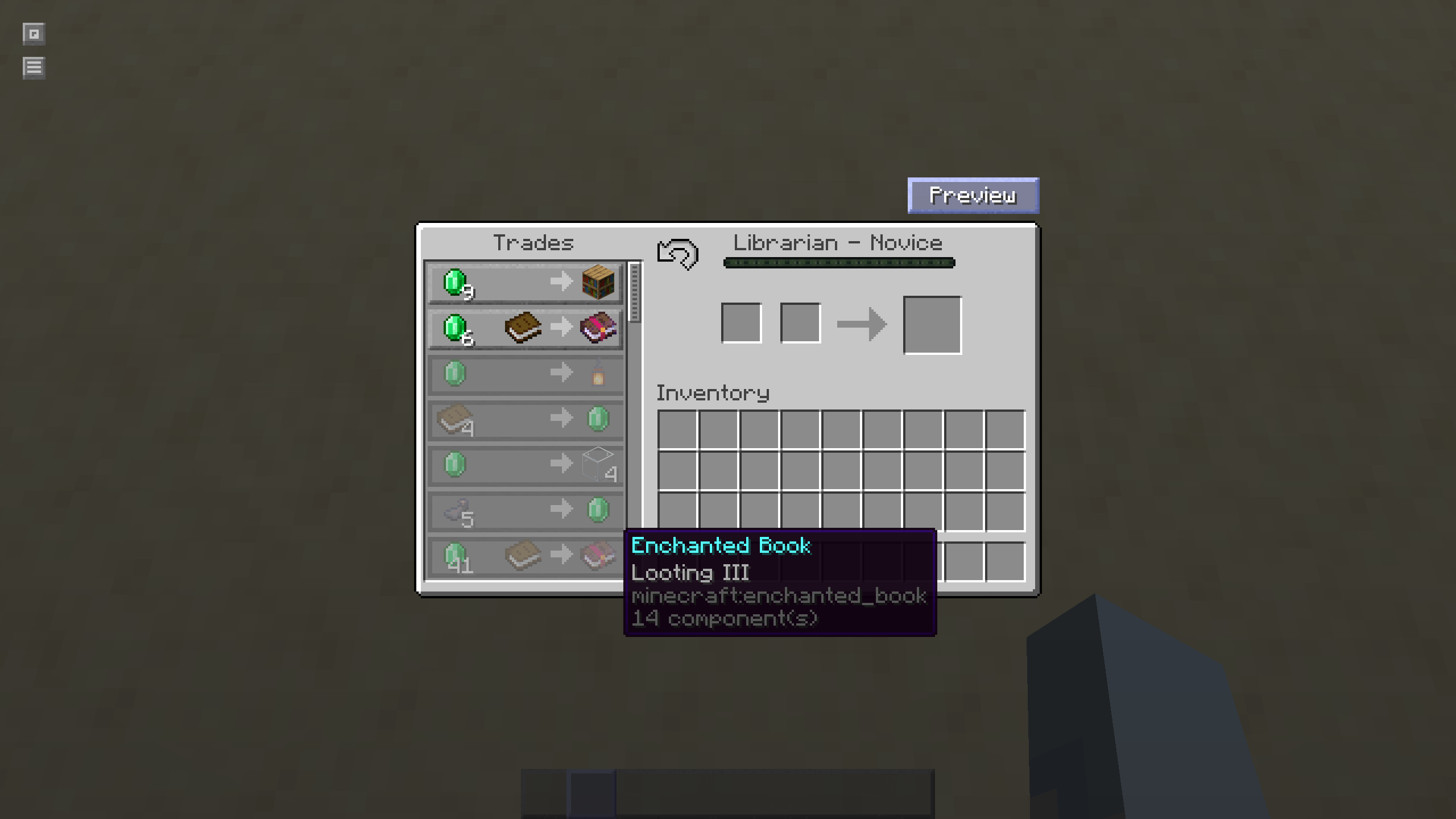 Preview rendering within vanilla GUI Trade preview rendering within vanilla GUI. Choose this option by using /tradepreview side left (Version 1.0.6+)
 -
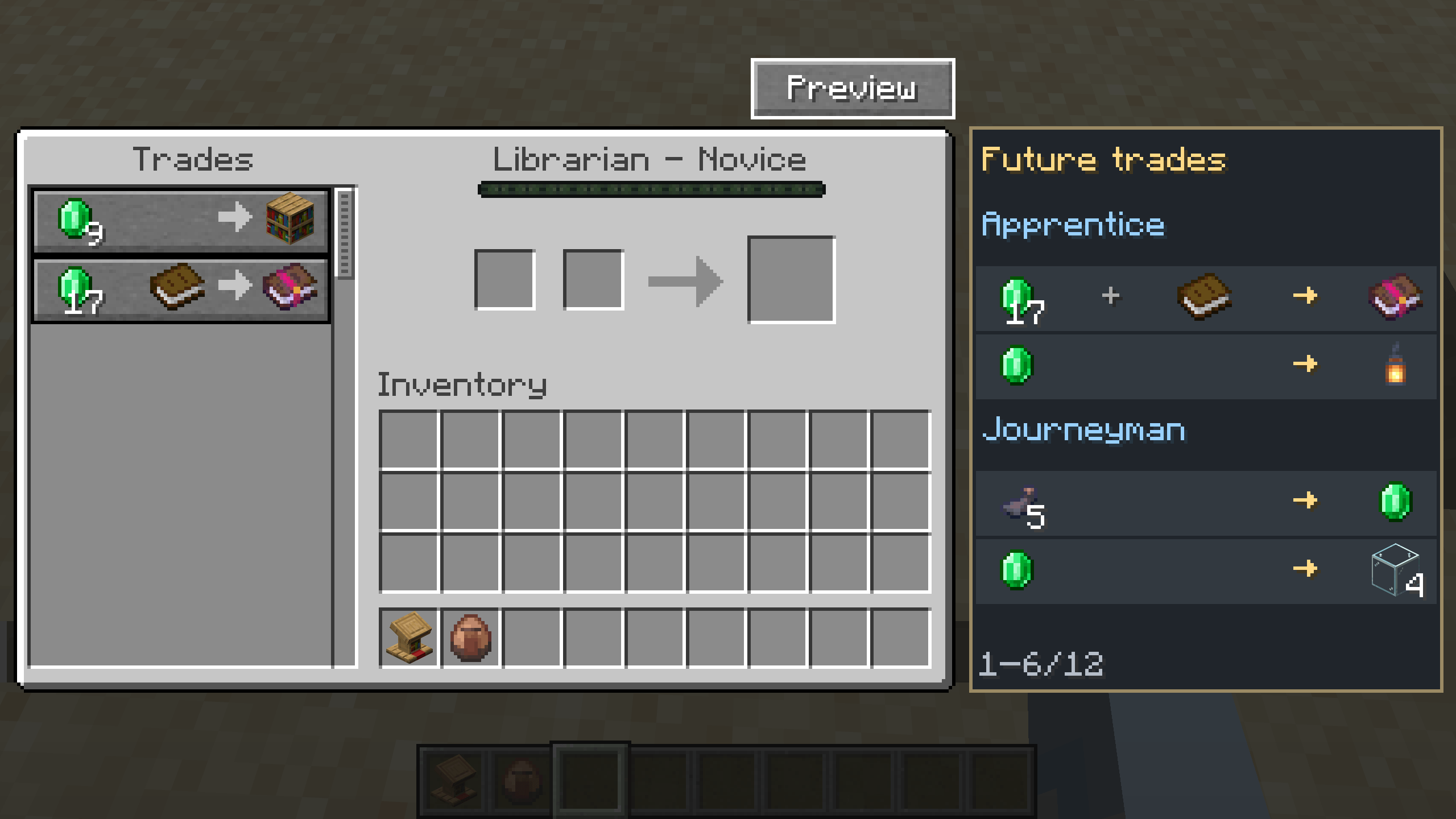 Trade preview rendering next to vanilla gui Trade preview rendering next to vanilla gui. Choose this option by using /tradepreview side right (All Versions)
Versions
Files
Relations
Project Relations
More like this
Similar Mods
Suggestions use data such as tags, dependencies, dependents, descriptions, titles, and more to rank how much they overlap with this mod.
On ModDex
Community snapshot
By the numbers
Statistics
Want to reach Minecraft players?
We're looking for a server hosting partner to feature here and other parts of the site. Interested? Send us a message!
Get in touchGet it on
Available Platforms
On ModDex
Community snapshot
By the numbers
Statistics
Resources